
On This Page
Affiliate & Editorial Disclosure: As an Amazon Associate, The PC Audit earns from qualifying purchases. When you buy through verified affiliate links on this page, we may earn a commission at no extra cost to you. All marketplace patterns and specifications were audited by Alex Morgan on November 21, 2026 under our hardware evaluation methodology.
Direct Buyer Alert Summary
Shopping on Amazon exposes buyers to critical prebuilt gaming pc red flags, including omitted PSU specs, single-stick DDR5-4800 memory, Wi-Fi 5 downgrades, and Parent ASIN review pooling. Before checkout, verify your exact selected variant, confirm dual-channel RAM, require 12GB or 16GB GPU VRAM, demand ATX 3.1 power transparency, and prioritize standard off-the-shelf ATX internals.
Amazon makes buying a gaming desktop look effortless: pick a bright RGB tower on Page 1, trust a high star rating, and click checkout. Yet behind nearly identical product photos sit major engineering compromises—unmarked power supplies, choked glass front panels, and stripped-down silicon buried in fine print. Before comparing builds in our 2026 prebuilt gaming PC hub, learn how to spot the ten biggest marketplace traps.
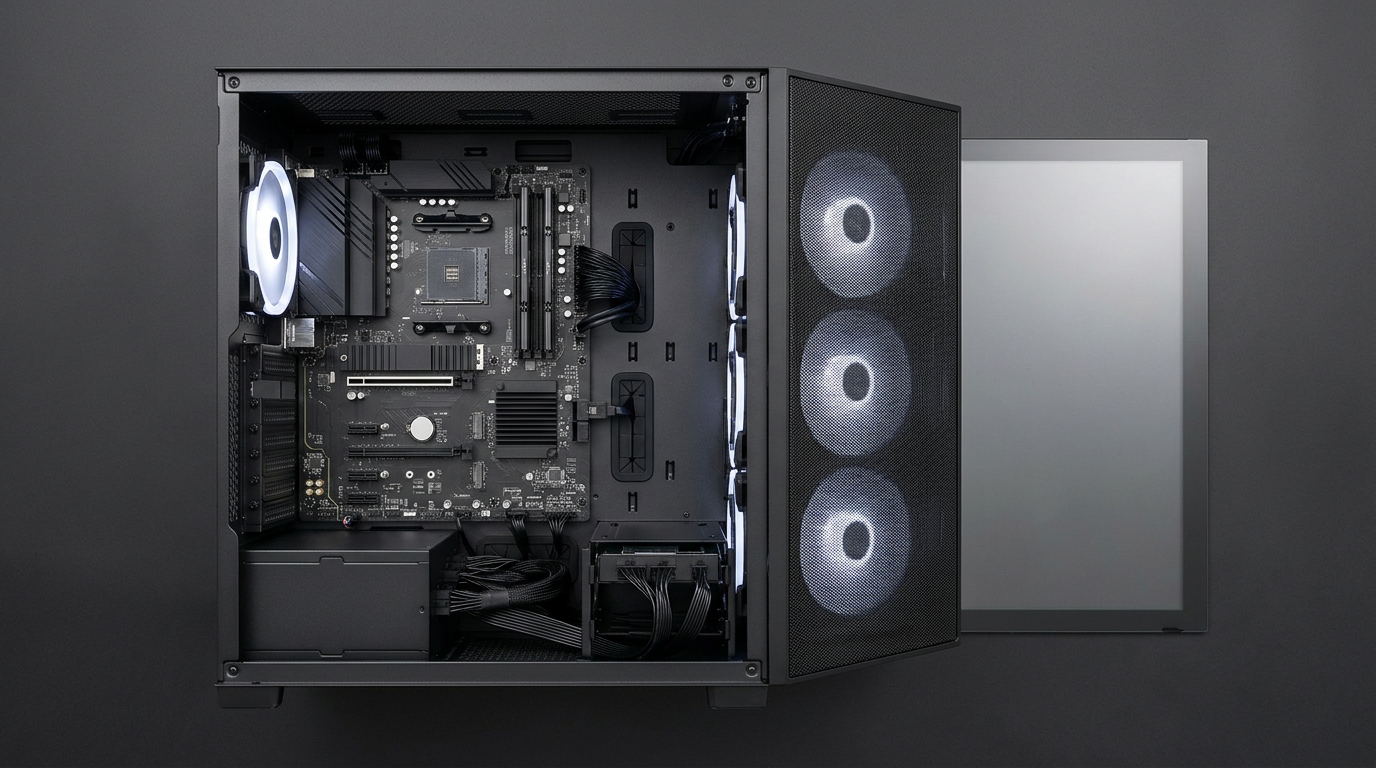
10-Axis Dissection: Amazon Listing Title vs. Hidden Reality
Every Amazon prebuilt listing rests on ten hardware and catalog axes. Sellers spotlight flagship CPU and GPU badges while omitting crucial supporting parts inside collapsed tables. Use this reference map to decode any /dp/ page quickly.
| Component / Listing Element | What Amazon Headline Shows | What Is Often Hidden / Omitted | How to Verify in 30 Seconds |
|---|---|---|---|
| 1. GPU & VRAM | “RTX 5060 Ti”, “RX 9070”, or sidebar “8 GB & above” | 8GB vs. 16GB split, RX 9070 GRE 12GB OEM cut, 4GB–6GB legacy cards, or “Brand may vary” | Verify exact chip and VRAM capacity in bullet specs; ignore sidebar caps |
| 2. CPU & Cache | “Ryzen 7”, “Core Ultra 7”, or messy duplicate labels | Ryzen 7 8700F 16MB L3 cut, F-suffix iGPU removal, or obsolete AM4 DDR4 | Match exact CPU suffix (X3D vs. F vs. 5500/5700) in the active selector |
| 3. Motherboard | Omitted or vague “Gaming Motherboard” | Hidden chipset, or unlocked i9-14900KF paired with locked B760 | Inspect spec rows and photos for AMD B850/X870 or Z-series boards |
| 4. RAM | “16GB DDR5” or “32GB DDR5” | Single-stick 1x16GB, slow DDR5-4800 CL42–46, or unstable 4-DIMM kits | Check buyer photos for 2 populated DIMM slots; target 6000 MT/s+ |
| 5. NVMe SSD | “1TB NVMe SSD” or “2TB Gen4 SSD” | Cramped 500GB boot drives or unmarked DRAM-less QLC NAND | Require 1TB minimum (2TB ideal) and check for a spare M.2 slot |
| 6. CPU Cooling | “ARGB Air Cooling” or “Liquid Cooled” | Tiny 92mm towers or 120mm AIOs on 170W–250W processors | Verify dual-tower air or 240mm/360mm radiator fans in chassis photos |
| 7. PSU | Frequently omitted in $1,000–$1,500 listings | Missing wattage/80+ rating, Bronze units, or no ATX 3.1 / 12V-2×6 | Check Q&A and review photos for wattage, 80+ Gold, and ATX 3.1 |
| 8. Wi-Fi & LAN | “Wi-Fi Ready” or “Wireless AC” | Legacy Wi-Fi 5 (802.11ac) cards inside $1,500–$3,000 towers | Confirm Wi-Fi 6E or Wi-Fi 7 alongside 2.5GbE Ethernet |
| 9. Case & Extras | Panoramic glass, case LCD, bundled keyboard/mouse | Choked solid front glass, tight GPU bends, or proprietary OEM cages | Verify mesh/side intake vents and standard rectangular ATX mounts |
| 10. OS & Condition | “Windows 11” with promotional deal badges | Search results blending Renewed/Used sellers with New inventory | Lock Amazon Condition filter to “New” and check fulfillment seller |
1. Broken Sidebar Filters Capping VRAM at “8 GB & Above”
One of the first prebuilt gaming pc red flags strikes before you even open a listing. Amazon’s left-hand Graphics Memory sidebar facet stops at “8 GB & above”, offering zero filter separation between 8GB entry cards, 12GB mid-range GPUs, 16GB 1440p/4K cards, and 32GB flagships.
As a result, an 8GB RTX 5060 or RTX 5060 Ti 8GB sits right beside 12GB RTX 5070 and 16GB RX 9070 XT desktops. Worse, the Graphics Processor filter still promotes legacy tags like RX 500, Vega, and Intel HD, while default search pages blend Renewed and Used units unless you lock Condition to New. Always confirm exact VRAM directly in the title and spec sheet.
2. Parent ASIN “Set Name” Review Pooling and Cloned CPU Strings
A 4.6-star badge backed by 1,200+ reviews rarely tells the truth about a brand-new 2026 configuration. On Amazon, integrators routinely attach vastly different generations to one shared Parent ASIN via the Set name or Style selector—pooling legacy builds (like Ryzen 5 2600 + GTX 1660 Ti) together with modern Ryzen 7 9850X3D + RX 9070 XT systems.
Other high-volume listings fragment processor options across messy duplicate strings such as "AMD Ryzen 7", "8700 F", and "8700F". Before trusting any star count, select your exact configuration, filter reviews to “This format only”, and verify recent buyer photos match your chosen hardware.
3. Page-1 Legacy Traps: 4GB–6GB GPUs, AM4 DDR4, and 500GB SSDs
Amazon’s front page still pushes clearance desktops disguised behind modern RGB glass. Under $800 and even near $1,000, shoppers routinely encounter aging AM4 DDR4 processors (Ryzen 5 5500 or Ryzen 7 5700X) paired with 4GB RX 6500 XT, 6GB RTX 3050, or 8GB RTX 3060 Ti cards alongside cramped 500GB drives.
Spending above $1,100 on an 8GB GPU or paying mid-range money for PCIe 3.0 AM4 DDR4 hardware bottlenecks textures and cuts upgrade longevity short. Likewise, 500GB DRAM-less QLC boot drives fill after three modern 150GB games and slow down under sustained writes. Compare properly balanced entry rigs in our under-$1,000 gaming PC guide.
4. Hidden CPU Cache and Lane Cuts: Ryzen 7 8700F and F-Suffix Chips
Headline banners promote “8-Core Ryzen 7” or “20-Core Core Ultra 7” without disclosing key silicon trims inside popular OEM chips:
- AMD Ryzen 7 8700F (AM5): Built on mobile-derived Phoenix silicon, it retains AM5 socket upgradability but drops L3 cache to 16MB (half of a Ryzen 7 7700/9700X and far below 96MB X3D chips), limits usable PCIe 4.0 lanes to 16, and removes integrated graphics—cutting 1% Low framerates in CPU-heavy esports.
- Intel Core Ultra 7 265F (LGA 1851): Delivers brisk 20-core (8P+12E) productivity up to 5.3 GHz, but the F suffix removes the iGPU and Intel Quick Sync hardware encoding.
- AMD Radeon RX 9070 GRE (12GB OEM): Drops from 16GB to a 192-bit 12GB buffer compared with the standard RX 9070.
Read our Ryzen 7 8700F vs. Ryzen 7 9800X3D audit before paying enthusiast money for stripped L3 cache.
5. Unlocked “K” CPUs on B760 Boards and Undisclosed Chipsets
Several upper-tier Amazon builds pair an unlocked Intel Core i9-14900KF—capable of 250W+ turbo draw—with an entry Intel B760 board that locks CPU multiplier tuning and often lacks VRM heatsink headroom for sustained loads. A similar multiplier lock applies when unlocked Intel Core Ultra K chips sit on B860 boards.
Equally troubling, numerous mid-range and enthusiast listings omit motherboard chipsets entirely. Without checking interior photos or Q&A, you cannot tell whether an AM5 rig ships with a strong AMD B850 (PCIe 5.0 M.2 + full CPU/RAM tuning, ideally 12+2 stage VRMs) or a bare entry board with limited expansion.
6. Omitted PSU Wattage, Missing ATX 3.1, and Adapter Shortcuts
The power supply is the easiest component to hide on an Amazon spec sheet. Across $1,000–$1,500 listings, wattage and 80+ ratings routinely vanish altogether, while even pricier builds skip mentioning ATX 3.1 / PCIe 5.1 compliance.
Modern RTX 50-series and RX 9070 XT cards generate brief 200% to 300% transient power excursions that trip outdated group-regulated Bronze units. Native ATX 3.1 units also deliver updated 12V-2×6 cables whose recessed sense pins prevent connector overheating if loosely seated—far safer than legacy 12VHPWR or bulky multi-8-pin dongles. Look for Cybenetics ETA/Lambda or 80+ Gold ratings sized so gaming load hits 50%–60% capacity (650W entry, 750W–850W 1440p, 1000W+ 4K), and review our ATX 3.1 and 12V-2×6 guide.
7. Single-Channel 1x16GB RAM, DDR5-4800, and Wi-Fi 5 Downgrades
Listing “16GB DDR5” without naming stick layout or CAS latency hides a major framerate tax. A lone 1x16GB single-channel stick halves memory bandwidth and cuts 1% Low framerates by 15% to 30%, while slow DDR5-4800 CL42–CL46 modules rob AM5 and Intel processors of crisp responsiveness. Target 32GB (2x16GB) DDR5-6000 CL30 on AM5 (1:1 UCLK:MCLK ratio) and avoid unstable 4-DIMM fills.
Networking gets quietly downgraded too: multiple $1,500–$3,000 towers still ship legacy Wi-Fi 5 (802.11ac) cards instead of Wi-Fi 6E or Wi-Fi 7 with 2.5GbE LAN. Always check memory speed and wireless specs before shopping in our under-$2,000 gaming PC picks.
8. “Brand May Vary” Lotteries and #prodDetails Catalog Noise
High-volume listings frequently state “GPU or SSD brand may vary based on stock”, creating a hardware lottery where identical ASINs ship with noisy twin-fan cards or DRAM-less QLC SSDs depending on the week. While standard ATX builders like CyberPowerPC, MSI, ASUS ROG, Skytech, and STORMCRAFT keep those parts easily replaceable, unverified variance still lowers consistency.
Amazon’s collapsed #prodDetails grid compounds this confusion with automated scraping bugs—such as Screen Size: 0.01 on desktop towers or garbled Cache Size: 8 fields. Always verify real part details from manufacturer PSREF sheets and verified customer screenshots rather than auto-populated spec rows.
9. Choked Solid Front Glass, 120mm AIOs, and Tight Cable Bends
Three glowing intake fans mounted directly behind a solid, unvented front tempered glass panel starve airflow, driving GPU and CPU temperatures toward 85°C–90°C thermal throttling and loud fan ramp-ups. Pairing a thin 120mm AIO or 92mm air cooler with a 170W–250W CPU compounds the heat trap within minutes of launch.
Look equally closely at physical clearance: slim cases leaving less than 35mm between the GPU’s power header and side glass dangerously kink 12V-2×6 connectors, and shipping heavy triple-slot cards without support brackets risks cracked PCIe slots. Choose fine-mesh front intakes or ventilated dual-chamber chassis with 240mm/360mm AIOs or dual-tower air coolers, as verified in our under-$1,500 gaming PC audit.
10. Proprietary OEM Lock-In, Bloatware, and 25%+ Markups
Certain legacy big-box OEM lines (compact Dell, HP, or Acer designs) weld custom motherboards to proprietary 10-pin or 12-pin PSU harnesses and non-standard drive cages. When an out-of-warranty power supply fails or you outgrow your GPU, standard retail ATX parts will not fit—turning the chassis into a dead end.
Always audit bundled software and component parity too. Trial antivirus bloatware and locked BIOS power limits steal responsiveness, while fair prebuilt labor plus Windows 11 licensing and warranty should sit around 5% to 12% over standalone component cost. Skip any machine priced 25% or higher above DIY part parity.
60-Second Pre-Checkout Verification Checklist
- Lock Condition to New: Confirm Condition: New and Amazon.com or verified OEM fulfillment rather than blended Renewed listings.
- Audit Active Variant Reviews: Click your target Set name/CPU option and filter customer reviews to that exact configuration.
- Check GPU VRAM & Suffixes: Verify exact GPU VRAM (12GB+ for 1440p) and CPU suffixes (X3D vs. 8700F/265F), ignoring sidebar “8 GB & above” caps and
Screen Size: 0.01table glitches. - Inspect Customer Interior Photos: Confirm two spaced DDR5 DIMMs (dual-channel), front mesh/side intake airflow, and dual-tower or 240mm/360mm cooling.
- Verify PSU & Standard ATX Mounts: Scan Q&A for PSU wattage, 80+ Gold / ATX 3.1 support, Wi-Fi 6E/7, and standard 24-pin ATX connectors.
Post-Delivery Red-Flag Audit: Confirm Every Spec Inside the Return Window
Spotting red flags on the product page is only half the job. Integrators occasionally ship a different memory layout, a smaller GPU memory configuration, or an unnamed power supply than the listing implied, and the only way to catch that is to inspect the system the day it arrives. Amazon’s standard return window for desktop computers is typically 30 days from delivery (check the exact date on your order page), so run the checks below during the first evening, before you install your game library.
| Red Flag | Where It Appears in the Listing | Why It Matters (Spec Impact) | What to Demand Before Buying | How to Confirm After Delivery |
|---|---|---|---|---|
| Single-stick RAM | “16GB DDR5” in the title with no “2x8GB” or “dual-channel” wording | 1x DDR5-4800 peaks at 38.4 GB/s; 2x DDR5-6000 peaks at 96 GB/s | “2x16GB” or “dual-channel” stated in bullets | Task Manager → Performance → Memory: “Slots used: 2” |
| Slow or unrated memory speed | “DDR5” with no MT/s figure | DDR5-6000 delivers 25% more bandwidth than DDR5-4800 | Rated speed (6000 MT/s on AM5, 6400 MT/s on LGA 1851) and EXPO/XMP support | Task Manager “Speed” field; enable EXPO or XMP in BIOS if it reads 4800 |
| Smaller GPU memory variant | “RTX 5060 Ti” or “RX 9060 XT” with no GB figure | 8GB vs. 16GB on the same GPU name; 8GB is a 1080p-only card | Exact VRAM in the active variant title | Task Manager → GPU: “Dedicated GPU memory” reads 8.0 GB or 16.0 GB |
| Omitted PSU | No wattage or rating anywhere in the spec rows | A 300W–304W GPU needs an 850W ATX 3.1 unit for a 50%–60% load target | Wattage, 80+ Gold or better, ATX 3.1 compliance | Remove the side panel and photograph the PSU label (wattage, efficiency, ATX revision) |
| Hidden Wi-Fi 5 adapter | “Wi-Fi ready,” “Wireless AC,” or “802.11ac” | Wi-Fi 5 is 5 GHz only; Wi-Fi 6E adds the 6 GHz band and Wi-Fi 7 adds 320 MHz channels | Wi-Fi 6E or Wi-Fi 7 named, plus 2.5GbE LAN | Command prompt: netsh wlan show drivers → “Radio types supported” lists 802.11ax or 802.11be |
| Cache-cut CPU | Generic “Ryzen 7” or “AMD 8-Core” label | Ryzen 7 8700F carries 16MB L3 vs. 96MB L3 on the Ryzen 7 9800X3D | Full CPU model number including suffix | Task Manager → CPU: model name and “L3 cache” value |
| Undersized boot SSD | “512GB SSD” or “500GB NVMe” | Windows 11 plus four 100GB+ AAA installs exceeds 500GB | 1TB minimum (2TB ideal) with a spare M.2 slot | Disk Management capacity; drive model name in Device Manager |
| Unlocked CPU on a locked board | “Core i9-14900KF” with no chipset listed | B760 boards do not support CPU multiplier overclocking and often carry lighter VRMs | Named Z-series chipset, or a non-K CPU at a lower price | System Information (msinfo32) → “BaseBoard Product” model name |
How to Use This Table Without Voiding Anything
Every check above uses tools built into Windows 11 or a simple visual inspection, so none of them requires installing third-party software or modifying hardware. Removing a standard tool-less or thumbscrew side panel to read a PSU label does not void the warranty on mainstream ATX prebuilts, but avoid unplugging cables or removing warranty-sealed screws until the return window closes. Take dated photos of each result: if the delivered system contradicts the listing, those screenshots make the return or seller conversation short and factual.
Not every mismatch means you should send the system back. A single 16GB stick or DDR5-4800 speed is a small, cheap fix if the rest of the build is solid, and our AMD EXPO vs. Intel XMP guide shows how to enable a kit’s rated speed once you add a matching second module. By contrast, a smaller GPU memory variant, a cache-cut CPU billed as a premium chip, or an unlabeled power supply under a 300W-class graphics card are structural problems that justify a return. For deeper context on the two most common downgrades, see our hidden Wi-Fi 5 and DDR5-4800 downgrades guide and our omitted PSU and “brand may vary” audit. If you bought a Renewed unit instead of a new one, the return terms differ, as explained in our Amazon Renewed vs. New gaming PC guide.
Once every row checks out, finish the job with driver updates, BIOS memory profiles, and power-plan tuning using our post-build setup checklist, which applies just as well to a prebuilt that arrives with factory defaults.
Clean Alternatives & Audited Safe Builds on Amazon
Below are three verified 2026 Amazon US prebuilts that pass our core hardware integrity checks across enthusiast, upper mid-range, and entry-value budgets—complete with honest notes on any minor post-purchase upgrades worth budgeting.
Lenovo Legion Tower 5 (2026 — Ryzen 7 9800X3D & RX 9070 XT 16GB)

- CPU & GPU: AMD Ryzen 7 9800X3D (96MB L3, AM5) · Radeon RX 9070 XT 16GB
- RAM & SSD: 32GB DDR5 · 1TB NVMe SSD
- Power & Network: 850W PSU · Wi-Fi 7 · 2.5GbE LAN · Windows 11 Home
Audit Verdict: Lenovo clears every major high-tier red flag by pairing 9800X3D 3D V-Cache silicon and 16GB RX 9070 XT graphics with 32GB DDR5, an 850W PSU, and Wi-Fi 7 + 2.5GbE networking—avoiding proprietary lock-in pitfalls while keeping M.2 storage expansion simple. Caveat: 1TB primary SSD fills quickly with large AAA games.
ASUS ROG G700 (Core Ultra 7 265F & RTX 5070 12GB)
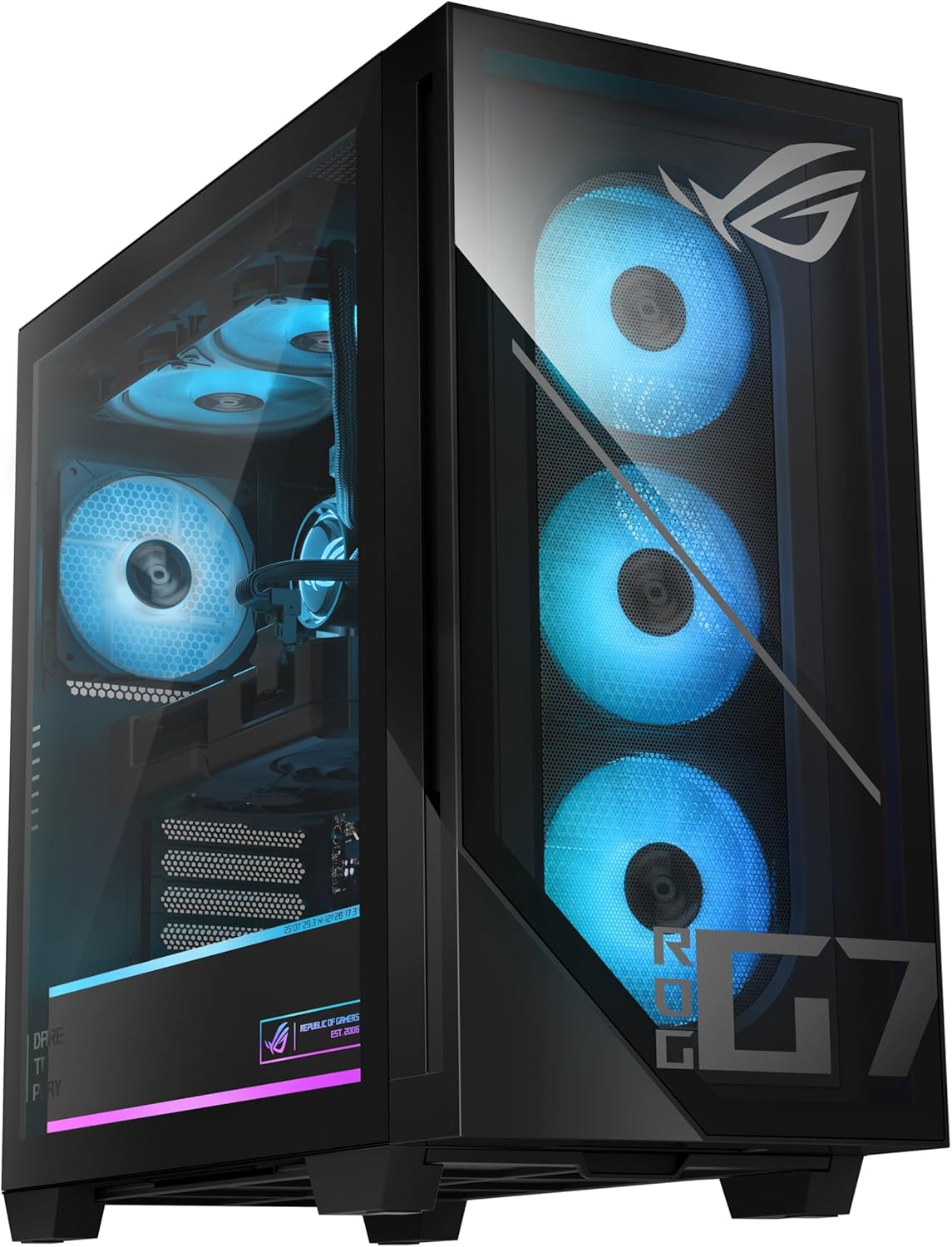
- CPU & GPU: Intel Core Ultra 7 265F (20C, LGA 1851) · RTX 5070 12GB GDDR7
- RAM & SSD: 16GB DDR5 · 1TB M.2 PCIe 4.0 NVMe SSD
- Chassis & Power: 58L tool-less ROG chassis · Quad-fan airflow · 850W PSU · Wi-Fi 6 · 2.5GbE
Audit Verdict: Avoids choked thermals and restrictive cages with a spacious 58L tool-less ATX chassis, quad-fan cooling, 850W power capacity, and 12GB GDDR7 VRAM under $1,900. Caveat: This SKU ships with 16GB DDR5 and no Quick Sync iGPU—use the tool-less side panel to bump to 32GB dual-channel DDR5.
CyberPowerPC Gamer Xtreme (Core i5-14400F & RTX 5060)

- CPU & GPU: Intel Core i5-14400F (10C/16T) · RTX 5060 8GB GDDR7
- RAM & SSD: 16GB DDR5 · 1TB PCIe 4.0 NVMe SSD
- Platform & Extras: Intel B760 chipset · Wi-Fi 6 · Standard ATX shell · Sold by Amazon.com
Audit Verdict: Cleanly avoids Page-1 4GB–6GB RTX 3050, AM4 DDR4, and 500GB traps while delivering standard off-the-shelf ATX compatibility under $1,200. Caveat: LGA 1700 is end-of-socket, 8GB VRAM targets 1080p, and buyers should inspect factory stick count and plan an ATX 3.1 PSU upgrade before moving to a higher-wattage GPU.
Ready to compare full tier winners? Explore our Best Prebuilt Gaming PC Hub, or filter by target budget: Under $2,000, Under $1,500, and Under $1,000.
How We Audited This Guide
- Prebuilt configurations were audited for GPU tier and VRAM, CPU platform runway, memory channel layout, SSD class, PSU brand and rating disclosure, and case airflow before inclusion.
- Every specification claim was cross-checked against official OEM datasheets, platform vendor documentation, and published industry standards (PCI-SIG, JEDEC, VESA, Intel ATX) rather than marketplace listing copy.
- Recommendations were evaluated against our weighted audit rubric and documented compatibility rules; we do not publish fabricated FPS, thermal, or acoustic numbers.
Continue Your Audit
- Prebuilt vs. Custom Gaming PC (2026): Real Cost, Warranty & Upgrade Audit
- Best Gaming Power Supplies (2026): Audited ATX 3.1 & 12V-2×6 PSUs
Frequently Asked Questions
What is the biggest prebuilt gaming PC red flag on Amazon?
Omitted power supply specifications and Parent ASIN review pooling top the list. Many mid-range listings conceal PSU wattage, efficiency ratings, and ATX 3.1 compatibility while bundling legacy 2019 builds with 2026 configurations under one Set name, distorting buyer ratings and hiding unstable, unverified power delivery.
Why should I avoid single-channel RAM or DDR5-4800 in a new prebuilt PC?
Shipping a single 1x16GB stick cuts memory bandwidth in half, reducing critical 1% Low framerates by 15% to 30% during fast-paced gaming. Slow DDR5-4800 CL42 modules add extra latency, whereas dual-channel 32GB (2x16GB) DDR5-6000 CL30 keeps modern AM5 and Intel processors running smoothly.
Is an Amazon sidebar “8 GB & above” GPU filter reliable for 1440p gaming?
No. Amazon’s sidebar Graphics Memory filter stops at “8 GB & above”, lumping entry 8GB RTX 5060 cards together with 12GB RTX 5070 and 16GB RX 9070 XT models. Always inspect the exact GPU name and VRAM capacity in the product title before purchasing.
Should I avoid the AMD Ryzen 7 8700F or Intel Core Ultra 7 265F in prebuilts?
Not always, provided pricing reflects their tradeoffs. The AM5 Ryzen 7 8700F carries 16MB L3 cache and 16 usable PCIe 4.0 lanes without integrated graphics, lowering competitive CPU ceilings versus X3D chips, while Intel’s Core Ultra 7 265F simply drops Quick Sync support.
How do I know if a prebuilt gaming PC uses proprietary parts?
Inspect buyer-uploaded chassis interior photos and motherboard model listings. Standard ATX builders like CyberPowerPC, MSI, ASUS ROG, and Skytech expose conventional 24-pin motherboard power connectors and rectangular ATX power supplies, whereas restrictive OEM designs show non-standard motherboards, custom 10-pin harnesses, and riveted cages.


