
On This Page
Disclosure: As an Amazon Associate, I earn from qualifying purchases. If you buy through links on this page, we may earn a small commission at no extra cost to you.
Tracking down the best prebuilt gaming PC under $1000 on Amazon means sifting past dozens of flashy RGB listings powered by decade-old Intel chips, retired server Xeons, and outdated Polaris graphics cards. Spend wisely in this budget gaming desktop bracket, though, and you can bring home a responsive 1080p gaming PC with a current-generation CPU, fast NVMe storage, and standard upgradeable hardware.
We audited live Amazon listings priced under $1000, filtered out refurbished traps and out-of-stock configurations, and narrowed the field to eight genuine ready-to-play gaming desktops. Whether you prioritize an AM5 DDR5 upgrade path, raw GPU frame rates, a compact dorm footprint, or strong value under $850, each prebuilt gaming PC below breaks down the real hardware trade-offs before you click buy.
Quick Picks: Best Prebuilt Gaming PC Under $1000 at a Glance
#1 Best Overall
iBUYPOWER Element SE (ESA5N3501)
Modern AM5 Ryzen 5 8400F and DDR5 platform with 1TB NVMe storage from a major US builder.
#2 Best Value Under $850
ZOTAC MEK Gaming PC
Packs a 650W 80+ Gold PSU, Wi-Fi 6E, tower cooler, and RTX 3050 well under $850.
#3 Best Compact & Multitasking
HP OMEN 16L Compact
Ten-core Intel Core i5-14400F, dual-channel DDR5-5600, and Wi-Fi 6 in a 16L chassis.
Side-by-Side Comparison: Top 8 Prebuilt Gaming PCs Under $1,000
| Product & Award | Best For | CPU & RAM | GPU & Storage | Link |
|---|---|---|---|---|
| iBUYPOWER Element SE Best Overall | AM5 upgrade runway | Ryzen 5 8400F / 16GB DDR5 | RTX 3050 6GB / 1TB NVMe | View on Amazon |
| ZOTAC MEK Gaming PC Best Value Under $850 | Cooling & PSU quality | Ryzen 5 5500 / 16GB DDR4 | RTX 3050 6GB / 500GB NVMe | View on Amazon |
| HP OMEN 16L Compact Best Compact & Multitasking | Small desks & CPU speed | Core i5-14400F / 16GB DDR5 | RTX 3050 6GB / 512GB NVMe | View on Amazon |
| WIWB Panoramic RGB Best Raw GPU Performance | Max FPS under $1,000 | i5-13400F or R7 4700LE / 16GB DDR4 | RTX 4060 or 5060 Ti 8GB / 1TB NVMe | View on Amazon |
| ViprTech Rebel 3.0 Best High-VRAM & Creators | 12GB VRAM & mods | Ryzen 5 or R7 3700X / 16GB DDR4 | RTX 3060 12GB / 500GB SSD | View on Amazon |
| Skytech Nebula Series Best Airflow & US Assembly | Mesh cooling & 1TB | Ryzen 5 5500 / 16GB DDR4 | RTX 3050 6GB / 1TB NVMe | View on Amazon |
| ZYNEEX Ryzen 5 Desktop Best 1TB Budget Pick | Full 1TB under $850 | Ryzen 5 5500 / 16GB DDR4 | RTX 3050 6GB / 1TB NVMe | View on Amazon |
| CyberPowerPC Gamer Master Best Entry Budget Under $700 | Starter esports & DIY | Ryzen 5 5500 / 8GB DDR4 | RX 6500 XT 4GB / 500GB NVMe | View on Amazon |
Detailed Reviews: 8 Best Prebuilt Gaming PCs Under $1000
1. iBUYPOWER Element SE Gaming PC (ESA5N3501) — Best Overall

Quick Specs: AMD Ryzen 5 8400F (up to 4.2 GHz, AM5) | NVIDIA GeForce RTX 3050 6GB | 16GB DDR5-4800 (1x16GB) | 1TB NVMe SSD | Wi-Fi 5 (802.11ac) & Gigabit LAN | Windows 11 Home + RGB Keyboard & Mouse | Price Tier: Upper budget (under $1,000)
Most prebuilt desktops sitting right below $1,000 cut costs on dead-end AM4 motherboards and slow DDR4 kits. iBUYPOWER takes a smarter long-term route with the Element SE ESA5N3501 by anchoring the build on AMD’s current AM5 platform with a Ryzen 5 8400F processor, DDR5 memory, and a full 1TB NVMe solid-state drive. Out of the box, Windows 11 Home arrives cleanly without trial-software clutter, and the bundled keyboard and mouse let first-time desktop buyers boot up right away.
Against the Skytech Nebula (#6) and ZOTAC MEK (#2), the Element SE delivers clear future-proofing advantages: dropping in an upgraded Ryzen 7 chip or a mid-range graphics card two years down the line will not require tearing out the motherboard and RAM. Its main bottleneck is the single-stick 1x16GB DDR5-4800 module, which trims CPU memory bandwidth in competitive shooters until you drop in a matching second 16GB stick. Wireless connectivity also stops at 802.11ac Wi-Fi 5 rather than Wi-Fi 6, so wired Gigabit Ethernet remains the better call for multiplayer matches.
Pros
- Current AM5 socket and DDR5 platform offer clear multi-year CPU and GPU upgrade paths
- Full 1TB NVMe SSD holds a healthy library of modern 100GB-plus games without immediate storage juggling
- Bloatware-free Windows 11 Home install plus included gaming keyboard and RGB mouse
Cons
- Single-channel 1x16GB DDR5 stick leaves CPU gaming performance short of its potential until a second DIMM is added
- RTX 3050 6GB restricts demanding single-player releases to 1080p medium-to-high graphics presets
- Ships with 802.11ac Wi-Fi 5 rather than modern Wi-Fi 6 or Wi-Fi 6E
Verdict: Buy it if you want a clean, upgrade-ready AM5 and DDR5 desktop from an established US system builder with 1TB of fast storage. Skip it if you want maximum out-of-the-box 1440p frame rates without touching the hardware later.
2. ZOTAC MEK Gaming PC — Best Value Under $850

Quick Specs: AMD Ryzen 5 5500 (6 cores / 12 threads, up to 4.2 GHz) | ZOTAC GAMING GeForce RTX 3050 6GB | 16GB DDR4-3200 | 500GB NVMe M.2 SSD | 650W 80+ Gold PSU | Wi-Fi 6E & Bluetooth 5.2 | Price Tier: Value tier (under $850)
Budget prebuilts often hide cheap non-modular power supplies, noisy stock coolers, and weak wireless cards behind a shiny case. ZOTAC breaks that habit with the MEK series by packing genuinely solid supporting components well under $850. Alongside a Ryzen 5 5500 and its own ZOTAC GAMING RTX 3050 6GB card, you get a 650W 80+ Gold power supply, four 120mm case fans, a direct-heatpipe tower CPU cooler, Wi-Fi 6E, and even a built-in front digital readout showing live system temperatures.
In real-world 1080p gaming, the ZOTAC MEK matches the frame rates of the Skytech Nebula (#6) while saving noticeably more of your budget and adding faster Wi-Fi 6E plus a three-year GPU warranty on top of one-year full-system coverage. The obvious compromise is storage capacity: the 500GB NVMe drive leaves room for Windows and roughly three or four hefty modern titles before you will want to drop in an inexpensive secondary M.2 or SATA SSD.
Pros
- 650W 80+ Gold PSU gives dependable power headroom for future mid-range GPU upgrades
- Rarely seen extras in this bracket: Wi-Fi 6E, Bluetooth 5.2, 10Gbps USB 3.2 Gen 2, and a heatpipe tower cooler
- First-party ZOTAC graphics card backed by a 3-year GPU warranty plus 1-year system coverage
Cons
- 500GB NVMe SSD fills rapidly once you install Call of Duty or Baldur’s Gate 3 alongside OS files
- AM4 Ryzen 5 5500 limits motherboard slots to PCIe 3.0 speeds and DDR4 memory
Verdict: Buy it if you want reliable power delivery, quiet tower air cooling, and Wi-Fi 6E at an accessible under-$850 price tier. Skip it if you need 1TB of storage from day one without adding a second drive—our #7 ZYNEEX pick covers 1TB in the same bracket.
3. HP OMEN 16L Compact Gaming PC — Best Compact & Multitasking

Quick Specs: Intel Core i5-14400F (10 cores / 16 threads, up to 4.7 GHz, 20MB L3) | NVIDIA GeForce RTX 3050 6GB | 16GB DDR5-5600 Dual-Channel | 512GB PCIe Gen4 NVMe SSD (2 M.2 slots) | Wi-Fi 6 & Bluetooth 5.4 | 16L Ceramic White Chassis | Price Tier: Mid-upper tier (under $950)
Full-sized ATX towers easily swallow tight dorm desks and bedroom workstations. HP shrinks the footprint cleanly with the OMEN 16L, measuring just 13.3 by 6.1 by 12.1 inches and weighing under 13 pounds in a sharp Ceramic White chassis with a tempered-glass window. Inside that compact frame sits a 10-core Intel Core i5-14400F paired with proper dual-channel DDR5-5600 memory, front 10Gbps USB-C, Wi-Fi 6, and Bluetooth 5.4.
While the iBUYPOWER Element SE (#1) wins on overall AM5 upgradability and 1TB base storage, the OMEN 16L hits harder out of the box for coding, video calls, Discord streaming, and CPU-heavy simulation games thanks to its extra cores and faster dual-channel DDR5 kit. You do trade off standard mid-tower expansion room: compact 16L OEM internals leave tighter clearance for oversized triple-fan aftermarket GPUs, and the 512GB SSD relies on you using the spare second M.2 slot later as your library grows.
Pros
- 10-core Core i5-14400F and dual-channel DDR5-5600 easily outpace Ryzen 5 5500 rigs in multitasking
- Compact 16L Ceramic White tower looks sharp on crowded desks and includes front 10Gbps USB-C
- Second M.2 SSD slot and two DIMM slots allow straightforward memory and storage expansion
Cons
- 512GB base PCIe Gen4 SSD is modest for multi-game installs
- Compact OEM chassis restricts long triple-fan GPU upgrades compared with standard mid-towers
- RTX 3050 6GB still caps graphics settings at 1080p rather than 1440p
Verdict: Buy it if you need a compact, quiet, dual-purpose gaming and productivity tower with modern Intel 14th-gen speed and Wi-Fi 6. Skip it if you want a roomy standard ATX case for tinkering with oversized graphics cards.
4. WIWB Panoramic RGB Gaming Desktop (RTX 5060 Ti 8GB / i5-13400F + RTX 4060 Option) — Best Raw GPU Performance

Quick Specs: Intel Core i5-13400F + NVIDIA RTX 4060 8GB (or Ryzen 7 4700LE + RTX 5060 Ti 8GB) | 16GB DDR4 | 1TB NVMe M.2 SSD | Wi-Fi 6 & Gigabit LAN | Panoramic Glass RGB Tower | Windows 11 | Price Tier: Upper budget (under $1,000)
Pure graphics horsepower under $1,000 is rare on Amazon, making this WIWB panoramic tower stand out immediately from the sea of RTX 3050 machines. The listing offers both an RTX 5060 Ti 8GB paired with an AMD Ryzen 7 4700LE and an Intel Core i5-13400F paired with an RTX 4060 8GB inside the same under-$1,000 tier, alongside a 1TB NVMe SSD and Wi-Fi 6.
That configuration choice matters enormously. While the RTX 5060 Ti carries faster raw shading muscle and newer DLSS features, the Ryzen 7 4700LE is an older Zen 2-era desktop chip that leaves CPU-heavy esports frames on the table. Selecting the Core i5-13400F plus RTX 4060 option on the exact same product page delivers far steadier frame pacing while still crushing every RTX 3050 rig above in 1080p ultra and entry 1440p gaming. Keep in mind that WIWB is a smaller third-party seller rather than a tier-1 household brand like HP or CyberPowerPC, and buyer feedback reflects occasional variation in finish quality.
Pros
- Significantly higher gaming FPS and DLSS Frame Generation support than any RTX 3050 rig under $1,000
- Includes a spacious 1TB NVMe M.2 SSD and Wi-Fi 6 inside a dual-glass showcase chassis
- Core i5-13400F + RTX 4060 option delivers well-balanced 1080p/1440p CPU-to-GPU scaling
Cons
- Default Ryzen 7 4700LE chip bottlenecks the RTX 5060 Ti in CPU-sensitive titles unless you pick the Intel option
- Smaller third-party builder carries thinner long-term customer support than HP, Skytech, or iBUYPOWER
- Uses 16GB DDR4 memory rather than DDR5
Verdict: Buy it—specifically choosing the Core i5-13400F + RTX 4060 option—if raw gaming frame rate under $1,000 outranks big-brand warranty comfort. Skip it if you prefer a tier-1 US builder like iBUYPOWER (#1) or HP OMEN (#3).
5. ViprTech Rebel 3.0 Gaming PC (RTX 3060 12GB) — Best for High-VRAM & Creators

Quick Specs: AMD Ryzen 5 / Ryzen 7 3700X (check cart selector) | NVIDIA GeForce RTX 3060 12GB | 16GB DDR4-3200 | 500GB SSD Base Config | Bluetooth | Windows 11 Pro | Price Tier: Upper budget (under $1,000)
Video memory bottlenecks are catching up fast with 6GB cards in heavily modded RPGs, local AI image tools, and 4K timeline previews. ViprTech’s Rebel 3.0 addresses that problem head-on by shipping an NVIDIA GeForce RTX 3060 equipped with a full 12GB of GDDR6 VRAM, paired with Windows 11 Pro and US hand-assembled burn-in validation.
Having double the VRAM buffer lets this machine load high-resolution texture packs cleanly where the RTX 3050 systems from ZOTAC (#2) and Skytech (#6) start hitching. However, buyers must read the Amazon style selector carefully before checking out: the page’s active under-$1,000 option is labeled Ryzen 5 | RTX 3060 while other bullet text still mentions Ryzen 7 3700X and mixed 500GB or 1TB drive runs. If you want newer Frame Generation tech and clearer DDR4/i5-13400F specs, the WIWB RTX 4060 configuration (#4) pulls ahead in pure raster speed.
Pros
- 12GB GDDR6 VRAM handles modded textures, Blender viewports, and Stable Diffusion far better than 6GB cards
- Includes Windows 11 Pro and US burn-in validated assembly out of the box
Cons
- Amazon listing copy mixes Ryzen 5 selector labels with Ryzen 7 3700X and 500GB vs 1TB text—double-check cart selection
- Older AM4 DDR4 platform and 500GB base storage sit near $1,000
Verdict: Buy it if 12GB of VRAM and Windows 11 Pro matter for creative software or heavy game mods. Skip it if you want cleaner platform specs and AM5 upgradability like the iBUYPOWER Element SE (#1).
6. Skytech Gaming Nebula Series — Best Airflow & US Assembly

Quick Specs: AMD Ryzen 5 5500 (6 cores / 12 threads) | NVIDIA GeForce RTX 3050 6GB | 16GB DDR4-3200 | 1TB NVMe M.2 SSD | 650W 80+ Gold PSU | Wi-Fi 5 | Front-Mesh Nebula ARGB Case | Price Tier: Mid-upper tier (under $950)
Solid glass front panels look sleek on product thumbnails until sustained summer gaming pushes fan noise skyward. Skytech solves that thermal bottleneck on its Nebula tower with a perforated full-mesh front intake feeding multiple ARGB fans, backed by a 650W 80+ Gold PSU, 1TB NVMe M.2 storage, and US assembly with free technical support.
Compared directly with the ZYNEEX (#7) and ZOTAC MEK (#2) towers running the exact same Ryzen 5 5500 and RTX 3050 6GB silicon, Skytech asks a higher price tier in exchange for its proven off-the-shelf case airflow, 1TB drive, bundled peripherals, and clean bloatware-free Windows 11 setup. The catch is that Wi-Fi stops at 802.11ac and the AM4 DDR4 platform lacks the multi-generation socket longevity of the iBUYPOWER Element SE (#1) just slightly higher up the budget ladder.
Pros
- Open mesh front panel delivers steady intake airflow without choking internal temperatures
- 650W 80+ Gold power supply and standard parts make later GPU upgrades straightforward
- Full 1TB NVMe SSD, clean Windows 11 Home, keyboard, mouse, and 1-year US parts/labor coverage
Cons
- Mid-upper pricing feels steep for an AM4 Ryzen 5 5500 and DDR4 pairing
- Includes Wi-Fi 5 (802.11ac) rather than Wi-Fi 6 or 6E
Verdict: Buy it if cool mesh airflow, 1TB of NVMe storage, and responsive US builder support matter most. Skip it if you want AM5 DDR5 longevity (#1 iBUYPOWER) or lower spend for identical GPU specs (#2 ZOTAC MEK).
7. ZYNEEX Ryzen 5 5500 & RTX 3050 1TB Gaming Desktop — Best 1TB Budget Pick Under $850
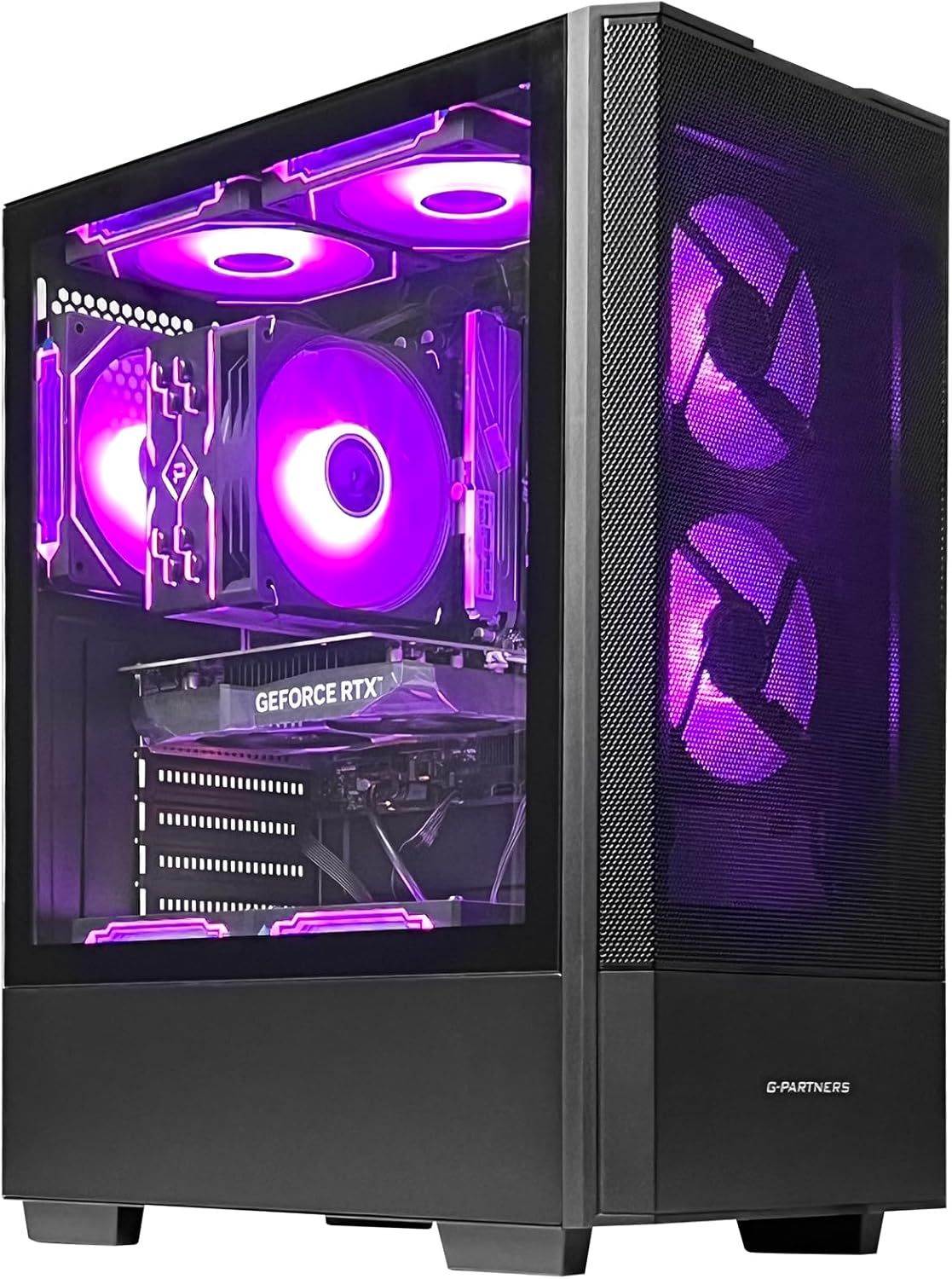
Quick Specs: AMD Ryzen 5 5500 (6 cores / 12 threads, up to 4.2 GHz) | NVIDIA GeForce RTX 3050 6GB | 16GB DDR4-3200 | 1TB NVMe SSD | ARGB Air Cooling | Built-in Wi-Fi | Windows 11 Home | Price Tier: Value tier (under $850)
Shoppers wanting 1TB of NVMe storage alongside 16GB of DDR4-3200 and an RTX 3050 usually have to stretch above $900 when buying from tier-1 brands. ZYNEEX trims that markup cleanly by delivering that exact core spec sheet under $850, earning strongly positive Amazon buyer sentiment for smooth out-of-the-box setup in Fortnite, Apex Legends, and light video editing.
Placed next to the ZOTAC MEK (#2) in the same under-$850 price bracket, ZYNEEX wins immediately on out-of-the-box drive space with double the SSD capacity (1TB versus 500GB). On the flip side, ZOTAC discloses far more detail around its 650W 80+ Gold PSU, Wi-Fi 6E chip, and three-year GPU warranty, whereas ZYNEEX is a smaller storefront label with fewer documented component specs.
Pros
- Combines 1TB NVMe SSD, 16GB DDR4-3200, and RTX 3050 6GB comfortably under $850
- Strong plug-and-play feedback from verified 1080p gaming buyers
Cons
- Smaller Amazon storefront brand with shorter warranty visibility than HP, Skytech, or ZOTAC
- Older AM4 DDR4 architecture and 6GB VRAM ceiling limit future high-setting 1440p upgrades
Verdict: Buy it if getting a full 1TB NVMe drive and RTX 3050 under $850 right out of the box beats chasing brand names. Skip it if you prefer verified PSU/Wi-Fi 6E component transparency (#2 ZOTAC MEK).
8. CyberPowerPC Gamer Master (GMA3100A3) — Best Entry-Level Budget Under $700

Quick Specs: AMD Ryzen 5 5500 (6 cores, 3.6 GHz, B550 chipset) | AMD Radeon RX 6500 XT 4GB | 8GB DDR4 | 500GB PCIe 4.0 NVMe SSD | Wi-Fi 5 & Bluetooth 5.0 | Windows 11 Home + Keyboard & Mouse | Price Tier: Entry budget (under $700)
If your true budget must cover both a gaming tower and a 144Hz 1080p monitor under $1,000 total, the CyberPowerPC Gamer Master GMA3100A3 keeps entry costs under $700 while avoiding shady off-brand parts. Built on a standard AMD B550 motherboard inside an ATX mid-tower with tempered glass, it ships ready to boot with Windows 11 Home, a keyboard, a mouse, and lifetime technical support.
Do not expect miracles at stock specs, though: CyberPowerPC fits just 8GB of DDR4 RAM and a Radeon RX 6500 XT 4GB GPU, which bottlenecks modern AAA releases much sooner than the RTX 3050 6GB rigs ranked #1 through #7. Even so, because it uses standard ATX connectors rather than cramped proprietary parts (unlike compact OEM builds such as the HP OMEN 16L), dropping in an affordable 16GB DDR4 kit right away turns it into a crisp esports rig for Valorant, CS2, and Minecraft with room left over for a monitor.
Pros
- Lowest entry price under $700 from a major tier-1 builder with free lifetime tech support
- Standard off-the-shelf B550 ATX layout makes adding RAM, storage, or a faster GPU effortless
- Leaves room inside a total budget under $1,000 for a gaming monitor or headset
Cons
- 8GB DDR4 RAM causes stuttering in newer games and should be upgraded to 16GB immediately
- RX 6500 XT 4GB VRAM and 64-bit bus cap demanding titles at 1080p low-to-medium settings
Verdict: Buy it if you need an entry-level esports tower under $700 from a trusted builder and do not mind snapping in a second stick of RAM. Skip it if you want plug-and-play 16GB memory and RTX 3050 performance right out of the shipping box (#2 ZOTAC MEK).
Spec Disclosure Audit: What Each Sub-$1,000 Listing Actually Confirms
Headline GPU names hide how much of each system is actually documented. The matrix below lines up the eight reviewed builds by graphics memory bus, platform, memory configuration, storage, and whether the listing names a power supply. “Not disclosed” means the Amazon listing and brand materials did not state the spec at the time of our audit, not that the part is necessarily poor.
| Build | GPU (VRAM / Bus) | CPU & Platform | RAM & Channel Config | SSD | PSU Disclosure | Wireless |
|---|---|---|---|---|---|---|
| #1 iBUYPOWER Element SE | RTX 3050 (6GB / 96-bit) | Ryzen 5 8400F, AM5, DDR5 | 16GB DDR5-4800, 1x16GB single-channel | 1TB NVMe | Not disclosed | Wi-Fi 5 |
| #2 ZOTAC MEK | RTX 3050 (6GB / 96-bit) | Ryzen 5 5500, AM4, DDR4 | 16GB DDR4-3200 | 500GB NVMe | 650W 80+ Gold | Wi-Fi 6E |
| #3 HP OMEN 16L | RTX 3050 (6GB / 96-bit) | Core i5-14400F, LGA 1700, DDR5 | 16GB DDR5-5600, dual-channel | 512GB PCIe 4.0 NVMe | Not disclosed (compact OEM unit) | Wi-Fi 6 |
| #4 WIWB Panoramic RGB | RTX 4060 or RTX 5060 Ti (8GB / 128-bit) | i5-13400F (LGA 1700) with RTX 4060, or Ryzen 7 4700LE with RTX 5060 Ti | 16GB DDR4 | 1TB NVMe | Not disclosed | Wi-Fi 6 |
| #5 ViprTech Rebel 3.0 | RTX 3060 (12GB / 192-bit) | Ryzen 5 or Ryzen 7 3700X, AM4 | 16GB DDR4-3200 | 500GB SSD | Not disclosed | Bluetooth listed; verify Wi-Fi |
| #6 Skytech Nebula | RTX 3050 (6GB / 96-bit) | Ryzen 5 5500, AM4, DDR4 | 16GB DDR4-3200 | 1TB NVMe | 650W 80+ Gold | Wi-Fi 5 |
| #7 ZYNEEX Ryzen 5 | RTX 3050 (6GB / 96-bit) | Ryzen 5 5500, AM4, DDR4 | 16GB DDR4-3200 | 1TB NVMe | Not disclosed | Wi-Fi (generation not stated) |
| #8 CyberPowerPC Gamer Master | RX 6500 XT (4GB / 64-bit) | Ryzen 5 5500, AM4 B550, DDR4 | 8GB DDR4 | 500GB PCIe 4.0 NVMe | Not disclosed | Wi-Fi 5 |
Three takeaways stand out. First, only two of eight builds (ZOTAC MEK and Skytech Nebula) name a 650W 80+ Gold power supply, which matters most if you plan a GPU upgrade later; our omitted PSU and “brand may vary” audit explains how to ask sellers for the exact unit. Second, memory layout matters as much as memory type: a single 16GB DDR5-4800 stick has a theoretical peak of 38.4 GB/s, while the HP OMEN’s dual-channel DDR5-5600 reaches 89.6 GB/s, more than double. That gap is why we recommend adding a matching second stick to the Element SE early, a downgrade pattern covered in our hidden Wi-Fi 5 and DDR5-4800 downgrades guide. Third, six of the eight builds run a 96-bit or 64-bit graphics memory bus, so the 128-bit WIWB and 192-bit ViprTech options are the only real step up in texture headroom here. If you can stretch your budget, our best prebuilt gaming PC under $1,500 guide moves into 12GB–16GB cards.
Verification statement: Specifications in this guide were verified against live Amazon listings, manufacturer product pages, and NVIDIA, AMD, and Intel datasheets on November 22, 2026. Listing configurations change often, so always confirm the selected variant’s CPU, GPU VRAM size, and RAM configuration in the active product title before checkout.
Buying Guide: How to Choose the Best Prebuilt Gaming PC Under $1000
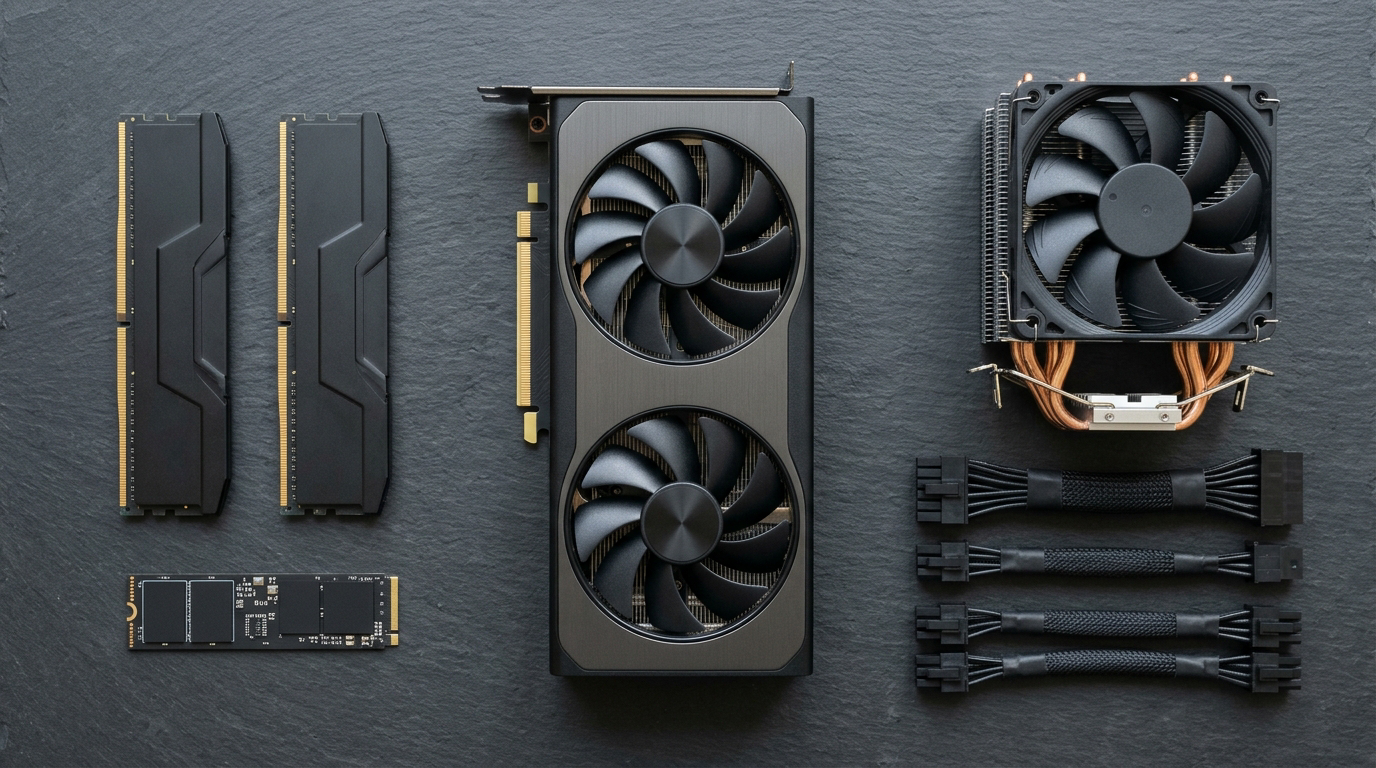
Specs sheets on Amazon desktops are designed to highlight big numbers like “32GB RAM” or “Core i7” while hiding bottlenecks that actually dictate your frame rates. When narrowing down the best prebuilt gaming PC under $1000 for your games, focus on five hardware checkpoints before ordering.
1. GPU Architecture and VRAM Buffer
Your graphics card dictates frame rates far more than RGB fans or processor clock speeds. In the under-$1,000 bracket, RTX 3050 6GB rigs dominate mainstream listings and target smooth 1080p gaming at medium-to-high settings with DLSS upscaling. Stepping up to an 8GB RTX 4060 or RTX 5060 Ti (#4 WIWB) opens the door to high-refresh 1080p ultra and entry 1440p, while the 12GB RTX 3060 (#5 ViprTech) prevents texture stutters in VRAM-heavy mods. Skip 4GB cards like the RX 6500 XT (#8) unless you stick strictly to esports titles or plan an upgrade.
2. CPU Generation and Platform Longevity
Two platforms compete under $1,000: older AM4/DDR4 builds using Ryzen 5 5500 chips and newer AM5 or LGA1700 DDR5 builds like the iBUYPOWER Element SE (#1) and HP OMEN 16L (#3). While the Ryzen 5 5500 still keeps up nicely with an RTX 3050, it locks your PCIe slots to generation 3.0 speeds and leaves zero new CPU generations ahead. Choosing AM5 (Ryzen 8000 series) or 14th-gen Intel keeps CPU bottlenecks away if you later upgrade to an RTX 4070-class GPU.
3. Dual-Channel Memory and Upgrade Cost
Sixteen gigabytes of RAM is the real floor for Windows 11 gaming today. Just as important as capacity is channel layout: two matching 8GB or 16GB sticks run in dual-channel mode, which substantially improves 1% low frame stability in Warzone, Fortnite, and Valorant compared with a single stick. Towers shipping with 1x16GB DDR5 (#1 iBUYPOWER) or 8GB total (#8 CyberPowerPC) remain easy fixes—budgeting for one extra matching stick quickly unlocks their missing CPU speed.
4. Power Supply, Cooling, and Standard Parts
A system with a weak 400W non-standard power supply traps you when upgrading later. Prebuilts using standard ATX layouts and named 650W 80+ Gold units—like the ZOTAC MEK (#2) and Skytech Nebula (#6)—give comfortable electrical headroom and off-the-shelf mounting holes. Front-mesh panels and tower heatpipe coolers also keep fan RPMs quieter than sealed tempered-glass front panels.
5. Spotting Old-Gen Refurbished Amazon Traps
Searching Amazon for gaming PCs under $1,000 surfaces dozens of generic towers advertising “Intel Core i7, 32GB RAM, 1TB SSD” at suspiciously low prices. Look closely at the fine print: many bundle 10-year-old 4th-to-8th-generation Intel processors, server Xeons, or mined RX 580 cards inside brand-new RGB cases. Always verify an exact modern processor model number (Ryzen 5 5500/8400F or Intel 13th/14th-gen) before purchasing.
How We Selected and Evaluated These Prebuilt Gaming PCs
Every prebuilt gaming PC under $1000 in this guide was pulled directly from live Amazon US gaming desktop listings verified in stock, then evaluated on four weighted pillars: GPU tier and VRAM headroom, CPU architecture and socket longevity, out-of-the-box RAM/SSD balance, and power-supply/case upgradability.
We explicitly disqualified prebuilts running integrated-only APUs without discrete graphics, older 4th-to-9th-generation Intel Core chips, Polaris RX 580/590 cards, GTX 10-series relics, and listings temporarily out of stock (such as ZOTAC’s RTX 5050 MEK variant at the time of review). Where listing copy contained configuration quirks—like the WIWB Ryzen 7 4700LE bottleneck or ViprTech’s mixed style description—we flagged the exact cart option buyers should choose.
Official References & Further Reading
- NVIDIA GeForce: RTX 50 Series Graphics Card Specifications
- AMD: Ryzen Desktop Processor Specifications
- CLEAResult: 80 PLUS Power Supply Efficiency Certification Program
- TechPowerUp: GPU Specifications Database
Our complete scoring rubric and source standards are documented in the The PC Audit Hardware Audit Methodology.
Continue Your Audit
- Parent hub: Best Prebuilt Gaming PC (2026): 9 Audited Amazon Builds for Every Budget
- Best Budget Graphics Cards Under $350 (2026): Arc B580, RX 9060 XT & RTX 5060
- 10 Prebuilt Gaming PC Red Flags to Audit Before You Buy (2026)
Frequently Asked Questions About Prebuilt Gaming PCs Under $1,000
Can a prebuilt gaming PC under $1,000 handle 1440p gaming?
Most sub-$1,000 prebuilts run RTX 3050 6GB cards built primarily for 1080p high-to-ultra gaming at 60 to 144+ FPS. For comfortable 1440p play, target an RTX 4060, RTX 5060 Ti, or RTX 3060 12GB configuration with DLSS enabled and dial back volumetric shadow presets.
Is 6GB, 8GB, or 12GB of GPU VRAM enough in 2026?
At 1080p, 6GB handles esports titles and medium-to-high AAA presets well, though newer releases can force medium textures. Stepping up to 8GB (RTX 4060 or RTX 5060 Ti) or 12GB (RTX 3060) prevents texture pop-in and gives much longer frame-buffer breathing room.
Should I upgrade single-channel RAM on a budget prebuilt right away?
Yes, if your tower ships with 8GB total or a single 16GB stick like the iBUYPOWER Element SE. Adding a matching second stick enables dual-channel bandwidth, smoothing out 1% low frame dips in CPU-sensitive shooters like Valorant, Fortnite, and Warzone for very little extra cost.
How do I avoid old-generation CPU traps when shopping under $1,000 on Amazon?
Check the exact processor generation number rather than vague labels like ‘Intel Core i7’ or ‘Ryzen 7’. Skip vague multi-year listings packing 4th-to-9th-gen Intel chips, Xeon server CPUs, or Polaris RX 580 cards, and confirm a named Ryzen 5000/8000 or Intel 13th/14th-gen processor.
Is AM5 and DDR5 worth prioritizing over a stronger GPU on AM4?
It depends on your upgrade plans. If you expect to swap in a faster CPU and GPU within two to three years, an AM5 DDR5 rig like the iBUYPOWER Element SE saves replacing the motherboard later; if you will not touch the internals, prioritize the strongest GPU under $1,000.
Final Verdict: Which Prebuilt Gaming PC Under $1000 Should You Buy?
Overall, the best prebuilt gaming PC under $1000 for long-term value is the iBUYPOWER Element SE (ESA5N3501) thanks to its modern AM5 socket, DDR5 platform, and 1TB NVMe drive—just plan to add a second 16GB DDR5 stick down the road. Shoppers watching every dollar under $850 should grab the ZOTAC MEK Gaming PC for its 650W 80+ Gold PSU, Wi-Fi 6E, and tower cooling, while tight desk setups benefit most from the 10-core HP OMEN 16L Compact.


