Disclosure: As an Amazon Associate, I earn from qualifying purchases. If you buy through links on this page, we may earn a small commission at no extra cost to you.
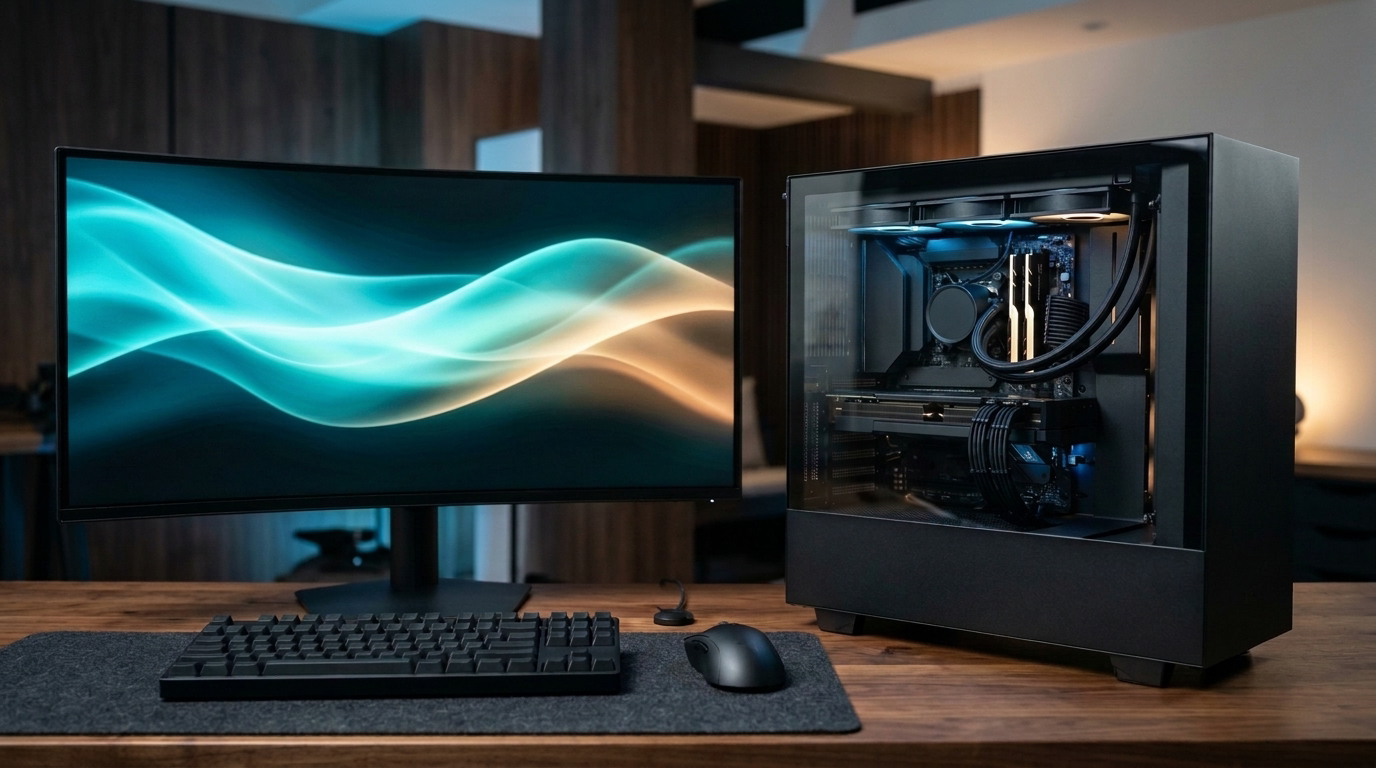
Choosing the best prebuilt gaming pc on Amazon requires looking past RGB fans and marketing adjectives to verify real component balance: GPU VRAM capacity, CPU cache architecture, DDR5 memory bandwidth, NVMe SSD speed, and power supply headroom. Whether you are shopping for reliable 1080p gaming under $1,000, targeting crisp high-refresh 1440p gaming around $1,750–$1,950, or stepping up to uncompromised 4K gaming over $2,250, picking the wrong motherboard socket or 8GB graphics card costs real money down the road.
We audited active Amazon US desktop listings across every price bracket, excluded overpriced older hardware, and shortlisted nine verified builds led by Ryzen 7 9800X3D, RTX 5080, RTX 5070, and RX 9070 XT towers. Each breakdown below compares real upgrade paths, cooling layouts, and value trade-offs head to head.
In This Guide
Quick Picks: Best Prebuilt Gaming PC Options at a Glance
#1 Best Overall
Lenovo Legion Tower 5 (2026)
Pairs flagship Ryzen 7 9800X3D 3D V-Cache with 16GB RX 9070 XT graphics and 32GB DDR5 around $2,250–$2,350. (Jump to audit)
#2 Best 4K Flagship
STORMCRAFT Phantom RTX 5080
RTX 5080 16GB GDDR7, Ryzen 7 9800X3D, DDR5-6000, 2TB SSD, 360mm AIO, and 850W 80+ Gold PSU for native 4K power. (Jump to audit)
#3 Best Value Under $2,000
MSI Codex Z2 (RTX 5070 / 2TB)
Delivers RTX 5070 12GB GDDR7, 32GB DDR5, and a 2TB NVMe SSD on upgradeable AM5 under $1,850. (Jump to audit)
Side-by-Side Comparison: Best Prebuilt Gaming PC Lineup (1–9)
| Product & Award | Best For | CPU & RAM | GPU & Storage | Link |
|---|---|---|---|---|
| Lenovo Legion Tower 5 (2026) Best Overall | Enthusiast 1440p/4K value | Ryzen 7 9800X3D / 32GB DDR5 | RX 9070 XT 16GB / 1TB SSD | View on Amazon |
| STORMCRAFT Phantom RTX 5080 Best 4K Flagship | Flagship 4K ray tracing | Ryzen 7 9800X3D / 32GB DDR5-6000 | RTX 5080 16GB / 2TB SSD | View on Amazon |
| MSI Codex Z2 (RTX 5070 / 2TB) Best Value Under $2,000 | 1440p sweet spot & 2TB | Ryzen 7 8700F / 32GB DDR5 | RTX 5070 12GB / 2TB SSD | View on Amazon |
| Alienware Aurora ACT1250 Best Gaming & Creation | Wi-Fi 7 & Dell Onsite | Core Ultra 7 265F / 32GB DDR5 | RTX 5070 12GB / 1TB SSD | View on Amazon |
| Skytech Gaming Azure Best Liquid-Cooled Boutique | 360mm AIO & standard ATX | Ryzen 7 9850X3D / 32GB DDR5 | RX 9070 XT 16GB / 2TB SSD | View on Amazon |
| MSI Aegis R2 AI Best AI & Workstation | 24-core renders & AI | Core Ultra 9 285 / 32GB DDR5 | RTX 5070 Ti 16GB / 2TB SSD | View on Amazon |
| MSI Codex Z2 (RTX 5060 Ti) Best Mid-Range Step-Up | Tuned 1440p under $1,350 | Ryzen 7 8700F / 16GB DDR5 | RTX 5060 Ti 8GB / 1TB SSD | View on Amazon |
| CyberPowerPC Gamer Xtreme Best Value Under $1,200 | 1080p & bundled gear | Core i5-14400F / 16GB DDR5 | RTX 5060 8GB / 1TB SSD | View on Amazon |
| ZOTAC MEK Gaming PC Best Budget Under $1,000 | 1080p esports under $850 | Ryzen 5 5500 / 16GB DDR4 | RTX 3050 6GB / 500GB SSD | View on Amazon |
Match Your Use Case: Best Prebuilt Gaming PC by Budget & Setup
| Buyer Scenario | Best Match | Why & Expected Outcome |
|---|---|---|
| Best overall enthusiast 1440p/4K value | Lenovo Legion Tower 5 (2026) | Flagship Ryzen 7 9800X3D speed and 16GB RX 9070 XT frames around $2,250–$2,350. |
| Uncompromised 4K Ultra & ray tracing | STORMCRAFT Phantom RTX 5080 | Peak RTX 5080 16GB GDDR7 headroom, 360mm AIO cooling, 2TB SSD, and 850W 80+ Gold PSU. |
| 1440p gaming sweet spot under $2,000 | MSI Codex Z2 (RTX 5070 / 2TB) | 12GB RTX 5070, 32GB DDR5, and a spacious 2TB SSD on upgradeable AM5 under $1,850. |
| Creators, streaming & Wi-Fi 7 speed | Alienware Aurora ACT1250 | 20-core Core Ultra 7 265F multitasking with Wi-Fi 7, Killer 2.5GbE, and 1-year Dell Onsite Service. |
| Mainstream 1080p build under $1,200 | CyberPowerPC Gamer Xtreme | RTX 5060 DLSS 4 features, 1TB PCIe 4.0 SSD, and keyboard/mouse shipped by Amazon.com. |
| Strict budget esports rig under $850 | ZOTAC MEK Gaming PC | Capable 1080p esports play built around an 80+ Gold 650W PSU and 3-year GPU warranty. |
Detailed Audits: 9 Best Prebuilt Gaming PCs on Amazon
1. Lenovo Legion Tower 5 (2026) — Ryzen 7 9800X3D & RX 9070 XT — Best Overall

Quick Specs: AMD Ryzen 7 9800X3D (8 cores / 16 threads, 4.7 GHz base, 3D V-Cache, AM5) | AMD Radeon RX 9070 XT 16GB | 32GB DDR5 | 1TB NVMe SSD | Eclipse Black Legion Tower 5 Chassis + 3 Months PC Game Pass | Sold by Amazon.com | Price Tier: Enthusiast tier (around $2,250–$2,350)
Audit Score: 9.4 / 10
- GPU & VRAM Headroom (35%): 9.4 / 10
- CPU & Platform Runway (25%): 9.8 / 10
- Memory & Storage Balance (20%): 8.7 / 10
- Cooling, PSU & Warranty Support (20%): 9.3 / 10
Most prebuilt towers pairing top-shelf gaming silicon force buyers past the three-thousand-dollar mark, which is why Lenovo’s 2026 Legion Tower 5 claims our top spot overall. Combining AMD’s coveted Ryzen desktop processor lineup leader—the Ryzen 7 9800X3D with stacked 3D V-Cache—alongside the 16GB AMD Radeon RX 9000 Series RX 9070 XT and 32GB DDR5 around $2,250–$2,350 gives serious players flagship responsiveness at a realistic enthusiast spend.
Stacked directly against the boutique Skytech Gaming Azure (#5), Lenovo uses the identical RX 9070 XT 16GB GPU tier for roughly $550–$650 less while shipping directly from Amazon.com with three months of PC Game Pass bundled in. You give up Skytech’s 360mm AIO liquid cooler and 2TB Gen4 SSD—Lenovo trims storage to 1TB—so heavy AAA collectors should plan on dropping an extra M.2 drive into the open slot later. Even accounting for a secondary SSD upgrade, nothing under $2,500 matches this balance of 1440p gaming speed and 4K gaming readiness.
Pros
- Combines the elite Ryzen 7 9800X3D gaming processor with 16GB RX 9070 XT graphics and 32GB DDR5
- Costs roughly $550–$650 less than similarly equipped boutique RX 9070 XT towers
- Sold and fulfilled directly by Amazon.com with three months of PC Game Pass
Cons
- 1TB NVMe SSD fills rapidly with modern open-world titles
- Uses AMD FSR upscaling rather than NVIDIA DLSS Multi Frame Generation
Verdict: Buy it if you want maximum gaming frames per dollar across 1440p ultra and smooth 4K play from a reputable Tier-1 builder. Skip it if you insist on NVIDIA RTX ray tracing and DLSS (#2 STORMCRAFT Phantom) or want a stricter under $1,900 spend (#3 MSI Codex Z2). Upgrade roadmap: Add a 2TB PCIe Gen4 M.2 SSD into the spare NVMe slot once your library grows.
2. STORMCRAFT Phantom — Ryzen 7 9800X3D & RTX 5080 — Best 4K Flagship

Quick Specs: AMD Ryzen 7 9800X3D (up to 5.2 GHz, 96MB L3 cache, AM5) | NVIDIA GeForce RTX 5080 16GB GDDR7 | 32GB DDR5-6000 RGB | 2TB NVMe Gen4 SSD | AMD B850 Board, 360mm AIO, 7 Fans & 850W 80+ Gold PSU | Price Tier: Flagship tier (over $3,500)
Audit Score: 9.3 / 10
- GPU & VRAM Headroom (35%): 9.2 / 10
- CPU & Platform Runway (25%): 9.8 / 10
- Memory & Storage Balance (20%): 9.6 / 10
- Cooling, PSU & Warranty Support (20%): 8.7 / 10
When native 4K gaming with heavy path-traced lighting sits at the top of your wishlist, the STORMCRAFT Phantom earns the flagship crown by pairing the Ryzen 7 9800X3D with NVIDIA GeForce RTX 50-series Blackwell silicon: the RTX 5080 16GB GDDR7. Unlike secretive OEM builds that hide motherboard chipsets and power ratings, STORMCRAFT spells out every core ingredient—AMD B850 chipset, 32GB DDR5-6000, a 2TB Gen4 NVMe SSD, a 360mm AIO liquid cooler, seven ARGB fans, and an 850W 80+ Gold PSU backed by a two-year parts and three-year labor warranty.
Compared against #6 MSI Aegis R2 AI (around $3,350–$3,450), spending slightly over $3,500 on this Phantom jumps both in raw GPU class (RTX 5080 versus RTX 5070 Ti) and dedicated gaming CPU cache (3D V-Cache 9800X3D versus Core Ultra 9 285), while upgrading cooling from air to a full 360mm liquid radiator. For pure 4K frame rates with DLSS enabled, STORMCRAFT outclasses every Intel hybrid workstation tower near its bracket.
Buyer Verification Alert: This flagship build ships directly from STORMCRAFT PC with 2 to 3 business days of handling time rather than instant Amazon Prime next-day delivery—confirm seller dispatch estimates before ordering.
Pros
- Flagship RTX 5080 16GB GDDR7 and Ryzen 7 9800X3D pairing built for ultra 4K gaming
- Full component transparency: AMD B850 board, DDR5-6000, 2TB Gen4 SSD, 360mm AIO, and 850W 80+ Gold PSU
- Generous two-year parts and three-year labor warranty coverage
Cons
- Premium investment well over $3,500 delivers smaller frame-per-dollar gains than #1 Lenovo
- Two- to three-day boutique handling window instead of Prime fulfillment
Verdict: Buy it if budget is secondary and you want an uncompromised 4K RTX 5080 and 9800X3D rig using off-the-shelf B850 and 80+ Gold hardware. Skip it if you game at 1440p (#3 MSI Codex Z2) or prefer stronger enthusiast value around $2,250–$2,350 (#1 Lenovo Legion Tower 5). Upgrade roadmap: B850 and 850W Gold headroom handle 64GB DDR5 or future AM5 chips cleanly.
3. MSI Codex Z2 — Ryzen 7 8700F & RTX 5070 (2TB) — Best Value Under $2,000

Quick Specs: AMD Ryzen 7 8700F (8 cores / 16 threads, up to 5.0 GHz, AM5) | NVIDIA GeForce RTX 5070 12GB GDDR7 | 32GB DDR5 | 2TB NVMe SSD | ARGB Tower Cooler + 4 Case Fans | Windows 11 Home | Price Tier: Upper mid-range (under $1,850)
Audit Score: 9.1 / 10
- GPU & VRAM Headroom (35%): 9.2 / 10
- CPU & Platform Runway (25%): 8.7 / 10
- Memory & Storage Balance (20%): 9.6 / 10
- Cooling, PSU & Warranty Support (20%): 8.9 / 10
Most buyers shopping for high-refresh 1440p gaming desktops want to stay safely under $2,000 without giving up memory or drive capacity. That exact sweet spot belongs to the MSI Codex Z2 RTX 5070 edition, which bundles an RTX 5070 12GB GDDR7 GPU, 32GB DDR5 RAM, and a full 2TB NVMe SSD on AMD’s upgradeable AM5 motherboard platform—all under $1,850.
Side by side with the Alienware Aurora ACT1250 (#4), MSI doubles storage to 2TB at roughly $100 lower spend and uses standard ATX parts rather than custom OEM internals. The clear CPU compromise is the Ryzen 7 8700F, whose 16MB L3 cache trails both Alienware’s 20-core Intel processor in creator benchmarks and Ryzen X3D chips (#1 Lenovo) in CPU-bound esports titles. Fortunately, AM5 means you can swap in a Ryzen 7 9800X3D years down the line without changing RAM or storage.
Pros
- Pairs RTX 5070 12GB graphics, 32GB DDR5, and a 2TB NVMe SSD under $1,850
- Open AM5 ATX chassis simplifies future X3D processor or storage upgrades
- Four-fan chassis airflow keeps gaming temperatures predictable
Cons
- Ryzen 7 8700F has 16MB L3 cache and omits integrated graphics
- Air tower CPU cooling rather than liquid AIO cooling
Verdict: Buy it if your ceiling sits under $1,900 and you want ready-to-play 1440p ultra power with 32GB DDR5 and 2TB storage. Skip it if you want Wi-Fi 7 plus onsite Dell technician service (#4 Alienware Aurora) or 16GB RX 9070 XT flagship speed (#1 Lenovo). Upgrade roadmap: Upgrade to an AM5 3D V-Cache Ryzen chip later for a seamless generational CPU bump.
4. Alienware Aurora ACT1250 — Core Ultra 7 265F & RTX 5070 — Best Gaming & Content Creation

Quick Specs: Intel Core Ultra 7 265F (20 cores, up to 5.3 GHz) | NVIDIA GeForce RTX 5070 12GB GDDR7 | 32GB DDR5 | 1TB SSD | Wi-Fi 7 & Killer 2.5Gb Ethernet | 1-Yr Dell Onsite Service | Price Tier: Upper mid-range (under $1,950)
Audit Score: 8.9 / 10
- GPU & VRAM Headroom (35%): 8.9 / 10
- CPU & Platform Runway (25%): 9.2 / 10
- Memory & Storage Balance (20%): 8.4 / 10
- Cooling, PSU & Warranty Support (20%): 9.2 / 10
Players who pull double duty with OBS streaming, Premiere video timelines, or large software builds need more CPU throughput than eight mid-tier cores deliver. Alienware answers directly by stuffing the 20-core Intel Core Ultra desktop processor—the Core Ultra 7 265F boosting up to 5.3 GHz—alongside 32GB DDR5 and an RTX 5070 12GB into its acoustic-tuned ACT1250 enclosure.
Better yet, connectivity outpaces every other under $2,000 pick on our list thanks to Killer 2.5Gb Ethernet and certified Wi-Fi 7 wireless networking, backed by one year of Dell Onsite Service where a technician handles hardware repairs at your home. Against #3 MSI Codex Z2, Alienware trades away 1TB of NVMe capacity and standard ATX flexibility in exchange for superior multi-core workstation muscle and white-glove support.
Buyer Verification Alert: Alienware uses a brand-specific OEM chassis and power layout—RAM, M.2 storage, and GPUs that fit physical clearances upgrade cleanly, but future motherboard or standard ATX PSU swaps are restricted.
Pros
- 20-core Core Ultra 7 265F plus 32GB DDR5 crushes simultaneous gaming and video creation
- Wi-Fi 7, Killer 2.5Gb Ethernet, and one-year Dell Onsite Service outclass typical prebuilts
Cons
- 1TB SSD is half the storage of #3 MSI Codex Z2 in roughly the same under $1,950 range
- Proprietary OEM internal layout limits full chassis/motherboard overhauls
Verdict: Buy it if you want a quiet hybrid creator-gaming desktop under $1,950 featuring Wi-Fi 7, strong 20-core rendering, and in-home technician support. Skip it if you want double the SSD space and open ATX tinkerability (#3 MSI Codex Z2). Upgrade roadmap: Add a secondary M.2 NVMe drive early for media scratch files and AAA games.
5. Skytech Gaming Azure — Ryzen 7 9850X3D & RX 9070 XT — Best Liquid-Cooled Boutique Build

Quick Specs: AMD Ryzen 7 9850X3D (up to 5.6 GHz Turbo, AM5) | AMD Radeon RX 9070 XT 16GB GDDR6 | 32GB DDR5-5600 | 2TB Gen4 NVMe SSD | 360mm AIO Liquid Cooler & Zero Bloatware ATX Case | Price Tier: Enthusiast tier (around $2,850–$2,950)
Audit Score: 8.8 / 10
- GPU & VRAM Headroom (35%): 8.3 / 10
- CPU & Platform Runway (25%): 9.7 / 10
- Memory & Storage Balance (20%): 9.4 / 10
- Cooling, PSU & Warranty Support (20%): 9.1 / 10
Skytech’s Azure build exists specifically for PC enthusiasts who dislike OEM software suites and want boutique DIY-grade assembly right out of the shipping box. Pushing clock speeds even higher with the Ryzen 7 9850X3D (up to 5.6 GHz), cooling it via a full 360mm liquid radiator, and doubling storage to a 2TB Gen4 NVMe SSD alongside 32GB DDR5-5600 produces a dead-clean Windows 11 installation with zero third-party bloatware.
Where Skytech loses overall value points is its position against #1 Lenovo Legion Tower 5: both ship the same 16GB RX 9070 XT GPU tier, yet Skytech sits roughly $550–$650 higher around $2,850–$2,950. Pay that premium only if liquid cooling, extra SSD capacity, elevated X3D clocks, and standard aftermarket ATX parts justify spending closer to RTX 5080 territory.
Buyer Verification Alert: Check live pricing next to #1 Lenovo Legion Tower 5 before purchasing—unless you specifically want the 360mm AIO, 2TB SSD, and open ATX boutique internals, Lenovo gives virtually identical GPU speed for far less.
Pros
- Blistering 5.6 GHz Ryzen 7 9850X3D cooled by a 360mm AIO radiator
- Standard off-the-shelf ATX layout with 2TB Gen4 NVMe storage and zero OEM bloatware
Cons
- Roughly $550–$650 pricier than #1 Lenovo Legion Tower 5 for the same RX 9070 XT GPU
- Approaches RTX 5080 territory when boutique deals aren’t active
Verdict: Buy it if clean ATX upgradeability, a 360mm liquid cooler, and bloat-free boutique assembly matter most to you. Skip it if raw GPU frame-rate value is king (#1 Lenovo Legion Tower 5 or #2 STORMCRAFT Phantom RTX 5080 win clearly). Upgrade roadmap: Drop in future triple-slot GPUs or extra drives effortlessly thanks to full ATX clearance.
6. MSI Aegis R2 AI — Core Ultra 9 285 & RTX 5070 Ti — Best AI & Workstation Hybrid

Quick Specs: Intel Core Ultra 9 285 (24 cores, 3.7 GHz base, 32MB cache) | NVIDIA GeForce RTX 5070 Ti 16GB GDDR7 | 32GB DDR5 | 2TB M.2 NVMe SSD | RGB Air Cooler + 4 Case Fans | USB Type-C | Price Tier: Flagship creator tier (around $3,350–$3,450)
Audit Score: 8.6 / 10
- GPU & VRAM Headroom (35%): 8.0 / 10
- CPU & Platform Runway (25%): 9.5 / 10
- Memory & Storage Balance (20%): 9.3 / 10
- Cooling, PSU & Warranty Support (20%): 8.0 / 10
While AMD’s 8-core X3D chips reign over pure gaming frame pacing, developers running Docker builds, Unreal lighting bakes, Blender scenes, and local AI models benefit massively from the 24-core Intel Core Ultra 9 285 inside MSI’s Aegis R2 AI. Coupled with an RTX 5070 Ti 16GB GDDR7 card, 32GB DDR5, and a fast 2TB M.2 NVMe SSD, it acts as a turnkey workstation that pivots seamlessly into 1440p and 4K DLSS gaming after hours.
However, pure gamers must approach this listing with eyes wide open: priced around $3,350–$3,450 via third-party marketplace inventory and using air CPU cooling rather than a 360mm AIO, it finishes behind #2 STORMCRAFT Phantom (RTX 5080 + 9800X3D + 360mm AIO) for strictly gaming value. Treat the Aegis R2 AI strictly as a specialized 24-core CUDA creation machine.
Buyer Verification Alert: Inventory currently leans on third-party marketplace fulfillment near $3,400 with air CPU cooling—pure 4K gamers get far better graphics performance from #2 STORMCRAFT RTX 5080 or save over $1,000 with #1 Lenovo Legion Tower 5.
Pros
- 24-core Core Ultra 9 285 dominates heavy rendering, code compiles, and creative multitasking
- RTX 5070 Ti 16GB GDDR7 handles local AI inference alongside high-resolution DLSS gaming
Cons
- Expensive around $3,350–$3,450 next to dedicated RTX 5080 gaming rigs
- Uses air tower cooling on a flagship 24-core desktop chip
Verdict: Buy it if 24-core CPU productivity and 16GB NVIDIA CUDA acceleration come before maximum gaming frames per dollar. Skip it for pure gaming (#1 Lenovo Legion or #2 STORMCRAFT Phantom deliver superior value). Upgrade roadmap: Swap to a 240mm or 360mm liquid cooler and 64GB DDR5 for sustained multi-hour renders.
7. MSI Codex Z2 — Ryzen 7 8700F & RTX 5060 Ti — Best Mid-Range Step-Up

Quick Specs: AMD Ryzen 7 8700F (8 cores / 16 threads, AM5) | NVIDIA GeForce RTX 5060 Ti 8GB | 16GB DDR5 | 1TB NVMe SSD | Air Cooling & Wi-Fi | Windows 11 Home | Price Tier: Mid-range (under $1,350)
Audit Score: 8.5 / 10
- GPU & VRAM Headroom (35%): 8.5 / 10
- CPU & Platform Runway (25%): 8.7 / 10
- Memory & Storage Balance (20%): 8.1 / 10
- Cooling, PSU & Warranty Support (20%): 8.6 / 10
Between entry under $1,200 RTX 5060 machines and upper-tier under $1,850 RTX 5070 systems sits an underrated mid-range bridge: MSI’s RTX 5060 Ti configuration of the Codex Z2 under $1,350. For roughly $150–$160 above CyberPowerPC’s base RTX 5060 (#8), you step up both in GPU shading speed and socket future-proofing—trading Intel’s retired LGA1700 platform for AMD’s active AM5 ecosystem.
It sails through high-refresh 1080p gaming and performs comfortably at 1440p with DLSS enabled on tuned high settings. Just note that MSI trims memory to 16GB DDR5 and pairs the 8GB edition of the RTX 5060 Ti here—both deliberate cost savers compared with the 32GB / 12GB RTX 5070 sibling ranked at #3.
Buyer Verification Alert: This configuration ships with the 8GB RTX 5060 Ti and 16GB DDR5—great for smooth 1080p and tuned 1440p play, while heavy 1440p ultra texture fans should upgrade up front to #3 MSI Codex Z2 (RTX 5070 12GB / 32GB DDR5).
Pros
- Smart price-performance jump over RTX 5060 systems under $1,350
- AM5 socket and standard MSI ATX build offer clear long-term upgrade paths
Cons
- 8GB VRAM limits max ultra textures in heavier 1440p releases
- 16GB RAM should eventually grow to 32GB DDR5
Verdict: Buy it if your budget sits around $1,250–$1,350 and you prefer AM5 longevity with stronger GPU frames than standard RTX 5060 desktops. Skip it if you run strict 1440p ultra settings (#3 MSI Codex Z2 RTX 5070). Upgrade roadmap: Match a second 16GB DDR5 kit early for 32GB dual-channel headroom.
8. CyberPowerPC Gamer Xtreme — Core i5-14400F & RTX 5060 — Best Value Under $1,200

Quick Specs: Intel Core i5-14400F (10 cores / 16 threads) | NVIDIA GeForce RTX 5060 8GB | 16GB DDR5 | 1TB PCIe 4.0 NVMe SSD | Wi-Fi 6 + Keyboard & Mouse | Sold by Amazon.com | Price Tier: Value mid-range (under $1,200)
Audit Score: 8.4 / 10
- GPU & VRAM Headroom (35%): 8.6 / 10
- CPU & Platform Runway (25%): 8.2 / 10
- Memory & Storage Balance (20%): 8.3 / 10
- Cooling, PSU & Warranty Support (20%): 8.5 / 10
If your hard target lands right around $1,100–$1,200, CyberPowerPC’s Gamer Xtreme GXiVR8060A47 stands out as Amazon’s most rounded plug-and-play value. Combining a 10-core Core i5-14400F, Blackwell RTX 5060 8GB graphics with full DLSS 4 support, 16GB DDR5, and a generous 1TB PCIe 4.0 NVMe SSD—plus a bundled keyboard, mouse, and direct Amazon fulfillment—it eliminates every early bottleneck seen on budget RTX 3050 rigs.
Compared side by side with #9 ZOTAC MEK (under $850), spending roughly $300–$350 extra delivers a huge generational GPU leap, DDR5 memory, and double the NVMe drive capacity. The main ceiling here is Intel’s end-of-line LGA1700 motherboard socket—if long-term CPU upgrades matter most, add roughly $150–$160 for #7 MSI Codex Z2.
Pros
- Current Blackwell RTX 5060 GPU, DDR5 memory, and 1TB PCIe 4.0 NVMe SSD under $1,200
- Includes Wi-Fi 6, bundled gaming keyboard/mouse, and direct Amazon.com shipping
Cons
- 14th-Gen LGA1700 socket has no newer Intel processor generations ahead
- 16GB RAM and 8GB VRAM suit 1080p high settings rather than heavy 1440p ultra presets
Verdict: Buy it if you want effortless 1080p gaming and a fast 1TB drive under $1,200 shipped directly by Amazon. Skip it for future AM5 CPU upgrades (#7 MSI Codex Z2). Upgrade roadmap: Confirm factory DIMM population and add a matching second stick to hit 32GB dual-channel DDR5 later.
9. ZOTAC MEK Gaming PC — Ryzen 5 5500 & RTX 3050 — Best Budget Under $1,000

Quick Specs: AMD Ryzen 5 5500 (6 cores / 12 threads, AM4) | ZOTAC GAMING RTX 3050 6GB GDDR6 | 16GB DDR4-3200 | 500GB NVMe M.2 SSD | 650W 80+ Gold PSU + Tower Air Cooler + Wi-Fi 6E | 1-Yr System / 3-Yr GPU Warranty | Price Tier: Budget entry (under $850)
Audit Score: 7.9 / 10
- GPU & VRAM Headroom (35%): 7.4 / 10
- CPU & Platform Runway (25%): 7.5 / 10
- Memory & Storage Balance (20%): 7.4 / 10
- Cooling, PSU & Warranty Support (20%): 9.1 / 10
Cheap prebuilt desktops often cut dangerous corners where shoppers rarely look—notably sketchy no-name power supplies and restricted single-fan cases. ZOTAC avoids that trap entirely with the MEK budget rig under $850: you get a genuine 650W 80+ Gold PSU, four 120mm chassis fans, a tower CPU air cooler, Wi-Fi 6E, and a standout three-year GPU warranty alongside one-year system coverage.
Be realistic about hardware expectations, though: the Ryzen 5 5500 sits on the older AM4 DDR4 platform and pairs with an entry-level RTX 3050 6GB and 500GB NVMe SSD tailored to 1080p esports like Valorant, Fortnite, or indie releases. Compared directly against #8 CyberPowerPC RTX 5060 (around $1,100–$1,200), CyberPowerPC commands a dramatic lead in modern AAA frame rates—buy ZOTAC only when your hard ceiling stays well under $900.
Buyer Verification Alert: The RTX 3050 6GB and 500GB SSD belong strictly to budget 1080p esports and light gaming—if heavy modern AAA releases are your focus, stretch around $300–$350 to #8 CyberPowerPC RTX 5060.
Pros
- Real 650W 80+ Gold PSU, tower CPU cooler, Wi-Fi 6E, and three-year GPU warranty under $850
- Significantly better value than compact OEM RTX 3050 builds priced right near $1,000
Cons
- Entry-level RTX 3050 6GB and smaller 500GB SSD cap demanding AAA visuals
- Previous-generation AM4 DDR4 socket
Verdict: Buy it if you need a safe, well-powered entry 1080p esports desktop strictly under $850. Skip it if you have room in your budget around $1,100–$1,350 (#8 CyberPowerPC or #7 MSI Codex Z2 run modern games far better). Upgrade roadmap: Leverage that 650W 80+ Gold PSU later to add a 2TB drive and swap in a faster mid-range GPU.
Buying Guide: How to Choose the Best Prebuilt Gaming PC for Your Budget
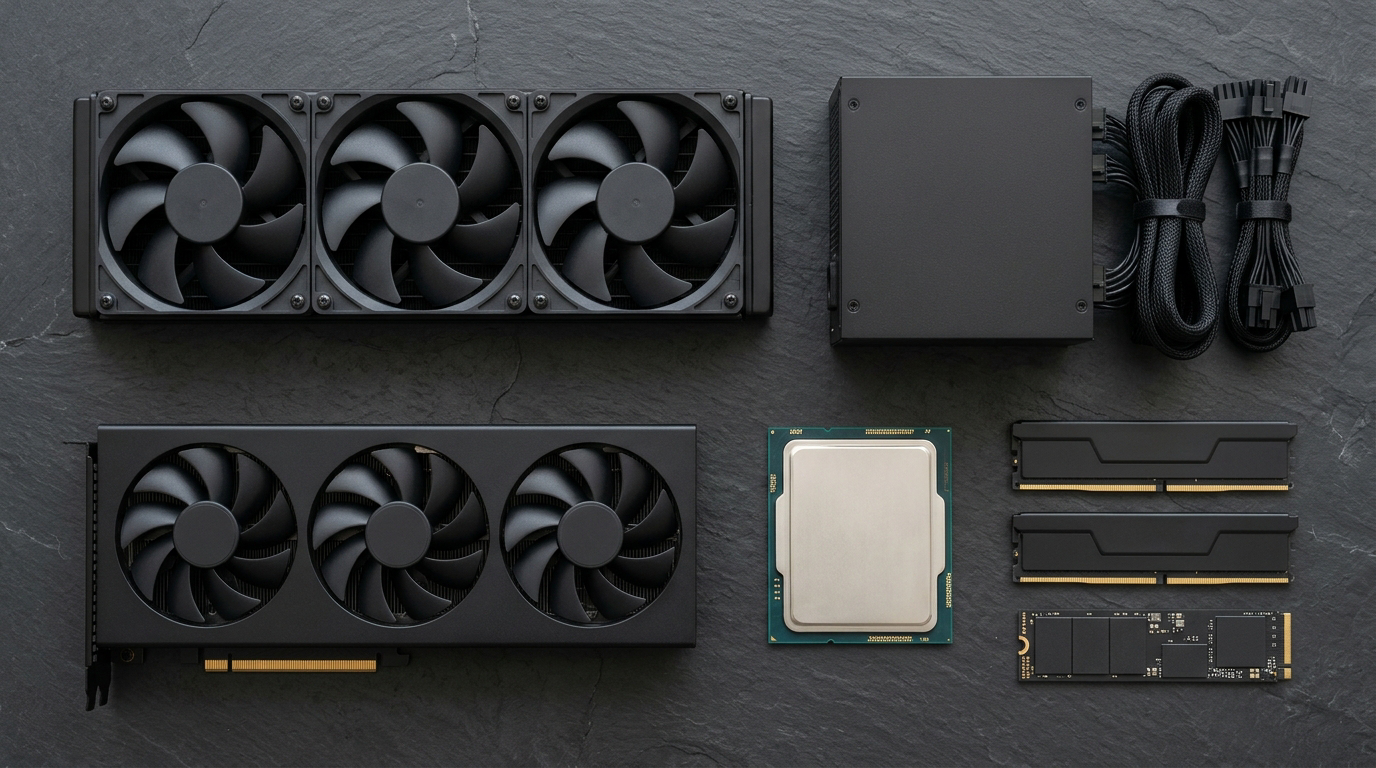
Shopping across an uncapped market makes it easy to overspend on the wrong hardware tier or get lured into last-generation leftovers. Focus on four core decisions before picking the best prebuilt gaming pc for your monitor and library.
1. Match Your Price Bracket to Resolution: 1080p, 1440p, or 4K Gaming
Budget towers under $1,000 (#9 ZOTAC MEK) target competitive 1080p gaming on medium-high presets. Crossing into the mainstream zone around $1,100–$1,350 (#8 CyberPowerPC RTX 5060 and #7 MSI Codex Z2 RTX 5060 Ti) brings modern DLSS 4 support, 1TB PCIe 4.0 storage, and smooth ultra 1080p or tuned 1440p play. Stepping up to under $1,950 unlocks genuine high-refresh 1440p gaming with an RTX 5070 12GB and 32GB DDR5 (#3 MSI Codex Z2 and #4 Alienware Aurora), while serious 4K gaming over $2,250 belongs to 16GB powerhouses like the Lenovo Legion Tower 5 (RX 9070 XT) and STORMCRAFT Phantom (RTX 5080).
2. GPU VRAM & Upscaling: 8GB vs. 12GB vs. 16GB
Graphics card memory determines how gracefully a prebuilt ages. While 8GB cards (RTX 5060 and RTX 5060 Ti 8GB) cruise cleanly at 1080p, newer engines increasingly demand 12GB (RTX 5070) or 16GB (RX 9070 XT, RTX 5070 Ti, RTX 5080) to keep ultra textures smooth at 1440p and 4K. NVIDIA leads in ray-tracing efficiency and DLSS Multi Frame Generation, whereas AMD’s RX 9070 XT fights aggressively on native 16GB value around $2,250–$2,350.
3. CPU Cache & Socket Runway: AM5 X3D vs. Intel Core Ultra
Dedicated gamers get maximum longevity from AMD’s AM5 socket—found in #1 Lenovo Legion Tower 5, #2 STORMCRAFT Phantom, #3/#7 MSI Codex Z2, and #5 Skytech Azure—especially Ryzen 7 9800X3D chips equipped with stacked 3D V-Cache. Streamers and creators who compile code or edit multi-cam 4K timelines get huge multi-core lift from Intel Core Ultra 7 265F (#4 Alienware) and Core Ultra 9 285 (#6 MSI Aegis). Only drop to retired AM4 (#9 ZOTAC) or LGA1700 (#8 CyberPowerPC) sockets below $1,200 where upfront value dominates.
4. Power Supplies, Cooling & Prebuilt vs. DIY Economics
Never overlook the unsexy parts keeping a gaming desktop stable: aim for at least a 650W 80+ Gold PSU on RTX 5060/5070 towers and 850W 80+ Gold on RTX 5080 systems so future upgrades don’t require rewiring the whole case. When factoring in Windows 11 licensing and full-system warranty protection, aggressive Amazon offers on #1 Lenovo Legion Tower 5, #3 MSI Codex Z2, and #8 CyberPowerPC Gamer Xtreme match or undercut building custom from individual parts.
How We Audited, Scored & Filtered These Gaming PCs
Every prebuilt gaming desktop in this roundup was verified in stock on Amazon US and evaluated across four weighted scoring pillars totaling 100%, cross-referenced directly against official NVIDIA, AMD, Intel, and Wi-Fi Alliance hardware documentation. Review our complete Editorial Evaluation Methodology for full standards.
| Evaluation Criterion | Weight | What We Audited |
|---|---|---|
| GPU & VRAM Headroom | 35% | Raster and ray-tracing tier, 6GB/8GB vs 12GB/16GB VRAM capacity, DLSS/FSR features, and 1080p/1440p/4K ceiling. |
| CPU & Platform Runway | 25% | Core count, 3D V-Cache or L3 cache capacity, AM5 vs LGA1851/LGA1700/AM4 upgrade longevity, and PCIe support. |
| Memory & Storage Balance | 20% | 16GB vs 32GB DDR5 bandwidth and 500GB vs 1TB/2TB NVMe SSD capacity at each tier. |
| Cooling, PSU & Warranty Support | 20% | Chassis airflow, air tower vs 360mm AIO cooling, 80+ Gold PSU clarity, Wi-Fi 7/6E networking, and OEM service. |
Models We Audited & Rejected (And Why)
- HP OMEN Compact 16L (Core i5-14400F / RTX 3050 6GB / 512GB SSD — B0HHJ52DDW): Priced right near $1,000 while pairing an entry 6GB RTX 3050 and 512GB drive, leaving massive gaming headroom on the table next to #8 CyberPowerPC RTX 5060.
- Skytech Gaming Desktop (Ryzen 7 5700 / RTX 5060 8GB / 32GB DDR4 — B0G2RDTD1Y): Couples an older AM4 DDR4/PCIe 3.0 processor and Wi-Fi 5 with a base RTX 5060 above faster AM5 DDR5 RTX 5060 Ti configurations like #7 MSI Codex Z2.
- HP OMEN Gaming Desktop (GTX 1660 Super 6GB / Ryzen 7 5700X): Outdated Turing GPU lacks DLSS upscaling and hardware ray tracing while still listing in mid-range pricing territory.
- CyberPowerPC Gamer Xtreme (Core i5-13400F / RTX 5060 8GB — B0DW4BY993): Older 13th-generation Intel configuration selling for more than newer 14th-generation Intel and AM5 DDR5 towers on Amazon.
Continue Your Audit
- Parent hub: Best Prebuilt Gaming PC Under $2000: 8 Audited Amazon Picks (2026)
- Best Prebuilt Gaming PC Under $1000: 8 Audited Amazon Picks (2026)
- Best Prebuilt Gaming PC Under $1,500 (2026): 8 Audited 1440p Rigs
- Prebuilt vs. Custom Gaming PC (2026): Real Cost, Warranty & Upgrade Audit
- 10 Prebuilt Gaming PC Red Flags to Audit Before You Buy (2026)
Frequently Asked Questions About the Best Prebuilt Gaming PC Picks
How much should you spend for the best prebuilt gaming PC in 2026?
For most gamers, the sweet spot lands around $1,200–$2,350. Spending under $1,200 buys solid 1080p gaming on an RTX 5060, around $1,750–$1,950 unlocks smooth 1440p gaming with an RTX 5070 12GB and 32GB DDR5, and around $2,250–$2,350 secures flagship Ryzen 7 9800X3D and RX 9070 XT 16GB muscle.
Is 8GB VRAM enough for a prebuilt gaming PC in 2026?
8GB VRAM handles 1080p gaming and competitive shooters comfortably when paired with DLSS, making RTX 5060 and RTX 5060 Ti prebuilts strong choices under $1,350. However, gamers targeting 1440p or 4K ultra textures should choose 12GB (RTX 5070) or 16GB (RX 9070 XT, RTX 5070 Ti, RTX 5080) cards.
Should you choose AMD Ryzen 7 9800X3D or Intel Core Ultra for a gaming desktop?
AMD’s Ryzen 7 9800X3D is the stronger dedicated gaming choice thanks to its stacked 3D V-Cache and AM5 upgrade runway. Intel’s Core Ultra 7 265F and Core Ultra 9 285 excel in hybrid gaming-and-workstation setups that prioritize 20- to 24-core video editing, streaming, and rendering.
Is buying a prebuilt gaming PC cheaper than building one yourself?
During active Amazon seasonal deals, top prebuilt desktops like the Lenovo Legion Tower 5 (RX 9070 XT), MSI Codex Z2 (RTX 5070), and CyberPowerPC Gamer Xtreme (RTX 5060) often match or undercut DIY part costs once a Windows 11 license and full-system warranty are included.
What specs should I avoid on Amazon prebuilt gaming PCs?
Skip older GTX 16-series graphics cards lacking DLSS, tight 500GB primary drives above $1,000, RTX 3050 builds priced near $1,000, and last-generation AM4 DDR4 processors sold in mid-range tiers where AM5 DDR5 and RTX 5060 Ti configurations already exist.
What PSU wattage and rating should a new prebuilt gaming PC include?
Aim for at least an 80+ Gold 650W power supply for RTX 5060 or RTX 5070 builds, and an 850W 80+ Gold PSU for flagship RTX 5080 and RX 9070 XT desktops. Reputable 80+ Gold units run cooler, protect expensive components, and prevent costly PSU swaps during future GPU upgrades.
Final Verdict: Picking the Best Prebuilt Gaming PC for You
The Lenovo Legion Tower 5 (2026) earns our #1 award as the best prebuilt gaming pc overall because pairing the Ryzen 7 9800X3D with a 16GB RX 9070 XT and 32GB DDR5 around $2,250–$2,350 delivers elite 1440p and 4K frame rates without boutique markups. Buyers chasing peak native 4K ray tracing and a full 2TB SSD should step up to the STORMCRAFT Phantom RTX 5080, while strict under $1,850 shoppers hit the 1440p sweet spot cleanly with the MSI Codex Z2 (RTX 5070 / 2TB).
On tighter budgets, the CyberPowerPC Gamer Xtreme (RTX 5060) dominates mainstream 1080p play under $1,200, while the ZOTAC MEK Gaming PC remains our trusted budget entry rig under $850 thanks to its real 650W 80+ Gold PSU.


