
Disclosure: As an Amazon Associate, I earn from qualifying purchases. If you buy through links on this page, we may earn a small commission at no extra cost to you.
Comparing the Ryzen 7 8700F vs Ryzen 7 9800X3D exposes the widest specification gap on AMD’s modern AM5 socket. Both chips advertise eight cores, sixteen threads, unlocked tuning, and DDR5 memory support. Underneath the heat spreader, however, the OEM-focused Ryzen 7 8700F adapts AMD’s mobile Phoenix APU silicon—slashing L3 cache to 16MB, restricting usable lanes to 16 PCIe 4.0 pathways, and disabling integrated graphics.
Because the Ryzen 7 8700F powers numerous mid-range prebuilt gaming desktops on Amazon, buyers need to know whether those architectural cuts bottleneck RTX 50-series GPUs. This hardware audit evaluates how the 8700F’s cache and PCIe lane ceilings affect 1% Lows, shader compilation, and AM5 upgrade runway versus the flagship Zen 5 3D V-Cache Ryzen 7 9800X3D.
In This Hardware Audit
Summary Verdict & Weighted Scorecard
As standalone retail silicon, the AMD Ryzen 7 8700F is an OEM compromise chip engineered to trim prebuilt system costs while keeping buyers on the upgradable AM5 platform. It runs cool and sips power at 65W TDP, yet its 16MB L3 cache and x8 GPU slot width trail the Ryzen 7 9800X3D’s 96MB L3 pool and 24 PCIe 5.0 lanes sharply in CPU-bound gaming.
Weighted Audit Scorecard — Ryzen 7 8700F (7.6 / 10) vs. Ryzen 7 9800X3D (9.4 / 10)
| Criterion (Weight) | 8700F | 9800X3D | Audit Summary |
|---|---|---|---|
| Gaming Frame Rate & 1% Lows (35%) | 6.8 / 10 | 9.8 / 10 | 16MB L3 triggers more DRAM waits vs. 96MB 3D V-Cache and Zen 5 IPC. |
| Platform Longevity & PCIe I/O (25%) | 7.4 / 10 | 9.6 / 10 | Same AM5 socket, but 16 PCIe 4.0 lanes (x8 GPU) vs. 24 PCIe 5.0 lanes. |
| Multi-Core Creator Headroom (20%) | 7.6 / 10 | 8.5 / 10 | 8C/16T handles light editing; 9800X3D leads shader compilation; zero Quick Sync. |
| Power Efficiency & Thermal Behavior (20%) | 9.1 / 10 | 9.2 / 10 | 65W Phoenix cools easily; 9800X3D (162W PPT) runs cool under-die. |
Ryzen 7 8700F Pros
- Uses the AM5 socket, enabling a drop-in Ryzen 7 9800X3D upgrade later
- Cool 65W TDP envelope suits compact tower air coolers quietly
- Monolithic IMC runs DDR5-6000 EXPO kits stably in dual-channel
- Unlocked Precision Boost Overdrive plus integrated 16 TOPS NPU
Ryzen 7 8700F Cons
- 16MB L3 cache depresses CPU-bound esports FPS and 1% Lows
- Primary GPU slot drops to PCIe 4.0 x8 with zero PCIe 5.0 lanes
- No integrated graphics for display troubleshooting if the GPU fails
Buy It If / Skip It If: Buy an 8700F only inside a discounted AM5 prebuilt pairing an RTX 5070-class GPU and 32GB DDR5 on a standard ATX board for future X3D upgrades. Skip the 8700F entirely for standalone DIY builds—a retail Ryzen 5 9600X or Ryzen 7 9800X3D delivers double-to-sixfold more L3 cache and full PCIe 5.0 connectivity.
Verified Technical Specifications & Silicon Architecture
Direct comparisons from AMD’s Ryzen 7 8700F specification page and the Ryzen 7 9800X3D datasheet—alongside the Ryzen 7 7800X3D and Ryzen 5 9600X—highlight three critical hardware cuts beneath the surface.
| Spec | Ryzen 7 8700F | Ryzen 7 9800X3D | Ryzen 7 7800X3D | Ryzen 5 9600X |
|---|---|---|---|---|
| Architecture | Zen 4 Phoenix (Monolithic) | Zen 5 + 2nd Gen V-Cache | Zen 4 + 1st Gen V-Cache | Zen 5 Chiplet |
| Process Node | TSMC 4nm | TSMC 4nm + 6nm IOD | TSMC 5nm + 6nm IOD | TSMC 4nm + 6nm IOD |
| Cores / Threads | 8C / 16T | 8C / 16T | 8C / 16T | 6C / 12T |
| Base / Boost | 4.1 / 5.0 GHz | 4.7 / 5.2 GHz | 4.2 / 5.0 GHz | 3.9 / 5.4 GHz |
| L2 + L3 Cache | 8MB + 16MB L3 | 8MB + 96MB L3 | 8MB + 96MB L3 | 6MB + 32MB L3 |
| PCIe Lanes (Total / Usable) | PCIe 4.0 (20 / 16) | PCIe 5.0 (28 / 24) | PCIe 5.0 (28 / 24) | PCIe 5.0 (28 / 24) |
| GPU Link Width | PCIe 4.0 x8 | PCIe 5.0 x16 | PCIe 5.0 x16 | PCIe 5.0 x16 |
| TDP / Max PPT | 65W / ~88W | 120W / 162W | 120W / 162W | 65W / 88W |
| iGPU | None | 2-CU Radeon | 2-CU Radeon | 2-CU Radeon |
| Native RAM | DDR5-5200 | DDR5-5600 | DDR5-5200 | DDR5-5600 |
| Origin / Price | OEM / Prebuilt | $479 Launch MSRP | Retail AM5 | Retail AM5 |
1. The 16MB L3 Cache Penalty: Mobile Die Origins on Desktop AM5
Desktop chiplet Ryzen processors—from the six-core Ryzen 5 9600X to the Ryzen 7 9800X3D—pack at least 32MB of L3 cache per compute die. The Ryzen 7 8700F repurposes AMD’s monolithic 4nm Phoenix laptop/APU silicon with the integrated GPU disabled, capping L3 SRAM at 16MB—half of standard Ryzen chips and one-sixth of X3D models.
By contrast, the Ryzen 7 9800X3D combines higher-IPC Zen 5 cores with 2nd Generation 3D V-Cache, stacking 64MB of extra SRAM underneath the compute CCD for 96MB of total L3 cache. Moving cache below the cores allows direct copper IHS cooling contact, enabling 4.7 GHz base clocks, 5.2 GHz boosts, and unlocked Precision Boost Overdrive headroom. Whenever game physics, AI pathfinding, and draw calls exceed the 8700F’s 16MB L3 window, threads stall fetching data from slower system DDR5—creating frametime dips reflected directly in 1% Lows.
2. PCIe Lane Breakdown: 16 Usable Gen 4 Lanes & x8 GPU Bandwidth
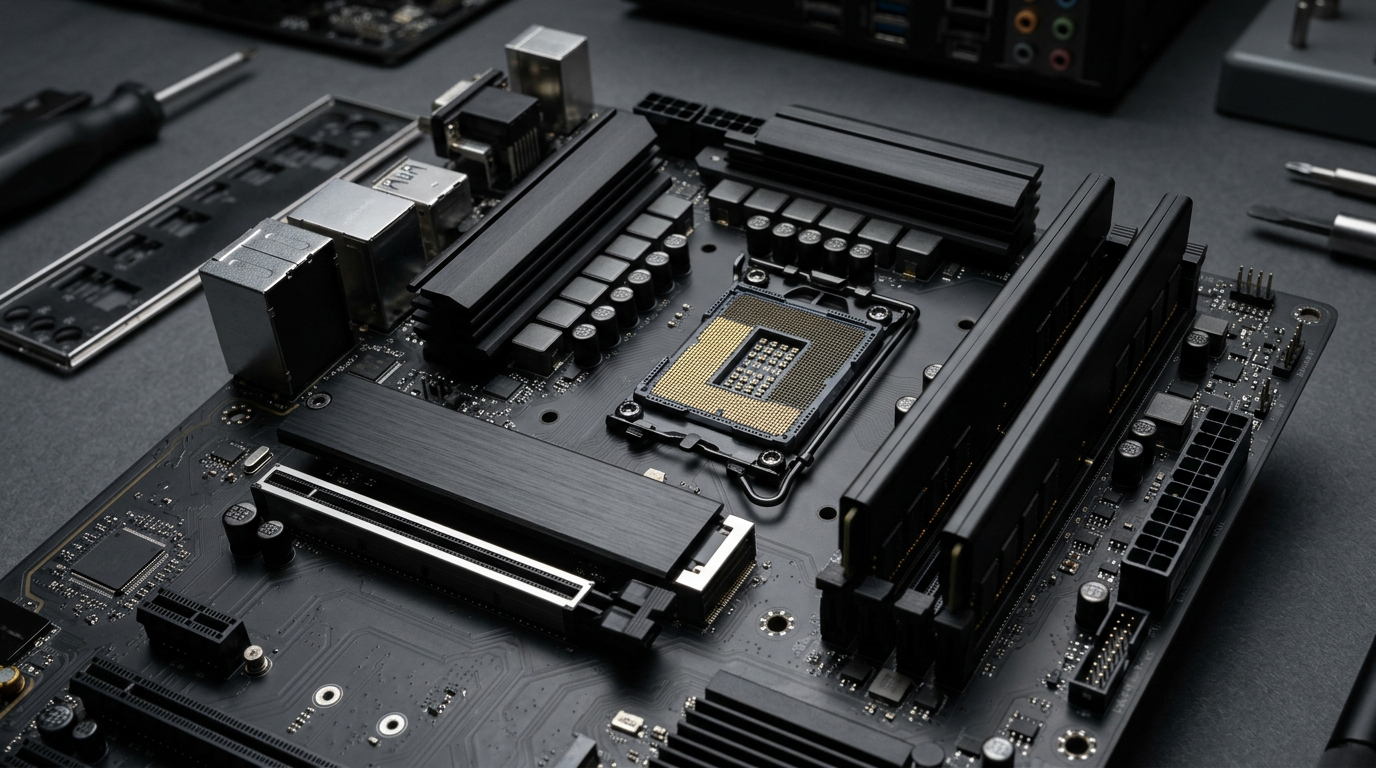
Standard desktop AM5 CPUs expose 28 total PCIe 5.0 lanes (24 usable after the x4 chipset link): x16 to the GPU and dual x4 NVMe bays. The Ryzen 7 8700F provides only 20 total PCIe 4.0 lanes and 16 usable lanes, omitting PCIe 5.0 completely. Motherboards split those 16 lanes into PCIe 4.0 x8 for the graphics card, x4 for the primary M.2 slot, and x4 for secondary storage or I/O.
Per PCI-SIG architecture specifications, PCIe 4.0 signals at 16 GT/s (~2 GB/s per lane unidirectional) versus 32 GT/s (~4 GB/s) on PCIe 5.0. As a result, a GPU inside an 8700F rig runs at ~16 GB/s unidirectional (PCIe 4.0 x8) rather than ~64 GB/s (PCIe 5.0 x16), while any Gen 5 SSD drops back to Gen 4 speeds.
3. Power Limits (PPT vs. MTP) and Zero Integrated Graphics
Thermal efficiency is the 8700F’s brightest trait: its 65W default TDP (~88W socket PPT) cools effortlessly with budget tower air coolers. Even the 9800X3D (120W TDP, 162W PPT) runs dramatically cooler and leaner while gaming than Intel’s LGA 1851 Arrow Lake flagships (such as the Core Ultra 7 265K and 285K), which pull up to 250W Maximum Turbo Power (MTP) under sustained loads. Unlike retail 9800X3D, 7800X3D, and 9600X chips with 2-CU Radeon iGPUs, however, the 8700F removes integrated graphics entirely—leaving zero motherboard display fallback if a discrete card malfunctions.
Real-World Workload & Resolution Ceiling
Generic online “Bottleneck Percentage Calculators” are meaningless because CPU versus GPU limits shift dynamically by title, scene complexity, graphics preset, and display resolution.
1080p Esports vs. 1440p/4K AAA (Where 8GB VRAM Exposes x8 PCIe)
In 1080p high-refresh esports (Counter-Strike 2, Valorant, Fortnite) at 240Hz–540Hz, fast GPUs finish rendering early and wait on the CPU. Here, the 9800X3D’s 96MB 3D V-Cache and Zen 5 IPC dominate average framerates and protect 1% Lows during heavy utility fights, whereas the 8700F’s 16MB L3 ceiling introduces noticeable frame dips.
At 1440p Ultra or 4K with ray tracing, high-tier GPUs like the RTX 5070 12GB or RX 9070 XT 16GB sit near 98% saturation, narrowing average CPU gaps considerably. Yet buyers must watch one trap: 8GB VRAM graphics cards (RTX 5060 / RTX 5060 Ti 8GB). Whenever ultra textures spill past 8GB across the PCIe bus into system RAM, the 8700F’s halved PCIe 4.0 x8 bandwidth amplifies asset-swap stutters compared with PCIe x16 CPUs.
Shader Compilation, Creator Work & Quick Sync Context
While both CPUs offer eight SMT cores, Zen 5 architecture and higher clocks help the 9800X3D complete heavy Unreal Engine 5 shader compilation and CPU-bound exports noticeably faster. For dedicated video editors weighing AM5 against Intel’s LGA 1851 ecosystem, remember that Intel disables Quick Sync media acceleration on “F” and “KF” variants like the OEM Core Ultra 7 265F just as AMD removes graphics on the 8700F. Creators needing hardware Quick Sync scrubbing should select non-F Arrow Lake chips like the Core Ultra 7 270K Plus (accepting 250W MTP cooling needs), or rely on RTX 50-series NVENC encoders inside an AM5 build.
Compatibility & Amazon Buyer Alerts
Because Ryzen 7 8700F chips predominantly ship inside prebuilt towers rather than enthusiast DIY shelves, surrounding spec shortcuts can multiply its 16MB cache limitation.
Buyer Alert — Amazon Prebuilt Shortcuts That Hurt 8700F Performance:
- Parent ASIN Review Pooling & Duplicate Labels: Amazon desktop pages frequently group older builds and current 8700F rigs under shared “Set name” selectors or duplicate CPU tags (“8700 F” vs. “8700F”). Verify the exact selected variant specs before trusting combined star ratings.
- Single-Channel DDR5-4800 Traps: Shipping a 16MB L3 processor with one 1x16GB DDR5-4800 stick cuts memory bandwidth in half, slashing 1% Lows by 15–30%. Prioritize 32GB (2x16GB) dual-channel memory—ideally DDR5-6000 CL30.
- Omitted PSUs & Wi-Fi 5 Downgrades: Avoid upper-tier rigs hiding PSU wattage/ATX 3.1 status or bundling slow Wi-Fi 5 adapters above the $1,500 bracket.
BIOS & Platform Checklist for AM5 Builders:
- Lock Memory at 1:1 Ratio (Avoid 4 DIMMs): Enable AMD EXPO for 2x16GB DDR5-6000 CL30 (~10ns latency). Pushing past 6400 MT/s triggers a 2:1 UCLK divider penalty, and four sticks force steep clock drops.
- Skip PCIe 5.0 SSDs on 8700F Builds: The 8700F caps M.2 slots at PCIe 4.0 x4; pick a cooler, higher-capacity 2TB PCIe 4.0 DRAM+TLC NVMe SSD (WD Black SN850X or Samsung 990 Pro), which yields 0 FPS difference in current games anyway.
- Update BIOS Before X3D Swaps: Plug displays strictly into your discrete GPU, and use BIOS Flashback before upgrading an 8700F board to a Ryzen 7 9800X3D.
Best System Pairings, Upgrade Roadmap & Top Verified Alternatives
For DIY builders following our custom gaming PC build guide, skip the 8700F and anchor your rig around an AMD Socket AM5 B850 motherboard. As covered in our AMD B850 vs. X870 vs. X870E guide, B850 delivers mandatory PCIe 5.0 M.2 slots, full CPU/RAM tuning, and 12+2 stage (60A+) VRMs without X870E costs. Pair it with 32GB (2x16GB) DDR5-6000 CL30, a 2TB PCIe 4.0 TLC SSD, a dual-tower air cooler (or 240mm/360mm AIO for X3D chips), and a 750W–850W ATX 3.1 80+ Gold PSU.
If you prefer turnkey towers from our best prebuilt gaming PC under $1,500 and under $2,000 guides, an off-the-shelf ATX AM5 prebuilt with an 8700F can serve as an interim stepping stone—provided you pair it with a 12GB+ GPU today and plan a drop-in swap to one of the retail AM5 processors below.
| Verified Amazon Pick | Role | Key Hardware Advantage | Link |
|---|---|---|---|
| AMD Ryzen 7 9800X3D | Peak Gaming & Upgrade Target | 8C/16T Zen 5, 96MB L3, 24 PCIe 5.0 lanes | View on Amazon |
| AMD Ryzen 7 7800X3D | Value 3D V-Cache Alternative | 8C/16T Zen 4, 96MB L3, 24 PCIe 5.0 lanes | View on Amazon |
| AMD Ryzen 5 9600X | Smart DIY Budget Zen 5 Entry | 6C/12T Zen 5, 32MB L3, 24 PCIe 5.0 lanes | View on Amazon |
| MSI Codex Z2 (A8NVP-436US) | Audited 8700F Prebuilt | 8700F, RTX 5070 12GB, 32GB DDR5, 2TB SSD | View on Amazon |
1. AMD Ryzen 7 9800X3D — Peak Gaming & Drop-In AM5 Upgrade

Quick Specs: 8C/16T Zen 5 (4.7–5.2 GHz) | 96MB L3 (2nd Gen 3D V-Cache) | 24 Usable PCIe 5.0 Lanes (x16 GPU) | 120W TDP / 162W PPT | Radeon iGPU | Price Tier: $479 Launch MSRP
The Ryzen 7 9800X3D corrects every architectural shortcut on the 8700F: sixfold larger L3 cache, Zen 5 IPC, unlocked PBO tuning, under-die thermal contact, and full PCIe 5.0 x16 graphics bandwidth.
Verdict: Buy it for 240Hz+ esports, CPU-heavy sims, or dropping into an existing AM5 tower. Skip it only if stepping down one CPU tier funds a jump from an 8GB GPU to a 16GB RTX 5070 Ti or RX 9070 XT.
2. AMD Ryzen 7 7800X3D — Value 3D V-Cache Alternative
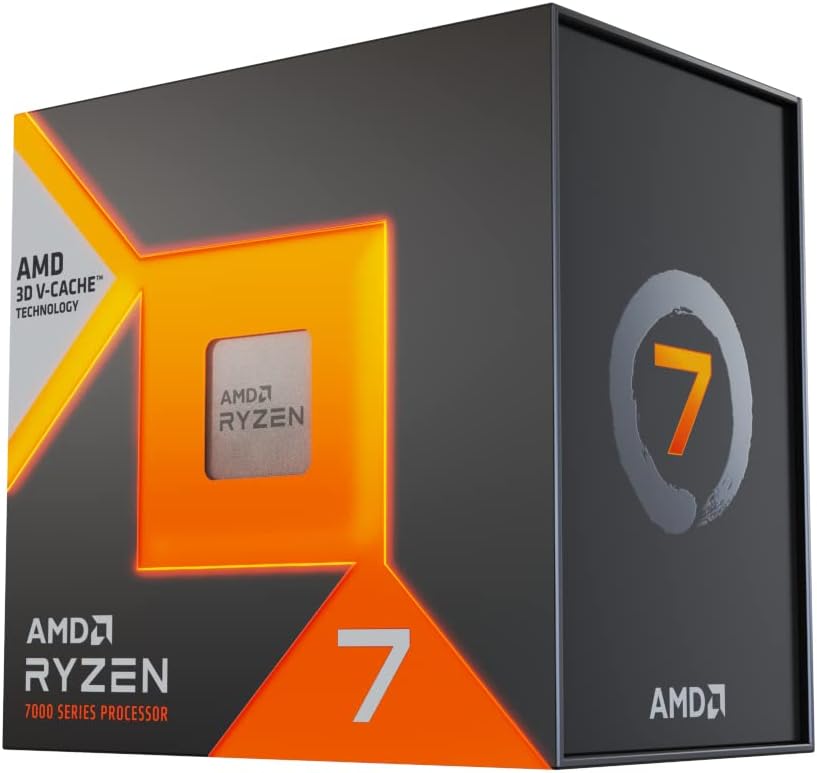
Quick Specs: 8C/16T Zen 4 (4.2–5.0 GHz) | 96MB L3 (3D V-Cache) | 24 Usable PCIe 5.0 Lanes (x16 GPU) | 120W TDP / 162W PPT | Radeon iGPU | Price Tier: Upper-Mid Retail Tier
Despite sharing Zen 4 roots with the 8700F, the 7800X3D multiplies L3 cache sixfold to 96MB, restores full PCIe 5.0 x16 routing, and includes diagnostic iGPU output at aggressive promotional tiers.
Verdict: Buy it when promotions undercut the 9800X3D significantly for pure gaming. Skip it if street prices sit close to the unlocked Zen 5 9800X3D.
3. AMD Ryzen 5 9600X — Smarter DIY Budget Zen 5 Entry

Quick Specs: 6C/12T Zen 5 (3.9–5.4 GHz) | 32MB L3 Cache | 24 Usable PCIe 5.0 Lanes (x16 GPU) | 65W TDP / 88W PPT | Radeon iGPU | Price Tier: Budget-to-Mid AM5 Tier
For DIY builds, the six-core Ryzen 5 9600X outclasses the eight-core 8700F in gaming by doubling L3 cache (32MB), delivering higher Zen 5 IPC at 5.4 GHz, and preserving full PCIe 5.0 lanes at 65W TDP.
Verdict: Buy it as the cleanest entry onto an AM5 B850 motherboard ahead of future X3D upgrades. Skip it only if you need eight cores immediately for heavy offline renders.
4. MSI Codex Z2 (A8NVP-436US) — Audited 8700F Prebuilt Context

Quick Specs: AMD Ryzen 7 8700F (AM5) | RTX 5070 12GB GDDR7 | 32GB DDR5 | 2TB NVMe SSD | Standard MSI ATX Layout, 4-Fan Airflow | Price Tier: Upper Prebuilt Tier (Under $1,850)
MSI illustrates the only sensible way to buy an 8700F: pairing it with a 12GB RTX 5070 (avoiding 8GB VRAM x8 PCIe spills), 32GB DDR5, and a 2TB SSD inside an ATX AM5 chassis ready for a future 9800X3D swap.
Verdict: Buy it if you want plug-and-play 1440p horsepower and 2TB storage under $1,850 with an AM5 upgrade runway. Skip it if you demand peak 1080p esports 1% Lows out of the box.
How We Audited This Guide
- Processors, motherboards, memory, and storage were compared by socket longevity, chipset lane allocation, VRM design, DDR5 EXPO/XMP support, and PCIe generation.
- Every specification claim was cross-checked against official OEM datasheets, platform vendor documentation, and published industry standards (PCI-SIG, JEDEC, VESA, Intel ATX) rather than marketplace listing copy.
- Recommendations were evaluated against our weighted audit rubric and documented compatibility rules; we do not publish fabricated FPS, thermal, or acoustic numbers.
Continue Your Audit
- Parent hub: Best Gaming CPUs (2026): Audited Ryzen 9000X3D vs. Intel Core Ultra 200S
- How AMD 2nd-Gen 3D V-Cache Improves 1% Lows and Gaming Frametimes
- Ryzen 7 8700F vs. Ryzen 5 9600X: 8 Cores with 16MB L3 vs. 6 Cores Zen 5
- Best Ryzen 7 8700F Prebuilt Gaming PCs (2026): Value AM5 Upgrade Audits
Frequently Asked Questions: Ryzen 7 8700F vs Ryzen 7 9800X3D
Does the Ryzen 7 8700F bottleneck an RTX 5070 or RTX 5070 Ti?
At 1440p Ultra or 4K, GPU demand dominates, keeping average frame rates competitive on an RTX 5070 or RTX 5070 Ti. In 1080p high-refresh esports, however, the 8700F’s smaller 16MB L3 cache lowers peak FPS and 1% Lows noticeably compared with a Ryzen 7 9800X3D.
Does PCIe 4.0 x8 on the Ryzen 7 8700F hurt GPU performance?
On 12GB or 16GB graphics cards like the RTX 5070 or RX 9070 XT, PCIe 4.0 x8 incurs minimal average frame loss. On 8GB VRAM cards that spill textures into system memory at 1440p Ultra, however, halved x8 bandwidth triggers noticeably heavier asset-swap stutters.
Can I upgrade a Ryzen 7 8700F prebuilt to a Ryzen 7 9800X3D later?
Yes, provided the prebuilt system uses a standard commercial AM5 motherboard (such as AMD B650, B850, or X870) without proprietary OEM power connectors. Always flash the latest motherboard BIOS before swapping chips, and confirm your cooler handles the 9800X3D’s higher 162W PPT ceiling.
Why choose the Ryzen 5 9600X over the Ryzen 7 8700F for a custom build?
The six-core Ryzen 5 9600X offers faster Zen 5 IPC, double the L3 cache (32MB versus 16MB), full 24 usable PCIe 5.0 lanes with x16 GPU routing, and integrated diagnostic Radeon graphics—making it a clearly smarter foundation for almost every custom DIY gaming build.
What DDR5 RAM speed works best for both the 8700F and 9800X3D?
A dual-channel 32GB (2x16GB) DDR5-6000 CL30 AMD EXPO kit delivers the ideal balance for both processors. It keeps AM5’s internal memory controller running in a low-latency 1:1 UCLK:MCLK ratio while avoiding 2:1 divider latency penalties and four-DIMM memory clock reductions.
Final Verdict: Ryzen 7 8700F vs. Ryzen 7 9800X3D
The Ryzen 7 8700F vs Ryzen 7 9800X3D audit leads to a straightforward verdict: skip the 8700F completely for custom DIY rigs when the Ryzen 5 9600X, Ryzen 7 7800X3D, and Ryzen 7 9800X3D run on the same AM5 socket with double-to-sixfold more L3 cache and 24 PCIe 5.0 lanes. Only consider the 8700F inside value-priced, ATX-standard prebuilt desktops pairing 32GB DDR5 and a 12GB+ GPU, treating its cool 65W footprint as a temporary stop before dropping in a 3D V-Cache chip.


