
On This Page
Affiliate Disclosure: As an Amazon Associate, The PC Audit earns from qualifying purchases. All hardware specifications, PCIe block diagrams, and VRM power layouts in this guide are audited against official OEM documentation without sponsored influence.
Most Socket AM5 builders hit the same dilemma when pairing a Ryzen 7 9800X3D or Ryzen 7 9850X3D with a modern GPU: comparing b850 vs x870 vs x870e exposes three chipsets with identical gaming frame rates but very different PCIe lane compromises. Spending an extra $80 to $170 on an X870 or X870E board thinking it unlocks higher boost clocks often triggers unexpected M.2-to-GPU bandwidth sharing instead.
Inside our Processors & Platforms hub, the real divide across AMD’s 800-series lineup is never processor overclocking—all three chipsets unlock CPU and DDR5 tuning—but how each board allocates the CPU’s 24 usable PCIe 5.0 lanes around USB4 controllers and chipset storage.
TL;DR Winner Matrix: AMD B850 vs. X870 vs. X870E
| Evaluation Category | Winner | Verified Spec Rationale |
|---|---|---|
| Overall Gaming Sweet Spot | AMD B850 | Mandates PCIe 5.0 M.2 and full CPU/RAM OC without a USB4 tax; ideal for 95% of builds. |
| Gaming FPS & Tuning Parity | Three-Way Tie | B850, X870, and X870E all unlock PBO, Curve Optimizer, and DDR5-6000 CL30 EXPO. |
| Avoiding GPU x8 Lane Sharing | AMD B850 | Skipping mandatory USB4 frees 4 CPU lanes for a dedicated second M.2 bay without splitting GPU x16. |
| USB4 & Multi-Drive I/O | AMD X870E | Dual Promontory 21 chips double downstream PCIe 4.0/3.0 lanes, USB ports, and SATA capacity. |
| Value per Dollar ($200–$260 Tier) | AMD B850 | Delivers 14+2+2 60A+ DrMOS, Wi-Fi 7, 2.5GbE LAN, and BIOS Flashback near a $230 Launch MSRP. |
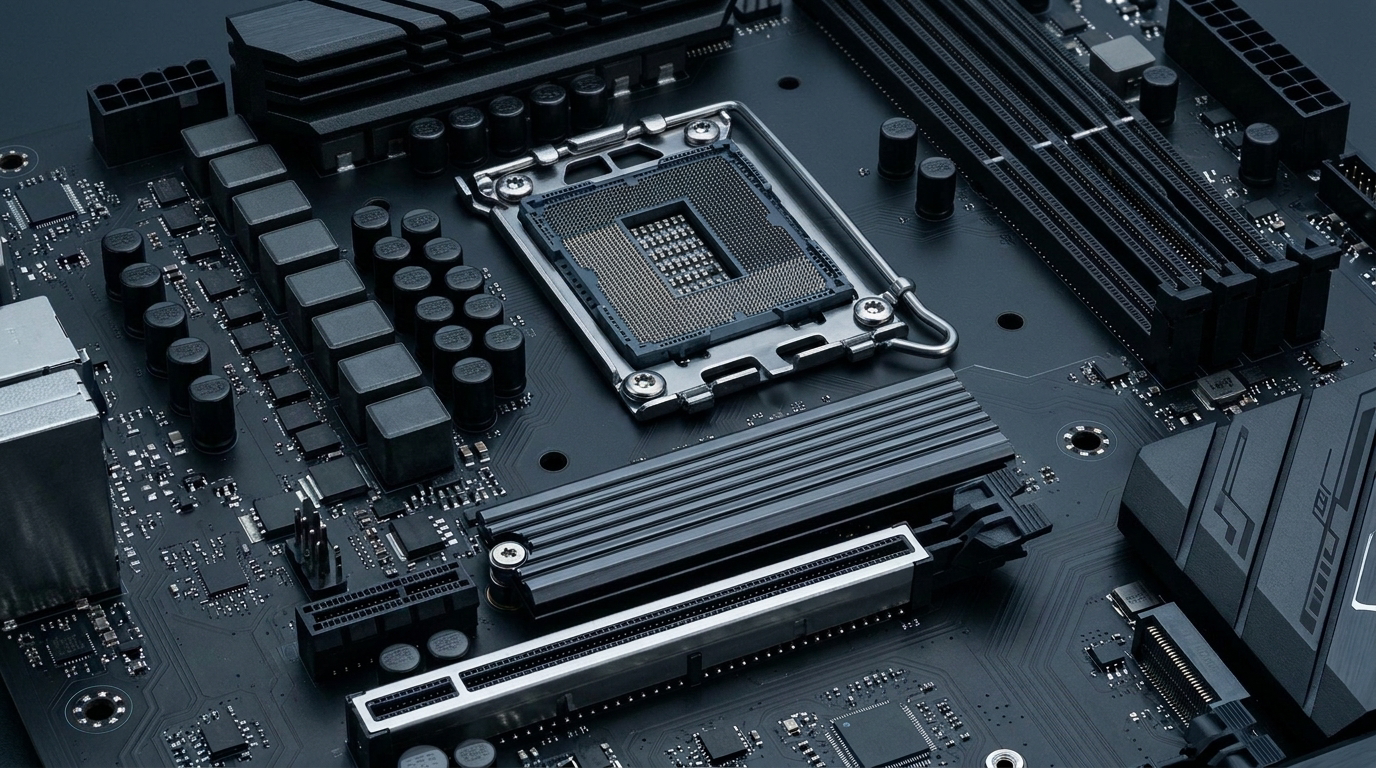
Side-by-Side Verified AM5 Chipset Specification Table
According to official AMD AM5 chipset specifications, the core differences between AMD B850, X870, and AMD X870E center on chipset silicon count, mandatory PCIe 5.0 graphics support, mandatory USB4 integration, and rear USB/SATA capacity.
| Platform Specification | AMD B850 | AMD X870 | AMD X870E |
|---|---|---|---|
| Chipset Silicon | Single Promontory 21 | Single Promontory 21 | Dual Promontory 21 |
| Primary GPU Slot (CPU) | PCIe 4.0 min (PCIe 5.0 standard on ATX) | PCIe 5.0 x16 mandatory | PCIe 5.0 x16 mandatory |
| Primary M.2 Slot (CPU) | PCIe 5.0 x4 mandatory | PCIe 5.0 x4 mandatory | PCIe 5.0 x4 mandatory |
| Extra 4x CPU GPP Lanes | Free for 2nd CPU M.2 slot | Assigned to USB4 controller | Assigned to USB4 controller |
| Usable Lanes Total / Gen 5 | 36 / 4 min (up to 24 Gen 5) | 36 / 24 | 44 / 24 |
| Chipset Downstream Lanes | 8x Gen 4 + 4x Gen 3 | 8x Gen 4 + 4x Gen 3 | 12x Gen 4 + 8x Gen 3 |
| USB4 (40Gbps Dual Type-C) | Optional | Mandatory standard | Mandatory standard |
| USB 20Gbps / 10Gbps Ports | 1 / 6 | 1 / 6 | 2 / 12 |
| Max SATA 6Gb/s Ports | Up to 4 | Up to 4 | Up to 8 |
| CPU & DDR5 Overclocking | Unlocked (PBO + EXPO) | Unlocked (PBO + EXPO) | Unlocked (PBO + EXPO) |
| Typical Retail Budget Tier | $180–$260 tier (~$230 Launch MSRP) | $280–$340 tier (~$300–$310 Launch MSRP) | $350–$500+ tier (~$360–$490+ Launch MSRP) |
Battleground 1: Promontory 21 Silicon and PCIe Lane Sharing Traps
The biggest architectural twist in AMD’s 800-series stack is that AMD B850 and AMD X870 use the exact same single Promontory 21 chipset chip. Both link to the processor over a PCIe 4.0 x4 bus and offer identical chipset-side USB and SATA pools. The real divergence lies in how board makers wire the 24 usable PCIe 5.0 lanes coming directly off Ryzen 7000 and 9000 CPUs.
Per the PCI-SIG PCIe 5.0 specification, an x16 link supplies up to 128 GB/s aggregate bandwidth (32 GT/s per lane) while an x4 NVMe link provides 31.5 GB/s. On Ryzen 7000 and 9000 chips, those 24 CPU lanes divide into 16 lanes for the GPU, 4 lanes for the primary M.2 bay, and 4 general-purpose (GPP) lanes.
- Why AMD B850 prevents GPU lane cuts: Because USB4 is optional on B850, those 4 extra CPU GPP lanes stay free for a second CPU-attached M.2 bay (
M2B_CPU). Boards like the GIGABYTE B850 AORUS Elite WIFI7 run every M.2 slot with zero PCIe lane sharing cutting your GPU from x16 to x8. - The AMD X870 USB4 lane tax: AMD forces every X870 board to dedicate those 4 CPU GPP lanes to an ASMedia USB4 40Gbps controller. When vendors advertise two Gen 5 M.2 slots on X870, they either steal 8 lanes from the GPU slot—dropping RTX 5080/5090 cards to PCIe 5.0 x8—or cut the second M.2 and USB4 ports down to x2 bandwidth.
- What AMD X870E actually adds: A second Promontory 21 chip doubles southbridge PCIe 4.0/3.0 lanes and high-speed USB ports, letting AMD X870E boards run extra chipset M.2 slots and capture cards smoothly. Yet CPU-side lanes remain fixed at 24, so boards touting three CPU Gen 5 M.2 bays still split GPU x16 to x8 if those secondary CPU slots are populated.
CPU Lane Note: A Ryzen 7 9800X3D or 9850X3D unlocks all 24 usable PCIe 5.0 lanes, whereas entry OEM chips like the Ryzen 7 8700F restrict you to 16 usable PCIe 4.0 lanes total. Review our Ryzen 7 8700F vs. Ryzen 7 9800X3D audit before finalizing your AM5 processor pairing.
Battleground 2: VRM Phases, DrMOS Ratings, and Overclocking Parity
Buyers coming from Intel LGA 1851 often assume mid-tier chipsets restrict CPU tuning. While Intel B860 locks out CPU multiplier overclocking and forces K-series tweakers onto Intel Z890, AMD unlocks Precision Boost Overdrive (PBO), Curve Optimizer, and DDR5 EXPO across B850, X870, and X870E alike.
- The 12+2 60A Baseline: A gaming-focused
Ryzen 7 9800X3D(120W TDP / 162W PPT) orRyzen 7 9850X3D(~162W PPT) draws modest current, while a 16-coreRyzen 9 9950X3Dreaches 230W PPT under multi-core loads. Any board featuring at least 12+2 VRM phases rated at 60A+ DrMOS with solid aluminum heatsinks holds peak boost clocks cleanly. - B850 vs. X870E Thermal Parity: Quality B850 ATX boards easily clear that bar—our recommended B850 pick uses
14+2+260A DrMOS stages. Stepping up to a16+2+280A Smart Power Stage VRM on X870E trims VRM surface heat slightly during marathon 230W renders without adding a single frame per second in games. - DDR5-6000 CL30 Sweet Spot: Ryzen 7000 and 9000 memory controllers run optimal 1:1 UCLK ratios at DDR5-6000 CL30 (~10.0 ns latency); exceeding 6400 MT/s triggers a 2:1 divider penalty, making expensive DDR5-8400+ board ratings unnecessary for gaming.
Battleground 3: Storage Expansion, M.2 Heatsinks, and SSD Realities
All three 800-series chipsets guarantee a CPU-direct PCIe 5.0 x4 M.2 bay, removing old B650 entry-board guesswork. Still, paying extra for triple Gen 5 slots on X870E rarely helps gaming rigs:
- Gen 4 vs. Gen 5 Gaming Speed: DirectStorage games deliver a 0 FPS gain and just 0–2 seconds of load variance between cool-running PCIe 4.0 DRAM+TLC drives (WD Black SN850X, Samsung 990 Pro) and 14,500 MB/s Gen 5 SSDs (Samsung 9100 Pro, Crucial T705). Investing B850 savings into a 2TB Gen 4 TLC+DRAM SSD beats buying a smaller Gen 5 drive.
- M.2 Heatsink Fitment: Gen 5 controllers throttle quickly without dedicated cooling. Prioritize boards with tool-less aluminum M.2 heatsink plates covering both top and secondary bays, and buy bare SSDs when mounting beneath motherboard armor.
- Multi-Drive Creator Headroom: Dual-chipset X870E boards earn their keep when running 3–4 NVMe drives, multiple SATA disks, and an internal capture card simultaneously without disabling secondary PCIe slots.
Battleground 4: Networking, USB4, BIOS Flashback, and Back-Connect Fit
Everyday usability hinges on modern connectivity and builder-friendly firmware tools rather than chipset branding alone:
- Wi-Fi 7 & 2.5GbE LAN Standard: Quality B850, X870, and X870E ATX boards bundle Wi-Fi 7 (with Bluetooth 5.4 and external magnetic antennas) plus at least 2.5GbE LAN (stepping up to 5GbE on select models).
- Real-World USB4 Use Cases: Per the USB-IF USB4 standard, dual 40Gbps USB4 ports tunnel PCIe, DisplayPort, and USB 3.2 data for external NVMe scratch drives and workstation docks. Standard gaming peripherals run identically over B850’s 10Gbps and 20Gbps USB 3.2 ports.
- BIOS Flashback & DIY Latches: Always insist on rear-panel BIOS Flashback (Q-Flash Plus or Flash BIOS Button) to update firmware via USB without a CPU installed—vital for future AM5 Zen upgrades—plus quick-release GPU latches and debug LEDs. Follow our PC building blueprint and post-build BIOS setup guide for smooth assembly.
- BTF Back-Connect Warning: Back-connect boards (ASUS BTF, MSI Project Zero, GIGABYTE Project Stealth) relocate 24-pin, 8-pin, and fan headers to the rear PCB; never pick a BTF back-connect board unless your chassis explicitly includes rear tray cutouts.
Battleground 5: Audited Retail Motherboard Picks (B850 vs. X870 vs. X870E)
Below are three in-stock Amazon US ATX motherboards representing each chipset tier—evaluated on VRM hardware, manual lane diagrams, networking, and Launch MSRP value.
1. Best Overall Pick for 95% of Gamers (AMD B850): GIGABYTE B850 AORUS Elite WIFI7

Tier & Pricing: $200–$250 tier (~$230 Launch MSRP) | Chipset: AMD B850 | Best For: Ryzen 7 9800X3D / 9850X3D gaming builds with zero GPU lane compromises.
- VRM & Cooling: 14+2+2 Digital Twin VRM with 60A DrMOS and VRM Thermal Armor.
- PCIe & M.2 Layout: PCIe 5.0 x16 GPU slot, 3x M.2 bays (
M2A_CPUGen 5 x4,M2B_CPUGen 4 x4,M2C_SBGen 4 x4), 4x SATA 6Gb/s. - Lane-Sharing Audit: Populating all 3 M.2 slots never cuts the primary GPU slot to x8 (GIGABYTE specs).
- I/O & DIY Features: Wi-Fi 7, 2.5GbE LAN, USB-C 10Gbps rear + 20Gbps front header, Q-Flash Plus, EZ-Latch Plus/Click, Sensor Panel Link.
Pros: Zero GPU x8 bifurcation trap; 14+2+2 60A DrMOS easily drives X3D chips; tool-less M.2 armor.
Cons: No rear 40Gbps USB4; Wi-Fi 7 caps at 160MHz bandwidth.
Check Availability on Amazon (GIGABYTE B850 AORUS Elite WIFI7)
2. Best X870 Option for Native USB4 (AMD X870): ASUS TUF Gaming X870-PLUS WiFi

Tier & Pricing: $290–$330 tier (~$310 Launch MSRP) | Chipset: AMD X870 | Best For: Builders wanting dual 40Gbps USB4 ports while keeping SSDs out of M.2_2.
- VRM & Cooling: 16+2+1 80A Smart Power Stages on an 8-layer PCB with ProCool power connectors.
- PCIe & M.2 Layout: PCIe 5.0 x16 SafeSlot, 4x M.2 slots (2x CPU Gen 5 x4, 2x Chipset Gen 4 x4), 2x SATA 6Gb/s.
- Lane-Sharing Audit (Warning): Per ASUS technical specifications, using
M.2_2drops the GPU slot to x8, andM.2_4disables the secondary PCIe 4.0 x4 slot. Stick toM.2_1andM.2_3to keep full x16 GPU bandwidth. - I/O & DIY Features: Dual rear USB4 40Gbps, Wi-Fi 7, 2.5GbE LAN, 30W front USB-C, BIOS FlashBack, PCIe Q-Release, M.2 Q-Latch.
Pros: Robust 80A SPS VRM and 8-layer PCB; dual USB4 plus 30W front PD; smooth Q-Release latch.
Cons: Populating M.2_2 cuts GPU lanes to x8; only 2 SATA ports; ~$80 premium over B850 without gaming FPS gains.
Check Availability on Amazon (ASUS TUF Gaming X870-PLUS WiFi)
3. Best Enthusiast Dual-Chipset Pick (AMD X870E): GIGABYTE X870E AORUS PRO

Tier & Pricing: $350–$400 tier (~$360–$395 Launch MSRP) | Chipset: AMD X870E | Best For: Ryzen 9 9950X3D hybrid creator rigs requiring maximum rear USB I/O and dual USB4.
- VRM & Cooling: 16+2+2 Digital Twin VRM with 80A SPS and heatpipe VRM Thermal Armor Advanced.
- PCIe & M.2 Layout: PCIe 5.0 x16 UD Slot X, 4x M.2 bays (3x PCIe 5.0 x4, 1x Chipset PCIe 4.0 x4), 4x SATA 6Gb/s.
- Lane-Sharing Audit: Per GIGABYTE official documentation,
M2A_CPUandM2D_SBkeep GPU x16 intact; populatingM2B_CPUorM2C_CPUswitches the GPU slot to x8. - I/O & DIY Features: Dual USB4 40Gbps (4K 240Hz DP Alt Mode), Qualcomm Wi-Fi 7, 2.5GbE LAN, 10 rear USB ports, ALC1220 audio, Q-Flash Plus, EZ-Latch Plus/Click.
Pros: Dual Promontory 21 rear I/O abundance; heatpipe VRM armor and ALC1220 audio; complete tool-less EZ-Latch ecosystem.
Cons: Secondary CPU Gen 5 M.2 bays still split GPU x16 to x8; high cost over B850 for pure gamers.
Build-Profile Decision Matrix: Matching the Chipset to Your Exact Rig
Chipset spec sheets compare features in isolation, but the right answer depends on the complete build: which processor, how many SSDs, and whether any device on your desk actually needs 40Gbps USB4. The matrix below maps six common 2026 AM5 build profiles to the chipset that delivers every needed feature without paying for unused silicon.
| Build Profile | Typical CPU + GPU | Storage Plan | USB Needs | Recommended Chipset | Board Budget Tier |
|---|---|---|---|---|---|
| Budget AM5 entry (1080p) | Ryzen 5 9600X (88W PPT) + RTX 5060 8GB or RX 9060 XT 16GB | 1x 1TB–2TB PCIe 4.0 NVMe | USB 3.2 10Gbps | B850 | $180–$260 |
| Esports high refresh (1080p 240Hz–480Hz) | Ryzen 7 9800X3D (162W PPT) + RTX 5070 12GB | 1–2 NVMe | USB 3.2 for 8000Hz mice and keyboards | B850 | $180–$260 |
| 1440p AAA sweet spot | Ryzen 7 9850X3D + RX 9070 XT 16GB or RTX 5070 Ti 16GB | 2–3 NVMe using the free second CPU M.2 bay | USB 3.2 10Gbps/20Gbps | B850 | $180–$260 |
| Creator with external 40Gbps drives | Ryzen 9 9950X3D (230W PPT) + RTX 5080 16GB | 1–2 internal NVMe plus USB4 scratch drive | USB4 40Gbps, DP Alt Mode | X870 | $280–$340 |
| Multi-drive workstation | Ryzen 9 9950X3D + RTX 5090 32GB | 4+ NVMe plus 4–8 SATA | Dual USB4, 2x 20Gbps, 12x 10Gbps | X870E | $350–$500+ |
| Mini-ITX small form factor | Ryzen 7 9800X3D + RTX 5070 12GB | 2 NVMe (typical ITX limit) | USB 3.2, USB4 optional | B850 ITX, or X870 ITX if USB4 is required | $200–$340 |
Four of the six profiles land on B850, and that is not a coincidence. Every gaming-first build gets the same PBO and EXPO tuning, the same PCIe 5.0 x4 primary M.2 slot, and on most ATX B850 boards an unshared second CPU-attached M.2 bay. X870 only becomes the logical choice when a specific peripheral needs USB4 40Gbps, such as an external NVMe enclosure for video footage or a single-cable dock. X870E earns its premium only when you will genuinely populate its doubled chipset I/O: more than three NVMe drives, several SATA disks, or a desk full of 10Gbps–20Gbps devices.
Two edge cases deserve a note. If your build uses an OEM-oriented Ryzen 7 8700F, its 16 usable PCIe 4.0 lanes cannot use the PCIe 5.0 graphics and storage lanes that X870 and X870E mandate, so a B850 board is the only sensible pairing. And whichever chipset you pick, VRM quality matters more than the chipset label for a 230W PPT Ryzen 9 9950X3D; our motherboard VRM and DrMOS explainer shows how to read phase counts and amperage ratings. For shortlisted boards, see our best B850 motherboards roundup, or our best Mini-ITX gaming motherboards guide for small-form-factor builds.
Decisive Verdict: Which AM5 Chipset Should You Buy?
Choose AMD B850 If…
- You are building a gaming rig around a Ryzen 7 9800X3D, 9850X3D, or 9600X.
- You want Gen 5 M.2 plus extra NVMe bays with zero GPU x8 lane sharing.
- You prefer redirecting $80–$170 into a stronger GPU or 2TB SSD.
Choose AMD X870 If…
- You need dual rear 40Gbps USB4 ports for fast external drives or docks.
- You run 1–2 SSDs and avoid the shared CPU M.2 slot to keep GPU x16.
- You catch an X870 board discounted near B850 pricing.
Choose AMD X870E If…
- You pair a Ryzen 9 9950X3D with heavy creator peripherals and capture gear.
- You need dual USB4, maximum USB 10Gbps/20Gbps rear I/O, and 4–8 SATA ports.
- You want flagship heatpipe VRM armor and dual-chipset expansion headroom.
How We Audited This Guide
- Processors, motherboards, memory, and storage were compared by socket longevity, chipset lane allocation, VRM design, DDR5 EXPO/XMP support, and PCIe generation.
- Every specification claim was cross-checked against official OEM datasheets, platform vendor documentation, and published industry standards (PCI-SIG, JEDEC, VESA, Intel ATX) rather than marketplace listing copy.
- Recommendations were evaluated against our weighted audit rubric and documented compatibility rules; we do not publish fabricated FPS, thermal, or acoustic numbers.
Continue Your Audit
- Parent hub: Best AM5 Motherboards for Gaming (2026): B850, X870 & X870E Audited
- PCIe Lane Sharing Explained: How Extra M.2 SSDs Can Cut Your GPU to x8
Frequently Asked Questions: B850 vs. X870 vs. X870E
Does AMD X870E deliver higher gaming FPS than AMD B850?
No. With the same Ryzen 7 9800X3D, DDR5-6000 CL30 RAM, and GPU, AMD B850, X870, and X870E produce identical frame rates and 1% Lows. Every tier unlocks PBO and EXPO tuning when backed by at least 12+2 60A DrMOS VRM hardware.
Does AMD B850 support Ryzen 7 9800X3D and Ryzen 7 9850X3D overclocking?
Yes. Unlike Intel B860, which locks CPU multiplier overclocking, AMD B850 unlocks Precision Boost Overdrive, Curve Optimizer undervolting, and AMD EXPO DDR5 profiles. Quality B850 boards also include BIOS Flashback for easy firmware updates before installing newer X3D processors.
Why does adding a second M.2 SSD cut my GPU slot to x8 on some X870 boards?
Ryzen 7000 and 9000 CPUs provide 24 usable PCIe 5.0 lanes: 16 for graphics, 4 for the primary M.2 slot, and 4 extra lanes. Because X870 mandates USB4, those 4 spare lanes feed USB4—forcing secondary CPU M.2 bays to split GPU lanes to x8.
Do PC gamers actually need USB4 40Gbps on a motherboard?
Most desktop gamers do not need USB4. High-polling mice, Hall Effect keyboards, headsets, and capture cards run cleanly over 5Gbps–20Gbps USB 3.2 ports. USB4 mainly benefits creators moving large footage to external 40Gbps NVMe scratch drives or single-cable docks.
Should gamers pick AMD B850 over Intel B860 or Intel Z890?
For pure gaming towers, AMD B850 paired with a Ryzen 7 9800X3D outperforms LGA 1851 builds on Intel B860 or Intel Z890 in 1% Low consistency while preserving AM5 upgrade longevity. Intel Z890 primarily targets Core Ultra 270K Plus or 285K multi-core workstation users.
Official Standards & Manufacturer References
- AMD Official Socket AM5 Chipsets: amd.com/en/products/processors/chipsets/am5.html
- PCI-SIG PCIe 5.0 Specifications: pcisig.com/specifications
- USB-IF USB4 Architecture: usb.org/usb4
- GIGABYTE Technical Manuals: B850 AORUS ELITE WIFI7 | X870E AORUS PRO
- ASUS Official Tech Specs: TUF GAMING X870-PLUS WIFI
Explore more platform guides in our Processors & Platforms hub, compare AM5 CPU lanes in the Ryzen 7 8700F vs. Ryzen 7 9800X3D audit, or follow our post-build BIOS and Windows optimization checklist.


