
Disclosure: As an Amazon Associate, I earn from qualifying purchases. If you buy through links on this page, we may earn a small commission at no extra cost to you.
Choosing the best mini itx gaming motherboard in 2026 is far trickier than shrinking an ATX spec sheet down to 170mm by 170mm. Inside cramped sub-15-liter Small Form Factor enclosures, a single poorly positioned rear M.2 slot trapped behind a hot chassis spine, an undersized VRM heatsink without active airflow, or a missing BIOS Flashback button can bottleneck a Ryzen 7 9800X3D or Core Ultra 7 build before you ever install a graphics card.
Across The PC Audit hardware database, we evaluated VRM DrMOS and Smart Power Stage ratings, dual M.2 thermal topologies, PCIe 5.0 x16 riser readiness, networking controllers, and socket keep-out clearances across live Amazon US Mini-ITX listings. Whether you are expanding beyond our main Best AM5 Motherboards for Gaming guide, picking a board for one of the best Mini-ITX and SFF PC cases, or comparing DIY builds against compact Mini-ITX prebuilt gaming PCs, these 9 verified boards cover every realistic SFF budget tier.
In This Guide
Quick Picks: Best Mini ITX Gaming Motherboard Recommendations at a Glance
#1 Best Overall Mini-ITX
ASUS ROG Strix B850-I Gaming WiFi
Delivers 10+2+1 90A VRM power stages, dual front-cooled PCIe 5.0 x4 M.2 slots, Wi-Fi 7, Intel 2.5GbE, SupremeFX ALC4080 audio, and Q-Release Slim in the $300–$340 tier. (Audit #1)
#2 Best White & 5GbE SFF Pick
MSI MPG B850I Edge TI WiFi
Combines a 10-layer 2oz copper PCB and 90A SPS VRMs with Realtek 5GbE Ethernet, Wi-Fi 7, 11 rear USB ports, and EZ PCIe Release for bright SFF showcase builds. (Audit #2)
#3 Best Value Under $220
ASRock AMD B850I Lightning WiFi 6E
Packs class-leading 10+1+1 110A SPS power delivery, PCIe 5.0 x16 graphics, Gen5 M.2 storage, and Realtek ALC1220 audio into the $180–$220 tier. (Audit #3)
Side-by-Side Comparison: Top 9 Mini-ITX Gaming Motherboards
| Motherboard & Award | Socket & VRM | M.2 & PCIe x16 Slot | Networking, I/O & Tier | Link |
|---|---|---|---|---|
| ASUS ROG Strix B850-I Gaming WiFi Best Overall Mini-ITX | AM5 | AMD B850 10+2+1 (90A Stages) | 2x M.2 (Both Gen5 x4) 1x PCIe 5.0 x16 Q-Release | Wi-Fi 7 + Intel 2.5GbE ALC4080 ($300–$340 tier) | View on Amazon |
| MSI MPG B850I Edge TI WiFi Best White & 5GbE SFF | AM5 | AMD B850 8+2+1 (90A SPS, 10L PCB) | 2x M.2 (1x Gen5, 1x Gen4) 1x PCIe 5.0 x16 EZ Release | Wi-Fi 7 + 5GbE LAN 11 USB ($250–$400 tier) | View on Amazon |
| ASRock AMD B850I Lightning WiFi 6E Best Value AM5 Mini-ITX | AM5 | AMD B850 10+1+1 (110A SPS, 8L PCB) | 2x M.2 (1x Gen5, 1x Rear Gen4) 1x PCIe 5.0 x16 | Wi-Fi 6E + Killer 2.5GbE ALC1220 ($180–$220 tier) | View on Amazon |
| GIGABYTE B850I AORUS PRO Best High-Speed DDR5 & Stealth | AM5 | AMD B850 8+2+1 (80A Infineon DrMOS) | 2x M.2 (1x Gen5, 1x Rear Gen4) 1x PCIe 5.0 x16 | Wi-Fi 7 + Realtek 2.5GbE 8800+ OC ($250–$400 tier) | View on Amazon |
| ASUS ROG STRIX B860-I Gaming WiFi Best Intel LGA 1851 Mini-ITX | LGA 1851 | Intel B860 10+1+2+1 (80A Stages) | 2x M.2 (1x Gen5, 1x Rear Gen4) 1x PCIe 5.0 x16 Q-Release | Wi-Fi 7 + Thunderbolt 4 CUDIMM ($220–$260 tier) | View on Amazon |
| ASUS ROG STRIX X870-I GAMING WIFI Best Enthusiast USB4 & DAC | AM5 | AMD X870 10+2+1 (110A/80A Stages) | Stacked 2x M.2 (Gen5 + Gen4) 1x PCIe 5.0 x16 Q-Release | Wi-Fi 7 320MHz + 2x USB4 HIVE II ($400–$600 tier) | View on Amazon |
| ASUS TUF Gaming B850I WiFi NEO Best Rugged Fanless-VRM B850I | AM5 | AMD B850 8+2+1 (80A Vishay DrMOS) | 2x M.2 (1x Gen5, 1x Gen4) 1x PCIe 5.0 x16 | Wi-Fi 6E + 2.5GbE LAN 20G USB-C ($250–$400 tier) | View on Amazon |
| ASRock B650I Lightning WiFi Best Legacy B650 Budget Backup | AM5 | AMD B650 8+2+1 (60A DrMOS, 8L PCB) | 2x M.2 (1x Gen5, 1x Rear Gen4) 1x PCIe 4.0 x16 | Wi-Fi 6E + 2.5GbE LAN ALC897 ($150–$250 tier) | View on Amazon |
| GIGABYTE A620I AX Best Strict-Budget 65W Eco Pick | AM5 | AMD A620 5+2+1 (Bolted Heatsink) | 1x M.2 (PCIe 4.0 x4) 1x PCIe 4.0 x16 | Wi-Fi 6E + 2.5GbE LAN Q-Flash+ ($100–$150 tier) | View on Amazon |
Match Your Use Case: Which Mini-ITX Board Fits Your SFF Build?
| Buyer Scenario | Best Match | Why & Expected Outcome |
|---|---|---|
| All-around Ryzen 7 9800X3D / 9850X3D SFF rig | ASUS ROG Strix B850-I Gaming WiFi | Delivers 10+2+1 90A power delivery, dual front-mounted PCIe 5.0 x4 M.2 bays, Wi-Fi 7, and effortless Q-Release Slim GPU swaps. |
| White/silver showcase build or 5GbE NAS gamer | MSI MPG B850I Edge TI WiFi | Adds Realtek 5GbE wired Ethernet, 11 rear USB ports, 90A SPS VRMs on a 10-layer PCB, and a bright metallic finish. |
| High-value B850 AM5 build under $220 | ASRock AMD B850I Lightning WiFi 6E | Provides 10+1+1 110A SPS power stages, PCIe 5.0 x16, Gen5 M.2, and Realtek ALC1220 audio without flagship pricing. |
| Intel Core Ultra 200S + Thunderbolt 4 SFF rig | ASUS ROG STRIX B860-I Gaming WiFi | Unlocks native 40Gbps Thunderbolt 4, CUDIMM DDR5-9066+ support, and Wi-Fi 7 for LGA 1851 gaming and Quick Sync editing. |
| Dual USB4 + desktop audiophile SFF workstation | ASUS ROG STRIX X870-I GAMING WIFI | Pairs 110A power stages and dual 40Gbps USB4 ports with the external ROG Strix HIVE II ESS SABRE9260Q DAC module. |
| Strict sub-$150 living-room 65W SFF build | GIGABYTE A620I AX | Keeps entry AM5 costs in the $100–$150 tier while retaining Q-Flash Plus, Wi-Fi 6E, and 2.5GbE for 65W CPUs. |
Detailed Best Mini ITX Gaming Motherboard Audits (Ranks 1–9)
1. ASUS ROG Strix B850-I Gaming WiFi — Best Overall Mini-ITX Gaming Motherboard
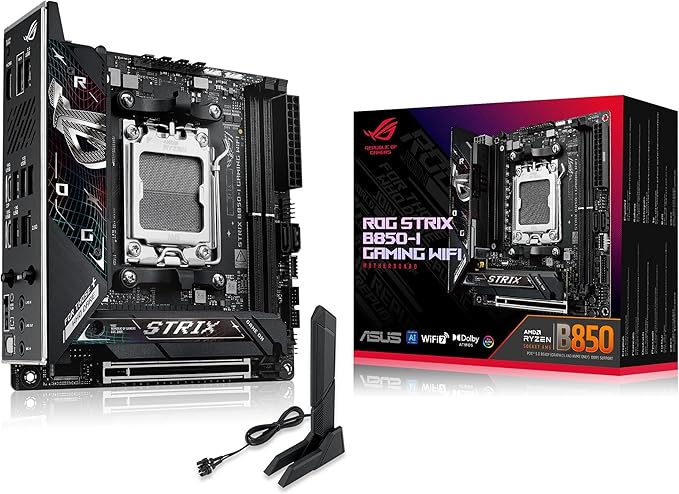
Quick Specs: AM5 Socket | AMD B850 | 10+2+1 Power Stages (90A VCore/SOC, 80A MISC) | 1x PCIe 5.0 x16 Q-Release Slim | 2x M.2 (Both PCIe 5.0 x4) | DDR5-8400+ (OC) | Wi-Fi 7 + Intel 2.5GbE LAN | SupremeFX ALC4080 + Savitech Amp | Price Tier: Upper mid-range ($300–$340 tier)
Audit Score: 9.4 / 10
- VRM Power Delivery & SFF Heatsinks (30%): 9.4 / 10
- PCIe 5.0 Lanes & M.2 Thermal Layout (25%): 9.6 / 10
- Networking, Audio & Rear I/O Density (25%): 9.2 / 10
- BIOS Features & SFF DIY Ergonomics (20%): 9.4 / 10
Most Mini-ITX motherboards force uncomfortable compromises inside sub-15-liter chassis: they either exile the second M.2 bay onto the unventilated back of the PCB or trim VRM and audio subsystems to hit a lower footprint. Per the official ASUS ROG Strix B850-I Gaming WiFi specifications, ASUS avoids both pitfalls on the AM5 socket by pairing 10+2+1 VRM phases (90A Infineon power stages on VCore and SOC) with an integrated VRM heatsink fan, dual front-accessible PCIe 5.0 x4 M.2 slots under thick thermal armor, and zero graphics lane sharing on the primary PCIe 5.0 x16 slot.
In day-to-day Small Form Factor assembly, two ergonomic wins separate the Strix B850-I from our #2 MSI MPG B850I Edge TI WiFi and #4 GIGABYTE B850I AORUS PRO: first, PCIe Slot Q-Release Slim lets you extract massive triple-slot graphics cards without poking a screwdriver between a low-profile cooler and the PCIe latch; second, putting both M.2 drives under front-facing heatsinks prevents your secondary SSD from cooking behind a sandwich case spine. Compared with the #6 ASUS ROG Strix X870-I Gaming WiFi in the $400–$600 tier, the B850-I actually runs faster Gen5 lanes to both M.2 slots and saves well over $100 unless you strictly need dual 40Gbps USB4 ports.
Buyer Verification Alert: Measure horizontal CPU cooler overhang before ordering: the tall stacked M.2 heatsink and shrouded VRM armor can crowd wide low-profile coolers above 120mm unless oriented cleanly toward the RAM edge.
Pros
- Dual front-cooled PCIe 5.0 x4 M.2 slots avoid hot rear sandwich-case spine placement
- 10+2+1 90A power stages with active VRM cooling sustain Ryzen 7 9850X3D and Ryzen 9 loads cleanly
- Includes Wi-Fi 7, Intel 2.5GbE LAN, rear BIOS Flashback, Q-Release Slim, and SupremeFX ALC4080 audio with a Savitech headphone amplifier
Cons
- $300–$340 tier pricing costs significantly more than the #3 ASRock B850I Lightning
- Tiny integrated VRM fan requires a gentle BIOS fan curve adjustment to remain near-silent at idle
Verdict: Buy it if you want the cleanest all-around AMD B850 Mini-ITX engineering for a Ryzen 7 9800X3D or 9850X3D build with front-mounted dual storage and zero GPU removal headaches. Skip it if you want 5GbE wired Ethernet (#2 MSI MPG B850I Edge TI WiFi) or strong B850 VRM performance near $200 (#3 ASRock AMD B850I Lightning WiFi 6E). Upgrade note: pair with a low-profile 32GB (2x16GB) DDR5-6000 CL30 EXPO kit for effortless cooler fit and 1:1 UCLK stability.
2. MSI MPG B850I Edge TI WiFi — Best White Mini-ITX & 5GbE Networking Pick

Quick Specs: AM5 Socket | AMD B850 | Direct 8+2+1 Phases (90A SPS, 10-Layer 2oz Copper PCB) | 1x PCIe 5.0 x16 EZ PCIe Release | 2x M.2 (1x Gen5 x4, 1x Gen4 x4) | DDR5-8200+ (OC) | Wi-Fi 7 + Realtek 5GbE LAN | ALC4080 Audio | 11 Rear USB | Price Tier: Upper mid-range ($250–$400 tier)
Audit Score: 9.2 / 10
- VRM Power Delivery & SFF Heatsinks (30%): 9.1 / 10
- PCIe 5.0 Lanes & M.2 Thermal Layout (25%): 9.0 / 10
- Networking, Audio & Rear I/O Density (25%): 9.6 / 10
- BIOS Features & SFF DIY Ergonomics (20%): 9.2 / 10
White and silver SFF builds routinely get stuck paying aesthetic markups on weaker specs, yet the MSI MPG B850I Edge TI WiFi specification pairs its brushed silver heatsinks and light-accented PCB with the strongest connectivity suite in the B850 Mini-ITX class. Built on a rigid 10-layer 2oz thickened copper PCB with Direct 8+2+1 90A Smart Power Stages (SPS), MSI delivers clean power delivery alongside Realtek 5GbE wired networking, full Wi-Fi 7, Realtek ALC4080 Audio Boost 5 with optical S/PDIF, and a massive 11 rear USB ports including both 20Gbps and 10Gbps Type-C connectors.
Because Mini-ITX motherboards leave zero spare PCIe slots once your graphics card is installed, rear USB density and native multi-gigabit Ethernet matter far more than on ATX boards. Compared with our #1 ASUS ROG Strix B850-I Gaming WiFi (eight rear USB ports and 2.5GbE LAN), MSI lets you hook up an 8K polling mouse, Hall Effect keyboard, audio interface, webcam, and fast 5GbE NAS simultaneously without dangling USB hubs off your desk. MSI also includes a dedicated button-operated EZ PCIe Release latch, matching ASUS on effortless GPU removal while giving up dual PCIe 5.0 M.2 status (its secondary M.2 bay runs at PCIe 4.0 x4).
Buyer Verification Alert: MSI’s rear I/O shield packs 11 USB ports plus physical Flash BIOS and Clear CMOS buttons tightly together; verify your SFF case rear frame leaves room around the I/O cutout so antenna leads don’t block the Flash BIOS button.
Pros
- Best-in-class Mini-ITX connectivity with Realtek 5GbE LAN, Wi-Fi 7, and 11 rear USB ports (including 20Gbps Type-C)
- 10-layer 2oz copper PCB with 90A SPS power stages and extended Frozr heatsinks keep thermals steady
- EZ PCIe Release button and rear Flash BIOS + Clear CMOS switches simplify SFF maintenance
Cons
- Secondary M.2 slot tops out at PCIe 4.0 x4 instead of dual Gen5 x4 slots
- Silver-white heatsink trim clashes inside stealth all-black SFF builds
Verdict: Buy it if you are building a white or silver Mini-ITX rig, transferring large game backups over 5GbE LAN, or running heavy desktop USB peripherals. Skip it if you want dual PCIe 5.0 M.2 slots (#1 ASUS ROG Strix B850-I) or prefer an all-dark stealth PCB (#4 GIGABYTE B850I AORUS PRO). Upgrade note: pair with a 2TB PCIe 4.0 DRAM+TLC NVMe SSD in the M.2 Shield Frozr slot for cooler sustained writes.
3. ASRock AMD B850I Lightning WiFi 6E — Best Value AM5 Mini-ITX Motherboard

Quick Specs: AM5 Socket | AMD B850 | 10+1+1 Power Phases (110A SPS, 8-Layer PCB) | 1x PCIe 5.0 x16 | 2x M.2 (1x Blazing Gen5 x4, 1x Rear Hyper Gen4 x4) | DDR5-8200+ (OC) | Wi-Fi 6E + Killer 2.5GbE LAN | Realtek ALC1220 | Price Tier: Mid-range ($180–$220 tier)
Audit Score: 9.1 / 10
- VRM Power Delivery & SFF Heatsinks (30%): 9.5 / 10
- PCIe 5.0 Lanes & M.2 Thermal Layout (25%): 9.1 / 10
- Networking, Audio & Rear I/O Density (25%): 8.6 / 10
- BIOS Features & SFF DIY Ergonomics (20%): 8.9 / 10
Mini-ITX motherboards usually tack on roughly $100 in “SFF tax” over comparable ATX models, yet ASRock breaks that mold cleanly with the ASRock B850I Lightning WiFi specification. Sitting in the $180–$220 tier, this compact 8-layer board packs 10+1+1 110A Smart Power Stages (SPS)—higher per-stage current capacity than the #1 ASUS ROG Strix B850-I (90A) and #4 GIGABYTE B850I AORUS PRO (80A)—alongside unshared PCIe 5.0 x16 graphics support, a Blazing PCIe 5.0 x4 front M.2 bay, Realtek ALC1220 audio, Killer E3100G 2.5GbE LAN, and a physical rear BIOS Flashback button.
When placed directly alongside its older sibling, the #8 ASRock B650I Lightning WiFi, the generational value jump is unmistakable: ASRock upgrades 60A DrMOS to 110A SPS, steps the graphics slot from PCIe 4.0 up to PCIe 5.0 x16, and replaces basic ALC897 audio with ALC1220. Where does ASRock trim costs relative to #1 ASUS ROG Strix B850-I? You step down from Wi-Fi 7 to Wi-Fi 6E, accept a mechanical GPU latch instead of Q-Release Slim, and mount your secondary PCIe 4.0 x4 M.2 drive on the back of the motherboard rather than stacked up front.
Buyer Verification Alert: Because the Hyper M.2_2 slot sits on the rear side of the PCB, install your secondary NVMe drive before bolting the board into tight sandwich-style SFF cases—and reserve rear installation for cooler-running Gen4 TLC SSDs.
Pros
- 10+1+1 110A SPS power delivery delivers flagship-grade VRM headroom inside the $180–$220 tier
- Full PCIe 5.0 x16 graphics, Blazing Gen5 M.2, rear Hyper Gen4 M.2, and Realtek ALC1220 audio
- Includes CPU-less BIOS Flashback and dedicated Lightning Gaming USB ports for low-jitter mice
Cons
- Uses Wi-Fi 6E (802.11ax) rather than Wi-Fi 7
- Rear-mounted secondary M.2 slot lacks direct intake airflow inside dual-compartment sandwich cases
Verdict: Buy it if you want maximum AM5 performance per dollar for a Ryzen 7 9800X3D or Ryzen 5 9600X Mini-ITX build without spending above $220. Skip it if you already own a Wi-Fi 7 router and want front-cooled dual M.2 bays (#1 ASUS ROG Strix B850-I) or 5GbE Ethernet (#2 MSI MPG B850I Edge TI WiFi). Upgrade note: funnel the roughly $100 saved directly toward upgrading from a 1TB to a 2TB PCIe 4.0 NVMe SSD or a higher-tier GPU.
4. GIGABYTE B850I AORUS PRO — Best High-Speed DDR5 & Clean Dark SFF Pick

Quick Specs: AM5 Socket | AMD B850 | 8+2+1 Phases (80A Infineon DrMOS) | 1x PCIe 5.0 x16 | 2x M.2 (1x Front Gen5 x4, 1x Rear Gen4 x4) | DDR5-8400/8800+ (OC) | Wi-Fi 7 + Realtek 2.5GbE LAN | ALC4080 Audio | Q-Flash Plus | Price Tier: Upper mid-range ($250–$400 tier)
Audit Score: 8.9 / 10
- VRM Power Delivery & SFF Heatsinks (30%): 8.9 / 10
- PCIe 5.0 Lanes & M.2 Thermal Layout (25%): 9.0 / 10
- Networking, Audio & Rear I/O Density (25%): 8.8 / 10
- BIOS Features & SFF DIY Ergonomics (20%): 8.8 / 10
Memory tuners and matte-black SFF builders get a clean, clutter-free layout on the GIGABYTE B850I AORUS PRO specification page. Leveraging an 8+2+1 phase design built with Infineon PMC41410 80A DrMOS power stages, GIGABYTE optimizes its short 2-DIMM trace geometry for memory overclocking ceilings reaching DDR5-8400 to DDR5-8800+ MT/s (depending on revision and CPU IMC), while anchoring everyday gaming rigs at rock-steady DDR5-6000 CL30 1:1 timings. You also get Realtek Wi-Fi 7, 2.5GbE LAN, ALC4080 audio on an isolated extension board, and rear Q-Flash Plus.
Compared directly with the #2 MSI MPG B850I Edge TI WiFi in the same $250–$400 tier, GIGABYTE trails MSI in rear USB count (7 ports versus 11), wired Ethernet speed (2.5GbE versus 5GbE), and VRM amperage (80A versus 90A), making MSI the stronger technical pick whenever prices align. Where GIGABYTE wins back buyers is aesthetic restraint—zero white heatsinks—plus bundled rear M.2 thermal pads that help conduct secondary SSD heat toward open motherboard tray cutouts.
Buyer Verification Alert: GIGABYTE places the secondary Gen4 M.2 slot on the rear PCB with included thermal pads; check your Mini-ITX chassis backplate cutout so the rear drive does not press tightly against an unvented steel spine.
Pros
- High DDR5 memory validation ceiling (up to 8400–8800+ MT/s OC) alongside smooth EXPO 6000 CL30 profiles
- Includes Wi-Fi 7, Realtek ALC4080 audio, 2.5GbE LAN, and Q-Flash Plus in an understated blackout aesthetic
- Dedicated front Gen5 M.2 Thermal Guard keeps primary storage cool under heavy gaming
Cons
- Seven rear USB ports (topping out at 10Gbps Type-C) lag behind MSI’s 11-port 20Gbps Type-C rear I/O
- 8+2+1 80A VRM layout offers less raw current overhead than the #3 ASRock B850I Lightning despite higher tier pricing
Verdict: Buy it if you want a stealth all-black AMD B850 Mini-ITX board with Wi-Fi 7, ALC4080 audio, and aggressive DDR5 overclocking traces. Skip it if you want 5GbE networking and more rear USB ports (#2 MSI MPG B850I Edge TI WiFi) or dual front-cooled M.2 bays (#1 ASUS ROG Strix B850-I). Upgrade note: skip pricey DDR5-8000+ kits on AM5 X3D CPUs—stick with 32GB (2x16GB) DDR5-6000 CL30 for lowest real-world gaming latency.
5. ASUS ROG STRIX B860-I Gaming WiFi — Best Intel LGA 1851 Mini-ITX Motherboard

Quick Specs: LGA 1851 Socket | Intel B860 | 10+1+2+1 Power Stages (80A) w/ Heatpipe | 1x PCIe 5.0 x16 Q-Release Slim | 2x M.2 (1x Front Gen5, 1x Rear Gen4) | CUDIMM DDR5-9066+ (OC) | Wi-Fi 7 + Intel 2.5GbE | Thunderbolt 4 (40Gbps) | ALC1220P | Price Tier: Mid-range ($220–$260 tier)
Audit Score: 8.8 / 10
- VRM Power Delivery & SFF Heatsinks (30%): 8.8 / 10
- PCIe 5.0 Lanes & M.2 Thermal Layout (25%): 8.9 / 10
- Networking, Audio & Rear I/O Density (25%): 9.1 / 10
- BIOS Features & SFF DIY Ergonomics (20%): 8.3 / 10
Intel builders assembling compact Arrow Lake SFF workstations around a Core Ultra 5 245K or Core Ultra 7 265K/270K Plus get surprising I/O muscle from the ASUS ROG STRIX B860-I Gaming WiFi specifications. Sitting cleanly in the $220–$260 tier on socket LGA 1851, this Intel B860 board integrates native 40Gbps Thunderbolt 4 plus a second 20Gbps Type-C port, Wi-Fi 7, Intel I226-V 2.5GbE LAN, SupremeFX ALC1220P audio with a Savitech amplifier, heatpipe-linked 10+1+2+1 80A VRM cooling, and full CUDIMM DDR5 memory support up to 9066+ MT/s.
How does it stack up against the AMD AM5 contenders above? On pure high-speed I/O value, the ROG Strix B860-I delivers 40Gbps Thunderbolt 4 for roughly half the budget tier of the #6 ASUS ROG Strix X870-I Gaming WiFi. However, per Intel’s official B860 chipset specifications, B860 locks CPU multiplier overclocking—even if you install an unlocked K-series processor—and LGA 1851 lacks AM5’s multi-generation upgrade longevity. For pure esports frame rates, AM5 + Ryzen 7 9800X3D on #1 Strix B850-I or #3 ASRock B850I Lightning still wins decisively.
Buyer Verification Alert: Verify your Core Ultra processor SKU carefully: B860 disables manual CPU ratio overclocking on K-series chips (only RAM XMP/CUDIMM tuning is unlocked), and KF/F chips lack the integrated GPU needed for Intel Quick Sync media encoding.
Pros
- Native 40Gbps Thunderbolt 4 plus 20Gbps USB-C, Wi-Fi 7, and Intel 2.5GbE inside the $220–$260 tier
- Heatpipe-bridged 10+1+2+1 80A VRM keeps Core Ultra 200S stock boost clocks cool silently
- Supports CUDIMM DDR5 memory overclocking alongside PCIe Q-Release Slim and rear Clear CMOS
Cons
- Intel B860 locks CPU multiplier overclocking on unlocked K-series processors
- Secondary M.2 slot sits on the rear PCB at PCIe 4.0 x4 rather than front-mounted dual Gen5
Verdict: Buy it if you want a compact LGA 1851 gaming and Quick Sync editing rig with native 40Gbps Thunderbolt 4 and Wi-Fi 7 in the $220–$260 tier. Skip it if you want manual CPU overclocking (requiring Z890) or maximum pure gaming 1% Lows and multi-gen upgrades on AM5 (#1 ASUS ROG Strix B850-I). Upgrade note: pair with 32GB (2x16GB) DDR5-6400 CL32 XMP memory for the best value before paying steep CUDIMM premiums.
6. ASUS ROG STRIX X870-I GAMING WIFI — Best Enthusiast USB4 & External Audio Flagship

Quick Specs: AM5 Socket | AMD X870 | 10+2+1 Power Stages (110A VCore/SOC, 80A MISC) | 1x PCIe 5.0 x16 Q-Release Slim | Stacked 2x M.2 (1x Gen5, 1x Gen4) | Wi-Fi 7 (320MHz) + Intel 2.5GbE | Dual 40Gbps USB4 | External ROG Strix HIVE II DAC | Price Tier: Flagship ($400–$600 tier)
Audit Score: 8.7 / 10
- VRM Power Delivery & SFF Heatsinks (30%): 9.5 / 10
- PCIe 5.0 Lanes & M.2 Thermal Layout (25%): 8.7 / 10
- Networking, Audio & Rear I/O Density (25%): 9.4 / 10
- BIOS Features & SFF DIY Ergonomics (20%): 6.7 / 10
Built strictly for workstation-grade AM5 SFF rigs where budget takes a back seat, the ASUS ROG STRIX X870-I GAMING WIFI specifications squeeze AMD X870 flagship I/O onto a 170mm PCB. Stepping power delivery up to 10+2+1 110A stages (supporting sustained 230W Ryzen 9 9950X3D loads) and unlocking 320MHz Wi-Fi 7 alongside dual rear 40Gbps USB4 ports compliant with USB-IF 40Gbps tunneling standards, ASUS maintains full PCIe 5.0 x16 graphics bandwidth even with both stacked M.2 bays populated. Audio and desk controls shift outside the case via the bundled ROG Strix HIVE II pod housing an ESS SABRE9260Q DAC, physical power/FlexKey buttons, volume wheel, and Q-LED troubleshooting indicators.
Why does it rank sixth overall behind four B850I boards? Value and SFF ergonomics. At $400–$600 tier pricing, the X870-I costs almost twice as much as our #3 ASRock B850I Lightning and substantially more than #1 ASUS ROG Strix B850-I—yet drops its secondary M.2 slot from Gen5 down to PCIe 4.0 x4 to feed the USB4 controller, and its external HIVE II pod plus dual tiny internal VRM/M.2 cooling fans complicate clean minimalist desks.
Buyer Verification Alert: Amazon occasionally surfaces duplicate SKU listings for the X870-I Gaming WiFi; verify before checkout that the retail box explicitly includes the external ROG Strix HIVE II desktop module and Wi-Fi 7 Q-Antenna.
Pros
- Dual rear 40Gbps USB4 ports and 320MHz Wi-Fi 7 without sacrificing PCIe 5.0 x16 GPU lanes
- 10+2+1 110A power stages deliver peak current headroom for 16-core Ryzen 9 9950X3D SFF workstations
- Bundled ROG Strix HIVE II places an ESS SABRE9260Q DAC, Q-LEDs, and power buttons cleanly on your desk
Cons
- Steep $400–$600 tier pricing yields zero gaming FPS gain over the ROG Strix B850-I
- External HIVE II cable clutter and high-RPM stacked VRM/chipset fans add noise if left at stock curves
Verdict: Buy it if your compact AM5 rig genuinely relies on dual 40Gbps USB4 scratch arrays, 320MHz Wi-Fi 7, or the external ESS SABRE DAC pod. Skip it if you are building a pure gaming SFF PC—the #1 ASUS ROG Strix B850-I Gaming WiFi gives you dual Gen5 M.2 bays and identical gaming FPS for far less money. Acoustic tip: dial down the onboard VRM/M.2 fan curves in UEFI immediately after installation.
7. ASUS TUF Gaming B850I WiFi NEO — Best Rugged Fanless-VRM B850I Alternative

Quick Specs: AM5 Socket | AMD B850 | 8+2+1 Power Stages (80A Vishay SiC629 DrMOS) | 1x PCIe 5.0 x16 | 2x M.2 (1x CPU Gen5 x4, 1x Chipset Gen4 x4) | Wi-Fi 6E + Realtek 2.5GbE | 6 Rear USB (incl. 20Gbps Type-C) | BIOS FlashBack | Price Tier: Mid-to-upper ($250–$400 tier)
Audit Score: 8.4 / 10
- VRM Power Delivery & SFF Heatsinks (30%): 8.7 / 10
- PCIe 5.0 Lanes & M.2 Thermal Layout (25%): 8.8 / 10
- Networking, Audio & Rear I/O Density (25%): 7.9 / 10
- BIOS Features & SFF DIY Ergonomics (20%): 8.2 / 10
Builders who dislike tiny high-RPM VRM cooling fans inside quiet open-mesh SFF cases will appreciate the passive thermal design on the ASUS TUF Gaming B850I WiFi NEO specs. Equipped with 8+2+1 80A Vishay SiC629 DrMOS stages tucked under chunky TUF heatsinks, it delivers solid power for 65W–162W gaming processors like the Ryzen 5 9600X and Ryzen 7 9800X3D alongside full PCIe 5.0 x16 graphics, one Gen5 M.2 slot, one Gen4 M.2 slot, rear BIOS FlashBack, and a 20Gbps rear USB-C port.
The catch lies strictly in competitive value against #2 MSI MPG B850I Edge TI WiFi and #3 ASRock AMD B850I Lightning WiFi 6E. Sitting in the $250–$400 tier, the TUF B850I WiFi NEO drops down to Wi-Fi 6E, Realtek 7.1 surround audio (rather than ALC4080 or ALC1220), and just six rear USB ports—fewer ports and lower wireless specs than MSI and GIGABYTE in the same bracket, and lower VRM amperage than the far cheaper ASRock B850I Lightning.
Buyer Verification Alert: Watch live pricing before buying: if the TUF Gaming B850I WiFi NEO sits within $30–$40 of the #1 ROG Strix B850-I or above $250, the Strix B850-I (Wi-Fi 7, ALC4080, dual Gen5 M.2, 90A VRM) and MSI Edge TI (Wi-Fi 7, 5GbE, 11 USB) outclass it substantially.
Pros
- Fanless 8+2+1 80A Vishay DrMOS VRM heatsink runs silently with zero small-fan whine
- Supports full PCIe 5.0 x16 GPU, Gen5 + Gen4 M.2 slots, rear BIOS FlashBack, and a 20Gbps Type-C port
- Includes ASUS’s push-on WiFi Q-Antenna and rugged TUF component durability
Cons
- Restricted to six rear USB ports and Wi-Fi 6E in a tier dominated by Wi-Fi 7 competitors
- Basic Realtek 7.1 codec and 80A power delivery trail ASRock’s cheaper 110A B850I Lightning
Verdict: Buy it if you spot a promotional drop toward the lower end of its tier and specifically prefer ASUS UEFI BIOS with fanless VRM cooling. Skip it at full MSRP when #1 ASUS ROG Strix B850-I, #2 MSI MPG B850I Edge TI WiFi, or #3 ASRock B850I Lightning are readily available. Upgrade note: budget for a powered desk USB hub if you attach more than four USB peripherals.
8. ASRock B650I Lightning WiFi — Best Legacy B650 Budget Backup

Quick Specs: AM5 Socket | AMD B650 | 8+2+1 Power Phases (60A DrMOS, 8-Layer PCB) | 1x PCIe 4.0 x16 | 2x M.2 (1x Blazing Gen5 x4, 1x Rear Hyper Gen4 x4) | DDR5-7200+ (OC) | Wi-Fi 6E + Dragon 2.5GbE | Realtek ALC897 | Price Tier: Budget-to-mid ($150–$250 tier)
Audit Score: 8.2 / 10
- VRM Power Delivery & SFF Heatsinks (30%): 8.1 / 10
- PCIe 5.0 Lanes & M.2 Thermal Layout (25%): 8.3 / 10
- Networking, Audio & Rear I/O Density (25%): 8.1 / 10
- BIOS Features & SFF DIY Ergonomics (20%): 8.4 / 10
Before AMD B850 arrived, the ASRock B650I Lightning WiFi earned a reputation as the go-to affordable AM5 Mini-ITX platform, and it remains relevant strictly during sub-$180 sales. On an 8-layer PCB, ASRock integrates an 8+2+1 60A DrMOS VRM capable of handling Ryzen 5 9600X and Ryzen 7 9800X3D gaming loads cleanly, plus two M.2 slots (one front Blazing PCIe 5.0 x4 and one rear Hyper PCIe 4.0 x4), Dragon 2.5GbE LAN, Wi-Fi 6E, eight rear USB ports, and a rear BIOS Flashback switch.
Its two compromises explain why it sits well behind our #3 ASRock AMD B850I Lightning WiFi 6E: first, the primary GPU slot caps out at PCIe 4.0 x16 (which barely affects current RTX 5070/RX 9070 XT cards, though future PCIe 5.0 upgrades benefit from B850); second, audio relies on the older Realtek ALC897 codec and VRM amperage drops from 110A SPS down to 60A DrMOS. Still, if your SFF sandwich case ships with a PCIe 4.0 riser cable and B650I dips well below $180, it safely outclasses A620 alternatives while keeping full PBO tuning.
Buyer Verification Alert: Legacy B650 inventory often sits in warehouse stock with older BIOS revisions; always use the rear USB BIOS Flashback button to update firmware before attempting to boot a Ryzen 9000 or Ryzen 7 9850X3D processor.
Pros
- Full CPU PBO overclocking, AMD EXPO tuning, and dual M.2 slots (including front Gen5) at B650 pricing
- Eight rear USB ports (including 10Gbps Type-C and Lightning Gaming ports) plus rear BIOS Flashback
- 8+2+1 60A DrMOS handles 65W–120W AM5 gaming processors cleanly
Cons
- Graphics slot is capped at PCIe 4.0 x16 rather than PCIe 5.0 x16
- Often priced too close to the vastly superior 110A #3 ASRock B850I Lightning unless on sale
Verdict: Buy it only if you find it discounted cleanly below $180 and pair it with a PCIe 4.0 SFF riser case. Skip it whenever the #3 ASRock AMD B850I Lightning WiFi 6E sells within $20–$30—paying slightly more unlocks 110A SPS power stages, PCIe 5.0 x16, and ALC1220 audio. Upgrade note: add an inexpensive external USB-C audio dongle if driving sensitive gaming IEMs.
9. GIGABYTE A620I AX — Best Strict-Budget 65W Eco-Build Mini-ITX

Quick Specs: AM5 Socket | AMD A620 | 5+2+1 Digital VRM (Bolted VRM Heatsink) | 1x PCIe 4.0 x16 | 1x M.2 (PCIe 4.0 x4) | DDR5 EXPO & XMP | Wi-Fi 6E + 2.5GbE LAN | Front & Rear 5Gbps USB-C | Q-Flash Plus | Price Tier: Entry budget ($100–$150 tier)
Audit Score: 7.6 / 10
- VRM Power Delivery & SFF Heatsinks (30%): 6.8 / 10
- PCIe 5.0 Lanes & M.2 Thermal Layout (25%): 7.4 / 10
- Networking, Audio & Rear I/O Density (25%): 8.0 / 10
- BIOS Features & SFF DIY Ergonomics (20%): 8.4 / 10
Entry-level Mini-ITX builds under tight sub-$1,000 budgets rarely survive VRM audits, yet the GIGABYTE A620I AX specification earns a conditional ninth-place spot strictly for disciplined 65W TDP builds. Unlike stripped-down OEM A620 boards missing heatsinks or BIOS recovery tools, GIGABYTE includes a bolted aluminum VRM heatsink over its 5+2+1 MOSFET layout, rear Q-Flash Plus CPU-less flashing, Wi-Fi 6E, Realtek 2.5GbE LAN, both front and rear 5Gbps USB-C connectivity, and full AMD EXPO memory profile support in the $100–$150 tier.
Even with those welcome features, buyers must respect the clear hardware ceiling of the A620 chipset per AMD’s AM5 chipset specification: CPU Precision Boost Overdrive and manual overclocking are disabled, PCIe lanes top out at Gen4 across both the single M.2 bay and the GPU slot, and sustained power delivery targets 65W TDP (88W PPT) processors such as the Ryzen 5 9600X or Ryzen 5 7600. Stepping up to #3 ASRock B850I Lightning WiFi 6E adds a second M.2 slot, PCIe 5.0, PBO overclocking, and 110A VRMs for modest extra outlay.
Buyer Verification Alert: Restrict this board strictly to 65W–88W PPT chips (such as Ryzen 5 9600X) or stock gaming loads—avoid pairing a 5+2+1 A620 ITX VRM with sustained 170W–230W Ryzen 9 workstation workloads.
Pros
- Unlocks Socket AM5 Mini-ITX entry in the $100–$150 tier with Wi-Fi 6E and 2.5GbE LAN
- Includes a bolted VRM heatsink, Q-Flash Plus button, and front + rear USB-C headers
- Runs 32GB (2x16GB) DDR5-6000 EXPO kits cleanly for responsive 65W SFF gaming rigs
Cons
- Single M.2 NVMe slot (PCIe 4.0 x4) leaves zero internal secondary M.2 expansion
- 5+2+1 VRM and A620 chipset lock CPU overclocking/PBO and cap sustained high-wattage workloads
Verdict: Buy it if you are assembling an ultra-compact sub-$1,000 living-room PC powered by a 65W Ryzen 5 9600X and a single SSD. Skip it if you want dual M.2 storage, PCIe 5.0 future-proofing, or Ryzen 9 power headroom—step up to the #8 ASRock B650I Lightning or #3 ASRock B850I Lightning instead. Storage tip: install a 2TB PCIe 4.0 DRAM+TLC NVMe drive in the lone M.2 slot from day one.
Buying Guide: How to Choose the Best Mini ITX Gaming Motherboard
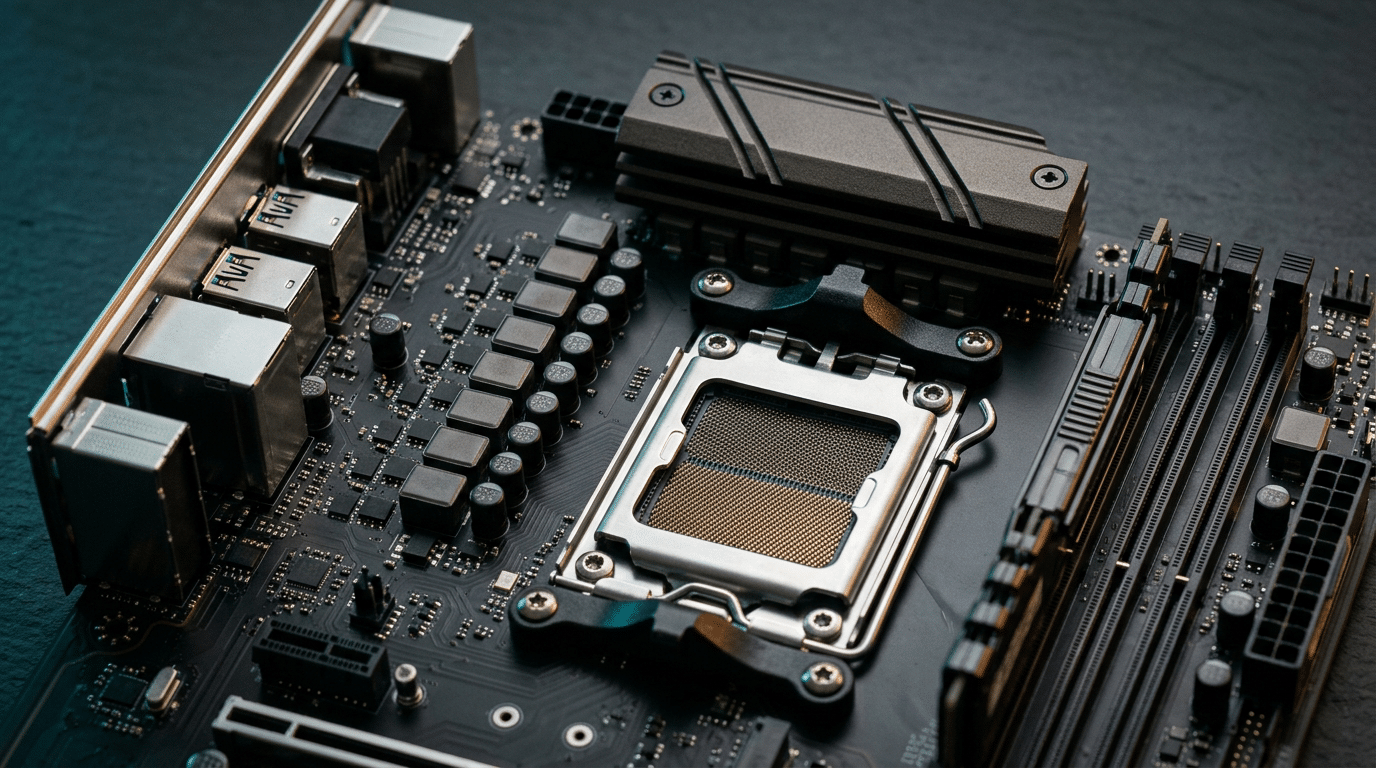
Picking the best mini itx gaming motherboard starts with understanding physical thermal geometry rather than chasing the highest chipset number on the box. Because every Mini-ITX board compresses CPU power delivery, dual DDR5 slots, two M.2 bays, and a full x16 graphics slot into a 170mm square, layout differences change temperatures and build compatibility far more than on ATX towers.
1. AMD B850 vs. AMD X870 vs. Intel B860 in Small Form Factor
In ATX builds, buyers weigh X870 and X870E primarily to unlock extra M.2 bays without sacrificing GPU bandwidth—a tradeoff explored deeply in our AMD B850 vs. X870 vs. X870E chipset guide. In Mini-ITX, however, PCB space already limits every board to two M.2 slots and a single graphics slot, which means none of our audited B850, X870, or B860 ITX models suffer from x16-to-x8 GPU lane splitting. As a result, AMD B850 becomes the overwhelming sweet spot for AM5 SFF gaming: it retains full PBO CPU tuning, DDR5 EXPO overclocking, PCIe 5.0 x16 graphics, and PCIe 5.0 M.2 support while sparing you X870’s steep $400–$600 price bracket.
Should you consider Intel LGA 1851 instead? Comparing AMD AM5 vs. Intel LGA 1851 reveals a clean split: if you rely on Intel Quick Sync video hardware acceleration or want native 40Gbps Thunderbolt 4 in the $220–$260 bracket, the #5 ASUS ROG Strix B860-I Gaming WiFi delivers outstanding I/O value—just remember that per our Intel Z890 vs. B860 breakdown, B860 locks CPU multiplier overclocking. For pure gaming frame rates, 1% Lows stability on X3D chips, and multi-generation socket longevity, AM5 B850 wins comfortably.
2. VRM Phases, DrMOS Amperage & Rear-Mounted M.2 Thermal Traps
Cramped SFF enclosures restrict case airflow, so pay close attention to real VRM stage amperage and heatsink mass rather than marketing hype. An 8-core Ryzen 7 9800X3D peaks around 162W PPT, which quality 8+2+1 80A DrMOS boards (#4 GIGABYTE B850I AORUS PRO, #7 ASUS TUF B850I WiFi NEO) and 90A–110A stages (#1 Strix B850-I, #2 MSI Edge TI, #3 ASRock B850I Lightning) manage coolly. Only budget 5+2+1 65W-oriented A620 designs (#9 GIGABYTE A620I AX) require strict 65W processor discipline.
Equally vital is where the second NVMe drive lives. Boards like #3 ASRock B850I, #4 GIGABYTE B850I, and #5 ASUS ROG Strix B860-I place M.2_2 on the back of the motherboard. Inside a sandwich-style SFF case (where a solid steel spine separates the motherboard from a hot GPU backplate), a rear SSD receives almost zero airflow. Always install your OS drive in the front M.2 heatsink bay, put cooler-running PCIe 4.0 DRAM+TLC drives in rear slots, and never buy factory-heatsinked SSDs—check our M.2 SSD heatsink compatibility guide so you avoid chassis or stacked-bridge collisions.
3. PCIe 5.0 Riser Cables, Cooler Keep-Out Zones & the 2-DIMM Rule
Unlike mid-tower builds where GPUs plug straight into the board, nearly half of sub-15-liter SFF enclosures route graphics cards via flexible riser cables. If your case ships with a PCIe 4.0 riser cable and you pair a PCIe 5.0 GPU with a PCIe 5.0 Mini-ITX motherboard, automatic link negotiation can cause black-screen boot failures. Boot temporarily with direct GPU seating or integrated graphics, then set the primary x16 slot manually to Gen4 in BIOS (as detailed in our PCIe 5.0 vs. PCIe 4.0 GPU bandwidth audit, running at Gen4 x16 yields near-zero FPS loss on current cards).
Meanwhile, Mini-ITX boards naturally enforce the 2-DIMM rule by offering only two DDR5 slots—yielding shorter, cleaner memory traces than 4-slot ATX layouts. Populate both slots with a 32GB (2x16GB) DDR5-6000 CL30 low-profile EXPO kit on AM5 (maintaining optimal 1:1 UCLK:MCLK latency) or DDR5-6400 CL32 on Intel LGA 1851; check our DDR5-6000 CL30 vs. 6400 CUDIMM guide before paying extra for CUDIMM kits. Keep module heights under 35mm (G.Skill Flare X5 or non-RGB Corsair Vengeance) so low-profile horizontal air coolers and radiator tubes clear easily.
4. Upgrade Roadmap & Hidden SFF Ownership Costs
Factor four realistic add-on costs into your Mini-ITX spreadsheet before clicking buy on a motherboard:
- ATX 3.1 SFX / SFX-L Power Supplies: Standard 140mm–160mm ATX power supplies rarely fit sub-15L SFF cases; budget for a 750W–1000W ATX 3.1 SFX unit with native 12V-2×6 cabling and flexible braided leads.
- PCIe 4.0 vs. PCIe 5.0 SSD Spend: Skip hot, expensive 1TB Gen5 SSDs in gaming-only builds—a 2TB PCIe 4.0 DRAM+TLC drive (WD Black SN850X or Samsung 990 Pro) offers zero FPS penalty, loads within zero to two seconds, and runs far cooler in tight SFF spaces.
- Low-Profile Cooling & Thermal Pads: Confirm horizontal CPU cooler height (typically 47mm–70mm in sandwich cases) and RAM overhang before ordering tall stacked-M.2 boards like the ROG Strix B850-I.
- External USB Expansion (If Needed): Because your lone x16 slot goes to the GPU, boards with six or seven rear USB ports (#7 ASUS TUF NEO, #4 GIGABYTE B850I) may need a compact powered desk hub around $20–$30 if you run capture gear and audio DACs.
5. Secondary Intent Resolver: DIY Mini-ITX Build vs. Compact Prebuilt
Assembling a custom 10-liter SFF gaming PC requires measuring GPU thickness, riser length, and cooler millimeters down to the millimeter—and paying the Mini-ITX premium for SFX power supplies and compact motherboards. If you enjoy dialing in custom fan curves, picking exact VRM and Wi-Fi 7 boards, and building inside cases from our best Mini-ITX and SFF PC cases roundup, DIY gives you unmatched component transparency and long-term upgradability. Conversely, if you want turnkey small-footprint warranty coverage without routing rigid PSU cables behind a tiny spine, evaluate verified pre-assembled alternatives in our Best Compact & Mini-ITX Prebuilt Gaming PCs audit.
How We Audited, Scored & Filtered These Mini-ITX Motherboards
Every motherboard ranked above was audited directly against official manufacturer technical specifications, PCI-SIG PCI Express lane signaling standards, DrMOS/SPS power-stage datasheets, PCB layer layouts, and live November 2026 Amazon US availability—with zero sponsored placements. Read our complete evaluation methodology for full verification protocols.
| Evaluation Criterion | Weight | What We Audited |
|---|---|---|
| VRM Power Delivery & SFF Heatsinks | 30% | Phase topology, DrMOS/SPS amperage (60A to 110A), 8-to-10-layer copper PCBs, and thermal dissipation inside low-airflow SFF frames. |
| PCIe 5.0 Lanes & M.2 Thermal Layout | 25% | Primary x16 GPU lane speeds, dual M.2 Gen5/Gen4 routing, and front armor versus hot rear spine placement. |
| Networking, Audio & Rear I/O Density | 25% | Wi-Fi 7 vs. Wi-Fi 6E radios, 5GbE vs. 2.5GbE LAN, 40Gbps USB4/Thunderbolt 4, rear USB count, and ALC4080/ALC1220/ESS audio codecs. |
| BIOS Features & SFF DIY Ergonomics | 20% | CPU-less BIOS Flashback buttons, remote PCIe Q-Release mechanisms, Clear CMOS access, debug LEDs, and cooler keep-out clearance. |
Models & Configurations We Audited & Rejected (And Why)
- High-Wattage Ryzen 9 (170W–230W) Builds on 65W-Capped A620 Mini-ITX Boards: Disqualified because 5+2+1 entry VRMs and locked A620 PBO limits thermal-cap or power-throttle 12-to-16-core processors inside cramped ITX cases.
- Manual Overclocking Core Ultra 265K/285K Builds on B860 Mini-ITX: Excluded as an OC recommendation because Intel B860 locks CPU ratio multipliers regardless of VRM cooling quality (step up to Z890 if manual K-series OC is required).
- Duplicate Marketplace Catalog Variants Without HIVE II Package Verification: Filtered duplicate Amazon ASIN listings for the ROG Strix X870-I Gaming WiFi so readers pick a verified retail package including the external ESS SABRE DAC module.
- Tall RGB DDR5 (44mm+) & Factory-Heatsinked SSDs in Sub-15L Cases: Flagged as incompatible with tight Mini-ITX socket keep-out zones and integrated motherboard M.2 armor.
Frequently Asked Questions About Mini-ITX Gaming Motherboards
What is the best mini itx gaming motherboard in 2026?
The ASUS ROG Strix B850-I Gaming WiFi is the best mini itx gaming motherboard overall for most SFF gamers. It pairs 10+2+1 90A VRM power stages with dual front-cooled PCIe 5.0 x4 M.2 slots, Wi-Fi 7, Intel 2.5GbE LAN, SupremeFX ALC4080 audio, and PCIe Q-Release Slim.
Should I buy an AMD B850 or X870 Mini-ITX motherboard for Ryzen 9000X3D?
Buy an AMD B850 Mini-ITX motherboard unless you explicitly require dual rear 40Gbps USB4 ports and an external desktop DAC. Boards like the ROG Strix B850-I, MSI Edge TI, and ASRock B850I Lightning deliver full PBO, EXPO, and PCIe 5.0 x16 performance for far less.
Do Mini-ITX motherboards suffer from PCIe GPU x8 lane sharing?
No—unlike crowded ATX X870 boards with three or four Gen5 M.2 bays, Mini-ITX layouts only provide two M.2 slots and one graphics slot. On our audited B850, X870, and B860 ITX boards, the primary GPU slot retains all 16 lanes.
Why does my SFF Mini-ITX build fail to boot with a PCIe 4.0 riser cable?
When a PCIe 5.0 Mini-ITX motherboard connects to a PCIe 5.0 graphics card through an older PCIe 4.0 SFF case riser cable, auto-negotiation can cause black screens. Temporarily assemble outside the case or connect via iGPU, then lock PCIEX16 Link Speed to Gen4 in BIOS.
Is Intel B860 Mini-ITX worth buying over AMD B850 for SFF gaming?
Choose the ASUS ROG Strix B860-I on LGA 1851 if you want Core Ultra 200S Quick Sync video acceleration, native 40Gbps Thunderbolt 4, or CUDIMM DDR5 support around $220–$260. Choose AM5 B850 for peak Ryzen X3D gaming frame rates and multi-year CPU socket longevity.
What DDR5 memory and M.2 SSD configuration works best inside Mini-ITX cases?
Install a low-profile 32GB (2x16GB) DDR5-6000 CL30 EXPO kit on AM5 (or 6400 CL32 XMP on Intel) to clear tight air coolers. For storage, choose bare PCIe 4.0 DRAM+TLC NVMe drives without bulky factory heatsinks so they fit cleanly under motherboard armor and stay cool.
Final Verdict: Which Mini ITX Gaming Motherboard Should You Buy?
For the vast majority of 2026 Small Form Factor gamers building around a Ryzen 7 9800X3D or 9850X3D, the ASUS ROG Strix B850-I Gaming WiFi stands out as the best mini itx gaming motherboard overall—delivering dual front-cooled PCIe 5.0 M.2 slots, 90A VRM power, Wi-Fi 7, and effortless Q-Release Slim GPU maintenance in the $300–$340 tier. Builders craving 5GbE wired Ethernet, 11 rear USB ports, or a white-and-silver aesthetic should step directly to the MSI MPG B850I Edge TI WiFi, while value-minded SFF builders get extraordinary 110A VRM muscle under $220 with the ASRock AMD B850I Lightning WiFi 6E. On the Intel LGA 1851 side, the ASUS ROG STRIX B860-I Gaming WiFi brings 40Gbps Thunderbolt 4 and CUDIMM headroom into the $220–$260 tier for Core Ultra 200S workstations.


