
On This Page
Disclosure: As an Amazon Associate, The PC Audit earns from qualifying purchases. If you buy through links on this page, we may earn a small commission at no extra cost to you.
Direct Answer: For most 2026 gaming builds, PCIe 5.0 vs. PCIe 4.0 GPU slot bandwidth yields virtually identical frame rates when running a full x16 graphics card with 12GB to 16GB of VRAM. Slot generation only damages 1% Lows when an x8-wired GPU drops onto PCIe 3.0 or overflows an 8GB VRAM buffer.
Every new generation of motherboards and graphics cards pushes higher PCI Express numbers across retail spec sheets, making builders wonder whether an older PCIe 4.0 motherboard chokes flagship hardware. In 2026, NVIDIA Blackwell GeForce RTX 50-series GPUs and AMD RDNA 4 Radeon RX 9000-series cards natively support PCIe 5.0 signaling, while AMD AM5 (B850, X870, X870E) and Intel LGA 1851 (Z890, B860) platforms route dedicated Gen 5 lanes directly from the CPU. Understanding how pcie 5.0 vs pcie 4.0 gpu throughput interacts with local VRAM capacity, electrical lane wiring, and motherboard PCIe lane sharing prevents builders from overspending on slot labels—or worse, falling into hidden bandwidth traps covered in our 2026 gaming graphics card hierarchy.
PCIe 5.0 vs. PCIe 4.0 vs. PCIe 3.0 GPU Bandwidth at a Glance
Before evaluating individual graphics cards, separate raw signaling speed per lane from electrical lane width. According to the PCI-SIG PCI Express specification, PCIe 4.0 doubles PCIe 3.0 signaling from 8 GT/s to 16 GT/s, and PCIe 5.0 doubles it again to 32 GT/s per lane while preserving the same 128b/130b line encoding (~98.46% efficiency). Because each jump doubles per-lane throughput, lane counts and PCIe generations trade symmetrically: running a PCIe 5.0 GPU across eight electrical lanes (x8) delivers the exact same ~31.5 GB/s unidirectional pipe as running a full 16-lane GPU on PCIe 4.0 x16.
| PCIe Generation & Width | Raw Transfer Rate | Unidirectional Bandwidth | Bidirectional Bandwidth | 2026 Gaming GPU Impact |
|---|---|---|---|---|
| PCIe 5.0 x16 | 32 GT/s per lane | ~63.0 GB/s | ~126–128 GB/s | Full flagship ceiling (RTX 5080, RTX 5090, RX 9070 XT) |
| PCIe 5.0 x8 | 32 GT/s per lane | ~31.5 GB/s | ~63.0 GB/s | Matches PCIe 4.0 x16; standard on RTX 5060 / 5060 Ti |
| PCIe 4.0 x16 | 16 GT/s per lane | ~31.5 GB/s | ~63.0 GB/s | Zero practical loss on x16 cards with 12GB–16GB+ VRAM |
| PCIe 4.0 x8 | 16 GT/s per lane | ~15.75 GB/s | ~31.5 GB/s | Matches PCIe 3.0 x16; hurts if 8GB VRAM overflows |
| PCIe 3.0 x16 | 8 GT/s per lane | ~15.75 GB/s | ~31.5 GB/s | Minor 1%–3% trim on flagship x16; fine with ample VRAM |
| PCIe 3.0 x8 | 8 GT/s per lane | ~7.88 GB/s | ~15.75 GB/s | Severe stutter risk when x8-wired GPUs swap textures |
| PCIe 4.0 x4 (Chipset Slot) | 16 GT/s per lane | ~7.88 GB/s | ~15.75 GB/s | Avoid for primary gaming GPUs; secondary chipset slots only |
How Gaming GPUs Actually Use the PCIe Bus vs. Onboard VRAM
A common hardware misconception assumes every frame rendered at 1440p or 4K travels back and forth across the motherboard’s PCIe slot in real time. In reality, modern graphics architectures treat the PCIe slot strictly as a staging bridge rather than active rendering memory. Once a game loads geometry, shaders, and high-resolution textures, those assets reside inside the graphics card’s dedicated local memory—where bandwidth dwarfs any motherboard expansion slot by an order of magnitude.
Compare the numbers across verified 2026 architectures documented in NVIDIA’s RTX 50-series specifications and AMD’s Radeon RX desktop lineup. Even a mainstream 192-bit GDDR6 card like the Intel Arc B580 pushes 456 GB/s of local VRAM bandwidth, an AMD Radeon RX 9070 XT delivers 640 GB/s alongside 64MB of Infinity Cache, and the GeForce RTX 5080 reaches 960 GB/s over its 256-bit GDDR7 bus. Against 456 GB/s to 960 GB/s of internal memory throughput, stepping the PCIe bus from ~31.5 GB/s (PCIe 4.0 x16) up to ~63.0 GB/s (PCIe 5.0 x16) barely changes frame-delivery cadence so long as textures stay inside local VRAM.
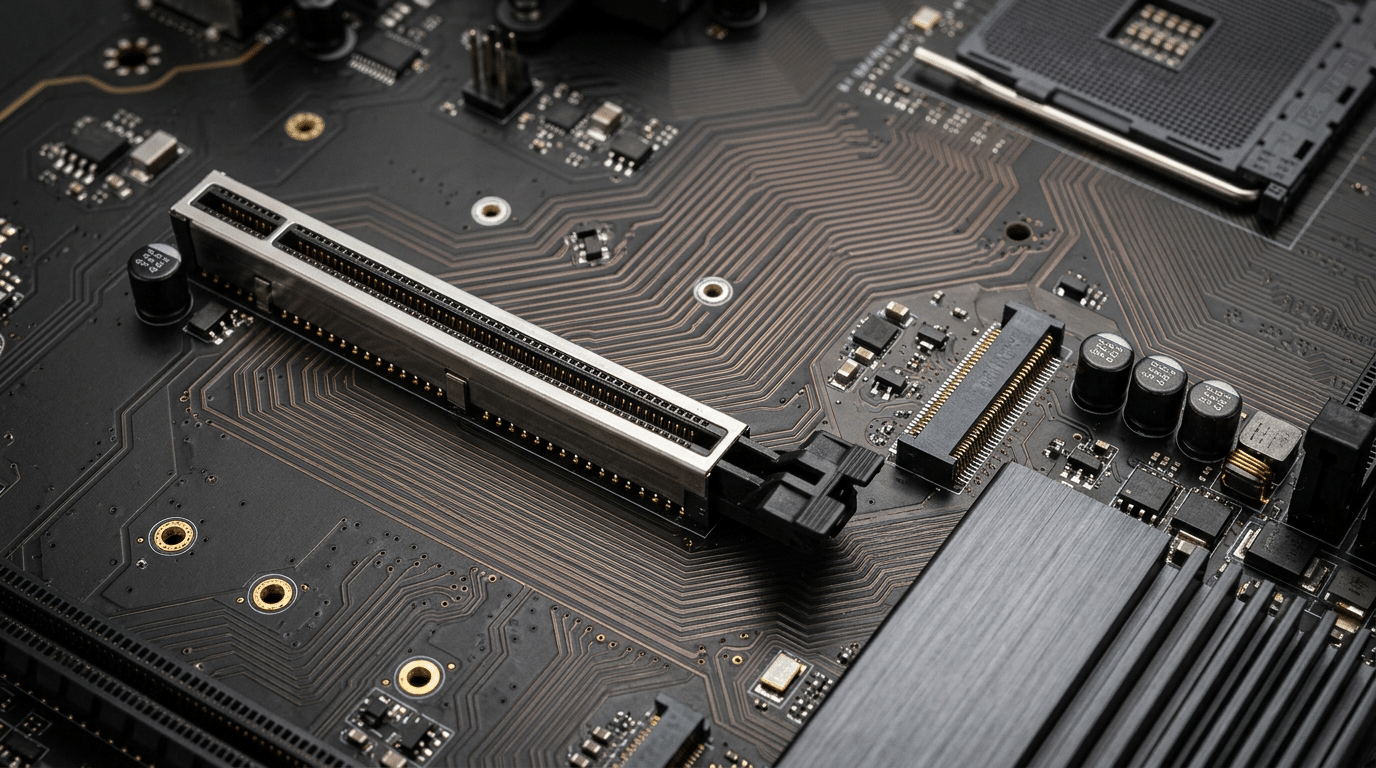
Resizable BAR, DirectStorage, and PCIe Lane Utilization
Two modern platform pipelines rely directly on clean PCIe communication between the CPU, NVMe storage, and GPU VRAM:
- Resizable BAR (ReBAR): Legacy PCIe configurations restricted the CPU to addressing GPU VRAM in small 256MB windows. Enabling ReBAR in UEFI BIOS lets the processor map the entire 12GB, 16GB, or 32GB frame buffer directly, accelerating asset transfers across PCIe. On Intel Xe2 Battlemage GPUs (
Intel Arc B580 / B570 --[REQUIRES_BIOS_SETTING]--> Resizable BAR Enabled), failing to toggle ReBAR causes severe frame-pacing drops regardless of whether the slot runs PCIe 4.0 or 5.0. - Microsoft DirectStorage Asset Streaming: In supported titles,
NVMe SSD --[STREAMS_ASSETS_VIA_DIRECTSTORAGE]--> GPU VRAMbypasses redundant CPU decompression loops by shipping compressed asset blocks straight to GPU shaders. Because real-world game load reads rarely saturate even a quality Gen 4 drive, our PCIe 5.0 vs. PCIe 4.0 SSD gaming analysis confirms that a Gen 4 DRAM+TLC SSD delivers 0 FPS loss and only a 0–2 second launch delta over Gen 5 drives—leaving plenty of headroom along the motherboard bus.
Electrical Lane Widths on 2026 GPUs: Full x16 vs. x8-Wired Cards
Here is where marketing confusion turns into real performance loss. Every desktop graphics card uses a physical x16 connector bracket so it latches securely into a standard primary motherboard slot, yet entry-level and lower-midrange silicon frequently disconnects half of those data traces electrically. Checking the electrical lane count on your GPU matters far more than checking whether your motherboard supports PCIe 5.0.
| 2026 GPU Model | Launch MSRP | VRAM & Memory Bus | PCIe Interface Spec | Bandwidth Sensitivity Tier |
|---|---|---|---|---|
| NVIDIA GeForce RTX 5090 | $1,999 Launch MSRP | 32GB GDDR7 (512-bit) | PCIe 5.0 x16 | Low on PCIe 4.0 x16; massive 32GB buffer prevents bus spill |
| NVIDIA GeForce RTX 5080 | $999 Launch MSRP | 16GB GDDR7 (256-bit) | PCIe 5.0 x16 | Low; runs smoothly on PCIe 4.0 x16 across 4K high-refresh |
| NVIDIA GeForce RTX 5070 Ti | $749 Launch MSRP | 16GB GDDR7 (256-bit) | PCIe 5.0 x16 | Low; 16GB buffer keeps 1440p/4K textures local |
| AMD Radeon RX 9070 XT | $599 Launch MSRP | 16GB GDDR6 (256-bit) | PCIe 5.0 x16 | Low; full 16-lane bus plus 64MB Infinity Cache |
| NVIDIA GeForce RTX 5070 | $549 Launch MSRP | 12GB GDDR7 (192-bit) | PCIe 5.0 x16 | Low on Gen 4/5; 12GB warrants monitoring at 4K RT |
| AMD Radeon RX 9070 | $549 Launch MSRP | 16GB GDDR6 (256-bit) | PCIe 5.0 x16 | Low; 16GB capacity insulates older Gen 4 boards |
| NVIDIA GeForce RTX 5060 Ti (16GB) | $429 Launch MSRP | 16GB GDDR7 (128-bit) | PCIe 5.0 x8 | Low on Gen 4/5 thanks to 16GB VRAM; avoid Gen 3 if possible |
| NVIDIA GeForce RTX 5060 Ti (8GB) | $379 Launch MSRP | 8GB GDDR7 (128-bit) | PCIe 5.0 x8 | High Risk: 8GB overflow + x8 bus hurts Gen 3/4 1% Lows |
| AMD Radeon RX 9060 XT (16GB) | $349 Launch MSRP | 16GB GDDR6 (128-bit) | PCIe 5.0 x16 | Very Low; full x16 + 16GB protects older Gen 3/4 systems |
| NVIDIA GeForce RTX 5060 | $299 Launch MSRP | 8GB GDDR7 (128-bit) | PCIe 5.0 x8 | High Risk on PCIe 3.0: Keep textures conservative |
| Intel Arc B580 | $249 Launch MSRP | 12GB GDDR6 (192-bit) | PCIe 4.0 x8 | Moderate; 12GB avoids spill, requires ReBAR enabled |
Editorial Rumor Status Note: Unreleased models rumored for late 2026 or early 2027—specifically the RTX 5070 Super and RTX 5080 Super—remain strictly unreleased and unconfirmed. Buyers auditing PCIe compatibility today should build exclusively around verified retail hardware listed above.
Why RTX 5060 / 5060 Ti (x8) vs. RX 9060 XT (x16) Behave Differently on Older Boards
Notice the architectural split in the $300–$450 budget bracket. NVIDIA wires the GB206 silicon behind the RTX 5060 and RTX 5060 Ti for PCIe 5.0 x8, assuming modern AM5 or LGA 1851 motherboards supply ~31.5 GB/s over eight Gen 5 lanes. Drop an RTX 5060 or RTX 5060 Ti into an older PCIe 4.0 motherboard (like AMD B550 or Intel B660/B760), and the slot negotiates down to PCIe 4.0 x8 (~15.75 GB/s). Put that same card inside a legacy PCIe 3.0 budget rig, and bus bandwidth plunges to PCIe 3.0 x8 (~7.88 GB/s)—one-quarter of its intended interface throughput.
By contrast, AMD equipped the RDNA 4 Navi 44 die powering the Radeon RX 9060 XT with a full PCIe 5.0 x16 electrical interface. Even when installed into an older PCIe 4.0 or PCIe 3.0 motherboard, the RX 9060 XT retains all 16 lanes—delivering double the bus throughput (~15.75 GB/s on Gen 3, ~31.5 GB/s on Gen 4) of an x8-wired rival on the exact same aging motherboard.
The Real Culprit Behind PCIe Stutter: 8GB VRAM Overflow + Narrow Lanes
Slot bandwidth becomes visible on frame-time graphs the instant a graphics card runs out of local VRAM. Modern Unreal Engine 5 titles, dense texture packs, ray tracing acceleration structures, and Frame Generation buffers routinely push memory allocation past 8GB even at 1080p Ultra or 1440p High. When allocation exceeds onboard VRAM capacity, the driver must evict textures to system DDR4 or DDR5 memory and stream them continuously back across the PCIe bus for every rendered frame.
That emergency swap creates a compounding bottleneck governed by our core audit rule (R-GPU-01): pairing an 8GB VRAM GPU (such as the RTX 5060 8GB, RTX 5060 Ti 8GB, or RX 9060 XT 8GB) with an x8 electrical interface on an older PCIe 3.0 or constrained PCIe 4.0 x8 link forces heavy real-time asset paging over a ~7.88 GB/s to ~15.75 GB/s straw. Average frame rates may only dip modestly, yet 1% Lows and 0.1% Lows plummet into jarring traversal stutters and blurry low-resolution texture pop-in.
Worse still, turning on AI Frame Generation—including NVIDIA DLSS 4 Multi-Frame Generation (MFG), AMD FSR 4 frame interpolation, or Intel XeSS Frame Generation—consumes additional VRAM overhead for optical flow and motion-vector history buffers. As required under editorial guideline R-GPU-03, Frame Generation only maintains responsive feel when baseline rendering already hits 50 to 60+ base FPS paired with NVIDIA Reflex or AMD Anti-Lag 2; pushing an 8GB card past its memory wall with Frame Gen on an older PCIe slot causes severe input sluggishness alongside bus saturation.
Motherboard & CPU PCIe 5.0 Lane Routing: AM5, LGA 1851, and Lane Traps
Even if you buy a full x16 GPU and a modern motherboard, hidden routing choices on the board or CPU can silently drop your primary graphics slot from x16 to x8—a relationship formalized in our Knowledge Graph as Motherboard --[ROUTES_PCIE_LANES_TO]--> GPU.
AMD Socket AM5 Chipsets (X870E, X870, B850, B650)
On AMD’s Socket AM5 platform, Ryzen 7000 and Ryzen 9000 processors (such as the Ryzen 5 9600X, Ryzen 7 9800X3D, and Ryzen 9 9950X3D) supply 24 usable PCIe 5.0 lanes directly from the CPU: typically x16 for graphics, x4 for the primary M.2 NVMe SSD, and x4 for secondary storage or USB4 controllers.
- AMD X870E & X870: Both chipsets mandate PCIe 5.0 x16 GPU support, PCIe 5.0 M.2 storage, and native 40Gbps USB4. Because single-chipset X870 boards must reserve four CPU lanes for the mandatory USB4 controller, populating a second or third Gen 5 M.2 slot on several X870 boards bifurcates the primary GPU slot down to PCIe 5.0 x8. Dual-chipset X870E boards preserve wider expansion before forcing lane splits.
- AMD B850 (Gaming Sweet Spot): Per AMD’s chipset spec, B850 mandates at least one PCIe 5.0 M.2 slot plus unlocked CPU/RAM tuning while keeping PCIe 5.0 on the primary GPU slot optional (though many retail B850 boards equip PCIe 5.0 x16 anyway). Because B850 skips mandatory USB4 overhead, many B850 motherboards avoid cutting GPU lanes to x8 when you install two NVMe drives—verify the manual’s block diagram in our PCIe lane sharing guide before buying.
- AMD B650: Budget B650 boards frequently cap the primary GPU slot at PCIe 4.0 x16, which remains completely viable for full x16 cards with 12GB–16GB+ VRAM once BIOS firmware is updated for Ryzen 9000/X3D chips.
Intel LGA 1851 (Z890 & B860) and the Ryzen 7 8700F Lane Warning
Intel Core Ultra 200S processors (Arrow Lake-S, including the Core Ultra 5 245K, Core Ultra 7 270K Plus, and Core Ultra 9 285K) allocate 20 direct CPU PCIe 5.0 lanes (1×16 GPU + 1×4 primary M.2 SSD) alongside 4 additional CPU PCIe 4.0 lanes across both Intel Z890 and Intel B860 boards. Z890 adds PCIe 5.0 bifurcation modes (2x8 + 1x4 or 1x8 + 3x4) and unlocks CPU multiplier overclocking, whereas B860 keeps 1x16 + 1x4 intact while locking CPU core multiplier tuning.
Watch out for a common prebuilt processor trap flagged under rule R-AMZ-03: the OEM-heavy AMD Ryzen 7 8700F. Even though it drops into a modern AM5 motherboard, the 8700F derives from mobile-focused silicon carrying half the L3 cache (16MB L3) and only 16 usable PCIe 4.0 lanes—leaving just eight lanes (PCIe 4.0 x8) for the discrete graphics card. Pairing a Ryzen 7 8700F prebuilt with an 8GB x8 GPU leaves zero safety margin if a future title pushes past 8GB VRAM.
Myth vs. Engineering Reality: PCIe 5.0 vs. PCIe 4.0 GPUs
| Common Buyer Myth | Verified Engineering Reality (2026) |
|---|---|
| “An RTX 5080 or RTX 5090 gets bottlenecked by PCIe 4.0 x16.” | PCIe 4.0 x16 delivers ~31.5 GB/s unidirectional bandwidth while 16GB–32GB of local GDDR7 handles active rendering at 960 GB/s+; real-world gaming differences sit within ~0%–2%. |
| “All graphics cards wired into an x16 slot use 16 PCIe lanes.” | Budget and lower-midrange GPUs (RTX 5060, RTX 5060 Ti, Intel Arc B580) electrically wire only x8 lanes inside a full-length physical bracket. |
| “M.2 NVMe lane sharing ruins flagship GPU performance on Gen 5 boards.” | Cutting a PCIe 5.0 x16 slot down to PCIe 5.0 x8 still supplies ~31.5 GB/s—identical to PCIe 4.0 x16—so full-VRAM GPUs remain unaffected unless dropped onto PCIe 3.0. |
| “Adding a PCIe 5.0 SSD makes a PCIe 5.0 GPU render faster.” | PCIe 5.0 SSDs yield 0 FPS uplift over Gen 4 DRAM+TLC drives, and extra Gen 5 M.2 slots can unnecessarily trigger GPU lane bifurcation on shared-lane boards. |
Actionable Buyer & Builder Checklist Before You Upgrade
Apply these six engineering checks before purchasing a graphics card, motherboard, or prebuilt gaming desktop:
- Prioritize 16GB VRAM Over PCIe 5.0 Branding: Under rule
R-GPU-01, spending extra for a PCIe 5.0 motherboard while settling for an 8GB GPU above the $350–$400 tier puts performance upside down. Keep textures local inside a 12GB–16GB frame buffer first. - Check GPU Electrical Lane Width on Older Platforms: Upgrading an older PCIe 3.0 or budget PCIe 4.0 system? Favor full x16 cards like the Radeon RX 9060 XT 16GB rather than x8-wired 8GB models that crumble under memory spillover.
- Install Your GPU Exclusively in the Top Armored Slot: Only the topmost PCIe slot connects directly to CPU PCIe 4.0/5.0 lanes. Lower full-length slots frequently route through the motherboard chipset at PCIe 4.0 x4 (~7.88 GB/s) or PCIe 3.0 x4 (~3.94 GB/s).
- Audit the Motherboard Block Diagram for M.2 Splits: Verify which M.2 sockets share lanes with the primary PCIe x16 slot so populating a second NVMe drive does not cut your GPU down to x8 unintentionally.
- Confirm Resizable BAR and PCIe Link Speed in BIOS/GPU-Z: After assembly, verify Above 4G Decoding and Resizable BAR are active (mandatory for Intel Arc B580/B570 per Intel Arc B-Series specs) and confirm the card negotiates its full rated x16 or x8 link under load.
- Verify ATX 3.1 PSU & 12V-2×6 Cable Clearance: When stepping up to 250W–360W GPUs, pair your board with an ATX 3.1 PSU capable of 200%–300% transient power excursions and leave at least 35mm of unbent clearance beside the 12V-2×6 plug.
Commercial Bridge: Verified 2026 GPUs Matched by PCIe & VRAM Safety
If your motherboard already delivers PCIe 4.0 x16 (AMD B550, B650, or Intel B660/B760), keeping your existing platform and investing directly in a 16GB VRAM GPU beats rebuilding around PCIe 5.0. Compare these audited picks against our full best graphics cards for gaming guide inside the Graphics Cards hub.
Keep Your PCIe 4.0 Board & Upgrade GPU If…
- You already run a PCIe 4.0 x16 CPU/board (Ryzen 5000/7000 B550/B650 or Intel 12th–14th Gen) with ReBAR enabled.
- You want maximum 1080p/1440p frame-rate stability by prioritizing 16GB VRAM and a full x16 interface (RX 9060 XT 16GB or RX 9070 / RTX 5080).
Build on a PCIe 5.0 Platform (AM5 B850 / LGA 1851) If…
- You are assembling a brand-new desktop around Ryzen 9800X3D/9600X or Core Ultra 200S and want native PCIe 5.0 headroom for x8-wired GPUs like the RTX 5060 Ti 16GB.
- You run heavy 4K path tracing or local AI creation alongside multi-NVMe storage expansion without starving your primary GPU slot.
1. XFX Swift AMD Radeon RX 9060 XT OC Triple Fan 16GB — Best Full-x16 Value Protection

Audited Specs: Value tier ($349 Launch MSRP class) | AMD RDNA 4 (32 CUs / 2,048 SP) | 16GB GDDR6 (128-bit, 340 GB/s) | 160W Class TBP (1x 8-Pin PCIe) | 2x DisplayPort 2.1 + 1x HDMI 2.1 | PCIe 5.0 x16 Full Interface | 290 x 124 x 49 mm.
Unlike x8-wired budget cards, the XFX Swift RX 9060 XT 16GB preserves all 16 electrical PCIe lanes while pairing 16GB of GDDR6 with AMD FSR 4 ML upscaling. Even on an older PCIe 3.0 or 4.0 motherboard, full x16 bandwidth and 16GB VRAM prevent texture-paging stutter.
2. ASUS Dual GeForce RTX 5060 Ti 16GB GDDR7 OC — Avoiding the 8GB + x8 Spill Trap

Audited Specs: Lower-midrange tier ($429 Launch MSRP class) | NVIDIA Blackwell (4,608 CUDA Cores, 2,632 MHz OC Boost) | 16GB GDDR7 (128-bit, 28 Gbps) | 180W TBP (1x 8-Pin PCIe) | 3x Native DisplayPort 2.1b + 1x HDMI 2.1b | 229 x 120 x 50 mm (2.5-Slot).
Because the RTX 5060 Ti uses an x8 electrical interface, stepping up from the 8GB version to the 16GB ASUS Dual GDDR7 model is critical: keeping demanding textures and DLSS 4 MFG buffers inside 16GB local memory prevents PCIe bus swapping on Gen 4 and Gen 5 motherboards alike.
3. PNY NVIDIA GeForce RTX 5080 OC Triple-Fan 16GB — High-Bandwidth 4K Blackwell Flagship

Audited Specs: Flagship tier ($999 Launch MSRP class) | NVIDIA Blackwell (10,752 CUDA Cores, 2,730 MHz Boost) | 16GB GDDR7 (256-bit, 30 Gbps, 960 GB/s) | 360W TDP (1x 16-pin 12V-2×6, 850W–1000W ATX 3.1 PSU recommended) | 3x DisplayPort 2.1b UHBR20 + 1x HDMI 2.1b | 328.7 x 137.7 x 59.7 mm.
Driven by 960 GB/s of internal GDDR7 memory bandwidth and a full PCIe 5.0 x16 interface, the PNY RTX 5080 runs cleanly across both AM5/LGA 1851 PCIe 5.0 rigs and existing PCIe 4.0 x16 motherboards while feeding uncompressed 4K 240Hz OLED displays via DisplayPort 2.1b UHBR20.
Configurations Flagged & Excluded Under Our Audit Rules
- 8GB x8 Cards Priced Above $350 on Legacy PCIe 3.0 Platforms (
R-GPU-01): Combining an 8GB VRAM limit with a narrow x8 interface over a 7.88 GB/s PCIe 3.0 link amplifies frame-time spikes when modern textures spill into system RAM. - Primary GPUs Installed in Chipset-Routed PCIe x4 Slots: Lower expansion slots frequently cap out at PCIe 4.0 x4 or PCIe 3.0 x4, choking asset loads and forcing higher latency across the chipset DMI uplink.
- Ryzen 7 8700F Prebuilts Paired With 8GB x8 GPUs (
R-AMZ-03): Limited to 16 usable PCIe 4.0 lanes (forcing x8 GPU routing) and 16MB L3 cache, creating tight ceilings for future upgrades.
Official Engineering References
- PCI-SIG: PCI Express Base Specifications (PCIe 4.0 16 GT/s & PCIe 5.0 32 GT/s Standards)
- NVIDIA GeForce: RTX 50 Series Blackwell Architecture, GDDR7, and PCIe Gen 5 Overview
- AMD Radeon: RX Desktop Graphics Cards Architecture & RDNA 4 Platform Specifications
- AMD Socket AM5: X870E, X870, B850, and B650 Chipset PCIe 5.0 Platform Matrix
- Intel Arc B-Series: Battlemage Desktop Graphics Platform & Resizable BAR Requirements
Frequently Asked Questions
Does a PCIe 5.0 GPU work in a PCIe 4.0 or PCIe 3.0 motherboard?
Yes. Every PCIe 5.0 graphics card from NVIDIA Blackwell and AMD RDNA 4 is mechanically and electrically backward compatible with PCIe 4.0 and PCIe 3.0 x16 slots. The link automatically negotiates down to the highest shared generation supported by both your processor and motherboard.
How much FPS do you lose running a PCIe 5.0 GPU on PCIe 4.0?
With full 16-lane graphics cards carrying 12GB to 32GB of VRAM—such as the RTX 5070 Ti, RTX 5080, RTX 5090, or RX 9070 XT—running on PCIe 4.0 x16 typically produces negligible 0% to 2% differences in real-world gaming compared with PCIe 5.0 x16.
Is PCIe 5.0 x8 fast enough for modern gaming graphics cards?
Yes. Because PCIe 5.0 doubles signaling rate to 32 GT/s per lane, eight PCIe 5.0 lanes deliver ~31.5 GB/s unidirectional bandwidth—identical to a full 16-lane PCIe 4.0 slot. Latency only spikes if an x8-wired GPU drops to PCIe 3.0 and overflows an 8GB VRAM buffer.
Does populating an extra M.2 SSD slow down my GPU slot?
On certain X870 and B850 motherboards, populating secondary CPU-wired PCIe 5.0 M.2 sockets bifurcates the top graphics slot from x16 to x8. On PCIe 5.0 boards, dropping to 5.0 x8 remains harmless for 16GB GPUs, though checking your manual’s block diagram prevents surprises.
Should I upgrade my PCIe 4.0 motherboard just to get PCIe 5.0 for my GPU?
No. Replacing a healthy PCIe 4.0 motherboard and CPU solely to gain a PCIe 5.0 graphics slot delivers almost zero frame-rate improvement. Allocate that budget directly toward a higher-tier 16GB GPU or a stronger 3D V-Cache gaming processor instead for measurable 1% Lows gains.


