
Affiliate Disclosure: As an Amazon Associate, The PC Audit earns from qualifying purchases. Every controller architecture comparison, PCIe lane audit, NAND endurance specification, and thermal design assessment in this guide is verified directly against official PCI-SIG, Microsoft, and OEM manufacturer datasheets without sponsored rankings.
Debating a PCIe 5.0 vs PCIe 4.0 SSD gaming build confronts PC buyers with one of the widest marketing-to-reality gaps in desktop hardware. Headline sequential read speeds double from roughly 7,450 MB/s on PCIe 4.0 flagships to 14,700 MB/s on modern PCIe 5.0 drives, yet real-world gaming yields 0 FPS gains and a barely perceptible 0 to 2 second difference on level loads.
Expanding on our best gaming NVMe SSDs buyer hub inside the Processors & Platforms channel, this comparison evaluates both interface generations across our 100-point storage rubric: Sustained Random I/O & Load Realities (30%), NAND Flash Type & DRAM Cache (30%), Thermal Control & Heatsink Design (20%), and Endurance (TBW) & Cost per TB (20%).
In This Comparison
- TL;DR Winner Matrix: Quick Verdict
- Side-by-Side Verified PCIe 5.0 vs. PCIe 4.0 Specification Table
- Battleground 1: Sequential Bandwidth vs. Random 4K IOPS, Real Load Times & DirectStorage (30%)
- Battleground 2: TLC vs. QLC NAND, DRAM Cache vs. HMB & Gaming Capacity Rules (30%)
- Battleground 3: Thermal Throttling, Heatsink Fitment & PCIe Lane Sharing Traps (20%)
- Battleground 4: TBW Endurance, Cost per TB & System Budget Allocation (20%)
- Battleground 5: Audited 2TB PCIe 4.0 & PCIe 5.0 Gaming SSD Picks on Amazon US
- Decisive Verdict: Should You Buy a PCIe 4.0 or PCIe 5.0 SSD?
- Frequently Asked Questions
TL;DR Winner Matrix: Quick Verdict
Unless your desktop doubles as a workstation moving 100GB+ 8K video timelines or local AI datasets daily, doubling peak sequential bus speed fails to justify the price and cooling overhead for pure PC gaming.
| Evaluation Category | Declared Winner | Verified Specification Rationale |
|---|---|---|
| Overall Gaming Sweet Spot | PCIe 4.0 x4 (DRAM + TLC) | Delivers virtually identical game loading and smooth asset streaming to Gen 5 while keeping cost per terabyte low and temperatures controlled. |
| Frame Rates & Real Load Times | Functional Tie (0 FPS Delta) | Storage interface speed contributes 0 FPS; real game launches see only a 0–2 second spread because random 4K queue-depth limits and shader decompression bottleneck earlier. |
| Thermals & Cooling Simplicity | PCIe 4.0 x4 | Runs comfortably under standard motherboard M.2 armor without requiring oversized finned heatsinks, active micro-fans, or tall clearance compromises. |
| Creator Transfers & Peak Throughput | PCIe 5.0 x4 (DRAM + TLC) | Nearly doubles sequential throughput up to 14,500–14,700 MB/s and scales random write IOPS up to 2,600K for massive media ingest and dataset staging. |
| Value per Terabyte (2TB Tier) | PCIe 4.0 x4 (DRAM + TLC) | Leaves an extra $100–$170 in your build budget—enough to double SSD capacity from 1TB to 2TB or step up an entire GPU performance tier. |
Side-by-Side Verified PCIe 5.0 vs. PCIe 4.0 Specification Table
Evaluating the underlying bus architecture alongside flagship 2TB retail models—plus contrasting them against budget DRAM-less QLC drives—illustrates why controller architecture, cache design, and NAND type matter more than raw interface branding.
| Specification Metric | PCIe 4.0 Gaming Sweet Spot (WD_BLACK SN850X / Samsung 990 PRO) | PCIe 5.0 Efficiency Flagship (Samsung 9100 PRO) | PCIe 5.0 Phison E26 Flagship (Crucial T705) | DRAM-less QLC Budget Trap (Avoid as Primary OS Drive) |
|---|---|---|---|---|
| Bus Interface & Form Factor | PCIe 4.0 x4 NVMe / M.2 2280 | PCIe 5.0 x4 NVMe 2.0 / M.2 2280 | PCIe 5.0 x4 NVMe 2.0 / M.2 2280 | PCIe 4.0 x4 (or x2) / M.2 2280 |
| Raw Lane Signaling Rate | 16.0 GT/s per lane (~8 GB/s x4 theoretical) | 32.0 GT/s per lane (~16 GB/s x4 theoretical) | 32.0 GT/s per lane (~16 GB/s x4 theoretical) | 16.0 GT/s per lane |
| Max Sequential Read | 7,300 MB/s – 7,450 MB/s | Up to 14,700 MB/s | Up to 14,500 MB/s | 3,500 MB/s – 5,000 MB/s (drops after cache) |
| Max Sequential Write | 6,600 MB/s – 6,900 MB/s | Up to 13,400 MB/s | Up to 12,700 MB/s | Sustained post-pSLC collapse to ~100–200 MB/s |
| Peak Random 4K IOPS (R/W) | 1,200K–1,400K / 1,100K–1,550K | 1,850K / 2,600K | 1,550K / 1,800K | Substantially lower under mixed OS loads |
| NAND Flash Architecture | 112-layer / V-NAND TLC NAND | V-NAND TLC NAND | Micron 232-layer TLC NAND | QLC NAND (4 bits per cell) |
| Metadata Mapping Cache | Dedicated DRAM cache (LPDDR4) | Dedicated 2GB LPDDR4X DRAM cache | Dedicated DRAM cache (LPDDR4) | DRAM-less (Host Memory Buffer / HMB) |
| Controller Silicon & Cooling | In-house 8nm / WD G2 (runs cool with standard board armor) | Samsung 5nm Presto (49% efficiency uplift; still needs board armor) | Phison PS5026-E26 (~11.5W envelope; demands heavy heatsink) | Low-power 4-channel controller |
| Rated TBW Endurance (2TB) | 1,200 TBW (5-Year Warranty) | 1,200 TBW (5-Year Warranty) | 1,200 TBW (5-Year Warranty) | Typically 400–600 TBW (2–3x lower) |
| Gaming Frame Rate Impact | Baseline Reference | 0 FPS difference | 0 FPS difference | Stutter risk during background patching |
| Typical 2TB Street Budget Tier | $130–$190 tier (~$290 Launch MSRP on SN850X) | $250–$300 tier (~$300 Launch MSRP) | $280–$360 tier (~$400 Launch MSRP bare) | $90–$120 tier |
Battleground 1: Sequential Bandwidth vs. Random 4K IOPS, Real Load Times & DirectStorage (30%)
Evaluating a PCIe 5.0 vs. PCIe 4.0 SSD gaming upgrade starts by understanding what the PCI Express bus actually changes. According to the PCI-SIG PCI Express architectural specifications, moving from PCIe 4.0 to PCIe 5.0 doubles raw per-lane signaling from 16.0 GT/s to 32.0 GT/s while retaining efficient 128b/130b encoding. Across a standard four-lane M.2 2280 NVMe interface, that raises practical ceiling throughput from ~7,450 MB/s on a mature PCIe 4.0 x4 flagship to ~14,500–14,900 MB/s on a PCIe 5.0 x4 flagship.
On paper, doubling bandwidth from 7.4 GB/s to nearly 14.8 GB/s sounds transformative. Inside modern PC game engines, however, almost nothing reads monolithic multi-gigabyte sequential blocks for minutes at a time. Three architectural bottlenecks equalize real-world load times between Gen 4 and Gen 5 drives:
- Shallow Queue-Depth Random 4K IOPS Dominate Launch Speed: Operating systems and game launchers scatter thousands of tiny configuration files, localization tables, shaders, and geometry chunks across logical block addresses. Those operations fire as random 4KB reads at Queue Depth 1 to Queue Depth 4 (QD1–QD4), not the Queue Depth 32 or QD256 sequential saturation queues used to publish box-top MB/s numbers. Even on flagship Samsung 990 PRO hardware, QD1 random reads sit near 22,000 IOPS—far below the peak 1,400K–2,600K IOPS figures reached only under heavy multi-threaded server queues.
- CPU & Shader Decompression Overhead: Game studios compress audio, textures, and mesh payloads heavily to keep 100GB–180GB installs manageable over home broadband. During a level load, the system stalls repeatedly while the CPU (or GPU) unpacks compressed chunks, compiles pipeline state objects, initializes DirectX/Vulkan shaders, and builds world entity trees in system DDR5 RAM. Once storage feeds compressed bytes faster than decompression and world initialization can consume them—which occurs well below 7,000 MB/s—doubling sequential read speed yields just 0 to 2 seconds of difference across a typical 15-to-25-second launch.
- DirectStorage Works Smoothly on PCIe 4.0 x4: Highlighted across the Microsoft DirectX Developer Blog, DirectStorage (from DirectStorage 1.1’s GDeflate GPU decompression through DirectStorage 1.4’s Zstandard codec integration) bypasses legacy CPU-heavy decompression bottlenecks by streaming compressed assets directly from NVMe storage to graphics card VRAM. Crucially, Microsoft engineered DirectStorage specifically around mainstream PCIe 4.0 x4 (and even PCIe 3.0 x4) drives paired with modern GPUs. Both Gen 4 and Gen 5 TLC drives saturate DirectStorage pipelines without stutter, and neither generation increases rendering frame rates—delivering a strict 0 FPS difference in gameplay.
In short, jumping from a slow SATA SSD (capped near 550 MB/s) to NVMe changes gaming responsiveness dramatically, and upgrading to a flagship PCIe 4.0 x4 drive gives you virtually 98% of the real-world loading experience available today.
Battleground 2: TLC vs. QLC NAND, DRAM Cache vs. HMB & Gaming Capacity Rules (30%)
If raw bus speed from PCIe 4.0 to PCIe 5.0 barely moves the needle in games, why do some systems feel snappy during massive Steam patches while others freeze or choke? The answer lies inside the flash chips and mapping memory—where choosing wrong hurts far more than skipping Gen 5.
Why Dedicated DRAM Cache Beats DRAM-less HMB on Primary Drives
Every NVMe controller maintains a Flash Translation Layer (FTL) mapping table translating logical OS file addresses to physical flash pages across NAND dies. Flagship gaming drives like the WD_BLACK SN850X, Samsung 990 PRO, Samsung 9100 PRO, and Crucial T705 dedicate onboard LPDDR4 or LPDDR4X DRAM cache (typically 1GB per 1TB of NAND capacity) directly beside the controller. Accessing that local DRAM happens in nanoseconds, keeping random 4K IOPS snappy and consistent while Windows updates, Discord, shadow recording, and game streaming run concurrently.
Budget DRAM-less SSDs omit onboard DRAM chips to trim manufacturing cost and rely instead on HMB (Host Memory Buffer), borrowing a tiny slice (often 32MB–64MB) of system DDR5 RAM over the PCIe bus. While modern HMB drives serve capably as secondary read-heavy game libraries, forcing a DRAM-less drive to juggle Windows page files, shader caches, and simultaneous background downloads introduces higher latency spikes than a true DRAM-equipped drive.
TLC NAND vs. QLC NAND & the pSLC Write Cliff
Equally decisive is cell density. TLC NAND (Triple-Level Cell) stores three bits per cell and sustains high write speed even when half full. QLC NAND (Quad-Level Cell) packs four bits per cell into 16 voltage states, slashing production cost at the expense of durability and raw write latency. To mask QLC’s slow native write throughput, drive firmware dedicates a large dynamic pSLC cache (pseudo-Single-Level Cell buffer) that writes rapidly when the drive is mostly empty.
Once a single massive 120GB game update or OS migration exhausts that pSLC cache—especially after crossing 70% drive utilization where available pSLC blocks shrink—a DRAM-less QLC drive hits a notorious write cliff, collapsing from thousands of megabytes per second down to roughly 100–200 MB/s (slower than an old spinning mechanical hard drive). That is why our storage audit rules immediately reject any DRAM-less QLC NAND SKU pitched as a primary OS and gaming flagship.
Capacity Sizing Audit: Why 2TB Gen 4 Always Beats 1TB Gen 5
- 500GB (Disqualified for New Builds): Modern AAA releases routinely consume 100GB to 180GB each. After Windows 11, drivers, and shader caches, a 500GB drive holds barely two or three current games before choking on full-drive pSLC degradation.
- 1TB (Strict Entry Minimum): Viable only for tight sub-$1,000 gaming builds, and still fills uncomfortably fast once five or six major titles are installed.
- 2TB (2026 Gaming Sweet Spot): Holds Windows 11, creator apps, and 10 to 15 heavyweight games comfortably while preserving the critical 20% free-space cushion required for wear-leveling, garbage collection, and healthy pSLC caching. Under our hardware audit rule, if your budget forces a choice between a 1TB PCIe 5.0 SSD and a 2TB PCIe 4.0 DRAM+TLC SSD, always take the 2TB Gen 4 drive—twice the capacity with zero gaming framerate penalty.
- 4TB+ (Library & Workstation Tier): Ideal for builders maintaining massive mod packs, local AI checkpoints, or multi-camera 4K/8K footage alongside games.
Battleground 3: Thermal Throttling, Heatsink Fitment & PCIe Lane Sharing Traps (20%)
Hardware enthusiasts upgrading to Gen 5 drives frequently overlook two silent pitfalls that directly impact system thermals and graphics card bandwidth: M.2 thermal saturation and motherboard lane routing.
Power Draw, Thermal Throttling & Heatsink Clearance
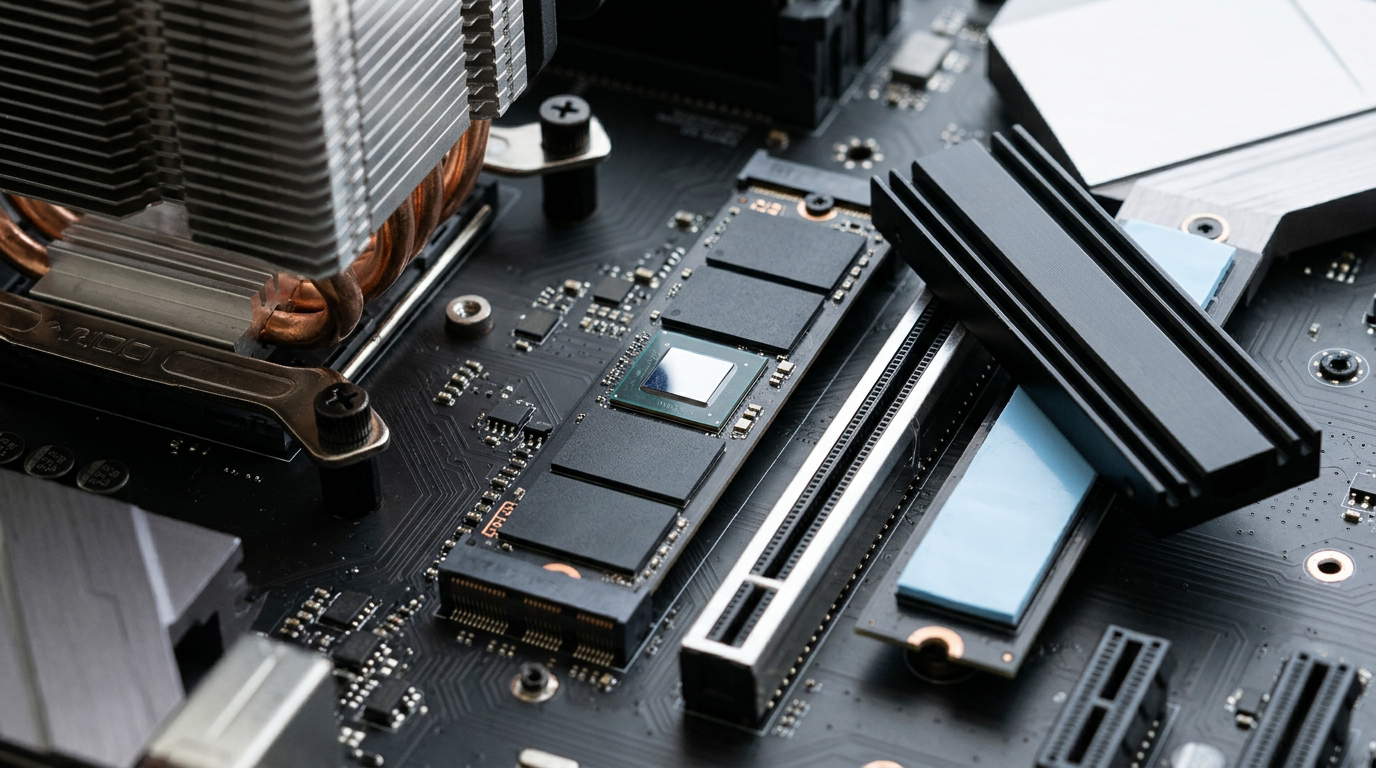
First-wave and Phison PS5026-E26 PCIe 5.0 x4 drives such as the Crucial T705 draw up to 3.5A on the 3.3V M.2 rail—pushing active controller power consumption near 11.25W–11.55W inside a cramped 22x80mm stick with minimal surface area. Without substantial aluminum mass and active case airflow across the motherboard PCB, controllers quickly cross ~70°C–80°C and engage aggressive thermal throttling, dropping sequential speeds below PCIe 4.0 levels—or in worst uncooled scenarios, triggering abrupt controller shutdowns.
Newer 5nm controller silicon improves the thermal picture meaningfully: Samsung Semiconductor’s 9100 PRO architecture integrates its 5nm “Presto” controller to deliver up to a 49% improvement in performance-per-watt over the 990 PRO. Yet even an efficient 5nm Gen 5 controller pushes roughly twice the data volume of Gen 4 and still requires proper M.2 heatsink contact under sustained transfers. By contrast, mature PCIe 4.0 x4 drives like the WD_BLACK SN850X and Samsung 990 PRO run comfortably beneath modest stock motherboard M.2 plates with plenty of thermal headroom.
Watch out for the heatsink conflict trap during assembly. Almost every modern AMD B850, X870, and Intel B860/Z890 motherboard already includes machined aluminum M.2 armor with pre-applied thermal pads covering the primary CPU-wired M.2 slot. If your motherboard includes built-in M.2 armor, buy the bare drive without a pre-installed factory heatsink so you can peel the motherboard thermal pad protective film and bolt the factory armor straight over the NAND and controller. Conversely, if you buy a drive pre-equipped with a massive aftermarket finned heatsink (such as heatsink variants of Gen 5 drives), you must remove the motherboard’s stock M.2 armor plate completely—and double-check physical clearance against overhanging dual-tower CPU air coolers and wide RTX 50-series backplates.
The Motherboard PCIe 5.0 Lane-Sharing Trap
Platform lane routing creates an even subtler hazard when buying PCIe 5.0 storage. Mainstream AMD AM5 processors (Ryzen 7000 and Ryzen 9000 series) expose 24 usable PCIe 5.0 lanes from the CPU: 16 lanes feed the primary graphics card slot, 4 lanes feed the primary M.2 slot (M.2_1), and 4 lanes connect either to a second M.2 bay (on AMD B850 boards) or to mandatory USB4 40Gbps host controllers (on AMD X870 / X870E boards).
To advertise “two or three PCIe 5.0 M.2 slots” on X870 and X870E motherboards, board vendors frequently steal 8 PCIe lanes away from the primary graphics card slot whenever you plug a drive into M.2_2 or M.2_3—cutting your RTX 5080 or RX 9070 XT down from PCIe 5.0 x16 to x8. Always verify your board’s block diagram using our PCIe lane sharing explained guide (and compare unshared B850 layouts inside our AMD B850 vs. X870 vs. X870E comparison) before installing secondary Gen 5 drives.
Battleground 4: TBW Endurance, Cost per TB & System Budget Allocation (20%)
Upgrading from PCIe 4.0 to PCIe 5.0 does not extend drive lifespan. Checking official datasheets reveals that all four flagship 2TB drives evaluated in this comparison—both Gen 4 (WD_BLACK SN850X, Samsung 990 PRO) and Gen 5 (Samsung 9100 PRO, Crucial T705)—share an identical 1,200 TBW endurance rating backed by a 5-year limited warranty. Writing 100GB of new game patches every single day of the year equals just 36.5 TB per year, meaning a 1,200 TBW rating easily outlasts three decades of ordinary gaming ownership on either interface.
The financial math makes the winner unmistakable. At 2TB capacity, a verified PCIe 4.0 DRAM+TLC drive occupies the $130–$190 street budget tier, whereas a 2TB PCIe 5.0 flagship occupies the $250–$360 tier—a $100 to $170 premium (and often much higher if comparing against bulky heatsink editions). Inside a balanced custom PC build, redirecting that $100–$170 difference delivers real gaming performance elsewhere:
- GPU Tier Upgrade: Bridging the gap from an RTX 5070 (12GB) to an RX 9070 XT (16GB) or stepping toward an RTX 5070 Ti unlocks substantially higher 1440p/4K frame rates and 16GB texture longevity—vastly outweighing zero FPS from a Gen 5 SSD.
- CPU 3D V-Cache Upgrade: Stepping from an entry processor up to a Ryzen 7 7800X3D or Ryzen 7 9800X3D dramatically elevates 1% Lows in competitive shooters and simulation titles.
- Double Storage Capacity: Buying a 4TB PCIe 4.0 TLC drive—or pairing a primary 2TB Gen 4 OS drive with a secondary 2TB game library SSD—gives you vastly more convenience than owning a smaller Gen 5 drive.
Want to zoom straight into the two flagship standard-bearers head-to-head? Read our dedicated Samsung 9100 Pro vs. WD Black SN850X breakdown comparing Samsung’s 5nm Gen 5 champion directly against Western Digital’s Gen 4 gaming value leader.
Battleground 5: Audited 2TB PCIe 4.0 & PCIe 5.0 Gaming SSD Picks on Amazon US
Every drive below represents a verified, officially released 2026 retail M.2 2280 model audited directly against manufacturer specifications. All four selections include dedicated DRAM cache and high-endurance TLC NAND rated at 1,200 TBW—eliminating DRAM-less QLC write-cliff traps.
1. WD_BLACK 2TB SN850X NVMe SSD — Best Overall Gaming Sweet Spot (PCIe 4.0)

Budget Tier: High Value ($130–$170 street tier; ~$290 Launch MSRP) | Interface: PCIe 4.0 x4 NVMe | Audited Specs: 2TB M.2 2280 | Up to 7,300 MB/s Read / 6,600 MB/s Write | 1,200K / 1,100K Random 4K IOPS | 112-Layer 3D TLC NAND + Dedicated LPDDR4 DRAM Cache | 1,200 TBW Endurance | 5-Year Warranty.
Comparison Audit: Verified against SanDisk / Western Digital’s official WD_BLACK SN850X documentation, the 2TB bare SN850X remains our #1 recommendation for 95% of PC gamers. It pairs sustained TLC sequential write behavior and dedicated LPDDR4 DRAM mapping with low-latency Game Mode 2.0 firmware, delivers virtually indistinguishable real load times vs. Gen 5 drives, and slips effortlessly underneath any motherboard’s stock M.2 armor without thermal throttling or cooler clearance headaches.
Pros: Unmatched 2TB gaming cost-per-GB with DRAM cache and 3D TLC NAND; runs cool under basic motherboard M.2 armor; zero PCIe 5.0 motherboard lane-sharing compromises.
Cons: Sequential read ceiling capped at PCIe 4.0 limits (7,300 MB/s), which matters only for multi-gigabyte video ingest or raw AI dataset copying.
2. Samsung SSD 990 PRO 2TB PCIe 4.0 M.2 2280 — Best All-Around PCIe 4.0 OS & Random I/O Drive

Budget Tier: High ($150–$190 tier) | Model: MZ-V9P2T0B/AM | Audited Specs: 2TB M.2 2280 | PCIe 4.0 x4 NVMe 2.0 | Up to 7,450 MB/s Read / 6,900 MB/s Write | 1,400K / 1,550K Random 4K IOPS | Samsung V-NAND TLC + 2GB LPDDR4 DRAM Cache | 1,200 TBW Endurance | 5-Year Warranty.
Comparison Audit: Sitting right at the architectural peak of PCIe 4.0 x4 storage, Samsung’s 990 PRO 2TB pairs an efficient 8nm in-house controller with 2GB of dedicated LPDDR4 DRAM cache to achieve up to 1,400K read and 1,550K write random 4K IOPS (alongside strong 22K QD1 random read responsiveness). Its copper-foil rear label and nickel-coated controller spread heat evenly beneath motherboard heatsinks, making it ideal when pricing sits close to the SN850X or when Samsung Magician firmware tooling is preferred.
Pros: Leading PCIe 4.0 random 4K IOPS and QD1 responsiveness for OS + gaming multitasking; high controller power efficiency; thin bare M.2 2280 profile clears tight GPU/cooler zones.
Cons: Typically carries a modest street premium over WD_BLACK SN850X without yielding faster in-game frame rates.
3. Samsung SSD 9100 PRO 2TB PCIe 5.0×4 M.2 2280 — Best Efficiency PCIe 5.0 Creator & Enthusiast Flagship

Budget Tier: Enthusiast ($250–$300 street tier; ~$300 Launch MSRP) | Model: MZ-VAP2T0B/AM | Audited Specs: 2TB M.2 2280 | PCIe 5.0 x4 NVMe 2.0 | Up to 14,700 MB/s Read / 13,400 MB/s Write | 1,850K / 2,600K Random 4K IOPS | Samsung 5nm Presto Controller | V-NAND TLC + 2GB LPDDR4X DRAM Cache | 1,200 TBW Endurance.
Comparison Audit: Confirmed in Samsung Semiconductor’s 9100 PRO official specifications, transitioning to Samsung’s 5nm “Presto” controller solves much of the scorching heat stigma attached to first-generation Gen 5 drives—delivering up to 49% better performance-per-watt than the 990 PRO while pushing sequential reads to 14,700 MB/s and random writes to 2,600K IOPS. Because this SKU ships bare without a bulky factory heatsink, it mates cleanly under standard AM5 B850/X870 or LGA 1851 motherboard M.2 armor without blocking wide tower coolers.
Pros: Leading 5nm PCIe 5.0 controller efficiency keeps thermals manageable under standard motherboard armor; blisteringly fast 14,700 MB/s read and 13,400 MB/s write throughput for 8K/AI workflows; 2GB LPDDR4X DRAM cache.
Cons: Significant price premium over 2TB Gen 4 flagships yields 0 FPS and only 0–2s load gains in standard PC gaming.
4. Crucial T705 2TB PCIe Gen5 NVMe M.2 SSD — Phison E26 Workstation Speed (Strict Heatsink Guidance)
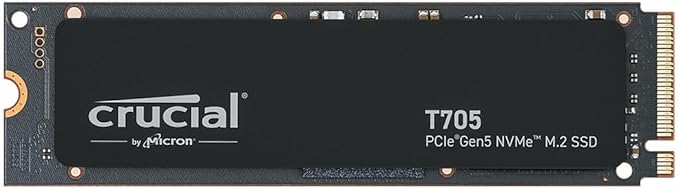
Budget Tier: Enthusiast ($280–$360 street tier; ~$400 Launch MSRP bare) | Model: CT2000T705SSD3 | Audited Specs: 2TB M.2 2280 | PCIe 5.0 x4 NVMe 2.0 | Up to 14,500 MB/s Read / 12,700 MB/s Write | 1,550K / 1,800K Random 4K IOPS | Phison PS5026-E26 Controller | Micron 232-Layer 3D TLC + LPDDR4 DRAM Cache | 1,200 TBW Endurance.
Comparison Audit: Documented in Crucial’s official CT2000T705SSD3 product sheet, the T705 pairs Micron 232-layer TLC flash with a Phison PS5026-E26 controller to deliver massive 14,500 MB/s sequential reads for workstation transfers. However, our audit flags an essential thermal requirement: Phison E26 silicon operates near an 11.25W–11.55W ceiling under heavy transfers. You must install this bare CT2000T705SSD3 module strictly underneath a thick, well-ventilated motherboard M.2 heatsink—never run it naked or beneath thin laptop-style foil strips, or thermal throttling will erase its Gen 5 speed advantage.
Pros: Proven 14,500 MB/s sequential throughput and Micron 232-layer 3D TLC endurance; bare M.2 form factor uses existing motherboard M.2 armor without obstructing large air coolers.
Cons: High Phison E26 heat output requires strong motherboard M.2 cooling and case airflow; typically outpaced in efficiency and random write IOPS by Samsung’s 5nm 9100 PRO.
Decisive Verdict: Should You Buy a PCIe 4.0 or PCIe 5.0 SSD?
Match your final storage choice to actual system workload and total component budget rather than chasing box-label sequential megabytes per second.
Choose a 2TB PCIe 4.0 DRAM+TLC SSD If…
- Your primary goal is PC gaming, streaming, and crisp Windows responsiveness with zero wasted budget.
- You want 0–2 second parity with Gen 5 game loading, smooth DirectStorage support, and cooler temperatures beneath standard motherboard M.2 armor.
- You would rather spend the $100–$170 saved on 2TB instead of 1TB—or invest it straight into a stronger GPU or 3D V-Cache CPU.
Choose a 2TB PCIe 5.0 NVMe SSD If…
- You already run a flagship GPU (RTX 5080 or RTX 5090) and CPU with zero remaining bottlenecks in your build budget.
- You regularly copy 100GB+ 4K/8K RAW video timelines, compile massive software builds, or load large local AI models from NVMe storage.
- Your AM5 or LGA 1851 motherboard features an unshared CPU PCIe 5.0 M.2 slot with robust aluminum heatsink coverage.
How We Audited This Guide
- Processors, motherboards, memory, and storage were compared by socket longevity, chipset lane allocation, VRM design, DDR5 EXPO/XMP support, and PCIe generation.
- Every specification claim was cross-checked against official OEM datasheets, platform vendor documentation, and published industry standards (PCI-SIG, JEDEC, VESA, Intel ATX) rather than marketplace listing copy.
- Recommendations were evaluated against our weighted audit rubric and documented compatibility rules; we do not publish fabricated FPS, thermal, or acoustic numbers.
Frequently Asked Questions
Does a PCIe 5.0 SSD increase gaming FPS compared to PCIe 4.0?
No. Storage interface speed yields 0 FPS improvement in PC games once assets load into system memory and GPU VRAM. Frame rates depend on your graphics card, CPU cache architecture, and memory timings, while a PCIe 5.0 SSD shaves at most 0 to 2 seconds off game loading screens.
Do you need a heatsink on a PCIe 5.0 NVMe SSD?
Yes. PCIe 5.0 controllers draw noticeably higher active power—up to roughly 11.5W on Phison E26 drives—causing rapid thermal throttling without proper cooling. Install bare drives underneath your motherboard’s built-in aluminum M.2 armor, or remove board armor when using factory-heatsink SSD models.
Is DirectStorage noticeably faster on PCIe 5.0 vs. PCIe 4.0?
In real-world DirectStorage titles, the gap remains minimal—typically under one to two seconds. DirectStorage streamlines compressed asset delivery straight to the GPU for decompression, and modern 7,000+ MB/s PCIe 4.0 TLC drives already feed current decompression pipelines smoothly without frame hitching.
Should I buy a 1TB PCIe 5.0 SSD or a 2TB PCIe 4.0 SSD at the same price?
Always buy the 2TB PCIe 4.0 DRAM+TLC drive. Modern AAA games occupy 100GB to 180GB each, filling 1TB drives quickly and reducing free space needed for healthy pSLC caching. Doubling capacity to 2TB gives far greater daily value with identical gaming performance.
Can installing a PCIe 5.0 SSD slow down my graphics card?
Yes, on specific motherboards. Certain AMD X870/X870E and Intel boards share CPU PCIe 5.0 lanes between the primary x16 graphics slot and secondary M.2 slots. Populating those shared M.2 bays drops your GPU slot from x16 to x8—always check your motherboard block diagram first.
Official Standards & Manufacturer References
- PCI-SIG PCI Express Architecture & Specification Portal (PCIe 4.0 16 GT/s & PCIe 5.0 32 GT/s Standards): pcisig.com/specifications/pciexpress
- Microsoft DirectX Developer Blog (DirectStorage API, GDeflate GPU Decompression & Zstandard Integration): devblogs.microsoft.com/directx/
- Samsung Semiconductor 9100 PRO PCIe 5.0 NVMe SSD Official Specifications: semiconductor.samsung.com/consumer-storage/internal-ssd/9100-pro/
- SanDisk / Western Digital Official WD_BLACK SN850X NVMe SSD Datasheet: shop.sandisk.com WD_BLACK SN850X Specifications
- Crucial T705 2TB PCIe Gen5 NVMe M.2 SSD Official Datasheet (CT2000T705SSD3): crucial.com/ssd/t705/ct2000t705ssd3
Continue planning your storage and motherboard layout inside our best gaming NVMe SSDs buying hub, examine flagship models head-to-head in Samsung 9100 Pro vs. WD Black SN850X, protect your graphics slot bandwidth with PCIe lane sharing explained, or compare AM5 M.2 slot routing inside our AMD B850 vs. X870 vs. X870E chipset guide.


