
Disclosure: As an Amazon Associate, I earn from qualifying purchases. If you buy through links on this page, we may earn a small commission at no extra cost to you.
Selecting among the best graphics cards for gaming in late 2026 starts with separating true 12GB and 16GB modern GPUs from 8GB memory traps, third-party markups, and unreleased rumors. Unreal Engine 5 games, ultra textures, and frame generation buffers punish small memory pools, crashing 1% Lows once assets spill over PCIe.
Whether upgrading an existing rig or following our step-by-step gaming PC build guide, we audited live Amazon US stock across NVIDIA Blackwell, AMD RDNA 4, and Intel Battlemage models inside our Graphics Cards hub. Eight cards qualified from around $249 Launch MSRP to around $999 Launch MSRP—while overpriced 8GB SKUs, legacy 4GB–6GB boards, and rumored Super GPUs were excluded.
In This Guide
Quick Picks: Best Graphics Cards for Gaming at a Glance
#1 Best Overall 1440p & 4K
ASUS TUF Gaming RTX 5070 Ti 16GB OC
16GB GDDR7, 256-bit bus, DLSS 4 MFG, and quiet TUF cooling starting at $749 Launch MSRP. (Audit)
#2 Best Value 1440p Raster
XFX Swift Radeon RX 9070 XT 16GB
64 RDNA 4 CUs, 16GB GDDR6, and dual 8-pin power starting at $599 Launch MSRP. (Audit)
#3 Best 4K Ray Tracing Flagship
PNY GeForce RTX 5080 OC 16GB
10,752 CUDA cores, 960 GB/s GDDR7, and DP 2.1b UHBR20 starting at $999 Launch MSRP. (Audit)
Side-by-Side Comparison: Top 8 Best Graphics Cards for Gaming
| GPU & Award | Target Tier | VRAM & Bus | Power & Length | Link |
|---|---|---|---|---|
| ASUS TUF RTX 5070 Ti OC Best Overall 1440p & 4K RT | 1440p Max / 4K (around $749 Launch MSRP) | 16GB GDDR7 (256-bit) | 1x 12V-2×6 (300W) / 329mm | View on Amazon |
| XFX Swift RX 9070 XT Best Value 1440p Raster | 1440p Ultra / 4K (around $599 Launch MSRP) | 16GB GDDR6 (256-bit) | 2x 8-Pin (~304W) / 325mm | View on Amazon |
| PNY RTX 5080 OC Best 4K Flagship | 4K High-Refresh (around $999 Launch MSRP) | 16GB GDDR7 (256-bit) | 1x 12V-2×6 (360W) / 328.7mm | View on Amazon |
| MSI RTX 5070 Ventus 2X OC Best Compact SFF Pick | SFF 1440p + DLSS 4 (around $549 Launch MSRP) | 12GB GDDR7 (192-bit) | 1x 12V-2×6 (250W) / 236mm | View on Amazon |
| ASUS Prime RX 9070 EVO OC Best High-Efficiency 16GB | Quiet 1440p Ultra (around $549 Launch MSRP) | 16GB GDDR6 (256-bit) | 2x 8-Pin (~220W) / 312mm | View on Amazon |
| ASUS Dual RTX 5060 Ti 16GB Best Mid-Range NVIDIA | 1080p Max / 1440p (around $429 Launch MSRP) | 16GB GDDR7 (128-bit) | 1x 8-Pin (180W) / 229mm | View on Amazon |
| XFX Swift RX 9060 XT 16GB Best Value 16GB Card | Value 1080p / 1440p (around $349 Launch MSRP) | 16GB GDDR6 (128-bit) | 1x 8-Pin (~160W) / 290mm | View on Amazon |
| Intel Arc B580 Limited Edition Best Budget 12GB Entry | Budget 1080p / 1440p (around $249 Launch MSRP) | 12GB GDDR6 (192-bit) | 1x 8-Pin (190W) / 272mm | View on Amazon |
Match Your Use Case: Which GPU Fits Your Monitor & PSU?
| Buyer Scenario | Best Match | Expected Outcome |
|---|---|---|
| Best overall 1440p Ultra & 4K RT | ASUS TUF RTX 5070 Ti 16GB | 16GB GDDR7 handles path-traced textures, DLSS 4, and DP 2.1b smoothly. |
| 1440p FPS/$ without 12V-2×6 | XFX Swift RX 9070 XT 16GB | 64 RDNA 4 CUs and dual 8-pin plugs pair with standard ATX PSUs. |
| 4K 240Hz OLED flagship | PNY GeForce RTX 5080 OC 16GB | 10,752 CUDA cores and UHBR20 feed 4K OLED monitors natively. |
| Compact Mini-ITX / SFF + DLSS 4 | MSI RTX 5070 12G Ventus 2X OC | 236mm length drops into tight cases on 650W–750W SFX PSUs. |
| Quiet 16GB 1440p efficiency | ASUS Prime RX 9070 EVO 16GB | 220W draw, Dual BIOS, and dual-ball fans suit 650W–750W rigs. |
| Future-proof 16GB under $450 | ASUS Dual RTX 5060 Ti 16GB | Avoids 8GB VRAM stalls while drawing 180W on one 8-pin plug. |
| Budget 12GB (ReBAR-ready) | Intel Arc B580 12GB | Beats 8GB entry cards in DX12 once Resizable BAR is enabled. |
Detailed Audits: 8 Best Graphics Cards for Gaming in 2026
1. ASUS TUF Gaming GeForce RTX 5070 Ti 16GB GDDR7 OC — Best Overall 1440p & 4K Ray Tracing

Quick Specs: NVIDIA Blackwell (8,960 CUDA Cores) | 16GB GDDR7 (256-bit, 28 Gbps) | 300W Class TBP | 1x 12V-2×6 (850W PSU) | 3x DP 2.1b, 2x HDMI 2.1b | 329mm / 3.125-Slot | Price Tier: Upper-midrange (starting at $749 Launch MSRP)
Audit Score: 9.4 / 10
- Rasterization & Ray Tracing Tier (35%): 9.4 / 10
- VRAM Capacity & Memory Bus (25%): 9.5 / 10
- Upscaling, Frame Gen & Media Engine (20%): 9.7 / 10
- Thermals, Acoustics & Power Spec (20%): 9.0 / 10
Balanced silicon rarely spans every resolution smoothly, yet the NVIDIA Blackwell RTX 50-series RTX 5070 Ti achieves it. Pairing 8,960 CUDA cores with 16GB of 28 Gbps GDDR7 over a 256-bit bus prevents any VRAM bottleneck under ultra textures, ray reconstruction, and DLSS 4 Multi-Frame Generation.
ASUS mounts a 3.125-slot cooler with three Axial-tech fans, a phase-change pad, dual NVENC encoders, and three native DisplayPort 2.1b UHBR20 ports. Against #2 XFX Swift RX 9070 XT in our RTX 5070 Ti vs. RX 9070 XT comparison, ASUS leads ray tracing and CUDA work while costing roughly $150 more at Launch MSRP.
Pros
- 16GB GDDR7 256-bit bus sustains 1440p Ultra RT and 4K DLSS 4
- 3.125-slot TUF cooler, phase-change pad, and Dual BIOS run quiet
- DLSS 4 MFG, Reflex, dual NVENC, and 3x DisplayPort 2.1b UHBR20
Cons
- Roughly $150 higher at Launch MSRP than #2 RX 9070 XT
- 329mm shroud and 12V-2×6 header require wide mid-tower clearance
Verdict: Buy it for 1440p Max ray tracing and 4K DLSS 4 under $999 flagships. Skip it for pure raster value around $599 Launch MSRP (#2 RX 9070 XT). PSU note: Use an 850W ATX 3.1 PSU with native 12V-2×6 cabling and 35mm side clearance.
2. XFX Swift AMD Radeon RX 9070 XT Triple Fan 16GB — Best Value 1440p Raster & 16GB

Quick Specs: AMD RDNA 4 (64 CUs / 4,096 SP, 2,970 MHz Boost) | 16GB GDDR6 (256-bit, 640 GB/s) | ~304W TBP | 2x 8-Pin PCIe (800W PSU) | 3x DP 2.1, 1x HDMI 2.1 | 325mm / 3.5-Slot | Price Tier: Mid-upper (starting at $599 Launch MSRP)
Audit Score: 9.2 / 10
- Rasterization & Ray Tracing Tier (35%): 9.3 / 10
- VRAM Capacity & Memory Bus (25%): 9.3 / 10
- Upscaling, Frame Gen & Media Engine (20%): 8.9 / 10
- Thermals, Acoustics & Power Spec (20%): 9.1 / 10
Pure raster value anchors AMD RDNA 4 Radeon desktop graphics, and the XFX Swift RX 9070 XT Triple Fan delivers 64 compute units, 64MB Infinity Cache, and 16GB GDDR6 on a 256-bit bus starting around $599 Launch MSRP. Second-generation AI accelerators also enable ML-powered AMD FSR 4, eliminating older shader-upscaling shimmer.
XFX cools this ~304W card using a 3.5-slot Ghost Thermal fin array and three 100mm double ball-bearing fans. Standard dual 8-pin PCIe plugs skip 12V-2×6 adapters completely, letting existing 750W–850W ATX PSUs handle upgrades cleanly once you verify 325mm case length and 150mm height clearance.
Pros
- Leading 1440p raster value starting at $599 Launch MSRP with 16GB GDDR6
- Standard 2x 8-pin plugs avoid 12V-2×6 cable adapters on existing PSUs
- RDNA 4 AI hardware drives AMD FSR 4 and triple DisplayPort 2.1 outputs
Cons
- Thick 3.5-slot, 150mm-tall shroud blocks narrow micro-ATX towers
- Heavy path tracing and CUDA work remain faster on #1 RTX 5070 Ti
Verdict: Buy it for dominant 1440p raster value and 16GB longevity. Skip it for heavy path tracing or CUDA creative apps (#1 RTX 5070 Ti). PSU note: Run two dedicated 8-pin cables from a quality 750W–850W Gold PSU.
3. PNY NVIDIA GeForce RTX 5080 OC Triple-Fan 16GB — Best 4K Ray Tracing Flagship

Quick Specs: NVIDIA Blackwell (10,752 CUDA Cores, 2,730 MHz) | 16GB GDDR7 (256-bit, 960 GB/s) | 360W TDP | 1x 12V-2×6 (850W–1000W PSU) | 3x DP 2.1b UHBR20, 1x HDMI 2.1b | 328.7mm / 3-Slot | Price Tier: Flagship (starting at $999 Launch MSRP)
Audit Score: 9.1 / 10
- Rasterization & Ray Tracing Tier (35%): 9.8 / 10
- VRAM Capacity & Memory Bus (25%): 9.0 / 10
- Upscaling, Frame Gen & Media Engine (20%): 9.7 / 10
- Thermals, Acoustics & Power Spec (20%): 8.0 / 10
High-refresh 4K OLED screens demand serious pixel fillrate, and the PNY GeForce RTX 5080 OC delivers 10,752 CUDA cores plus 30 Gbps GDDR7 memory hitting 960 GB/s. Paired with a flagship panel from our QD-OLED vs. WOLED vs. Mini-LED monitor guide, VESA DisplayPort 2.1 UHBR20 bandwidth drives 4K 240Hz without compression alongside DLSS 4 Multi-Frame Generation.
PNY’s vapor-chamber triple-fan cooler fits inside a cleaner 3-slot (59.7mm) profile than bulkier quad-slot flagships while taming 360W loads. Compared with #1 ASUS TUF RTX 5070 Ti, it adds raw 4K shader horsepower yet stays capped at 16GB VRAM rather than 24GB—meaning heavy street markups can quickly undercut its value.
Buyer Verification Alert: Check the Amazon seller carefully before ordering: weigh third-party markup against roughly $999 Launch MSRP. If inflated listings climb above $1,400, step back to our #1 ASUS TUF RTX 5070 Ti.
Pros
- 10,752 CUDA cores and 960 GB/s GDDR7 lead our 4K gaming hierarchy
- DisplayPort 2.1b UHBR20 80Gbps drives uncompressed 4K 240Hz OLED screens
- 3-slot 59.7mm vapor-chamber shroud fits standard airflow mid-towers
Cons
- Remains at 16GB VRAM rather than 24GB for extreme local AI
- 360W draw and transient spikes require an 850W–1000W ATX 3.1 PSU
Verdict: Buy it for 4K high-refresh OLED monitors when stocked near $999 Launch MSRP. Skip it for 1440p builds (#1 RTX 5070 Ti) or scalper pricing. PSU note: Pair with a native 1000W ATX 3.1 and 12V-2×6 PSU.
4. MSI GeForce RTX 5070 12G Ventus 2X OC — Best Compact SFF 1440p DLSS 4 Pick

Quick Specs: NVIDIA Blackwell (6,144 CUDA Cores) | 12GB GDDR7 (192-bit, 28 Gbps) | 250W TDP | 1x 12V-2×6 (650W+ PSU) | 3x DP 2.1b, 1x HDMI 2.1b | 236mm (SFF-Ready) | Price Tier: Mid-range (starting at $549 Launch MSRP)
Audit Score: 8.6 / 10
- Rasterization & Ray Tracing Tier (35%): 8.6 / 10
- VRAM Capacity & Memory Bus (25%): 8.2 / 10
- Upscaling, Frame Gen & Media Engine (20%): 9.5 / 10
- Thermals, Acoustics & Power Spec (20%): 8.2 / 10
Small-form-factor enclosures leave zero room for 320mm shrouds, making the NVIDIA SFF-Ready MSI RTX 5070 12G Ventus 2X OC essential at just 236mm long and 50mm thick. It packs 6,144 Blackwell cores, full DLSS 4 Multi-Frame Generation, and dual-encoder streaming inside a 250W envelope fit for Mini-ITX rigs.
The trade-off sits in memory longevity and acoustics: 12GB GDDR7 on a 192-bit bus clears 1440p High–Ultra today yet approaches texture limits faster under 4K or heavy path tracing than the 16GB ASUS Prime RX 9070 EVO (#5) around $549 Launch MSRP. Dual Ventus fans also spin louder than triple-fan coolers.
Buyer Verification Alert: Check the Amazon seller line to confirm domestic US warranty coverage over third-party imports, and treat 12GB VRAM as a 1440p tier rather than a 4K ultra-texture card.
Pros
- 236mm SFF-Ready dimensions clear Mini-ITX and short micro-ATX enclosures
- Full Blackwell DLSS 4 MFG, Reflex, and 3x DisplayPort 2.1b outputs
- 250W TDP runs comfortably on 650W–750W SFX power supplies
Cons
- 12GB VRAM trails 16GB #5 ASUS Prime RX 9070 EVO around $549 Launch MSRP
- Compact dual-fan cooler spins louder under sustained 250W loads
Verdict: Buy it if Mini-ITX clearance restricts length under 280mm. Skip it in ATX towers where #5 RX 9070 16GB fits around $549 Launch MSRP. PSU note: Use a flexible native 12V-2×6 cable.
5. ASUS Prime Radeon RX 9070 EVO 16GB OC — Best High-Efficiency 16GB Card

Quick Specs: AMD RDNA 4 (56 CUs, 2,610 MHz OC) | 16GB GDDR6 (256-bit) | ~220W Class TBP | 2x 8-Pin PCIe (650W+ PSU) | 3x DP 2.1a, 1x HDMI 2.1b | Dual BIOS | 312mm / 2.5-Slot | Price Tier: Mid-range (starting at $549 Launch MSRP)
Audit Score: 8.8 / 10
- Rasterization & Ray Tracing Tier (35%): 8.5 / 10
- VRAM Capacity & Memory Bus (25%): 9.3 / 10
- Upscaling, Frame Gen & Media Engine (20%): 8.6 / 10
- Thermals, Acoustics & Power Spec (20%): 9.2 / 10
Running cool and quiet with 16GB VRAM makes the ASUS Prime Radeon RX 9070 EVO 16GB OC a standout mid-range pick. Built on 56 RDNA 4 compute units inside a ~220W class thermal envelope, it provides 4GB more VRAM than the RTX 5070 (#4) at around $549 Launch MSRP while pulling roughly 80W less than the RX 9070 XT (#2).
ASUS includes three Axial-tech fans on dual-ball bearings, a phase-change thermal pad, a hardware Quiet/Performance Dual BIOS switch, slim 2.5-slot (50mm) thickness, dual 8-pin connectors, and reliable Sold-by-Amazon fulfillment. It concedes roughly 10–15% raw shaders to #2 RX 9070 XT in exchange for effortless 650W PSU compatibility.
Pros
- 16GB GDDR6 256-bit memory at ~220W avoids 1440p VRAM bottlenecks
- Dual-ball bearing fans, phase-change pad, and Dual BIOS switch
- 2.5-slot 50mm profile, dual 8-pin plugs, and Sold-by-Amazon stock
Cons
- Trails #2 RX 9070 XT by 10–15% in raw shading throughput
- 312mm length exceeds compact sub-300mm SFF cages
Verdict: Buy it for quiet 1440p gaming with 16GB VRAM on a 650W–750W PSU. Skip it for maximum shaders (#2 RX 9070 XT) or Mini-ITX length (#4 MSI RTX 5070). Tuning note: Toggle Quiet BIOS for low-RPM airflow builds.
6. ASUS Dual GeForce RTX 5060 Ti 16GB GDDR7 OC — Best Mid-Range NVIDIA 16GB Pick

Quick Specs: NVIDIA Blackwell (4,608 CUDA Cores) | 16GB GDDR7 (128-bit, 28 Gbps) | 180W TBP | 1x 8-Pin PCIe (550W+ PSU) | 3x DP 2.1b, 1x HDMI 2.1b | 229mm / 2.5-Slot | Price Tier: Lower-midrange (starting at $429 Launch MSRP)
Audit Score: 8.4 / 10
- Rasterization & Ray Tracing Tier (35%): 7.9 / 10
- VRAM Capacity & Memory Bus (25%): 8.8 / 10
- Upscaling, Frame Gen & Media Engine (20%): 9.3 / 10
- Thermals, Acoustics & Power Spec (20%): 8.7 / 10
Capacity separates smart longevity from buyer’s remorse in the lower-midrange tier. Stepping past the disqualified 8GB RTX 5060 Ti SKU (around $379 Launch MSRP) to this 16GB ASUS Dual GeForce RTX 5060 Ti GDDR7 OC (starting at $429 Launch MSRP) removes the severe VRAM bottleneck that hits Ultra textures and Frame Gen buffers in 2026 AAA releases.
Measuring just 229mm long at 180W on one 8-pin plug, it drops cleanly onto existing 550W–650W PSUs and powers local AI tasks needing 16GB memory. Against #7 XFX Swift RX 9060 XT 16GB, ASUS commands extra spend for stronger ray tracing, DLSS 4 Multi-Frame Generation, and a shorter chassis footprint.
Buyer Verification Alert: Verify the memory capacity option before checking out! Amazon frequently shares product listings between 8GB and 16GB RTX 5060 Ti cards—confirm “16GB GDDR7” is selected in your cart.
Pros
- 16GB GDDR7 outlasts the 8GB RTX 5060 Ti on 1% Lows and textures
- 229mm length and single 8-pin 180W plug simplify drop-in upgrades
- Supports DLSS 4 MFG, dual NVENC encoders, and 3x DisplayPort 2.1b
Cons
- 128-bit memory bus trails 256-bit cards (#5 and #2) at 4K
- Costs more than #7 RX 9060 XT 16GB for similar raster frames
Verdict: Buy it for compact 16GB NVIDIA 1080p/1440p or CUDA work on existing 550W–650W PSUs. Skip it for value around $349–$400 (#7 RX 9060 XT 16GB) or 256-bit 1440p headroom (#5 RX 9070). BIOS note: Keep Resizable BAR enabled.
7. XFX Swift AMD Radeon RX 9060 XT OC Triple Fan 16GB — Best Value 16GB 1080p/1440p Pick

Quick Specs: AMD RDNA 4 (32 CUs, 3,320 MHz Boost) | 16GB GDDR6 (128-bit, 340 GB/s) | ~160W Class TBP | 1x 8-Pin PCIe (450W+ PSU) | 2x DP 2.1, 1x HDMI 2.1 | 290mm / 2-Slot | Price Tier: Value (starting at $349 Launch MSRP)
Audit Score: 8.3 / 10
- Rasterization & Ray Tracing Tier (35%): 7.7 / 10
- VRAM Capacity & Memory Bus (25%): 8.6 / 10
- Upscaling, Frame Gen & Media Engine (20%): 8.4 / 10
- Thermals, Acoustics & Power Spec (20%): 9.1 / 10
Bringing 16GB GDDR6 starting at $349 Launch MSRP makes the XFX Swift RX 9060 XT OC Triple Fan a lifeline for value-conscious builders escaping 8GB limits. Its 32 RDNA 4 compute units boost up to 3,320 MHz over full PCIe 5.0 x16 wiring—preventing x8-lane bottlenecks on older PCIe 4.0 boards—while supporting AMD FSR 4 ML upscaling.
XFX mounts a three-fan dual-slot heatsink over ~160W silicon powered by one 8-pin plug, ensuring quiet operation inside budget rigs. Compared with #6 ASUS Dual RTX 5060 Ti 16GB, it cuts entry spend at Launch MSRP while trading away NVIDIA ray-tracing efficiency.
Buyer Verification Alert: Check current live Amazon pricing carefully—buy only when listings sit in the $349–$400 window (starting at $349 Launch MSRP). Skip third-party scalper listings climbing near $549 Launch MSRP, where #5 ASUS Prime RX 9070 EVO dominates.
Pros
- 16GB GDDR6 starting at $349 Launch MSRP prevents 8GB VRAM stalls
- Quiet dual-slot triple-fan cooler, ~160W draw, and single 8-pin plug
- Full PCIe 5.0 x16 wiring runs smoothly on older PCIe 4.0 boards
Cons
- 128-bit bus limits 4K scaling vs 256-bit #5 RX 9070
- Third-party markups often push listings above Launch MSRP
Verdict: Buy it within $349–$400 for quiet 1080p Ultra and 1440p gaming with 16GB VRAM. Skip it if markups move over $500 (#5 RX 9070 wins) or you want DLSS 4 (#6 RTX 5060 Ti 16GB). PSU note: Drops into existing 500W–650W systems.
8. Intel Arc B580 Limited Edition 12GB (WEELIAO) — Best Budget 12GB Entry Card

Quick Specs: Intel Xe2 Battlemage (20 Xe-Cores / 160 XMX) | 12GB GDDR6 (192-bit, 456 GB/s) | 190W TBP | 1x 8-Pin PCIe (600W+ PSU) | 3x DP 2.1, 1x HDMI 2.1 | 272mm / 2-Slot (ReBAR Mandatory) | Price Tier: Budget (starting at $249 Launch MSRP)
Audit Score: 8.0 / 10
- Rasterization & Ray Tracing Tier (35%): 7.2 / 10
- VRAM Capacity & Memory Bus (25%): 8.7 / 10
- Upscaling, Frame Gen & Media Engine (20%): 8.3 / 10
- Thermals, Acoustics & Power Spec (20%): 8.3 / 10
Under $300 buyers once faced cramped 8GB options until Intel’s Xe2 Battlemage silicon arrived. Per Intel Arc B580 ARK specifications, this Limited Edition card supplies 12GB GDDR6 on a 192-bit bus (456 GB/s) starting around $249 Launch MSRP, with 160 XMX engines accelerating Intel XeSS 2 and hardware AV1 encoding.
One non-negotiable BIOS rule governs this card: Resizable BAR is strictly mandatory. Your PC must boot Windows in UEFI mode on a GPT drive with Above 4G Decoding and Re-Size BAR turned on, or older PCIe 3.0 systems suffer severe 1% Lows drops. Note DisplayPort 2.1 speeds split across ports (one UHBR13.5 plus two UHBR10).
Buyer Verification Alert: Confirm two requirements before ordering: verify your motherboard supports UEFI + Resizable BAR, and weigh this third-party reseller (WEELIAO) price against roughly $249 Launch MSRP. If pricing moves near $340, step up to #7 XFX Swift RX 9060 XT 16GB.
Pros
- 12GB GDDR6 (456 GB/s) starting at $249 Launch MSRP beats 8GB budget cards
- 160 XMX engines power Intel XeSS 2 and dual AV1 encoders
- Trim 2-slot, 272mm shroud fits compact budget rigs on one 8-pin plug
Cons
- Mandatory Resizable BAR excludes legacy non-ReBAR motherboards
- PCIe 4.0 x8 interface and reseller markups narrow its value lead
Verdict: Buy it on ReBAR-enabled platforms near $249 Launch MSRP. Skip it on legacy non-ReBAR systems or inflated listings overlapping #7 RX 9060 XT 16GB. Setup note: Disable CSM legacy boot and confirm ReBAR in Intel Driver & Support Assistant.
Buying Guide: How to Choose the Best Graphics Cards for Gaming
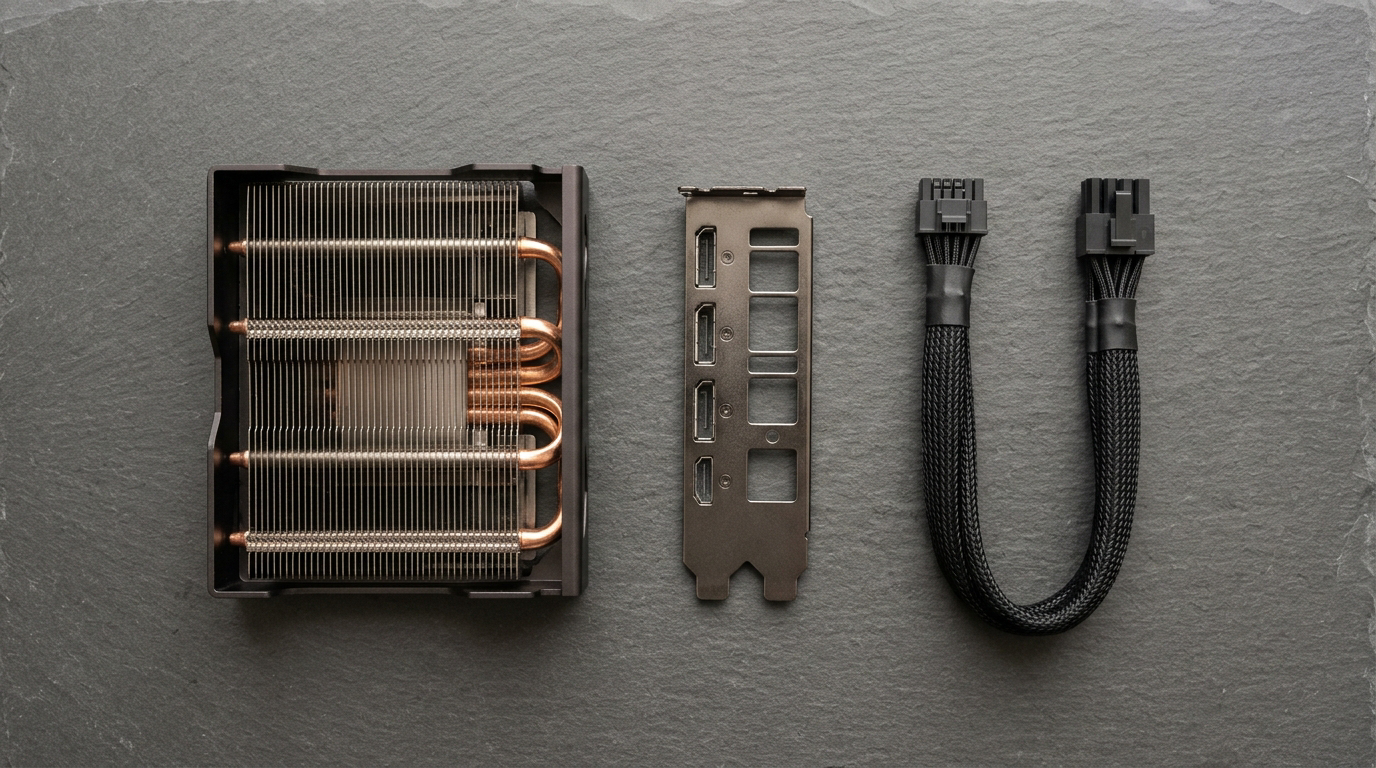
Spec sheets overflow with shader counts that never compare evenly across vendors—4,096 AMD Stream Processors do not equal 4,096 NVIDIA CUDA Cores. Focus your evaluation among the best graphics cards for gaming on five physical engineering checkpoints instead.
1. Audited 2026 GPU Hierarchy by Monitor Tier
- Entry 1080p / Light 1440p (around $249 Launch MSRP): Intel Arc B580 12GB (#8) with ReBAR enabled.
- 1080p Max / 1440p ($349–$429 Launch MSRP): XFX RX 9060 XT 16GB (#7) and ASUS Dual RTX 5060 Ti 16GB (#6).
- 1440p Sweet Spot ($549–$599 Launch MSRP): ASUS Prime RX 9070 16GB (#5), SFF MSI RTX 5070 (#4), and XFX RX 9070 XT 16GB (#2).
- 4K & Path Tracing ($749–$999 Launch MSRP): ASUS TUF RTX 5070 Ti (#1) and PNY RTX 5080 (#3) feeding 4K 240Hz QD-OLED and WOLED monitors over DisplayPort 2.1 UHBR20.
2. 8GB vs. 12GB vs. 16GB VRAM Reality Check
Insufficient VRAM tanks 1% Lows once textures, ray tracing, and Frame Gen swap across PCIe. Under rule R-GPU-01, we exclude 8GB cards above $350–$400. Twelve gigabytes suits 1080p Ultra and 1440p High (great around $249 on Arc B580, tighter around $549 Launch MSRP on RTX 5070), while 16GB GDDR7 or GDDR6 remains ideal through 2029.
3. DLSS 4 Multi-Frame Generation, AMD FSR 4 & the 50–60 Base FPS Rule
Transformer DLSS 4 Multi-Frame Generation, ML-driven AMD FSR 4, and Intel XeSS 2 elevate clarity markedly. Always hit 50 to 60 base FPS natively before enabling Frame Gen alongside NVIDIA Reflex, AMD Anti-Lag 2, or Intel Xe Low Latency, because interpolated frames smooth visuals without speeding input polling.
4. ATX 3.1 PSU Sizing, 12V-2×6 Safety & Chassis Fit
Transient GPU spikes hit 200% to 300% of steady TBP. Per PCI-SIG PCIe standards, pair RTX 5070, 5070 Ti, and 5080 builds with an ATX 3.1 80+ Gold PSU using native 12V-2×6 cabling and 35mm side-panel clearance. Budget 650W for Arc B580, RX 9060 XT, and RTX 5060 Ti; 750W–850W for RX 9070, RTX 5070, RX 9070 XT, and 5070 Ti; and 850W–1000W for RTX 5080. See our ATX 3.1 and 12V-2×6 PSU guide.
5. Upgrade Costs & Secondary Intent: Buy Now vs. Rumored Super GPUs
Budget for DP80 cables, sag brackets for 310mm+ shrouds, or ATX 3.1 PSUs if upgrading older rigs. Rumored 18GB RTX 5070 Super and 24GB RTX 5080 Super models (late 2026 / Q1 2027) remain unconfirmed and unbuyable—making current 16GB RTX 5070 Ti and RX 9070 XT cards the smart purchase today. On six-year-old platforms lacking PCIe 4.0 and ReBAR, compare full replacement against our best prebuilt gaming PC audits.
How We Audited, Scored & Filtered These Gaming GPUs
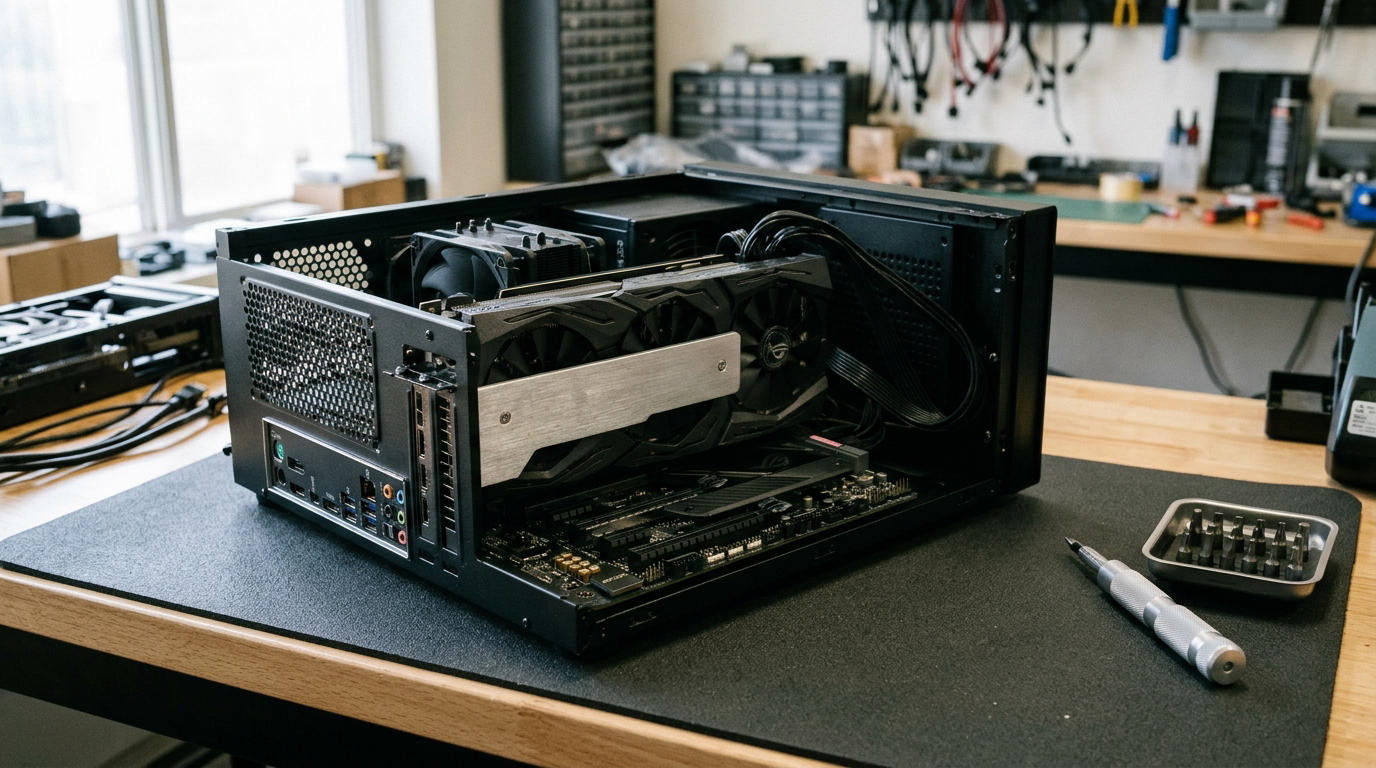
Each GPU was verified in stock on Amazon US and evaluated across four criteria totaling 100%, cross-checked against NVIDIA, AMD, Intel ARK, VESA, and PCI-SIG specs. Read our Editorial Evaluation Methodology.
| Evaluation Criterion | Weight | What We Audited |
|---|---|---|
| Rasterization & Ray Tracing Tier | 35% | 1080p, 1440p, and 4K throughput plus hardware ray and path tracing. |
| VRAM Capacity & Memory Bus | 25% | 8GB vs 12GB vs 16GB VRAM bottleneck risk, GDDR7 vs GDDR6 speeds, and bus width. |
| Upscaling, Frame Gen & Media Engine | 20% | DLSS 4 MFG, AMD FSR 4, Intel XeSS 2, Reflex/Anti-Lag, and AV1/NVENC encoders. |
| Thermals, Acoustics & Power Spec | 20% | Heatsink mass, fan bearings, TBP draw, 12V-2×6 vs 8-pin plugs, DP 2.1, and fit. |
Models We Audited & Rejected (And Why)
- Overpriced 8GB SKUs (RTX 5060 Ti 8GB & RX 9060 XT 8GB above $350–$400): 8GB triggers VRAM bottleneck stutters at 1440p Ultra textures; pick 16GB models (#6, #7).
- Legacy 4GB–6GB & Old Clearance GPUs (RX 6500 XT 4GB, RTX 3050 6GB, Overpriced RTX 3060 Ti 8GB): Clipped PCIe lanes, tiny buffers, and outdated upscalers hurt 1% Lows.
- Rumored RTX 5070 Super (18GB) & RTX 5080 Super (24GB) — RUMORED / UNRELEASED: Unconfirmed refreshes projected for late 2026 or Q1 2027 remain excluded from buying picks.
- Halo RTX 5090 32GB (Starting at $1,999 Launch MSRP) & Thin Dual-Fan 300W+ Cards: 575W flagship suits AI workstations, while undersized 300W+ coolers run hot and loud.
Continue Your Audit
- Parent hub: Best 1440p Graphics Cards (2026): RTX 5070 Ti, RX 9070 XT & Mid-Range Picks
- Best 4K Graphics Cards (2026): RTX 5080 vs. RTX 5090 & 4K Value Audits
- Best Budget Graphics Cards Under $350 (2026): Arc B580, RX 9060 XT & RTX 5060
- How Much VRAM Do You Need for Gaming in 2026? 8GB vs. 12GB vs. 16GB
- DLSS 4 Multi-Frame Gen vs. AMD FSR 4 vs. XeSS 2: Image Quality & Latency
Frequently Asked Questions About Gaming Graphics Cards
How much VRAM do the best graphics cards for gaming need in 2026?
Target 16GB VRAM as the 2026 sweet spot for 1440p Ultra, ray tracing, and 4K upscaling. While 12GB clears 1080p Ultra and 1440p High today, 8GB cards above $350 hit VRAM bottleneck stutters with ultra textures.
Should I buy the RTX 5070 Ti or RX 9070 XT for 1440p gaming?
Choose the RX 9070 XT around $599 Launch MSRP for raw 1440p raster value and dual 8-pin PSU compatibility. Step up to the RTX 5070 Ti starting at $749 Launch MSRP for heavy ray tracing and DLSS 4.
What base framerate do DLSS 4 Multi-Frame Generation and FSR Frame Gen require?
Hit 50 to 60 base native FPS first before enabling Frame Generation or DLSS 4 Multi-Frame Generation alongside Reflex or Anti-Lag 2. Generated frames smooth visuals without reducing input latency, so sub-45 base FPS feels sluggish.
Do I need an ATX 3.1 PSU for RTX 5070, 5070 Ti, and RTX 5080 graphics cards?
Yes—an ATX 3.1 PSU with a native 12V-2×6 cable handles 200% to 300% transient power excursions safely, while recessed sense pins prevent partial-seating heat risks common to bulky adapter dongles.
Does the Intel Arc B580 really require Resizable BAR in BIOS?
Yes—Resizable BAR is mandatory for Intel Arc B580 cards. Boot Windows in UEFI mode on GPT with Above 4G Decoding and Re-Size BAR active; legacy PCIe 3.0 systems lose severe 1% Lows stability.
Should I wait for the rumored RTX 5070 Super or RTX 5080 Super instead of buying now?
Do not pause builds for unverified rumors. Both RTX 5070 Super and RTX 5080 Super remain unreleased rumors projected for late 2026 or 2027, while verified 16GB RTX 5070 Ti and RX 9070 XT stock ships today.
Final Verdict: Which Graphics Cards for Gaming Should You Buy?
Among the best graphics cards for gaming today, the ASUS TUF Gaming GeForce RTX 5070 Ti 16GB OC takes #1 Overall with 16GB GDDR7, DLSS 4 Multi-Frame Generation, and cool triple-fan acoustics starting at $749 Launch MSRP. Shoppers chasing 1440p raster value without 12V-2×6 cables should grab the XFX Swift RX 9070 XT 16GB around $599 Launch MSRP, while 4K OLED owners can pick the PNY RTX 5080 OC 16GB near $999 Launch MSRP. On tighter budgets, stick to 12GB–16GB cards (#6 RTX 5060 Ti 16GB, #7 RX 9060 XT 16GB, or ReBAR-ready #8 Arc B580 12GB) and skip 8GB traps.


