
Disclosure: As an Amazon Associate, I earn from qualifying purchases. If you buy through links on this page, we may earn a small commission at no extra cost to you.
Finding the best 1440p graphics card in late 2026 comes down to one decisive threshold: securing at least 12GB to 16GB of fast video memory without paying a 4K flagship tax. Modern Unreal Engine 5 titles, high-resolution texture packs, ray tracing bounce buffers, and AI frame generation push 8GB cards into a harsh VRAM bottleneck at 2560×1440, causing sudden texture pop-in and sharp drops in 1% Lows across PCIe lanes.
To isolate true 1440p performers from overpriced clearance boards and unverified leaks, we audited live Amazon US hardware availability across NVIDIA Blackwell, AMD RDNA 4, and Intel Battlemage GPUs inside our Graphics Cards hub. Seven verified retail cards made the final cut from around $249 Launch MSRP up to roughly $749 Launch MSRP. For buyers comparing 1080p or 4K tiers alongside QHD, visit our parent best graphics cards for gaming hierarchy.
In This Guide
Quick Picks: Best 1440p Graphics Cards at a Glance
#1 Best Overall 1440p GPU
ASUS TUF Gaming RTX 5070 Ti 16GB OC
8,960 CUDA cores, 16GB GDDR7, DLSS 4 MFG, and triple-fan TUF acoustics starting at $749 Launch MSRP. (Audit)
#2 Best 1440p Raster Value
XFX Swift Radeon RX 9070 XT 16GB
64 RDNA 4 compute units, 16GB GDDR6, AMD FSR 4, and familiar dual 8-pin plugs starting around $599 Launch MSRP. (Audit)
#3 Best Quiet 16GB Mid-Range
ASUS Prime Radeon RX 9070 EVO 16GB OC
Cool 220W TBP, 256-bit 16GB VRAM, Dual BIOS, and Phase-Change thermal pad starting at $549 Launch MSRP. (Audit)
Side-by-Side Comparison: Top 7 Best 1440p Graphics Cards
| GPU & Award | 1440p Sweet Spot | VRAM & Bus | Power & Length | Link |
|---|---|---|---|---|
| ASUS TUF RTX 5070 Ti OC Best Overall 1440p GPU | 1440p Ultra + Max RT (starting at $749 Launch MSRP) | 16GB GDDR7 (256-bit) | 1x 12V-2×6 (300W) / 329mm | View on Amazon |
| XFX Swift RX 9070 XT Best 1440p Value Pick | 1440p High-Refresh Raster (around $599 Launch MSRP) | 16GB GDDR6 (256-bit) | 2x 8-Pin (~304W) / 325mm | View on Amazon |
| ASUS Prime RX 9070 EVO OC Best Quiet 16GB Mid-Range | Quiet 1440p Ultra (around $549 Launch MSRP) | 16GB GDDR6 (256-bit) | 2x 8-Pin (~220W) / 312mm | View on Amazon |
| MSI RTX 5070 Ventus 2X OC Best Compact SFF 1440p | Mini-ITX 1440p + DLSS 4 (around $549 Launch MSRP) | 12GB GDDR7 (192-bit) | 1x 12V-2×6 (250W) / 236mm | View on Amazon |
| ASUS Dual RTX 5060 Ti 16GB Best Lower-Mid NVIDIA | 1440p High + CUDA/AI (around $429 Launch MSRP) | 16GB GDDR7 (128-bit) | 1x 8-Pin (180W) / 229mm | View on Amazon |
| XFX Swift RX 9060 XT 16GB Best Value 16GB Entry | Value 1440p Medium-High (around $349 Launch MSRP) | 16GB GDDR6 (128-bit) | 1x 8-Pin (~160W) / 290mm | View on Amazon |
| Intel Arc B580 Limited Edition Best Budget 12GB Entry | Budget 1440p + ReBAR (around $249 Launch MSRP) | 12GB GDDR6 (192-bit) | 1x 8-Pin (190W) / 272mm | View on Amazon |
Match Your 1440p Monitor & Gaming Use Case
Before selecting a GPU, match its output ceiling and VRAM buffer to your display refresh rate. Whether you run a 165Hz–240Hz Fast IPS panel or a 360Hz–500Hz OLED screen from our best 1440p gaming monitors guide, choosing the right tier prevents CPU/GPU bottlenecks and unnecessary PSU replacements.
| 1440p Buyer Scenario | Best Match | Why & Expected Outcome |
|---|---|---|
| Zero-compromise 1440p Ultra + Path Tracing | ASUS TUF RTX 5070 Ti 16GB OC | 16GB GDDR7, Blackwell RT cores, and DLSS 4 Multi-Frame Generation sustain high-refresh 1440p OLED clarity. |
| Maximum 1440p native FPS per dollar | XFX Swift RX 9070 XT 16GB | Upper-tier rasterization and 16GB VRAM starting around $599 Launch MSRP without needing a 12V-2×6 PSU cable. |
| Quiet 220W mid-range build with 16GB longevity | ASUS Prime RX 9070 EVO 16GB | Beats 12GB competitors in texture capacity while staying cool and quiet on a 650W–750W power supply. |
| Compact Mini-ITX / SFF case with DLSS 4 | MSI RTX 5070 Ventus 2X OC | 236mm dual-fan body drops into small chassis designs that reject 312mm–329mm triple-fan cards. |
| Lower-midrange 16GB NVIDIA + local AI | ASUS Dual RTX 5060 Ti 16GB | Runs on a single 8-pin plug (180W) while supplying 16GB GDDR7 for DLSS 4 and CUDA workloads. |
| Value 16GB 1440p or sub-$300 budget rig | XFX Swift RX 9060 XT 16GB | Cheapest 16GB entry around $349 Launch MSRP (or #7 Arc B580 12GB around $249 Launch MSRP with ReBAR). |
Detailed 1440p GPU Audits: Top 7 Verified Picks
1. ASUS TUF Gaming GeForce RTX 5070 Ti 16GB GDDR7 OC — Best Overall 1440p Graphics Card

Quick Specs: NVIDIA Blackwell (8,960 CUDA Cores, 2,610 MHz OC Boost) | 16GB GDDR7 (256-bit, 28 Gbps) | 300W Class TBP | 1x 16-pin 12V-2×6 (850W ATX 3.1 PSU) | 3x DP 2.1b UHBR20, 2x HDMI 2.1b | 329 x 140 x 62.5 mm (3.125-Slot) | Price Tier: Upper-midrange (starting at $749 Launch MSRP)
Audit Score: 9.4 / 10
- Rasterization & Ray Tracing Tier (35%): 9.6 / 10
- VRAM Capacity & Memory Bus (25%): 9.5 / 10
- Upscaling, Frame Gen & Media Engine (20%): 9.7 / 10
- Thermals, Acoustics & Power Spec (20%): 8.7 / 10
Every architectural compromise found lower down the 1440p hierarchy disappears once you reach the ASUS TUF Gaming GeForce RTX 5070 Ti 16GB GDDR7 OC. Built on NVIDIA Blackwell silicon documented in NVIDIA’s official RTX 50-series architecture specs, it pairs 8,960 CUDA cores with a full 256-bit memory interface and 16GB of 28 Gbps GDDR7. That bandwidth cushion prevents texture compression fallbacks and frame-time spikes when running maximum ray tracing alongside DLSS 4 Multi-Frame Generation at 2560×1440.
ASUS wraps the board inside a dense 3.125-slot TUF die-cast aluminum shroud equipped with triple Axial-Tech fans and dual ball bearings rated to outlast sleeve fans. Display output is equally generous: three native DisplayPort 2.1 UHBR20 connectors plus two HDMI 2.1b ports let competitive players drive 360Hz to 500Hz 1440p OLED panels directly without heavy compression overhead. Compared with #2 XFX Swift RX 9070 XT, the RTX 5070 Ti stretches ahead in path-traced lighting, dual NVENC 4:2:2 video encoding, and transformer-based DLSS 4 image stability—though you pay roughly $150 more at Launch MSRP and move from dual 8-pin cables to a 300W 12V-2×6 connector.
Buyer Verification Alert: Measure your case interior carefully before ordering. At 329mm long, 140mm tall, and 62.5mm thick, this card requires at least 340mm horizontal room and 35mm of clear space between the side-mounted 12V-2×6 socket and tempered glass so the power cable does not bend sharply.
Pros
- 16GB GDDR7 on a 256-bit bus gives multi-year immunity against 1440p VRAM bottlenecks
- Unmatched 1440p path tracing, DLSS 4 Multi-Frame Generation, and Reflex 2 pairing
- Three DisplayPort 2.1b UHBR20 ports plus two HDMI 2.1b outputs for multi-screen rigs
- Substantial 3.125-slot TUF cooler keeps acoustics subdued under 300W loads
Cons
- Starting at $749 Launch MSRP sits roughly $150 above #2 XFX Swift RX 9070 XT
- 329mm chassis footprint disqualifies compact Mini-ITX and shallow mid-towers
- Mandates an ATX 3.1 PSU or clean adapter routing for the 12V-2×6 socket
Verdict: Buy it if you want the best 1440p graphics card for zero-compromise Ultra settings, heavy ray tracing, and high-refresh OLED monitors. Skip it if you want better rasterization FPS per dollar around $599 Launch MSRP (#2 RX 9070 XT) or build inside an SFF chassis (#4 RTX 5070). Upgrade note: Pair with an 850W ATX 3.1 80+ Gold PSU and install an anti-sag bracket.
2. XFX Swift AMD Radeon RX 9070 XT Triple Fan 16GB — Best 1440p Value Graphics Card

Quick Specs: AMD RDNA 4 (64 Compute Units / 4,096 SP, up to 2,970 MHz Boost) | 16GB GDDR6 (256-bit, 640 GB/s + 64MB Infinity Cache) | ~304W Class TBP | 2x PCIe 8-Pin (800W PSU) | 3x DP 2.1, 1x HDMI 2.1 | 325 x 150 x 65 mm (3.5-Slot) | Price Tier: Mid-upper (starting at $599 Launch MSRP)
Audit Score: 9.2 / 10
- Rasterization & Ray Tracing Tier (35%): 9.2 / 10
- VRAM Capacity & Memory Bus (25%): 9.3 / 10
- Upscaling, Frame Gen & Media Engine (20%): 8.9 / 10
- Thermals, Acoustics & Power Spec (20%): 9.3 / 10
Pure rasterization value at 2560×1440 belongs squarely to the XFX Swift AMD Radeon RX 9070 XT Triple Fan 16GB. Per AMD’s official Radeon RX desktop graphics specifications, AMD packed 64 RDNA 4 compute units boosting up to 2,970 MHz alongside 16GB of GDDR6 over a full 256-bit bus (640 GB/s bandwidth augmented by 64MB of Infinity Cache). Equally meaningful for 2026 buyers, AMD FSR 4 introduces machine-learning upscaling on dedicated AI accelerators, closing the image-clarity gap that held back older FSR 3 shader implementations in foliage and thin wire geometry.
In side-by-side platform audits—covered thoroughly in our RTX 5070 Ti vs. Radeon RX 9070 XT comparison—the RX 9070 XT pushes directly alongside #1 ASUS TUF RTX 5070 Ti in native 1440p rasterized shooters and RPGs while starting around $599 Launch MSRP. XFX cools the ~304W silicon with three 100mm double ball-bearing fans across a thick 3.5-slot aluminum fin array and powers everything through two standard 8-pin PCIe plugs instead of a 12V-2×6 adapter, saving upgraders on solid existing PSUs an extra purchase.
Buyer Verification Alert: Pay close attention to card height as well as length. Measuring 325mm long and a wide 150mm tall (3.5 slots thick), this XFX Swift shroud pushes dual 8-pin connectors close to the side glass in narrow mid-towers.
Pros
- Outstanding 1440p FPS per dollar starting around $599 Launch MSRP
- 16GB GDDR6 on a 256-bit bus + 64MB Infinity Cache handles heavy texture packs
- Dual 8-pin PCIe power connectors avoid 12V-2×6 cable adapter clutter
- ML-based AMD FSR 4 and Anti-Lag 2 elevate upscaled 1440p image sharpness
Cons
- Chunky 3.5-slot, 150mm-tall shroud limits smaller ATX and mATX case compatibility
- Trails #1 RTX 5070 Ti under maximum path tracing and misses DLSS 4 Multi-Frame Gen
- ~304W power target still demands an 800W PSU with two discrete 8-pin cables
Verdict: Buy it if you want flagship-caliber 1440p raster frame rates, 16GB VRAM, and dual 8-pin convenience near $599 Launch MSRP. Skip it if heavy path tracing and DLSS 4 matter most (#1 RTX 5070 Ti) or your case sits under 330mm clearance (#3 RX 9070 EVO or #4 RTX 5070). PSU note: Run two separate 8-pin cables rather than one daisy-chained lead.
3. ASUS Prime Radeon RX 9070 EVO 16GB OC — Best Quiet & Efficient 16GB 1440p Card

Quick Specs: AMD RDNA 4 (56 Compute Units / 3,584 SP, up to 2,610 MHz OC Boost) | 16GB GDDR6 (256-bit) | ~220W Reference TBP Class | 2x 8-Pin PCIe (650W–750W PSU) | 3x DP 2.1a, 1x HDMI 2.1b | Hardware Dual BIOS | 312 x 130 x 50 mm (2.5-Slot) | Price Tier: Mid-range (starting at $549 Launch MSRP)
Audit Score: 8.9 / 10
- Rasterization & Ray Tracing Tier (35%): 8.6 / 10
- VRAM Capacity & Memory Bus (25%): 9.3 / 10
- Upscaling, Frame Gen & Media Engine (20%): 8.7 / 10
- Thermals, Acoustics & Power Spec (20%): 9.2 / 10
Mid-range buyers shopping around $549 Launch MSRP face a pivotal memory trade-off, and the ASUS Prime Radeon RX 9070 EVO 16GB OC clears that hurdle cleanly. While its NVIDIA rival (#4 MSI RTX 5070) stops at 12GB on a 192-bit bus, ASUS outfits this 56-CU RDNA 4 board with a full 16GB of GDDR6 over a wide 256-bit interface. At ~220W total board power—roughly 84W lower than #2 XFX Swift RX 9070 XT—the Prime EVO drops straight into 650W to 750W gaming builds using two standard 8-pin connectors without stressing older power supplies or room temperatures.
Engineering touches elevate longevity beyond basic reference coolers. ASUS applies a phase-change GPU thermal pad that resists paste pump-out across multi-year thermal cycles, pairs it with dual-ball fan bearings inside a trim 2.5-slot (50mm) triple-fan chassis, and mounts a physical Dual BIOS switch (Performance vs. Quiet). As detailed in our RTX 5070 vs. Radeon RX 9070 1440p analysis, the RX 9070 trades away NVIDIA’s ray-tracing lead in exchange for 4GB extra VRAM headroom and calmer acoustics—making it the smarter four-year 1440p purchase for standard mid-tower builds.
Buyer Verification Alert: Check live street prices between this card and #2 XFX Swift RX 9070 XT before clicking buy. Because both sit close in Launch MSRP (around $549 vs. around $599), any sale placing the XT within around $50 favors stepping up to 64 CUs unless your PSU caps at 650W.
Pros
- 16GB GDDR6 on a 256-bit bus delivers safer multi-year 1440p longevity than 12GB rivals
- 220W efficiency keeps triple Axial-Tech fans quiet inside a 2.5-slot frame
- Phase-change thermal pad, dual-ball bearings, and hardware Dual BIOS switch
- Dual 8-pin connectors pair easily with existing 650W–750W PSUs
Cons
- 312mm length excludes sub-300mm Mini-ITX enclosures where #4 RTX 5070 fits
- Close Launch MSRP proximity to #2 RX 9070 XT narrows value when discounts hit
- AMD FSR 4 library remains smaller than DLSS 4’s native AAA footprint
Verdict: Buy it if you want a cool, whisper-quiet 16GB 1440p card starting around $549 Launch MSRP for a 650W–750W ATX tower. Skip it if your SFF case caps below 310mm (#4 MSI RTX 5070) or the XT sits close in live price (#2 XFX Swift RX 9070 XT). Setup note: Flip the BIOS switch to Quiet for silent acoustic curves.
4. MSI GeForce RTX 5070 12G Ventus 2X OC — Best Compact SFF 1440p NVIDIA Card

Quick Specs: NVIDIA Blackwell (6,144 CUDA Cores, 2,542–2,557 MHz Boost) | 12GB GDDR7 (192-bit, 28 Gbps) | 250W TDP | 1x 16-pin 12V-2×6 (650W+ PSU) | 3x DP 2.1b, 1x HDMI 2.1b | 236 x 126 x 50 mm (SFF-Ready Dual-Fan) | Price Tier: Mid-range (starting at $549 Launch MSRP)
Audit Score: 8.6 / 10
- Rasterization & Ray Tracing Tier (35%): 8.8 / 10
- VRAM Capacity & Memory Bus (25%): 8.1 / 10
- Upscaling, Frame Gen & Media Engine (20%): 9.4 / 10
- Thermals, Acoustics & Power Spec (20%): 8.1 / 10
Small-form-factor enthusiasts who build inside tight Mini-ITX cases or front-radiator micro-ATX chassis cannot accommodate 312mm to 329mm graphics boards. At just 236mm long and 126mm tall, the NVIDIA SFF-Ready MSI GeForce RTX 5070 12G Ventus 2X OC unlocks mid-range Blackwell ray tracing and DLSS 4 Multi-Frame Generation inside sub-15-liter enclosures. Its 6,144 CUDA cores, 28 Gbps GDDR7 memory, and triple DisplayPort 2.1 UHBR20 outputs drive fast 1440p OLED panels without sacrificing PCIe 5.0 or NVENC media agility.
However, competing around $549 Launch MSRP also spotlights why 12GB warrants honest scrutiny. Compared directly with #3 ASUS Prime RX 9070 EVO (16GB GDDR6 at 220W), the RTX 5070 pulls slightly ahead in ray-traced lighting and creator software while holding 4GB less memory buffer. In demanding 1440p Ultra titles with path tracing and Frame Gen enabled together—both features that allocate extra VRAM—12GB can bump near its saturation ceiling. MSI’s compact dual-fan 250W heatsink also spins faster under sustained thermal soak than triple-fan #3 and #1 coolers.
Buyer Verification Alert: Check your SFX or ATX power supply cabling before locking in an SFF build. Using the bundled dual 8-pin to 12V-2×6 adapter adds stiff cable bulk against narrow side panels; prefer a flexible native 12V-2×6 cable from an ATX 3.1 PSU.
Pros
- Ultra-short 236mm SFF-Ready profile fits tight Mini-ITX and front-AIO cases
- Full NVIDIA Blackwell RT cores, DLSS 4 Multi-Frame Generation, and Reflex 2
- 28 Gbps GDDR7 keeps memory bandwidth snappy across the 192-bit interface
- Three DisplayPort 2.1b UHBR20 connectors for high-Hz 1440p OLED setups
Cons
- 12GB VRAM leaves less four-year headroom than 16GB #3 RX 9070 at the same MSRP
- Two-fan Ventus cooler runs warmer and louder under 250W load than 3-fan cards
- 12V-2×6 dongle requires careful bend radius inside narrow SFF side panels
Verdict: Buy it if you need a compact 236mm card with NVIDIA ray tracing and DLSS 4 for a Mini-ITX 1440p rig. Skip it if your tower clears 312mm+ and you want 16GB multi-year insurance (#3 RX 9070 EVO or #1 RTX 5070 Ti). Tuning tip: Drop texture quality one tier below Nightmare if VRAM nears 11.5GB with Frame Gen active.
5. ASUS Dual GeForce RTX 5060 Ti 16GB GDDR7 OC — Best Lower-Midrange 16GB NVIDIA Pick

Quick Specs: NVIDIA Blackwell (4,608 CUDA Cores, 2,632 MHz OC Boost) | 16GB GDDR7 (128-bit, 28 Gbps) | 180W TBP | 1x 8-Pin PCIe (550W–650W PSU) | 3x DP 2.1b, 1x HDMI 2.1b | 229 x 120 x 50 mm (2.5-Slot) | Price Tier: Lower-midrange (starting at $429 Launch MSRP)
Audit Score: 8.5 / 10
- Rasterization & Ray Tracing Tier (35%): 8.0 / 10
- VRAM Capacity & Memory Bus (25%): 8.7 / 10
- Upscaling, Frame Gen & Media Engine (20%): 9.2 / 10
- Thermals, Acoustics & Power Spec (20%): 8.7 / 10
Upgraders reviving an older 550W or 650W gaming desktop with one 8-pin power cable often get steered toward dangerous 8GB cards. The ASUS Dual GeForce RTX 5060 Ti 16GB GDDR7 OC solves that pitfall cleanly starting around $429 Launch MSRP. By pairing 16GB of fast 28 Gbps GDDR7 with 4,608 CUDA cores and a modest 180W TBP, it avoids every 1440p texture spill and keeps 1% Lows steady in memory-heavy engines while running cool inside a compact 229mm dual-fan body.
At 2560×1440, its 128-bit memory bus naturally leans on DLSS 4 Multi-Frame Generation and DLSS Quality upscaling rather than brute-force native rasterization. Compared with #6 XFX Swift RX 9060 XT 16GB (starting around $349 Launch MSRP), ASUS’s card delivers superior ray tracing, wider DLSS 4 support, and CUDA compatibility for local AI image generation or Blender rendering. However, buyers willing to stretch roughly $120 more from $429 to $549 Launch MSRP gain substantially higher native shading speed with #3 RX 9070 EVO or #4 RTX 5070.
Buyer Verification Alert: NVIDIA ships both an 8GB and a 16GB version under the RTX 5060 Ti name. Double-check the product title and ASIN (B0F7WB6LSH) to ensure 16GB GDDR7 is selected—the 8GB edition fails our 1440p VRAM audit completely.
Pros
- 16GB GDDR7 capacity escapes 8GB 1440p stalls and supports local AI creation
- Low 180W TBP uses one standard 8-pin connector—ideal for 550W–650W PSUs
- Short 229mm length drops easily into legacy prebuilts and micro-ATX cases
- Full DLSS 4 Multi-Frame Generation plus dual NVENC 4:2:2 video engines
Cons
- 128-bit memory bus relies on DLSS Quality upscaling at 1440p Ultra settings
- Costs roughly $80 more at Launch MSRP than #6 XFX Swift RX 9060 XT 16GB
Verdict: Buy it if you want a compact single-8-pin 16GB NVIDIA card for 1440p High gaming with DLSS 4 and CUDA acceleration. Skip it if you want maximum pure 16GB value around $349–$400 (#6 RX 9060 XT 16GB) or heavier 256-bit 1440p speed (#3 RX 9070 EVO). Baseline tip: Enable DLSS Quality to hold 50–60 base FPS before turning on Frame Gen.
6. XFX Swift AMD Radeon RX 9060 XT OC Triple Fan 16GB — Best Value 16GB 1440p Card

Quick Specs: AMD RDNA 4 (32 Compute Units / 2,048 SP, up to 3,320 MHz Boost) | 16GB GDDR6 (128-bit, 20 Gbps / 340 GB/s) | ~160W Class TBP | 1x PCIe 8-Pin (450W–650W PSU) | 2x DP 2.1, 1x HDMI 2.1 | 290 x 124 x 49 mm (Dual-Slot, PCIe 5.0 x16) | Price Tier: Value (starting at $349 Launch MSRP)
Audit Score: 8.3 / 10
- Rasterization & Ray Tracing Tier (35%): 7.7 / 10
- VRAM Capacity & Memory Bus (25%): 8.6 / 10
- Upscaling, Frame Gen & Media Engine (20%): 8.4 / 10
- Thermals, Acoustics & Power Spec (20%): 9.1 / 10
Entry-level 1440p shoppers used to settle for 8GB frame buffers until the XFX Swift AMD Radeon RX 9060 XT OC Triple Fan 16GB arrived starting at $349 Launch MSRP. Packing 32 RDNA 4 compute units boosting all the way to 3,320 MHz alongside 16GB of GDDR6, it clears ultra-high texture packs cleanly at 2560×1440 Medium-to-High settings while leveraging AMD FSR 4 upscaling in heavy modern releases. Even better for older AM4 and LGA 1700 upgraders, AMD wired full PCIe 5.0 x16 lanes on the slot rather than trimming down to x8, protecting bandwidth if your motherboard tops out at PCIe 4.0.
XFX’s cooling execution punches well above the value bracket: a full triple-fan dual-slot shroud sitting over ~160W silicon runs whisper-quiet and sips power from a single 8-pin PCIe connector. Compared directly with #5 ASUS Dual RTX 5060 Ti 16GB, the RX 9060 XT trims roughly $80 off Launch MSRP for very similar native rasterization—though it steps back in heavy ray tracing and omits NVIDIA’s DLSS 4 ecosystem.
Buyer Verification Alert: Watch out for two traps on Amazon: confirm you select the 16GB model (B0F8128Y33) instead of the 8GB RX 9060 XT, and avoid third-party marketplace markups pushing above $450 toward #3 RX 9070 EVO pricing. Aim squarely within the $349–$400 tier.
Pros
- Lowest-cost 16GB graphics card starting at $349 Launch MSRP
- Full PCIe 5.0 x16 lane width runs smoothly on older PCIe 4.0 motherboards
- Cool triple-fan dual-slot assembly at ~160W TBP with one 8-pin plug
- Supports ML-based AMD FSR 4 and Anti-Lag 2 for 1440p responsiveness
Cons
- 32 CUs and 128-bit bus suit 1440p Medium-High rather than locked Ultra ray tracing
- Only two DisplayPort 2.1 outputs vs three DP ports on higher tiers
Verdict: Buy it within $349–$400 if you want quiet 16GB 1440p gaming without upgrading an existing 500W–650W PSU. Skip it if reseller pricing climbs close to $500 (#3 RX 9070 EVO is far faster) or you rely on DLSS 4 and CUDA (#5 RTX 5060 Ti 16GB). Clearance note: Check for 290mm GPU length inside budget mATX cases.
7. Intel Arc B580 Limited Edition 12GB (WEELIAO) — Best Budget 12GB 1440p Entry

Quick Specs: Intel Xe2 Battlemage (20 Xe-Cores / 160 XMX AI Engines) | 12GB GDDR6 (192-bit, 456 GB/s) | 190W TBP | 1x 8-Pin PCIe (600W–650W PSU) | 3x DP 2.1 (1x UHBR13.5 + 2x UHBR10), 1x HDMI 2.1 | 272 x 115 x 44 mm (2-Slot, PCIe 4.0 x8, ReBAR Mandatory) | Price Tier: Budget (starting at $249 Launch MSRP)
Audit Score: 8.0 / 10
- Rasterization & Ray Tracing Tier (35%): 7.2 / 10
- VRAM Capacity & Memory Bus (25%): 8.7 / 10
- Upscaling, Frame Gen & Media Engine (20%): 8.3 / 10
- Thermals, Acoustics & Power Spec (20%): 8.3 / 10
Gamers strictly capped under $300 once had no credible entry into 2560×1440 because every competing board stopped at 8GB. Intel’s Xe2 Battlemage silicon flips that equation: according to Intel Arc B580 ARK specifications, this Limited Edition model provides 12GB of GDDR6 across a 192-bit bus (456 GB/s bandwidth) starting around $249 Launch MSRP. Backed by 160 hardware XMX AI engines, it runs Intel XeSS 2 upscaling, XeSS Frame Generation, and dual hardware AV1 encoders with impressive polish in modern DirectX 12 and Vulkan games.
However, one mandatory BIOS condition determines whether this card performs smoothly or stumbles: Resizable BAR must be active. Your PC needs UEFI boot on a GPT partition with Above 4G Decoding and Re-Size BAR enabled, as legacy PCIe 3.0 motherboards without ReBAR suffer severe frametime instability. Also note how the DisplayPort 2.1 outputs split speeds—one UHBR13.5 port plus two UHBR10 ports—and recognize that #6 XFX Swift RX 9060 XT 16GB offers faster drivers and 4GB extra memory once street prices get too close.
Buyer Verification Alert: Verify two items before purchasing this WEELIAO reseller listing: confirm your motherboard BIOS actively supports Resizable BAR, and ensure the live price stays near $249 Launch MSRP—if pricing moves near $340, buy #6 RX 9060 XT 16GB instead.
Pros
- 12GB GDDR6 (456 GB/s) starting around $249 Launch MSRP defeats 8GB budget rivals
- 160 XMX engines accelerate Intel XeSS 2 upscaling and dual AV1 streaming
- Trim, dual-slot 272mm shroud runs cleanly on a single 8-pin power cable
Cons
- Strict Resizable BAR requirement excludes older non-ReBAR budget PCs
- PCIe 4.0 x8 interface and niche DX9/11 titles trail #6 RX 9060 XT 16GB
- Reseller pricing spikes frequently erode its sub-$300 value lead
Verdict: Buy it on modern ReBAR-enabled builds when priced near $249 Launch MSRP for 1440p Medium-to-High play and AV1 streaming. Skip it on legacy PCIe 3.0 rigs without ReBAR or if reseller markups overlap #6 XFX Swift RX 9060 XT 16GB. BIOS tip: Disable CSM legacy boot and confirm ReBAR active in Intel Graphics Software.
Buying Guide: How to Choose the Best 1440p Graphics Card
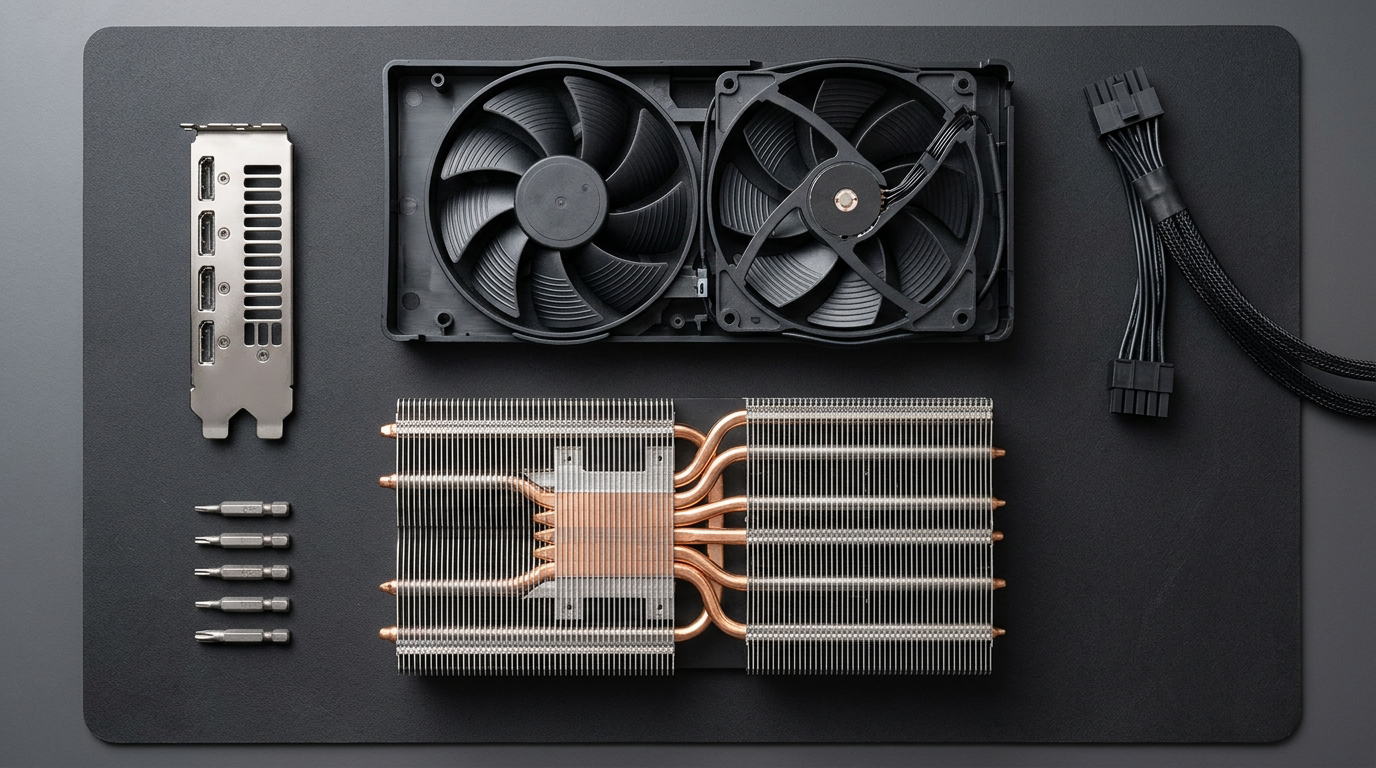
Shopping for the best 1440p graphics card means looking past marketing shader numbers—4,096 AMD Stream Processors do not equal 4,096 NVIDIA CUDA Cores across different architectures. Focus your audit on five engineering realities that govern real-world QHD responsiveness, visual stability, and system safety.
1. 1440p VRAM Capacity: Why 8GB Fails & 12GB vs. 16GB Matters
At 2560×1440, texture pools, shadow caches, ray-tracing BVH structures, and Frame Generation swap buffers stack rapidly. Under our audit standard, any 8GB SKU priced above $350–$400 creates an immediate VRAM bottleneck that triggers blurry texture mipmaps or steep 1% Lows stutters. Twelve gigabytes—seen on #7 Intel Arc B580 (around $249 Launch MSRP) and #4 MSI RTX 5070 (around $549 Launch MSRP)—handles 1440p High comfortably today, though path tracing plus Frame Gen pushes 12GB near capacity. Picking 16GB GDDR7 or GDDR6 (#1 RTX 5070 Ti, #2 RX 9070 XT, #3 RX 9070, #5 RTX 5060 Ti 16GB, #6 RX 9060 XT 16GB) remains the safest multi-year baseline through 2029.
2. DLSS 4 Multi-Frame Generation vs. AMD FSR 4 vs. Intel XeSS 2
In Unreal Engine 5 releases, AI upscaling bridges native raster limits cleanly. NVIDIA’s transformer-based DLSS 4 Multi-Frame Generation retains the sharpest fine-detail reconstruction and multi-frame motion interpolation, while AMD’s hardware-accelerated AMD FSR 4 marks a leap forward from shader-only FSR 3, and Intel XeSS 2 shines on Battlemage XMX silicon. Always obey the 50 to 60 base FPS rule: reach at least 50–60 native FPS before activating Frame Generation alongside NVIDIA Reflex, AMD Anti-Lag 2, or Intel Xe Low Latency (XeLL), because interpolated frames smooth display motion without speeding up mouse input latency.
3. DisplayPort 2.1 Bandwidth & 1440p OLED Monitor Matching
Modern QHD displays stretch far past 144Hz into 360Hz, 480Hz, and 500Hz OLED territory. Per VESA DisplayPort 2.1 standards, matching a high-refresh QHD OLED from our best 1440p gaming monitors guide with RTX 50-series UHBR20 or Radeon DisplayPort 2.1 ports minimizes DSC compression artifacts, preserves instant alt-tabbing in fullscreen games, and leaves headroom for dual-monitor setups.
4. ATX 3.1 PSU Sizing, 12V-2×6 Safety & Chassis Clearance
Modern graphics cards draw brief millisecond power excursions hitting 200% to 300% of steady TBP. According to PCI-SIG PCI Express and connector guidelines, RTX 5070 and RTX 5070 Ti builds perform safest on an ATX 3.1 80+ Gold power supply using a native 12V-2×6 cable whose recessed sense pins prevent partial-insertion heating, paired with at least 35mm of clear horizontal space before your side glass. Budget 550W–650W for #5 RTX 5060 Ti 16GB, #6 RX 9060 XT 16GB, and #7 Arc B580; 650W–750W for #3 RX 9070 EVO and #4 RTX 5070; and 800W–850W for #2 RX 9070 XT and #1 RTX 5070 Ti. Watch shroud length closely too—triple-fan 312mm–329mm cards require mid-tower clearance plus an anti-sag support bracket.
5. Upgrade Roadmap, Hidden Costs & Buy Now vs. Waiting
Hidden upgrade expenses catch careless buyers off guard: factor in a VESA-certified DP80 cable for 360Hz+ DisplayPort 2.1 displays, a $10–$15 GPU sag bracket for 3-slot cards, or a modular ATX 3.1 PSU if replacing an older Bronze unit. Meanwhile, rumors around an 18GB RTX 5070 Super and 24GB RTX 5080 Super point to unconfirmed late 2026 or Q1 2027 memory allocations—never stall an active build on unreleased hardware. If your current desktop runs a six-year-old PCIe 3.0 motherboard lacking Resizable BAR and fast DDR5 memory, stepping up the whole system alongside our full GPU and platform buyer guide prevents severe CPU bottlenecking at 1440p.
How We Audited, Scored & Filtered These 1440p GPUs
Every candidate card was verified as active Amazon US retail inventory and audited purely on verified silicon architecture, memory bus bandwidth, AIB heatsink design, power connector standards, and display I/O against NVIDIA, AMD, Intel ARK, VESA, and PCI-SIG engineering documents. Read our complete Editorial Evaluation Methodology for details on our zero-sponsored-ranking guarantee.
| Evaluation Criterion | Weight | What We Audited for 1440p |
|---|---|---|
| Rasterization & Ray Tracing Tier | 35% | Native 2560×1440 shader tier, high-refresh OLED headroom, and hardware ray/path tracing capability. |
| VRAM Capacity & Memory Bus | 25% | 12GB vs 16GB frame buffer resilience against 1440p VRAM bottlenecks, GDDR7 vs GDDR6 speeds, and bus width. |
| Upscaling, Frame Gen & Media Engine | 20% | DLSS 4 Multi-Frame Generation, AMD FSR 4, Intel XeSS 2, Reflex/Anti-Lag 2 pairing, and AV1/NVENC encoders. |
| Thermals, Acoustics & Power Spec | 20% | AIB heatsink slots, fan bearings, phase-change pads, TBP draw, 12V-2×6 vs 8-pin plugs, DP 2.1, and length. |
Models We Audited & Rejected (And Why)
- 8GB Mid-Range SKUs (RTX 5060 Ti 8GB, RX 9060 XT 8GB, RTX 5060 8GB): Eight gigabytes causes immediate 1440p Ultra texture stalls and Frame Gen overhead bottlenecks; always choose the 16GB versions (#5, #6) instead.
- 4K-Targeted Flagships (RTX 5080 starting at $999 Launch MSRP & RTX 5090 starting at $1,999 Launch MSRP): Excluded from core 1440p budgets because $549–$749 cards already saturate 1440p Ultra cleanly; consider RTX 5080 in our overall GPU hierarchy only if pushing 4K 240Hz or extreme 500Hz QHD esports.
- Rumored RTX 5070 Super (18GB) & RTX 5080 Super (24GB) — RUMORED / UNRELEASED: Unconfirmed refreshes rumored for late 2026 or Q1 2027 remain unreleased and are disqualified from buying picks.
- OEM-Only RX 9070 GRE 12GB & Legacy Clearance Cards (RX 6500 XT 4GB, RTX 3050 6GB): RX 9070 GRE ships primarily inside regional/OEM prebuilts rather than standalone DIY cards, while 4GB–6GB legacy boards fail modern QHD titles.
Frequently Asked Questions About 1440p Graphics Cards
How much VRAM does the best 1440p graphics card need in 2026?
Target 16GB VRAM as the 2026 1440p sweet spot for Ultra textures, ray tracing, and Frame Generation. While 12GB handles 1440p High today on cards like the RTX 5070 and Arc B580, 8GB GPUs suffer VRAM bottleneck stutters.
Should I buy the RTX 5070 Ti or RX 9070 XT for 1440p gaming?
Choose the RX 9070 XT starting around $599 Launch MSRP for unbeatable 1440p rasterization value and dual 8-pin PSU compatibility. Step up to the RTX 5070 Ti near $749 Launch MSRP if you prioritize heavy ray tracing and DLSS 4.
Is 12GB VRAM enough on the RTX 5070 at 1440p?
Yes for 1440p High and most Ultra settings today, thanks to fast 28 Gbps GDDR7 bandwidth. However, enabling path tracing alongside DLSS 4 Multi-Frame Generation pushes 12GB near its ceiling, making the 16GB RX 9070 safer long term.
What base framerate do DLSS 4 Multi-Frame Generation and FSR 4 Frame Gen need?
Hit at least 50 to 60 base native FPS before activating Frame Generation with NVIDIA Reflex or AMD Anti-Lag 2. Generated frames improve visual motion fluidity on high-refresh displays without reducing mouse click latency.
Do I need an ATX 3.1 PSU for 1440p graphics cards like the RTX 5070 Ti?
Yes—pair the RTX 5070 Ti and RTX 5070 with an ATX 3.1 PSU using a native 12V-2×6 cable to absorb 200% to 300% transient power excursions safely. AMD RX 9070 XT and RX 9070 models still use standard dual 8-pin plugs.
Can the Intel Arc B580 12GB handle 1440p gaming under $300?
Yes—its 12GB GDDR6 buffer and 192-bit bus deliver smooth 1440p Medium-to-High play with Intel XeSS 2 around $249 Launch MSRP, provided your motherboard enables UEFI mode and Resizable BAR in BIOS.
Final Verdict: Which 1440p Graphics Card Should You Buy?
Choosing the best 1440p graphics card in 2026 rewards matching your VRAM pool and power supply to how long you keep your build. The ASUS TUF Gaming GeForce RTX 5070 Ti 16GB GDDR7 OC takes #1 Overall by pairing 16GB GDDR7, transformer DLSS 4 Multi-Frame Generation, and top-tier ray tracing starting at $749 Launch MSRP. Gamers maximizing raw raster FPS per dollar without 12V-2×6 cable changes should grab #2 XFX Swift RX 9070 XT 16GB around $599 Launch MSRP, while quiet 650W–750W builders get superior four-year memory headroom from #3 ASUS Prime RX 9070 EVO 16GB over #4 MSI RTX 5070 Ventus 2X (reserved specifically for compact Mini-ITX rigs). On stricter budgets, step directly into 16GB with #5 RTX 5060 Ti 16GB, #6 RX 9060 XT 16GB, or ReBAR-ready #7 Intel Arc B580 12GB and leave every 8GB trap behind.


