
Disclosure: As an Amazon Associate, The PC Audit earns from qualifying purchases. If you buy through links on this page, we may earn a small commission at no extra cost to you.
Settling the rtx 5070 vs rx 9070 debate puts mid-range PC builders directly in front of a sharp architectural trade-off at the identical $549 Launch MSRP bracket. NVIDIA equips the Blackwell GeForce RTX 5070 with high-speed 12GB GDDR7 memory, 4th-Generation RT Cores, and DLSS 4 Multi-Frame Generation inside a 250W footprint, while AMD’s RDNA 4 Radeon RX 9070 counters with 16GB GDDR6 over a wider 256-bit bus, 64MB of 3rd-Gen Infinity Cache, and a notably cooler 220W power envelope.
Inside our wider hierarchy of the best graphics cards for gaming and our best 1440p graphics cards guide, both models anchor Tier A for high-refresh 1440p gaming in the $1,300 to $1,700 desktop build tier. Rather than guessing from marketing labels or unconfirmed rumors, this head-to-head comparison evaluates both cards against our 100-point GPU audit rubric: Rasterization & Ray Tracing Tier (35%), VRAM Capacity & Memory Bus (25%), Upscaling, Frame Gen & Media Engine (20%), and Thermals, Acoustics & Power Spec (20%).
In This Comparison
- TL;DR Winner Matrix: Quick Verdict
- Side-by-Side Verified Spec Table
- Battleground 1: Rasterization, Ray Tracing & 1440p Scaling (35%)
- Battleground 2: 12GB GDDR7 vs. 16GB GDDR6 Bus Width & VRAM Longevity (25%)
- Battleground 3: DLSS 4 Multi-Frame Generation vs. AMD FSR 4 & Media Engines (20%)
- Battleground 4: 250W 12V-2×6 vs. 220W Dual 8-Pin Power, Cooling & DisplayPort 2.1 (20%)
- Market Context: $599 RX 9070 XT, Rumored Refreshes & Platform Pairing
- Decisive Verdict: Which $549-Class GPU Should You Buy?
- Audited Retail Models on Amazon US
- Frequently Asked Questions
TL;DR Winner Matrix: Quick Verdict
At an identical $549 Launch MSRP, your decision comes down to whether 16GB VRAM longevity and 220W efficiency matter more to your gaming library than ray-tracing headroom and DLSS 4 Multi-Frame Generation. Here is the clear category winner across every core audit pillar.
| Evaluation Category | Declared Winner | Decisive Technical Reason |
|---|---|---|
| Overall 1440p Longevity Winner | AMD Radeon RX 9070 | Packs 16GB GDDR6 on a 256-bit bus at $549 Launch MSRP, sidestepping 12GB texture and ray-tracing buffer ceilings across a 4–5 year ownership window. |
| Ray Tracing & AI Upscaling | NVIDIA GeForce RTX 5070 | 4th-Gen RT Cores (94 TFLOPS), 5th-Gen Tensor Cores (988 AI TOPS), Transformer DLSS 4, and Multi-Frame Generation deliver a strong edge in heavy RT games. |
| Memory Bandwidth vs. Capacity | RX 9070 (Capacity) / RTX 5070 (Raw Speed) | RTX 5070 hits 672 GB/s off 28 Gbps GDDR7 over 192-bit, whereas RX 9070 pairs 640 GB/s GDDR6 over 256-bit with 64MB Infinity Cache and 4GB more capacity. |
| Power Efficiency & PSU Simplicity | AMD Radeon RX 9070 | Draws 220W TBP over standard dual 8-pin PCIe headers—30W below the 250W RTX 5070—reducing fan noise and skipping 12V-2×6 cable bend checks. |
| Compact SFF & Creator Encoding | NVIDIA GeForce RTX 5070 | Dual-fan SFF-Ready options like the 236mm MSI Ventus 2X OC fit tight ITX cases easily, while 9th-Gen NVENC adds 10-bit 4:2:2 video acceleration. |
Side-by-Side Verified Spec Table
Never compare raw shader counts one-for-one across competing GPU vendors: 6,144 NVIDIA CUDA Cores process warps and instructions differently from 3,584 AMD Stream Processors across 56 RDNA 4 Compute Units. Instead, compare verified silicon specifications—memory bus width, total VRAM capacity, bandwidth, board power, display signaling, and official Launch MSRP—side by side.
| Specification | NVIDIA GeForce RTX 5070 | AMD Radeon RX 9070 |
|---|---|---|
| Architecture & Node | NVIDIA Blackwell | AMD RDNA 4 (TSMC 4nm) |
| Release Window | March 5, 2025 | March 2025 |
| Launch MSRP | $549 | $549 |
| Compute Silicon | 6,144 CUDA Cores / 4th-Gen RT (94 TFLOPS) / 5th-Gen Tensor (988 AI TOPS) | 56 CUs (3,584 SP) / 56 3rd-Gen Ray Accelerators / 112 2nd-Gen AI Accelerators / 128 ROPs |
| Reference Clock Speeds | 2,512 MHz Boost (2.51 GHz) | 2,070 MHz Game / Up to 2,520 MHz Boost |
| VRAM Capacity & Type | 12GB GDDR7 (28 Gbps) | 16GB GDDR6 (up to 20 Gbps) |
| Memory Bus & Bandwidth | 192-bit / 672 GB/s | 256-bit / up to 640 GB/s + 64MB 3rd-Gen Infinity Cache |
| Total Board Power (TDP / TBP) | 250W | 220W |
| Power Header Standard | 1x 16-pin 12V-2×6 (2x 8-pin adapter included) | 2x 8-pin PCIe |
| Minimum / Recommended PSU | 650W minimum (650W–750W ATX 3.1 / 80+ Gold+ advised) | 650W minimum (650W–750W ATX 3.1 / 80+ Gold+ advised) |
| Upscaling & Latency Pipeline | DLSS 4 + Multi-Frame Generation + Reflex / Reflex 2 | AMD FSR 4 (ML) + Frame Gen + Anti-Lag 2 |
| Display I/O Standards | DisplayPort 2.1b UHBR20 (80 Gbps) + HDMI 2.1b | DisplayPort 2.1a + HDMI 2.1b |
| Media / Encode Engine | 9th-Gen NVENC (AV1 + 10-bit 4:2:2) | AMD VCN (Hardware H.264, HEVC, AV1) |
| Host Bus Interface | PCIe 5.0 x16 | PCIe 5.0 x16 |
Battleground 1: Rasterization, Ray Tracing & 1440p Scaling (35%)
Both graphics cards share Tier A positioning for modern 1440p gaming, stepping decisively ahead of Tier B $349–$429 128-bit cards like the Radeon RX 9060 XT 16GB and GeForce RTX 5060 Ti 16GB while sitting one tier beneath the 16GB RX 9070 XT ($599 Launch MSRP) and RTX 5070 Ti ($749 Launch MSRP). Yet AMD and NVIDIA built their $549 Launch MSRP contenders with noticeably different workload priorities.
On the AMD Radeon RX 9000-series platform, RDNA 4 prioritizes native DirectX 12 and Vulkan rasterization efficiency per dollar and per watt. With 56 Compute Units (3,584 Stream Processors), 128 ROPs, and a 256-bit memory controller boosted up to 2,520 MHz reference (and up to 2,610 MHz on partner models like the ASUS Prime EVO OC), the Radeon RX 9070 delivers strong native 1440p Ultra throughput in competitive shooters, open-world RPGs, and raster-heavy Unreal Engine 5 releases while burning just 220W.
NVIDIA engineers the GeForce RTX 50-series Blackwell architecture around neural rendering and heavy ray-intersection throughput. Combining 6,144 CUDA Cores with 4th-Generation RT Cores rated at 94 TFLOPS and 5th-Generation Tensor Cores rated at 988 AI TOPS, the RTX 5070 pulls cleanly ahead once full hardware ray-traced reflections, global illumination, or path tracing are enabled. AMD’s 56 3rd-Generation Ray Accelerators deliver a noticeable step forward over older RDNA architectures, narrowing the gap in lighter hybrid ray-traced titles, but Blackwell retains superior ray-tracing headroom when settings push past High—provided the scene fits inside 12GB of memory.
That caveat is critical at 1440p and entry 4K. In native rasterized games where 12GB suffices, both cards trade blows across engine preferences. Once you combine demanding Unreal Engine 5 geometry, high-resolution texture packs, and ray tracing, however, the RTX 5070’s computational lead in RT cores runs straight into its smaller memory pool unless you trim texture quality or lean heavily on upscaling.
Battleground 2: 12GB GDDR7 vs. 16GB GDDR6 Bus Width & VRAM Longevity (25%)
Memory subsystem design represents the single most decisive architectural split in the rtx 5070 vs rx 9070 comparison. For an in-depth breakdown of texture budgets across modern titles, see our guide on how much VRAM you need for gaming in 2026. Here, the numbers show a sharp contrast between raw per-pin signaling speed and total capacity headroom:
- GeForce RTX 5070 (12GB GDDR7, 192-bit Bus): Running 28 Gbps GDDR7 across a 192-bit interface produces 672 GB/s of peak external memory bandwidth—roughly 5% more raw off-chip bandwidth than the RX 9070 despite a narrower bus. Yet capacity stops at 12GB. At 1080p Ultra and standard 1440p High settings, 12GB handles current releases comfortably (comparable in buffer volume to budget 12GB cards like the $249 Launch MSRP Intel Arc B580 Battlemage). At 1440p Ultra with HD texture packs, hardware ray tracing, and frame-generation buffers stacked simultaneously, 12GB already brushes right up against allocation ceilings.
- Radeon RX 9070 (16GB GDDR6, 256-bit Bus): AMD uses proven 20 Gbps GDDR6 across a full 256-bit memory controller (up to 640 GB/s) backed by 64MB of 3rd-Gen Infinity Cache. Keeping frequently accessed framebuffers and render targets inside 64MB of on-die Infinity Cache cuts external DRAM traffic substantially at 1440p, while 16GB of total capacity hits the 2026–2029 gold standard for 1440p Max textures and upscaled 4K without spilling assets onto system RAM.
Why does a 4GB difference matter so heavily when choosing between two $549 Launch MSRP GPUs? Whenever a game hits a VRAM bottleneck, the driver must swap overflow textures across the PCIe bus to much slower system DDR5 memory. Average frame rates occasionally mask the problem on paper, but 1% Lows collapse, camera pans stutter visibly, and high-resolution surface textures silently pop down to blurry low-LOD versions. If you keep your graphics card for four to five years rather than upgrading every cycle, 16GB on the RX 9070 offers far greater insulation against swelling UE5 asset sizes.
Whichever GPU you choose, enable Resizable BAR (and Above 4G Decoding) inside your motherboard BIOS immediately after installation so the CPU can map the entire VRAM pool directly rather than using legacy 256MB windows. Furthermore, check your motherboard manual’s PCIe lane-sharing chart before installing extra M.2 SSDs so secondary NVMe bays never bifurcate your primary PCIe 5.0 x16 graphics slot down to x8.
Battleground 3: DLSS 4 Multi-Frame Generation vs. AMD FSR 4 & Media Engines (20%)
Modern rendering pipelines rely heavily on AI temporal reconstruction rather than pure native pixel shading alone. Read our complete ecosystem analysis of DLSS 4 Multi-Frame Gen vs. AMD FSR 4 vs. XeSS 2 for pixel-level trade-offs across all three vendors, including Intel XeSS 2 on Battlemage.
On the RTX 5070, NVIDIA pairs Transformer-based DLSS 4 upscaling with Blackwell-exclusive DLSS 4 Multi-Frame Generation. Moving from legacy convolutional neural networks to Transformer models sharpens fine sub-pixel structures—power lines, distant foliage, chain-link fences, and particle trails—while curbing ghosting in motion. Multi-Frame Generation goes further by synthesizing multiple AI-interpolated frames per traditionally rendered frame, allowing 240Hz and 360Hz 1440p OLED displays to saturate high refresh ceilings when base frame rates are strong. Native AAA game support also remains broadest on GeForce.
AMD answers decisively with AMD FSR 4, which abandons FSR 3’s purely shader-driven temporal pipeline in favor of machine-learning inference accelerated by RDNA 4’s 112 2nd-Gen AI Accelerators. Visual stability, shimmer suppression, and edge cleanliness take a dramatic leap forward compared to FSR 3, narrowing image quality close to DLSS while supporting driver-level upgrades across compatible FSR 3.1 titles. Still, native game-by-game launch integration trails DLSS 4, and AMD’s Frame Generation generates single interpolated frames rather than NVIDIA’s multi-frame multiplier.
Before leaning on either vendor’s frame interpolation to boost numbers, apply one strict editorial rule: never confuse 120 generated frames per second with 120 native FPS. Generated frames smooth visual panning on your monitor without accelerating game simulation or mouse responsiveness. Enabling Frame Generation—and especially Multi-Frame Generation—below a 50–60 base FPS floor (particularly under 45 FPS) magnifies input lag and introduces noticeable visual warping around HUD elements. Always tune resolution scaling first to lock in 50–60+ native FPS, and keep NVIDIA Reflex / Reflex 2 active on RTX 5070 or AMD Anti-Lag 2 enabled on RX 9070.
Note one technical quirk when stacking technologies on 12GB hardware: enabling DLSS Frame Generation and hardware Ray Reconstruction allocates extra working framebuffers inside VRAM. On the 12GB RTX 5070, turning on Ultra textures, heavy Ray Tracing, and Multi-Frame Generation simultaneously can push memory pressure closer to its ceiling—making 16GB on the RX 9070 even more appealing for texture-dense solo titles, while NVIDIA remains stronger for creators via its 9th-Gen NVENC media engine (supporting hardware AV1 and 10-bit 4:2:2 acceleration in Premiere Pro and DaVinci Resolve) compared to AMD’s capable VCN AV1/HEVC encoder.
Battleground 4: 250W 12V-2×6 vs. 220W Dual 8-Pin Power, Cooling & DisplayPort 2.1 (20%)
Acoustic efficiency and case compatibility often dictate real-world satisfaction long after initial specs fade. Here, AMD holds a clear thermal efficiency advantage at the board level while NVIDIA holds a distinct packaging advantage for compact small-form-factor builds.
The Radeon RX 9070 operates at just 220W TBP—a full 30W lower than the RTX 5070’s 250W TDP—while connecting through standard dual 8-pin PCIe power headers. Upgraders running a quality existing 650W–750W 80+ Gold unit can plug two standard 8-pin cables straight in without using multi-connector dongles or worrying about tight side-panel bends. Both cards still exhibit millisecond transient power excursions reaching 2x–3x rated draw under abrupt load shifts, so any fresh build should specify a modern 650W to 750W ATX 3.1 / PCIe 5.1 80+ Gold (or Cybenetics Gold+) power supply; check our ATX 3.1 and 12V-2×6 explainer for rail validation rules.
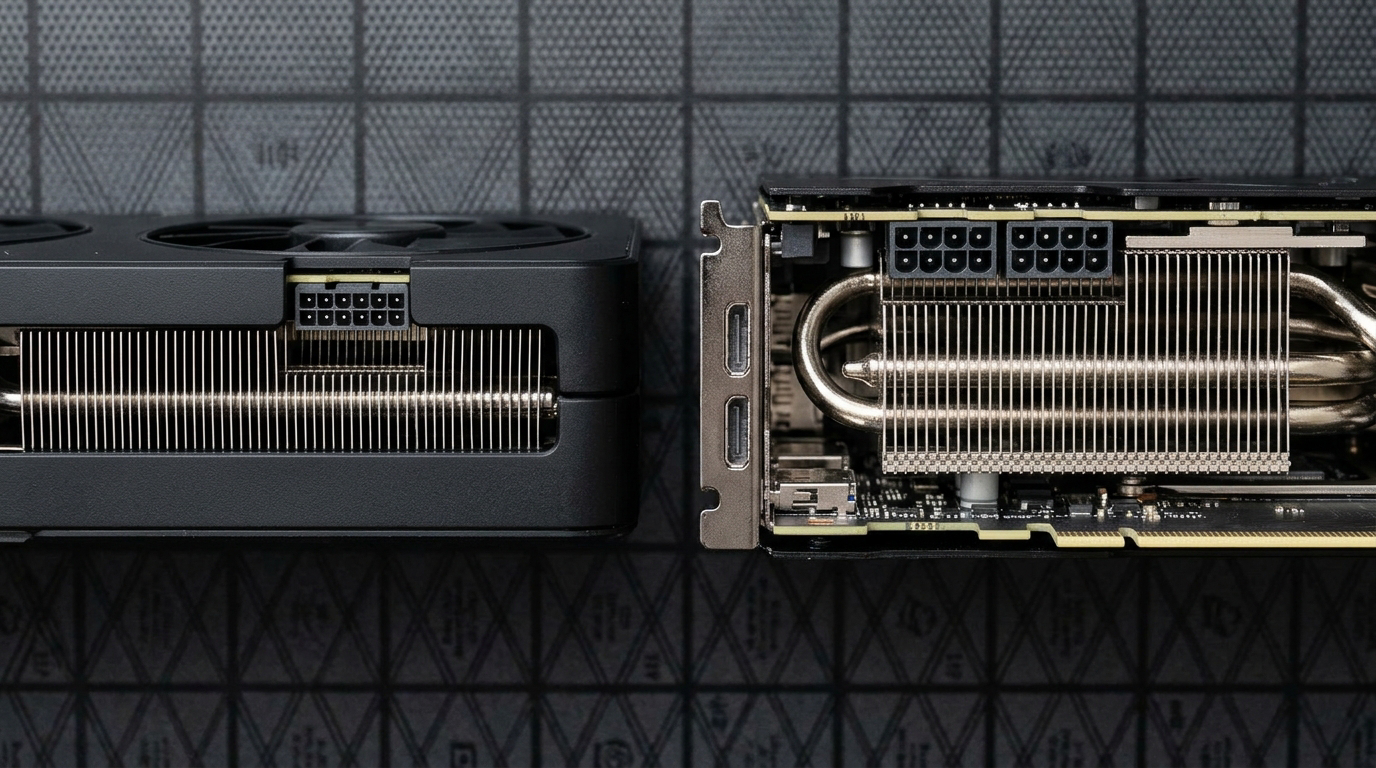
On the RTX 5070, power enters via a single 16-pin 12V-2×6 connector defined under PCI Express CEM 5.1 by PCI-SIG (using recessed sideband sense pins and longer power terminals to prevent partial-insertion overheating). Partner boxes such as the MSI GeForce RTX 5070 12G Ventus 2X OC include a 2x 8-pin adapter, though a native ATX 3.1 12V-2×6 cable keeps wiring far tidier—provided you maintain at least 35mm of side-panel bend clearance and never mix modular cables across PSU brands.
Partner cooler geometry flips the physical story depending on your chassis:
- SFF Compact Fit (RTX 5070): Because 250W dissipates easily with focused fin density, compact dual-fan cards like the 236 x 126 x 50 mm MSI Ventus 2X OC earn official NVIDIA SFF-Ready sizing. They drop cleanly into Mini-ITX cases where 300mm+ cards physically fail, though smaller dual-fan shrouds spin faster and produce slightly higher acoustic pitch under prolonged 250W stress than larger triple-fan heatsinks.
- Quiet Triple-Fan Headroom (RX 9070): Pairing a 220W chip with oversized 2.5-slot coolers like the 312 x 130 x 50 mm ASUS Prime RX 9070 EVO 16GB OC—complete with triple Axial-Tech dual-ball fans, a phase-change thermal pad, and a hardware Dual BIOS (`Performance` / `Quiet`) toggle—delivers remarkably cool, subdued acoustic curves. Just verify 312mm+ front-to-back chassis clearance, install a GPU sag bracket for any card exceeding 300mm, house either GPU inside a high-airflow mesh or ventilated dual-chamber chassis, and enable Zero-RPM idle stop with a global driver frame-rate cap to curb menu coil whine.
Monitor output bandwidth also diverges subtly under DisplayPort 2.1 standards. The RTX 5070 supports DisplayPort 2.1b UHBR20 (up to 80 Gbps uncompressed over DP80 cables) alongside HDMI 2.1b, enabling uncompressed high-refresh 4K 240Hz or 1440p 360Hz–500Hz OLED signaling without Display Stream Compression (DSC). AMD equips the RX 9070 with DisplayPort 2.1a and HDMI 2.1b, driving 1440p 240Hz–360Hz OLEDs effortlessly while relying on visually lossless DSC at peak 4K 240Hz modes.
Market Context: $599 RX 9070 XT, Rumored Refreshes & Platform Pairing
No $549 GPU audit is complete without examining the immediate pricing neighbors sitting just above and below this bracket. Only $50 higher at $599 Launch MSRP sits AMD’s Radeon RX 9070 XT (64 CUs / 4,096 SP, 16GB GDDR6, ~304W TBP), which steps up into Tier A+ alongside the $749 Launch MSRP GeForce RTX 5070 Ti (compare both in our RTX 5070 Ti vs. RX 9070 XT comparison). Whenever retail street pricing puts the RX 9070 XT within $50 of a $549 RX 9070 or RTX 5070—and your build already carries a 750W–850W PSU and 325mm+ case clearance—stretching to the XT delivers substantial extra shader muscle. Conversely, if retail RX 9070 stock sits cleanly around $549 while XT cards drift higher toward $650+, the non-XT RX 9070’s 220W efficiency becomes far more compelling.
Rumor Status Warning (November 2026): Buyers considering holding off for an unannounced RTX 5070 Super (widely rumored at 18GB GDDR7 on a 192-bit bus and 275W TBP) or RTX 5080 Super should note that both models remain strictly unreleased and rumored as of November 2026, with industry supply timelines pushing potential announcements toward late 2026 or Q1 2027. Never delay an active build around unconfirmed silicon schedules; evaluate strictly verified, shipping 2025–2026 retail GPUs.
Finally, prevent CPU or memory bottlenecks from starving either Tier A GPU’s 1% Lows at 1440p. Pair custom builds with an AMD Ryzen 5 9600X (value sweet spot) or Ryzen 7 7800X3D / 9800X3D on an AMD B850 motherboard running two sticks of 32GB (2x16GB) DDR5-6000 CL30 in dual-channel 1:1 mode, backed by a 1TB–2TB PCIe 4.0 DRAM + TLC NVMe SSD. If buying a prebuilt system carrying an RTX 5070 or RX 9070, avoid configurations bundling single-stick 1x16GB DDR5-4800 memory, Wi-Fi 5 downgrades, or OEM Ryzen 7 8700F chips restricted to 16MB L3 cache.
Decisive Verdict: Which $549-Class GPU Should You Buy?
Both GPUs earn Tier A 1440p capability at $549 Launch MSRP, but 16GB VRAM headroom gives the AMD Radeon RX 9070 the more balanced, durable recommendation for most pure 1440p gamers—while the NVIDIA GeForce RTX 5070 stays unbeatable for compact SFF builds, heavy ray tracing, and NVENC video creators.
Choose NVIDIA GeForce RTX 5070 ($549 Launch MSRP) If…
- You build in a compact Mini-ITX or SFF chassis needing a short 236mm dual-fan card.
- Your favorite AAA library centers on heavy ray tracing, DLSS 4 Transformer upscaling, and Multi-Frame Generation.
- You edit 10-bit 4:2:2 video on 9th-Gen NVENC or rely on CUDA/Tensor acceleration (988 AI TOPS).
- Your high-refresh OLED monitor benefits from uncompressed DisplayPort 2.1b UHBR20 signaling.
Choose AMD Radeon RX 9070 ($549 Launch MSRP) If…
- You plan to keep your GPU for 4–5 years and refuse 12GB VRAM texture limits at 1440p Ultra.
- You prioritize native rasterization FPS/$ alongside cooler, quieter 220W board power draw.
- You want drop-in dual 8-pin PCIe power compatibility without 12V-2×6 cable clearance checks.
- You want ML-accelerated AMD FSR 4 and Dual BIOS fan tuning on a full-size 2.5-slot triple-fan cooler.
Audited Retail Models on Amazon US
Street availability and cooler engineering vary sharply across partner boards at the $549 Launch MSRP tier. Below are two verified Amazon US retail configurations representing each architecture—one prioritizing NVIDIA SFF-Ready compact fit, and one emphasizing cool 220W triple-fan acoustics and 16GB VRAM headroom.
1. MSI GeForce RTX 5070 12G Ventus 2X OC — Best Compact Blackwell SFF Pick

Budget Tier: Mid-range tier (starting at $549 Launch MSRP) | Audited Specs: NVIDIA Blackwell | 6,144 CUDA Cores | 2,542 MHz Boost (2,557 MHz OC) | 12GB GDDR7 | 192-bit Bus | 28 Gbps (672 GB/s) | 250W TDP | 1x 16-pin 12V-2×6 (2x 8-Pin Adapter Included) | 3x DisplayPort 2.1b + 1x HDMI 2.1b | 236 x 126 x 50 mm NVIDIA SFF-Ready Dual-Fan.
Comparison Audit: Measuring just 236mm in length and two slots thick, the MSI Ventus 2X OC brings full Blackwell ray tracing, 988 AI TOPS Tensor acceleration, and DLSS 4 Multi-Frame Generation into Mini-ITX and compact mid-tower enclosures that cannot house 310mm+ triple-fan boards. It ships with a 2x 8-pin adapter in the box, though pairing it with a native ATX 3.1 PSU keeps 12V-2×6 wiring cleanest.
Pros: Compact 236mm NVIDIA SFF-Ready dimensions; full 672 GB/s GDDR7 bandwidth, DLSS 4 Multi-Frame Gen, and DisplayPort 2.1b UHBR20; 9th-Gen NVENC 10-bit 4:2:2 video acceleration.
Cons: 12GB VRAM capacity offers less multi-year texture cushion than AMD’s 16GB card; compact dual-fan cooler works harder under sustained 250W loads than larger triple-fan designs.
2. ASUS Prime Radeon RX 9070 EVO 16GB OC — Best 16GB 1440p Value & Efficiency Pick

Budget Tier: Mid-range tier (starting at $549 Launch MSRP) | Audited Specs: AMD RDNA 4 | 56 Compute Units (3,584 SP) | Up to 2,610 MHz OC Boost | 16GB GDDR6 | 256-bit Bus (+ 64MB Infinity Cache) | Phase-Change Thermal Pad | 220W Reference TBP Class | 2x 8-Pin PCIe | 3x DisplayPort 2.1a + 1x HDMI 2.1b | Dual BIOS Switch | 312 x 130 x 50 mm 2.5-Slot Triple Axial-Tech.
Comparison Audit: Pairing AMD’s cool 220W RDNA 4 core with a triple-fan Axial-Tech cooler, dual-ball fan bearings, a durable phase-change GPU thermal pad, and hardware Dual BIOS control makes the ASUS Prime EVO OC exceptionally quiet and built for longevity. Its 16GB GDDR6 pool and standard dual 8-pin connectors make it the lowest-friction 1440p upgrade for gamers intending to skip multiple GPU cycles.
Pros: Future-proof 16GB GDDR6 on a 256-bit bus prevents 1440p Ultra VRAM bottlenecks; cool 220W TBP with triple Axial-Tech fans, phase-change thermal pad, and Dual BIOS; standard 2x 8-pin PCIe plugs.
Cons: Long 312mm chassis length requires verifying mid-tower GPU clearance and using a sag support bracket; trails Blackwell in heavy path tracing and lacks 10-bit 4:2:2 NVENC.
How We Audited This Guide
- Graphics cards were evaluated by VRAM capacity, memory bus, power connector and PSU requirements, slot width and length clearance, and display output standards.
- Every specification claim was cross-checked against official OEM datasheets, platform vendor documentation, and published industry standards (PCI-SIG, JEDEC, VESA, Intel ATX) rather than marketplace listing copy.
- Recommendations were evaluated against our weighted audit rubric and documented compatibility rules; we do not publish fabricated FPS, thermal, or acoustic numbers.
Frequently Asked Questions
Is 12GB GDDR7 on the RTX 5070 enough for 1440p gaming compared to 16GB GDDR6 on the RX 9070?
12GB GDDR7 handles 1440p High and current titles cleanly, delivering 672 GB/s bandwidth. However, enabling Ultra textures alongside ray tracing and Frame Generation pushes allocations close to 12GB. The RX 9070’s 16GB GDDR6 buffer prevents 1% Low stutters across a 4–5 year lifespan.
Does the RTX 5070 or Radeon RX 9070 offer better value at $549 Launch MSRP?
For pure 1440p rasterization gaming and multi-year longevity, the Radeon RX 9070 wins at $549 Launch MSRP thanks to 16GB VRAM and 220W efficiency. The RTX 5070 justifies $549 when heavy ray tracing, DLSS 4 Multi-Frame Generation, compact SFF sizing, or 9th-Gen NVENC editing lead your priorities.
What power supply wattage and connectors do the RTX 5070 and RX 9070 need?
Both GPUs require at least a 650W PSU, with a 650W–750W ATX 3.1 80+ Gold model ideal for handling transient power excursions. The 250W RTX 5070 uses one 16-pin 12V-2×6 plug (2x 8-pin adapter included), whereas the 220W RX 9070 uses standard dual 8-pin PCIe cables.
Can DLSS 4 Multi-Frame Generation make up for the RTX 5070 having 12GB VRAM?
No. DLSS 4 upscaling saves memory slightly by rendering at a lower internal resolution, yet enabling Frame Generation itself consumes extra VRAM buffers. Remember also to maintain a 50–60 base FPS baseline paired with NVIDIA Reflex before activating Multi-Frame Generation.
Should I wait for the rumored RTX 5070 Super 18GB instead of buying an RTX 5070 or RX 9070?
No—the rumored RTX 5070 Super (18GB GDDR7) remains an unreleased, unconfirmed rumor widely linked to late 2026 or Q1 2027 memory allocation windows. Rather than waiting on unverified silicon, buy shipping 2025–2026 retail hardware today—either the 16GB RX 9070 or 12GB RTX 5070.
Official Standards & Technical References
- NVIDIA GeForce RTX 50-Series Blackwell Specifications: nvidia.com/en-us/geforce/graphics-cards/50-series/
- AMD Radeon RX 9000-Series RDNA 4 Architecture & Specs: amd.com/en/products/graphics/desktops/radeon.html
- PCI-SIG PCIe CEM 5.1 & 12V-2×6 Power Connector Standard: pcisig.com/specifications
- VESA DisplayPort 2.1 Signaling & UHBR20 Standards: displayport.org
Explore broader resolution tiers in our best graphics cards for gaming hub, compare mid-range contenders in our best 1440p graphics cards roundup, or browse all Graphics Cards guides.


