
On This Page
Affiliate Disclosure: The PC Audit participates in the Amazon Services LLC Associates Program. As an Amazon Associate, we earn from qualifying purchases made through verified Amazon US links on this page at no additional cost to you.
Choosing between intel z890 vs b860 is the single most consequential motherboard decision on Intel’s LGA 1851 desktop platform. At first glance, a $140–$220 B860 ATX board and a $240–$320 Z890 motherboard look nearly identical on spec sheets: both accept Core Ultra Series 2 Arrow Lake processors (including the March 2026 Core Ultra 7 270K Plus refresh), both wire a PCIe 5.0 x16 graphics slot and a PCIe 5.0 x4 M.2 bay straight to the CPU, and both now unlock DDR5 XMP and CUDIMM memory overclocking. Yet underneath those shared labels sit hard silicon walls: CPU multiplier and BCLK overclocking locks, a halved DMI 4.0 x4 chipset uplink, ten fewer downstream PCIe 4.0 lanes, and sharper M.2 bandwidth compromises. Whether you are building an LGA 1851 rig or cross-shopping against AMD’s Best AM5 Motherboards guide, auditing these chipset boundaries before checkout prevents wasted silicon spend.
TL;DR Winner Matrix: Intel Z890 vs. Intel B860 Quick Verdict
Each LGA 1851 chipset targets a distinct buyer profile. Evaluating CPU tuning locks, chipset uplink saturation, expansion lanes, memory parity, and checkout value yields a decisive winner across all five platform criteria below.
| Evaluation Category | Clear Winner | Verified Architectural Rationale |
|---|---|---|
| Overall Platform Winner (Enthusiast & K-Series CPUs) | Intel Z890 | Mandatory for unlocked Intel K-series multiplier tuning, asynchronous BCLK control, full CPU PCIe bifurcation, and unthrottled DMI 4.0 x8 bandwidth. |
| CPU Overclocking & Voltage Tuning | Intel Z890 | Unlocks IA core ratios, Ring/Uncore frequency, NGU/D2D multipliers, and BCLK tuning; Intel B860 locks CPU multiplier overclocking completely. |
| PCIe Lanes, DMI Bandwidth & Multi-Drive Storage | Intel Z890 | Pairs DMI 4.0 x8 and 24 chipset PCIe 4.0 lanes with up to 8 SATA and 5 USB 20Gbps ports, avoiding B860’s x2 M.2 bandwidth cuts. |
| Mainstream Value (Locked & Stock-Tuned Builds) | Intel B860 | Saves $70–$140 upfront in the $140–$220 tier while keeping PCIe 5.0 GPU/NVMe support, DDR5 XMP/CUDIMM tuning, and rear Thunderbolt 4 on quality ATX boards. |
| DDR5 Memory & CUDIMM Overclocking | Tie (With Headroom Edge to Z890) | Both chipsets unlock DDR5 XMP 3.0 and CUDIMM speeds above 6400 MT/s, though top Z890 8-layer PCBs push peak 8800–9200+ MT/s validation margins higher. |
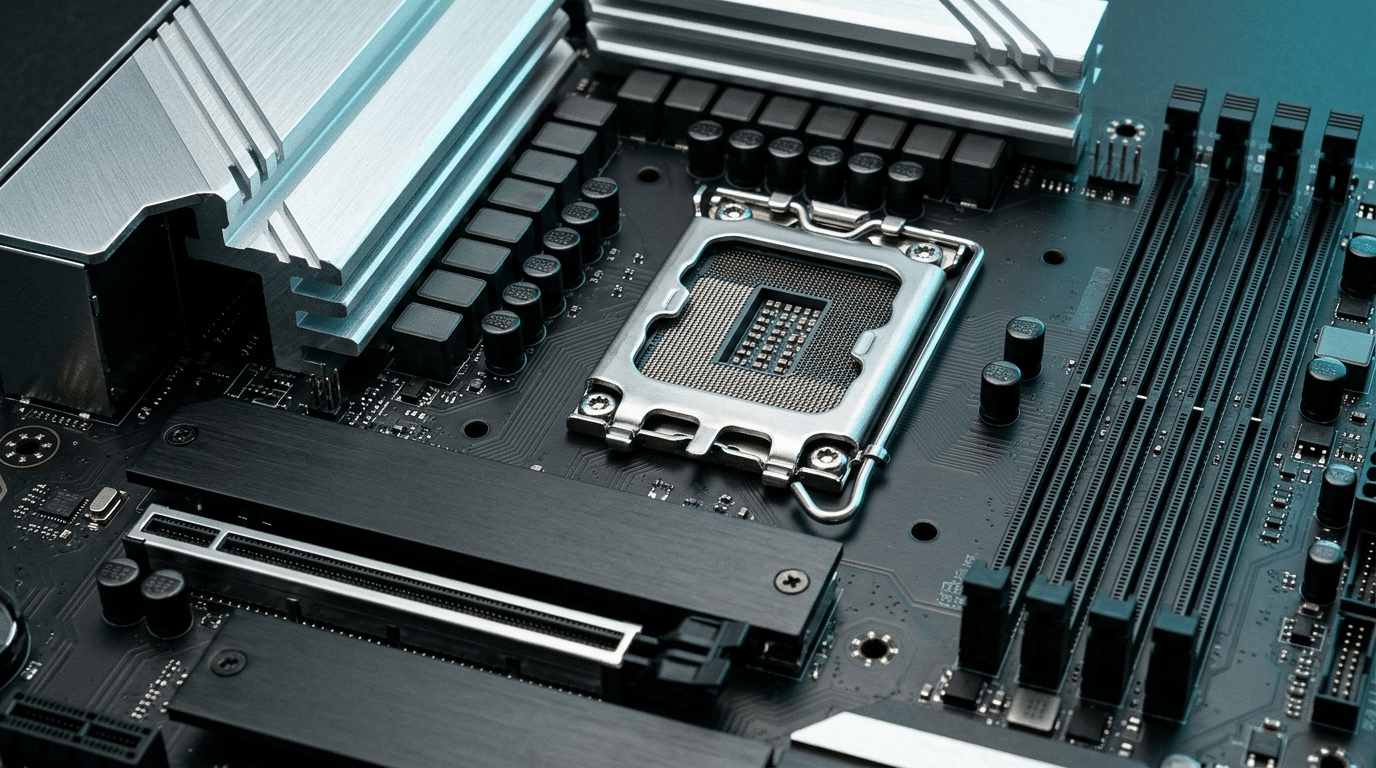
Side-by-Side Verified Chipset Specification Comparison
Every specification below is verified directly against the official Intel Z890 Chipset Specifications, the Intel B860 Chipset Specifications, and the PCI-SIG PCIe 5.0 architectural standard. Notice how Intel splits capabilities cleanly between direct CPU lanes and chipset (PCH) downstream lanes.
| Platform Attribute | Intel Z890 (Enthusiast) | Intel B860 (Mainstream) |
|---|---|---|
| Compatible Socket & CPUs | LGA 1851 (Core Ultra Series 2 Arrow Lake & Core Ultra 200S Plus Refresh) | LGA 1851 (Core Ultra Series 2 Arrow Lake & Core Ultra 200S Plus Refresh) |
| CPU-to-Chipset Link (DMI) | DMI 4.0 x8 (8 Lanes) | DMI 4.0 x4 (4 Lanes — Half Bandwidth) |
| CPU Direct PCIe Lanes | 24 Total (16x PCIe 5.0 GPU + 4x PCIe 5.0 M.2 + 4x PCIe 4.0 M.2) | 20 Usable Standard (16x PCIe 5.0 GPU + 4x PCIe 5.0 M.2; secondary M.2 typically PCH-routed) |
| CPU GPU Slot Bifurcation | Supported (1×16, 2×8, or 1×8+2×4 splits) | Locked / Restricted to Single 1×16 |
| Chipset (PCH) PCIe 4.0 Lanes | Up to 24 Lanes | Up to 14 Lanes |
| Total Chipset HSIO Lanes | 34 Lanes | 24 Lanes |
| CPU Multiplier & BCLK Overclocking | Unlocked (IA Cores, Ring, NGU, D2D, and BCLK) | Locked (CPU Core Ratios & BCLK Restricted; PL1/PL2 Adjustable) |
| DDR5 Memory & CUDIMM Overclocking | Unlocked (Intel XMP 3.0 & CUDIMM up to 9200+ MT/s OC) | Unlocked (Intel XMP 3.0 & CUDIMM up to 8800+ MT/s OC) |
| Max USB 3.2 Gen 2×2 (20Gbps) | Up to 5 Ports | Up to 2 Ports |
| Max USB 3.2 Gen 2×1 (10Gbps) / Gen 1 (5Gbps) | Up to 10 (10Gbps) / Up to 10 (5Gbps) | Up to 4 (10Gbps) / Up to 6 (5Gbps) |
| Max SATA 6Gb/s Ports | Up to 8 Ports (RAID 0/1/5/10) | Up to 4 Ports (RAID 0/1/5/10) |
| Thunderbolt 4 / USB4 (40Gbps) | Standard (1–2 Rear TB4 Ports + Internal Header Common) | Optional (1 Rear TB4 Port Included on Select ATX Models) |
| Typical ATX Street Tier | $240–$380+ Tier | $140–$220 Tier ($220–$260 Mini-ITX Tier) |
Battleground 1: Overclocking Locks — IA Multipliers, BCLK & The K-Series Trap
The sharpest functional line in the intel z890 vs b860 debate sits inside the UEFI firmware. Unlike AMD’s 800-series AM5 ecosystem—where mainstream AMD B850 boards unlock full CPU Precision Boost Overdrive (PBO), Curve Optimizer undervolting, and multiplier tuning right alongside flagship AMD X870E boards—Intel restricts processor frequency overclocking strictly to Z-series silicon.
Specifically, installing an unlocked Arrow Lake processor—such as the Core Ultra 9 285K ($589 Launch MSRP, 24C/24T, 5.7 GHz boost), the March 2026 Core Ultra 7 270K Plus ($299 Launch MSRP, 24C/24T, 5.5 GHz boost), the Core Ultra 7 265K ($394 Launch MSRP, 20C/20T, 5.5 GHz boost), or the Core Ultra 5 245K ($309 Launch MSRP, 14C/14T, 5.2 GHz boost)—onto an Intel B860 motherboard triggers three concrete tuning locks:
- Locked IA Core & Ring Multipliers: You cannot raise P-core or E-core ratios above factory boost tables on B860, nor can you overclock the Ring bus, Next Generation Uncore (NGU), or Die-to-Die (D2D) fabric—critical levers on Arrow Lake chiplet silicon for trimming cross-tile gaming latency.
- Locked Base Clock (BCLK) Tuning: Enthusiast Z890 boards feature external clock generators permitting independent asynchronous BCLK tuning, whereas B860 locks out BCLK overclocking entirely.
- Power Limits (PL1 / PL2) vs. Real Overclocking: B860 does allow raising Long Duration (PL1) and Short Duration (PL2) wattage ceilings up to Intel’s 250W Max Turbo Power (MTP) envelope if your VRM thermals allow it, and many boards permit basic undervolting offsets—yet genuine frequency tuning remains exclusive to Intel Z890.
This creates a critical buyer rule mirrored in our i9-14900KF on B760 prebuilt audit: pairing an unlocked K-series processor with a B-series chipset leaves tuning headroom trapped on the table. If you buy a Core Ultra 7 265K, 270K Plus, or Core Ultra 9 285K specifically to tune fabric clocks, undervolt aggressively at locked ratios, or push all-core P-core frequencies, Intel Z890 is mandatory. Conversely, if you buy a locked 65W/182W MTP Core Ultra 7 265F (note that F and KF SKUs omit integrated graphics and Intel Quick Sync) or plan to run a 245K/270K Plus strictly at stock boost tables, B860 sacrifices zero stock gaming frame rates.
Battleground 2: PCIe Lanes, DMI 4.0 x8 vs. x4 & M.2 Storage Bandwidth
Beyond overclocking, Intel differentiates Z890 and B860 by slicing chipset uplink bandwidth and downstream PCIe 4.0 lane budgets in half. Understanding how Arrow Lake divides its CPU lanes versus PCH lanes reveals exactly where B860 cuts corners on heavy storage and capture builds.
Every LGA 1851 Arrow Lake desktop processor carries 24 direct PCIe lanes out of the CPU package: 16 PCIe 5.0 lanes wired to your primary graphics slot, 4 PCIe 5.0 lanes dedicated to your top NVMe bay (M.2_1), and 4 PCIe 4.0 lanes routed for a secondary CPU-direct storage path. On Intel Z890, motherboards expose that full topology seamlessly:
- Zero GPU Bifurcation Compromise (Plus x8/x8 Flexibility): Both Z890 and B860 keep your primary graphics slot locked at full PCIe 5.0 x16 when running a primary CPU M.2 Gen 5 SSD—unlike some AMD X870 boards where secondary M.2 bays cause PCIe lane sharing that cuts the GPU slot to x8. However, only Z890 unlocks CPU lane bifurcation (
x8/x8orx8/x4/x4) for dual-GPU AI rigs or quad-NVMe PCIe riser cards. - DMI 4.0 x8 vs. DMI 4.0 x4 Bottleneck Math: The Direct Media Interface (DMI) acts as the highway linking your chipset to the CPU. Z890 runs a wide DMI 4.0 x8 uplink (~16 GB/s bidirectional per direction at PCIe 4.0 signaling), whereas B860 shrinks the pipe to DMI 4.0 x4 (~8 GB/s). For a single GPU plus one or two SSDs, DMI 4.0 x4 never bottlenecks games. Once you simultaneously hammer two chipset Gen 4 NVMe SSDs (~7,000 MB/s each), a 5GbE wired transfer, and a 40Gbps Thunderbolt dock, B860’s x4 uplink saturates far earlier than Z890.
- 24 vs. 14 Chipset PCIe 4.0 Lanes & The x2 M.2 Caveat: Because B860 drops from 24 to just 14 chipset PCIe 4.0 lanes—and most B860 boards omit the CPU’s extra PCIe 4.0 x4 M.2 lane path—board makers run out of x4 lanes fast. Look directly at real 2026 ATX manuals: both the MSI B860 Gaming Plus WiFi (on
M.2_3) and the ASRock B860 Steel Legend WiFi 6E (onM2_4) downgrade their bottom M.2 slot to PCIe 4.0 x2 (32 Gbps / ~3,500 MB/s max), whereas the ASUS TUF Gaming Z890-PLUS WiFi and MSI MAG Z890 Tomahawk WiFi run all four M.2 bays at full x4 speeds (one Gen 5 x4 + three Gen 4 x4) without disabling SATA ports.
Even with B860’s narrower PCH lane pool, keep gaming storage economics in perspective: in DirectStorage titles, a cool-running 2TB PCIe 4.0 x4 DRAM+TLC NVMe SSD (such as a WD Black SN850X or Samsung 990 Pro at 7,000–7,450 MB/s) produces a 0 FPS difference and within 0–2 seconds of load-time variance compared to hot 14,500 MB/s PCIe 5.0 SSDs. Whatever board you choose, verify every M.2 slot includes a metal M.2 heatsink to prevent controller throttling—especially on your top CPU-direct Gen 5 slot.
Battleground 3: VRM Power Delivery, 250W MTP Loads & DDR5 CUDIMM Scaling
Motherboard buyers often assume cheap B-series boards carry weak VRMs while Z-series boards automatically guarantee superior power delivery. On LGA 1851, reality is more nuanced—and checking raw VRM phases and DrMOS amperage ratings matters more than chipset badges.
Arrow Lake’s 125W base TDP badge masks a demanding 250W Max Turbo Power (MTP) ceiling across the Core Ultra 7 265K, Core Ultra 7 270K Plus, and Core Ultra 9 285K during sustained all-core rendering, Unreal Engine shader compilation, or heavy encoding (while the Core Ultra 5 245K peaks at 159W MTP and the non-K 265F peaks at 182W MTP). When VRM MOSFETs run overheated or under-sized on bare sub-$130 boards, the motherboard forcibly throttles CPU clock multipliers long before your 360mm AIO reaches thermal limits.
- Z890 VRM Headroom (80A–90A Smart Power Stages): Mainstream-plus Z890 ATX boards overbuild for sustained 250W+ overclocked workloads. The ASUS TUF Gaming Z890-PLUS WiFi deploys a
16+1+2+1power design with 80A DrMOS stages and ProCool connectors, while the MSI MAG Z890 Tomahawk WiFi steps up to a16+1+1+1Duet Rail layout using 90A Smart Power Stages (SPS), dual 8-pin EPS CPU headers, and a 6-layer 2oz copper PCB. - B860 VRM Reality (Audit Every Model): Budget micro-ATX B860 boards sometimes skimp on VRM cooling, yet strong ATX B860 contenders easily sustain stock 250W MTP loads. For instance, the ASRock B860 Steel Legend WiFi 6E packs a formidable
14+1+1+1+1phase design with 80A DrMOS and enlarged heatsink armor—out-muscling older budget Z-series boards at stock clocks—while the MSI B860 Gaming Plus WiFi uses a12+1+1+1P-PAK layout with extended PWM heatsinks and 7W/mK pads suited for 245K, 265F, and gaming-focused 265K/270K Plus loads. - DDR5 Memory & CUDIMM Overclocking Parity: In a huge win for budget Intel builders, Intel unlocked memory overclocking on B860. Both Z890 and B860 support Intel XMP 3.0 and CUDIMM (Clocked Unbuffered DIMM) modules with onboard clock drivers (CKD). While Z890 boards like the Tomahawk validate up to 9200+ MT/s (versus 8800+ MT/s on MSI’s B860 Gaming Plus), everyday gamers hit peak cost-efficiency at 32GB (2x16GB) DDR5-6400 CL32 (10.0ns First Word Latency) or entry CUDIMM 7200+ kits. Always populate only 2 DIMMs in slots
A2andB2—running 4 DDR5 sticks crushes memory speeds down toward 4800–5600 MT/s on both chipsets. Check our DDR5-6000 CL30 vs. DDR5-6400 & CUDIMM guide for latency math.
Battleground 4: Thunderbolt 4, Networking (Wi-Fi 7 / 5GbE) & DIY Ergonomics
Historically, Intel B-series buyers gave up modern high-speed USB4/Thunderbolt connectivity unless they paid extra for a Z-series flagship. Because Arrow Lake integrates native Thunderbolt 4 pathways onto the processor platform, 2026 B860 ATX boards close that I/O gap dramatically—though Z890 retains decisive multi-port advantages per the USB-IF USB4 standard.
- Thunderbolt 4 / USB4 Parity vs. Port Count: Surprising many shoppers, both the ASRock B860 Steel Legend WiFi 6E and the MSI B860 Gaming Plus WiFi include a rear 40Gbps Intel Thunderbolt 4 / USB4 Type-C port with DisplayPort Alt Mode and 15W PD output—matching the single rear TB4 port on the ASUS TUF Gaming Z890-PLUS WiFi (though ASUS adds a 20Gbps rear USB-C and an internal TB4 add-in header). Stepping up to the MSI MAG Z890 Tomahawk WiFi delivers dual rear 40Gbps Thunderbolt 4 ports with DisplayPort 2.1 UHBR20 signaling, plus higher native Z890 USB 20Gbps/10Gbps port density for capture interfaces and VR rigs.
- Wi-Fi 7 & 2.5GbE / 5GbE Networking: Every 2026 gaming tower should carry at least 2.5GbE LAN and modern wireless silicon. While value-priced B860 options like ASRock’s Steel Legend ship Wi-Fi 6E alongside 2.5GbE LAN, MSI equips its B860 Gaming Plus WiFi with the exact same Intel Killer Wi-Fi 7 (320MHz) and 5GbE LAN controllers found on its MAG Z890 Tomahawk WiFi.
- BIOS Flashback, Quick Latches & BTF Back-Connect: On any DIY motherboard, prioritize rear-panel BIOS Flashback (Q-Flash Plus or Flash BIOS Button) so you can update firmware for Core Ultra 200S Plus refresh CPUs using only a USB stick—plus tool-less M.2 latches, PCIe slot release buttons, and onboard diagnostic LEDs. Also verify chassis alignment before ordering specialty BTF back-connect boards (ASUS BTF, MSI Project Zero, GIGABYTE Project Stealth), because rear-mounted power and fan headers physically fail to mount inside standard ATX trays lacking dedicated rear cutouts.
Battleground 5: Total Platform Value — Intel Z890 vs. B860 vs. AMD B850
Evaluating intel z890 vs b860 in isolation misses the biggest TCO pressure on LGA 1851 in late 2026: competition from AMD’s Socket AM5 ecosystem. Before locking into an LGA 1851 build, compare real total platform checkout costs across a CPU, motherboard, DDR5 kit, and cooler.
| Target Build Profile | Intel Z890 Platform Pairing | Intel B860 Platform Pairing | AMD AM5 Value Benchmark |
|---|---|---|---|
| Mid-Range Gaming ($140–$220 Board Tier) | Overbudgeted unless OC matters ($240–$320 board cuts GPU funds) | Core Ultra 5 245K / 265F + ASRock B860 Steel Legend ($140–$180) + 32GB DDR5-6400 | Ryzen 5 9600X + AMD B850 ($150–$200) — keeps CPU PBO unlocked and multi-gen AM5 runway |
| Multi-Core Creator Value (20–24 Cores) | Core Ultra 7 270K Plus ($299 Launch MSRP) + ASUS TUF Z890-PLUS ($240–$280) + 360mm AIO | Core Ultra 7 270K Plus ($299 Launch MSRP) + MSI B860 Gaming Plus ($180–$220) + Dual-Tower/360mm AIO | Ryzen 9 9900X3D ($599 Launch MSRP) or 9950X3D ($699 Launch MSRP) on B850 / X870E |
| Pure High-Refresh Esports & Gaming | Core Ultra 7 265K / 285K + MSI MAG Z890 Tomahawk ($260–$320) + CUDIMM 7200+ | Not ideal if leaving 265K tuning locked; acceptable only with stock 270K Plus | Ryzen 7 9800X3D ($479 Launch MSRP) or 9850X3D ($499 Launch MSRP) + AMD B850 (Wins 1% Lows) |
Here is the honest platform math: if you are buying Intel specifically for the aggressive 24-core value of the Core Ultra 7 270K Plus ($299 Launch MSRP) with Quick Sync video acceleration, pairing it with a well-armored $140–$220 Intel B860 ATX board saves $80–$140 over Z890 while retaining stock boost performance, DDR5 XMP/CUDIMM tuning, PCIe 5.0 graphics and NVMe, and a rear Thunderbolt 4 port. Only spend up to Intel Z890 when you actually intend to tune K-series multipliers/fabric clocks, run 3–4 full-speed x4 NVMe SSDs simultaneously, or require dual Thunderbolt 4 and 8 SATA bays. Meanwhile, pure gamers seeking the longest socket runway and strongest 1% Low framerates should cross-check our AMD AM5 vs. Intel LGA 1851 platform showdown and AMD B850 vs. X870 vs. X870E chipset audit before committing.
Verified Amazon US Motherboard Contenders (Z890 vs. B860)
To illustrate exact retail hardware tradeoffs, we audited four in-stock Amazon US ATX LGA 1851 motherboards—two Intel Z890 boards and two Intel B860 boards—against official OEM specifications, VRM ratings, M.2 lane routing, and rear I/O. For more model options including Mini-ITX boards, see our complete Best Intel Z890 & B860 Motherboards (2026) audit.

1. ASUS TUF Gaming Z890-PLUS WiFi — Best Value Z890 Overclocking Foundation
Budget Tier: $240-$280 tier | Chipset & Form Factor: Intel Z890 / ATX (LGA 1851)
Verified Specs: 16+1+2+1 power stages (80A DrMOS) with ProCool connectors | 1x PCIe 5.0 x16 (unshared, supports x8/x8 bifurcation) | 4x M.2 (1x CPU Gen 5 x4, 1x CPU Gen 4 x4, 2x Z890 Chipset Gen 4 x4) + 4x SATA 6Gb/s | 1x Rear Intel Thunderbolt 4 Type-C (40Gbps) + 1x USB 20Gbps Type-C + TB4 header | Wi-Fi 7 + Intel 2.5GbE LAN | DDR5 up to 9066+ MT/s (CUDIMM & XMP) | BIOS FlashBack, PCIe Q-Release, M.2 Q-Latch.
Pros & Cons: Unlocks full K-series CPU multiplier and BCLK overclocking with all four M.2 slots running full x4 speeds and zero GPU x8 lane sharing; includes BIOS FlashBack and Q-Release ergonomics. Ships one rear Thunderbolt 4 port and 2.5GbE LAN rather than dual TB4 and 5GbE on pricier boards.

2. MSI MAG Z890 Tomahawk WiFi — Best Enthusiast Z890 for Dual TB4 & 5GbE I/O
Budget Tier: $260-$320 tier | Chipset & Form Factor: Intel Z890 / ATX (LGA 1851)
Verified Specs: 16+1+1+1 Duet Rail Power System (90A SPS), dual 8-pin EPS, 6-layer 2oz copper PCB | 1x PCIe 5.0 x16 (unshared) | 4x M.2 (1x CPU Gen 5 x4, 1x CPU Gen 4 x4, 2x Chipset Gen 4 x4) + 4x SATA 6Gb/s | 2x Rear Thunderbolt 4 Type-C (40Gbps with DP 2.1 UHBR20) | Intel Killer Wi-Fi 7 (320MHz) + Intel Killer 5GbE LAN | DDR5 up to 9200+ MT/s (CUDIMM & XMP) | Flash BIOS Button, Clear CMOS, ALC1220P Audio.
Pros & Cons: Heavyweight 90A Smart Power Stage VRM built for tuned 250W+ Core Ultra 9 285K/270K Plus runs; dual 40Gbps Thunderbolt 4 ports, 5GbE LAN, ALC1220P audio, and four uncompromised x4 M.2 slots. Priced roughly $80–$120 higher than mainstream B860 boards.

3. MSI B860 Gaming Plus WiFi — Best High-Connectivity B860 (Wi-Fi 7 + 5GbE + TB4)
Budget Tier: $180-$220 tier | Chipset & Form Factor: Intel B860 / ATX (LGA 1851)
Verified Specs: 12+1+1+1 Duet Rail Power System (P-PAK) with extended PWM heatsinks and 7W/mK pads | 1x PCIe 5.0 x16 (unshared) | 3x M.2 (1x CPU Gen 5 x4, 1x Chipset Gen 4 x4, 1x Chipset Gen 4 x2) + 4x SATA 6Gb/s | 1x Rear Thunderbolt 4 Type-C (40Gbps, 15W PD) | Intel Killer Wi-Fi 7 (320MHz) + Intel Killer 5GbE LAN | DDR5 XMP & CUDIMM up to 8800+ MT/s (CPU OC locked).
Pros & Cons: Delivers flagship networking (Wi-Fi 7 + 5GbE LAN) and a rear 40Gbps Thunderbolt 4 port under $220 without paying the Z890 tax. Drops to 3 total M.2 bays with the third slot capped at PCIe 4.0 x2, and locks CPU core multiplier overclocking.

4. ASRock B860 Steel Legend WiFi 6E — Best Budget-Value B860 With 80A DrMOS
Budget Tier: $140-$180 tier | Chipset & Form Factor: Intel B860 / ATX (LGA 1851)
Verified Specs: 14+1+1+1+1 power phase design with 80A DrMOS / SPS and enlarged heatsink armor | 1x PCIe 5.0 x16 (unshared) | 4x M.2 (1x CPU Blazing Gen 5 x4, 2x Chipset Gen 4 x4, 1x Chipset Gen 4 x2) + 4x SATA 6Gb/s | 1x Rear Intel Thunderbolt 4 Type-C (40Gbps / USB4) | Wi-Fi 6E + 2.5GbE LAN | DDR5 XMP 3.0 unlocked (CPU multiplier OC locked).
Pros & Cons: Remarkable $140–$180 tier hardware featuring 80A DrMOS stages, four M.2 slots (three running full x4), and rear 40Gbps Thunderbolt 4. Uses Wi-Fi 6E and 2.5GbE LAN rather than Wi-Fi 7 / 5GbE, narrows fourth M.2 bay to PCIe 4.0 x2, and lacks CPU multiplier tuning.
Decisive Verdict: Should You Buy Intel Z890 or Intel B860?
In the intel z890 vs b860 matchup, Intel Z890 wins outright for overclockers, multi-drive creators, and unlocked K-series enthusiasts—while Intel B860 wins on platform value for stock-clocked Core Ultra 5 245K, 265F, and 270K Plus builds where saving $80–$140 upgrades your graphics card or NVMe storage.
Choose Intel Z890 If…
- You run an unlocked Core Ultra 7 265K, 270K Plus, or Core Ultra 9 285K and want full IA core multiplier, Ring/NGU fabric, and BCLK overclocking unlocked.
- You populate three or four M.2 NVMe SSDs alongside heavy USB 20Gbps, dual Thunderbolt 4, or 5GbE workflows that benefit from DMI 4.0 x8 and 24 chipset PCIe 4.0 lanes.
- You need CPU PCIe bifurcation (
x8/x8) or 5 to 8 SATA 6Gb/s ports for large local media arrays. - You want maximum 80A–90A VRM headroom and top CUDIMM validation margins up to 9200+ MT/s.
Choose Intel B860 If…
- You plan to run a Core Ultra 5 245K, 265F, or 270K Plus at stock boost clocks and want to save $80–$140 for a faster GPU or 2TB PCIe 4.0 SSD.
- You run one graphics card (PCIe 5.0 x16) and 1–3 M.2 NVMe drives where DMI 4.0 x4 and 14 chipset lanes impose zero gaming FPS penalty.
- You still want DDR5 XMP / CUDIMM memory overclocking, Wi-Fi 7 or 6E, 2.5GbE/5GbE LAN, and rear 40Gbps Thunderbolt 4 on well-equipped ATX models.
- You verify strong VRM cooling (such as 80A DrMOS on ASRock Steel Legend) instead of bare entry mATX boards.
How We Audited This Guide
- Processors, motherboards, memory, and storage were compared by socket longevity, chipset lane allocation, VRM design, DDR5 EXPO/XMP support, and PCIe generation.
- Every specification claim was cross-checked against official OEM datasheets, platform vendor documentation, and published industry standards (PCI-SIG, JEDEC, VESA, Intel ATX) rather than marketplace listing copy.
- Recommendations were evaluated against our weighted audit rubric and documented compatibility rules; we do not publish fabricated FPS, thermal, or acoustic numbers.
Frequently Asked Questions
Does Intel B860 allow CPU or RAM overclocking?
Intel B860 locks CPU core multiplier, Ring, and BCLK overclocking completely, meaning unlocked K-series processors run strictly at stock boost ratios (though PL1/PL2 power limits remain adjustable). However, Intel B860 fully unlocks DDR5 memory overclocking, supporting Intel XMP 3.0 and high-speed CUDIMM kits.
Will a B860 motherboard lower gaming FPS compared to Z890?
No, at stock CPU clocks with the same GPU and DDR5-6400 CL32 memory, a well-cooled Intel B860 motherboard delivers identical gaming frame rates and 1% Lows to Intel Z890. Performance diverges only when Z890 users manually overclock K-series CPU cores, Ring/NGU fabric, or memory beyond B860 limits.
Does DMI 4.0 x4 on Intel B860 bottleneck an RTX 50-series GPU or M.2 SSD?
No for your graphics card or primary OS drive. On both B860 and Z890, the primary PCIe 5.0 x16 GPU slot and primary PCIe 5.0 x4 M.2 bay wire directly to the Arrow Lake CPU, bypassing DMI entirely. DMI 4.0 x4 only constrains multiple simultaneous chipset SSD transfers.
Can you put a Core Ultra 7 265K or 270K Plus on a B860 motherboard?
Yes, all LGA 1851 Core Ultra Series 2 and Core Ultra 200S Plus processors boot natively on B860 boards. However, verify the board features strong VRM heatsinks and 60A–80A power stages for 250W MTP loads, and recognize that CPU multiplier overclocking stays locked without Z890.
Do Intel B860 motherboards include Thunderbolt 4 or Wi-Fi 7?
Yes on select mid-to-upper ATX models, though neither feature is mandatory across all B860 SKUs. For example, the MSI B860 Gaming Plus WiFi includes Wi-Fi 7, 5GbE LAN, and one rear 40Gbps Thunderbolt 4 port, while budget B860 boards may drop to Wi-Fi 6E or standard USB-C.
Official Standards & Manufacturer References
- Intel Z890 Chipset Specifications: intel.com — Intel Z890 Chipset ARK Datasheet
- Intel B860 Chipset Specifications: intel.com — Intel B860 Chipset ARK Datasheet
- PCI-SIG PCIe 5.0 Architecture: pcisig.com/specifications
- USB-IF USB4 / Thunderbolt Interconnect Standard: usb.org/usb4
- OEM Board Specifications: ASUS Motherboards | MSI Motherboards | ASRock Motherboards
Related Guides & Platform Deep Dives
- Parent Platform Hub: Best AM5 Motherboards for Gaming (2026): B850, X870 & X870E Audited — Cross-shop LGA 1851 pricing against unlocked AM5 motherboard recommendations.
- LGA 1851 Buyer’s Guide: Best Intel Z890 & B860 Motherboards (2026): Audited LGA 1851 Picks — Full ATX and Mini-ITX board picks ranked by VRM quality and I/O layout.
- Socket Showdown: AMD AM5 vs. Intel LGA 1851 (2026): Upgrade Longevity, Platform Cost & Value — Compare Arrow Lake Refresh TCO against multi-generation AM5 Ryzen X3D runway.
- AM5 Chipset Comparison: AMD B850 vs. X870 vs. X870E: Which AM5 Chipset Should Gamers Buy? — See how AMD avoids CPU overclocking locks on B850 while managing USB4 lane sharing.
- DDR5 Latency Math: DDR5-6000 CL30 vs. DDR5-6400 & CUDIMM (2026): Latency & Platform Sweet Spots — Optimize dual-channel RAM speed on Z890 and B860 without four-stick penalties.


