
Affiliate Disclosure: As an Amazon Associate, The PC Audit earns from qualifying purchases. All memory latency calculations, memory-controller divider limits, and DIMM module specifications in this guide are audited against official JEDEC, AMD, Intel, and OEM documentation without sponsored rankings.
Evaluating DDR5 6000 CL30 vs 6400 CUDIMM configurations exposes the single biggest memory trap facing PC builders in 2026: higher megatransfers per second (MT/s) printed on the box do not automatically translate into faster gaming frame rates or tighter 1% Lows. Buying an expensive 8200 MT/s or 8400 MT/s kit for a Ryzen 9000X3D tower forces AMD’s memory controller into an asynchronous divider penalty that hurts latency, whereas settling for loose CL40–CL46 timings or single-stick prebuilt memory bottlenecks Intel and AMD rigs alike.
Grounded in our broader best DDR5 RAM for gaming buying guide and the Processors & Platforms hub, this technical comparison audits every tier against our 100-point DDR5 evaluation rubric: Speed, Timings & Platform Sweet Spot (35%), Capacity & Dual-Channel Stability (25%), EXPO / XMP / QVL Compatibility (20%), and Heatsink Height & Value (20%).
In This Comparison
- TL;DR Winner Matrix: Quick Verdict
- Side-by-Side Verified DDR5 Specification Table
- Battleground 1: First Word Latency Math vs. Raw MT/s Marketing (35%)
- Battleground 2: AM5 1:1 UCLK Sync vs. Intel LGA 1851 & CUDIMM CKD Architecture (20%)
- Battleground 3: Capacity Tiers, Prebuilt Single-Channel Traps & the 2-DIMM Rule (25%)
- Battleground 4: Heatsink Clearance, QVL Validation & Platform Cost-per-Frame (20%)
- Battleground 5: Audited Retail DDR5-6000 CL30 & CUDIMM Picks on Amazon US
- Decisive Verdict: Which DDR5 Speed Tier Should You Buy?
- Frequently Asked Questions
TL;DR Winner Matrix: Quick Verdict
Rather than crowning a single speed bin for every desktop motherboard, memory controller topology splits the real-world winners cleanly by CPU socket and workload.
| Evaluation Category | Declared Winner | Verified Technical Rationale |
|---|---|---|
| Overall Gaming Sweet Spot (AM5 & Cross-Platform) | DDR5-6000 CL30 | Hits 10.00 ns First Word Latency while locking AMD Ryzen 7000/9000 memory controllers into an optimal 1:1 UCLK:MCLK ratio with near-universal motherboard QVL support. |
| Mainstream Intel LGA 1851 UDIMM Pick | DDR5-6400 CL32 | Matches 10.00 ns CAS latency while adding +6.7% memory bandwidth for Intel Core Ultra 200S processors without paying enthusiast CUDIMM pricing premiums. |
| Peak Bandwidth & High-Clock Enthusiast | CUDIMM (8200–8400 MT/s) | On-module Clock Driver (CKD) stabilizes 131.2–134.4 GB/s dual-channel throughput on Intel Z890 platforms for memory-heavy creators and overclockers. |
| 1% Lows & Frametime Stability | DDR5-6000 CL30 (AM5) / 6400 CL32 (Intel) | Eliminates AM5 2:1 divider latency penalties and avoids the severe 15%–30% 1% Lows collapse caused by DDR5-4800 or single-stick prebuilt configurations. |
| Value per Dollar ($100–$140 Tier) | DDR5-6000 CL30 | Costs roughly half as much as 48GB CUDIMM flagship kits while delivering virtually identical gaming frame rates when paired with a modern GPU. |
Side-by-Side Verified DDR5 Specification Table
Comparing standard JEDEC baseline modules against tuned DDR5-6000 CL30, DDR5-6400 CL32, and JESD323 CUDIMM kits reveals how CAS timings, dual-channel bandwidth, operating voltage, and CPU controller dividers interact on modern desktops.
| Memory Specification | DDR5-4800 CL40 (JEDEC Baseline Trap) | DDR5-6000 CL30 (UDIMM Sweet Spot) | DDR5-6400 CL32 (Intel UDIMM Step-Up) | DDR5-8200 / 8400 CL40 CUDIMM |
|---|---|---|---|---|
| Module Form Factor | 288-Pin Unbuffered UDIMM | 288-Pin Unbuffered UDIMM | 288-Pin Unbuffered UDIMM | 288-Pin Clocked UDIMM (CUDIMM) |
| Integrated Clock Driver (CKD) | No (Host-driven clock) | No (Host-driven clock) | No (Host-driven clock) | Yes (Local CKD clock regeneration) |
| Typical Gaming Capacity | 16GB (1x16GB / 2x8GB) or 32GB | 32GB (2x16GB) / 64GB (2x32GB) | 32GB (2x16GB) / 48GB (2x24GB) | 48GB (2x24GB) |
| Typical Primary Timings | 40-39-39-77 | 30-36-36-76 or 30-38-38-96 | 32-39-39-102 | 40-52-52-131 / 40-52-52-135 |
| Calculated First Word Latency | 16.67 ns (Slow) | 10.00 ns (Optimal) | 10.00 ns (Optimal) | 9.76 ns / 9.52 ns |
| Theoretical Dual-Channel Bandwidth | 76.8 GB/s | 96.0 GB/s | 102.4 GB/s | 131.2 GB/s – 134.4 GB/s |
| Operating Voltage (VDD/VDDQ) | 1.10V JEDEC | 1.35V – 1.40V | 1.40V | 1.40V (Extreme OC PMIC) |
| AMD AM5 Controller Ratio | 1:1 (Underclocked) | 1:1 UCLK:MCLK Optimal | 1:1 Silicon Lottery / 2:1 Fallback | 2:1 Divider Penalty (No gaming gain) |
| Intel LGA 1851 Compatibility | Base JEDEC Fallback | Intel XMP 3.0 Plug-and-Play | Intel XMP 3.0 / CUDIMM Native POR | Z890 Intel XMP 3.0 Enthusiast Tier |
| Typical Budget Tier | OEM / Unconfigured Default | $100–$140 tier (32GB) | $115–$150 tier (32GB) | $240–$340+ enthusiast tier (48GB) |
Battleground 1: First Word Latency Math vs. Raw MT/s Marketing (35%)
The most common mistake shoppers make when evaluating DDR5 6000 CL30 vs 6400 CUDIMM kits is treating data transfer rate (MT/s) as the sole indicator of speed. Memory frequency measures how fast sequential bursts move across the data bus, whereas gaming engines frequently issue small, unpredictable requests that stall the processor pipeline while waiting for data to return from DRAM rows. That access delay depends on First Word Latency, calculated in nanoseconds directly from data rate and CAS Latency (CL):
First Word Latency (ns) = (CAS Latency × 2000) / Data Rate (MT/s)
Running real retail DDR5 tiers through that equation immediately clarifies why high clock speeds with relaxed timings rarely crush tighter mid-speed kits:
- DDR5-6000 CL30 (10.00 ns): Dividing
30 × 2000by6000equals exactly 10.00 nanoseconds. Tight secondary timings on enthusiast 32GB kits (such as30-36-36-76or30-38-38-96) keep row-activate (tRCD) and precharge (tRP) cycles snappy as well. - DDR5-6400 CL32 (10.00 ns): Dividing
32 × 2000by6400also equals 10.00 nanoseconds. You gain 6.67% higher theoretical dual-channel bandwidth (102.4 GB/s vs. 96.0 GB/s), while absolute CAS access delay stays unchanged. - Budget DDR5-6000 CL36 / CL42–CL46 Traps (12.00 ns – 15.33 ns): Many discount retail kits or prebuilt OEM sticks advertise “DDR5-6000” while stretching CAS latency to CL36 (12.00 ns) or CL42 (14.00 ns)—a 20% to 40% First Word Latency regression hidden behind identical MT/s branding.
- Unconfigured JEDEC DDR5-4800 CL40 (16.67 ns): Installing fast RAM without enabling an overclocking profile traps your memory at 4800 MT/s CL40 (16.67 ns and just 76.8 GB/s dual-channel), crippling CPU responsiveness.
- DDR5-8200 / 8400 CL40 CUDIMM (9.76 ns / 9.52 ns): At first glance, 8400 MT/s CL40 trims First Word Latency slightly to 9.52 ns while pushing peak bandwidth to 134.4 GB/s. Yet notice the secondary timings:
40-52-52-135stretches tRCD and tRP to 52 cycles (~12.38 ns at 4200 MHz clock), offsetting part of the CAS improvement and requiring higher controller voltage to sustain.
In short, First Word Latency explains why DDR5-6000 CL30 outperforms sloppy DDR5-6400 CL38–CL40 value sticks despite having a lower MT/s label, and why stepping up to 8200–8400 MT/s yields diminishing returns unless your CPU architecture and workload actually consume 130+ GB/s of sustained memory bandwidth.
Battleground 2: AM5 1:1 UCLK Sync vs. Intel LGA 1851 & CUDIMM CKD Architecture (20%)
Memory modules never operate in isolation; every read and write passes through the integrated memory controller (IMC) inside your CPU. In 2026, AMD’s Socket AM5 processors and Intel’s LGA 1851 Arrow Lake lineup handle frequencies above 6000 MT/s in fundamentally opposite ways.
Why AMD AM5 Locks Its Sweet Spot at DDR5-6000 CL30 (1:1 UCLK Ratio)
According to AMD Ryzen Desktop Processor specifications, Zen 4 and Zen 5 CPUs officially validate native JEDEC memory up to DDR5-5600, while enthusiast profiles use AMD EXPO (Extended Profiles for Overclocking) to reach higher speeds. Inside the I/O die, two critical clocks govern efficiency: MCLK (half the DDR5 MT/s data rate—3000 MHz for DDR5-6000) and UCLK (the CPU memory controller clock).
For peak gaming responsiveness on AM5, UCLK must stay locked in a 1:1 UCLK ratio with MCLK (UCLK = MCLK). At DDR5-6000 CL30, virtually every Ryzen 7000 and Ryzen 9000 chip boots 1:1 at 3000 MHz effortlessly. Pushing to DDR5-6400 (3200 MHz) puts you at the mercy of the silicon lottery: some IMCs hold 1:1 with extra SoC voltage, while many motherboards automatically drop UCLK to a 2:1 divider (UCLK = MCLK/2) to stay stable. Running DDR5-6400 or an 8200 MT/s kit in 2:1 mode forces UCLK down to 1600 MHz or 2050 MHz, introducing internal clock-crossing wait states that add real-world latency and routinely reduce gaming performance compared to tight 1:1 DDR5-6000 CL30.
Processor cache architecture amplifies or cushions this gap depending on which CPU from our best gaming CPUs guide you select. Chips featuring stacked L3 silicon—such as the Ryzen 7 9800X3D and Ryzen 7 9850X3D—keep 96 MB of L3 cache directly beneath the compute die. As detailed in our AMD 2nd-Gen 3D V-Cache explainer, keeping huge game asset footprints inside on-die SRAM dramatically slashes system-RAM trips, buffering X3D rigs against memory frequency differences once you hit 6000 CL30. By contrast, non-X3D processors like the Ryzen 5 9600X—or OEM chips like the Ryzen 7 8700F with just 16 MB of L3 cache—depend heavily on tight 1:1 DDR5-6000 CL30 timings to protect 1% Lows.
How JEDEC JESD323 CUDIMMs and Intel LGA 1851 Change the Equation
If AM5 rejects ultra-high MT/s kits, why do 8200 MT/s and 8400 MT/s memory kits exist at all? Enter CUDIMM (Clocked Unbuffered Dual Inline Memory Module), standardized under JEDEC JESD323. Traditional desktop DDR5 UDIMMs rely solely on the motherboard PCB traces to carry high-frequency clock signals from the CPU directly to every DRAM chip—creating severe signal attenuation, reflection, and electrical jitter once transfer rates climb past 6400–7200 MT/s.
A CUDIMM preserves an unbuffered data path (unlike enterprise RDIMMs) while soldering a dedicated Client Clock Driver (CKD) IC directly onto the memory PCB. That CKD receives the host clock signal from the CPU and locally regenerates clean, low-jitter clock waveforms directly to the on-board DRAM chips, paired with an enhanced PMIC (Power Management Integrated Circuit) for clean 1.40V delivery.
Per the Intel Core Ultra 200S Series Processor Datasheet, Intel’s LGA 1851 Arrow Lake desktop processors natively support standard UDIMMs up to DDR5-5600 and officially validate CUDIMMs up to DDR5-6400 at JEDEC Plan-Of-Record (1DPC) without manual overclocking—and scale seamlessly via Intel XMP 3.0 on Intel Z890 (and B860) motherboards into 7200–8400+ MT/s territory. Because Arrow Lake uses a disaggregated tile fabric with higher memory-access latency than monolithic rings, extra memory bandwidth helps feed Core Ultra 7 270K Plus and Core Ultra 9 285K cores in memory-intensive simulation games and creator workloads. Even there, however, DDR5-6400 CL32 delivers the bulk of practical gaming gains at a sensible price, whereas 8200–8400 MT/s CUDIMM targets enthusiasts squeezing out the final few percentage points on Z890.
Battleground 3: Capacity Tiers, Prebuilt Single-Channel Traps & the 2-DIMM Rule (25%)
Before spending extra money chasing 6400 MT/s or CUDIMM speeds, audit your capacity and channel topology first—because channel configuration affects real gaming frametimes vastly more than a 400 MT/s frequency bump.
- Why 16GB (1x16GB or 2x8GB) Fails in 2026: Modern AAA releases paired with Windows 11, Discord, and browser tabs routinely exceed 16GB, forcing OS page-file swaps onto your NVMe SSD that create jarring stutter spikes. Worse, single-stick
1x16GBsetups found in unoptimized prebuilts cut effective bus width from 128-bit dual-channel down to 64-bit single-channel—causing a 15% to 30% drop in 1% Lows alongside slow DDR5-4800 or CL42–CL46 timings. Even2x8GBDDR5 kits rely on reduced1Rx16bank-group layouts with lower internal parallelism than 16GB sticks. - 32GB (2x16GB) — Mandatory Gaming Standard: Two 16GB modules running
1Rx8IC layouts saturate dual-channel bandwidth cleanly, give modern engines ample asset room, and hit the easiest stability targets at DDR5-6000 CL30 or DDR5-6400 CL32. - 48GB (2x24GB) & 64GB (2x32GB) — Heavy Modding & CUDIMM Capacity: Enthusiast CUDIMM kits (like 8200/8400 MT/s models) standardize on non-binary
24GbDRAM ICs in 48GB (2x24GB) kits because single-rank 24GB sticks clock noticeably higher than dual-rank2x32GB(64GB) modules. Reserve 48GB or 64GB strictly for 4K/8K video editing, local AI models, VMs, or heavily modded simulation titles rather than expecting higher FPS in standard shooters. - Enforce the 2-DIMM Rule (Slots A2 & B2): Never populate all four motherboard memory slots (
4x16GB) in a gaming rig expecting DDR5-6000+ speeds. Driving four sticks across daisy-chain motherboard traces overloads the CPU IMC and nearly always forces frequencies back down to 4800–5200 MT/s. Always buy a matched 2-stick kit and seat both modules in the motherboard manual’s primary alternating slots (typically A2 and B2).
Equally important: new builds always boot at safe JEDEC 4800 MT/s defaults until you enter UEFI BIOS and activate AMD EXPO or Intel XMP 3.0. Follow step-by-step memory profile verification inside our post-build BIOS and Windows optimization checklist immediately after your first boot so you never leave 20% of your memory bandwidth sitting idle.
Battleground 4: Heatsink Clearance, QVL Validation & Platform Cost-per-Frame (20%)
Practical PC building comes down to physical fitment, firmware stability, and smart budget allocation across your whole parts list.
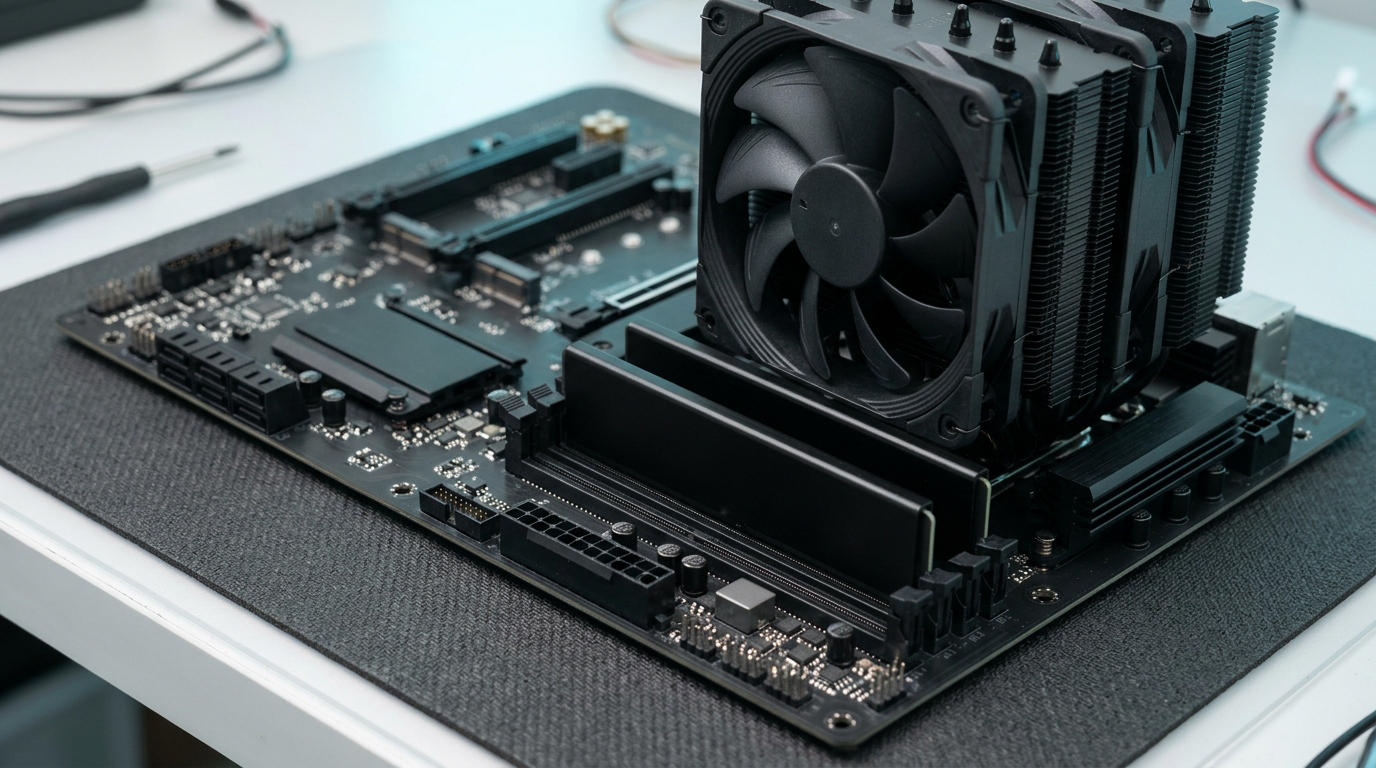
- Low-Profile DIMM vs. Tall RGB Heatspreaders: Dual-tower CPU air coolers remain the thermal-value standard for cool-running 162W PPT Ryzen X3D processors, yet their front 120mm fan overhangs the primary memory slots. Tall RGB heatspreaders (such as G.SKILL Trident Z5 Neo RGB or Trident Z5 CK RGB) force you to raise the front fan several millimeters—risking side-panel glass interference in mid-tower chassis. Whenever building with a dual-tower air cooler, pick a low-profile DIMM kit (such as CORSAIR VENGEANCE non-RGB, G.SKILL Flare X5, or Kingston FURY Beast) and save tall RGB sticks for 240mm or 360mm AIO liquid-cooled builds.
- Motherboard QVL List & BIOS Firmware Discipline: Before ordering any kit above DDR5-6000—especially DDR5-8200 or 8400 CUDIMMs—check your motherboard manufacturer’s official memory QVL list (Qualified Vendor List) for that exact SKU and confirm you are running an updated BIOS with CKD support. Even on Z890, ultra-high XMP profiles often require higher-layer 8-layer or 10-layer PCBs and 1-DIMM-per-channel board layouts to train reliably without manual VDDQ/SA voltage tuning.
- Platform Cost-per-Frame Reality Check: Upgrading from a $100–$130 tier 32GB DDR5-6000 CL30 kit to a $260–$340 tier 48GB DDR5-8400 CUDIMM kit (and pairing it with a flagship Z890 board rather than an AMD B850 platform) easily absorbs $150 to $250+ of system budget. Reinvesting that same money into a higher graphics card tier—such as stepping from a 12GB RTX 5070 to a 16GB RX 9070 XT or RTX 5070 Ti—or upgrading from a Ryzen 5 9600X to an X3D processor produces dramatically larger gaming frame rate gains across 1440p and 4K monitors than any memory overclock on Earth.
Battleground 5: Audited Retail DDR5-6000 CL30 & CUDIMM Picks on Amazon US
The four verified Amazon US kits below represent the strongest, specification-audited retail picks across the DDR5-6000 CL30 sweet spot and CUDIMM enthusiast tiers. Every recommended model uses a matched 2-DIMM configuration to preserve dual-channel signal stability, while we reject loose CL42–CL46 kits, single-stick 1x16GB SKUs, and 4-DIMM gaming bundles.
1. CORSAIR VENGEANCE DDR5 32GB (2x16GB) 6000MHz CL30 — Best Overall Cross-Platform Sweet Spot

Budget Tier: Mid-Range ($100–$130 tier) | Model: CMK32GX5M2B6000Z30 | Audited Specs: 32GB (2x16GB) UDIMM | 6000 MT/s | CL30 (30-36-36-76) | 10.00 ns First Word Latency | 1.40V | Dual AMD EXPO & Intel XMP 3.0 Profiles | Low-Profile Aluminum Heatspreader.
Comparison Audit: Verified directly against Corsair’s official product documentation, this kit checks every box in our 100-point rubric. Its tight 30-36-36-76 timings hit 10.00 ns First Word Latency while locking AMD AM5 Ryzen 7000/9000 chips into a clean 1:1 UCLK:MCLK sync—yet dual EXPO and XMP 3.0 SPD profiles also run cleanly on Intel LGA 1851. Its compact low-profile aluminum heatspreader slides directly under dual-tower CPU air cooler fans with zero mechanical interference.
Pros: Dual AMD EXPO and Intel XMP 3.0 profiles in one kit; tight 30-36-36-76 sub-timings (10.00 ns latency); low-profile height clears large dual-tower air coolers.
Cons: No RGB lighting; 1.40V operating profile runs slightly warmer than 1.35V kits under zero case airflow.
2. G.SKILL Trident Z5 Neo RGB 32GB (2x16GB) 6000MT/s CL30 Matte Black — Best AM5 RGB Showcase Pick

Budget Tier: Mid-Range ($110–$140 tier) | Model: F5-6000J3038F16GX2-TZ5NR | Audited Specs: 32GB (2x16GB) UDIMM | 6000 MT/s | CL30-38-38-96 | 10.00 ns First Word Latency | 1.35V | AMD EXPO Certified | Brushed Aluminum RGB Heatspreader.
Comparison Audit: Purpose-built for Socket AM5 Ryzen 7000 and 9000X3D motherboards, G.SKILL’s Trident Z5 Neo RGB achieves the exact 10.00 ns DDR5-6000 CL30 latency sweet spot at a lower 1.35V operating voltage. It shines inside AIO-cooled dual-chamber showcase cases where there is no front air-cooler fan overhanging the DIMM slots; builders using dual-tower air coolers should confirm chassis side-panel clearance or opt for the low-profile Corsair Vengeance kit above.
Pros: Broad AM5 motherboard QVL coverage with dedicated AMD EXPO tuning; efficient 1.35V operating voltage; refined brushed aluminum RGB light bar.
Cons: Taller heatspreader requires front-fan adjustment on dual-tower air coolers; omits dual Intel XMP 3.0 SPD branding.
3. G.SKILL Trident Z5 CK RGB DDR5 CUDIMM 48GB (2x24GB) 8200MT/s CL40 Mirror Black — Best Z890 RGB CUDIMM Pick

Budget Tier: Enthusiast ($240–$310 tier) | Model: F5-8200C4052G24GX2-TZ5CRK | Audited Specs: 48GB (2x24GB) JESD323 CUDIMM | 8200 MT/s (131.2 GB/s Dual-Channel) | CL40-52-52-131 | 9.76 ns First Word Latency | 1.40V | Integrated CKD | Intel XMP 3.0 Ready.
Comparison Audit: Combining non-binary 48GB (2x24GB) single-rank density with an on-module Clock Driver (CKD), G.SKILL’s Trident Z5 CK RGB delivers clean signal regeneration at 8200 MT/s on compatible Intel LGA 1851 Z890 boards and Core Ultra 200S CPUs. Compared against 8400 MT/s bins, 8200 MT/s improves out-of-the-box XMP 3.0 training margin across mainstream 4-DIMM Z890 motherboards—though it remains an enthusiast luxury strictly for Intel 800-series builds rather than AM5 gaming towers.
Pros: Integrated CKD preserves clock integrity at 8200 MT/s; generous 48GB capacity suits heavy creator multitasking; easier XMP 3.0 boot compatibility than 8400+ bins.
Cons: High cost-per-frame compared to 32GB UDIMM kits; requires Intel LGA 1851 Z890 QVL verification; tall mirror-black heatspreader suits AIO coolers.
4. CORSAIR Vengeance DDR5 CUDIMM 48GB (2x24GB) 8400MHz CL40 Silver — Peak-Bandwidth CUDIMM Flagship

Budget Tier: Enthusiast ($260–$340 tier) | Model: CMKC48GX5M2X8400C40 | Audited Specs: 48GB (2x24GB) JESD323 CUDIMM | 8400 MT/s (134.4 GB/s Dual-Channel) | CL40-52-52-135 | 9.52 ns First Word Latency | 1.40V | Integrated CKD + Extreme OC PMIC | Intel XMP (Intel 800 Series).
Comparison Audit: Documented in Corsair’s official CUDIMM specification sheet, this silver aluminum 48GB kit pushes dual-channel theoretical bandwidth to 134.4 GB/s and drops calculated First Word Latency to 9.52 ns via an on-module CKD and Extreme OC PMIC. It is purpose-built for Intel Core Ultra 7 270K Plus and Core Ultra 9 285K workstation-gaming builds on high-layer Z890 boards, while keeping zero unnecessary RGB clutter.
Pros: Maximum 8400 MT/s throughput (134.4 GB/s) and 9.52 ns CAS access time; Extreme OC PMIC + CKD architecture; clean non-RGB silver aluminum heatspreaders.
Cons: Strict Intel 800-series QVL requirement for stable 8400 MT/s XMP operation; wasted expense on AMD AM5 rigs due to 2:1 divider latency penalties.
Decisive Verdict: Which DDR5 Speed Tier Should You Buy?
Lock in your final memory order based strictly on your motherboard socket, CPU memory controller topology, and overall graphics card budget rather than chasing box-label MT/s claims.
Choose DDR5-6000 CL30 If…
- You are building on AMD Socket AM5 (Ryzen 5 9600X, Ryzen 7 7800X3D, 9800X3D, or 9850X3D) and want guaranteed 1:1 UCLK:MCLK synchronization.
- You want optimal 10.00 ns First Word Latency and rock-solid stability across B850 and X870 motherboards.
- You prefer investing $120–$200+ saved over CUDIMM kits straight into a faster 16GB GPU or 2TB NVMe SSD.
Choose DDR5-6400 CL32 If…
- You run an Intel LGA 1851 Core Ultra 200S system (245K, 265K, 270K Plus, or 285K) on a B860 or Z890 motherboard and want extra bandwidth without enthusiast pricing.
- You want the same 10.00 ns First Word Latency as 6000 CL30 paired with 102.4 GB/s dual-channel throughput.
- You are an experienced AM5 tweaker willing to manually validate 1:1 UCLK stability at 3200 MHz (and fall back to 6000 CL30 if your IMC rejects it).
Choose CUDIMM (8200–8400+) If…
- You already own a flagship GPU (RTX 5080 or RTX 5090) alongside an Intel Core Ultra 200S CPU on a QVL-verified Z890 motherboard.
- Your workload pairs high-refresh gaming with memory-bandwidth-hungry rendering, scientific simulations, or heavy 48GB multitasking.
- You want integrated JESD323 CKD clock regeneration for hassle-free XMP 3.0 stability above 8000 MT/s.
How We Audited This Guide
- Processors, motherboards, memory, and storage were compared by socket longevity, chipset lane allocation, VRM design, DDR5 EXPO/XMP support, and PCIe generation.
- Every specification claim was cross-checked against official OEM datasheets, platform vendor documentation, and published industry standards (PCI-SIG, JEDEC, VESA, Intel ATX) rather than marketplace listing copy.
- Recommendations were evaluated against our weighted audit rubric and documented compatibility rules; we do not publish fabricated FPS, thermal, or acoustic numbers.
Frequently Asked Questions
Is DDR5-6400 or DDR5-8200 CUDIMM faster than DDR5-6000 CL30 on AMD AM5?
Usually no. AMD Ryzen 7000 and 9000 memory controllers achieve peak gaming efficiency at a 1:1 UCLK:MCLK ratio around DDR5-6000 CL30. Above 6400 MT/s, motherboards drop into a 2:1 divider that adds controller latency and frequently lowers real gaming performance.
What is CUDIMM RAM and do gamers actually need it?
CUDIMM stands for Clocked Unbuffered DIMM (JEDEC JESD323). It integrates an on-module Clock Driver (CKD) to stabilize clock signals past 7200–8400+ MT/s on Intel LGA 1851 Z890 platforms. Most gamers do not need CUDIMM because DDR5-6000 CL30 and 6400 CL32 deliver far better cost-per-frame.
Why do DDR5-6000 CL30 and DDR5-6400 CL32 share identical First Word Latency?
First Word Latency equals (CAS Latency × 2000) divided by data rate in MT/s. Both (30 × 2000) / 6000 and (32 × 2000) / 6400 compute to exactly 10.00 nanoseconds. DDR5-6400 CL32 primarily adds 6.67% higher theoretical bandwidth (102.4 GB/s versus 96.0 GB/s).
Can I run four DDR5 sticks (4x16GB) at 6000 CL30 or 8200 CUDIMM speeds?
No. Populating all four DIMM slots loads both memory channels heavily and stresses CPU memory controllers, typically forcing automatic frequency drops down to 4800–5200 MT/s. Always install a matched two-stick kit (2x16GB, 2x24GB, or 2x32GB) in slots A2 and B2.
Does tall RGB DDR5 memory conflict with dual-tower CPU air coolers?
Yes. Tall RGB heatspreaders often collide with the front 120mm intake fan on dual-tower air coolers, forcing you to shift the fan upward against side glass. Use low-profile DIMMs with dual-tower air coolers, or pair taller RGB modules with 240mm/360mm liquid AIOs.
Official Standards & Manufacturer References
- JEDEC Standards & Documents Portal (JESD323 DDR5 CUDIMM Common Specification): jedec.org/standards-documents
- AMD EXPO Memory Overclocking Technology Overview: amd.com/en/products/processors/technologies/expo.html
- AMD Ryzen Desktop Processors Family & Memory Specifications: amd.com/en/products/processors/desktops/ryzen.html
- Intel Core Ultra 200S Series Processors Datasheet (UDIMM & CUDIMM Memory Support): intel.com Core Ultra 200S Datasheet
- Corsair Official Kit Specifications: VENGEANCE 32GB DDR5-6000 CL30 | VENGEANCE 48GB DDR5-8400 CUDIMM
Continue planning your memory and processor pairing inside our best DDR5 RAM for gaming buying guide, compare Ryzen 9000X3D and Core Ultra 200S processors in our best gaming CPUs hub, explore cache buffering math in how AMD 2nd-Gen 3D V-Cache improves 1% Lows, or follow our post-build BIOS and Windows optimization checklist to verify EXPO/XMP profiles cleanly.


