
Disclosure: As an Amazon Associate, I earn from qualifying purchases. If you buy through links on this page, we may earn a small commission at no extra cost to you.
Finding the best Z890 motherboard Intel builders can trust for an LGA 1851 gaming or creator build—or deciding when a mainstream Intel B860 board delivers identical frame rates for less money—starts with understanding two chipset rules. Unlike AMD’s AM5 platform, Intel reserves CPU multiplier overclocking and dual-link DMI 4.0 x8 chipset bandwidth exclusively for Z890, while locking processor core multipliers across every B860 board.
At The PC Audit, we audited VRM power stages, block diagrams, PCIe lane sharing tables, M.2 storage bays, rear Thunderbolt 4 ports, and DDR5 memory support across current Amazon US listings to rank the 7 strongest Intel Z890 and B860 motherboards. If you are still weighing platforms against our Best AM5 Motherboards (2026) hub, our AMD AM5 vs. Intel LGA 1851 guide breaks down multi-year upgrade longevity, while our Intel Z890 vs. B860 breakdown and Ryzen 7 9800X3D vs. Core Ultra 7 270K Plus matchup detail CPU pairing trade-offs.
In This Guide
- Quick Picks at a Glance
- Side-by-Side Comparison (All 7 Boards)
- Match Your Use Case & Build Profile
- Detailed Z890 & B860 Motherboard Audits (Ranks 1–7)
- Buying Guide: Z890 vs. B860, VRMs, Lane Sharing & CUDIMM DDR5
- Weighted Scoring Rubric & Rejected Configurations
- Frequently Asked Questions
- Final Verdict
Quick Picks: Best Z890 Motherboard Intel & B860 Standouts
#1 Best Overall Z890
MSI MAG Z890 Tomahawk WiFi
16+1+1+1 90A SPS VRM, dual rear 40Gbps Thunderbolt 4 ports, 5GbE Killer LAN, 320MHz Wi-Fi 7, and four unshared M.2 bays in the $260-$320 tier. (Audit #1)
#4 Best Overall B860
MSI B860 Gaming Plus WiFi
Delivers flagship Killer 5GbE Ethernet, 320MHz Wi-Fi 7, rear Thunderbolt 4, and toolless EZ DIY clips in the $180-$220 tier for non-OC Core Ultra rigs. (Audit #4)
#5 Best Value Under $180
ASRock B860 Steel Legend WiFi 6E
Packs 14+1+1+1+1 80A DrMOS power stages, four x4 M.2 slots, Thunderbolt 4, and clean white aesthetics in the $140-$180 tier. (Audit #5)
Side-by-Side Comparison: 7 Audited Z890 Motherboard Intel & B860 Picks
| Product & Award | Chipset & VRM | M.2 Bays & Networking | Budget Tier | Link |
|---|---|---|---|---|
| 1. MSI MAG Z890 Tomahawk WiFi Best Overall Z890 Motherboard | Intel Z890 (ATX) | 16+1+1+1 90A SPS | 4x M.2 (1x Gen5, 3x Gen4) | 5GbE + Wi-Fi 7 + 2x TB4 | $260-$320 tier | View on Amazon |
| 2. GIGABYTE Z890 AORUS Elite WIFI7 Best Z890 for Toolless DIY | Intel Z890 (ATX) | 16+1+2 80A SPS | 4x M.2 (2x CPU, 2x SB) | 2.5GbE + Wi-Fi 7 + 1x TB4 | $260-$320 tier | View on Amazon |
| 3. ASUS TUF Gaming Z890-PLUS WiFi Best Value Z890 Motherboard | Intel Z890 (ATX) | 16+1+2+1 80A DrMOS | 4x M.2 (1x Gen5, 3x Gen4) | 2.5GbE + Wi-Fi 7 + 1x TB4 | $240-$280 tier | View on Amazon |
| 4. MSI B860 Gaming Plus WiFi Best Overall B860 Motherboard | Intel B860 (ATX) | 12+1+1+1 Duet Rail | 3x M.2 (Gen5, Gen4 x4, Gen4 x2) | 5GbE + Wi-Fi 7 + 1x TB4 | $180-$220 tier | View on Amazon |
| 5. ASRock B860 Steel Legend WiFi 6E Best Value B860 Motherboard | Intel B860 (ATX) | 14+1+1+1+1 80A DrMOS | 4x M.2 (1x Gen5, 3x Gen4 x4) | 2.5GbE + Wi-Fi 6E + 1x TB4 | $140-$180 tier | View on Amazon |
| 6. ASUS ROG STRIX B860-I Gaming WiFi Best Mini-ITX LGA 1851 Pick | Intel B860 (ITX) | 10+1+2+1 80A DrMOS | 2x M.2 (1x Gen5, 1x Gen4) | 2.5GbE + Wi-Fi 7 + 1x TB4 | $220-$260 tier | View on Amazon |
| 7. GIGABYTE B860 Gaming X WIFI6E Best Entry Toolless ATX B860 | Intel B860 (ATX) | 12+1+2+1 50A PPAK | 3x M.2 (1x Gen5, 2x Gen4 x4) | 2.5GbE + Wi-Fi 6E + 1x USB4 | $140-$180 tier | View on Amazon |
Match Your Use Case: Which LGA 1851 Motherboard Fits Your Build?
| Buyer Scenario | Best Match | Why & Expected Outcome |
|---|---|---|
| Unlocked Core Ultra 7 270K Plus or 285K flagship rig | MSI MAG Z890 Tomahawk WiFi | 90A SPS power stages handle 250W MTP easily while unlocking 5GbE LAN, 320MHz Wi-Fi 7, and dual 40Gbps Thunderbolt 4 ports. |
| Toolless multi-NVMe Z890 gaming + creator build | GIGABYTE Z890 AORUS Elite WIFI7 | Routes two M.2 slots straight to CPU lanes with zero GPU x8 drop alongside screwless EZ-Latch Click heatsinks. |
| Lowest-cost entry into Z890 CPU multiplier overclocking | ASUS TUF Gaming Z890-PLUS WiFi | Delivers 16+1+2+1 80A DrMOS stages, four M.2 slots, and Thunderbolt 4 expansion in the $240-$280 bracket. |
| Stock Core Ultra build prioritizing 5GbE + Wi-Fi 7 under $220 | MSI B860 Gaming Plus WiFi | Brings Killer 5GbE Ethernet, 320MHz Wi-Fi 7, and rear Thunderbolt 4 into the $180-$220 tier without Z890 overhead. |
| Budget gaming & multi-SSD build under $180 | ASRock B860 Steel Legend WiFi 6E | Pairs 14-phase 80A DrMOS VRMs with four full x4 M.2 bays and Thunderbolt 4 for clean $140-$180 value. |
| Compact sub-15L Mini-ITX Small Form Factor (SFF) build | ASUS ROG STRIX B860-I Gaming WiFi | Combines 80A DrMOS heatpipe cooling, Wi-Fi 7, Thunderbolt 4, and clean 2-DIMM CUDIMM trace layout in an ITX footprint. |
Detailed Intel Z890 & B860 Motherboard Audits (Ranks 1–7)
1. MSI MAG Z890 Tomahawk WiFi LGA 1851 ATX Motherboard — Best Overall Z890 Motherboard

Quick Specs: LGA 1851 | Intel Z890 (ATX) | 16+1+1+1 90A SPS VRM | 1x PCIe 5.0 x16 | 4x M.2 (1x Gen5 x4, 3x Gen4 x4) | 5GbE Killer LAN + Wi-Fi 7 (320MHz) | 2x Thunderbolt 4 (40Gbps) | Price Tier: Upper mid-range ($260-$320 tier)
Audit Score: 9.6 / 10
- VRM Power Delivery & Heatsinks (30%): 9.6 / 10
- PCIe 5.0 Lanes & Storage Expansion (25%): 9.4 / 10
- Networking & Rear I/O (25%): 9.7 / 10
- BIOS Features & DIY Ergonomics (20%): 9.5 / 10
Few upper-mid-range boards balance power headroom and rear I/O as decisively as the MSI MAG Z890 Tomahawk WiFi. Built around a 16+1+1+1 Duet Rail Power System using 90A Smart Power Stages (SPS) and dual 8-pin EPS inputs, this board comfortably sustains the 250W Maximum Turbo Power (MTP) draw of a Core Ultra 9 285K or refreshed Core Ultra 7 270K Plus without VRM thermal throttling. Extended aluminum heatsinks and 7W/mK thermal pads keep MOSFET temperatures well within safe operating margins during prolonged shader compilation or 3D rendering sessions, matching the capabilities outlined on MSI’s official MAG Z890 Tomahawk WiFi specification sheet.
Where MSI truly separates itself as the best Z890 motherboard Intel enthusiasts can buy in the $260-$320 tier is connectivity and lane discipline. Because Intel Core Ultra processors supply 20 native PCIe 5.0 lanes alongside Z890’s DMI 4.0 x8 chipset link, populating the primary M2_1 PCIe 5.0 x4 slot plus all three PCIe 4.0 x4 M.2 bays keeps your primary RTX 50-series or RX 9070 XT graphics card locked at full PCIe 5.0 x16 bandwidth. Around back, MSI equips two native 40Gbps Thunderbolt 4 Type-C ports, an Intel Killer E5000B 5GbE wired controller, Killer BE1750x 320MHz Wi-Fi 7, Flash BIOS and Clear CMOS buttons, plus CUDIMM DDR5 memory overclocking validated past 9200+ MT/s.
Compared directly against our #2 GIGABYTE Z890 AORUS Elite WIFI7 in the same $260-$320 bracket, MSI upgrades CPU VRM stages from 80A to 90A, doubles wired Ethernet speed from 2.5GbE to 5GbE, doubles Wi-Fi 7 channel width from 160MHz to 320MHz, and adds a second rear Thunderbolt 4 port. Against our #3 ASUS TUF Gaming Z890-PLUS WiFi, the Tomahawk justifies stepping up a price notch whenever you own a 5GbE NAS, Wi-Fi 7 router, or dual Thunderbolt 4 docks.
Buyer Verification Alert: If pairing this board with the Core Ultra 7 270K Plus or high-speed CUDIMM modules, grab a FAT32 USB drive, rename MSI’s latest BIOS image to MSI.ROM, and trigger the rear Flash BIOS Button before installing your processor.
Pros
- 16+1+1+1 90A Smart Power Stage VRM delivers effortless headroom for 250W Core Ultra 285K and 270K Plus tuning
- Dual 40Gbps Thunderbolt 4 ports, Killer 5GbE LAN, and full 320MHz Wi-Fi 7 beat every rival in this budget tier
- Four M.2 bays keep the PCIe 5.0 x16 GPU slot uncompromised alongside toolless EZ M.2 Shield Frozr II armor
- Push-button EZ PCIe Release latch, Flash BIOS Button, Clear CMOS, and CUDIMM support up to 9200+ MT/s
Cons
- Unnecessary spend if you use a locked/stock CPU under $200 motherboard targets and do not need 5GbE or dual Thunderbolt 4
- Standard front-facing ATX power and fan headers do not fit rear-connector BTF back-connect-only cases
Verdict: Buy it if you want the best all-around Intel Z890 platform combining 90A VRM muscle, dual Thunderbolt 4, 5GbE networking, and full GPU x16 lane integrity. Skip it if you prefer GIGABYTE’s toolless antenna/M.2 mechanics (#2) or do not plan to overclock a K-series chip (#4). Pairing note: Run 32GB (2x16GB) DDR5-6400 CL32 or a 7200+ MT/s CUDIMM kit in slots A2 and B2 with a 2TB PCIe 4.0 DRAM+TLC NVMe drive.
2. GIGABYTE Z890 AORUS Elite WIFI7 LGA 1851 ATX Motherboard — Best Z890 for Toolless DIY & Dual CPU M.2

Quick Specs: LGA 1851 | Intel Z890 (ATX) | 16+1+2 80A SPS Digital Twin VRM | 1x PCIe 5.0 x16 | 4x M.2 (2x CPU, 2x Chipset) | 2.5GbE LAN + Wi-Fi 7 (160MHz) | 1x Thunderbolt 4 (40Gbps) | Price Tier: Upper mid-range ($260-$320 tier)
Audit Score: 9.2 / 10
- VRM Power Delivery & Heatsinks (30%): 9.2 / 10
- PCIe 5.0 Lanes & Storage Expansion (25%): 9.4 / 10
- Networking & Rear I/O (25%): 9.0 / 10
- BIOS Features & DIY Ergonomics (20%): 9.4 / 10
While raw paper specifications favor #1 MSI on networking speed, the GIGABYTE Z890 AORUS Elite WIFI7 wins builders who swap storage frequently and want two NVMe drives wired straight into the processor rather than routed across the chipset DMI bus. Its Digital Twin 16+1+2 VRM feeds the CPU via an 8+8 parallel phase topology built from 80A Smart Power Stages beneath thick Thermal Armor Advanced heatsinks—more than capable of sustaining stock and tuned 250W Core Ultra 7 270K Plus or Core Ultra 9 285K workloads.
According to GIGABYTE’s Z890 AORUS Elite WIFI7 documentation, the board exploits Arrow Lake’s full CPU lane count cleanly: `M2A_CPU` runs at PCIe 5.0 x4 and `M2B_CPU` taps the CPU’s dedicated PCIe 4.0 x4 lanes, while `M2Q_SB` and `M2M_SB` pull PCIe 4.0 x4 from the Z890 chipset (with `M2M_SB` even retaining legacy SATA M.2 support)—all without splitting the primary PCIe 5.0 x16 graphics slot down to x8. GIGABYTE’s physical ergonomics are equally polished: EZ-Latch Click lets you snap off the broad M.2 thermal shield with zero tiny screws, PCIe EZ-Latch Plus unlocks bulky 3.5-slot GPUs effortlessly, WIFI EZ-Plug replaces dual threaded SMA nuts with a single push block, and official CUDIMM memory support joins Q-Flash Plus CPU-less BIOS recovery.
Compared with #1 MSI MAG Z890 Tomahawk WiFi at the same $260-$320 price bracket, GIGABYTE trims one rear Thunderbolt 4 port (leaving one 40Gbps TB4/USB4 Type-C output), steps down to 2.5GbE LAN, and uses a 160MHz Wi-Fi 7 radio instead of 320MHz. Compared with #3 ASUS TUF Gaming Z890-PLUS WiFi, GIGABYTE feels noticeably cleaner to service thanks to its dual CPU-direct M.2 slots and screwless M.2 EZ-Latch Click heatsink plate.
Buyer Verification Alert: GIGABYTE ships PCB rev. 1.0 with a MediaTek MT7925 Wi-Fi 7 card and rev. 1.1 with a Realtek RTL8922AE radio; verify the revision printed on your board’s lower-left PCB corner before pre-loading wireless drivers onto your Windows USB.
Pros
- Dual CPU-wired M.2 bays (one Gen5 x4 plus one Gen4 x4) leave the PCIe 5.0 x16 graphics slot untouched
- Screwless M.2 EZ-Latch Click armor, EZ-Latch Plus GPU latch, and WIFI EZ-Plug drastically speed up assembly
- Digital Twin 16+1+2 80A SPS VRM with CUDIMM compatibility and Q-Flash Plus rear button
Cons
- Caps wired networking at 2.5GbE LAN and Wi-Fi 7 at 160MHz channels compared with #1 MSI’s 5GbE and 320MHz radio
- Provides a single rear 40Gbps Thunderbolt 4 port rather than dual TB4 outputs
Verdict: Buy it if you want effortless screwless M.2 armor, two direct-to-CPU NVMe bays, and clean Z890 lane isolation without paying over $400 for flagship boards. Skip it if you want 5GbE Ethernet and two rear Thunderbolt 4 ports (#1 MSI MAG Z890 Tomahawk WiFi). Storage tip: Install your OS and main games on a 2TB PCIe 4.0 DRAM+TLC drive in M2B_CPU so M2A_CPU stays open for a future Gen5 scratch drive.
3. ASUS TUF Gaming Z890-PLUS WiFi LGA 1851 ATX Motherboard — Best Value Z890 Motherboard

Quick Specs: LGA 1851 | Intel Z890 (ATX) | 16+1+2+1 80A DrMOS VRM | 1x PCIe 5.0 x16 | 4x M.2 (1x Gen5 x4, 3x Gen4 x4) | Intel 2.5GbE LAN + Wi-Fi 7 | 1x Rear Thunderbolt 4 + Internal TB4 Header | Price Tier: Mid-to-upper ($240-$280 tier)
Audit Score: 9.1 / 10
- VRM Power Delivery & Heatsinks (30%): 9.2 / 10
- PCIe 5.0 Lanes & Storage Expansion (25%): 9.1 / 10
- Networking & Rear I/O (25%): 8.9 / 10
- BIOS Features & DIY Ergonomics (20%): 9.1 / 10
If your sole reason for stepping up from B860 to Z890 is unlocking Core Ultra K-series multiplier overclocking, DMI 4.0 x8 bandwidth, and four M.2 bays without spending over $300, the ASUS TUF Gaming Z890-PLUS WiFi hits the cleanest value mark in the $240-$280 tier. ASUS outfits the board with a full 16+1+2+1 80A DrMOS power delivery architecture paired with TUF alloy chokes and extended heatsinks—matching the VRM stage amperage of the pricier #2 GIGABYTE Z890 AORUS Elite WIFI7 while saving builders meaningful budget toward DDR5 memory or GPU upgrades.
Looking through ASUS’s TUF Gaming Z890-PLUS WiFi technical overview, storage and memory engineering remain thoroughly modern. You get one CPU-fed PCIe 5.0 x4 M.2 slot plus three chipset-connected PCIe 4.0 x4 M.2 bays equipped with M.2 Q-Latch and M.2 Q-Release conveniences, a rear 40Gbps Thunderbolt 4 (USB4) Type-C port alongside an internal Thunderbolt add-in header, Intel 2.5GbE Ethernet with LANGuard surge protection, Wi-Fi 7 paired with ASUS’s quick-attach Q-Antenna, PCIe Slot Q-Release, and ASUS’s AEMP III plus DIMM Fit Pro utilities for stabilizing CUDIMM and tight-timing DDR5 kits.
Compared directly with the #1 MSI MAG Z890 Tomahawk WiFi, ASUS concedes 90A power stages, 5GbE wired Ethernet, and a second rear Thunderbolt 4 port in exchange for dropping cleanly into the $240-$280 tier. Compared with our #4 MSI B860 Gaming Plus WiFi, spending modestly above B860 buys unlocked CPU IA/BCLK tuning, a full fourth PCIe 4.0 x4 M.2 bay instead of a truncated x2 third slot, and twice the DMI chipset link width.
Buyer Verification Alert: ASUS notes that USB BIOS FlashBack requires matching Intel Management Engine (ME) firmware and executing the included BIOSRenamer tool on the extracted .CAP file before flashing without a CPU installed.
Pros
- 16+1+2+1 80A DrMOS VRM matches higher-priced Z890 peers while entering in the $240-$280 tier
- Four full x4 M.2 slots (1x Gen5 + 3x Gen4), rear 40Gbps Thunderbolt 4, and an internal TB4 expansion header
- AEMP III, DIMM Fit Pro, PCIe Slot Q-Release, and Wi-Fi 7 Q-Antenna make setup straightforward
Cons
- BIOS FlashBack requires extra Intel ME version matching and the BIOSRenamer step compared with MSI’s simple MSI.ROM workflow
- 2.5GbE wired LAN and single rear Thunderbolt 4 trail #1 MSI MAG Z890 Tomahawk WiFi’s 5GbE and dual TB4 I/O
Verdict: Buy it if you are building around an unlocked Core Ultra 7 270K Plus or 265K and want true Z890 overclocking plus quad x4 storage at the lowest sensible Z890 price tier. Skip it if you want faster 5GbE wired networking (#1 or #4) or run a locked/stock CPU on a strict budget (#5). Build tip: Pair with a 360mm AIO or dual-tower air cooler and 32GB DDR5-6400 CL32 to let the 80A VRM sustain max boost.
4. MSI B860 Gaming Plus WiFi LGA 1851 ATX Motherboard — Best Overall B860 Motherboard

Quick Specs: LGA 1851 | Intel B860 (ATX) | 12+1+1+1 Duet Rail VRM | 1x PCIe 5.0 x16 | 3x M.2 (1x Gen5 x4, 1x Gen4 x4, 1x Gen4 x2) | 5GbE Killer LAN + Wi-Fi 7 (320MHz) | 1x Thunderbolt 4 (40Gbps) | Price Tier: Mid-range ($180-$220 tier)
Audit Score: 8.7 / 10
- VRM Power Delivery & Heatsinks (30%): 8.4 / 10
- PCIe 5.0 Lanes & Storage Expansion (25%): 8.3 / 10
- Networking & Rear I/O (25%): 9.4 / 10
- BIOS Features & DIY Ergonomics (20%): 8.8 / 10
Most mainstream Intel B860 boards shave off flagship networking to hit sub-$220 price points, which makes the MSI B860 Gaming Plus WiFi an instant standout. Sitting cleanly in the $180-$220 tier, it borrows the exact Intel Killer E5000B 5GbE wired controller, Killer BE1750x 320MHz Wi-Fi 7 radio, and rear 40Gbps Thunderbolt 4 Type-C port from upper-tier Z890 boards—delivering faster LAN and wireless hardware than both our #2 GIGABYTE Z890 AORUS Elite WIFI7 and #3 ASUS TUF Gaming Z890-PLUS WiFi for noticeably less cash.
As detailed on MSI’s official B860 Gaming Plus WiFi page and Intel’s B860 chipset specifications, the trade-offs live under the hood in VRM and chipset lane allocation. Its 12+1+1+1 Duet Rail power delivery on a 6-layer 2oz copper PCB handles 65W–182W processors like the Core Ultra 5 245K, Core Ultra 7 265F, and stock-boost Core Ultra 7 270K Plus comfortably during gaming, while supporting DDR5 and CUDIMM memory overclocking up to 8800+ MT/s alongside MSI’s toolless EZ M.2 Shield Frozr II, EZ M.2 Clip II, EZ PCIe Clip II, and Flash BIOS Button. However, Intel B860 locks CPU core multiplier tuning and narrows the third M.2 slot (`M2_3`) to PCIe 4.0 x2 bandwidth.
Cross-shopping against our #5 ASRock B860 Steel Legend WiFi 6E highlights a classic spec split: MSI dominates networking (5GbE + 320MHz Wi-Fi 7 vs. 2.5GbE + Wi-Fi 6E) and includes cleaner toolless GPU/M.2 latches, while ASRock counters with beefier 14-phase 80A DrMOS VRMs and four full x4 M.2 slots at a lower $140-$180 bracket.
Buyer Verification Alert: Intel B860 locks CPU IA multiplier overclocking—choose this board only if you run your Core Ultra CPU at stock boost curves with XMP/CUDIMM memory tuning, and reserve the bottom M2_3 (PCIe 4.0 x2) bay for secondary game storage rather than your primary OS drive.
Pros
- Unmatched $180-$220 connectivity featuring Killer 5GbE LAN, 320MHz Wi-Fi 7, and rear 40Gbps Thunderbolt 4
- Supports CUDIMM and XMP 3.0 memory tuning up to 8800+ MT/s despite B860’s CPU multiplier lock
- Toolless EZ PCIe Clip II, EZ M.2 Shield Frozr II, and rear Flash BIOS Button streamline DIY builds
Cons
- Intel B860 chipset prevents CPU multiplier overclocking and trims the third M.2 slot to PCIe 4.0 x2
- 12-phase Duet Rail VRM offers less sustained 250W multi-core headroom than #5 ASRock’s 80A DrMOS or #1–#3 Z890 boards
Verdict: Buy it if you want flagship 5GbE Ethernet, 320MHz Wi-Fi 7, and 40Gbps Thunderbolt 4 under $220 for a stock-boost Core Ultra 5 245K or Core Ultra 7 gaming build. Skip it if you want four full-speed M.2 x4 slots under $180 (#5) or unlocked K-series CPU overclocking (#3). Network tip: Pair with a multi-gig 2.5G/5G switch or Wi-Fi 7 router to exploit the Killer networking stack.
5. ASRock B860 Steel Legend WiFi 6E LGA 1851 ATX Motherboard — Best Value B860 Motherboard

Quick Specs: LGA 1851 | Intel B860 (ATX) | 14+1+1+1+1 80A DrMOS VRM | 1x PCIe 5.0 x16 | 4x M.2 (1x Gen5 x4, 3x Gen4 x4) | 2.5GbE LAN + Wi-Fi 6E | 1x Thunderbolt 4 / USB4 (40Gbps) | Price Tier: Budget-friendly ($140-$180 tier)
Audit Score: 8.6 / 10
- VRM Power Delivery & Heatsinks (30%): 9.0 / 10
- PCIe 5.0 Lanes & Storage Expansion (25%): 8.8 / 10
- Networking & Rear I/O (25%): 8.2 / 10
- BIOS Features & DIY Ergonomics (20%): 8.3 / 10
The ASRock B860 Steel Legend WiFi 6E punches well above the $140-$180 tier where mainstream boards usually compromise on MOSFET amperage and storage slots. ASRock equips a 14+1+1+1+1 power phase layout backed by genuine 80A DrMOS Smart Power Stages and oversized silver-aluminum heatsinks, delivering Z890-grade power regulation even on high-draw stock Core Ultra 7 270K Plus or Core Ultra 9 285K processors.
Reviewing ASRock’s B860 Steel Legend WiFi specifications shows surprisingly aggressive expansion for a sub-$180 board. You get four full x4 M.2 sockets—one CPU-attached Blazing M.2 PCIe 5.0 x4 bay plus three chipset-connected Hyper M.2 PCIe 4.0 x4 slots with integrated M.2 heatsinks—alongside an unshared PCIe 5.0 x16 graphics slot, a rear 40Gbps Thunderbolt 4 / USB4 Type-C port, Realtek 2.5GbE LAN, Wi-Fi 6E, rear BIOS Flashback, and CUDIMM DDR5 support rated up to 8666+ MT/s. The catch is that ASRock drops Wi-Fi 7 in favor of Wi-Fi 6E and runs the secondary PCIe expansion slot (`PCIE2`) at PCIe 4.0 x2.
Compared directly against our #7 GIGABYTE B860 Gaming X WIFI6E in the same $140-$180 bracket, ASRock offers markedly stronger 80A DrMOS power stages (versus GIGABYTE’s 50A PPAK MOSFETs), adds a fourth M.2 x4 slot, and explicitly highlights CUDIMM optimization. Against our #4 MSI B860 Gaming Plus WiFi, ASRock saves money and adds an extra full-speed Gen4 M.2 bay while giving up MSI’s 5GbE Ethernet and Wi-Fi 7 wireless upgrade.
Buyer Verification Alert: Check the Amazon form-factor selector carefully before ordering so you purchase the full ATX Steel Legend (four M.2 slots) rather than the micro-ATX B860M Steel Legend sibling, and note wireless connectivity here is Wi-Fi 6E rather than Wi-Fi 7.
Pros
- 14+1+1+1+1 80A DrMOS VRM sets the power-delivery benchmark in the $140-$180 tier
- Four full x4 M.2 NVMe bays (1x Blazing Gen5 + 3x Hyper Gen4) plus rear 40Gbps Thunderbolt 4
- CUDIMM memory support up to 8666+ MT/s, BIOS Flashback button, and crisp white/silver styling
Cons
- Uses Wi-Fi 6E and 2.5GbE LAN instead of the Wi-Fi 7 and 5GbE Ethernet found on #4 MSI B860 Gaming Plus WiFi
- B860 firmware locks CPU multiplier overclocking, and secondary PCIE2 runs at PCIe 4.0 x2
Verdict: Buy it if you want maximum VRM amperage, four x4 NVMe bays, Thunderbolt 4, or a white-themed ATX build under $180. Skip it if Wi-Fi 7 and 5GbE LAN matter more (#4) or you plan to overclock a K-series processor (#3). Build tip: Match with white or black low-profile DDR5-6400 CL32 sticks to keep dual-tower air cooler fan clearance clean.
6. ASUS ROG STRIX B860-I Gaming WiFi LGA 1851 Mini-ITX Motherboard — Best Mini-ITX LGA 1851 Motherboard

Quick Specs: LGA 1851 | Intel B860 (Mini-ITX) | 10+1+2+1 80A DrMOS VRM | 1x PCIe 5.0 x16 | 2x M.2 2280 (1x Front Gen5 x4, 1x Rear Gen4 x4) | Intel 2.5GbE + Wi-Fi 7 | 1x Thunderbolt 4 (40Gbps) | Price Tier: Mid-range SFF ($220-$260 tier)
Audit Score: 8.5 / 10
- VRM Power Delivery & Heatsinks (30%): 8.6 / 10
- PCIe 5.0 Lanes & Storage Expansion (25%): 7.9 / 10
- Networking & Rear I/O (25%): 8.8 / 10
- BIOS Features & DIY Ergonomics (20%): 8.9 / 10
Small Form Factor (SFF) builders packing an LGA 1851 system into a sub-15-liter enclosure face tight VRM thermal envelopes and difficult GPU latch reach, both of which the ASUS ROG STRIX B860-I Gaming WiFi solves intelligently. Despite its 170x170mm Mini-ITX footprint, ASUS packs a 10+1+2+1 80A DrMOS power stage array bridged by a heatpipe-linked VRM/I/O heatsink that handles stock Core Ultra 5 245K, Core Ultra 7 265F, and gaming-load Core Ultra 7 270K Plus thermals reliably inside compact mesh SFF chassis.
Checking ASUS’s ROG STRIX B860-I Gaming WiFi specifications reveals smart SFF trade-offs. Its two-DIMM DDR5 layout avoids unused four-slot trace reflections, making high-speed DDR5-6400 CL32 and CUDIMM tuning with ASUS AEMP III noticeably cleaner than crowded four-slot boards. Storage covers two M.2 2280 bays—one front-mounted PCIe 5.0 x4 slot under a thick heatsink and one rear PCIe 4.0 x4 slot cooled against a metal backplate—paired with Intel I226-V 2.5GbE LAN, Wi-Fi 7, a rear 40Gbps Thunderbolt 4 port, BIOS FlashBack, and ASUS’s clever PCIe Slot Q-Release Slim latch that lets you tilt a GPU free without squeezing fingers into a tight sandwich spine.
Placed against standard ATX alternatives like our #3 ASUS TUF Gaming Z890-PLUS WiFi in the neighboring $240-$280 tier, the Mini-ITX tax is unmistakable: ATX gives you four M.2 slots, secondary PCIe slots, and unlocked Z890 CPU overclocking for roughly similar spend. Inside a Mini-ITX chassis like a Fractal Terra or Lian Li A4-H2O, however, the STRIX B860-I hits a sweet spot without jumping to $380+ Z890-I flagship pricing.
Buyer Verification Alert: Measure your low-profile SFF cooler clearance against the tall VRM/I/O shroud and front M.2 heatsink height before ordering, and avoid installing a hot PCIe 5.0 SSD on the rear M.2 slot where sandwich-case airflow is minimal.
Pros
- 10+1+2+1 80A DrMOS heatpipe cooling, Wi-Fi 7, Intel 2.5GbE, and 40Gbps Thunderbolt 4 inside a Mini-ITX PCB
- Native 2-DIMM topology excels at stabilizing fast DDR5 and CUDIMM memory kits
- PCIe Slot Q-Release Slim makes GPU removal painless inside tight SFF cases
Cons
- Limited to two M.2 slots and a single PCIe 5.0 x16 slot due to Mini-ITX space constraints
- Commands $220-$260 SFF pricing near ATX Z890 boards while locking CPU multiplier overclocking on B860
Verdict: Buy it if you are building a compact Mini-ITX LGA 1851 desktop and want 80A DrMOS reliability, Thunderbolt 4, and Wi-Fi 7 without flagship Z890-I pricing. Skip it if your PC case fits ATX motherboards (#3 or #4 offer far more expansion). SFF storage tip: Start with one high-capacity 2TB or 4TB PCIe 4.0 DRAM+TLC drive in the front M.2 slot to minimize rear PCB heat buildup.
7. GIGABYTE B860 Gaming X WIFI6E LGA 1851 ATX Motherboard — Best Entry B860 for Toolless ATX Builds

Quick Specs: LGA 1851 | Intel B860 (ATX) | 12+1+2+1 Twin Hybrid (50A PPAK) VRM | 1x PCIe 5.0 x16 | 3x M.2 (1x Gen5 x4, 2x Gen4 x4) | 2.5GbE LAN + Intel Wi-Fi 6E | 1x USB4 (40Gbps + DP 2.1) | Price Tier: Budget-friendly ($140-$180 tier)
Audit Score: 8.3 / 10
- VRM Power Delivery & Heatsinks (30%): 7.9 / 10
- PCIe 5.0 Lanes & Storage Expansion (25%): 8.3 / 10
- Networking & Rear I/O (25%): 8.2 / 10
- BIOS Features & DIY Ergonomics (20%): 8.8 / 10
Rounding out our audited picks in the $140-$180 entry bracket, the GIGABYTE B860 Gaming X WIFI6E brings GIGABYTE’s slickest quality-of-life assembly tools down to budget LGA 1851 gaming builds. Even at this modest price tier, builders get toolless PCIe EZ-Latch Plus, screwless M.2 EZ-Latch Click thermal shields, a one-piece WIFI EZ-Plug antenna connector, Q-Flash Plus CPU-less BIOS updates, and a rear 40Gbps USB4 Type-C port capable of DisplayPort 2.1 video pass-through alongside Realtek 2.5GbE LAN and Intel Wi-Fi 6E AX211.
Per GIGABYTE’s B860 Gaming X WIFI6E product specifications, its compromises explain why it ranks seventh behind #5 ASRock B860 Steel Legend WiFi 6E. Rather than 80A Smart Power Stages, GIGABYTE employs a 12+1+2+1 Twin Hybrid layout using 50A PPAK MOSFETs on the 6+6 parallel VCore phases. Paired with full-metal VRM Thermal Armor, that stage rating handles mainstream 65W–159W gaming processors like the Core Ultra 5 245K/245KF or Core Ultra 7 265F cleanly, but leaves less thermal reserve under continuous all-core 250W rendering loads on a Core Ultra 9 285K. Storage includes three clean x4 M.2 slots (one CPU PCIe 5.0 x4 and two chipset PCIe 4.0 x4) with zero PCIe x16 lane-sharing interference.
Directly compared with #5 ASRock B860 Steel Legend WiFi 6E in the same $140-$180 range, GIGABYTE is noticeably easier to build on thanks to screwless M.2 EZ-Latch Click armor and WIFI EZ-Plug, whereas ASRock provides superior 80A DrMOS VRM capacity and a fourth M.2 x4 slot. Compared with #4 MSI B860 Gaming Plus WiFi, GIGABYTE trims 5GbE and Wi-Fi 7 down to 2.5GbE and Wi-Fi 6E to save money.
Buyer Verification Alert: GIGABYTE’s specification profile for this entry B860 board highlights standard DDR5 XMP 3.0 UDIMM kits rather than dedicated CUDIMM clock-driver tuning; stick to proven 32GB (2x16GB) DDR5-6400 CL32 non-ECC UDIMM kits and pair with 65W–159W Core Ultra chips.
Pros
- Brings screwless M.2 EZ-Latch Click, PCIe EZ-Latch Plus, and WIFI EZ-Plug down into the $140-$180 bracket
- Includes a rear 40Gbps USB4 port (with DP 2.1 output), Intel Wi-Fi 6E, 2.5GbE LAN, and Q-Flash Plus
- Three full x4 M.2 slots (1x Gen5 + 2x Gen4) keep the graphics card at unshared PCIe 5.0 x16
Cons
- 50A PPAK VCore MOSFETs trail #5 ASRock’s 80A DrMOS under sustained 250W Core Ultra 9 285K workloads
- Stops at three M.2 bays and Wi-Fi 6E rather than four M.2 slots or Wi-Fi 7, plus locked B860 CPU multipliers
Verdict: Buy it if you are building a first-time or budget-focused Core Ultra 5 245K or Core Ultra 7 265F gaming PC under $180 and appreciate toolless GIGABYTE latches plus rear USB4. Skip it if you want four M.2 slots and heavier 80A VRM capacity at the same price (#5) or intend to drive a 250W flagship CPU (#1–#3). CPU pairing tip: Ideal match for the 65W-base Core Ultra 7 265F or 125W Core Ultra 5 245K running stock gaming boost tables.
Buying Guide: Choosing the Best Z890 Motherboard Intel & B860 Platform
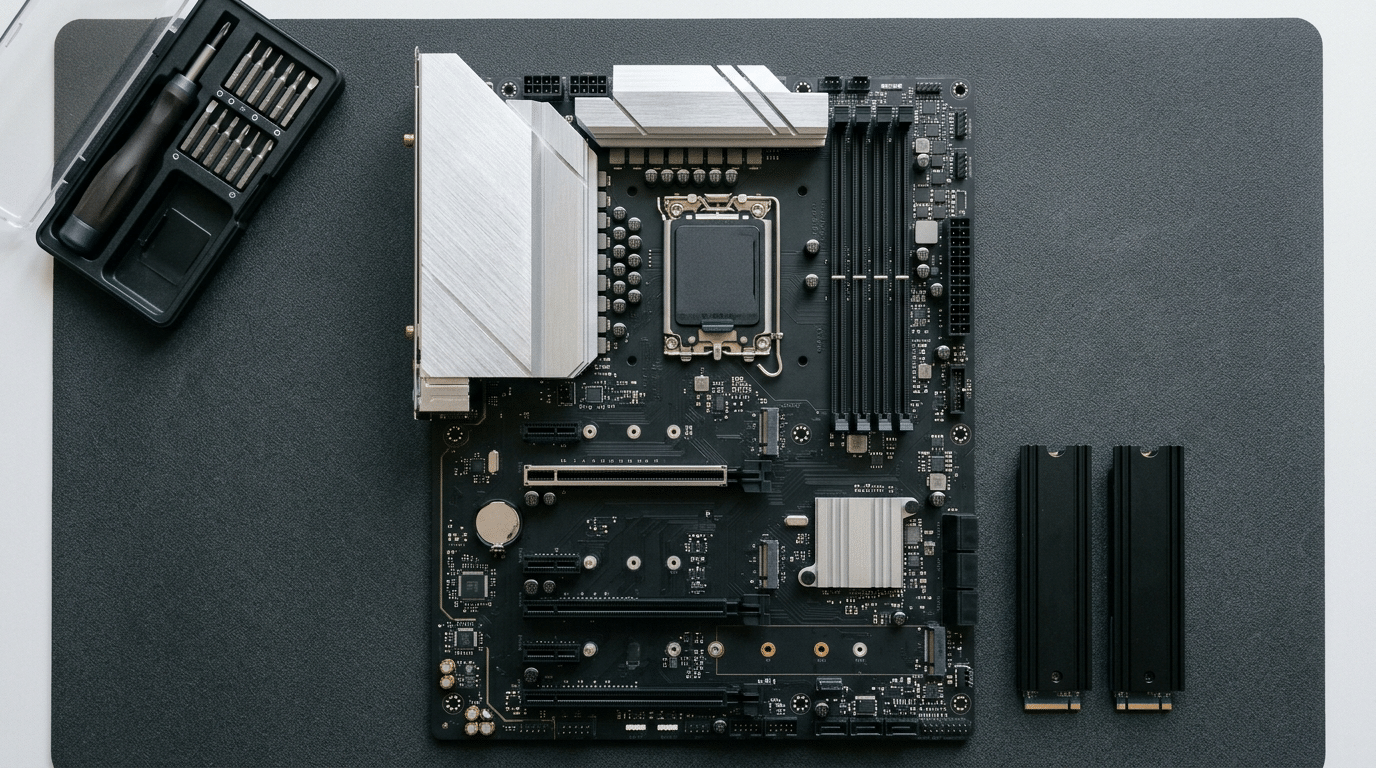
Unlike Socket AM5—where mainstream B850 boards retain full CPU overclocking alongside PCIe 5.0 storage—Intel’s LGA 1851 chipset stack draws a sharper boundary between enthusiast Z890 and mainstream B860 silicon. Understanding six architectural checkpoints prevents overspending on features your build leaves idle or accidentally handicapping an unlocked Core Ultra processor.
1. Intel Z890 vs. Intel B860: Overclocking Locks, DMI 4.0 & Chipset Lanes
Per Intel’s official 800-series documentation, Intel Z890 connects processor and chipset across a wide DMI 4.0 x8 uplink, supplies up to 24 configurable chipset PCIe lanes, unlocks full IA/BCLK CPU multiplier overclocking on K-series chips (such as the Core Ultra 9 285K, Core Ultra 7 270K Plus, and Core Ultra 5 245K), and standardizes native Thunderbolt 4 / USB4 ecosystem routing. By contrast, Intel B860 cuts the CPU-to-chipset bus in half to DMI 4.0 x4, trims chipset PCIe expansion down to roughly 14–16 lanes, and enforces a strict firmware lock on CPU core multiplier overclocking—though memory overclocking via XMP 3.0 and high-speed DDR5 remains unlocked. Dive deeper into lane math in our dedicated Intel Z890 vs. B860 chipset comparison.
2. Auditing VRM Phases, DrMOS Ratings & Real MTP Power Draw
Marketing phase labels alone deceive first-time buyers. A 14-phase board built from 50A PPAK MOSFETs carries substantially less continuous thermal headroom than a 14-phase board built with 80A or 90A DrMOS / Smart Power Stages beneath thick grooved aluminum heatsinks. Match your motherboard’s VRM phases directly to your processor’s Maximum Turbo Power (MTP): a 159W Core Ultra 5 245K or 182W Core Ultra 7 265F runs comfortably on 12-phase 50A–60A B860 designs, whereas sustained multi-core rendering on a 250W MTP Core Ultra 7 270K Plus or Core Ultra 9 285K thrives on 80A–90A DrMOS boards like the MSI MAG Z890 Tomahawk WiFi, GIGABYTE Z890 AORUS Elite WIFI7, ASUS TUF Gaming Z890-PLUS WiFi, or ASRock B860 Steel Legend WiFi 6E.
3. PCIe Lane Sharing, M.2 NVMe Storage & SSD Heatsink Conflicts
Intel Core Ultra Series 2 processors output 20 native PCIe 5.0 lanes (16 lanes dedicated to the primary graphics slot and 4 lanes dedicated to the primary M.2 slot) plus 4 additional CPU PCIe 4.0 lanes. Because those CPU lanes are segregated out of the box, mainstream four-slot boards on this list keep RTX 50-series and RX 9070 XT cards running at full PCIe 5.0 x16 without x8 PCIe lane sharing penalties—though crowded multi-device configurations still warrant checking secondary chipset slots (for instance, MSI B860 Gaming Plus WiFi caps `M2_3` at PCIe 4.0 x2 and ASRock B860 Steel Legend runs `PCIE2` at x2). When buying NVMe storage, skip expensive PCIe 5.0 drives for pure gaming: a 2TB PCIe 4.0 DRAM+TLC drive like a WD Black SN850X or Samsung 990 Pro delivers zero FPS penalty, stays cooler beneath your motherboard’s M.2 heatsink, and avoids conflicting with thick pre-installed third-party SSD coolers.
4. DDR5-6400 CL32, CUDIMM Memory & the 2-DIMM Stability Rule
While AMD AM5 hits an optimal 1:1 UCLK:MCLK memory controller ceiling at DDR5-6000 CL30, Intel LGA 1851 processors scale smoothly to 32GB (2x16GB) DDR5-6400 CL32 as the mainstream gaming sweet spot, and also support CUDIMM (Clocked Unbuffered DIMM) modules featuring an onboard clock driver chip (`CKD`) for 7200–8800+ MT/s tuning on Z890 and select B860 boards. Regardless of chipset, obey the two-stick rule: install two matched modules strictly in slots `A2` and `B2`. Populating all four DIMM slots places heavy electrical load on the memory controller and routinely forces kits back down to sluggish 4800–5200 MT/s clocks.
5. Networking, Thunderbolt 4 & BTF Back-Connect Case Fit
Every board we selected delivers at least 2.5GbE wired Ethernet plus a rear 40Gbps USB4 or Thunderbolt 4 Type-C port, while MSI’s Tomahawk Z890 and B860 Gaming Plus step up to 5GbE LAN and 320MHz Wi-Fi 7. Also verify chassis topology before checkout: all 7 ATX and Mini-ITX boards here use conventional front-facing 24-pin and 8-pin EPS plugs, so confirm your PC case does not require specialized BTF back-connect / Project Zero rear-plug cutouts exclusively.
6. Upgrade Roadmap & Hidden Ownership Costs
Budgeting solely for the motherboard PCB often overlooks three hidden ownership costs on LGA 1851 builds. First, reserve funds for a quality 32GB (2x16GB) DDR5-6400 CL32 kit rather than reusing older DDR4 sticks (physically incompatible) or buying slow 4800 MT/s single-channel RAM. Second, verify whether your CPU cooler includes an updated LGA 1851 offset bracket—most LGA 1700 coolers share hole spacing, though Arrow Lake hotspots shift slightly relative to 14th Gen chips. Third, keep a spare FAT32 USB flash drive ready for BIOS Flashback / Q-Flash Plus updates before installing newer processors like the Core Ultra 7 270K Plus or CUDIMM kits, and budget at least 2TB of PCIe 4.0 DRAM+TLC storage up front so modern 150GB+ AAA titles do not immediately fill an entry 1TB drive.
7. Secondary Intent: Should You Buy Intel LGA 1851 or AMD AM5 Instead?
Before locking in your motherboard order, weigh whether LGA 1851 matches your primary workload. If your build targets maximum competitive gaming frame rates or multi-generation CPU drop-in longevity through 2027+, compare our Best AM5 Motherboards (2026) picks paired with a Ryzen 7 9800X3D. Conversely, if you want aggressive 24-core hybrid productivity value around the $280–$300 tier—explored in depth in our Ryzen 7 9800X3D vs. Core Ultra 7 270K Plus and AMD AM5 vs. Intel LGA 1851 comparisons—alongside Quick Sync media acceleration and widespread Thunderbolt 4 integration, these audited Z890 and B860 motherboards offer exceptional day-one value.
How We Audited, Scored & Filtered These Boards
Every motherboard in this guide was evaluated purely through technical specification auditing, manual block-diagram inspection, and VRM component cross-referencing against Intel 800-series chipset datasheets and official vendor documentation—never through paid placements or synthetic sponsor rankings. You can inspect our broader hardware verification principles on The PC Audit Methodology page. Each board’s final score weights four architectural pillars summing to 100%:
| Evaluation Criterion | Weight | What We Audited |
|---|---|---|
| VRM Power Delivery & Heatsinks | 30% | Phase topology, DrMOS/SPS amperage (50A–90A), 2oz copper PCB layers, dual EPS plugs, and heatsink thermal capacity under 159W–250W MTP CPU loads. |
| PCIe 5.0 Lanes & Storage Expansion | 25% | Unshared PCIe 5.0 x16 graphics bandwidth, Gen5 and Gen4 M.2 slot counts, DMI 4.0 x8 vs. x4 link width, and M.2 thermal shield coverage. |
| Networking & Rear I/O | 25% | Rear 40Gbps Thunderbolt 4 / USB4 ports, 5GbE vs. 2.5GbE Ethernet controllers, 320MHz/160MHz Wi-Fi 7 vs. Wi-Fi 6E radios, and USB density. |
| BIOS Features & DIY Ergonomics | 20% | CPU-less BIOS Flashback / Q-Flash Plus recovery, quick-release PCIe GPU latches, toolless M.2 clips, Clear CMOS buttons, and CUDIMM readiness. |
Configurations We Audited & Rejected
Models & Configurations We Audited & Rejected (And Why)
- Entry Intel H810 Motherboards (Sub-$120 Tier): Strip away DDR5 XMP/CUDIMM overclocking above JEDEC speeds, cut M.2 storage down to a single slot, narrow chipset bandwidth, and ship with bare uncooled VRMs unfit for 159W–250W Core Ultra CPUs.
- Legacy Intel LGA 1700 B760 / Z790 Boards Confused for LGA 1851: Similar numeric branding tricks hurried shoppers into buying incompatible 700-series boards that cannot physically or electrically accept Core Ultra Series 2 or 270K Plus CPUs.
- Unlocked K-Series CPUs on Low-Amperage B860 Boards for Overclockers: Pairing a 250W Core Ultra 9 285K with a 50A B860 board locks CPU multiplier tuning in firmware while forcing entry MOSFETs to work near thermal ceilings under heavy all-core loads.
- Four-Stick DDR5 Configurations (4x16GB Kits) for Gaming Builds: Filling all four DIMM slots loads the LGA 1851 memory controller heavily and frequently drops stable boot clocks down to 4800–5200 MT/s instead of the two-stick DDR5-6400 CL32 or CUDIMM 7200+ sweet spot.
Frequently Asked Questions About Intel Z890 & B860 Motherboards
Should I buy an Intel Z890 or Intel B860 motherboard for Core Ultra 200S gaming?
Buy an Intel Z890 motherboard if you run an unlocked K-series processor like the Core Ultra 7 270K Plus or 285K and want CPU multiplier overclocking, DMI 4.0 x8 bandwidth, or dual Thunderbolt 4 ports. Choose Intel B860 if you run stock boosts with DDR5 XMP/CUDIMM tuning under $220.
Can I use an unlocked K-series processor on an Intel B860 motherboard?
Yes, LGA 1851 B860 boards boot and run unlocked K-series processors such as the Core Ultra 5 245K and Core Ultra 7 270K Plus at stock Intel boost clocks. However, B860 locks CPU core multiplier overclocking in firmware, so choose Z890 if you want manual P-core or E-core tuning.
Does populating a PCIe 5.0 M.2 SSD cut my GPU slot from x16 to x8 on Z890 or B860?
No—not on standard single-Gen5 M.2 LGA 1851 boards. Intel Core Ultra Series 2 CPUs supply 16 dedicated PCIe 5.0 lanes for the primary graphics slot plus 4 separate CPU PCIe 5.0 lanes for the primary M.2 slot, keeping RTX 50-series and RX 9070 XT cards at full x16.
What DDR5 RAM speed works best on Intel Z890 and B860 motherboards?
A 32GB (2x16GB) DDR5-6400 CL32 dual-channel kit installed in slots A2 and B2 hits the gaming price-to-performance sweet spot on LGA 1851. Enthusiast Z890 and select B860 boards also support Clocked Unbuffered DIMMs (CUDIMM) at 7200+ MT/s, while four-stick kits should be avoided.
Do I need a PCIe 5.0 NVMe SSD or is PCIe 4.0 enough for gaming?
A 2TB PCIe 4.0 NVMe TLC drive with DRAM cache (such as a WD Black SN850X or Samsung 990 Pro) delivers identical gaming FPS and within zero to two seconds of Gen5 load times while running noticeably cooler. Reserve PCIe 5.0 SSDs for large video editing or AI datasets.
Are Intel LGA 1700 B760 or Z790 motherboards compatible with Core Ultra 200S CPUs?
No. Intel Core Ultra 200S and Core Ultra 7 270K Plus processors require the LGA 1851 socket paired exclusively with Intel 800-series chipsets (Z890, B860, or entry H810). Earlier 600-series and 700-series LGA 1700 boards are physically and electrically incompatible.
Final Verdict: Selecting the Best Z890 Motherboard Intel or B860 Pick
Choosing the best Z890 motherboard Intel builders rely on comes down to matching VRM capacity and chipset features with how you actually use your processor. For most Core Ultra 7 270K Plus and Core Ultra 9 285K builds, the MSI MAG Z890 Tomahawk WiFi earns our #1 Overall recommendation with 90A SPS VRMs, dual 40Gbps Thunderbolt 4 ports, Killer 5GbE LAN, 320MHz Wi-Fi 7, and four uncompromised M.2 slots. If you prefer screwless M.2 armor and two direct-to-CPU NVMe slots, step sideways to the GIGABYTE Z890 AORUS Elite WIFI7, or grab the ASUS TUF Gaming Z890-PLUS WiFi in the $240-$280 tier for unlocked Z890 overclocking on a tighter budget.
Builders pairing a Core Ultra 5 245K, Core Ultra 7 265F, or stock-boost 270K Plus do not need Z890’s multiplier unlocks at all: the MSI B860 Gaming Plus WiFi brings flagship 5GbE Ethernet and Wi-Fi 7 under $220, the ASRock B860 Steel Legend WiFi 6E dominates the $140-$180 bracket with 80A DrMOS power stages and four full x4 M.2 slots, and the ASUS ROG STRIX B860-I Gaming WiFi anchors compact Mini-ITX LGA 1851 rigs cleanly.


