
Disclosure: As an Amazon Associate, I earn from qualifying purchases. If you buy through links on this page, The PC Audit may earn a small commission at no extra cost to you.
Choosing the best Ryzen 7 8700F prebuilt gaming PC on Amazon in late 2026 starts with understanding why so many system integrators build around this specific processor. AMD’s 8-core, 16-thread Ryzen 7 8700F official specification lowers upfront tower pricing by using Zen 4 Phoenix silicon with 16MB L3 cache, 16 usable PCIe 4.0 lanes, and no integrated graphics—yet still sits on an upgradeable AM5 socket ready for future X3D processors.
That duality makes the 8700F either a bargain 1440p stepping stone or a frustrating compromise depending on the GPU, motherboard, RAM, and power supply beside it. We audited 10 verified Amazon US desktops spanning entry RTX 5060 rigs above $900 up to 12GB RTX 5070 and 16GB RX 9070 builds under $1,850. Alongside our broader Best Prebuilt Gaming PC hub and our deep-dive Ryzen 7 8700F vs. Ryzen 7 9800X3D audit, this guide ranks the cleanest AM5 upgrade platforms available right now.
In This Audit
Quick Picks: Best Ryzen 7 8700F Prebuilt Gaming PC Recommendations
#1 Best Overall 1440p & Runway
MSI Codex Z2 A8NVP-436US
Pairs a 12GB RTX 5070, 32GB DDR5, and 2TB NVMe SSD inside a standard MSI ATX AM5 chassis under $1,850 (Jump to audit).
#2 Best 16GB VRAM & 32GB RAM
Skytech Gaming RX 9070 Desktop
Combines a 16GB GDDR6 Radeon RX 9070 and 32GB memory to prevent 1440p PCIe x8 VRAM overflow (Jump to audit).
#3 Best Confirmed B850 Value
CyberPowerPC Gamer Master GMA2900A3
Locks in a documented AMD B850 motherboard, RTX 5060 Ti 8GB, and Amazon fulfillment under $1,400 (Jump to audit).
Side-by-Side Comparison: 10 Audited Ryzen 7 8700F Prebuilt Gaming PCs
| Product & Award | GPU & VRAM | RAM & Storage | Platform & Disclosed Extras | Price Tier & Link |
|---|---|---|---|---|
| 1. MSI Codex Z2 A8NVP-436US Best Overall 1440p & Runway | RTX 5070 12GB GDDR7 | 32GB DDR5 2TB NVMe SSD | MSI ATX AM5 Board, 4-Fan Airflow, ARGB Air Cooler, USB-C | Under $1,850 View on Amazon |
| 2. Skytech Gaming RX 9070 Best 16GB VRAM & 32GB RAM | RX 9070 16GB GDDR6 | 32GB DDR5 1TB NVMe SSD | Standard ATX AM5 Tower, RDNA 4 FSR 4, US Support | Upper 1440p Tier (above $900) View on Amazon |
| 3. CyberPowerPC GMA2900A3 Best Documented B850 Value | RTX 5060 Ti 8GB GDDR7 | 16GB DDR5 1TB PCIe 4.0 SSD | Confirmed AMD B850 Chipset, Shipped & Sold by Amazon, RGB KB/Mouse | Under $1,400 ($1,200–$1,350) View on Amazon |
| 4. KOTIN Gaming PC Wi-Fi 7 Best Spec Transparency | RTX 5060 Ti 8GB GDDR7 | 16GB DDR5 (4x Slots) 1TB Gen4 (3x M.2) | 650W 80+ Gold PSU, 6-Heatpipe Digital Cooler, 5x Fans, Wi-Fi 7 | Around $1,400–$1,500 View on Amazon |
| 5. iBUYPOWER Element RX 9070 GRE Best 12GB RDNA 4 Value | RX 9070 GRE 12GB GDDR6 | 16GB DDR5 1TB NVMe SSD | Standard ATX Element Chassis, 48-CU RDNA 4 Silicon | Mid-Upper 1440p (above $900) View on Amazon |
| 6. MSI Codex Z2 A8NVM-671US Best Tier-1 Airflow 1080p | RTX 5060 Ti 8GB GDDR7 | 16GB DDR5 1TB M.2 NVMe | 4-Fan Airflow Tower, ARGB Air Cooler, USB-C, Sold by Amazon | Under $1,350 ($1,200–$1,350) View on Amazon |
| 7. LAN Gamer 8.1L Mini-ITX SFF Best Compact 8.1L SFF Build | RTX 5070 12GB GDDR7 | 24GB DDR5 2TB Gen4 NVMe | 8.1L Mini-ITX Small Form Factor Chassis, 65W CPU Fit | Upper SFF Tier (above $900) View on Amazon |
| 8. STORMCRAFT Sirius Best Documented DDR5-6000 | RTX 5060 Ti 8GB GDDR7 | 16GB DDR5-6000 1TB PCIe 4.0 SSD | AMD B650 Board, 650W 80+ Gold PSU, California Assembly | Under $1,650 (Prime Promo) View on Amazon |
| 9. ASUS ROG GM700 Best 32GB & 2TB Entry Tower | RTX 5060 8GB GDDR7 | 32GB DDR5 2TB PCIe 4.0 SSD | ASUS ROG Platform & Warranty, AM5 DDR5 Chassis | Mid-Range Entry (above $900) View on Amazon |
| 10. LXZ Prebuilt Gaming PC Best Entry Budget Starter | RTX 5060 8GB GDDR7 | 16GB DDR5 1TB SSD | Entry AM5 Starter Chassis (Inspect PSU & RAM on Arrival) | Entry AM5 Tier (above $900) View on Amazon |
Match Your Use Case: Which Ryzen 7 8700F Build Fits Your Goals?
| Buyer Scenario | Best Match | Why & Expected Outcome |
|---|---|---|
| Best overall 1440p gaming + zero day-one RAM/SSD upgrades | MSI Codex Z2 A8NVP-436US | 12GB GDDR7 RTX 5070, 32GB DDR5, and 2TB NVMe handle 1440p Ultra immediately on a standard ATX AM5 board ready for a future X3D swap. |
| Maximum 16GB VRAM + 32GB RAM for modded AAA 1440p | Skytech Gaming RX 9070 | 16GB GDDR6 prevents texture spill across the 8700F’s PCIe 4.0 x8 GPU link while 32GB system memory absorbs heavy background apps. |
| Best sub-$1,400 documented AMD B850 upgrade platform | CyberPowerPC GMA2900A3 | Confirmed AMD B850 board adds mandatory PCIe 5.0 M.2 support for a future 9800X3D upgrade while keeping upfront cost under $1,400. |
| Zero PSU or cooling guesswork + Wi-Fi 7 under $1,500 | KOTIN Gaming PC Wi-Fi 7 | Spells out a 650W 80+ Gold PSU, 6-heatpipe digital tower cooler, 3x M.2 slots, and native Wi-Fi 7 upfront with zero hidden cuts. |
| 12GB RDNA 4 1440p headroom without RTX 5070 pricing | iBUYPOWER Element RX 9070 GRE | Adds 50% more VRAM (12GB vs. 8GB) than RTX 5060 Ti rigs inside an upgradeable standard ATX Element case. |
| Compact dorm desk or portable LAN travel (8.1L SFF) | LAN Gamer 8.1L Mini-ITX SFF | Pairs the 8700F’s cool 65W thermal envelope with an RTX 5070 12GB, 24GB DDR5, and 2TB SSD in an 8.1L footprint. |
Detailed Audits: Best Ryzen 7 8700F Prebuilt Gaming PC Picks (1–10)
1. MSI Codex Z2 Gaming Desktop (A8NVP-436US — Ryzen 7 8700F / RTX 5070) — Best Overall 1440p & Upgrade Runway

Quick Specs: AMD Ryzen 7 8700F (8C/16T, 16MB L3, 16 Usable PCIe 4.0 Lanes) | NVIDIA GeForce RTX 5070 12GB GDDR7 | 32GB DDR5 | 2TB NVMe SSD | Standard MSI ATX AM5 Motherboard, 4-Fan Airflow + ARGB Air Cooler | Price Tier: Upper Prebuilt Tier (Under $1,850)
Audit Score: 9.0 / 10
- GPU & VRAM Headroom (35%): 9.3 / 10
- CPU & Platform Runway (25%): 8.7 / 10
- Memory & Storage Balance (20%): 9.1 / 10
- Cooling, PSU & Warranty Support (20%): 8.7 / 10
Most prebuilts powered by the Ryzen 7 8700F cut memory to 16GB, trim storage to 1TB, and cap graphics at 8GB VRAM. The MSI Codex Z2 A8NVP-436US solves all three bottlenecks at once. By pairing the 65W AM5 processor with NVIDIA’s 12GB GDDR7 GeForce RTX 5070 Blackwell GPU (192-bit memory bus, 250W TDP, DLSS 4 Multi-Frame Generation), 32GB of DDR5, and a 2TB NVMe SSD under $1,850, MSI pushes GPU-bound 1440p gaming forward while avoiding the 8GB framebuffer spillovers that choke the 8700F’s PCIe 4.0 x8 GPU link. MSI’s standard ATX chassis, 4-fan airflow array, ARGB tower cooler, and front USB Type-C I/O also guarantee zero proprietary connector lock-in when you upgrade later.
Compared with our #3 CyberPowerPC Gamer Master GMA2900A3 and #6 MSI Codex Z2 A8NVM-671US—both built around 8GB RTX 5060 Ti cards, 16GB RAM, and 1TB drives—the A8NVP-436US delivers a full resolution tier jump plus twice the memory and storage out of the box. As detailed in our MSI Codex Z2 vs. CyberPowerPC Gamer Master breakdown, MSI builds cleanly with off-the-shelf retail board layouts, leaving only one technical ceiling: the 8700F’s 16MB L3 cache and disabled iGPU trail full-cache X3D chips in CPU-bound esports 1% Lows. When you enable DLSS 4 Frame Generation on the RTX 5070, maintain a 50–60+ native base frame rate paired with NVIDIA Reflex to preserve snappy input latency.
Buyer Verification Alert: Check your exact MSI Codex Z2 model code (`A8NVP-436US`) before adding to cart so you do not accidentally order the identically named `A8NVM-671US` RTX 5060 Ti 8GB configuration. Also verify PSU wattage and DDR5 MT/s inside BIOS/HWiNFO64 on day one.
Pros
- 12GB GDDR7 RTX 5070 drives smooth 1440p High–Ultra gaming without hitting 8GB VRAM overflow penalties
- 32GB DDR5 and 2TB NVMe SSD eliminate day-one memory or storage expansion expenses
- Standard MSI ATX AM5 motherboard and 4-fan airflow tower accept future Ryzen 7 9800X3D upgrades
- Front USB Type-C port and ARGB air cooler handle the 65W processor quietly
Cons
- 16MB L3 cache and PCIe 4.0 x8 GPU routing on the 8700F trail X3D CPUs in CPU-heavy esports
- Listing omits exact DDR5 MT/s clock speed, CAS latency, and PSU 80+ efficiency rating
- No integrated graphics engine on the 8700F for emergency display diagnostics
Verdict: Buy it if you want a turnkey 1440p rig with an RTX 5070 12GB, 32GB DDR5, and a 2TB SSD under $1,850 built on an upgradeable AM5 socket. Skip it if you compete primarily at 1080p 240Hz+ where starting directly with a Ryzen 7 7800X3D or 9800X3D saves a future CPU swap. Update BIOS and drop in a Ryzen 7 9800X3D later to unlock 96MB L3 cache and full PCIe lanes without replacing the board or tower.
2. Skytech Gaming PC Desktop (Ryzen 7 8700F / RX 9070 / 32GB RAM / 1TB SSD) — Best 16GB VRAM & 32GB RAM Pairing

Quick Specs: AMD Ryzen 7 8700F (8C/16T, 16MB L3, AM5) | AMD Radeon RX 9070 16GB GDDR6 (RDNA 4, 256-bit, 220W TBP) | 32GB DDR5 | 1TB NVMe SSD | Standard ATX AM5 Tower | Price Tier: Upper 1440p tier (above $900)
Audit Score: 8.7 / 10
- GPU & VRAM Headroom (35%): 9.4 / 10
- CPU & Platform Runway (25%): 8.4 / 10
- Memory & Storage Balance (20%): 8.7 / 10
- Cooling, PSU & Warranty Support (20%): 7.9 / 10
If VRAM longevity tops your priority sheet, this Skytech Gaming RX 9070 Desktop delivers the widest graphics buffer in our entire audit. According to AMD’s Radeon RX 9000 Series RDNA 4 specification sheet, the RX 9070 combines 16GB of GDDR6 over a 256-bit memory bus at a lean 220W Total Board Power alongside FSR 4 machine-learning upscaling and Anti-Lag 2 latency reduction. Pairing a 16GB VRAM pool with 32GB of system memory completely shields you from the texture-swapping stutters that hit 8GB GPUs over the 8700F’s PCIe 4.0 x8 interface.
Compared with our #1 MSI Codex Z2 RTX 5070, Skytech wins on raw video memory (16GB vs. 12GB) for heavily modded 1440p AAA worlds, while MSI holds advantages in built-in SSD capacity (2TB vs. 1TB), NVIDIA DLSS 4 Multi-Frame Generation support, and cleaner single-SKU listing clarity. Skytech also outpaces our #5 iBUYPOWER Element RX 9070 GRE by stepping up from a 12GB 192-bit OEM card and 16GB RAM to the full 16GB 256-bit RX 9070 and 32GB memory right out of the box.
Buyer Verification Alert: Skytech frequently shares parent Amazon pages across multiple Set-name variants inheriting older customer reviews, and this listing omits exact motherboard chipset (B650 vs. B850), PSU wattage, and Wi-Fi generation. Double-check the selected Ryzen 7 8700F / RX 9070 / 32GB variant at checkout and verify wireless speed on arrival.
Pros
- 16GB GDDR6 on a 256-bit bus offers unmatched 1440p texture longevity across all 10 audited systems
- 220W RDNA 4 GPU and 65W Ryzen 7 8700F form a cool, power-efficient 1440p tandem
- 32GB system RAM handles background recording, browsers, and open-world games smoothly
- Standard ATX Skytech assembly supports clean AM5 X3D and secondary NVMe upgrades
Cons
- 1TB NVMe SSD leaves half the initial storage of the #1 MSI Codex Z2 RTX 5070
- Amazon summary omits motherboard chipset, RAM speed, PSU certification, and Wi-Fi tier
- Lacks NVIDIA DLSS 4 MFG and CUDA acceleration for GPU-accelerated creator suites
Verdict: Buy it if you play modded 1440p AAA games and want 16GB VRAM plus 32GB RAM out of the box to eliminate PCIe x8 memory spill. Skip it if you need NVIDIA CUDA tools or want a guaranteed 2TB drive and single-SKU listing clarity like #1 MSI. Plan an easy 2TB PCIe 4.0 TLC SSD addition as your library grows.
3. CyberPowerPC Gamer Master (GMA2900A3 — Ryzen 7 8700F / RTX 5060 Ti) — Best Documented B850 Upgrade Value

Quick Specs: AMD Ryzen 7 8700F (8C/16T, up to 5.0 GHz, 16MB L3, AM5) | AMD B850 Chipset Motherboard | NVIDIA GeForce RTX 5060 Ti 8GB GDDR7 | 16GB DDR5 | 1TB PCIe 4.0 NVMe SSD | Price Tier: Mid-upper tier (under $1,400; roughly $1,200–$1,350)
Audit Score: 8.6 / 10
- GPU & VRAM Headroom (35%): 8.4 / 10
- CPU & Platform Runway (25%): 9.4 / 10
- Memory & Storage Balance (20%): 8.1 / 10
- Cooling, PSU & Warranty Support (20%): 8.4 / 10
While dozens of mid-range towers hide their motherboard chipset entirely, the CyberPowerPC Gamer Master GMA2900A3 explicitly verifies a modern AMD B850 board under $1,400. Per AMD’s Socket AM5 chipset specification, B850 makes PCIe 5.0 M.2 NVMe support mandatory while keeping full CPU and DDR5 overclocking unlocked—making it our #1 choice for upgrade-focused shoppers explored further in our Best AMD B850 Motherboards guide. Coupled with direct Amazon fulfillment and an 8GB GDDR7 RTX 5060 Ti (180W TDP), it handles high-refresh 1080p gaming smoothly on day one.
Compared with #6 MSI Codex Z2 A8NVM-671US in the same $1,200–$1,350 tier, CyberPowerPC guarantees B850 silicon whereas MSI leaves B650 vs. B850 ambiguous; conversely, MSI offers documented 4-fan airflow clarity and a slightly tighter chassis finish. Against #4 KOTIN, CyberPowerPC wins on lower cost and verified B850 platform longevity while KOTIN counters with upfront 650W 80+ Gold PSU, 6-heatpipe cooler, and Wi-Fi 7 transparency.
Buyer Verification Alert: CyberPowerPC Amazon listings frequently display duplicate processor selector strings (`AMD Ryzen 7`, `8700 F`, `8700F`). Confirm exact model `GMA2900A3` with B850, RTX 5060 Ti 8GB, and Shipped & Sold by Amazon fulfillment, and verify whether the 16GB RAM shipped as a single 1x16GB stick.
Pros
- Confirmed AMD B850 AM5 board locks in PCIe 5.0 M.2 readiness and clean Zen 5 X3D compatibility
- Strong $1,200–$1,350 value pairing an RTX 5060 Ti 8GB with a 1TB PCIe 4.0 NVMe SSD
- Shipped and Sold directly by Amazon for straightforward return handling
- Standard ATX assembly with included RGB keyboard and mouse starter bundle
Cons
- 8GB RTX 5060 Ti hits VRAM ceilings in demanding 1440p Ultra textures with Frame Gen
- 16GB DDR5 listing omits stick layout (1x16GB vs. 2x8GB) and MT/s clock speed
- PSU wattage, 80+ rating, and GPU board partner are unspecified on the product page
Verdict: Buy it if you want the cleanest sub-$1,400 AM5 B850 foundation for future CPU and RAM upgrades alongside smooth 1080p RTX 5060 Ti frames. Skip it if you game at 1440p Ultra and need 12GB–16GB VRAM today. Check Task Manager on delivery and swap single-stick memory to a 32GB (2x16GB) DDR5-6000 CL30 EXPO kit first.
4. KOTIN Gaming PC Desktop (Ryzen 7 8700F / RTX 5060 Ti / Wi-Fi 7) — Best Spec Transparency & Wi-Fi 7

Quick Specs: AMD Ryzen 7 8700F (8C/16T, AM5, 16MB L3) | NVIDIA GeForce RTX 5060 Ti 8GB GDDR7 | 16GB DDR5 (4x DIMM Slots) | 1TB PCIe Gen4 NVMe (3x M.2 Slots) | 650W 80+ Gold PSU, 6-Heatpipe Digital Cooler, 5x 120mm ARGB Fans, Wi-Fi 7 | Price Tier: Upper budget ceiling (around $1,400–$1,500)
Audit Score: 8.5 / 10
- GPU & VRAM Headroom (35%): 8.2 / 10
- CPU & Platform Runway (25%): 8.6 / 10
- Memory & Storage Balance (20%): 8.1 / 10
- Cooling, PSU & Warranty Support (20%): 9.2 / 10
Almost every sub-$1,500 Amazon prebuilt conceals its power supply wattage, cooling solution, and wireless card—but the KOTIN Gaming PC Desktop puts every supporting spec right in the open. You get a confirmed 650W 80+ Gold PSU (aligned with Cybenetics Gold efficiency expectations and exceeding NVIDIA’s 600W minimum for the 180W RTX 5060 Ti), a 6-heatpipe digital readout tower air cooler, five 120mm ARGB fans, four DDR5 DIMM slots, three M.2 NVMe sockets, and native Wi-Fi 7 + Bluetooth connectivity. That level of upfront disclosure eliminates the hidden Wi-Fi 5 and no-name Bronze PSU surprises common around $1,400–$1,500.
Compared with #3 CyberPowerPC GMA2900A3 and #6 MSI Codex Z2 A8NVM-671US, KOTIN commands the highest supporting-hardware score thanks to its 6-heatpipe cooler, Wi-Fi 7 card, and three M.2 expansion slots. However, CyberPowerPC undercuts it slightly in price with a confirmed B850 board, while #5 iBUYPOWER Element RX 9070 GRE offers 12GB VRAM for buyers stepping into 1440p.
Buyer Verification Alert: KOTIN sells both 16GB and 32GB configurations using nearly identical case images on Amazon—verify ASIN `B0H27NNNK4` (Sold by Kotin / Ships from Amazon) and remember that even with 4 DDR5 DIMM slots, AM5 runs fastest when populating only 2 slots (A2/B2) at DDR5-6000 CL30.
Pros
- Upfront 650W 80+ Gold PSU disclosure removes generic power supply uncertainty
- Native Wi-Fi 7 outperforms the hidden Wi-Fi 5 adapters still found in pricier systems
- 6-heatpipe digital tower cooler and five 120mm fans deliver strong thermal headroom for future CPUs
- Three M.2 NVMe slots and four DDR5 DIMM slots simplify storage and RAM expansion
Cons
- 8GB RTX 5060 Ti VRAM feels tight around the $1,400–$1,500 upper budget ceiling for 1440p
- Ships 16GB DDR5 out of the box rather than 32GB
- Third-party seller warranty support trails Tier-1 OEM service from MSI or ASUS
Verdict: Buy it if you refuse to gamble on unlisted PSUs, weak coolers, or Wi-Fi 5 adapters around $1,400–$1,500. Skip it if you want Tier-1 brand support or 12GB–16GB VRAM at 1440p. When upgrading memory later, replace the stock sticks with a single 2x16GB DDR5-6000 CL30 kit rather than filling all 4 DIMM slots.
5. iBUYPOWER Element Gaming PC (Ryzen 7 8700F / RX 9070 GRE 12GB / 16GB DDR5 / 1TB NVMe) — Best 12GB RDNA 4 1440p Value

Quick Specs: AMD Ryzen 7 8700F (8C/16T, 16MB L3, AM5) | AMD Radeon RX 9070 GRE 12GB GDDR6 (48 CUs, 192-bit, 220W TBP) | 16GB DDR5 | 1TB NVMe SSD | iBUYPOWER Element Standard ATX Chassis | Price Tier: Mid-upper 1440p tier (above $900)
Audit Score: 8.4 / 10
- GPU & VRAM Headroom (35%): 8.9 / 10
- CPU & Platform Runway (25%): 8.4 / 10
- Memory & Storage Balance (20%): 7.9 / 10
- Cooling, PSU & Warranty Support (20%): 8.0 / 10
The iBUYPOWER Element Gaming PC solves the single biggest weakness of mid-tier Ryzen 7 8700F builds: 8GB VRAM limits. By deploying AMD’s OEM/prebuilt-focused Radeon RX 9070 GRE 12GB (48 RDNA 4 Compute Units, 3,072 stream processors, 192-bit GDDR6 bus, 220W TBP), iBUYPOWER gives 1440p gamers 50% more graphics memory than any RTX 5060 Ti 8GB build on this page. That extra 4GB buffer keeps textures cleanly resident in local GPU VRAM instead of spilling across the 8700F’s PCIe 4.0 x8 link.
Compared with #3 CyberPowerPC GMA2900A3 and #6 MSI Codex Z2 A8NVM-671US, iBUYPOWER pulls noticeably ahead for 1440p Ultra textures and FSR 4 upscaling despite shipping the same 16GB DDR5 and 1TB NVMe baseline. Against #2 Skytech RX 9070, remember that the 12GB RX 9070 GRE sits one step below the 16GB 256-bit RX 9070 in shader count and bandwidth—and Skytech includes 32GB memory out of the box.
Buyer Verification Alert: Do not confuse the 12GB RX 9070 GRE with the full 16GB RX 9070 when comparing listings. Additionally, check the installed Wi-Fi card and PSU label on delivery, as some iBUYPOWER Element towers ship legacy Wi-Fi 5 modules.
Pros
- 12GB GDDR6 RX 9070 GRE adds 50% more VRAM than 8GB RTX 5060 Ti competitors for 1440p gaming
- RDNA 4 FSR 4 machine-learning upscaling and Anti-Lag 2 keep frame pacing smooth
- Standard ATX Element tower accepts off-the-shelf AM5 X3D CPUs and ATX 3.1 power supplies
- 1TB NVMe SSD handles Windows 11 and core game libraries right away
Cons
- 16GB DDR5 base allocation benefits from an upgrade to 32GB DDR5-6000
- RX 9070 GRE (48 CUs, 12GB) trails the full 16GB RX 9070 (56 CUs, 256-bit)
- Element prebuilts occasionally omit PSU certification and ship slower Wi-Fi 5 adapters
Verdict: Buy it if you want a 12GB 1440p RDNA 4 graphics card inside an upgradeable ATX tower without stretching into upper RTX 5070 or RX 9070 16GB pricing. Skip it if you want 32GB RAM preinstalled or prefer NVIDIA DLSS 4 Multi-Frame Generation. Plan a matched 2x16GB DDR5-6000 CL30 upgrade and use Ethernet if Wi-Fi 5 is installed.
6. MSI Codex Z2 Gaming Desktop (A8NVM-671US — Ryzen 7 8700F / RTX 5060 Ti) — Best Tier-1 Airflow 1080p Tower

Quick Specs: AMD Ryzen 7 8700F (8C/16T, up to 5.0 GHz, 16MB L3, AM5) | NVIDIA GeForce RTX 5060 Ti 8GB GDDR7 | 16GB DDR5 | 1TB M.2 NVMe SSD | 4-Fan Airflow Tower, ARGB Air Cooler, USB Type-C | Price Tier: Mid-upper tier (under $1,350; roughly $1,200–$1,350)
Audit Score: 8.3 / 10
- GPU & VRAM Headroom (35%): 8.2 / 10
- CPU & Platform Runway (25%): 8.4 / 10
- Memory & Storage Balance (20%): 7.9 / 10
- Cooling, PSU & Warranty Support (20%): 8.6 / 10
For mainstream 1080p gamers shopping strictly under $1,350, the MSI Codex Z2 A8NVM-671US brings Tier-1 MSI assembly consistency down into an accessible bracket. Rather than cutting corners on airflow like solid-glass budget towers, MSI equips this mid-tower with four case fans, an ARGB tower air cooler tailored cleanly to the 65W Ryzen 7 8700F, front USB Type-C I/O, and an 8GB GDDR7 RTX 5060 Ti GPU shipped and sold directly by Amazon.
Placed side by side against #3 CyberPowerPC GMA2900A3 in the same $1,200–$1,350 range, MSI trades CyberPowerPC’s confirmed B850 chipset disclosure for proven 4-fan airflow and Tier-1 MSI motherboard/GPU integration. Compared with #9 ASUS ROG GM700 and #10 LXZ, the RTX 5060 Ti delivers noticeably stronger 1080p rasterization and ray-tracing speeds than an entry RTX 5060 while keeping the AM5 platform open for future upgrades.
Buyer Verification Alert: Check the SKU carefully: `A8NVM-671US` is the 8GB RTX 5060 Ti / 16GB / 1TB build, whereas our #1 `A8NVP-436US` includes the 12GB RTX 5070 / 32GB / 2TB configuration. Also confirm whether your shipped board uses B650 or B850 and verify 1x16GB vs. 2x8GB memory layout.
Pros
- Tier-1 MSI manufacturing using standard ATX hardware rather than proprietary connectors
- 4-fan airflow chassis and ARGB tower cooler keep 1080p gaming thermals and noise low
- Shipped and Sold directly by Amazon under $1,350 with front USB Type-C
- AM5 socket supports future X3D processor drops alongside the 1TB M.2 NVMe SSD
Cons
- 8GB RTX 5060 Ti hits texture bottlenecks at 1440p Ultra with Frame Generation active
- Product page omits exact chipset (B650 vs. B850), PSU rating, and DDR5 stick count
- 16GB RAM benefits from an eventual step up to 32GB DDR5-6000
Verdict: Buy it if you want Tier-1 MSI airflow, direct Amazon fulfillment, and crisp 1080p RTX 5060 Ti frame rates under $1,350. Skip it if you want a documented B850 chipset upfront (pick #3 CyberPowerPC) or 12GB+ 1440p VRAM (#5 iBUYPOWER or #1 MSI). Upgrade memory to 32GB (2x16GB) DDR5-6000 CL30 first if single-stick RAM is present.
7. LAN Gamer 8.1L Mini-ITX SFF Desktop (Ryzen 7 8700F / RTX 5070 / 24GB DDR5 / 2TB SSD) — Best Compact 8.1L Mini-ITX SFF Build

Quick Specs: 8.1L Mini-ITX Small Form Factor (SFF) Chassis | AMD Ryzen 7 8700F (8C/16T, 65W TDP, AM5) | NVIDIA GeForce RTX 5070 12GB GDDR7 | 24GB DDR5 | 2TB Gen4 NVMe SSD | Price Tier: Upper SFF tier (above $900)
Audit Score: 8.2 / 10
- GPU & VRAM Headroom (35%): 8.9 / 10
- CPU & Platform Runway (25%): 7.8 / 10
- Memory & Storage Balance (20%): 8.5 / 10
- Cooling, PSU & Warranty Support (20%): 7.3 / 10
Whereas 120W–250W flagship CPUs overheat rapidly inside shoebox enclosures, the Ryzen 7 8700F’s strict 65W power ceiling actually turns into a genuine engineering advantage inside the LAN Gamer 8.1L Mini-ITX SFF Desktop. Packing a 12GB GDDR7 RTX 5070, 24GB of DDR5, and a 2TB Gen4 NVMe SSD into an 8.1-liter footprint delivers legitimate 1440p gaming power that slips cleanly onto tight dorm desks, media shelves, or carry-on LAN bags without hogging mid-tower floor space.
Compared directly against our #1 MSI Codex Z2 RTX 5070, the LAN Gamer rig matches its 12GB GPU class and 2TB storage capacity in roughly one-fifth the physical volume—yet gives up full-size ATX airflow, quiet fan curves, and straightforward future GPU/X3D swaps. Moving to a 120W+ Ryzen 7 9800X3D or bulky triple-slot GPU later is heavily constrained inside an 8.1L Mini-ITX frame.
Buyer Verification Alert: Check dual-channel symmetry on the unusual 24GB DDR5 allocation (ideally 2x12GB rather than asymmetric 16GB+8GB), confirm SFX/Flex-ATX PSU wattage, and measure internal GPU length/slot limits before assuming future graphics swaps will physically fit.
Pros
- Tiny 8.1L Mini-ITX footprint packs full 12GB RTX 5070 1440p performance for compact spaces
- 65W Ryzen 7 8700F keeps thermal output manageable under low-profile SFF CPU coolers
- Generous 2TB Gen4 NVMe SSD and 24GB DDR5 eliminate sub-1TB storage squeezes
Cons
- Tight 8.1L thermal and slot clearances limit future triple-slot GPUs and 120W+ X3D upgrades
- SFF enclosures run noticeably louder under sustained 250W GPU loads than 4-fan ATX towers
- PSU wattage, cooler clearance, and Mini-ITX chipset details are not fully itemized
Verdict: Buy it if desk space or portability forces an 8.1L Mini-ITX footprint and you want RTX 5070 12GB power plus 2TB storage ready out of the box. Skip it if you have room for a standard mid-tower ATX rig (#1 MSI Codex Z2 or #2 Skytech RX 9070), which run cooler, quieter, and upgrade far more easily.
8. STORMCRAFT Sirius Gaming PC (Ryzen 7 8700F / RTX 5060 Ti) — Best Documented DDR5-6000 Kit

Quick Specs: AMD Ryzen 7 8700F (AM5, up to 5.0 GHz, 16MB L3) | NVIDIA GeForce RTX 5060 Ti 8GB GDDR7 | 16GB DDR5-6000 RGB | 1TB PCIe 4.0 NVMe SSD | AMD B650 Motherboard, 650W 80+ Gold PSU, Assembled in California | Price Tier: Mid tier (under $1,650 with Prime promo)
Audit Score: 8.1 / 10
- GPU & VRAM Headroom (35%): 7.9 / 10
- CPU & Platform Runway (25%): 8.2 / 10
- Memory & Storage Balance (20%): 8.5 / 10
- Cooling, PSU & Warranty Support (20%): 8.0 / 10
Too many prebuilts leave buyers stuck with sluggish DDR5-4800 base kits that starve AM5’s infinity fabric. The California-assembled STORMCRAFT Sirius specifically calls out 16GB DDR5-6000 RGB memory—matching AM5’s optimal 1:1 UCLK:MCLK memory controller ratio—paired with an AMD B650 motherboard, a 650W 80+ Gold power supply, and a 1TB PCIe 4.0 NVMe SSD. That upfront transparency beats generic listings that conceal memory clock speeds until after delivery.
However, positioning matters: while STORMCRAFT outshines #6 MSI Codex Z2 A8NVM-671US on verified DDR5-6000 speed and PSU disclosure, its regular mid-tier pricing (under $1,650 with Prime promos) sits uncomfortably close to #1 MSI Codex Z2 RTX 5070 and #2 Skytech RX 9070. Furthermore, its older B650 chipset lacks the mandatory PCIe 5.0 M.2 support confirmed on #3 CyberPowerPC’s B850 board.
Buyer Verification Alert: Track Prime promotional pricing carefully—at full standard rates near $1,600+, paying that bracket for 8GB VRAM and 16GB RAM makes far less sense than stepping up to our 12GB RTX 5070 or 16GB RX 9070 picks. Also verify AMD EXPO is enabled at 6000 MT/s in BIOS.
Pros
- Explicitly guarantees DDR5-6000 RGB memory rather than unrated DDR5-4800 base sticks
- Documents an AMD B650 AM5 board and 650W 80+ Gold PSU upfront
- Assembled in California using standard off-the-shelf ATX parts
Cons
- Regular mid-tier bracket feels high for an 8GB RTX 5060 Ti and 16GB RAM without a Prime discount
- Uses legacy B650 silicon instead of B850 boards with mandatory PCIe 5.0 M.2 support
- Wi-Fi adapter generation and CPU tower cooler details are omitted
Verdict: Buy it only during aggressive Prime promotions if verified DDR5-6000 speed and a 650W 80+ Gold PSU matter most for 1080p gaming. Skip it at full non-promo pricing in favor of #1 MSI Codex Z2 RTX 5070, #2 Skytech RX 9070, or #3 CyberPowerPC B850. Upgrade to a matched 2x16GB DDR5-6000 CL30 kit when expanding RAM.
9. ASUS ROG GM700 Gaming Desktop PC (Ryzen 7 8700F / RTX 5060 / 32GB DDR5 / 2TB NVMe) — Best Large-Storage & 32GB Entry Tower

Quick Specs: AMD Ryzen 7 8700F (8C/16T, 16MB L3, AM5) | NVIDIA GeForce RTX 5060 8GB GDDR7 (145W TDP) | 32GB DDR5 | 2TB PCIe 4.0 NVMe SSD | ASUS ROG Platform | Price Tier: Mid-range entry tier (above $900)
Audit Score: 8.0 / 10
- GPU & VRAM Headroom (35%): 7.4 / 10
- CPU & Platform Runway (25%): 8.2 / 10
- Memory & Storage Balance (20%): 9.0 / 10
- Cooling, PSU & Warranty Support (20%): 8.0 / 10
Most entry-tier prebuilts pairing an RTX 5060 with the Ryzen 7 8700F skimp on RAM and storage—forcing buyers into upgrades within months. The ASUS ROG GM700 flips that formula: it pairs the 145W RTX 5060 8GB Blackwell card with full 32GB DDR5 memory and a massive 2TB PCIe 4.0 NVMe SSD under Tier-1 ASUS ROG manufacturing and warranty coverage. At 1080p High settings and competitive esports resolutions, the RTX 5060 runs quietly alongside the 65W 8700F while DLSS 4 Multi-Frame Generation stretches frame rates on 144Hz–240Hz 1080p displays.
Compared directly with #10 LXZ, ASUS ROG doubles both RAM (32GB vs. 16GB) and SSD storage (2TB vs. 1TB) while adding Tier-1 ecosystem servicing. Yet compared with #3 CyberPowerPC GMA2900A3 and #6 MSI Codex Z2 A8NVM-671US, you step down one graphics tier from RTX 5060 Ti to RTX 5060—making the GM700 best suited for gamers prioritizing 1080p smoothness, huge local storage, and 32GB multitasking headroom over raw shader throughput.
Buyer Verification Alert: Verify internal PSU wattage and PCIe power cable availability inside the GM700 before planning a future >220W GPU swap, and stick to 1080p textures so the 8GB RTX 5060 avoids PCIe 4.0 x8 VRAM overflow.
Pros
- 32GB DDR5 and 2TB PCIe 4.0 SSD solve memory and library capacity right out of the box
- Tier-1 ASUS ROG ecosystem construction and unified warranty coverage
- Cool, low-wattage 145W RTX 5060 + 65W 8700F pairing delivers quiet 1080p operation
Cons
- Entry RTX 5060 8GB lags RTX 5060 Ti, RX 9070 GRE, and RTX 5070 in AAA rasterization
- 8GB VRAM strictly caps realistic Ultra texture expectations at 1080p
- PSU wattage headroom for higher-draw future GPUs is not itemized on the summary listing
Verdict: Buy it if you play at 1080p, keep massive game libraries installed, and want Tier-1 ASUS ROG assembly with 32GB DDR5 and a 2TB SSD on day one. Skip it if you play on a 1440p monitor—step up to #5 iBUYPOWER RX 9070 GRE, #2 Skytech RX 9070, or #1 MSI RTX 5070 instead. Since RAM and SSD are handled, your sole future target is a stronger GPU (PSU permitting) or an X3D CPU.
10. LXZ Prebuilt Gaming PC (Ryzen 7 8700F / RTX 5060 / 16GB DDR5 / 1TB SSD) — Best Entry-Level AM5 Budget Starter

Quick Specs: AMD Ryzen 7 8700F (8C/16T, 16MB L3, AM5) | NVIDIA GeForce RTX 5060 8GB GDDR7 | 16GB DDR5 | 1TB SSD | Standard ATX Entry Chassis | Price Tier: Entry AM5 budget tier (above $900)
Audit Score: 7.7 / 10
- GPU & VRAM Headroom (35%): 7.6 / 10
- CPU & Platform Runway (25%): 8.0 / 10
- Memory & Storage Balance (20%): 7.7 / 10
- Cooling, PSU & Warranty Support (20%): 7.4 / 10
Entry-tier shoppers browsing Amazon around the $900–$1,150 threshold frequently get trapped by leftover AM4 builds or obsolete 4GB–6GB graphics cards. The LXZ Prebuilt Gaming PC clears both hurdles at an entry-tier price floor: you get an 8-core AM5 Ryzen 7 8700F, 16GB DDR5 memory, a 1TB SSD, and an 8GB GDDR7 RTX 5060 GPU featuring modern DLSS 4 support. That delivers comfortable 1080p performance in esports shooters and current-gen AAA releases without stranding your investment on dead-end DDR4 silicon.
However, LXZ earns #10 rather than ranking higher because its listing discloses very little beyond the core CPU, GPU, RAM, and SSD capacities. Compared with #3 CyberPowerPC GMA2900A3 (confirmed B850 + RTX 5060 Ti), #4 KOTIN (650W 80+ Gold PSU + Wi-Fi 7), or #9 ASUS ROG GM700 (32GB + 2TB), buyers here assume responsibility for inspecting the shipped PSU rating, motherboard model, and RAM stick configuration right after unboxing.
Buyer Verification Alert: Confirm New condition (not Renewed) before checkout, and inspect the physical PSU wattage/80+ sticker, motherboard chipset, CPU cooler mounting, and single-stick vs. dual-channel DDR5 layout immediately upon arrival.
Pros
- Accessible entry ticket onto an AM5 DDR5 platform above $900 without legacy AM4 compromises
- RTX 5060 8GB GDDR7 vastly outperforms Page-1 legacy RTX 3050 6GB or RX 6500 XT traps
- 1TB SSD doubles the cramped 500GB drives typical of entry prebuilts
Cons
- Omitted PSU wattage, 80+ certification, motherboard chipset, and RAM speed disclosures
- 8GB RTX 5060 and 16GB DDR5 keep realistic usage anchored strictly to 1080p
- Lesser-known integrator support lacks the established network of MSI, CyberPowerPC, or ASUS
Verdict: Buy it if you want the lowest entry bracket onto an 8-core AM5 Ryzen 7 8700F and RTX 5060 platform for 1080p gaming and plan incremental DIY upgrades. Skip it if you want Tier-1 support or confirmed PSU and B850 board specs upfront (#3 CyberPowerPC or #4 KOTIN). Upgrade to 32GB (2x16GB) DDR5-6000 CL30 first, and replace any unlabeled PSU with a certified 650W–750W ATX 3.1 80+ Gold unit before adding a faster GPU.
Buying Guide: How to Choose the Best Ryzen 7 8700F Prebuilt Gaming PC
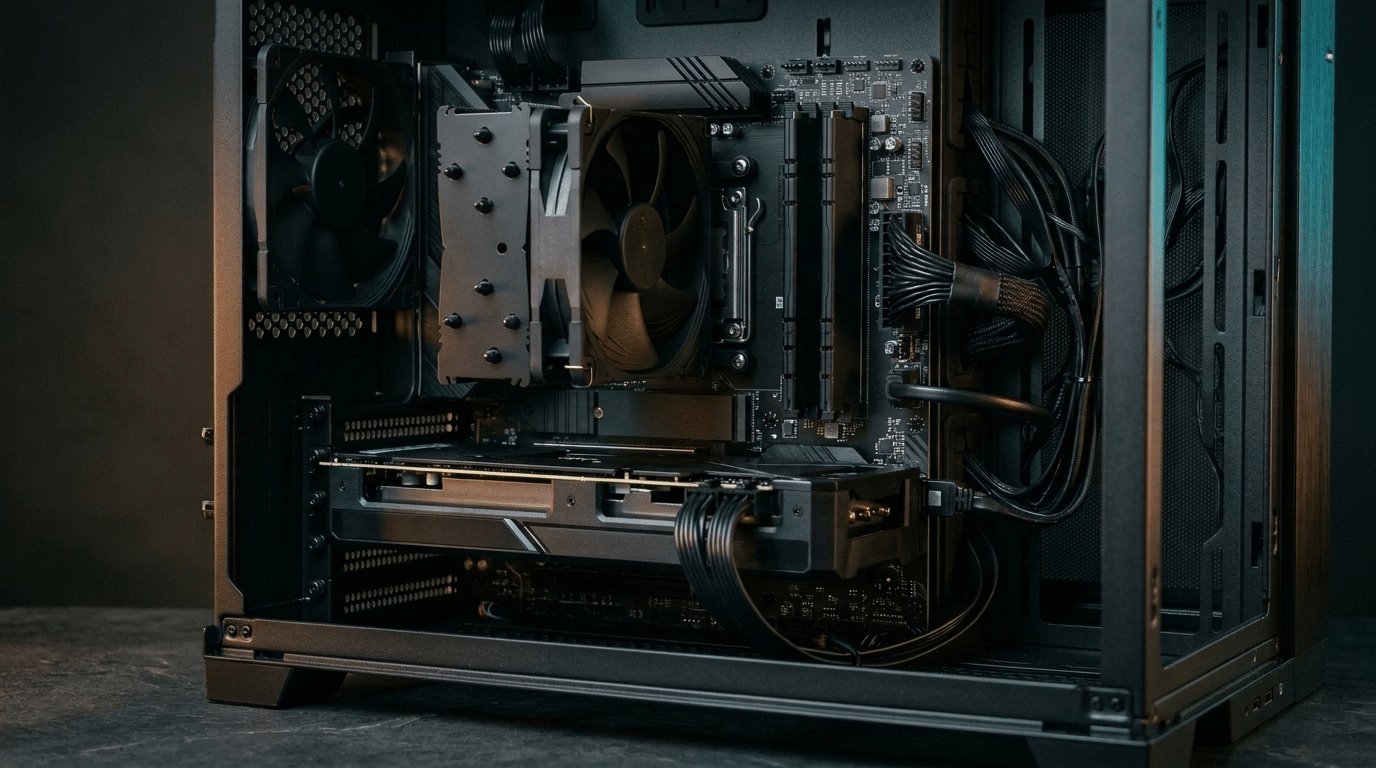
Buying the best Ryzen 7 8700F prebuilt gaming PC requires looking past the “8-Core Ryzen 7” headline in Amazon search results. Because the 8700F strips away half the L3 cache, disables integrated graphics, and reduces usable PCIe lanes compared with retail Zen 5 chips, choosing the right GPU pairing, motherboard chipset, memory configuration, and power supply decides whether your desktop feels balanced for years or hits immediate bottlenecks.
16MB L3 Cache, 16 Usable PCIe 4.0 Lanes & No iGPU: What Actually Changes in Games
Derived from AMD’s Zen 4 Phoenix mobile silicon repackaged for Socket AM5, the Ryzen 7 8700F delivers 8 cores and 16 threads boosting up to 5.0 GHz inside a cool 65W envelope—yet cuts L3 cache down to 16MB L3 cache (24MB total L2+L3) and exposes only 16 usable PCIe 4.0 lanes (20 total lanes minus 4 chipset uplink lanes, with zero PCIe 5.0 support). In contrast, the 6-core Ryzen 5 9600X carries 32MB L3 cache (38MB total) and 24 usable PCIe 5.0 lanes—a critical trade-off unpacked in our Ryzen 7 8700F vs. Ryzen 5 9600X comparison—while the Ryzen 7 9800X3D jumps to 96MB L3 V-Cache (104MB total).
In real-world gaming, those two limits matter in very specific ways. First, at 1080p in cache-sensitive competitive titles (Counter-Strike 2, Valorant, strategy sims, or heavy MMOs), 16MB L3 cache causes noticeably lower 1% Lows than full-cache Zen 5 or X3D chips. Second, because the 8700F typically allocates 8 PCIe 4.0 lanes (x8) to the primary GPU slot alongside two x4 M.2 slots, pairing it with an 8GB GPU like an RTX 5060 or RTX 5060 Ti 8GB requires staying honest about VRAM limits. Whenever an 8GB card overflows VRAM at 1440p Ultra or with ray tracing and Frame Generation enabled, textures spill across that PCIe 4.0 x8 bus into system RAM, triggering sharp frame pacing drops. Stepping up to a 12GB RTX 5070, 12GB RX 9070 GRE, or 16GB RX 9070 keeps textures inside local GPU VRAM and pushes the bottleneck onto GPU compute at 1440p, where the 8700F keeps pace smoothly. Also remember the Frame Generation baseline rule: both DLSS 4 Multi-Frame Generation and AMD FSR 4 Frame Gen require 50–60+ native base FPS paired with NVIDIA Reflex or AMD Anti-Lag 2 to keep input responsiveness crisp.
Motherboard Longevity: AMD B850 vs. B650 vs. Unlabeled OEM Boards
The primary reason to buy an 8700F system instead of a dead-end AM4 or LGA 1700 prebuilt is Socket AM5 longevity. However, not all AM5 motherboards inside prebuilt towers offer equal future runway. As confirmed in our Best AMD B850 Motherboards audit, AMD B850 makes PCIe 5.0 M.2 storage mandatory while preserving full CPU and DDR5 tuning—features confirmed upfront on the #3 CyberPowerPC Gamer Master GMA2900A3. Older B650 boards (like on #8 STORMCRAFT Sirius) still accept drop-in Ryzen 7 7800X3D or 9800X3D CPUs after a BIOS update, though you must confirm adequate VRM heatsinks and CPU cooler capacity before moving from a 65W 8700F up to a 120W–162W PPT X3D processor.
Spotting Hidden Amazon Prebuilt Compromises & Catalog Traps
Auditing Amazon.com prebuilts requires guarding against both component cuts and marketplace listing quirks:
- Single-Stick 1x16GB & Slow DDR5-4800 RAM: Systems advertising “16GB DDR5” without specifying 2x8GB or speed often ship one 16GB DDR5-4800 CL40–CL46 stick, slashing memory bandwidth in half and hurting 1% Lows by 15–30%. Target 32GB DDR5 (2x16GB) rated at DDR5-6000 CL30 for AM5’s 1:1 UCLK:MCLK sweet spot, and avoid populating 4 DIMMs when high speeds matter.
- Omitted PSU Wattage & “Brand May Vary” Parts: When listings omit PSU specs, never assume ATX 3.1 or 80+ Gold certification. Favor transparent builds like #4 KOTIN and #8 STORMCRAFT (650W 80+ Gold) or budget for a reliable 650W–750W ATX 3.1 unit if upgrading past a 250W GPU later.
- Hidden Wi-Fi 5 & Amazon Sidebar Traps: Even mid-upper prebuilts sometimes slip in outdated Wi-Fi 5 (802.11ac) adapters. Meanwhile, Amazon’s left sidebar stops its Graphics Memory filter at “8 GB & above,” mixes Renewed listings unless Condition is locked to New, and lets sellers pool 1,000+ reviews from old configurations onto new builds via shared Set-name dropdowns or duplicate CPU labels (`”8700 F”` vs. `”8700F”`). Always check the exact cart SKU and ignore automated spec-table noise (`Screen Size: 0.01`, `Cache Size: 8/16`).
Upgrade Roadmap & Hidden Ownership Costs
Factor these realistic post-purchase upgrades into your total ownership budget when picking a lower-tier 8700F build:
- Dual-Channel Memory Upgrade (Budget roughly $95–$110 on 16GB Rigs): Open Task Manager or HWiNFO64 immediately on first boot. If your 16GB build arrived as one 1x16GB stick or slow DDR5-4800, install a matched 32GB (2x16GB) DDR5-6000 CL30 EXPO kit in slots A2/B2 and enable AMD EXPO in BIOS.
- Secondary NVMe Storage (Budget roughly $110–$140 for 2TB): On 1TB systems like #2 Skytech, #3 CyberPowerPC, or #5 iBUYPOWER, add a 2TB PCIe 4.0 DRAM-equipped TLC NVMe SSD into your open M.2 slot rather than paying extra for PCIe 5.0 drives, which yield zero gaming frame rate gain on an 8700F.
- Wi-Fi 6E/7 or Wired Ethernet + BIOS Optimization (Budget around $25 if Wi-Fi 5): Run Ethernet or drop in an entry PCIe Wi-Fi 6E/7 adapter if your tower shipped Wi-Fi 5. Remember that the 8700F has zero integrated graphics—always plug your DisplayPort or HDMI cable directly into the graphics card, enable Resizable BAR (ReBAR) in BIOS, set your monitor’s maximum refresh rate in Windows, and uninstall trial bloatware.
- Year 2–3 AM5 X3D Drop-In Swap: Update your motherboard BIOS, verify VRM and cooler capacity (a dual-tower air cooler or 240mm/360mm AIO handles 120W–162W PPT easily), and drop in a Ryzen 7 7800X3D, 9800X3D, or 9850X3D to multiply L3 cache by 6x without buying a new motherboard, RAM, or chassis.
Should You Buy an 8700F Prebuilt Today or Step Up to an X3D Prebuilt / Custom DIY?
An 8700F prebuilt makes strong financial sense when it redirects budget into a better graphics card (like the 12GB RTX 5070 in #1 MSI Codex Z2 or 16GB RX 9070 in #2 Skytech) or drops sub-$1,400 entry AM5 pricing on a documented B850 board (#3 CyberPowerPC). Conversely, if you play exclusively CPU-bound 1080p competitive shooters at 240Hz–480Hz, or if you plan to spend near $2,000+, explore native X3D prebuilts in our Best Prebuilt Gaming PC hub or check our Ryzen 7 8700F vs. Ryzen 7 9800X3D audit before deciding between turnkey prebuilt convenience and DIY assembly with a Ryzen 5 9600X or 7800X3D.
How We Audited, Scored & Filtered These Ryzen 7 8700F Systems
Every configuration in this roundup underwent a documented specification and Amazon marketplace listing audit rather than fabricated lab claims, following our Editorial Evaluation Methodology. We cross-referenced official silicon datasheets from AMD and NVIDIA against each Amazon SKU’s chipset disclosure, VRAM capacity, DDR5 sizing, cooling topology, PSU transparency, and seller fulfillment channel across four weighted pillars totaling 100%.
| Evaluation Criterion | Weight | What We Audited |
|---|---|---|
| GPU & VRAM Headroom | 35% | Rasterization and ray-tracing tier across RTX 5060, RTX 5060 Ti 8GB, RX 9070 GRE 12GB, RTX 5070 12GB, and RX 9070 16GB, plus PCIe 4.0 x8 VRAM overflow risk. |
| CPU & Platform Runway | 25% | Ryzen 7 8700F 16MB L3 cache and 16 usable PCIe 4.0 lane pairing logic, documented AMD B850 vs. B650 boards, and drop-in X3D CPU compatibility. |
| Memory & Storage Balance | 20% | 16GB vs. 24GB vs. 32GB DDR5 allocation, DDR5-6000 MT/s transparency, dual-channel stability risks, and 1TB vs. 2TB NVMe SSD capacity. |
| Cooling, PSU & Warranty Support | 20% | Airflow tower vs. 8.1L SFF thermals, 4-to-6 heatpipe cooling, documented 80+ Gold PSU wattage, Wi-Fi 6/7 networking, and Amazon fulfillment reliability. |
Models We Audited & Rejected (And Why)
- Duplicate-Image High-Markup 32GB/8GB RTX 5060 Ti Variants: Redundant marketplace variants sharing identical studio photos at higher markups than buying a confirmed B850 rig and adding a matched 32GB DDR5-6000 CL30 kit yourself failed value audits.
- Legacy AM4 & 4GB–6GB Page-1 Budget Traps (RX 6500 XT / RTX 3050 6GB): Outdated DDR4 builds surfacing near entry AM5 price brackets get excluded for dead-end upgradeability and severe 4GB–6GB VRAM limits.
- Parent-ASIN Review-Pooled & Duplicate-Label Listings: Pages mixing 2020-era builds with 2026 Ryzen 7 8700F hardware under inherited ratings or confusing `’8700 F’` dropdown strings were flagged or excluded whenever variant identity was unclear.
Frequently Asked Questions About Ryzen 7 8700F Prebuilt Gaming PCs
Is a Ryzen 7 8700F prebuilt gaming PC worth buying in 2026?
Yes, provided the build pairs the Ryzen 7 8700F with a strong discrete GPU (like an RTX 5070 or RX 9070) on a standard AM5 board. Although Phoenix silicon cuts L3 cache to 16MB and limits usable PCIe 4.0 lanes to 16, it keeps entry pricing low while preserving a drop-in AM5 upgrade path to future X3D processors.
How much does the Ryzen 7 8700F’s 16MB L3 cache and 16 PCIe 4.0 lanes affect gaming?
At 1440p with a 12GB or 16GB GPU, the 16MB L3 cache has modest impact because the graphics card handles most work. In CPU-heavy 1080p esports or when an 8GB GPU overflows VRAM across the PCIe 4.0 x8 link, 1% Lows dip noticeably behind full-cache Ryzen 5 9600X or 9800X3D chips.
Which GPU pairs best with the Ryzen 7 8700F inside a prebuilt desktop?
For 1440p gaming, pairing the 8700F with a 12GB RTX 5070, 12GB RX 9070 GRE, or 16GB RX 9070 gives the best balance and prevents PCIe x8 VRAM overflow. For 1080p buyers under $1,400, an 8GB RTX 5060 Ti on a documented AMD B850 board maximizes upfront value.
Can I upgrade a Ryzen 7 8700F prebuilt PC to a Ryzen 7 9800X3D later?
Yes, on standard retail-style AM5 boards like AMD B850 or B650 (such as inside MSI, CyberPowerPC, Skytech, and KOTIN towers), updating the motherboard BIOS lets you drop in a Ryzen 7 7800X3D, 9800X3D, or 9850X3D later. Verify your CPU cooler and VRM cooling can handle 120W–162W loads.
Does the Ryzen 7 8700F have integrated graphics if my GPU fails?
No. Like Intel F-suffix processors, the AMD Ryzen 7 8700F disables its integrated graphics engine completely. You must always connect your monitor to the discrete graphics card’s DisplayPort or HDMI output, and you will need a spare GPU if you ever troubleshoot a no-display hardware issue.
What hidden prebuilt compromises should I audit before ordering an 8700F PC on Amazon?
Check four areas before checkout: confirm whether 16GB DDR5 arrives as a single 1x16GB stick or dual-channel kit, look for documented 650W+ 80+ Gold PSUs, avoid hidden Wi-Fi 5 adapters in mid-upper builds, and double-check Amazon’s Set name dropdown so review pooling never puts an older SKU in your cart.
Final Verdict: Which Best Ryzen 7 8700F Prebuilt Gaming PC Should You Buy?
Picking the best Ryzen 7 8700F prebuilt gaming PC comes down to matching your GPU VRAM and motherboard chipset to your actual resolution and upgrade plans. Overall, the MSI Codex Z2 A8NVP-436US (#1) leads our rankings by combining a 12GB GDDR7 RTX 5070, 32GB DDR5, and a 2TB NVMe SSD inside a standard ATX AM5 tower ready for a future X3D drop-in swap. Gamers demanding maximum VRAM for modded 1440p worlds should grab the Skytech Gaming RX 9070 Desktop (#2) with 16GB GDDR6 and 32GB memory, while value upgraders under $1,400 get the clearest platform runway from the CyberPowerPC Gamer Master GMA2900A3 (#3) thanks to its confirmed AMD B850 board. If transparent supporting hardware tops your checklist, choose the KOTIN Gaming PC Desktop (#4) for its 650W 80+ Gold PSU and Wi-Fi 7, or select the LAN Gamer 8.1L Mini-ITX SFF (#7) when compact desk fit is non-negotiable.


