
Disclosure: As an Amazon Associate, The PC Audit earns from qualifying purchases. If you buy through links on this page, we may earn a small commission at no extra cost to you.
Direct Answer: A Microsoft DirectStorage gaming SSD does not require PCIe 5.0 bandwidth to run modern PC titles smoothly. Because DirectStorage relies on batched NVMe queues and GDeflate GPU decompression, a cool-running PCIe 4.0 x4 TLC NVMe drive with dedicated DRAM matches Gen 5 frame rates (0 FPS gap) and stays within 0–2 seconds on loads.
Every PCIe 5.0 NVMe SSD spec sheet makes the same enticing pitch to PC builders: sequential read speeds climbing past 14,500 MB/s will eliminate loading screens and unlock next-generation open worlds. Yet when you compare flagship Gen 5 drives against proven PCIe 4.0 models inside our best gaming NVMe SSD buyer hub and PCIe 5.0 vs. PCIe 4.0 SSD comparison, real-world game load differences consistently stay within zero to two seconds—while rendered frame rates show zero difference at all.
The reason is not a bug in Windows or a failure of modern flash memory. It is an architectural shift inside Microsoft DirectStorage, the Windows I/O and GPU-decompression pipeline derived from console velocity storage designs. Rather than demanding raw 14 GB/s SSD silicon, DirectStorage fixes how Windows batches tens of thousands of tiny asset requests, bypasses legacy file-system overhead via Windows 11 BypassIO, and shifts heavy texture decompression off your CPU cores directly onto your graphics card.
In fact, once GDeflate compression and GPU decompression enter the picture, the practical bottleneck in DirectStorage-enabled titles frequently shifts toward graphics card VRAM capacity, motherboard PCIe lane routing, and sustained NAND controller stability rather than peak SSD read banners. Below, we examine the exact engineering layers behind Microsoft DirectStorage 1.0 through 1.3, explain why PCIe 4.0 DRAM + TLC drives hit the gaming sweet spot, and outline a six-step checklist before you upgrade your storage bay.
In This Guide
- Quick Decision Table: Which Storage Tier Does DirectStorage Need?
- Why the Legacy Windows Storage Stack Bottlenecked NVMe SSDs
- Inside Microsoft DirectStorage: NVMe Queues, BypassIO & GDeflate
- Do Modern Games Need Faster SSDs? PCIe 3.0 vs. 4.0 vs. 5.0 Realities
- When DirectStorage Stutters: VRAM Ceilings & Motherboard Lane Traps
- Myth vs. Engineering Reality: Five DirectStorage SSD Myths Debunked
- Actionable Buyer & Builder Checklist
- Commercial Bridge: Audited 2026 NVMe SSDs for DirectStorage Gaming
- Official Standards & Engineering References
- Frequently Asked Questions
Quick Decision Table: Which Storage Tier Does DirectStorage Need?
Microsoft DirectStorage is officially supported across NVMe SSDs on Windows 10 (version 1909 and newer) and Windows 11, with the fastest BypassIO kernel path reserved for Windows 11 on NTFS-formatted NVMe drives. However, real-world asset streaming behavior varies dramatically across storage interfaces and flash architectures. Use the matrix below to match your drive tier to modern gaming demands.
| Storage Interface Tier | Peak Seq. Read Bandwidth | NVMe Queues & BypassIO | DirectStorage Load & Streaming Behavior | FPS Impact vs. PCIe 4.0 | 2026 Gaming Verdict |
|---|---|---|---|---|---|
| SATA III SSD / Mechanical HDD | ~150–550 MB/s | No (AHCI 1 queue / 32 commands) | Relies on DirectStorage 1.2 buffered I/O fallback; long scene stalls and texture pop-in | Severe traversal hitching in streaming titles | Obsolete for Modern DirectStorage Games |
| PCIe 3.0 x4 NVMe SSD | ~3,000–3,500 MB/s | Yes (NVMe + Win11 BypassIO) | Handles current titles well, though heavy 4K GPU-decompressed scenes take ~1–3s longer | 0 FPS once assets reside in VRAM | Acceptable Legacy Slot / Budget Secondary |
| PCIe 4.0 x4 DRAM + 3D TLC | ~7,000–7,450 MB/s | Yes (Full NVMe + Win11 BypassIO) | Sweet Spot: ~14+ GB/s effective post-GDeflate throughput; cool thermals, steady 4K IOPS | Baseline Reference (0 FPS Gap vs. Gen 5) | Recommended Primary OS + Gaming Drive (2TB) |
| PCIe 5.0 x4 DRAM + 3D TLC | ~12,400–14,900 MB/s | Yes (Full NVMe + Win11 BypassIO) | 0–2s faster loads vs. Gen 4; requires bulky heatsink to avoid thermal throttling | 0 FPS Uplift over PCIe 4.0 DRAM + TLC | Enthusiast / 8K Creator & AI Scratch Only |
| DRAM-less QLC NVMe SSD | ~3,500–6,000 MB/s (pSLC burst) | Yes (PCIe HMB capped at 16–64MB) | Fine for cold reads until 70%+ full, where post-pSLC write cliffs stall background patches | 0 FPS when clean; stutters under heavy OS writes | Secondary Archive Only — Avoid as OS Drive |
Why the Legacy Windows Storage Stack Bottlenecked NVMe SSDs
Before DirectStorage arrived on PC, jumping from a 550 MB/s SATA SSD to a 3,500 MB/s PCIe 3.0 or 7,300 MB/s PCIe 4.0 NVMe drive rarely cut game loading times in half. The culprit was not your SSD controller—it was how the legacy Win32 storage stack and game compression pipelines processed data.
Modern 3D worlds do not stream single sequential 10GB files. Instead, engines fetch tens of thousands of tiny 32KB to 64KB texture mipmaps, geometry chunks, audio banks, and shader blocks concurrently. Under traditional Win32 I/O APIs (ReadFile and standard kernel file caching), every single small read request incurs per-operation CPU overhead across the NTFS driver, storage filter stack, and kernel memory manager. Even though the underlying NVMe protocol supports up to 64,000 parallel queues with 64,000 commands per queue—versus AHCI SATA’s single queue capped at 32 commands—legacy game I/O pipelines left NVMe parallelism largely untapped.
Worse still, every byte of compressed game geometry and texture data followed a wasteful multi-hop path through your PC:
- Hop 1 — NVMe SSD to System DDR5 RAM: The SSD copied compressed asset blocks through the PCIe root complex into system memory while traversing traditional Windows file-system filter layers.
- Hop 2 — CPU Core Decompression Bottleneck: CPU threads manually decompressed zlib, LZ4, or Oodle archives in system memory—often saturating multiple processor cores during fast level transitions and starving game logic threads.
- Hop 3 — System RAM to GPU VRAM: Finally, the much larger uncompressed assets crossed the PCIe x16 bus a second time into graphics card VRAM. At PCIe 4.0/5.0 NVMe speeds, a typical desktop CPU simply ran out of single-thread and multi-core decompression bandwidth long before the SSD ran out of NAND channels.
Inside Microsoft DirectStorage: NVMe Queues, BypassIO & GDeflate
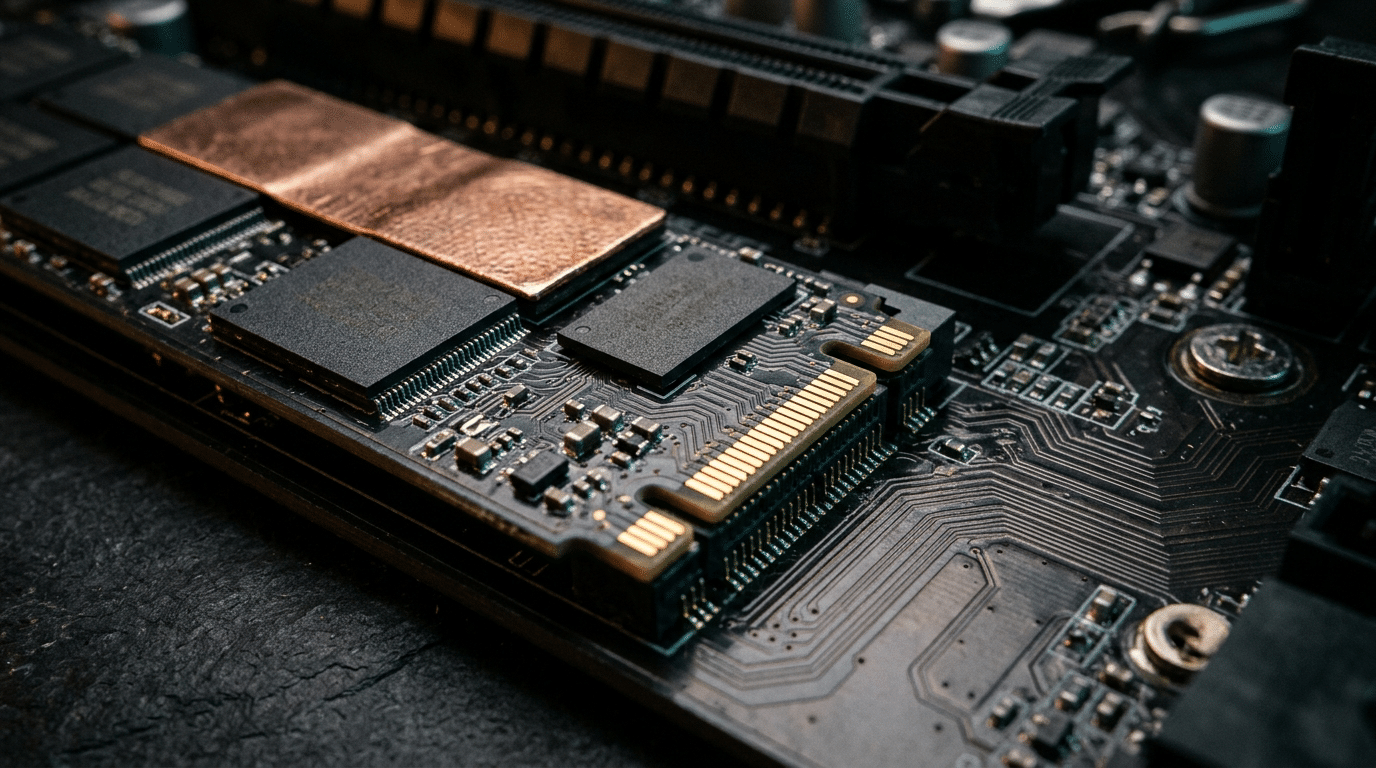
Microsoft DirectStorage restructures that legacy pipeline around a single governing principle from our hardware knowledge graph: Microsoft DirectStorage routes compressed assets from an NVMe SSD directly toward GPU VRAM, minimizing CPU intervention at both the storage I/O layer and the decompression stage.
1. Batched Asynchronous NVMe Command Queues (DirectStorage 1.0)
At its foundation in Microsoft’s DirectStorage API documentation, DirectStorage replaces individual blocking file reads with asynchronous command queues that let game engines batch thousands of small 64KB asset requests into unified submission calls. Instead of triggering constant CPU context switches and kernel interrupts for each texture tile, the storage controller receives deep parallel queues designed around NVMe’s hardware architecture, cutting per-request CPU latency dramatically.
2. Windows 11 BypassIO and the NTFS Minifilter Veto Trap
On Windows 11, DirectStorage pairs its batched queue model with BypassIO (FSCTL_MANAGE_BYPASS_IO), a streamlined non-cached kernel read path documented in Microsoft’s BypassIO filter driver architecture. BypassIO trims intermediate OS file-system caching layers, sending read requests cleanly through the NTFS volume and NVMe storage stacks with minimal CPU instruction overhead.
However, BypassIO enforces three strict hardware and software rules that trip up many PC builders:
- NVMe + NTFS Only: Windows 11 restricts BypassIO strictly to NVMe storage devices formatted with NTFS (SATA SSDs, exFAT partitions, and Windows Storage Spaces volumes do not qualify).
- Non-Cached Reads Only: BypassIO handles unbuffered direct reads; legacy buffered file operations automatically bypass it.
- Zero-Tolerance Minifilter Veto: Every active file-system minifilter driver attached to your drive—including antivirus scanners, disk encryption utilities, backup agents, and certain kernel-level anti-cheat drivers—must explicitly advertise BypassIO compatibility. If even a single outdated filter driver fails to support it, that driver vetoes BypassIO for the entire volume. You can audit your own drive right now by opening an elevated Command Prompt and running
fsutil bypassio state c:(substituting your game drive letter).
3. DirectStorage 1.1–1.3 Evolution: GDeflate, RTX IO & SmartAccess Storage
DirectStorage 1.0 still relied on CPU decompression, limiting real-world gains until DirectStorage 1.1 introduced GPU Decompression powered by GDeflate—an open lossless compression standard contributed by NVIDIA and standardized within NVIDIA RTX IO. Using DirectX 12 Compute Shaders (requiring any DirectX 12 GPU supporting Shader Model 6.0 across NVIDIA GeForce, AMD Radeon, and Intel Arc), the graphics card executes massively parallel GDeflate decompression directly inside VRAM. That eliminates the CPU decompression bottleneck entirely and halves the data volume crossing your PCIe storage lanes.
Subsequent SDK revisions refined both compatibility and scheduling precision. DirectStorage 1.2 introduced ForceFileBuffering alongside DisableBypassIO inside DSTORAGE_CONFIGURATION1 so developers can run one unified asset pipeline across both NVMe SSDs and legacy mechanical hard drives (where unbuffered BypassIO reads previously caused severe seek stalls), plus IDStorageQueue2::GetCompressionSupport() so games detect whether GPU-optimized decompression or CPU fallback is active. On July 1, 2025, Microsoft released DirectStorage 1.3, adding IDStorageQueue3::EnqueueRequests for batched ID3D12Fence rendering synchronization and DSTORAGE_DESTINATION_MULTIPLE_SUBRESOURCES_RANGE for multi-subresource D3D12 copies. Meanwhile, AMD SmartAccess Storage pairs DirectStorage streaming with Smart Access Memory (Resizable BAR), letting Ryzen + Radeon platforms map full GPU VRAM cleanly for asset transfers.
Do Modern Games Need Faster SSDs? PCIe 3.0 vs. 4.0 vs. 5.0 Realities
Understanding GDeflate compression explains why buying a 14,700 MB/s PCIe 5.0 SSD does not magically accelerate modern games beyond a strong PCIe 4.0 drive. Because GDeflate typically compresses textures and geometry buffers at roughly a 2:1 compression ratio (often higher on repetitive mipmaps), every megabyte pulled from your SSD inflates into roughly two megabytes of usable assets inside GPU VRAM:
- PCIe 3.0 x4 NVMe (~3,500 MB/s raw): Yields roughly
~7 GB/sof effective GDeflate-decompressed texture flow into VRAM—already far faster than legacy Win32 CPU loading. - PCIe 4.0 x4 DRAM + TLC NVMe (~7,000–7,450 MB/s raw): Delivers roughly
~14–15 GB/sof effective uncompressed GPU data per second, saturating almost every shipping DirectStorage engine pipeline without taxing motherboard thermals. - PCIe 5.0 x4 DRAM + TLC NVMe (~12,400–14,900 MB/s raw): Pushes theoretical post-decompression bandwidth toward
~28–30 GB/s, yet current game engines rarely stream compressed assets fast enough to exploit that ceiling during initial loads or level streaming.
In real-world DirectStorage releases—from pioneers like Forspoken and Ratchet & Clank: Rift Apart to sprawling open worlds like Horizon Forbidden West and Monster Hunter Wilds—two consistent architectural truths emerge. First, moving up from a SATA SSD or mechanical hard drive to any modern NVMe SSD transforms loading screens and eliminates mid-traversal world stalls. Second, stepping from a PCIe 4.0 DRAM + TLC SSD to a PCIe 5.0 SSD yields 0 FPS uplift and only a 0–2 second difference in load screens—a tiny margin invisible outside stopwatches.
Rather than chasing sequential Gen 5 headline numbers, DirectStorage actually rewards sustained random 4K queue depth stability, dedicated onboard DRAM cache, and 3D TLC NAND. As we detail in our SSD DRAM cache vs. HMB engineering guide and TLC vs. QLC NAND breakdown, an SSD controller keeps its Flash Translation Layer (FTL) logical-to-physical mapping table inside onboard LPDDR4/DDR4 DRAM at roughly 1GB per 1TB of NAND. When Windows runs background updates, shader compilation, or Steam patch decompression alongside DirectStorage reads, a DRAM + TLC drive maintains predictable latency—whereas a budget DRAM-less QLC drive operating past 70% full can hit severe post-pSLC write cliffs dropping toward 100–200 MB/s.
DirectStorage Link Budget: Raw Interface Bandwidth vs. Real Asset Throughput
Storage tiers are usually compared by headline read speed, but DirectStorage performance is governed by a chain of three ceilings: the interface link, the drive’s own sequential read rating, and how much data GPU decompression can expand on arrival. The table below lays out that chain using PCI-SIG and SATA-IO link rates alongside typical retail drive ratings.
| Interface (Lanes) | Raw Link Bandwidth | Typical Drive Seq. Read | Theoretical Time to Read a 10 GB Asset Package | Effective Asset Throughput at ~2:1 GDeflate |
|---|---|---|---|---|
| SATA III (6 Gb/s) | ~0.6 GB/s | ~0.55 GB/s | ~18 s | ~1.1 GB/s (CPU fallback path) |
| USB 3.2 Gen 2 external (10 Gb/s) | ~1.2 GB/s | ~1.0 GB/s | ~10 s | ~2 GB/s (no BypassIO) |
| PCIe 3.0 x4 NVMe | ~3.9 GB/s | ~3.5 GB/s | ~2.9 s | ~7 GB/s |
| PCIe 4.0 x2 (lane-shared M.2 slot) | ~3.9 GB/s | Capped at ~3.9 GB/s | ~2.6 s | ~7.8 GB/s |
| PCIe 4.0 x4 NVMe | ~7.9 GB/s | ~7.0–7.45 GB/s | ~1.4 s | ~14 GB/s |
| PCIe 5.0 x4 NVMe | ~15.8 GB/s | ~12.4–14.8 GB/s | ~0.7 s | ~25–29 GB/s |
The arithmetic exposes why real loading screens shrink far less than the bandwidth column suggests. Moving from PCIe 4.0 x4 to PCIe 5.0 x4 saves well under one second of raw I/O on a 10 GB package, while engine initialization, shader compilation, and world setup remain CPU-bound and identical on both drives. That is the mechanical reason the Gen 5 load-time gap stays in the 0–2 second range compared in our Samsung 9100 Pro vs. WD Black SN850X audit.
The more dangerous row is PCIe 4.0 x2. A Gen 4 drive dropped into a lane-shared slot loses half its link and lands at PCIe 3.0 x4 territory without any warning in Windows. External USB drives fare worse still: they skip the NVMe BypassIO path entirely, so GPU decompression has to wait on a slow, CPU-mediated pipe. For DirectStorage titles, the practical floor is a native PCIe 4.0 x4 CPU-attached M.2 slot; anything above that buys headroom, not frame rate.
When DirectStorage Stutters: VRAM Ceilings & Motherboard Lane Traps
When players experience stuttering in modern DirectStorage games, the reflex is often to blame a PCIe 4.0 SSD for not being PCIe 5.0. Engineering reality points to two completely different culprits on the motherboard and graphics card.
1. GPU VRAM Exhaustion During GPU Decompression
DirectStorage 1.1+ places both the compressed staging buffer, the GDeflate compute shader scratch space, and the decompressed textures inside GPU memory. In demanding releases such as Monster Hunter Wilds, aggressive GPU texture decompression and rapid camera-pan streaming can spike VRAM pressure sharply. Graphics cards capped at 8GB VRAM—flagged under our 2026 VRAM headroom guide—frequently suffer frame-time hitching and texture pop-in as the driver spills assets back across PCIe into system RAM. Upgrading from a 7,300 MB/s Gen 4 SSD to a 14,700 MB/s Gen 5 SSD does nothing to fix an 8GB VRAM bottleneck; stepping up to a 12GB or 16GB GPU solves it directly.
2. Motherboard M.2 PCIe Lane-Sharing Traps
Seating a new PCIe 5.0 SSD into the wrong motherboard M.2 socket can quietly downgrade your graphics card slot. As documented in our motherboard PCIe lane sharing audit, certain AM5 X870 and B850 boards wire secondary CPU-direct PCIe 5.0 M.2 slots (commonly labeled M2_2 or M2_3) by bifurcating the primary GPU slot from PCIe x16 down to x8. Always check your motherboard’s manual block diagram: install your primary DirectStorage gaming SSD in the dedicated unshared CPU M2_1 slot, and populate chipset-routed PCIe 4.0 M.2 slots for secondary storage so your GPU keeps all 16 lanes.
3. PCIe 5.0 Thermal Throttling Under Unvented Armor
Moving from PCIe 4.0 to PCIe 5.0 doubles link signaling from 16.0 GT/s to 32.0 GT/s per lane under PCI-SIG PCI Express specifications. Early and flagship Gen 5 controllers draw substantially higher peak wattage under sustained streaming, forcing rapid temperature spikes if mounted without substantial aluminum finned heatsinks or direct case airflow. Once a Gen 5 SSD crosses its thermal throttle threshold, controller clocks pull back sharply—erasing any theoretical advantage over a cool-running PCIe 4.0 TLC drive.
Myth vs. Engineering Reality: Five DirectStorage SSD Myths Debunked
- Myth 1: “DirectStorage requires a PCIe 5.0 SSD—PCIe 4.0 drives are too slow.”
Engineering Reality: Microsoft DirectStorage operates smoothly on any healthy PCIe 3.0 or PCIe 4.0 NVMe SSD. With 2:1 GDeflate compression, a 7,300 MB/s PCIe 4.0 x4 drive supplies ~14.6 GB/s of effective uncompressed assets to VRAM, leaving 0 FPS gain and a 0–2s load delta versus Gen 5. - Myth 2: “Enabling DirectStorage automatically raises your average FPS.”
Engineering Reality: Storage APIs do not render pixels or shade triangles. DirectStorage improves load times, cuts traversal pop-in, and lowers CPU decompression spikes—which can smooth transient frametime dips during streaming without raising your GPU’s steady-state frame-rate ceiling. - Myth 3: “PCIe 5.0 DirectStorage drives need zero extra cooling inside gaming cases.”
Engineering Reality: Sustained 32.0 GT/s Gen 5 controller activity pushes heavy thermal loads that quickly throttle bare M.2 sticks. Always pair PCIe 5.0 drives with substantial motherboard M.2 armor or dedicated finned heatsinks—never double-stack a factory heatsink underneath motherboard armor. - Myth 4: “Any cheap NVMe SSD performs equally well under DirectStorage.”
Engineering Reality: While read-only DirectStorage streaming works on DRAM-less drives, gaming rigs continuously install 100GB–180GB titles, unpack Steam patches, and run Windows 11 OS tasks concurrently. DRAM-equipped 3D TLC drives avoid the post-pSLC write cliffs and random IOPS stalls common to budget DRAM-less QLC sticks. - Myth 5: “If a game supports DirectStorage, Windows 11 BypassIO is guaranteed to be active.”
Engineering Reality: Legacy antivirus hooks, disk encryption tools, exFAT drives, or SATA SSDs silently veto BypassIO and force fallback I/O paths. Runningfsutil bypassio state c:in an administrator terminal verifies immediately whether your game volume runs unobstructed.
Actionable Buyer & Builder Checklist
Before spending extra budget on storage or troubleshooting slow game streaming, run through these six hardware and OS checks:
- Prioritize 2TB PCIe 4.0 DRAM + TLC Over 1TB PCIe 5.0 (Knowledge Graph Rule R-SSD-01): On fixed gaming budgets, double your capacity to a 2TB PCIe 4.0 x4 DRAM + 3D TLC SSD instead of paying a premium for a 1TB PCIe 5.0 drive. Modern AAA installs routinely occupy 100GB–180GB each, and capacity + cool thermals deliver far more daily value than a 0–2s load gap.
- Verify Windows 11 BypassIO & NTFS Formatting: Install DirectStorage games strictly onto an NTFS-formatted internal M.2 NVMe SSD running Windows 11, and confirm zero third-party minifilter vetoes using
fsutil bypassio state <drive>:. - Audit GPU VRAM Capacity & Resizable BAR First (Rule R-GPU-01): Confirm your GPU carries at least 12GB–16GB VRAM for 1440p/4K DirectStorage titles and enable Resizable BAR / Above 4G Decoding in UEFI BIOS so CPU/GPU asset staging buffers never choke.
- Seat Your Primary Drive in CPU-Direct
M2_1Without GPU Bifurcation: Consult your motherboard block diagram so secondary M.2 slots never split your primary PCIe x16 graphics card slot down to x8. - Reject 500GB Boot Drives and DRAM-less QLC Primary Storage (Rule R-SSD-02): Keep at least 20% free drive capacity (~400GB free on a 2TB SSD) so dynamic pSLC caching and background Garbage Collection sustain snappy random 4K IOPS. Check our 1TB vs. 2TB vs. 4TB SSD capacity guide for multi-game library math.
- Match Heatsink Geometry Before Purchasing Gen 5 SSDs: If buying a PCIe 5.0 drive for creator or enthusiast builds, buy the bare-drive version if your motherboard already has an integrated M.2 armor plate—or verify cooler clearance if selecting a tall factory finned heatsink.
Commercial Bridge: Audited 2026 NVMe SSDs for DirectStorage Gaming
Every NVMe drive below clears every engineering check in this guide: dedicated onboard LPDDR4 or LPDDR4X DRAM cache for zero-stall FTL mapping, high-endurance 3D TLC NAND rated at 1,200 TBW on 2TB capacities, full PCIe NVMe parallelism for Windows 11 BypassIO, and clean compatibility with DirectX 12 DirectStorage GPU decompression. Explore full tier rankings inside our best gaming NVMe SSD buyer hub.
1. WD_BLACK 2TB SN850X NVMe SSD — Best PCIe 4.0 DirectStorage Gaming Sweet Spot

Budget Tier: High-tier PCIe 4.0 | Audited Specs: 2TB M.2 2280 | PCIe 4.0 x4 NVMe | Up to 7,300 MB/s sequential read | 3D TLC NAND | Dedicated LPDDR4 DRAM cache | 1,200 TBW endurance | WD Dashboard Game Mode 2.0.
Engineering Audit Verdict: The quintessential DirectStorage gaming SSD in our 2026 audit. At 7,300 MB/s over PCIe 4.0 x4, GDeflate GPU decompression translates its bandwidth into ~14.6 GB/s of uncompressed in-game asset flow—matching Gen 5 frame rates while running cleanly beneath standard motherboard M.2 armor without heavy heatsink headaches.
2. Samsung SSD 990 PRO 2TB PCIe 4.0 M.2 2280 — Best Queue Stability & Thermal Efficiency

Budget Tier: High-tier PCIe 4.0 | Audited Specs: 2TB M.2 2280 (MZ-V9P2T0B/AM) | PCIe 4.0 x4 NVMe | Up to 7,450 MB/s sequential read | Samsung V-NAND TLC | 2GB LPDDR4 DRAM cache | 8nm controller | 1,200 TBW endurance.
Engineering Audit Verdict: Built on an efficiency-tuned 8nm controller and full 2GB LPDDR4 mapping memory, the 990 PRO sustains high random 4K queue performance (up to 1.4M read / 1.55M write IOPS) when Windows 11 BypassIO reads collide with background shader compilation or Steam patching. Ideal for both compact airflow cases and gaming laptops.
3. Crucial T500 2TB PCIe Gen4 NVMe M.2 SSD — Best Single-Sided TLC + DRAM Motherboard Fit
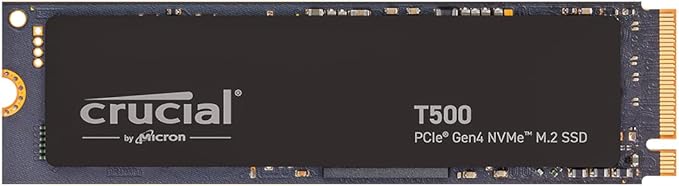
Budget Tier: High-tier PCIe 4.0 | Audited Specs: 2TB M.2 2280 (CT2000T500SSD8) | PCIe 4.0 x4 NVMe | Up to 7,400 MB/s read / 7,000 MB/s write | Micron 232-layer TLC NAND | 2GB LPDDR4 DRAM cache | 1,200 TBW endurance.
Engineering Audit Verdict: Using dense 232-layer TLC flash allows Crucial to deliver 2TB plus a full 2GB LPDDR4 DRAM package on a single-sided PCB that clears tight SFF Mini-ITX backplates and drops straight under B850 or Z890 motherboard M.2 heatsinks with even thermal contact.
4. Samsung SSD 9100 PRO 2TB PCIe 5.0 x4 M.2 2280 — Best PCIe 5.0 Pick for Creators & Enthusiasts

Budget Tier: Enthusiast PCIe 5.0 | Audited Specs: 2TB M.2 2280 (MZ-VAP2T0B/AM) | PCIe 5.0 x4 NVMe | Up to 14,700 MB/s read / 13,400 MB/s write | Samsung V-NAND TLC | 2GB LPDDR4X DRAM cache | 5nm Presto controller | 1,200 TBW endurance.
Engineering Audit Verdict: Pure gamers do not need Gen 5 speed for DirectStorage today, as noted in our PCIe 5.0 vs. PCIe 4.0 SSD analysis. However, if your rig doubles as an 8K video editing workstation or local AI model host—and your motherboard provides an unshared CPU PCIe 5.0 M.2 slot with robust heatsink armor—the 5nm Presto controller on the 9100 PRO delivers cleaner power efficiency than first-generation Gen 5 drives.
Official Standards & Engineering References
- Microsoft Learn — DirectStorage Developer Portal & API Architecture: learn.microsoft.com/en-us/windows/win32/directstorage/directstorage-portal
- Microsoft Learn — BypassIO Filter Driver Architecture & NVMe Requirements: learn.microsoft.com/en-us/windows-hardware/drivers/ifs/bypassio
- Microsoft DirectX Developer Blog — DirectStorage 1.3 Release & Synchronization Updates: devblogs.microsoft.com/directx/directstorage-1-3-is-now-available/
- NVIDIA Developer — RTX IO & GDeflate GPU-Accelerated Storage Overview: developer.nvidia.com/rtxio
- PCI-SIG — PCI Express Base & M.2 CEM Specifications: pcisig.com/specifications
- Samsung Semiconductor — 990 PRO NVMe SSD Technical Datasheet: semiconductor.samsung.com/consumer-storage/internal-ssd/990-pro/
How We Audited This Guide
- Processors, motherboards, memory, and storage were compared by socket longevity, chipset lane allocation, VRM design, DDR5 EXPO/XMP support, and PCIe generation.
- Every specification claim was cross-checked against official OEM datasheets, platform vendor documentation, and published industry standards (PCI-SIG, JEDEC, VESA, Intel ATX) rather than marketplace listing copy.
- Recommendations were evaluated against our weighted audit rubric and documented compatibility rules; we do not publish fabricated FPS, thermal, or acoustic numbers.
Frequently Asked Questions
Does Microsoft DirectStorage require a PCIe 5.0 NVMe SSD?
No. DirectStorage requires an NVMe SSD and a DirectX 12 Shader Model 6.0 GPU, working smoothly on both PCIe 3.0 and PCIe 4.0 drives. Because GDeflate compression roughly doubles effective texture throughput, a 7,300 MB/s PCIe 4.0 DRAM + TLC SSD delivers virtually identical loading speeds and zero FPS difference compared to PCIe 5.0.
Does DirectStorage work on Windows 10 or only Windows 11?
DirectStorage runs on both Windows 10 (version 1909 and later) and Windows 11, including GPU decompression via DirectX 12 Compute Shaders. However, Windows 11 adds the streamlined BypassIO kernel path for NTFS-formatted NVMe drives, lowering CPU I/O overhead further compared to Windows 10.
How can I check if Windows 11 BypassIO is active on my gaming SSD?
Open Command Prompt or Windows Terminal as Administrator and run fsutil bypassio state c: (replace c: with your game drive letter). Windows reports immediately whether BypassIO is supported on that NTFS NVMe volume or identifies any third-party minifilter driver blocking it.
Why do some DirectStorage games still stutter on fast NVMe SSDs?
Stuttering during DirectStorage asset streaming usually traces to exhausted GPU VRAM (especially on 8GB graphics cards during rapid camera turns), unoptimized engine shader compilation, or background minifilter vetoes rather than SSD speed. Upgrading to a 12GB–16GB GPU fixes VRAM-bound decompression hitches far more effectively than buying a Gen 5 SSD.
Can I use a SATA SSD or external USB drive for DirectStorage games?
Games using DirectStorage 1.2’s buffered I/O fallback can launch from SATA SSDs or HDDs, though you lose NVMe queue parallelism and Windows 11 BypassIO entirely. External USB enclosures also strip BypassIO and NVMe Host Memory Buffer support, so install DirectStorage games onto an internal M.2 NVMe slot whenever possible.


