
Disclosure: As an Amazon Associate, The PC Audit earns from qualifying purchases. If you buy through links on this page, we may earn a small commission at no extra cost to you.
Direct Answer: When comparing a 1TB vs. 2TB vs. 4TB gaming SSD in 2026, 2TB PCIe 4.0 DRAM+TLC is the clear sweet spot—holding Windows 11, apps, and 10 to 15 AAA games (100GB–180GB each) with 20% free headroom. Choose 1TB strictly under $1,000, or 4TB (single or dual 2TB) for massive libraries.
Storage capacity planning used to be an afterthought when flagship PC games rarely topped 40GB and a single budget drive held an entire digital library. In 2026, uncompressed 4K texture packs, high-bitrate audio assets, and seasonal live-service expansions routinely push individual AAA installs to 100GB–180GB each, turning a 500GB primary SSD into an unworkable bottleneck after just two or three major downloads. Meanwhile, buying an oversized or poorly matched flash drive wastes system budget that directly improves frame rates when allocated toward your GPU or CPU.
Within our hardware allocation model across the Processors & Platforms hub and our best gaming NVMe SSDs guide, primary storage accounts for roughly 6%–9% of total build cost. Following our core storage architecture principle PCIe 5.0 NVMe SSD --[YIELDS_0_FPS_AND_0-2S_LOAD_GAIN_OVER]--> PCIe 4.0 DRAM+TLC SSD in Current Games, smart capacity planning prioritizes usable gigabytes, TLC endurance, and dedicated DRAM cache before chasing flashy sequential read numbers. Whether you are planning a starter rig around our $1,000 budget 1080p gaming PC build blueprint or stepping up to our $1,500 mainstream 1440p gaming PC build blueprint, this capacity guide breaks down the exact formatting math, NAND flash mechanics, and M.2 slot tradeoffs separating 1TB, 2TB, and 4TB gaming drives.
In This Guide
- 1TB vs. 2TB vs. 4TB Gaming SSD Quick Reference Matrix (2026)
- Real Usable Capacity: Binary GiB Math, Windows 11 & the 20% Rule
- TLC vs. QLC NAND, DRAM Cache & PCIe 4.0 vs. 5.0 Economics
- Single 4TB SSD vs. Dual 2TB Drives: Motherboard M.2 Lanes & Heatsinks
- Matching SSD Capacity to Your Gaming PC Budget Tier
- Myth vs. Engineering Reality: Five Gaming SSD Capacity Myths Busted
- Actionable SSD Capacity Planning Checklist
- Verified 2026 Gaming NVMe SSDs by Capacity & Role
- Frequently Asked Questions
1TB vs. 2TB vs. 4TB Gaming SSD Quick Reference Matrix (2026)
Before diving into NAND flash architecture, compare how advertised terabytes translate into real formatted Windows capacity, safe operating headroom, and realistic 2026 AAA install counts once you set aside space for the operating system, GPU shader caches, and seasonal patch buffers.
| SSD Tier | Windows Formatted Space | Safe Game Space (After OS + 20% Reserve) | 2026 AAA Game Capacity (100GB–180GB/Title) | Recommended Architecture | Best Build & Buyer Fit |
|---|---|---|---|---|---|
| 500GB (Disqualified) | ~465 GiB | ~272 GiB | 2–3 titles max | Avoid as primary drive | Disqualified under Audit Rule R-SSD-02 |
| 1TB (Entry Minimum) | ~931 GiB | ~645 GiB | 4–6 AAA titles + indies | PCIe 4.0 x4 TLC + DRAM | Tight starter rigs under $1,000 |
| 2TB (Sweet Spot) | ~1,863 GiB | ~1,390 GiB | 10–15 modern titles | PCIe 4.0 x4 TLC + DRAM | 95% of 1080p/1440p/4K gaming PCs ($1,500+ builds) |
| 4TB (Single or 2x 2TB) | ~3,725 GiB | ~2,880 GiB (OS drive) ~2,980 GiB (secondary) | 18–25+ AAA titles + mods/media | PCIe 4.0 TLC + DRAM (primary) or Dual 2TB | Hoarders, flight/sim modders, 4K/8K creators |
Look closely at the jump between 1TB and 2TB. Although a 2TB drive merely doubles raw flash capacity on the spec sheet, subtracting roughly 100 GiB of fixed Windows 11, driver, and launcher overhead means actual usable game library capacity more than doubles—jumping from roughly 645 GiB on a 1TB boot drive to around 1,390 GiB on a 2TB boot drive while maintaining identical drive health margins.
Real Usable Capacity: Binary GiB Math, Windows 11 & the 20% Rule
Every newly installed NVMe drive reports noticeably fewer gigabytes inside Windows File Explorer than the capacity printed on its retail box. Understanding why that shrinkage happens—and why filling the remaining space to 95% sabotages sustained write speeds—is essential before committing to a single capacity tier.
Step 1 — Decimal Terabytes (TB) vs. Binary Tebibytes/Gibibytes (GiB)
NAND flash manufacturers advertise storage in base-10 decimal units, where 1 Terabyte (TB) equals exactly 1,000,000,000,000 bytes (1,0004). Windows, however, calculates disk partitions in base-2 binary units (Gibibytes, or GiB, though Windows labels them “GB”), where 1 GiB equals 1,073,741,824 bytes (1,0243):
Formatted Windows Capacity (GiB) = (Advertised TB × 1,000,000,000,000) ÷ 1,073,741,824
- 1TB Drive: Formats to roughly 931.3 GiB—meaning 68.7 units of advertised space vanish purely due to decimal-to-binary conversion before Windows writes a single byte.
- 2TB Drive: Formats to roughly 1,862.6 GiB, giving builders nearly twice the raw working pool for minimal incremental motherboard footprint.
- 4TB Drive: Formats to roughly 3,725.3 GiB, offering vast headroom whether used as one unified OS-and-library volume or a dedicated secondary vault.
Step 2 — Windows 11, Pagefile, and Shader Cache Overhead (~80–120 GiB)
If your NVMe SSD serves as the primary C: drive rather than a dedicated secondary D: game volume, Windows 11 Home or Pro, system recovery partitions, GPU driver suites, game client launchers (Steam, Epic, Battle.net, Xbox App), virtual memory pagefiles, and compiled DirectX 12/Vulkan shader caches quickly occupy 80 GiB to 120 GiB. On a 500GB drive (~465 GiB formatted), that overhead eats over one-fifth of the entire SSD immediately. On a 1TB drive (~931 GiB), roughly 11% disappears before your first game download begins.
Step 3 — Why Every Gaming SSD Needs a 20% Free-Space Reserve
Unlike spinning mechanical hard drives that simply write sequentially to magnetic platters, modern NVMe SSDs rely on empty blocks for three background operations that sustain responsiveness and flash lifespan:
- Dynamic pSLC Cache (Pseudo-Single-Level Cell): Most consumer TLC and QLC SSDs temporarily run vacant flash cells in ultra-fast 1-bit-per-cell mode to absorb massive 50GB–150GB game downloads and Steam patch unpacking. As drive fill rises past 75%–80%, that dynamic pSLC cache shrinks dramatically, forcing the controller to fold data directly into slower multi-bit cells mid-download.
- TRIM & Garbage Collection: SSDs cannot overwrite existing NAND pages directly; they must erase full blocks before rewriting. Leaving at least 20% unallocated free space gives the controller clean erased blocks for idle garbage collection without stalling active reads during gameplay.
- Patch Decompression Scratch Space: Modern PC game updaters frequently require an extra 50GB–120GB of temporary scratch headroom to unpack compressed delta patches alongside the existing installation. Running a 1TB drive at 88% full regularly triggers “insufficient disk space” errors even for a routine 15GB seasonal update.
Apply our baseline planning equation—Safe Game Pool (GiB) = (Formatted GiB × 0.80) − OS & App Overhead (100 GiB)—and the gap becomes unmistakable: a 1TB boot drive holds ~645 GiB safely (4–6 large AAA titles), a 2TB boot drive holds ~1,390 GiB safely (10–15 titles), and a 4TB drive holds ~2,880–2,980 GiB cleanly.
TLC vs. QLC NAND, DRAM Cache & PCIe 4.0 vs. 5.0 Economics
Two 2TB drives sitting side by side on a retail page can share identical box capacities while behaving completely differently under sustained 100GB game installs or heavy operating system multitasking. Evaluating capacity without auditing flash architecture leads directly to the pitfalls flagged under our Knowledge Graph storage rules.
TLC vs. QLC NAND and the 70% Capacity Write-Cliff (Audit Rule R-SSD-02)
Under Audit Rule R-SSD-02, a primary OS and gaming drive must avoid Quad-Level Cell (QLC NAND) in cramped 500GB–1TB sizes in favor of Triple-Level Cell (TLC NAND). TLC stores 3 bits per memory cell, delivering 2× to 3× higher Terabytes Written (TBW) endurance than QLC alongside stable post-cache write speeds across multi-hundred-gigabyte game installs and creator projects.
By contrast, QLC packs 4 bits (16 voltage states) per cell to lower cost per terabyte. While QLC drives perform well inside an empty dynamic pSLC cache, filling a QLC SSD beyond roughly 70% capacity shrinks that buffer rapidly. Once exhausted during a large Steam patch or library migration, native QLC sequential write throughput can collapse down to mechanical hard-drive levels (~100–200 MB/s), causing download queues and system responsiveness to stall. QLC remains viable strictly as a secondary high-capacity archive (4TB–8TB) holding rarely overwritten titles—never as an OS drive or an undersized 1TB primary volume.
Dedicated DRAM Cache vs. DRAM-less HMB as Drive Capacity Grows
Inside every NVMe SSD, the controller tracks where every 4KB data block physically sits across millions of flash pages using a Flash Translation Layer (FTL mapping table). Larger 2TB and 4TB drives manage two to four times as many flash addresses as 1TB models. Premium gaming drives such as the WD Black SN850X, Samsung 990 Pro, Samsung 9100 Pro, and Crucial T705 pair their controller with dedicated onboard LPDDR4/DDR4 DRAM cache sized proportionally (typically ~1GB DRAM per 1TB NAND). Keeping that FTL map onboard sustains high random 4K IOPS during concurrent Windows indexing, Discord voice buffering, background updates, and in-game asset streaming.
Budget DRAM-less drives rely on Host Memory Buffer (HMB), borrowing a tiny slice (typically 32MB–64MB) of system DDR5 over the PCIe bus to hold only active table slices. HMB SSDs work fine as inexpensive secondary game storage where data is written once and read sequentially, yet dedicated DRAM + TLC remains the clear standard for primary OS + gaming volumes across 1TB, 2TB, and 4TB tiers.
PCIe 4.0 vs. PCIe 5.0 Capacity Tradeoffs & DirectStorage (Audit Rule R-SSD-01)
One of the most common capacity mistakes in 2026 happens when builders spend extra budget on a smaller PCIe 5.0 x4 drive (12,000–14,800 MB/s sequential reads) instead of doubling their capacity with a proven PCIe 4.0 x4 DRAM+TLC drive (7,000–7,450 MB/s). Audit Rule R-SSD-01 directly settles that tradeoff:
- Zero Frame Rate Delta: Once textures and geometry reside in system RAM and GPU VRAM, storage interface bandwidth produces 0 FPS gain between PCIe 4.0 and PCIe 5.0.
- 0–2 Second Load-Screen Difference: Even under Microsoft DirectStorage—which routes compressed game assets straight from NVMe flash to the GPU for hardware decompression—real load gaps between flagship 7,450 MB/s Gen 4 and 14,700 MB/s Gen 5 drives stay within 0 to 2 seconds.
- Thermal Margin & Cost Per TB: Under PCI-SIG PCIe 5.0 specifications, Gen 5 controllers double lane signaling frequency, drawing significantly higher wattage and risking thermal throttling without bulky heatsinks. Doubling capacity from 1TB Gen 5 to 2TB PCIe 4.0 DRAM+TLC (or stepping from 2TB Gen 5 toward 4TB Gen 4) improves everyday gaming convenience dramatically more than chasing 14,000+ MB/s peak numbers. See our full head-to-head breakdown in PCIe 5.0 vs. PCIe 4.0 SSD for Gaming.
Single 4TB SSD vs. Dual 2TB Drives: Motherboard M.2 Lanes & Heatsinks
Once you decide that 2TB will feel cramped over the next three years, you face an architectural fork: buy a single 4TB M.2 2280 drive upfront, or start with one 2TB drive today and drop a second 2TB NVMe stick into an open M.2 slot later. Both paths reach 4TB total capacity, yet motherboard lane topology dictates which path stays risk-free.
Checking PCIe Lane Sharing Before Populating Multiple M.2 Slots
Under our motherboard routing rule Over-Populated M.2 Slots on Certain Boards --[CAN_SPLIT_GPU_LANE]--> PCIe x16 Down to x8 (Verify Block Diagram), adding a second or third SSD can silently trigger lane switching depending on your chipset. For example, on AMD AM5 800-series platforms, CPUs provide 24 usable PCIe 5.0 lanes (16 for the graphics card, 4 for the primary M.2 slot, and 4 for general links or USB4). Some X870 motherboards reroute GPU lanes to feed secondary CPU-attached M.2 slots—splitting your primary PCIe 5.0 x16 slot down to x8 whenever M.2_2 is occupied.
Meanwhile, mainstream AMD B850 boards and dual-chipset AMD X870E boards frequently route secondary M.2 slots through the Promontory 21 chipset or unshared CPU lanes, allowing two or three 2TB SSDs to coexist without touching GPU x16 bandwidth. Always consult your motherboard’s manual block diagram—or read our PCIe lane sharing explainer—before assuming every open M.2 bay runs penalty-free.
Form Factor, Double-Sided 4TB PCBs & M.2 Heatsink Conflicts
- Mini-ITX Builds Favor Single 2TB/4TB Drives: Compact Mini-ITX motherboards usually expose only two M.2 slots (often with one cramped rear-PCB slot lacking active airflow). Filling the front slot with a 2TB or single 4TB drive avoids cramming a hot high-density drive against the back of the motherboard tray.
- Double-Sided PCB Fit Check on 4TB Drives: Many 4TB M.2 2280 SSDs place NAND packages on both sides of the PCB, whereas 1TB and 2TB models are predominantly single-sided. Check that your motherboard’s M.2 thermal pad or tool-less standoff height supports double-sided modules without flexing the PCB.
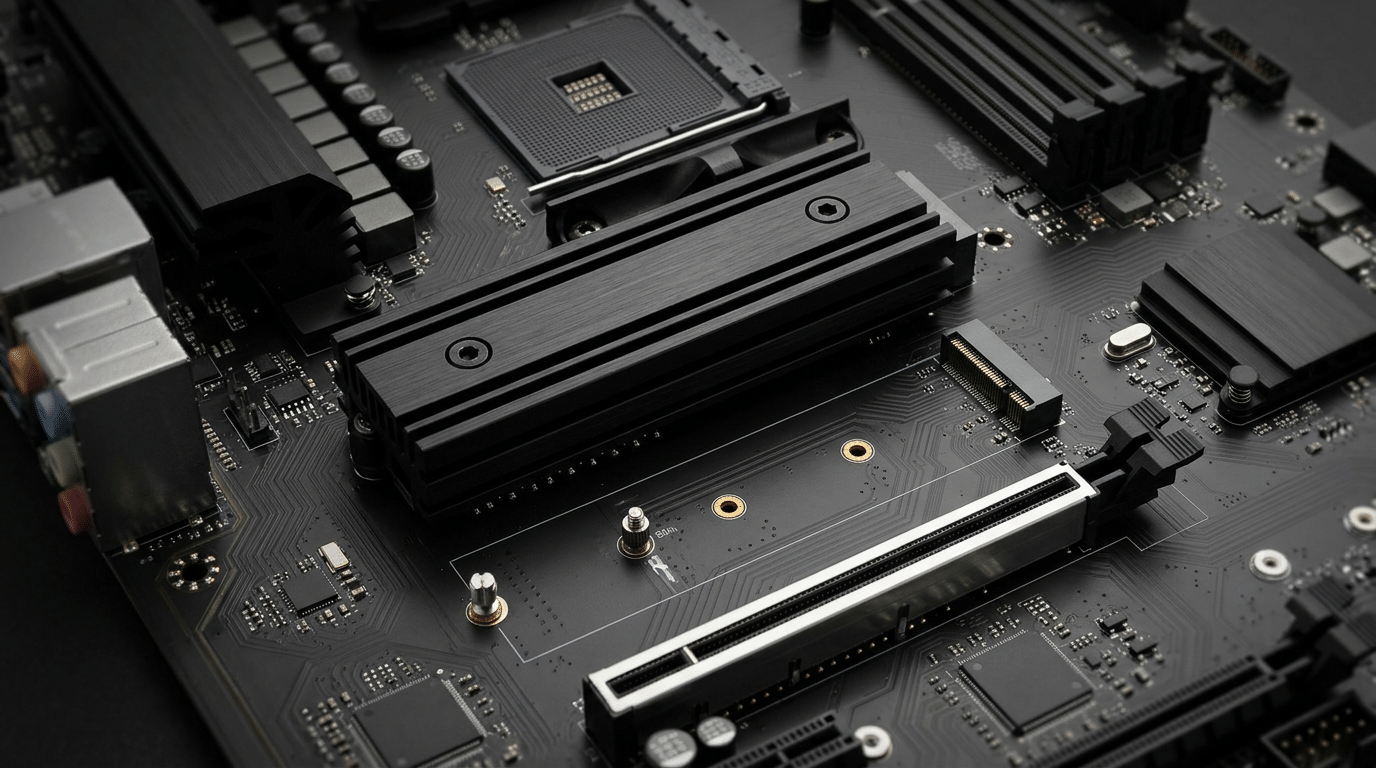
- Heatsink Conflict Rule: Nearly all modern B850, X870E, B860, and Z890 boards include aluminum M.2 heatsinks pre-mounted on slots. Always purchase bare (no-heatsink) SSD variants when installing underneath built-in motherboard armor; conversely, if selecting a thick factory-heatsink PCIe 5.0 model, verify you can remove the board armor cleanly without colliding with a dual-tower CPU air cooler or GPU backplate.
Matching SSD Capacity to Your Gaming PC Budget Tier
Sizing storage correctly means keeping storage spending aligned with our 6%–9% system budget rule across every custom gaming PC build blueprint rather than starving your GPU tier:
- Entry 1080p Builds (Under $1,000 Tier) — 1TB Minimum (With Expansion Slot Open): Inside tight sub-$1,000 budgets like our best $1,000 gaming PC build, prioritizing a stronger 12GB–16GB GPU and AM5 platform runway outweighs starting with 2TB on day one. Choose a reliable 1TB PCIe 4.0 TLC+DRAM boot drive (~645 GiB safe game space), install 4–6 active rotation titles, and drop in a second 2TB drive later once budgets allow.
- Mainstream 1440p & Performance Builds ($1,500 Tier) — 2TB Sweet Spot: For the vast majority of builders following our best $1,500 gaming PC build, 2TB PCIe 4.0 DRAM+TLC hits the highest value per terabyte. You can keep 10 to 15 AAA games installed simultaneously, absorb multi-gigabyte seasonal patches without uninstalling favorites, and hold comfortable 20%+ empty reserve capacity.
- Enthusiast 4K & Hybrid Creator Builds ($2,000+ Tier) — 4TB (Single 4TB or Dual 2TB): Gamers juggling massive heavily modded simulation libraries (Flight Simulator, Cities: Skylines, Skyrim modlists), high-bitrate OBS replay captures, or 4K/8K RAW video timelines benefit immediately from 4TB. Splitting storage across two 2TB drives—putting Windows + apps on Drive 1 and dedicated game libraries or scratch media on Drive 2—also makes future Windows clean reinstalls effortless because your entire Steam library remains untouched on the secondary volume.
Myth vs. Engineering Reality: Five Gaming SSD Capacity Myths Busted
- Myth 1: “You can fill a 1TB gaming SSD to 95% and performance stays identical until the last megabyte.”
Engineering Reality: Crossing 80%–85% fill starves the controller of erased blocks for dynamic pSLC cache and idle TRIM garbage collection, shrinking sustained write throughput during big game patches and raising write amplification wear. - Myth 2: “A 1TB PCIe 5.0 SSD delivers higher FPS and faster loading than a 2TB PCIe 4.0 drive.”
Engineering Reality: Under Audit RuleR-SSD-01, PCIe 5.0 yields 0 FPS improvement and shaves only 0–2 seconds off game loads while running hotter. Doubling capacity to 2TB on PCIe 4.0 DRAM+TLC is overwhelmingly smarter for pure gaming. - Myth 3: “All 2TB and 4TB drives have the same endurance—only capacity separates them.”
Engineering Reality: A budget DRAM-less QLC NAND drive can drop to ~100–200 MB/s sustained writes once filled past 70% capacity and offers one-third to one-half the TBW endurance of a dedicated DRAM + TLC NAND drive. - Myth 4: “Adding a second M.2 SSD for 4TB total capacity never affects graphics card bandwidth.”
Engineering Reality: Certain AM5 and LGA 1851 motherboards share CPU PCIe 5.0 lanes betweenM.2_2and the primaryPCIe x16slot, dropping the GPU tox8unless you install extra SSDs in chipset-routed bays. - Myth 5: “If a 120GB game fits today, a 1TB drive stays fine for three years.”
Engineering Reality: Live-service AAA titles frequently expand by 30GB–60GB over two years via seasonal updates and DLC, while launcher patchers demand tens of gigabytes of temporary decompression buffer—turning a comfortable 1TB install into constant juggle-uninstall friction.
Actionable SSD Capacity Planning Checklist
Run through these six quick engineering verifications before clicking buy on your next NVMe drive:
- Calculate Safe Game Capacity Using the 0.80 Formula: Multiply formatted binary capacity (~931 GiB for 1TB, ~1,863 GiB for 2TB, ~3,725 GiB for 4TB) by 0.80 and subtract ~100 GiB if hosting Windows 11.
- Default to 2TB Unless Budget Locks You Below $1,000: Target 2TB PCIe 4.0 DRAM+TLC for 10–15 modern AAA titles; treat 1TB strictly as a starter footprint with an open M.2 upgrade slot waiting.
- Mandate TLC NAND & Dedicated DRAM for OS + Primary Gaming: Reserve DRAM-less HMB or QLC drives strictly for secondary mass-storage libraries rather than cramped primary boot drives.
- Choose 2x Capacity on PCIe 4.0 Over Half Capacity on PCIe 5.0: Never sacrifice 2TB of PCIe 4.0 TLC+DRAM storage just to afford 1TB of PCIe 5.0 bandwidth that produces 0 extra FPS.
- Audit Your Motherboard M.2 Block Diagram Before Going Dual-Drive: Ensure populating M.2_2 or M.2_3 keeps your GPU slot at full
PCIe x16and leaves adequate M.2 heatsink clearance. - Match Heatsink Style to Your Board: Pick bare M.2 2280 modules when your motherboard already supplies integrated aluminum thermal armor.
Verified 2026 Gaming NVMe SSDs by Capacity & Workflow Role
Because 2TB PCIe 4.0 DRAM+TLC delivers the optimal price-per-gigabyte sweet spot—both as a standalone primary drive and as modular building blocks for dual-drive 4TB expansion—the audited models below highlight our verified 2TB reference drives across pure gaming and hybrid creator workloads. Explore our complete tier breakdowns inside the best gaming NVMe SSDs pillar guide.
1. WD_BLACK 2TB SN850X NVMe SSD — Best 2TB PCIe 4.0 Gaming Value Sweet Spot

Budget Tier: High-value gaming sweet spot | Audited Specs: 2TB Capacity | PCIe 4.0 x4 NVMe | M.2 2280 | ~7,300 MB/s Sequential Read | TLC NAND + Dedicated DRAM Cache | Game Mode 2.0.
Why It Fits Capacity Planning: Highlighted in our hardware knowledge base as the value benchmark for PC gaming, the 2TB SN850X hits the ~1,390 GiB safe usable game window without Gen 5 thermal headaches. Its dedicated DRAM cache and durable TLC flash keep 100GB+ game downloads steady, and its slim bare M.2 2280 profile fits cleanly beneath standard motherboard M.2 heatsinks—making it ideal either as a solo 2TB drive or doubled later for 4TB total capacity.
2. Samsung SSD 990 PRO 2TB PCIe 4.0 M.2 2280 — Best OS + AAA Library Efficiency Workhorse

Budget Tier: High-tier PCIe 4.0 | Audited Specs: 2TB Capacity (Model MZ-V9P2T0B/AM) | PCIe 4.0 x4 NVMe | M.2 2280 | Up to 7,450 MB/s Sequential Read | V-NAND TLC + Dedicated DRAM Cache.
Why It Fits Capacity Planning: Per official Samsung Semiconductor 990 PRO specifications, pairing high random 4K IOPS throughput with disciplined power efficiency keeps operating temperatures well controlled even inside tight mid-tower or SFF enclosures. If you plan to run Windows 11, heavy productivity apps, and 12+ AAA games on one unified 2TB partition—or pair two drives into a 4TB workstation—its V-NAND TLC endurance and DRAM caching shine.
3. Samsung SSD 9100 PRO 2TB PCIe 5.0×4 M.2 2280 — Enthusiast Creator & AI Benchmark

Budget Tier: Enthusiast PCIe 5.0 | Audited Specs: 2TB Capacity (Model MZ-VAP2T0B/AM) | PCIe 5.0 x4 NVMe | M.2 2280 | Up to 14,700 MB/s Read & 13,400 MB/s Write | V-NAND TLC + DRAM Cache.
Why It Fits Capacity Planning: Built on Samsung’s 5nm controller detailed in official Samsung 9100 PRO documentation, this flagship doubles sequential throughput over PCIe 4.0—and the broader family scales up to 8TB for unconstrained workstations. For pure gamers, Audit Rule R-SSD-01 still recommends putting equivalent budget into larger 2TB–4TB PCIe 4.0 capacity instead; reserve Gen 5 drives strictly for 4K/8K RAW media pipelines and multi-gigabyte AI datasets paired with robust motherboard M.2 cooling.
Storage Configurations Disqualified Under Audit Rules R-SSD-01 & R-SSD-02
- 500GB Primary Boot Drives: Leave only ~272 GiB after Windows overhead and 20% healthy headroom—fitting barely two modern AAA titles before stalling patch updates.
- 1TB DRAM-less QLC OS Drives: Suffer sharp write-cliff speed collapse past 70% fill and lower TBW longevity compared with TLC + DRAM counterparts.
- 1TB PCIe 5.0 Drives Chosen Over 2TB PCIe 4.0 Drives on Budget Builds: Trade away double the game capacity and cooler sustained thermals for zero extra FPS and at most 0–2 seconds on loading screens.
Official Standards & Engineering References
- PCI-SIG Official PCI Express Architecture & Lane Bandwidth Specifications
- Microsoft DirectX Developer Blog: DirectStorage Asset Streaming Documentation
- Samsung Semiconductor: 990 PRO PCIe 4.0 NVMe V-NAND TLC Specifications
- Samsung Semiconductor: 9100 PRO PCIe 5.0 NVMe Presto 5nm Specifications
- AMD Official AM5 Chipset Platform & PCIe M.2 Lane Architecture
Endurance, DRAM Cache & NAND Parallelism Scale With Capacity
Capacity is not only about how many games fit. On the same controller and NAND family, every capacity step also raises the rated write endurance, the size of the DRAM mapping cache, and the number of NAND dies the controller can address in parallel. The table below compares the official TBW ratings shared by the WD Black SN850X, Samsung 990 Pro, and Samsung 9100 Pro product families, converted into a daily write allowance across a standard 5-year warranty.
| Capacity | Rated Endurance (SN850X / 990 Pro / 9100 Pro) | Daily Write Allowance (TBW ÷ 1,825 days) | DRAM Mapping Cache (~1GB per 1TB rule) | NAND Dies at 1Tb Density | Recommended User |
|---|---|---|---|---|---|
| 1TB | 600 TBW | ~329 GB/day | ~1GB DRAM | 8 dies | Entry OS + 4–6 AAA titles |
| 2TB | 1,200 TBW | ~658 GB/day | ~2GB DRAM | 16 dies | Mainstream 1080p–4K gaming sweet spot |
| 4TB | 2,400 TBW | ~1,315 GB/day | ~4GB DRAM (some 4TB models use 2GB) | 32 dies | Large libraries, mods, capture footage |
| 8TB (9100 Pro only) | 4,800 TBW | ~2,630 GB/day | ~8GB DRAM class | 64 dies | Creators & AI datasets on PCIe 5.0 x4 |
Two practical conclusions fall out of these numbers. First, endurance is a non-issue for gamers at any capacity: even a 1TB drive tolerates roughly 329GB of writes every single day for five years, while a heavy gaming week (two 150GB installs plus patches) rarely exceeds 400GB total. Second, larger drives age more gracefully because wear and the pSLC cache are spread across more dies. A full 1TB drive has almost no free blocks left for its dynamic cache, so sustained writes collapse sooner than on a half-full 2TB drive with the same NAND.
Die count also matters at the small end. Some 500GB and 1TB SKUs post lower sequential write ratings than their 2TB siblings because fewer dies limit interleaving. If you are shopping a DRAM-less model to save money, read our DRAM cache vs. HMB explainer first, and compare cell types in the TLC vs. QLC NAND guide before buying a 4TB QLC library drive.
Frequently Asked Questions
Is a 1TB SSD enough for PC gaming in 2026?
A 1TB SSD is the minimum viable starting capacity for budget PCs under $1,000. After binary GiB conversion (~931 GiB), Windows 11 overhead, and keeping a 20% healthy free-space buffer, you get roughly 645 GiB—enough for four to six 100GB–180GB AAA games at once.
Why is 2TB the sweet spot for most gaming PCs?
A 2TB PCIe 4.0 TLC drive formats to ~1,863 GiB and delivers roughly 1,390 GiB of safe game storage after OS overhead and a 20% reserve. That comfortably stores 10 to 15 large AAA games simultaneously, accommodates massive seasonal patches, and minimizes cost per usable gigabyte.
Should I buy one 4TB SSD or two 2TB SSDs?
For standard ATX builds with three or more unshared M.2 slots, buying a primary 2TB SSD now and adding a second 2TB drive later isolates Windows from your game library. Choose a single 4TB drive on compact Mini-ITX boards with limited M.2 slots or lane sharing.
How much free space should I leave on a gaming NVMe SSD?
Keep roughly 20% of your formatted SSD space free—about 185 GiB on a 1TB drive, 370 GiB on a 2TB drive, or 745 GiB on a 4TB drive. Leaving headroom preserves dynamic pSLC write caching, assists idle TRIM garbage collection, and accommodates large game patch decompression.
Is a 2TB PCIe 4.0 SSD better than a 1TB PCIe 5.0 SSD for gaming?
Yes. Current games show 0 FPS difference and only 0 to 2 seconds faster loading on PCIe 5.0 drives compared with 7,000+ MB/s PCIe 4.0 TLC drives. Spending the same budget on double the storage capacity with cooler thermals gives gamers far greater everyday utility.


