
Affiliate Disclosure: As an Amazon Associate, The PC Audit earns from qualifying purchases. Every hardware recommendation in this 2026 build blueprint is verified strictly on architectural specifications, physical clearance tolerances, and ATX 3.1 electrical safety rules at zero extra cost to you.
Direct Answer: The best 1000 dollar gaming pc build for 2026 pairs the Intel Arc B580 Limited Edition 12GB ($249 Launch MSRP) with the AMD Ryzen 5 9600X on an ASRock AMD B850 LiveMixer WiFi 7 motherboard, backed by 32GB (2x16GB) DDR5-6000 CL30 memory, a 1TB–2TB PCIe 4.0 DRAM-cached TLC NVMe SSD, a dual-tower PWM air cooler, a 650W–750W ATX 3.1 80+ Gold power supply, and a mesh mid-tower airflow chassis.
Shopping for the best 1000 dollar gaming pc build in 2026 means navigating an entry market full of hidden bottlenecks. Countless budget parts lists and off-the-shelf systems around the $1,000 tier look tempting on a storefront banner, yet quietly sabotage frame consistency by pairing a dead-end DDR4 socket or cut-down OEM processor with an 8GB graphics card, a single 16GB stick of slow DDR5-4800 memory, a DRAM-less QLC boot drive, and an uncertified power supply hidden behind solid front glass. When modern 1080p AAA engines stream high-resolution texture pools and shader pipelines simultaneously, those shortcuts trigger jagged frametime spikes, texture pop-in, and noisy thermal throttling even when average frame rates look acceptable on paper.
Following the percentage budget discipline established in our parent pillar guide on how to build a balanced gaming PC inside our Guides & Optimization hub, this dedicated $1,000 1080p blueprint eliminates every one of those compromises without sacrificing upgrade runway. Instead of wasting funds on a dead-end platform or oversized flagship hardware, every dollar works toward two measurable outcomes: smooth 1080p gaming at High–Ultra settings (60–165Hz) plus high-refresh competitive esports (144Hz–240Hz+), paired with an AM5 motherboard and ATX 3.1 power foundation ready for drop-in X3D CPU and 16GB GPU upgrades years down the road.
In This $1,000 Build Blueprint
- Target 1080p Performance Profile & Budget Allocation Math
- 8-Component Balanced Parts List ($1,000 Blueprint)
- Component-by-Component Engineering Rationale & Traps Avoided
- Stretch-Budget GPU, Motherboard & Stage-2 X3D Upgrade Paths
- IF -> THEN Physical & Electrical Compatibility Proof Box
- Prebuilt Alternatives & Post-Build First-Boot Setup Bridge
- Frequently Asked Questions
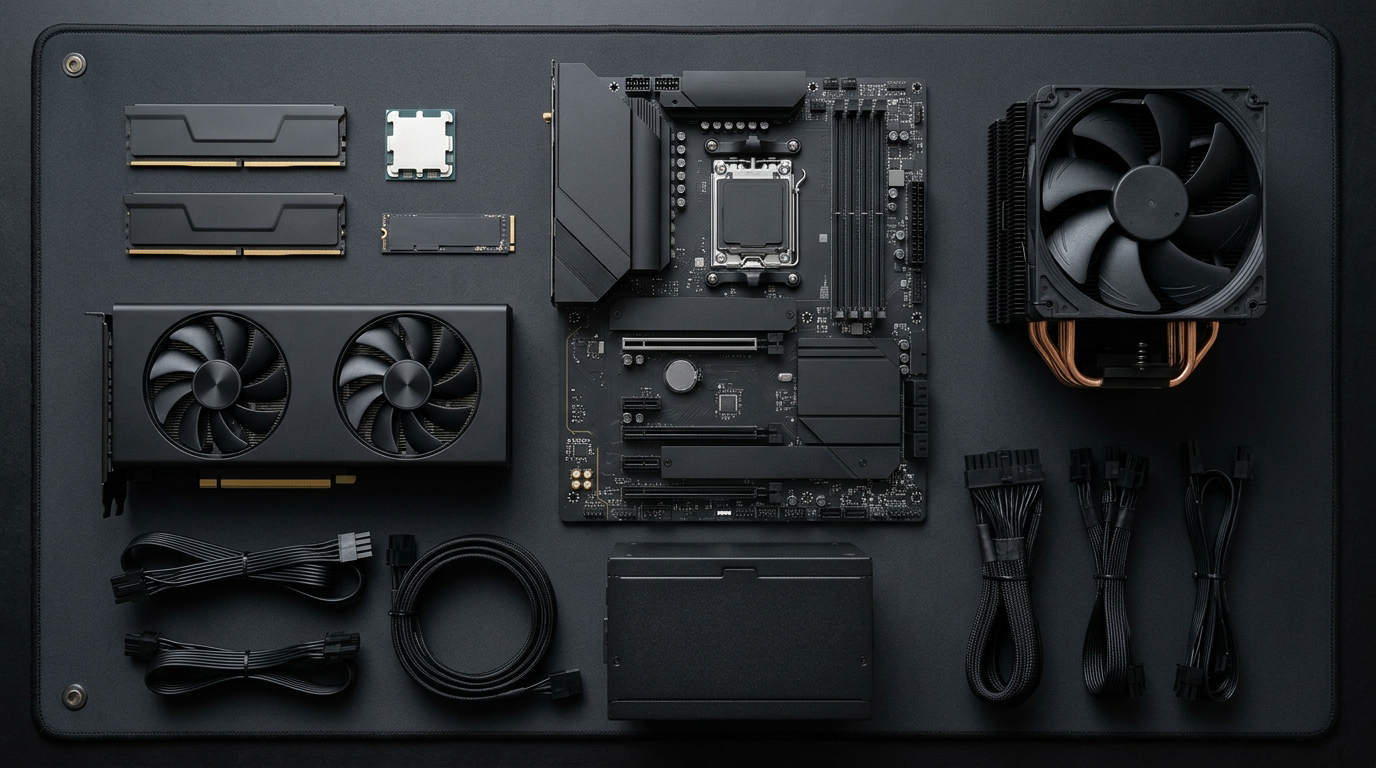
Target 1080p Performance Profile & Budget Allocation Math
Every smart custom build starts with your display, not a generic storefront discount. At 1920×1080 resolution (~2.07 million pixels per frame), rendering demands fall into two distinct workload profiles in 2026. First, modern AAA single-player titles running Ultra texture quality and selective ray tracing regularly push VRAM allocation past 8GB, turning 8GB cards into stutter traps whenever textures swap across PCIe lanes. Second, competitive esports titles at 144Hz to 240Hz+ rely heavily on CPU single-thread instructions per clock (IPC), L3 cache hit rates, and dual-channel memory latency to keep 1% Lows steady during chaotic multiplayer scenes.
According to our 2026 budget allocation matrix, the $800–$1,000 entry bracket normally directs 35%–40% to the GPU, 20%–22% to CPU plus cooling, 22%–25% to motherboard, RAM, and NVMe SSD, and 15%–18% to an ATX 3.1 PSU and airflow case. Choosing the Intel Arc B580 Limited Edition 12GB ($249 Launch MSRP, roughly 25%–32% of total build spend depending on live street availability) creates an intentional strategic advantage: it secures a genuine 12GB GDDR6 framebuffer on a 192-bit bus while liberating roughly $50–$100 to step straight onto Socket AM5 with AMD B850, 32GB DDR5-6000 CL30, and a clean ATX 3.1 80+ Gold power foundation—components you will not have to throw away in two years.
| Budget Bucket | Target Share (%) | $1,000 Blueprint Assignment | Key Performance & Longevity Objective |
|---|---|---|---|
| Graphics Card (GPU) | 28% – 38% (Up to 42% stretch) | Intel Arc B580 12GB ($249 Launch MSRP) Stretch: RTX 5060 Ti 16GB ($429 Launch MSRP) | Breaks past 8GB VRAM limits at 1080p Ultra; supports XeSS 2, hardware AV1, and DisplayPort 2.1 |
| Processor + Cooler | 20% – 24% | AMD Ryzen 5 9600X + Dual-Tower 120mm PWM Air Cooler | High 5.4 GHz Zen 5 IPC, 32MB L3 cache, 24 PCIe 5.0 lanes, and 162W+ cooler headroom for future X3D |
| Platform (Board + RAM + SSD) | 24% – 28% | ASRock B850 LiveMixer WiFi 7 + 32GB DDR5-6000 CL30 + 1TB–2TB PCIe 4.0 TLC DRAM SSD | Unlocks PCIe 5.0 x16 + M.2, native Wi-Fi 7, 1:1 10.0ns memory sync, and zero QLC write-cliffs |
| Power + Airflow Chassis | 15% – 18% | 650W–750W ATX 3.1 80+ Gold PSU + Mesh Mid-Tower ATX Case | Survives 200%–300% transient GPU spikes silently and fits 330mm+ future GPU upgrades cleanly |
Just as important is knowing what does not belong inside a $1,000 parts list. Flagship 4K silicon such as the RTX 5080 ($999 Launch MSRP) consumes an entire $1,000 build budget on a single GPU, while rumored mid-cycle refreshes circulating online—specifically the RTX 5070 Super and RTX 5080 Super—remain RUMORED / UNRELEASED and must be excluded from real 2026 retail parts planning until officially launched.
8-Component Balanced Parts List ($1,000 Blueprint)
Every part in the 8-component table below has been cross-verified against official electrical specifications, Socket AM5 memory controller dividers, PCIe lane routing layouts, and physical chassis clearances. Direct Amazon US links are provided for the verified core silicon and motherboard platforms, alongside strict technical specifications for memory, NVMe storage, air cooling, power supply, and airflow case selection.
| Component | Recommended Pick | Key Spec Verified | Budget % / Rationale | Amazon Link / Target Spec |
|---|---|---|---|---|
| GPU | Intel Arc B580 Limited Edition 12GB (WEELIAO) | 12GB GDDR6 (192-bit, 456 GB/s), 20 Xe-Cores, 190W TBP, 1x 8-Pin, 272mm L | 25%–35% · $249 Launch MSRP value champion; beats 8GB cards on 1080p Ultra textures (requires ReBAR) | Check on Amazon |
| CPU | AMD Ryzen 5 9600X | 6C/12T Zen 5, 5.4 GHz Boost, 38MB Cache (32MB L3), 65W TDP / 88W PPT, 24 PCIe 5.0 lanes | 18%–21% · Avoids 8700F 16MB L3/PCIe cuts; includes 2-CU Radeon iGPU on Socket AM5 | Check on Amazon |
| CPU Cooler | Dual-Tower 120mm PWM Air Cooler (Peerless Assassin / Phantom Spirit class) | 6–7 copper heatpipes, dual 120mm PWM fans, 154–157mm height, ≥42mm RAM clearance | 3%–4% · Runs near silent at 88W PPT today and sustains 162W PPT on future X3D upgrades | Spec Target: Tier-1 Dual-Tower Air |
| Motherboard | ASRock AMD B850 LiveMixer WiFi 7 AM5 ATX | Socket AM5, AMD B850, 1x PCIe 5.0 x16, 3x M.2 slots, native Wi-Fi 7 | 16%–19% · $160–$200 tier sweet spot; avoids Wi-Fi 5 prebuilt traps and X870E markups | Check on Amazon |
| DDR5 RAM | 32GB (2x16GB) DDR5-6000 CL30 EXPO Kit (G.Skill Flare X5 / Vengeance / Fury Beast class) | Dual-Channel U-DIMM, CL30 (10.0ns First Word Latency), 1:1 UCLK:MCLK, ≤35mm height | 7%–9% · Prevents 15%–30% 1% Low drop of 1x16GB sticks and clears front cooler fans | Spec Target: 2x16GB 6000 CL30 EXPO |
| NVMe SSD | 1TB–2TB PCIe 4.0 x4 NVMe TLC + DRAM SSD (WD Black SN850X / Samsung 990 Pro class) | M.2 2280 PCIe 4.0 x4, 3D TLC NAND + DRAM cache, 7,000–7,450 MB/s, DirectStorage | 7%–9% · Eliminates QLC write-cliffs and Gen 5 heat with 0 FPS difference in gaming | Spec Target: 1TB+ Gen4 DRAM+TLC |
| PSU (ATX 3.1) | 650W–750W ATX 3.1 80+ Gold Modular PSU (RM750e / Pure Power M / Focus GX class) | ATX 3.1 / PCIe 5.1, native 12V-2×6 + 8-pin PCIe, 105C Japanese caps, 140–160mm depth | 8%–10% · Handles 200%–300% GPU transient spikes and ready for RTX 5070/5070 Ti upgrades | Spec Target: 650W–750W ATX 3.1 Gold |
| PC Case | Mesh Mid-Tower ATX Airflow Chassis (Lian Li Lancool / Corsair Airflow class) | Fine front mesh + 2–3 PWM fans, ≥330mm GPU, ≥160mm cooler, ≥35mm side bend room | 6%–8% · Eliminates choked glass thermals and fits long triple-fan GPUs effortlessly | Spec Target: Mesh ATX w/ 2–3 Fans |
Blueprint Verdict — The Smartest $1,000 Foundation in 2026: Anchoring your $1,000 build on the Intel Arc B580 12GB, AMD Ryzen 5 9600X, and ASRock AMD B850 LiveMixer WiFi 7 avoids every cheap OEM pitfall—8GB VRAM stalls, single-stick RAM, and dead-end sockets—while locking in true 1080p Ultra texture capacity and multi-year AM5 upgrade headroom.
Component-by-Component Engineering Rationale & Traps Avoided
1. Graphics Card: Intel Arc B580 Limited Edition 12GB (WEELIAO)
Under Hardware Audit Rule R-GPU-01, pairing a mid-range or $1,000+ gaming build with an 8GB graphics card invites early texture-detail compromises. Games built for 2025–2026 consoles routinely surpass 8.5GB to 10.5GB of video memory at 1080p Ultra with frame-pacing buffers active, forcing cards like the RTX 5060 ($299 Launch MSRP, 8GB GDDR7) and RX 9060 XT 8GB ($299 Launch MSRP) to lower texture pools or swap assets over the PCIe bus. Our dedicated 2026 gaming VRAM requirements guide details why 12GB has become the practical safety floor for crisp Ultra textures.
Built on Intel’s Xe2 Battlemage silicon (BMG-G21) with 20 Xe-Cores and 160 XMX AI engines, the Intel Arc B580 Limited Edition 12GB brings 12GB of GDDR6 over a wide 192-bit memory bus (456 GB/s bandwidth), hardware AV1 encoding, three DisplayPort 2.1 outputs, and Intel XeSS 2 upscaling around a $249 Launch MSRP. At 190W TBP off a single 8-pin PCIe connector and a tidy 272mm x 115mm x 44mm two-slot profile, it drops easily into any standard mid-tower mesh chassis. Just remember one hard architectural rule: Battlemage runs over a PCIe 4.0 x8 interface and requires Resizable BAR (ReBAR) plus Above 4G Decoding enabled in BIOS—an effortless toggle on Socket AM5 B850 boards. Compare its standing against NVIDIA and AMD rivals inside our best budget graphics cards under $350 roundup and head-to-head Arc B580 vs. RTX 5060 vs. RX 9060 XT comparison.
Core GPU Pick: Intel Arc B580 Limited Edition 12GB (WEELIAO)

Budget Tier: Budget tier (starting at $249 Launch MSRP) | Audited Specs: Intel Xe2 Battlemage (20 Xe-Cores, 160 XMX AI Engines) | 12GB GDDR6 (192-bit, 456 GB/s) | 190W TBP (1x 8-Pin PCIe) | 3x DisplayPort 2.1 + 1x HDMI 2.1 | 272 x 115 x 44 mm (Requires ReBAR).
Why It Fits This Blueprint: Delivers 50% more VRAM and wider memory bandwidth than 8GB cards priced higher, preserving crisp 1080p Ultra textures and AV1 streaming headroom without blowing past the $1,000 ceiling.
2. Processor: AMD Ryzen 5 9600X (Socket AM5)
Budget prebuilts around $1,000 frequently cut corners behind a familiar “Ryzen 7” badge by installing the OEM-focused AMD Ryzen 7 8700F (under $250 tier). While 8 cores sound impressive, our Ryzen 7 8700F vs. Ryzen 7 9800X3D hardware audit exposes why Phoenix-die chips hurt gaming balance: the 8700F slashes L3 cache down to 16MB, caps usable lanes at 16 PCIe 4.0 lanes, and omits integrated graphics for display troubleshooting.
Choosing the AMD Ryzen 5 9600X avoids every one of those compromises while staying inside our best gaming CPUs under $300 tier. Built on Zen 5 Granite Ridge architecture, the 9600X brings 6 cores and 12 threads boosting up to 5.4 GHz, 38MB total cache (32MB L3—double the 8700F), 24 usable PCIe 5.0 lanes (x16 GPU plus dual x4 NVMe drives), and an integrated 2-CU Radeon iGPU inside a super-efficient 65W TDP / 88W Max PPT ceiling. Intel builders prioritizing hybrid multi-core content creation can alternatively examine the 14-core Core Ultra 5 245K ($309 Launch MSRP, 159W MTP) on LGA 1851, though AMD AM5 offers broader multi-generation drop-in CPU longevity through Ryzen 7000 and 9000X3D chips.
Core CPU Pick: AMD Ryzen 5 9600X 6-Core Desktop Processor

Budget Tier: Budget-to-Mid AM5 Tier | Audited Specs: Zen 5 (Socket AM5) | 6 Cores / 12 Threads (3.9 GHz Base / 5.4 GHz Boost) | 38MB Cache (6MB L2 + 32MB L3) | 24 Usable PCIe 5.0 Lanes | 65W TDP / 88W Max PPT | 2-CU Radeon iGPU.
Why It Fits This Blueprint: Delivers high single-core Zen 5 gaming speed and full PCIe 5.0 platform bandwidth under 88W peak power, while leaving an open AM5 upgrade lane toward future 3D V-Cache processors.
3. CPU Cooler: Dual-Tower 120mm PWM Air Cooler (Spec Target)
Although the Ryzen 5 9600X draws a modest 88W Max PPT under full synthetic load, choosing an entry single-fan 92mm cooler or noisy 120mm liquid AIO violates two rules: 120mm AIOs suffer pump wear and poor thermal mass (R-CASE-01), while weak coolers force a second purchase the moment you upgrade to a 162W PPT X3D processor later. Specifying an affordable 6- to 7-heatpipe dual-tower 120mm PWM air cooler (such as the Thermalright Peerless Assassin or Phantom Spirit class, 154mm–157mm total height) keeps the 9600X whisper-quiet at low PWM fan speeds today and retains full 162W–200W dissipation headroom for Year-3 CPU upgrades without ever leaking or needing pump maintenance.
4. Motherboard: ASRock AMD B850 LiveMixer WiFi 7 AM5 ATX
Motherboard overspending is one of the fastest ways to ruin a $1,000 gaming budget. As documented in our AMD B850 vs. X870 vs. X870E chipset comparison, AMD B850 is the sweet spot for 95% of gaming rigs under audit rule R-MB-01: it mandates PCIe 5.0 M.2 NVMe support, unlocks full CPU Precision Boost Overdrive (PBO) and DDR5 EXPO tuning, and skips expensive mandatory USB4 controllers built into X870 and X870E boards.
Sitting squarely in the $160-$200 tier, the ASRock AMD B850 LiveMixer WiFi 7 brings full ATX expansion, a PCIe 5.0 x16 primary graphics slot, three M.2 storage bays, and integrated Wi-Fi 7—instantly eliminating the hidden Wi-Fi 5 network downgrades found on many prebuilt desktops. Avoiding bare-VRM ultra-budget A620 boards also guarantees clean voltage regulation when installing higher-wattage Ryzen processors later.
Core Motherboard Pick: ASRock AMD B850 LiveMixer WiFi 7 AM5 ATX

Budget Tier: $160-$200 tier | Audited Specs: Socket AM5 | AMD B850 Chipset | ATX Form Factor | 1x PCIe 5.0 x16 Slot | 3x M.2 NVMe Bays | Native Wi-Fi 7 Wireless Networking.
Why It Fits This Blueprint: Packs PCIe 5.0 GPU and NVMe bandwidth, three M.2 slots, full CPU/RAM overclocking support, and Wi-Fi 7 below $200, preserving funds for 32GB DDR5-6000 CL30 memory and an ATX 3.1 PSU.
5. System Memory: 32GB (2x16GB) DDR5-6000 CL30 (Spec Target)
Memory configuration separates smooth custom builds from choppy budget systems. Under audit rules R-RAM-01 and R-RAM-02, three traps must be avoided at all costs: buying a single 1x16GB stick (halving memory bandwidth and cutting 1% Lows by 15% to 30%), settling for loose CL42–CL46 DDR5-4800 kits common in budget prebuilts, or populating four DDR5 slots (which forces aggressive clock downscaling). Target a two-stick 32GB (2x16GB) DDR5-6000 CL30 AMD EXPO kit (such as low-profile G.Skill Flare X5, Corsair Vengeance, or Kingston Fury Beast modules at ≤35mm height). Computing First Word Latency via (CL × 2000) / MT/s produces exactly 10.0ns while locking the Ryzen 5 9600X into its ideal 1:1 UCLK:MCLK ratio—whereas pushing beyond 6400 MT/s forces a 2:1 divider latency penalty on AM5.
6. Primary Storage: 1TB–2TB PCIe 4.0 x4 NVMe TLC + DRAM SSD (Spec Target)
Under rule R-SSD-01, spending extra on a scorching-hot PCIe 5.0 SSD inside a $1,000 gaming build delivers zero FPS gain and only zero-to-two-second scene load deltas compared with quality PCIe 4.0 drives. At the same time, rule R-SSD-02 flags 500GB capacities (quickly overwhelmed by three modern 150GB titles) and cheap DRAM-less QLC drives that suffer severe write-speed collapses once their pseudo-SLC cache fills during big game updates. Allocate storage funds toward a 1TB (or 2TB when budget headroom allows) M.2 2280 PCIe 4.0 x4 SSD using 3D TLC NAND and dedicated DRAM cache (7,000–7,450 MB/s class, such as WD Black SN850X or Samsung 990 Pro tiers) featuring full Microsoft DirectStorage readiness and strong TBW endurance.
7. Power Supply: 650W–750W ATX 3.1 80+ Gold Modular PSU (Spec Target)
Power supplies are the longest-lived part inside any PC when specified accurately. Under rule R-PSU-01, reject outdated ATX 2.x group-regulated Bronze units lacking excursion tolerances. Although the 190W Arc B580 and 88W PPT Ryzen 5 9600X pull roughly 330W–360W combined under typical 1080p gaming load, pairing them with a 650W (or 750W for future 1440p GPU drops) ATX 3.1 / PCIe 5.1 80+ Gold full-modular PSU keeps normal operation right inside the quiet 50%–60% peak-efficiency window while withstanding 200%–300% millisecond GPU transient power excursions. Look for Japanese 105C capacitors, full OCP/OVP/UVP/OPP/SCP/OTP protections, a 7-to-10-year warranty, and a native 12V-2×6 cable (featured with recessed sense pins, detailed in our ATX 3.1 and 12V-2×6 power standard guide) alongside standard 8-pin PCIe leads—and never reuse modular cables from a different PSU model.
8. Airflow Chassis: Mesh Mid-Tower ATX Case (Spec Target)
Solid unvented tempered-glass front panels starve intake fans, forcing GPU and VRM temperatures upward while ramping fan acoustics past comfort levels (R-CASE-01). Choose a clean mesh-front mid-tower ATX chassis (such as the Lian Li Lancool or Corsair Airflow series) equipped out of the box with two 140mm/160mm front intake fans and one 120mm/140mm rear exhaust fan to sustain positive dust-filtered airflow. Verify four physical clearance floors before ordering: at least 330mm GPU length, 160mm CPU tower cooler height, 180mm PSU bay depth, and ≥35mm lateral side-panel clearance so future 12V-2×6 GPU cables never bend sharply against tempered glass.
Stretch-Budget GPU, Motherboard & Stage-2 X3D Upgrade Paths
Hardware pricing fluctuates weekly, and builders regularly adjust one or two parts for compact desk setups, extra VRM overkill, or NVIDIA creator workloads. The four verified Amazon US components below represent clean, compatible swaps and Stage-1/Stage-2 upgrade targets that bolt directly into this exact blueprint without wasting earlier purchases.
Stretch GPU / Stage-1 Upgrade: ASUS Dual GeForce RTX 5060 Ti 16GB GDDR7 OC

Budget Tier: Lower-midrange tier (starting at $429 Launch MSRP) | Audited Specs: NVIDIA Blackwell (4,608 CUDA Cores, 2,632 MHz OC) | 16GB GDDR7 (128-bit, 28 Gbps) | 180W TBP (1x 8-Pin PCIe) | 3x DisplayPort 2.1b + 1x HDMI 2.1b | 229 x 120 x 50 mm.
Why It Fits This Blueprint: If you stretch slightly above $1,000, want NVIDIA CUDA/NVENC local AI headroom, or plan a Stage-1 GPU swap toward 1440p Ultra, this 16GB GDDR7 card avoids the 8GB RTX 5060 Ti bottleneck in a compact 229mm single 8-pin design. Keep base FPS at 50–60+ with NVIDIA Reflex enabled when activating DLSS 4 Multi-Frame Generation (R-GPU-03).
Step-Up ATX Motherboard Option: GIGABYTE B850 AORUS Elite WIFI7

Budget Tier: $200-$250 tier (~$230 Launch MSRP) | Audited Specs: ATX | 14+2+2 Digital Twin VRM (60A DrMOS) | 1x PCIe 5.0 x16 (Zero GPU x8 Lane-Sharing) | 3x M.2 (1x PCIe 5.0 x4, 2x PCIe 4.0 x4) | Wi-Fi 7 + 2.5GbE LAN | Q-Flash Plus & EZ-Latch Plus.
Why It Fits This Blueprint: Ideal step-up board when allocating extra budget toward heavier 60A DrMOS VRM phases, guaranteed zero x8 GPU lane-sharing across all three M.2 drives, and tool-less GPU/M.2 latches for future Ryzen 7 or Ryzen 9 upgrades.
Compact SFF Motherboard Option: ASRock AMD B850I Lightning WiFi 6E Mini-ITX

Budget Tier: $180-$220 tier | Audited Specs: Socket AM5 | AMD B850 Chipset | Mini-ITX Form Factor | 1x PCIe 5.0 x16 | 2x M.2 Slots | Native Wi-Fi 6E.
Why It Fits This Blueprint: Pairs cleanly with the 65W TDP Ryzen 5 9600X and 272mm two-slot Arc B580 (or 229mm ASUS Dual RTX 5060 Ti) when building an ultra-compact small-form-factor 1080p desktop, provided you verify SFX PSU and ITX cooler height clearances.
Stage-2 AM5 CPU Upgrade Path: AMD Ryzen 7 7800X3D 8-Core Processor
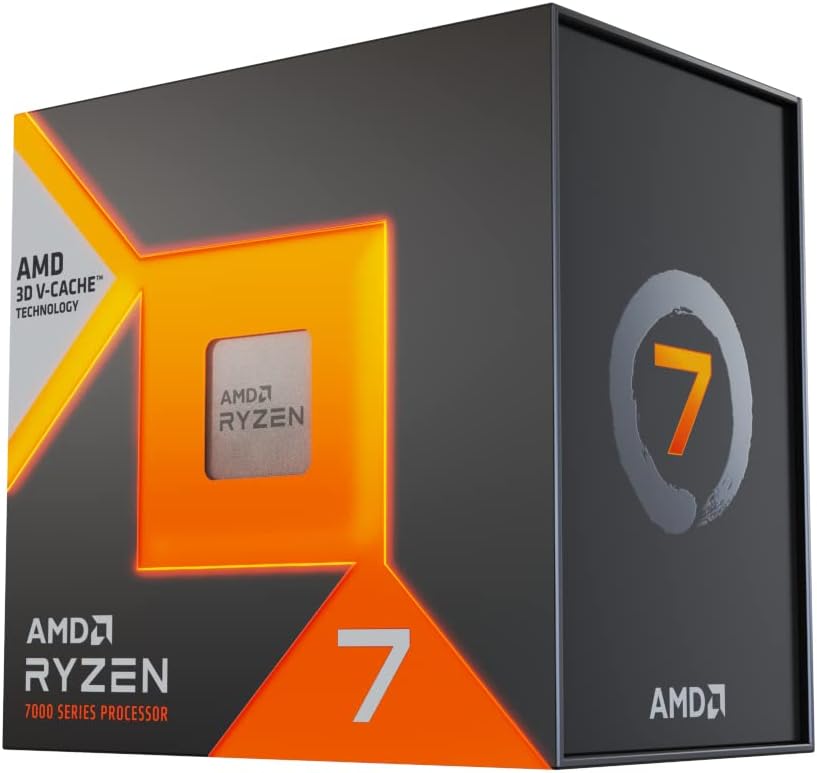
Budget Tier: Upper-Mid Retail Tier | Audited Specs: Zen 4 + 3D V-Cache (AM5) | 8 Cores / 16 Threads (4.2 GHz Base / 5.0 GHz Boost) | 104MB Total Cache (96MB L3) | 24 Usable PCIe 5.0 Lanes | 120W TDP / 162W Max PPT.
Why It Fits This Blueprint: Because our blueprint starts on Socket AM5, B850, dual-tower air cooling, and DDR5-6000 CL30, upgrading to an 8-core X3D chip in Year 2–3 requires zero motherboard, RAM, or cooler replacement while tripling L3 cache for 240Hz+ esports 1% Lows.
IF -> THEN Physical & Electrical Compatibility Proof Box
Blueprint Compatibility Audit Status: All seven physical, electrical, PCIe lane-routing, and firmware checks below are verified cleared for the $1,000 1080p Reference Blueprint.
- IF CPU is
AMD Ryzen 5 9600X(AM5, 88W PPT) or a futureRyzen 7 7800X3D(162W PPT) THEN eitherASRock AMD B850 LiveMixer WiFi 7orGIGABYTE B850 AORUS Elite WIFI7delivers Socket AM5 power delivery, PCIe 5.0 M.2 support, and BIOS Flashback capability without chipset bottlenecks. - IF GPU is
Intel Arc B580 Limited Edition 12GB(PCIe 4.0 x8 interface) THEN enablingResizable BAR (ReBAR)andAbove 4G Decodingin B850 UEFI firmware is mandatory to unlock full frame-buffer bandwidth and prevent severe framerate stalls. - IF DDR5 RAM is a two-stick
32GB (2x16GB) DDR5-6000 CL30kit populated in primary slotsA2/B2THEN AM5 runs in optimal1:1 UCLK:MCLKsynchronization (10.0ns First Word Latency), and≤35mmlow-profile DIMMs clear dual-tower front fans (≥42mmclearance) with room to spare. - IF CPU air cooler stands
154mm–157mmtall THEN a mesh mid-tower ATX case rated for≥160mmcooler height provides clean side-panel closure without touching tempered glass. - IF GPU length is
272mm(Arc B580) or229mm(ASUS Dual RTX 5060 Ti 16GB) THEN a mesh mid-tower chassis rated for≥330mmGPU clearance leaves 58mm–101mm of front intake breathing room and guarantees≥35mmlateral side-panel cable bend clearance for both 8-pin PCIe and future12V-2x6plugs. - IF PSU is a
650W–750W ATX 3.1 80+ Goldmodular unit (140mm–160mmdepth) THEN a mid-tower shroud rated for≥180mmPSU depth preserves tidy cable tuck space while absorbing 200%–300% transient power spikes cleanly. - IF storage occupies the primary CPU-wired M.2 slot with a
1TB–2TB PCIe 4.0 DRAM+TLCSSD THEN the primary PCIe 5.0 x16 GPU slot retains full unsplit lane connectivity (and zero lane-sharing x8 cuts when choosing the GIGABYTE B850 AORUS Elite WIFI7 across all three M.2 bays).
Prebuilt Alternatives & Post-Build First-Boot Setup Bridge
Before clicking buy on individual components, verify how DIY stacks up against off-the-shelf prebuilt desktops in the same price bracket. Live Amazon catalog audits show that $1,000–$1,500 prebuilts frequently mix strong headline badges with hidden compromises: 16GB DDR5-4800 single-channel memory, Ryzen 7 8700F processors, legacy Wi-Fi 5 adapters, omitted PSU wattages, and Parent ASIN review pooling that merges outdated legacy systems with current SKUs. If you prefer single-point technical support and plug-and-play convenience, look strictly for systems using standard off-the-shelf ATX parts priced within 5% to 12% of component value—compare vetted options in our best prebuilt gaming PCs under $1,000 audit and our prebuilt vs. custom gaming PC breakdown.
Once your custom $1,000 components arrive and you finish assembling them, complete the launch routine inside our what to do after building a gaming PC checklist during first boot:
- Wait Patiently During First AM5 Memory Training: On initial power-on, DDR5 AM5 systems commonly display a black screen for 45 seconds to 3 minutes while training memory timings—do not force power off while motherboard EZ Debug LEDs cycle.
- Configure BIOS Firmware Before Windows Setup: Flash the latest stable B850 UEFI version, enable AMD EXPO (lifting RAM from 4800 MT/s to 6000 CL30), verify Resizable BAR (ReBAR) and Above 4G Decoding are active for the Arc B580, set PWM fan curves with a 2–3 second ramp delay, and optionally tune PBO Curve Optimizer gently once system stability is confirmed.
- Connect Display Cables & Install Clean Drivers: Plug your DisplayPort 2.1 or HDMI 2.1 cable directly into the discrete graphics card (not the motherboard rear I/O), install official AMD B850 chipset drivers before installing Intel Arc (or NVIDIA) graphics drivers, enable your monitor’s maximum 144Hz–240Hz refresh rate in Windows Advanced Display settings, and pair FreeSync/G-Sync VRR with a driver frame cap three FPS below monitor refresh plus Low Latency / Reflex.
- Validate Thermals & Frametime Stability: Monitor CPU Tdie, GPU core, memory junction temperatures, and 12V PSU rail stability using
HWiNFO64alongsideCinebench 2024,OCCT, andCapFrameXorPresentMonbefore settling into long multiplayer sessions.
Authoritative Technical References
- Intel Arc B580 Graphics Official Product Specifications — Official Xe2 core counts, 12GB GDDR6 192-bit memory bandwidth, TBP, DisplayPort 2.1, and Resizable BAR system requirements.
- AMD Ryzen 5 9600X Processor Specifications — Official Zen 5 clock speeds, 38MB cache breakdown, PCIe 5.0 lane count, and Socket AM5 DDR5 memory parameters.
- ASRock B850 LiveMixer WiFi Technical Manual & QVL — Official PCIe 5.0 slot layout, M.2 storage matrix, Wi-Fi 7 specs, and verified DDR5 EXPO memory compatibility.
- NVIDIA GeForce RTX 5060 Family & Blackwell Architecture — Official 16GB GDDR7 specs, DLSS 4 Multi-Frame Generation, and Reflex latency requirements.
- PCI-SIG Official Interface & Power Specifications — PCIe 4.0/5.0 lane bandwidth rules and ATX 3.1 / 12V-2×6 power connector engineering.
- Cybenetics PSU Efficiency & Acoustics Database — Independent ETA efficiency grades, Lambda acoustic ratings, and ATX 3.x transient excursion validation.
How We Audited This Guide
- Steps were validated against official BIOS, driver, and platform vendor documentation and ordered from lowest-risk to highest-risk so readers can stop as soon as the issue is resolved.
- Every specification claim was cross-checked against official OEM datasheets, platform vendor documentation, and published industry standards (PCI-SIG, JEDEC, VESA, Intel ATX) rather than marketplace listing copy.
- Recommendations were evaluated against our weighted audit rubric and documented compatibility rules; we do not publish fabricated FPS, thermal, or acoustic numbers.
Frequently Asked Questions
Is the Intel Arc B580 12GB better than an 8GB RTX 5060 or RX 9060 XT in a $1,000 PC?
Yes for modern 1080p Ultra textures. The Arc B580 pairs 12GB GDDR6 on a 192-bit bus around a $249 Launch MSRP, avoiding the 8GB VRAM stutters seen on entry cards while leaving budget for 32GB DDR5-6000 CL30, an AM5 Ryzen 5 9600X, and an ATX 3.1 PSU.
Why does this $1,000 build choose the Ryzen 5 9600X instead of the Ryzen 7 8700F?
Although both chips fit Socket AM5, the Ryzen 5 9600X carries 32MB L3 cache, 24 usable PCIe 5.0 lanes, and integrated Radeon graphics for troubleshooting. The OEM-oriented Ryzen 7 8700F drops to 16MB L3 cache and 16 PCIe 4.0 lanes, lowering competitive gaming 1% Low framerates.
Do I really need 32GB DDR5-6000 CL30 RAM and an ATX 3.1 PSU for a budget 1080p rig?
Yes. A two-stick 32GB DDR5-6000 CL30 kit keeps AM5 synchronized at its optimal 1:1 memory ratio with 10.0ns latency, avoiding the 15% to 30% 1% Low drop of single-stick 16GB RAM. Pairing it with a 650W–750W ATX 3.1 Gold PSU supports future RTX 50-series upgrades safely.
What BIOS settings are mandatory after assembling an Intel Arc B580 and AM5 PC?
After allowing 45 seconds to three minutes for initial AM5 DDR5 memory training, enter UEFI to update BIOS firmware, activate your AMD EXPO DDR5-6000 CL30 profile, and verify that both Resizable BAR and Above 4G Decoding are enabled, as Intel Arc Battlemage GPUs require ReBAR.
Should I buy a $1,000 custom build or a prebuilt gaming PC under $1,000?
Custom DIY gives full control over dual-channel DDR5-6000 CL30 memory, DRAM-cached TLC storage, native Wi-Fi 7, and ATX 3.1 power supplies with 7-to-10-year warranties. Choose a prebuilt under $1,000 only when single-point support is essential and sale pricing sits within 5% to 12% of part value.


