
Disclosure: As an Amazon Associate, I earn from qualifying purchases. If you buy through links on this page, The PC Audit may earn a small commission at no extra cost to you.
Finding the best budget gaming cpu under 300 in 2026 means cutting through misleading core-count marketing, OEM cache cuts, and platform upgrade traps. On paper, shoppers face a crowded three-way battle between AMD’s efficient Zen 5 Ryzen 5 9600X, Intel’s aggressive 24-core Core Ultra 7 270K Plus refresh, and the heavily discounted Core Ultra 5 245K—alongside budget traps like the cache-trimmed Ryzen 7 8700F.
In this spec-audited guide, we evaluated eight verified Amazon US retail processors spanning strict sub-$300 winners and two upper-bracket stretch benchmarks. If you are planning a full system around your processor choice, keep our Best Gaming CPUs (2026) hub and our budget 1080p gaming PC build blueprint (around $1,000 tier) open alongside this comparison to balance your graphics card and motherboard Total Cost of Ownership.
In This Guide
- Quick Picks at a Glance
- Side-by-Side Specs Comparison
- Match Your Use Case
- Detailed Processor Audits (1–8)
- 1. AMD Ryzen 5 9600X — Best Overall Under $300
- 2. AMD Ryzen 7 9700X — Best 8-Core AM5 Under $300
- 3. Intel Core Ultra 5 245K — Best Value Under $200
- 4. Intel Core Ultra 7 265F — Best 20-Core Multitasker Under $300
- 5. Intel Core i5-14600K — Best LGA 1700 / DDR4 Drop-In Upgrade
- 6. AMD Ryzen 7 8700F — Entry AM5 8-Core Option (With Caveats)
- 7. Intel Core Ultra 7 265K — Stretch-Budget Quick Sync Creator Pick
- 8. AMD Ryzen 7 7800X3D — Stretch-Budget 3D V-Cache Benchmark
- Buying Guide: 9600X vs. 270K Plus vs. 245K & Platform Rules
- Scoring Rubric & Rejected Models
- Frequently Asked Questions
- Final Verdict
Quick Picks: Best Budget Gaming CPU Under 300 Recommendations
#1 Best Overall Under $300
AMD Ryzen 5 9600X
Zen 5 single-thread IPC, a full 32MB L3 cache, cool 88W peak power, and future AM5 X3D upgrade runway make this our #1 gaming pick. (Jump to audit)
#2 Best 8-Core AM5 Under $300
AMD Ryzen 7 9700X
Eight unlocked Zen 5 cores at the $250-$300 tier deliver faster shader compilation and OBS streaming headroom without noisy cooling. (Jump to audit)
#3 Best Value Under $200
Intel Core Ultra 5 245K
Fourteen Arrow Lake cores plus Quick Sync integrated graphics bring strong hybrid gaming and video-editing value under $200. (Jump to audit)
Side-by-Side Comparison: Best Budget Gaming CPU Under 300 Specs
| Processor & Award | Best For | Cores, Cache & Socket | Power Ceiling & Budget Tier | Amazon Link |
|---|---|---|---|---|
| AMD Ryzen 5 9600X Best Overall Under $300 | Pure 1080p/1440p gaming & AM5 longevity | 6C / 12T (Zen 5) | 38MB Cache | AM5 | 65W TDP / 88W PPT | Budget-to-Mid AM5 Tier | View on Amazon |
| AMD Ryzen 7 9700X Best 8-Core AM5 Under $300 | Gaming + streaming & shader-heavy titles | 8C / 16T (Zen 5) | 40MB Cache | AM5 | 65W TDP (105W PBO) | $250-$300 Tier | View on Amazon |
| Intel Core Ultra 5 245K Best Value Under $200 | Entry hybrid gaming + Quick Sync edits | 14C (6P+8E) / 14T | 50MB Total | LGA 1851 | 125W Base / 159W MTP | Under $200 | View on Amazon |
| Intel Core Ultra 7 265F Best 20-Core Under $300 | Code compiles, 3D rendering & gaming | 20C (8P+12E) / 20T | 66MB Total | LGA 1851 | 65W Base / 182W MTP | $250-$300 Tier | View on Amazon |
| Intel Core i5-14600K Best LGA 1700 Drop-In | Reusing DDR4 + LGA 1700 motherboard | 14C (6P+8E) / 20T | 24MB L3 | LGA 1700 | Unlocked Raptor Lake | Under $250 | View on Amazon |
| AMD Ryzen 7 8700F Entry AM5 8-Core Option | Deep-discount AM5 placeholder builds | 8C / 16T (Zen 4) | 24MB Total (16MB L3) | AM5 | 65W TDP (PCIe 4.0 x16) | Under $250 | View on Amazon |
| Intel Core Ultra 7 265K Stretch Quick Sync Pick | Video timelines needing Quick Sync + 20C | 20C (8P+12E) / 20T | 66MB Total | LGA 1851 | 125W Base / 250W MTP | $300-$350 Tier | View on Amazon |
| AMD Ryzen 7 7800X3D Stretch 3D V-Cache Benchmark | Competitive 1080p/1440p 1% Lows | 8C / 16T (Zen 4 X3D) | 104MB Total | AM5 | 120W TDP / 162W PPT | Upper-Mid Tier | View on Amazon |
Match Your Use Case: Which Sub-$300 Processor Fits Your Rig?
| Buyer Scenario | Best Match | Why & Expected Outcome |
|---|---|---|
| Pure 1080p/1440p gaming with future CPU upgrades | AMD Ryzen 5 9600X | Low 88W PPT keeps cooler costs down, leaving GPU budget intact while reserving AM5 for a later X3D drop-in. |
| Gaming + OBS streaming or heavy Discord/browser load | AMD Ryzen 7 9700X | Two additional Zen 5 cores reduce shader compilation hitches and background frame drops under $300. |
| Strict budget build under $200 needing Quick Sync | Intel Core Ultra 5 245K | 14 Arrow Lake cores and Intel integrated media decode deliver standout entry-tier hybrid value. |
| Workstation code compiles & 3D renders under $300 | Intel Core Ultra 7 265F | 20 cores on an affordable B860 board maximize multi-threaded throughput once paired with a discrete GPU. |
| Upgrading an older 12th Gen DDR4 desktop cheaply | Intel Core i5-14600K | Drops directly into existing LGA 1700 DDR4 motherboards after a BIOS update, dodging new RAM expenses. |
| Stretch-budget esports & MMO/sim frametime floors | AMD Ryzen 7 7800X3D | 96MB stacked L3 V-Cache raises 1% Lows dramatically whenever promotions bring it around $300. |
Detailed Processor Audits: Top 8 Gaming CPUs Evaluated
1. AMD Ryzen 5 9600X 6-Core Desktop Processor — Best Overall Under $300

Quick Specs: Zen 5 (Granite Ridge), Socket AM5 | 6 Cores / 12 Threads (3.9 GHz Base / 5.4 GHz Boost) | 38MB Cache (32MB L3 + 6MB L2) | 65W TDP / 88W Max PPT | PCIe 5.0 (24 Usable Lanes) & 2-CU Radeon iGPU | Price Tier: Budget-to-Mid AM5 Tier
Audit Score: 9.2 / 10
- Gaming Frame Rate & 1% Lows (35%): 9.2 / 10
- Platform Longevity & PCIe I/O (25%): 9.7 / 10
- Multi-Core Creator Headroom (20%): 7.9 / 10
- Power Efficiency & Thermal Behavior (20%): 9.7 / 10
Pure gaming budgets live or die on how cleanly a processor maximizes graphics card spending while protecting 1% Lows and platform longevity. According to AMD’s official Ryzen desktop specifications, the Ryzen 5 9600X pairs six high-IPC Zen 5 cores boosting up to 5.4 GHz with a full, uncompromised 32MB L3 cache and 24 usable PCIe 5.0 lanes inside a gentle 65W TDP (88W max PPT) envelope. Because modern 1440p games shift primary rendering load onto midrange GPUs like an RTX 5070 or Radeon RX 9070, spending significantly less on a 9600X lets you allocate real money toward 16GB VRAM rather than overpaying for idle processor cores.
Compared against our #2 Ryzen 7 9700X, the 9600X keeps the exact same 32MB single-CCD L3 cache capacity while costing noticeably less in the Budget-to-Mid AM5 Tier. Even more tellingly, it comfortably outpaces our #6 Ryzen 7 8700F in CPU-bound games despite having two fewer cores, because the 8700F halves L3 cache to 16MB and drops PCIe 5.0 entirely. Meanwhile, unlike the Intel Core Ultra 5 245K on LGA 1851, dropping the 9600X into an AMD B850 motherboard locks in an effortless multi-year AM5 upgrade path toward 3D V-Cache silicon later on.
Buyer Verification Alert: The retail Ryzen 5 9600X ships without an included heatsink. Budget for a modest single-tower 120mm air cooler and pair the chip with 32GB (2x16GB) DDR5-6000 CL30 EXPO RAM so the AM5 memory controller holds its optimal 1:1 UCLK:MCLK ratio.
Pros
- Full 32MB L3 cache and strong Zen 5 single-thread IPC drive crisp 1080p/1440p responsiveness
- 88W max PPT stays whisper-quiet under inexpensive air cooling without exotic VRM demands
- 24 usable PCIe 5.0 lanes preserve unthrottled x16 GPU and dual M.2 NVMe bandwidth
- Socket AM5 longevity keeps future X3D upgrades plug-and-play without swapping motherboards
Cons
- 6 cores / 12 threads fall behind 14-core and 20-core Intel hybrids in sustained 3D rendering
- No stock cooler in the box and strictly requires DDR5 memory
Verdict: Buy it if you want the cleanest pure-gaming balance of speed, efficiency, and upgrade runway well under $300. Skip it if your workload demands 14 to 20 cores for heavy Blender renders or 4K timeline exports. Platform Note: Pairing it with an AMD B850 motherboard gives you PCIe 5.0 M.2 standard support and unlocked Precision Boost Overdrive headroom from day one.
2. AMD Ryzen 7 9700X 8-Core Desktop Processor — Best 8-Core AM5 Under $300

Quick Specs: Zen 5 (Granite Ridge), Socket AM5 | 8 Cores / 16 Threads (Up to 5.5 GHz Boost) | 40MB Total Cache (32MB L3 + 8MB L2) | 65W Default TDP (105W PBO Mode) | PCIe 5.0 & 2-CU Radeon iGPU | Price Tier: $250-$300 tier
Audit Score: 9.0 / 10
- Gaming Frame Rate & 1% Lows (35%): 9.2 / 10
- Platform Longevity & PCIe I/O (25%): 9.3 / 10
- Multi-Core Creator Headroom (20%): 8.7 / 10
- Power Efficiency & Thermal Behavior (20%): 8.8 / 10
Gamers who keep OBS broadcasts, browser windows, voice chat, and background launcher updates open while loading into Unreal Engine 5 titles often notice where six cores start sweating during initial shader compilation. Stepping up to the Ryzen 7 9700X inside the $250-$300 tier resolves that squeeze cleanly by delivering eight full Zen 5 cores and 16 threads reaching 5.5 GHz without abandoning AM5’s cool 65W default thermal envelope. When multi-threaded workloads demand extra speed, modern AGESA firmware lets builders toggle an official 105W TDP mode or tune Precision Boost Overdrive in seconds.
Against our #1 Ryzen 5 9600X, the 9700X gains two extra cores, 2MB more L2 cache, and a slight +100 MHz peak boost ceiling—yet both chips share the identical 32MB L3 cache pool, which explains why raw gaming frame rates stay remarkably close when no background tasks compete for CPU time. Measured against Intel’s #4 Core Ultra 7 265F in the same $250-$300 bracket, the 9700X gives up raw 20-core batch rendering throughput but answers back with vastly lower load temperatures, integrated Radeon display fallback, and Socket AM5 upgradability.
Buyer Verification Alert: If you enable the optional 105W TDP profile or manual PBO limits in your B850 BIOS, skip tiny budget coolers and mount a dual-tower 120mm air cooler to preserve quiet acoustic margins.
Pros
- 8 Zen 5 cores / 16 threads handle gaming plus simultaneous OBS streaming and shader compiles smoothly
- 65W default power rating runs cool with optional 105W BIOS uplift when creator work calls for it
- Maintains full 24 usable PCIe 5.0 lanes and AM5 longevity for future processor swaps
Cons
- Shares the 9600X’s 32MB L3 cache, delivering modest pure-gaming gains for the extra spend
- Outgunned in heavy all-core rendering by the 20-core Core Ultra 7 265F at the same tier
Verdict: Buy it if you want eight unlocked Zen 5 cores right under $300 for hybrid gaming, streaming, and long-term AM5 stability. Skip it if every dollar saved goes toward a stronger GPU—where the 9600X makes smarter sense. Platform Note: Pairs cleanly with 32GB DDR5-6000 CL30 on any 12+2 phase B850 motherboard.
3. Intel Core Ultra 5 Desktop Processor 245K — Best Value Under $200

Quick Specs: Arrow Lake (Series 2), Socket LGA 1851 | 14 Cores (6 P-Cores + 8 E-Cores) / 14 Threads (Up to 5.2 GHz) | 50MB Total Cache (24MB Smart Cache L3 + 26MB L2) | 125W Base / 159W MTP | PCIe 5.0/4.0, Integrated Graphics + Quick Sync + NPU | Price Tier: under $200 (Launch MSRP tier: $300-$350)
Audit Score: 8.6 / 10
- Gaming Frame Rate & 1% Lows (35%): 8.5 / 10
- Platform Longevity & PCIe I/O (25%): 8.3 / 10
- Multi-Core Creator Headroom (20%): 8.9 / 10
- Power Efficiency & Thermal Behavior (20%): 8.8 / 10
Street markdowns have turned the Intel Core Ultra 5 245K into one of 2026’s sharpest hardware bargains. Originally launched in the $300-$350 Launch MSRP tier, its current placement in the under-$200 bracket puts 14 physical Arrow Lake cores—six Lion Cove P-cores paired with eight Skymont E-cores, dropping Hyper-Threading for cleaner efficiency—within reach of entry builders. Detailed in Intel’s Core Ultra Series 2 processor documentation, the 245K caps Max Turbo Power (MTP) at a surprisingly modest 159W while retaining full integrated Intel Graphics for Quick Sync video acceleration and an onboard NPU.
Stacking it directly against our #1 Ryzen 5 9600X explains the clear split between Intel and AMD in the sub-$300 market. In pure 1080p gaming frame times, the 9600X pulls ahead thanks to lower monolithic cache latency and future AM5 socket replacements. Yet for builders who edit H.265 timelines, compile code, or run heavy productivity suites alongside 1440p gaming under $200, the 245K demolishes 6-core rivals in multi-core speed and leaves room in the budget for faster 32GB DDR5-6400 CL32 memory.
Buyer Verification Alert: Despite being an unlocked K-series chip, pairing the 245K with a lower-cost Intel B860 motherboard locks CPU multiplier overclocking (though B860 keeps XMP memory tuning unlocked). Only pay extra for a Z890 board if CPU multiplier tuning matters to you—and avoid the iGPU-less 245KF unless it sells at a steep discount.
Pros
- 14 Arrow Lake cores under $200 deliver exceptional multi-threaded productivity per dollar
- Retains integrated graphics and Quick Sync Video for faster timeline scrubbing and display diagnostics
- 159W MTP power ceiling runs dramatically cooler than older 14th Gen Intel chips
Cons
- LGA 1851 platform offers a much shorter multi-generation upgrade horizon than AMD AM5
- Tile-to-tile memory latency trails Zen 5 and X3D chips in CPU-limited esports titles
Verdict: Buy it if you want maximum multi-core gaming and content-creation capability under $200 without sacrificing Intel Quick Sync. Skip it if multi-year CPU socket upgrades or maximum competitive 1080p FPS sit at the top of your checklist. Platform Note: Populate exactly two DDR5-6400 CL32 DIMMs (or CUDIMM DDR5-7200+ on Z890) for rock-solid Arrow Lake bandwidth.
4. Intel Core Ultra 7 Desktop Processor 265F — Best 20-Core Multitasker Under $300

Quick Specs: Arrow Lake (Series 2), Socket LGA 1851 | 20 Cores (8 P-Cores + 12 E-Cores) / 20 Threads (Up to 5.3 GHz) | 66MB Total Cache (30MB L3 Smart Cache + 36MB L2) | 65W Base TDP / 182W Max Turbo Power | PCIe 5.0/4.0, 13 TOPS NPU, No iGPU | Price Tier: $250-$300 tier
Audit Score: 8.5 / 10
- Gaming Frame Rate & 1% Lows (35%): 8.6 / 10
- Platform Longevity & PCIe I/O (25%): 8.0 / 10
- Multi-Core Creator Headroom (20%): 9.2 / 10
- Power Efficiency & Thermal Behavior (20%): 8.3 / 10
For hybrid builders who need serious 20-core muscle under $300—and when Intel’s newer 24-core Core Ultra 7 270K Plus runs out of stock or spikes past its Launch MSRP—the Core Ultra 7 265F fills a vital niche. Combining eight Lion Cove P-cores and twelve Skymont E-cores up to 5.3 GHz alongside 66MB of combined L2+L3 cache, it runs massive compilation, software rendering, and heavy multitasking workflows effortlessly. Crucially, capping Max Turbo Power at 182W (down from the 265K’s 250W MTP) means a reasonable dual-tower air cooler handles full all-core loads cleanly.
Because the 265F ships with a locked multiplier, pairing it with a value-oriented Intel B860 motherboard avoids unnecessary Z890 motherboard inflation while preserving PCIe 5.0 GPU and NVMe bandwidth. Compared against the #2 Ryzen 7 9700X in the exact same $250-$300 tier, the 265F easily dominates sustained 20-thread productivity benchmarks, whereas the 9700X keeps better long-term platform upgradability and lower gaming cache latency. Compared with our #7 Core Ultra 7 265K, the 265F saves real money by cutting integrated graphics—a trade-off that demands careful buyer awareness.
Buyer Verification Alert: Every Intel F-suffix processor disables the integrated GPU completely. Your PC will not display an image without a working discrete graphics card, and video editors lose hardware-accelerated Intel Quick Sync scrubbing in applications like Premiere Pro.
Pros
- 20 Arrow Lake cores and 66MB combined cache deliver heavy workstation throughput under $300
- Locked multiplier makes budget-friendly B860 LGA 1851 motherboards a natural Total Cost of Ownership match
- 182W max turbo power runs noticeably easier to cool than 250W K-series parts
Cons
- Zero integrated graphics—loses Quick Sync media acceleration and backup display output
- Shorter LGA 1851 upgrade runway compared with AMD Socket AM5
Verdict: Buy it if you build a gaming-plus-rendering workstation with a dedicated GPU and do not rely on Intel Quick Sync. Skip it if you edit high-bitrate H.265 video codecs or prefer AM5 longevity via the 9700X. Platform Note: Check dual-fan or dual-tower heatsink clearance inside your chassis to tame sustained 182W all-core sessions.
5. Intel Core i5-14600K Desktop Processor — Best LGA 1700 / DDR4 Drop-In Upgrade

Quick Specs: Raptor Lake Refresh (14th Gen), Socket LGA 1700 | 14 Cores (6 P-Cores + 8 E-Cores) / 20 Threads (Up to 5.3 GHz) | 24MB Intel Smart Cache | DDR4 & DDR5 Support | Intel UHD Graphics 770 (Quick Sync) | Price Tier: under $250
Audit Score: 8.0 / 10
- Gaming Frame Rate & 1% Lows (35%): 8.7 / 10
- Platform Longevity & PCIe I/O (25%): 7.0 / 10
- Multi-Core Creator Headroom (20%): 8.6 / 10
- Power Efficiency & Thermal Behavior (20%): 7.6 / 10
Building a fresh desktop from zero? Skip LGA 1700 and buy AM5 or LGA 1851 instead. Already running a 12th Gen Intel i3-12100F or i5-12400F inside an existing B660, B760, or Z690 board paired with 32GB of DDR4? That single upgrade scenario is why the Core i5-14600K still earns a top-five sub-$250 recommendation in 2026. Thanks to Hyper-Threading on its six P-cores plus eight E-cores, the 14600K packs 20 execution threads boosting up to 5.3 GHz while keeping Intel UHD Graphics 770 active for Quick Sync hardware encoding.
Compared directly against the newer #3 Core Ultra 5 245K, the 14600K trails sharply in power efficiency and runs substantially hotter under full multi-core saturation. Yet its unique dual-memory controller lets legacy LGA 1700 upgraders skip buying a new motherboard and a fresh 32GB DDR5 kit altogether, turning a sub-$250 processor drop-in into massive Total Cost of Ownership savings over rebuilding from scratch on Ryzen 5 9600X or 245K.
Buyer Verification Alert: Always update your LGA 1700 motherboard BIOS to the latest Intel microcode patch before installing a 14th Gen processor, verify your VRM heatsink can support 180W+ boost spikes, and run dual-channel memory (2 sticks, never 1) so 1% Lows stay consistent.
Pros
- Drops into existing DDR4 or DDR5 LGA 1700 systems to eliminate motherboard and RAM upgrade costs
- 14 cores / 20 threads at 5.3 GHz remain strong in modern 1080p and 1440p games
- Retains Intel UHD Graphics 770 for Quick Sync acceleration and display troubleshooting
Cons
- LGA 1700 is an end-of-life socket with no newer processor generations beyond 14th Gen
- Draws higher wattage and runs hotter than Zen 5 or Arrow Lake Series 2 parts
Verdict: Buy it strictly if you are revitalizing an existing LGA 1700 / DDR4 desktop under $250 without replacing your board. Skip it for brand-new builds, where the Ryzen 5 9600X and Core Ultra 5 245K deliver cleaner thermals and modern PCIe 5.0 architecture. Upgrade Note: Pair with at least a dual-tower 120mm air cooler if unlocking board power limits.
6. AMD Ryzen 7 8700F 8-Core Desktop Processor — Entry AM5 Option (With Caveats)

Quick Specs: Zen 4 (Phoenix Derivative), Socket AM5 | 8 Cores / 16 Threads (Up to 5.0 GHz) | 24MB Total Cache (16MB L3 + 8MB L2) | 65W TDP | PCIe 4.0 Only (16 Usable Lanes), No iGPU | Price Tier: under $250
Audit Score: 7.9 / 10
- Gaming Frame Rate & 1% Lows (35%): 7.3 / 10
- Platform Longevity & PCIe I/O (25%): 8.0 / 10
- Multi-Core Creator Headroom (20%): 8.0 / 10
- Power Efficiency & Thermal Behavior (20%): 8.6 / 10
At first glance, the Ryzen 7 8700F looks like a steal: eight cores, sixteen threads, Socket AM5 compatibility, and a sub-$250 street price. However, our architectural audit flags a critical catch hidden beneath that “Ryzen 7” badge. Rather than using full desktop Raphael or Granite Ridge silicon, the 8700F derives from AMD’s monolithic Phoenix mobile APU die with integrated graphics disabled—cutting L3 cache in half to just 16MB (half of the 9600X/9700X and one-sixth of the 7800X3D) and capping total usable CPU connectivity to 16 PCIe 4.0 lanes rather than 24 PCIe 5.0 lanes.
In CPU-bound games and high-refresh shooters, losing half your L3 cache hurts 1% Lows noticeably, allowing the 6-core #1 Ryzen 5 9600X to outperform this 8-core chip cleanly in real gaming frame pacing. Even worse, PCI-SIG PCIe interface routing on an 8700F system leaves zero Gen 5 support and limits discrete GPU expansion to x8 lanes on certain lane-split configurations. We only recommend the 8700F when a steep promotion drops it well below the 9600X as a temporary AM5 starter chip inside a B850 build destined for a future X3D upgrade.
Buyer Verification Alert: Do not mistake “Ryzen 7” on prebuilt listings or Amazon cards for full desktop Zen 4/Zen 5 silicon. Verify the street price against the Ryzen 5 9600X before buying—if they sit within a small price gap, the 9600X is the superior gaming CPU in nearly every metric.
Pros
- Gets your rig onto upgradable Socket AM5 and DDR5 memory when heavily discounted
- 65W power budget runs exceptionally cool and quiet with basic air cooling
- Eight cores cover casual multitasking adequately for entry builds
Cons
- Halved 16MB L3 cache drags down gaming 1% Lows relative to the 9600X and 9700X
- Restricted to 16 usable PCIe 4.0 lanes (no PCIe 5.0) and omits integrated graphics
Verdict: Buy it only on deep clearance as a temporary AM5 stepping stone on a B850 motherboard. Skip it anytime the Ryzen 5 9600X sits close in price. Upgrade Note: Still pair with 2x16GB DDR5-6000 CL30 EXPO RAM so your platform is completely ready when you swap to a 9800X3D later.
7. Intel Core Ultra 7 Desktop Processor 265K — Stretch-Budget Quick Sync Pick

Quick Specs: Arrow Lake (Series 2), Socket LGA 1851 | 20 Cores (8 P-Cores + 12 E-Cores) / 20 Threads (Up to 5.5 GHz) | 66MB Total Cache (30MB Smart Cache + 36MB L2) | 125W Base / 250W Max Turbo Power (MTP) | Integrated GPU + Quick Sync | Price Tier: $300-$350 tier (Stretch Benchmark; Launch MSRP tier: $350-$400)
Audit Score: 8.8 / 10
- Gaming Frame Rate & 1% Lows (35%): 8.7 / 10
- Platform Longevity & PCIe I/O (25%): 8.2 / 10
- Multi-Core Creator Headroom (20%): 9.5 / 10
- Power Efficiency & Thermal Behavior (20%): 8.6 / 10
Included intentionally as our first stretch-budget benchmark inside the $300-$350 tier, the Core Ultra 7 265K illustrates exactly what a modest step-up buys inside Intel’s LGA 1851 lineup. Compared with our #4 Core Ultra 7 265F, the unlocked 265K raises boost clocks by 200 MHz (to 5.5 GHz), restores full multiplier tuning on Z890 boards, and—most critically for hybrid creators—re-enables integrated Intel Graphics with Quick Sync video engines. For Premiere Pro editors handling 10-bit 4:2:2 footage alongside 1440p gaming, those media encoders alone justify stepping into the $300-$350 tier.
Yet buyers must weigh the 265K carefully against Intel’s newer March 2026 Core Ultra 7 270K Plus refresh (around-$300 Launch MSRP tier), which packs 24 cores (8P + 16E) and 76MB combined cache when in stock at MSRP. Whenever the 270K Plus sells out or trades at inflated reseller markups on Amazon, the verified 265K steps in as a dependable stocked Quick Sync fallback—though pure gamers without video-editing workloads remain far better served by our #1 Ryzen 5 9600X or #8 Ryzen 7 7800X3D.
Buyer Verification Alert: Never size cooling for the 265K using its 125W base TDP label. Under sustained creative loads, Arrow Lake K-series silicon hits a 250W MTP power wall—require a heavy dual-tower air cooler or a 360mm AIO liquid cooler, plus a Z890 motherboard if you plan to overclock.
Pros
- 20 cores at up to 5.5 GHz paired with Intel Quick Sync hardware encode/decode
- Supports fast DDR5-6400+ and high-speed CUDIMM modules cleanly on Z890 boards
- Widely stocked official Amazon US retail availability compared with newer Plus-series batches
Cons
- Sits in the $300-$350 tier above our strict sub-$300 budget ceiling
- Outclassed in raw multi-core count if you find the 24-core 270K Plus at MSRP, and demands 250W cooling
Verdict: Buy it if you stretch into the $300-$350 tier specifically for 20-core creation plus Quick Sync when the 270K Plus is unavailable near MSRP. Skip it if you strictly build for pure gaming—stay under $300 with the 9600X or aim for 3D V-Cache instead. Platform Note: Check case top-panel 360mm radiator clearance before ordering.
8. AMD Ryzen 7 7800X3D 8-Core Desktop Processor — Stretch-Budget 3D V-Cache Benchmark
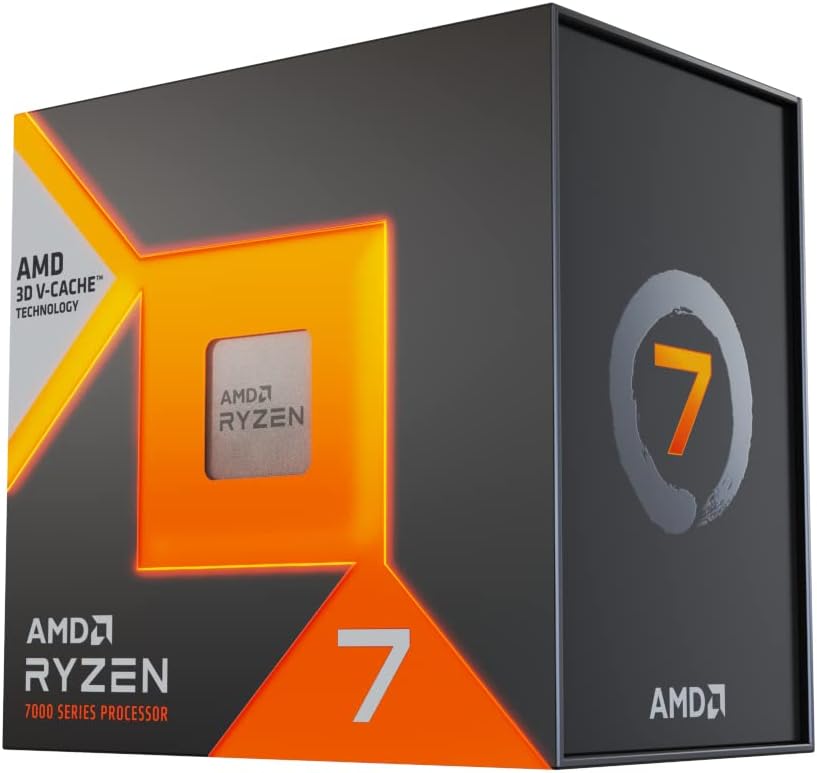
Quick Specs: Zen 4 (Raphael) + 1st-Gen 3D V-Cache, Socket AM5 | 8 Cores / 16 Threads (4.2 GHz Base / 5.0 GHz Boost) | 104MB Total Cache (96MB L3 + 8MB L2) | 120W TDP / 162W Max PPT | PCIe 5.0 (24 Usable Lanes), 2-CU Radeon iGPU | Price Tier: Upper-Mid Retail Tier (Stretch / Sale Watch)
Audit Score: 9.1 / 10
- Gaming Frame Rate & 1% Lows (35%): 9.8 / 10
- Platform Longevity & PCIe I/O (25%): 9.4 / 10
- Multi-Core Creator Headroom (20%): 8.0 / 10
- Power Efficiency & Thermal Behavior (20%): 8.8 / 10
Why rank a 9.1-rated silicon legend at #8 on a sub-$300 roundup? Strictly because standard retail street pricing in 2026 keeps the Ryzen 7 7800X3D inside the Upper-Mid Retail Tier above our sub-$300 budget ceiling—yet ignoring it would leave budget shoppers blind to the single best seasonal-sale target on Amazon. As explained in AMD’s 3D V-Cache engineering documentation, bonding 64MB of vertical L3 SRAM directly onto the 32MB base L3 pool yields a colossal 96MB L3 cache (104MB total), slashes main-memory round trips, and pushes competitive 1080p/1440p 1% Lows past every non-X3D processor in this guide.
For simulation fans (Cities: Skylines, Flight Simulator), MMO raiders, and 240Hz–360Hz esports players, catching the 7800X3D on a promotional dip beats paying full price for a non-X3D 9700X or 265K. Even if today’s street gap pushes it beyond your budget, building now with our #1 Ryzen 5 9600X on an AMD B850 board lets you upgrade effortlessly later—and you can compare whether saving for Gen 2 V-Cache makes sense in our dedicated Ryzen 7 7800X3D vs. 9800X3D comparison.
Buyer Verification Alert: Because 1st-gen 3D V-Cache stacks the SRAM tile directly atop the Zen 4 compute cores, AMD caps boost clocks at 5.0 GHz and locks manual multiplier overclocking—stick to PBO Curve Optimizer undervolting for cooler, quieter sustained clocks.
Pros
- 96MB L3 3D V-Cache eliminates frametime stutters in esports, MMO raids, and heavy simulation games
- Low real-world gaming wattage under 162W max PPT pairs easily with a dual-tower air cooler
- Full Socket AM5 PCIe 5.0 lane architecture without any 8700F-style I/O cuts
Cons
- Sells in the upper-mid tier during normal retail cycles
- 1st-gen top-stacked cache limits clocks to 5.0 GHz and trails 20-core Intel hybrids in heavy rendering
Verdict: Buy it if promotional pricing brings it around $300 or if you can stretch your budget for unmatched esports and simulation 1% Lows. Skip it if you hold a firm sub-$300 line or prioritize 20-thread creator throughput. Platform Note: Drop straight onto any B850 motherboard with 32GB DDR5-6000 CL30 EXPO RAM.
Buying Guide: How to Choose the Best Budget Gaming CPU Under 300
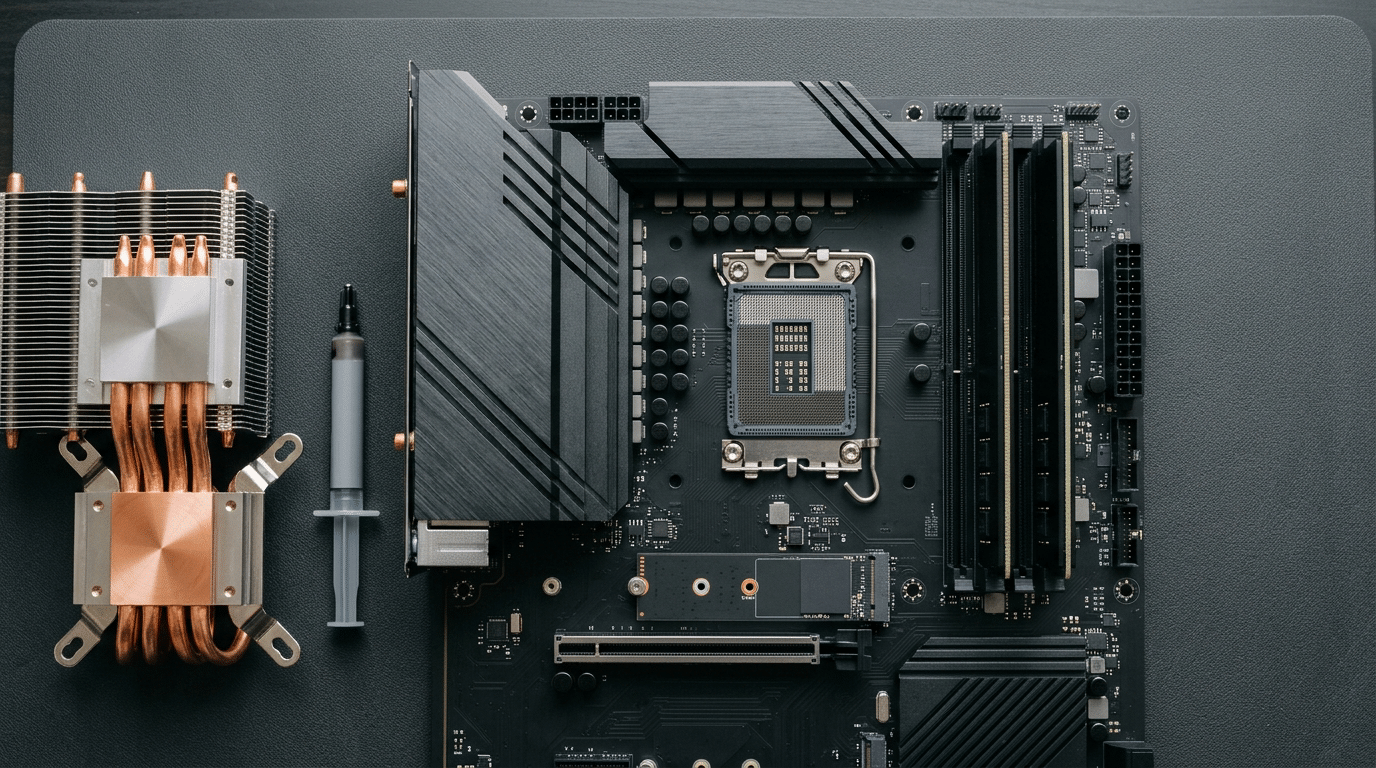
Picking the best budget gaming cpu under 300 requires looking past box clock speeds and core counts. Your processor interacts directly with your motherboard chipset, memory controller, cooling capacity, and graphics card bandwidth—meaning a cheaper CPU on paper can easily cost more once you tally motherboard and cooler requirements.
Ryzen 5 9600X vs. Core Ultra 7 270K Plus vs. Core Ultra 5 245K: Which Should You Choose?
These three processors headline the sub-$300 debate for good reason—they represent three completely different hardware philosophies:
- AMD Ryzen 5 9600X (Best Pure Gaming & Platform Longevity): With six high-IPC Zen 5 cores, 32MB L3 cache, and an 88W peak PPT envelope, the 9600X avoids thermal bloat, runs on inexpensive single-tower cooling, and sits on AMD’s long-lived AM5 socket. You get top sub-$300 gaming efficiency today and an open upgrade lane to future X3D processors tomorrow.
- Intel Core Ultra 7 270K Plus (Paper Multi-Core Monster & Stock Reality): Released in March 2026 in the around-$300 Launch MSRP tier, Intel’s Arrow Lake Plus refresh drops Core Ultra 9 285K core hardware—24 cores (8P + 16E), 5.5 GHz boost, 76MB combined cache, and DDR5-7200 CUDIMM support—right into the around-$300 bracket. On multi-core creator throughput per dollar, nothing under $300 touches it. However, Arrow Lake tile latency still trails X3D and ties or trails Zen 5 in many pure gaming titles, requires heavy 250W MTP cooling and Z890 boards for CPU overclocking, sits on LGA 1851, and Amazon US direct retail stock frequently swings above Launch MSRP—making our verified 265F or 245K safer stocked alternatives when 270K Plus listings run dry or marked up.
- Intel Core Ultra 5 245K (Best Entry Hybrid Under $200): Dropping into the under-$200 street bracket with 14 Arrow Lake cores, 159W max turbo power, and Quick Sync integrated graphics, the 245K dominates hybrid gaming-plus-editing value on a tight budget—so long as you accept LGA 1851’s shorter upgrade horizon.
1. Cache Architecture & IPC vs. Raw Core Count for 1% Lows
Games rarely scale cleanly across 16 or 24 threads; instead, frame delivery bottlenecks on main-thread draw calls, game logic, AI pathing, and rapid L3 cache hits. That is why a 6-core Ryzen 5 9600X with 32MB L3 cache beats an 8-core Ryzen 7 8700F (halved to 16MB L3), and why an 8-core Ryzen 7 7800X3D with 96MB of stacked 3D V-Cache demolishes 20-core non-X3D chips in 1080p 1% Lows. Buy cores for rendering, code compiling, and simultaneous OBS streaming; buy cache and IPC for fluid game frametimes.
2. Platform Total Cost of Ownership (TCO): AM5 B850 vs. LGA 1851 B860 / Z890
Never evaluate a CPU’s sticker price in isolation. Every AMD Ryzen 9000/7000 chip allows full CPU and memory tuning on mid-range AMD B850 motherboards (featuring mandatory PCIe 5.0 M.2 support and strong 12+2 phase 60A+ VRMs), and AM5 supports multi-generation processor drops. On LGA 1851, Intel locks CPU multiplier overclocking to costlier Z890 boards while restricting B860 boards to memory XMP tuning—making locked chips like the 265F natural fits for B860, while unlocked 245K/265K/270K Plus buyers only unlock CPU overclocking on Z890.
3. Base TDP vs. Real PPT and MTP Cooling Requirements
Ignore the marketing TDP number printed on spec cards when choosing a cooler. A Ryzen 5 9600X lists 65W TDP and peaks cleanly at 88W PPT, cooling comfortably with an inexpensive single-tower 120mm heatsink. Meanwhile, Arrow Lake K-series chips like the Core Ultra 7 265K and 270K Plus advertise a 125W base TDP yet boost straight to a 250W MTP power ceiling—requiring a robust dual-tower air cooler or 360mm AIO liquid cooler to sustain boost clocks quietly without thermal throttling.
4. Memory Controller Sweet Spots & Dual-Channel Rules
Memory latency directly impacts CPU gaming frame pacing. On AMD AM5, always buy a two-stick 32GB (2x16GB) DDR5-6000 CL30 EXPO kit so the memory controller runs in a synchronized 1:1 UCLK:MCLK mode (~10.0ns latency); pushing past 6400 MT/s drops AM5 into a slower 2:1 divider. On Intel LGA 1851 Arrow Lake, target 32GB (2x16GB) DDR5-6400 CL32 or supported CUDIMM 7200+ kits on Z890—and never populate all four DIMM slots on either platform for gaming builds.
5. PCIe 5.0 Lanes & The Missing iGPU Trap on F-Suffix Chips
Full desktop Ryzen 9000/7000 and Arrow Lake Series 2 chips deliver dedicated PCIe 5.0 GPU and primary M.2 storage lanes—just verify your motherboard manual does not bifurcate the primary x16 graphics slot down to x8 when secondary M.2 drives are populated. Likewise, inspect suffix letters closely: Intel F models (like the 265F) and AMD’s 8700F strip out integrated graphics entirely, removing hardware Quick Sync media decoding and leaving you unable to troubleshoot a display signal if your discrete GPU is ever pulled for RMA.
6. Upgrade Roadmap, Hidden Ownership Costs & Bottleneck Myths
Smart sub-$300 buyers budget for hidden system costs right up front: retail X-series AMD and K-series Intel boxes exclude stock coolers, thermal compound needs proper coverage, and skipping an ATX 3.1 80+ Gold power supply creates headaches when upgrading GPUs later. Also ignore internet “bottleneck percentage calculators”—no fixed percentage exists because CPU load shifts constantly by game engine, preset, and monitor resolution. Verify real GPU utilization in your favorite titles: 95%–100% GPU usage means your sub-$300 CPU is feeding your graphics card effectively, while 60%–80% uncapped GPU usage points toward CPU or memory limits (solvable via higher resolution/textures or verifying EXPO dual-channel RAM).
Secondary Intent Resolver: Pure Gaming vs. Creator Hybrid vs. Existing Rig Upgrade
If 90% of your PC hours go toward 1080p/1440p gaming and you want effortless upgrades three years from now, lock in the Ryzen 5 9600X on AMD B850 and funnel extra cash into a stronger 16GB graphics card. If your rig doubles as a Premiere Pro or DaVinci Resolve workstation under a strict budget, pick the Core Ultra 5 245K (for Quick Sync under $200) or stretch to the Core Ultra 7 265K / 270K Plus (if Quick Sync and 20–24 cores matter more than AM5 longevity). Already sitting on an LGA 1700 DDR4 board? Drop in the Core i5-14600K and save the motherboard money entirely.
How We Audited, Scored & Filtered These Processors
At The PC Audit, every processor in this guide underwent a technical specification, architecture, and platform Total Cost of Ownership audit verified on 2026-11-22—without fabricated FPS tables or sponsored rankings. Each score weights real gaming architecture, socket longevity, multi-core creator capabilities, and thermal power ceilings according to our published Editorial Evaluation Methodology:
| Evaluation Criterion | Weight | What We Audited |
|---|---|---|
| Gaming Frame Rate & 1% Lows | 35% | L3 / 3D V-Cache capacity, Zen 5 vs. Arrow Lake single-core IPC, cache latency, and draw-call pacing. |
| Platform Longevity & PCIe I/O | 25% | AM5 multi-gen runway vs. LGA 1851/1700, usable PCIe 5.0 GPU/M.2 lanes, and DDR5 memory scaling. |
| Multi-Core Creator Headroom | 20% | Physical P/E-core throughput, shader compilation speed, Quick Sync media engines, and NPU support. |
| Power Efficiency & Thermal Behavior | 20% | Actual PPT/MTP max wattage under sustained load, PBO undervolting margins, and required cooler tier. |
Processors & Pairings We Audited & Rejected (And Why)
- AMD Ryzen 5 5500 & Legacy AM4 Retail Chips (for New Builds): Excluded for fresh gaming PCs because Socket AM4 caps RAM at DDR4, omits PCIe 5.0 completely, and traps builders on an end-of-life platform with zero path to Zen 5 or modern AM5 X3D CPUs.
- Intel Core Ultra 5 245KF / Core Ultra 7 265KF (When Priced Near K Models): Disqualified whenever street margins sit close to the full 245K or 265K, as dropping the integrated GPU destroys Intel Quick Sync video acceleration and removes basic display diagnostics.
- Intel Core i9-14900KF Paired on Entry B760 Motherboards: Flagged in prebuilt bundles and DIY combos as a thermal and VRM trap—pushing 250W+ MTP loads onto budget B760 boards triggers VRM throttling and poor platform TCO.
- Cut-Down Zen 4 OEM APUs (Ryzen 5 8400F / 8500G): Disqualified because 16MB L3 cache and reduced PCIe 4.0 lane counts undercut CPU-bound 1% Lows far below the 32MB L3 Ryzen 5 9600X.
Frequently Asked Questions About Sub-$300 Gaming CPUs
What is the best budget gaming cpu under 300 in 2026?
The AMD Ryzen 5 9600X is the best budget gaming cpu under 300 for most builders because it pairs high Zen 5 IPC, a full 32MB L3 cache, cool 88W max PPT power, and multi-generation AM5 longevity. Hybrid creators prioritizing video exports should cross-shop the Intel Core Ultra 5 245K or Core Ultra 7 265F.
How do the Ryzen 5 9600X, Core Ultra 7 270K Plus, and Core Ultra 5 245K compare?
The 9600X wins pure gaming efficiency and upgrades, whereas the Core Ultra 5 245K dominates entry hybrid value under $200 with 14 cores and Quick Sync. Intel’s March 2026 Core Ultra 7 270K Plus targets an around-$300 Launch MSRP tier with 24 cores for workstation loads, though fluctuating stock and 250W cooling favor the 9600X for gaming rigs.
Is 6 cores still enough for modern PC gaming in 2026?
Yes—six fast Zen 5 cores remain plenty for smooth 1080p and 1440p gaming when backed by a full 32MB L3 cache like the Ryzen 5 9600X. Upgrading to 8 cores on the Ryzen 7 9700X or 14 cores on the 245K primarily accelerates shader compilation, heavy OBS streaming, and background multitasking.
Why should I skip the Ryzen 7 8700F even though it has 8 cores under $250?
Its halved 16MB L3 cache bottlenecks games. Built from a Phoenix mobile die, the Ryzen 7 8700F drops L3 cache to 16MB, caps connectivity at 16 usable PCIe 4.0 lanes, and removes integrated graphics—allowing the 6-core Ryzen 5 9600X to deliver stronger gaming 1% Lows.
Should I buy an Intel F-series chip like the Core Ultra 7 265F?
Only if you never use Quick Sync and always keep a working discrete GPU installed. The Core Ultra 7 265F offers serious 20-core rendering power under $300 on B860 boards, whereas video editors benefit from keeping integrated media acceleration via the Core Ultra 5 245K or Core Ultra 7 265K.
Are online bottleneck percentage calculators accurate when pairing a sub-$300 CPU?
No—single bottleneck percentages are meaningless. CPU versus GPU bottlenecks shift dynamically depending on the game engine, graphics preset, and monitor resolution. Check live GPU usage in your target games instead: 95%–100% GPU utilization confirms your sub-$300 CPU is driving your graphics card properly.
Final Verdict: Picking the Best Budget Gaming CPU Under 300
Choosing the best budget gaming cpu under 300 comes down to matching silicon strengths to your monitor, GPU tier, and upgrade timeline. For pure gamers building a fresh rig from scratch, the AMD Ryzen 5 9600X remains our clearest #1 recommendation: its full 32MB L3 cache, Zen 5 IPC, 88W peak power efficiency, and future AM5 X3D upgrade path keep overall platform Total Cost of Ownership low so more budget goes straight into your graphics card. Need extra threads for streaming under $300? Step cleanly up to the Ryzen 7 9700X. For budget-conscious hybrid creators prioritizing multi-core exports and Quick Sync under $200, the Intel Core Ultra 5 245K (or the 20-core Core Ultra 7 265F when Quick Sync is unnecessary) delivers unmatched productivity per dollar.


