
Disclosure: As an Amazon Associate, I earn from qualifying purchases. If you buy through links on this page, we may earn a small commission at no extra cost to you.
Sorting out the intel arc b580 vs rtx 5060 vs rx 9060 xt matchup is the defining purchasing decision in the sub-$350 graphics card bracket. Separated by just $50 to $100 at Launch MSRP, Intel, NVIDIA, and AMD deliver wildly different compromises: Intel prices the 12GB Xe2 Battlemage Arc B580 at $249 Launch MSRP, NVIDIA ships the 8GB Blackwell GeForce RTX 5060 at $299 Launch MSRP, and AMD splits its RDNA 4 Radeon RX 9060 XT between an 8GB model ($299 Launch MSRP) and a 16GB tier ($349 Launch MSRP).
Positioned beneath the 1440p mid-range inside our best graphics cards for gaming hierarchy and analyzed alongside our best budget graphics cards under $350 guide, these three cards force builders to weigh VRAM longevity against ray tracing, PCIe compatibility, and upscaling maturity. We evaluate every contender under our weighted GPU rubric: Rasterization & Ray Tracing Tier (35%), VRAM Capacity & Memory Bus (25%), Upscaling, Frame Gen & Media Engine (20%), and Thermals, Acoustics & Power Spec (20%).
In This Comparison
- TL;DR Winner Matrix: Quick Verdict
- Side-by-Side Verified Spec Table
- Battleground 1: 1080p & Entry 1440p Rasterization vs. Ray Tracing (35%)
- Battleground 2: 8GB vs. 12GB vs. 16GB VRAM, Bus Width & PCIe Lanes (25%)
- Battleground 3: DLSS 4 Multi-Frame Generation vs. AMD FSR 4 vs. Intel XeSS 2 (20%)
- Battleground 4: Power Specs, 8-Pin Cables, DisplayPort 2.1 & Acoustics (20%)
- Platform Pairing & Avoiding Budget Rig Bottlenecks
- Decisive Verdict: Which Budget GPU Should You Buy?
- Verified Amazon Retail Picks for Budget Builders
- Frequently Asked Questions
TL;DR Winner Matrix: Quick Verdict
Budget shoppers rarely have margin for guesswork when an 8GB framebuffer ceiling or missing motherboard Resizable BAR toggle can derail frametime stability. Here is the clear winner across every decisive evaluation category.
| Evaluation Category | Declared Winner | Decisive Technical Reason |
|---|---|---|
| Best Overall 1080p / Entry 1440p Value | AMD Radeon RX 9060 XT (16GB) | At $349 Launch MSRP, RDNA 4 delivers Tier B gaming throughput, 16GB VRAM for 2026–2029 longevity, and a full PCIe 5.0 x16 interface. |
| Best Sub-$250 Budget Pick | Intel Arc B580 (12GB) | At $249 Launch MSRP, 12GB GDDR6 over a 192-bit bus (456 GB/s) and hardware AV1 outclass 8GB rivals on modern ReBAR-enabled systems. |
| Best AI Upscaling & Creator Engine | NVIDIA GeForce RTX 5060 (or RTX 5060 Ti 16GB) | Blackwell holds the widest DLSS 4 + Multi-Frame Generation library and 9th-Gen NVENC, though 8GB VRAM limits Ultra textures on the base 5060. |
| Best for Older PCIe 3.0 / 4.0 Upgrades | AMD Radeon RX 9060 XT (16GB) | Retains all 16 PCIe 5.0 lanes (x16) and requires no strict ReBAR dependency, avoiding the steep stalls seen on x8 budget cards in legacy slots. |
| Lowest Power Draw & Compact Fit | NVIDIA GeForce RTX 5060 (8GB) | A 145W TDP requires less PSU margin than the 190W Arc B580 or 160W RX 9060 XT 16GB, fitting tight OEM and small-form-factor enclosures. |
Side-by-Side Verified Spec Table
Core counts across Intel, NVIDIA, and AMD never map directly one-to-one because each architecture schedules shading, ray intersections, and AI matrix math through distinct execution pipelines. Compare verified Launch MSRP, memory architecture, Total Board Power (TBP/TDP), host PCIe bus width, and display standards side by side.
| Specification | Intel Arc B580 (12GB) | NVIDIA GeForce RTX 5060 (8GB) | AMD Radeon RX 9060 XT (8GB / 16GB) |
|---|---|---|---|
| Architecture | Intel Xe2 Battlemage (BMG-G21) | NVIDIA Blackwell | AMD RDNA 4 |
| Release Window | December 2024 | May 19, 2025 | June 5, 2025 |
| Launch MSRP | $249 | $299 | $299 (8GB) / $349 (16GB) |
| Compute Hardware | 20 Xe-Cores / 160 XMX Engines | 3,840 CUDA Cores / Blackwell RT & Tensor | 32 Compute Units / 2,048 Stream Processors |
| Reference Clock | 2,670 MHz Graphics Clock | Varies by AIB Boost Spec | ~3.13 GHz Boost (OC up to 3,320 MHz) |
| VRAM Capacity & Type | 12GB GDDR6 | 8GB GDDR7 | 8GB or 16GB GDDR6 (20 Gbps) |
| Memory Bus & Bandwidth | 192-bit / 456 GB/s | 128-bit GDDR7 | 128-bit GDDR6 (20 Gbps) |
| Board Power (TBP / TDP) | 190W TBP | 145W TDP | ~150W (8GB) / ~160W (16GB) TBP |
| Power Header & PSU Tier | 1x 8-pin PCIe / 650W ATX 3.1 Tier | 1x 8-pin PCIe / 650W ATX 3.1 Tier | 1x 8-pin PCIe / 650W ATX 3.1 Tier |
| Host PCIe Interface | PCIe 4.0 x8 (Requires ReBAR) | PCIe 5.0 Interface (x8 Class) | Full PCIe 5.0 x16 |
| Upscaling & Low Latency | Intel XeSS 2 + XeSS Frame Gen + XeLL | DLSS 4 + Multi-Frame Generation + Reflex | AMD FSR 4 (ML) + Frame Gen + Anti-Lag 2 |
| Display I/O | 3x DisplayPort 2.1 + 1x HDMI 2.1 | DisplayPort 2.1b + HDMI 2.1b | DisplayPort 2.1 + HDMI 2.1 |
| Media / Encode Engine | Intel Media Engine (Hardware AV1) | 9th-Gen NVENC (AV1 + 10-bit 4:2:2) | AMD VCN (4K H.264, HEVC, AV1) |
| Hierarchy Position | Tier C+ (1080p Value / Entry 1440p) | Tier C+ (1080p Entry & Esports) | Tier C+ (8GB) / Tier B (16GB 1080p Max) |
Editorial Upgrade Note: NVIDIA also sells the Blackwell GeForce RTX 5060 Ti with 4,608 CUDA Cores and 180W TBP in 8GB ($379 Launch MSRP) and 16GB ($429 Launch MSRP) trims. If your workflow demands GeForce CUDA or DLSS 4 without an 8GB VRAM ceiling, stepping directly up to the 16GB RTX 5060 Ti avoids the memory traps we flag below.
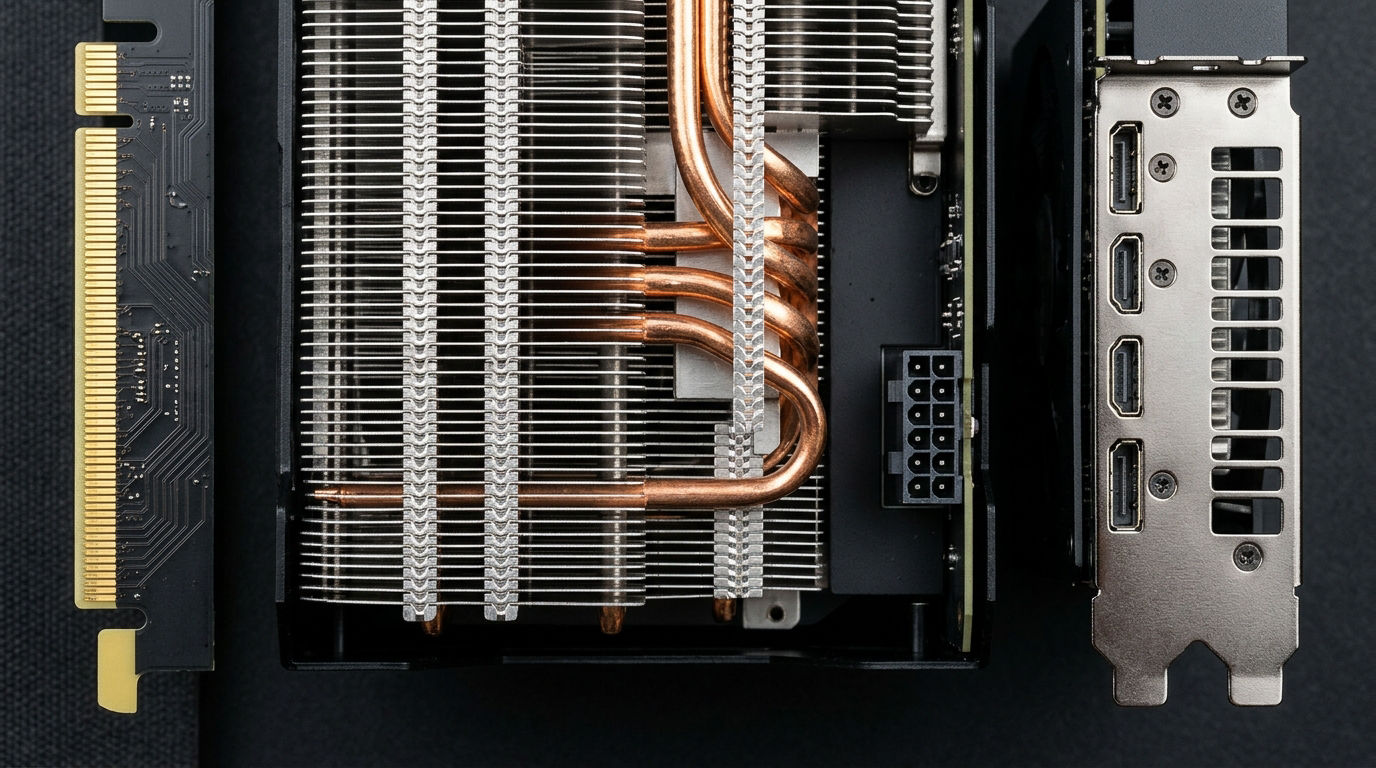
Battleground 1: 1080p & Entry 1440p Rasterization vs. Ray Tracing (35%)
In the $250 to $350 tier, native 1080p rasterization speed remains the bedrock metric because most buyers pair these cards with 1080p 144Hz–240Hz IPS monitors or entry 1440p panels. Within our GPU hierarchy, the AMD Radeon RX 9060 XT (16GB) separates itself in Tier B (1080p Max and 1440p Medium–High), whereas the RTX 5060 (8GB), RX 9060 XT (8GB), and Intel Arc B580 (12GB) compete inside Tier C+ (1080p Value & Esports).
AMD built RDNA 4 to prioritize mainstream rasterization frames per dollar rather than chasing ultra-expensive $1,999 Launch MSRP halo silicon. With 32 Compute Units (2,048 Stream Processors) boosting near 3.13 GHz on reference cards—and up to 3,320 MHz on partner OC models like XFX Swift—the RX 9060 XT pairs high shader clock speed with improved 3rd-Generation Ray Accelerators. Choosing the 16GB SKU at $349 Launch MSRP rather than the $299 Launch MSRP 8GB SKU prevents sudden shader and texture stalls in Unreal Engine 5 releases, letting the GPU stretch cleanly into 1440p Medium–High.
NVIDIA’s GeForce RTX 5060 carries 3,840 CUDA Cores on the Blackwell architecture, excelling in competitive esports titles like Valorant, Counter-Strike 2, and League of Legends alongside lighter 1080p ray-traced scenes. Blackwell ray-tracing and Tensor efficiency consistently outperform older budget architectures when ray intersections are active. Yet raw core strength cannot salvage an 8GB frame buffer once Ultra lighting, heavy reflections, and modern geometry collide—leaving the RTX 5060 clearly tuned for 1080p Medium–High rather than maxed-out textures.
Intel’s Xe2 Battlemage Arc B580 (20 Xe-Cores, 20 Ray Tracing Units, 2,670 MHz reference clock) delivers remarkable $249 Launch MSRP punch across DirectX 12 Ultimate and Vulkan titles. As documented in our dedicated Intel Arc B580 & B570 Battlemage audit, Intel’s software stack has matured substantially since first-generation Alchemist, though two caveats persist: niche legacy DirectX 9 or DirectX 11 titles can still trail equivalent rivals, and performance relies heavily on enabling Resizable BAR on a modern CPU platform. Finally, ignore rumors around unreleased upper-tier Super cards—both RTX 5070 Super and RTX 5080 Super remain unconfirmed for retail shelves and target far pricier segments anyway.
Battleground 2: 8GB vs. 12GB vs. 16GB VRAM, Bus Width & PCIe Lanes (25%)
Memory capacity is the sharpest divider in this three-way showdown. When a game requests more texture, shadow, and geometry memory than a card carries locally, data spills over the PCIe bus into much slower system DDR5 RAM. Average framerates only hint at the damage; 1% Lows collapse, camera pans hitch violently, and textures fail to stream into sharp resolution—the classic VRAM bottleneck explained in full inside our guide on how much VRAM you need for gaming in 2026.
- NVIDIA GeForce RTX 5060 (8GB GDDR7, 128-bit): NVIDIA compensates for a narrow 128-bit interface by equipping rapid GDDR7 memory, giving 1080p esports and medium-detail shaders plenty of throughput. However, 8GB total capacity hits a firm ceiling in modern AAA games once Ultra texture packs, ray tracing, or Frame Generation buffers stack up. Under our editorial guardrails, we strongly advise against paying over $350 for any 8GB SKU (such as the $379 Launch MSRP RTX 5060 Ti 8GB), and even at $299 Launch MSRP, 8GB restricts multi-year AAA headroom.
- Intel Arc B580 (12GB GDDR6, 192-bit, 456 GB/s): Intel’s boldest decision at $249 Launch MSRP is pairing 12GB of GDDR6 with a wide 192-bit memory bus delivering 456 GB/s of raw bandwidth. That extra capacity lets the Arc B580 hold Ultra 1080p textures and many 1440p High workloads smoothly where 8GB cards stutter—outclassing even $50–$100 pricier 8GB competitors in texture-heavy scenes.
- AMD Radeon RX 9060 XT (16GB vs. 8GB GDDR6, 128-bit, 20 Gbps): Skip the $299 Launch MSRP 8GB variant if your budget stretches another $50. Stepping up to the $349 Launch MSRP 16GB RX 9060 XT lands right on the 2026–2029 gold-standard capacity, handling 1080p Max Settings, heavy texture mods, ray tracing, and upscaled 1440p with zero spillover risk.
Equally important—and routinely overlooked on retail product pages—is the physical PCIe lane count. As outlined in PCI-SIG PCI Express specifications, budget graphics cards trimmed to an eight-lane (x8) interface can lose extra bandwidth whenever an older motherboard drops link speeds to PCIe 3.0 and VRAM overflows.
Here, the AMD Radeon RX 9060 XT wins cleanly by retaining a full PCIe 5.0 x16 host interface, ensuring zero lane-starved penalties even on older PCIe 3.0 or 4.0 boards. By contrast, the Intel Arc B580 wires a PCIe 4.0 x8 interface and strictly requires BIOS Resizable BAR (plus Above 4G Decoding) to feed data efficiently—making it a superb $249 value inside modern AM5, LGA 1700, or LGA 1851 rigs, yet risky inside legacy systems lacking ReBAR support.
Battleground 3: DLSS 4 Multi-Frame Generation vs. AMD FSR 4 vs. Intel XeSS 2 (20%)
With Unreal Engine 5 Lumen lighting and heavy post-processing standard in 2026, AI upscaling and frame pacing dictate how gracefully budget GPUs age. All three vendors now deploy hardware-accelerated reconstruction, yet ecosystem depth and VRAM overhead create key practical differences.
- NVIDIA DLSS 4 + Multi-Frame Generation: Detailed on NVIDIA GeForce RTX 50-Series pages, Blackwell upgrades DLSS to a Transformer-based neural network that preserves razor-sharp fine details—power lines, foliage, particles—with minimal motion ghosting. GeForce also enjoys the widest native AAA integration and exclusive DLSS 4 Multi-Frame Generation paired with NVIDIA Reflex / Reflex 2.
- AMD FSR 4: RDNA 4 marks a generational leap for AMD Radeon RX 9000-series GPUs. AMD FSR 4 ditches FSR 3’s shader-only spatial/temporal compromises for dedicated machine-learning accelerators, closing the image-stability gap remarkably close to DLSS while supporting driver-level upgrades for eligible FSR 3.1 games alongside Fluid Motion / Frame Gen and AMD Anti-Lag 2.
- Intel XeSS 2: Running natively across 160 XMX AI matrix engines on Battlemage (far sharper than fallback DP4a execution on non-Intel GPUs), Intel XeSS 2 combines AI super resolution with XeSS Frame Generation and Intel Xe Low Latency (XeLL) across an expanding catalog of DirectX 12 titles.
Before leaning on any vendor’s frame interpolation toggle to inflate monitor numbers, remember two strict rules from our audit methodology:
First, never equate 120 generated FPS with 120 native FPS. Frame Generation smooths visual motion between frames without improving mouse or controller responsiveness. Always tune quality settings and upscaling first so native gameplay sustains a 50–60 base FPS floor—enabling Multi-Frame Generation below 45–50 base FPS produces sluggish input latency and visual artifacts—and always pair Frame Gen with NVIDIA Reflex, AMD Anti-Lag 2, or XeLL. Second, Frame Generation consumes additional VRAM buffers: on an 8GB RTX 5060, turning on DLSS 4 Multi-Frame Generation at High/Ultra textures can push memory past 8GB, whereas 12GB (Arc B580) and 16GB (RX 9060 XT or RTX 5060 Ti 16GB) hold generous buffer headroom.
For streamers and video editors, NVIDIA’s 9th-Gen NVENC leads workstation compatibility with hardware AV1 and 10-bit 4:2:2 acceleration. However, Intel’s dual multi-format codec engines on the Arc B580 deliver exceptional hardware AV1 streaming quality at $249 Launch MSRP, while AMD’s updated VCN media engine handles crisp 4K H.264, HEVC, and AV1 capture cleanly.
Battleground 4: Power Specs, 8-Pin Cables, DisplayPort 2.1 & Acoustics (20%)
Installing a sub-$350 GPU is markedly simpler than wrestling flagship cards. Whereas upper-tier 250W–575W GeForce GPUs require the 16-pin 12V-2×6 connector—demanding ATX 3.1 power supplies and at least 35mm of straight side-panel cable bend clearance—mainstream Arc B580, RTX 5060, and RX 9060 XT cards stick to a single 8-pin PCIe power connector.
Even with modest average power ratings—145W TDP on the RTX 5060, 150W–160W TBP on the RX 9060 XT, and 190W TBP on the Arc B580—modern GPUs can trigger millisecond transient power excursions reaching 2x to 3x rated draw. For new DIY builds, our PSU standard pairs all three entry GPUs with a 650W ATX 3.1 / 80+ Gold power supply (verified in our ATX 3.1 and 12V-2×6 guide) so gaming loads stay quietly in peak efficiency bands with upgrade headroom left over. Upgraders dropping a card into an existing OEM tower with a tight 450W–500W PSU get the widest electrical safety margin from the 145W RTX 5060 or 160W RX 9060 XT rather than the 190W Arc B580.
On display outputs, all three generations advance to VESA DisplayPort 2.1 alongside HDMI 2.1—for example, Intel’s Arc B580 Limited Edition provides three DisplayPort 2.1 ports (one UHBR13.5 plus two UHBR10) and HDMI 2.1, Blackwell supports DisplayPort 2.1b, and partner RX 9060 XT models ship dual DisplayPort 2.1 and HDMI 2.1 outputs for effortless high-refresh 1080p and 1440p monitors.
Finally, inspect individual partner (AIB) coolers before ordering. A 290mm triple-fan design like the XFX Swift RX 9060 XT runs slower, quieter fan curves than compact 2-slot cards, though smaller 229mm–272mm dual-fan shrouds (such as Intel’s Arc B580 Limited Edition or ASUS Dual RTX 5060 Ti) fit tight Mini-ITX and budget micro-ATX cases without blocking front fans. Look for Zero-RPM idle fan stop, check whether a card offers a hardware Dual BIOS (Performance / Quiet) switch, and set a driver frame-rate cap on uncapped game menus to eliminate coil whine.
Platform Pairing & Avoiding Budget Rig Bottlenecks
Even the sharpest GPU choice stalls if dropped into an imbalanced system. Follow our how to build a gaming PC fundamentals to prevent hidden bottlenecks that crush 1% Lows:
- CPU & Motherboard Runway: For new DIY builds, an AMD Ryzen 5 9600X (6C/12T, 38MB total cache, 65W TDP) on an AMD B850 motherboard brings PCIe 5.0 M.2 support, native AM5 multi-generation upgradeability, and guaranteed Resizable BAR. Avoid budget prebuilt shortcuts like the cache-trimmed Ryzen 7 8700F (only 16MB L3 cache and 16 usable PCIe 4.0 lanes) when building from parts.
- Dual-Channel DDR5 Memory: Run two sticks of 32GB (2x16GB) DDR5-6000 CL30 on AM5 (or DDR5-6400 CL32 on Intel LGA 1851). Never run single-channel 1x16GB configurations or loose CL42–CL46 modules, which starve CPU draw calls and drop 1080p 1% Lows severely.
- Storage & Airflow Chassis: A 1TB or 2TB PCIe 4.0 DRAM + TLC NVMe SSD delivers identical game load speeds to hotter PCIe 5.0 SSDs at lower cost, and a fine-mesh front panel case keeps dual- or triple-fan GPU intakes fed cool ambient air.
Decisive Verdict: Which Budget GPU Should You Buy?
With $100 separating the $249 Launch MSRP Arc B580 from the $349 Launch MSRP RX 9060 XT 16GB—and 8GB cards increasingly boxed into Esports or Medium settings—each architecture owns a distinct buyer lane.
Choose Intel Arc B580 12GB ($249 Launch MSRP) If…
- Your strict budget sits under $250 and you refuse 8GB VRAM compromises.
- You run a modern ReBAR-enabled AM5, LGA 1700, or LGA 1851 motherboard.
- You play DX12/Vulkan AAA titles and value hardware AV1 streaming on a tight budget.
Choose AMD Radeon RX 9060 XT 16GB ($349 Launch MSRP) If…
- You want the best overall 1080p Ultra and entry 1440p card built for 2026–2029.
- You are upgrading an older PCIe 3.0 or 4.0 PC and need a full PCIe 5.0 x16 link.
- You want 16GB VRAM headroom alongside ML-accelerated AMD FSR 4 and 160W efficiency.
Choose NVIDIA RTX 5060 — or Step Up to RTX 5060 Ti 16GB If…
- You play 1080p Esports on a 145W PSU ceiling (base 8GB RTX 5060 at $299 Launch MSRP).
- You want DLSS 4 Multi-Frame Generation and 9th-Gen NVENC without an 8GB VRAM bottleneck—step up to the 16GB RTX 5060 Ti ($429 Launch MSRP).
Overall, the AMD Radeon RX 9060 XT 16GB wins this showdown for anyone able to stretch into the $349 Launch MSRP bracket thanks to 16GB capacity, Tier B gaming speed, and full x16 PCIe 5.0 compatibility. Under $250, the Intel Arc B580 12GB dominates on VRAM per dollar as long as your system supports ReBAR. Meanwhile, GeForce buyers unwilling to accept an 8GB ceiling on the $299 Launch MSRP RTX 5060 are far better served stepping up to a 16GB RTX 5060 Ti—or comparing higher 1440p tiers inside our best graphics cards for gaming hub and Graphics Cards category.
Verified Amazon Retail Picks for Budget Builders
Retail partner cards vary widely in heatsink mass, fan acoustics, and VRAM sizing. To protect buyers from paying mid-range prices for 8GB listings, we verified three in-stock 12GB and 16GB Amazon US graphics cards—including a compact 16GB NVIDIA GeForce step-up for buyers who want Blackwell features without 8GB texture limits.
1. Intel Arc B580 Limited Edition 12GB (WEELIAO) — Best Sub-$250 VRAM Value

Budget Tier: Budget tier (starting at $249 Launch MSRP) | Verified Specs: Intel Xe2 Battlemage (BMG-G21) | 20 Xe-Cores & 160 XMX AI Engines | 12GB GDDR6 (192-bit Bus, 456 GB/s) | 190W TBP (1x 8-Pin PCIe, 600W–650W PSU Recommended) | 3x DisplayPort 2.1 (1x UHBR13.5 + 2x UHBR10) + 1x HDMI 2.1 | 272 x 115 x 44 mm 2-Slot PCIe 4.0 x8 (Requires ReBAR).
Comparison Audit: Intel’s reference Limited Edition design brings 12GB of 456 GB/s GDDR6 memory and hardware AV1 encoding into the sub-$250 bracket—comfortably outlasting 8GB competitors in texture-heavy 1080p Ultra and entry 1440p DX12 titles. Just verify your motherboard supports Resizable BAR and avoid dropping it into legacy PCIe 3.0 systems lacking ReBAR.
Pros: Unmatched 12GB VRAM and 192-bit bandwidth around $249 Launch MSRP; compact 2-slot 272mm fit with single 8-pin power; hardware AV1 encoding and XeSS 2 AI acceleration.
Cons: Strictly requires BIOS Resizable BAR over its PCIe 4.0 x8 link; higher 190W TBP than RTX 5060 and RX 9060 XT; legacy DX9/11 edge cases persist.
2. XFX Swift AMD Radeon RX 9060 XT OC Triple Fan 16GB — Best Overall Budget-to-1440p Pick

Budget Tier: Value tier (starting at $349 Launch MSRP; $349–$400 bracket) | Verified Specs: AMD RDNA 4 | 32 Compute Units (2,048 SP) up to 3,320 MHz OC Boost | 16GB GDDR6 (128-bit Bus, 20 Gbps) | 160W Class TBP (1x PCIe 8-Pin, 450W–650W PSU Recommended) | 2x DisplayPort 2.1 + 1x HDMI 2.1 | 290 x 124 x 49 mm Dual-Slot Triple-Fan | Full PCIe 5.0 x16 Interface.
Comparison Audit: Passing over the $299 Launch MSRP 8GB trim for XFX’s 16GB triple-fan RX 9060 XT secures Tier B performance, ML-powered AMD FSR 4, and full 16-lane PCIe 5.0 compatibility in a quiet 160W package. It solves both major budget hazards at once—no 8GB VRAM wall and no x8 bus penalty inside older PCIe 3.0 or 4.0 towers.
Pros: Full 16GB GDDR6 buffer built for 2026–2029 AAA games; full PCIe 5.0 x16 interface protects older motherboards; cool triple-fan acoustics on a single 8-pin cable.
Cons: Longer 290mm shroud needs chassis clearance verification; fewer native games ship FSR 4 compared to DLSS 4.
3. ASUS Dual GeForce RTX 5060 Ti 16GB GDDR7 OC — Smarter 16GB NVIDIA Step-Up Over 8GB RTX 5060

Budget Tier: Lower-midrange tier (starting at $429 Launch MSRP) | Verified Specs: NVIDIA Blackwell | 4,608 CUDA Cores (2,632 MHz OC Boost) | 16GB GDDR7 (128-bit Bus, 28 Gbps) | 180W TBP (1x 8-Pin PCIe, 550W–650W PSU Recommended) | 3x Native DisplayPort 2.1b + 1x HDMI 2.1b | 229 x 120 x 50 mm 2.5-Slot Compact Dual Axial-Tech Fans.
Comparison Audit: While the $299 Launch MSRP RTX 5060 hits an 8GB VRAM ceiling in heavy AAA textures and Multi-Frame Generation, ASUS’s Dual RTX 5060 Ti 16GB gives NVIDIA loyalists full 16GB GDDR7 headroom, 4,608 CUDA Cores, DLSS 4 Multi-Frame Generation, and 10-bit 4:2:2 9th-Gen NVENC inside an SFF-friendly 229mm length with a single 8-pin header.
Pros: Eliminates the 8GB RTX 5060 and RTX 5060 Ti 8GB VRAM trap with 16GB GDDR7; compact 229mm dual-fan build using one 8-pin plug; full DLSS 4 Multi-Frame Gen and dual-grade NVENC.
Cons: $429 Launch MSRP sits noticeably above the $249 Arc B580 and $349 RX 9060 XT 16GB tiers.
How We Audited This Guide
- Graphics cards were evaluated by VRAM capacity, memory bus, power connector and PSU requirements, slot width and length clearance, and display output standards.
- Every specification claim was cross-checked against official OEM datasheets, platform vendor documentation, and published industry standards (PCI-SIG, JEDEC, VESA, Intel ATX) rather than marketplace listing copy.
- Recommendations were evaluated against our weighted audit rubric and documented compatibility rules; we do not publish fabricated FPS, thermal, or acoustic numbers.
Frequently Asked Questions
Is the Intel Arc B580 12GB better value than the 8GB RTX 5060 at Launch MSRP?
Yes, for modern ReBAR-enabled gaming rigs. At $249 Launch MSRP—$50 below the $299 Launch MSRP RTX 5060—the Arc B580 offers 12GB GDDR6 over a 192-bit bus (456 GB/s) and hardware AV1 encoding, avoiding 8GB texture stutter in demanding DX12 AAA titles.
Should I buy the 8GB or 16GB Radeon RX 9060 XT?
Choose the 16GB Radeon RX 9060 XT ($349 Launch MSRP) whenever possible. Spending $50 extra over the $299 Launch MSRP 8GB variant prevents VRAM bottlenecks in Unreal Engine 5 releases, sustains 1080p Max Settings and entry 1440p cleanly, and secures 2026–2029 longevity.
Do I need Resizable BAR for the Intel Arc B580, RTX 5060, or RX 9060 XT?
Enabling Resizable BAR improves performance across all three GPUs, yet it is mandatory for the Intel Arc B580. Because Battlemage relies heavily on ReBAR over its PCIe 4.0 x8 interface, older motherboards lacking ReBAR suffer noticeably lower framerates.
Can DLSS 4 Multi-Frame Generation or FSR 4 fix low framerates on budget GPUs?
No. Frame generation increases visual smoothness without improving input latency. Tune graphics settings and upscaling to maintain a 50–60 base FPS baseline before enabling DLSS 4 Multi-Frame Generation, FSR 4 Frame Gen, or XeSS Frame Gen alongside Reflex, Anti-Lag 2, or XeLL.
What power supply wattage and cable do these three GPUs require?
All three mainstream cards use a single 8-pin PCIe power connector rather than a 16-pin 12V-2×6 plug. We recommend a quality 650W ATX 3.1 80+ Gold PSU for new builds to absorb 2x–3x millisecond transient power spikes cleanly across the 145W–190W GPU tier.
Official Standards & Technical References
- Intel Arc B580 Graphics Official Specifications: intel.com/content/www/us/en/products/sku/241598/intel-arc-b580-graphics/specifications.html
- NVIDIA GeForce RTX 50-Series Architecture & Specs: nvidia.com/en-us/geforce/graphics-cards/50-series/
- AMD Radeon RX 9000-Series RDNA 4 Documentation: amd.com/en/products/graphics/desktops/radeon.html
- PCI-SIG PCI Express Base & CEM Specifications: pcisig.com/specifications
- VESA DisplayPort 2.1 Connectivity Overview: displayport.org


