
Disclosure: As an Amazon Associate, The PC Audit earns from qualifying purchases. Every component recommended in this 2026 DIY blueprint is selected strictly on verified architectural specs, mechanical chassis clearances, and ATX 3.1 electrical standards at zero extra cost to you.
Blueprint Summary: The best 1500 dollar 1440p gaming pc build in 2026 pairs the ASUS Prime Radeon RX 9070 EVO 16GB OC ($549 Launch MSRP) with the AMD Ryzen 5 9600X, an ASRock B850 Steel Legend WiFi ATX motherboard, 32GB (2x16GB) DDR5-6000 CL30 RAM, a 2TB PCIe 4.0 DRAM+TLC NVMe SSD, a dual-tower 120mm air cooler, a 750W ATX 3.1 80+ Gold PSU, and a high-airflow mesh chassis—allocating 40%–45% directly to 16GB GPU muscle for 1440p High–Ultra 120–165Hz+ smoothness.
Building the best 1500 dollar 1440p gaming pc build means defending your graphics budget from marketing gimmicks while eliminating every hidden bottleneck that plagues budget prebuilt systems. Far too many mid-tier DIY shopping carts burn money on oversized X870E motherboards, hot PCIe 5.0 SSDs, or unnecessary 360mm liquid coolers—forcing buyers into an 8GB graphics card, single-stick memory, or an outdated ATX 2.x power supply. Guided by the system budget matrix inside our flagship how to build a gaming PC pillar guide for Guides & Optimization, this 2026 blueprint locks every dollar into real frametime consistency, 16GB VRAM longevity, and multi-generation Socket AM5 upgrade headroom.
Whether you want maximum native 1440p High–Ultra rasterization with the 16GB Radeon RX 9070, a competitive 240Hz esports pivot combining the Ryzen 7 7800X3D with an RTX 5060 Ti 16GB for DLSS 4 Multi-Frame Generation, or a compact Mini-ITX workstation, every core GPU, CPU, and B850 motherboard option below is physically, electrically, and thermally cross-validated.
In This Blueprint
- Target Performance Profile & $1,500 Budget Allocation Split
- 8-Component Balanced $1,500 1440p Parts Table
- Component-by-Component Engineering Rationale & Verified SKUs
- Core Trio Verdict Card
- IF -> THEN Physical & Electrical Compatibility Proof Box
- DIY vs. Prebuilt Alternatives, Traps to Avoid & First-Boot Bridge
- Authoritative Technical References
- Frequently Asked Questions
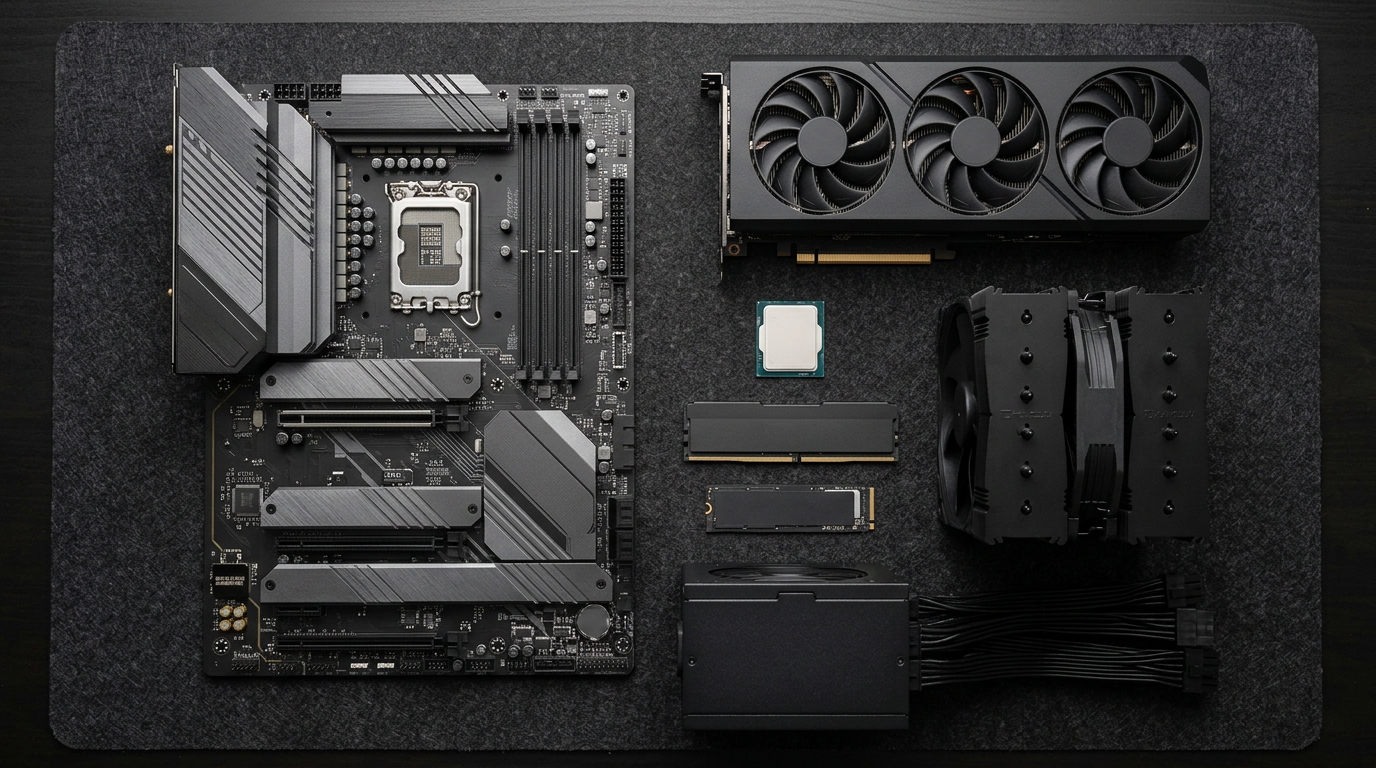
Target Performance Profile & $1,500 Budget Allocation Split
Because a 1440p display renders roughly 3.69 million pixels per frame—nearly 78% more shading load than 1080p—pixel throughput and VRAM capacity dominate visual ceilings. Under The PC Audit’s 2026 Mainstream Sweet Spot ($1,200–$1,500) allocation rule, a balanced rig targets 1440p High–Ultra at 120–165Hz+ (and 1080p Ultra at 240Hz+) by dividing funds across four disciplined buckets:
- Graphics Card (40%–45% of Total Budget): Secures a modern 16GB GPU with hardware ray tracing and ML upscaling rather than settling for an 8GB mid-tier compromise.
- Processor + Air Cooler (18%–22% of Total Budget): Pairs high-IPC Zen 5 or 3D V-Cache silicon on Socket AM5 with an efficient dual-tower air cooler rated well beyond peak CPU PPT.
- Motherboard + 32GB DDR5 + 2TB NVMe SSD (20%–22% of Total Budget): Combines an AMD B850 board (PCIe 5.0 x16 + native M.2 + Wi-Fi 7), dual-channel DDR5-6000 CL30, and 2TB of DRAM-cached TLC storage.
- ATX 3.1 PSU + Mesh Chassis (14%–16% of Total Budget): Guarantees clean 750W 80+ Gold power with native 12V-2×6 / dual 8-pin rails inside an unobstructed perforated airflow frame.
Depending on the games you play most, that same $1,500 budget envelope supports three distinct hardware configurations without compromising build quality:
| $1,500 Build Profile | Target Resolution & Workload | GPU Pairing | CPU & Board Pairing | Core Engineering Trade-Off |
|---|---|---|---|---|
| Config A: 1440p AAA Fidelity (Primary Blueprint) | 1440p High–Ultra 120–165Hz+ AAA & Mixed Gaming | ASUS Prime RX 9070 EVO 16GB OC ($549 Launch MSRP) | Ryzen 5 9600X + ASRock B850 Steel Legend WiFi | Maximizes GPU rasterization, 256-bit 16GB VRAM headroom, and 4x M.2 storage expansion while holding open an easy X3D CPU drop-in path. |
| Config B: Esports 240Hz / Creator (High-FPS / DLSS 4 Pivot) | 1080p/1440p 240Hz Competitive Shooters, Sim Racing & CUDA Apps | ASUS Dual RTX 5060 Ti 16GB GDDR7 OC ($429 Launch MSRP) | Ryzen 7 7800X3D + ASRock B850 LiveMixer WiFi 7 | Shifts budget from GPU tier into 96MB L3 3D V-Cache for rock-steady 1% Lows while preserving 16GB GDDR7 VRAM and DLSS 4 MFG. |
| Config C: Monitor-Included $1,500 Desk (Budget Tower Pivot) | 1080p Ultra / Entry 1440p + Room for a 1440p IPS Monitor in Total $1,500 Spend | Intel Arc B580 Limited Edition 12GB ($249 Launch MSRP) | Ryzen 5 9600X + ASRock B850I Lightning WiFi 6E (or ATX B850) | Trims GPU spend ~50% while retaining 12GB GDDR6 and AV1 encode—freeing funds for a 1440p display or compact Mini-ITX desk footprint. |
Rumored Hardware Compliance Note (Audit Rule R-GPU-02): Unreleased NVIDIA refreshes circulating in pre-launch rumors—specifically the rumored RTX 5070 Super and RTX 5080 Super—remain unconfirmed and unreleased as of November 2026. Do not stall a shipping build waiting on unannounced silicon; every card specified in this blueprint is an officially released 2025–2026 retail model.
8-Component Balanced $1,500 1440p Parts Table
Below is the complete 8-part primary specification for our best 1500 dollar 1440p gaming pc build (Config A). Core GPU, CPU, and motherboard selections link directly to verified 2026 Amazon US retail listings, while supporting cooling, DDR5 memory, NVMe storage, PSU, and chassis rows specify exact verified retail standards so you can match active QVL and stock pricing cleanly.
| Component | Recommended Pick | Key Spec Verified | Budget % / Rationale | Amazon Link / Spec Status |
|---|---|---|---|---|
| GPU | ASUS Prime Radeon RX 9070 EVO 16GB OC | RDNA 4, 56 CUs, 16GB GDDR6 (256-bit), 220W TBP, 2x 8-Pin, 312mm length | 40%–45% ($549 Launch MSRP class) · Zero 8GB/12GB VRAM compromises at 1440p Ultra | Check Price on Amazon |
| CPU | AMD Ryzen 5 9600X | 6C/12T Zen 5 (AM5), 5.4 GHz Boost, 38MB Cache (32MB L3), 65W TDP / 88W PPT | 15%–17% (Budget-to-Mid AM5 tier) · Full 24 usable PCIe 5.0 lanes + future X3D upgrade path | Check Price on Amazon |
| CPU Cooler | Dual-Tower 120mm Air Cooler Class | 6–7x 6mm Heatpipes, Dual 120mm PWM Fans, <=158mm Height, ~40–42mm RAM Clearance | 2%–3% · Quietly handles 88W PPT today and 162W PPT X3D drop-ins without AIO pump wear | Verified Spec Standard (Select 6–7 Heatpipe Dual-Tower) |
| Motherboard | ASRock B850 Steel Legend WiFi | AM5 B850 ATX, 1x PCIe 5.0 x16, 4x M.2 Slots, Wi-Fi 7, 2.5GbE LAN | 11%–13% ($160–$200 tier) · Full B850 PCIe 5.0 M.2 + overclocking without X870E markup | Check Price on Amazon |
| DDR5 RAM | 32GB (2x16GB) DDR5-6000 CL30 EXPO Kit | 2-Stick Dual-Channel, CL30 (10.0ns), AMD EXPO Certified, <=35mm Low-Profile Heatsink | 5%–7% · Locks AM5 into 1:1 UCLK:MCLK ratio and avoids 1x16GB 1% Low penalties | Verified Spec Standard (Verify QVL & Low-Profile Height) |
| NVMe SSD | 2TB PCIe 4.0 x4 NVMe M.2 2280 (DRAM + TLC) | 3D TLC NAND + Dedicated DRAM Cache, 7,000–7,450 MB/s Read, DirectStorage Ready | 6%–8% · Doubles AAA game capacity vs 1TB PCIe 5.0 with 0 FPS loss and cooler thermals | Verified Spec Standard (Mandate TLC + DRAM Cache) |
| PSU (ATX 3.1) | 750W 80+ Gold / Cybenetics Gold+ ATX 3.1 | PCIe 5.1 Compliant, Native 12V-2×6 + Dual 8-Pin PCIe, 140mm–150mm Depth, Full Modular | 6%–8% · Keeps ~360W–400W 1440p load in 50%–55% quiet sweet spot; survives 200%–300% spikes | Verified Spec Standard (Confirm ATX 3.1 & 7–10 Yr Warranty) |
| PC Case | High-Airflow Mesh Mid-Tower ATX | Perforated Mesh Front, 3x Stock PWM Fans, >=350mm GPU Fit, >=165mm Cooler Fit, >=35mm Side Margin | 5%–7% · Prevents choked-glass throttling and preserves safe cable bend clearance | Verified Spec Standard (Confirm Mesh Front + >=350mm GPU Fit) |
Component-by-Component Engineering Rationale & Verified SKUs
1. Graphics Card (40%–45% Budget Share): Why 16GB VRAM Owns 1440p
Nothing limits the lifespan of a $1,500 gaming PC faster than an 8GB VRAM buffer. Under Hardware Audit Rule R-GPU-01, pairing any 8GB graphics card with a mid-range system above $1,100 creates immediate texture-streaming stutters and frame-pacing drops at 1440p Ultra with ray tracing enabled. Stepped-up modern titles routinely consume 11GB–14GB of video memory at 2560×1440—making 16GB the definitive 2026 standard across our best 1440p graphics cards guide and 2026 gaming VRAM allocation analysis.
For Config A, our primary choice is the ASUS Prime Radeon RX 9070 EVO 16GB OC ($549 Launch MSRP class). Powered by AMD’s RDNA 4 architecture with 56 Compute Units (3,584 Stream Processors), a full 256-bit memory bus feeding 16GB of GDDR6, and ML-driven AMD FSR 4 upscaling, it achieves 1440p Ultra visual fidelity while sipping roughly 220W TBP. Its triple Axial-Tech dual-ball bearing cooler incorporates a phase-change GPU thermal pad and a Dual BIOS switch—letting you run quiet acoustics without sacrificing sustained boost clocks, and requiring only two standard 8-pin PCIe power leads. You can also compare its efficiency directly against NVIDIA’s competing bracket in our RTX 5070 vs. RX 9070 head-to-head audit.
Primary 1440p GPU: ASUS Prime Radeon RX 9070 EVO 16GB OC

Budget Tier: Mid-range tier ($549 Launch MSRP) | Audited Specs: AMD RDNA 4 (56 CUs / 3,584 SP) | Up to 2,610 MHz OC Boost | 16GB GDDR6 on 256-bit Bus | 220W Reference TBP Class | 2x 8-Pin PCIe | 3x DisplayPort 2.1a + 1x HDMI 2.1b | Dual BIOS | 312 x 130 x 50 mm (2.5-Slot).
Why It Anchors This Build: Delivers uncompromised 16GB 256-bit bandwidth, cool 220W acoustics, and phase-change thermal compound durability inside standard 350mm+ mid-tower airflow frames—maximizing 1440p rasterization per dollar.
What if your workflow leans on CUDA acceleration, NVENC streaming, or NVIDIA’s ray-reconstruction and DLSS 4 Multi-Frame Generation (MFG) ecosystem—or you want to shift ~$120 of GPU Launch MSRP budget toward upgrading your CPU to a 3D V-Cache chip inside the same $1,500 ceiling? Step directly into the ASUS Dual GeForce RTX 5060 Ti 16GB GDDR7 OC ($429 Launch MSRP). Crucially, verify you select the 16GB GDDR7 variant rather than the cut-down 8GB RTX 5060 Ti ($379 Launch MSRP). Measuring a compact 229mm in length over a single 8-pin PCIe plug (180W TBP), it fits tight SFF chassis and pairs cleanly with DLSS 4 MFG whenever native rendering already exceeds the 50–60 base FPS baseline with NVIDIA Reflex enabled (R-GPU-03).
NVIDIA Creator & Compact Alternative: ASUS Dual GeForce RTX 5060 Ti 16GB GDDR7 OC

Budget Tier: Lower-midrange tier ($429 Launch MSRP) | Audited Specs: NVIDIA Blackwell (4,608 CUDA Cores) | 2,632 MHz OC Boost | 16GB GDDR7 (128-bit, 28 Gbps) | 180W TBP | 1x 8-Pin PCIe | 3x DisplayPort 2.1b + 1x HDMI 2.1b | 229 x 120 x 50 mm (2.5-Slot).
Why It Fits Config B: Frees CPU budget for the Ryzen 7 7800X3D without falling into an 8GB VRAM trap, brings native DisplayPort 2.1b and DLSS 4 support, and slips into cramped Mini-ITX enclosures on a single 8-pin plug.
Finally, builders whose total $1,500 budget must cover both the gaming tower and an external 1440p monitor (or high-refresh esports peripherals) can step down gracefully using the Intel Arc B580 Limited Edition 12GB (WEELIAO) ($249 Launch MSRP). With 20 Xe2 Battlemage cores, 12GB of GDDR6 across a 192-bit bus (456 GB/s), XeSS 2, and dual hardware AV1 engines, it outclasses legacy 8GB entry cards at 1080p Ultra and entry 1440p—provided you pair it with a modern AM5 board and confirm Resizable BAR (ReBAR) stays enabled in UEFI.
Monitor-Included $1,500 Budget Pivot: Intel Arc B580 Limited Edition 12GB (WEELIAO)

Budget Tier: Budget tier ($249 Launch MSRP) | Audited Specs: Intel Xe2 Battlemage (BMG-G21, 20 Xe-Cores, 160 XMX AI Engines) | 12GB GDDR6 (192-bit, 456 GB/s) | 190W TBP | 1x 8-Pin PCIe | 3x DisplayPort 2.1 + 1x HDMI 2.1 | 272 x 115 x 44 mm (2-Slot PCIe 4.0 x8, Requires ReBAR).
Why It Fits Config C: Frees roughly $300 relative to the RX 9070 tier to fund a high-refresh 1440p display inside a single $1,500 desk budget while maintaining 12GB VRAM headroom.
2. Processor (15%–18% Budget Share): Zen 5 Value vs. 3D V-Cache 1% Lows
At 1440p, raw average framerate tracks closely with your graphics card, yet your processor still dictates shader compilation speed, draw-call throughput, and 1% Low frametime smoothness in CPU-heavy open worlds or dense multiplayer lobbies. Ignore misleading online pairing widgets—as we explain in why bottleneck calculators mislead PC builders, real system balance comes from matching L3 cache topology and PCIe lane allocation to your monitor resolution.
For Config A, the AMD Ryzen 5 9600X hits the sweet spot of AM5 price-to-performance. Built on Zen 5 architecture with 6 cores, 12 threads, a 5.4 GHz boost clock, 38MB total cache (32MB L3), an integrated 2-CU Radeon iGPU for troubleshooting, and full 24 usable PCIe 5.0 lanes (x16 GPU + 2×4 NVMe), it draws just 65W base TDP / 88W Max PPT. Running so cool frees money directly for the 16GB RX 9070 while sitting on Socket AM5—allowing a drop-in upgrade to a 9800X3D or 9850X3D years down the road without swapping motherboards or RAM.
Primary Balanced AM5 CPU: AMD Ryzen 5 9600X 6-Core Desktop Processor

Budget Tier: Budget-to-Mid AM5 Tier | Audited Specs: Zen 5 (Granite Ridge, AM5) | 6 Cores / 12 Threads (3.9 GHz Base / 5.4 GHz Boost) | 38MB Total Cache (6MB L2 + 32MB L3) | PCIe 5.0 (24 Usable Lanes) | 65W TDP / 88W Max PPT | Integrated 2-CU Radeon Graphics.
Why It Anchors Config A: Keeps thermal and platform costs low while feeding the RX 9070 over full PCIe 5.0 x16 lanes and preserving direct AM5 X3D upgrade headroom.
For Config B—esports competitors chasing 240Hz+ stability in Valorant, Counter-Strike 2, Escape from Tarkov, or heavy strategy sims—stepping up to the AMD Ryzen 7 7800X3D pairs naturally with the RTX 5060 Ti 16GB inside $1,500 (or stretches a slightly higher RX 9070 build toward $1,600). Packing 8 cores, 16 threads, and 96MB of L3 3D V-Cache (104MB total), it slashes memory misses and flattens 1% Low dips under sustained chaos. Conversely, steer clear of OEM-focused chips like the Ryzen 7 8700F when building DIY at $1,500: as audited in our Ryzen 7 8700F hardware audit, the 8700F cuts L3 cache to 16MB (half of the 9600X and one-sixth of X3D chips), drops to 16 usable PCIe 4.0 lanes, and omits an iGPU.
High-Refresh 1% Low Upgrade CPU: AMD Ryzen 7 7800X3D 8-Core Desktop Processor
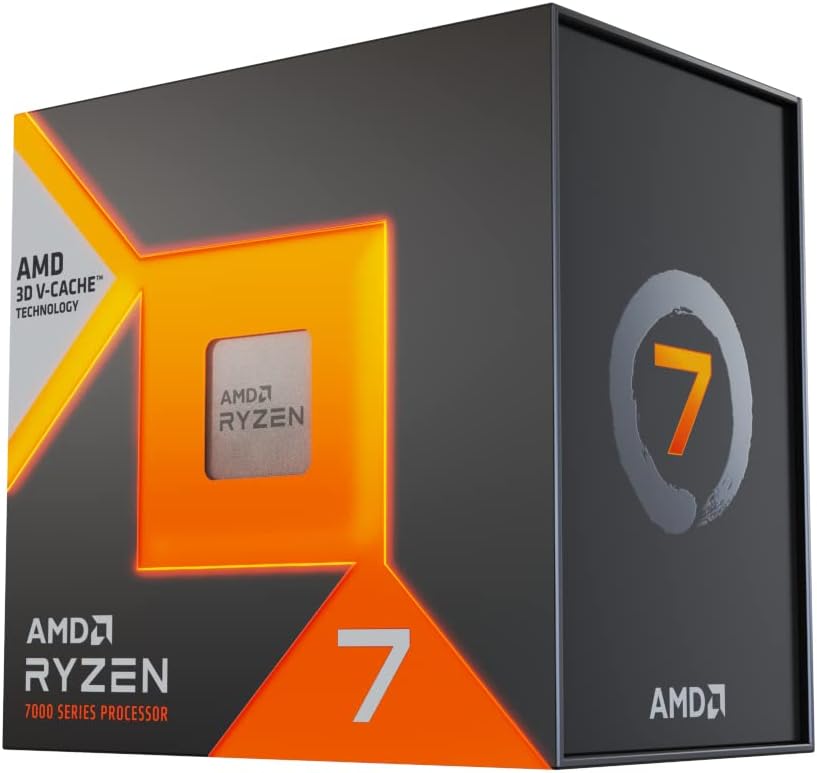
Budget Tier: Upper-Mid Retail Tier | Audited Specs: Zen 4 + 3D V-Cache (AM5) | 8 Cores / 16 Threads (4.2 GHz Base / 5.0 GHz Boost) | 104MB Total Cache (8MB L2 + 96MB L3) | PCIe 5.0 (24 Usable Lanes) | 120W TDP / 162W Max PPT | Integrated 2-CU Radeon Graphics.
Why It Fits Config B: Delivers 3D V-Cache frametime consistency and sixfold more L3 cache than the 8700F at a lower street bracket than newer 9800X3D/9850X3D flagships.
3. CPU Cooler (2%–3% Budget Share): Sizing for Sustained PPT Over AIO Hype
Cooling must be sized to real sustained Package Power Tracking (88W PPT on the Ryzen 5 9600X; 162W PPT on the Ryzen 7 7800X3D and future X3D upgrades), never to marketing graphics or thin 120mm liquid coolers. Under Audit Rule R-CASE-01, single-fan 120mm AIOs suffer poor thermal soak capacity and noisier pump-fan acoustics than a well-engineered air tower, while expensive 360mm AIOs cannibalize $80–$120 of GPU budget needlessly in the $1,500 class.
Spec a dual-tower 120mm air cooler class featuring six to seven 6mm copper heatpipes, dual PWM fans, a maximum chassis height of 154mm–158mm, and an offset front-fan cutout offering 40mm–42mm of RAM module clearance (exemplified by Thermalright Phantom Spirit / Peerless Assassin 120-class designs). It dissipates 88W–162W silently with zero pump-failure risk over a decade of ownership.
4. Motherboard (11%–13% Budget Share): Why AMD B850 Beats Overpriced X870E
As detailed in our AMD B850 vs. X870 vs. X870E chipset comparison, AMD B850 is the sweet spot for 95% of gaming builds under Rule R-MB-01. It enforces a mandatory PCIe 5.0 M.2 NVMe interface, preserves unlocked CPU Precision Boost Overdrive and DDR5 memory overclocking, and skips expensive mandatory USB4 controllers that inflate X870/X870E prices without adding a single gaming frame. Just as importantly, choosing a modern B850 board eliminates the Wi-Fi 5 hidden downgrade (R-AMZ-06) found on surprisingly pricey retail prebuilt rigs.
For Config A, the ASRock B850 Steel Legend WiFi ($160–$200 tier) stands out with four M.2 slots, a dedicated PCIe 5.0 x16 graphics slot, integrated Wi-Fi 7, and clean VRM heatsinks capable of supporting everything from a 65W 9600X up to future 162W X3D drop-ins without lane-sharing compromises on the primary GPU slot.
Primary ATX AM5 Motherboard: ASRock B850 Steel Legend WiFi

Budget Tier: $160–$200 tier | Audited Specs: Socket AM5 | AMD B850 Chipset | ATX Form Factor | 1x PCIe 5.0 x16 Slot | 4x M.2 NVMe Slots | Integrated Wi-Fi 7.
Why It Anchors Config A: Four M.2 slots let you start with a 2TB primary SSD and expand effortlessly later while retaining full PCIe 5.0 GPU support and Wi-Fi 7 connectivity in the $160–$200 sweet spot.
Creators and streamers running capture cards, audio interfaces, XLR mixers, and high-polling wireless dongles can swap directly to the ASRock AMD B850 LiveMixer WiFi 7 ($160–$200 tier), which pairs three M.2 slots, PCIe 5.0 x16, and Wi-Fi 7 with creator-friendly rear I/O. Meanwhile, compact desk builders opting for a Small Form Factor chassis should step into the ASRock AMD B850I Lightning WiFi 6E ($180–$220 tier) Mini-ITX board, retaining PCIe 5.0 x16, dual M.2 bays, and Wi-Fi 6E in a 170x170mm footprint.
Creator & Peripheral ATX Option: ASRock AMD B850 LiveMixer WiFi 7

Budget Tier: $160–$200 tier | Audited Specs: Socket AM5 | AMD B850 Chipset | ATX Form Factor | 1x PCIe 5.0 x16 Slot | 3x M.2 NVMe Slots | Integrated Wi-Fi 7.
Why It Fits Config B: Delivers PCIe 5.0 GPU support, triple M.2 expansion, and Wi-Fi 7 in an ATX layout built around peripheral-dense streaming and competitive desks.
Compact Mini-ITX Option: ASRock AMD B850I Lightning WiFi 6E

Budget Tier: $180–$220 tier | Audited Specs: Socket AM5 | AMD B850 Chipset | Mini-ITX Form Factor | 1x PCIe 5.0 x16 Slot | 2x M.2 NVMe Slots | Integrated Wi-Fi 6E.
Why It Fits Config C / SFF: Shrinks full AM5 PCIe 5.0 graphics support, dual M.2 storage, and Wi-Fi 6E into Mini-ITX proportions for compact desks (pair with an SFX ATX 3.1 PSU).
5. System Memory (5%–7% Budget Share): Why Dual-Channel DDR5-6000 CL30 Rules AM5
Memory misconfigurations represent one of the easiest ways to lose 15%–30% of your 1% Low framerates. Under Rules R-RAM-01 and R-RAM-02, never buy a single-stick 1x16GB kit (which cuts dual-channel bandwidth in half), slow CL40–CL46 DDR5-4800 modules, or four-stick 4x8GB/4x16GB configurations (which overtax AM5’s memory controller and force clock-rate drops).
Instead, buy a verified 32GB (2x16GB) DDR5-6000 CL30 dual-channel kit carrying an AMD EXPO profile and low-profile heat spreaders (<=35mm tall). As broken down in our DDR5-6000 CL30 vs. DDR5-6400 CUDIMM memory guide, 6000 MT/s at CL30 keeps AMD’s Unified Memory Controller synchronized in an optimal 1:1 UCLK:MCLK ratio (~10.0ns first-word latency), whereas pushing past 6400 MT/s flips AM5 into a slower 2:1 divider penalty. Seat both sticks in primary motherboard slots A2 and B2.
6. Primary Storage (6%–8% Budget Share): 2TB PCIe 4.0 DRAM+TLC Over 1TB Gen 5
PCIe 5.0 SSDs tout dramatic sequential speeds above 12,000 MB/s on packaging, yet real-world gaming launches and DirectStorage asset streaming produce zero FPS gain and roughly 0–2 second load differences versus flagship PCIe 4.0 drives (see our PCIe 5.0 vs. PCIe 4.0 SSD gaming analysis). Worse, Gen 5 controllers run noticeably hotter and consume roughly twice the budget per gigabyte.
Follow Audit Rules R-SSD-01 and R-SSD-02: skip tiny 500GB drives and DRAM-less QLC units (whose sustained write speed plummets once pSLC cache fills) in favor of a 2TB PCIe 4.0 x4 M.2 2280 SSD pairing 3D TLC NAND with dedicated DRAM cache (7,000–7,450 MB/s class, 1,200 TBW endurance rating, such as WD Black SN850X or Samsung 990 Pro class). You gain room for 12–15 modern 120GB+ AAA titles with cool sustained thermals under your B850 motherboard’s M.2 armor.
7. Power Supply (6%–8% Budget Share): 750W ATX 3.1 Efficiency & Transient Safety
Under Rule R-PSU-01, never reuse an older ATX 2.x unit or cheap non-modular Bronze supply inside a $1,500 system. Modern GPUs pull millisecond transient power excursions reaching 200%–300% of nominal TBP, which can trigger false over-current shutdowns on outdated designs. Follow our ATX 3.1 and 12V-2×6 power guide and 2026 PSU wattage sizing breakdown by choosing a 750W 80+ Gold / Cybenetics Gold+ ATX 3.1 full-modular unit with Japanese 105C capacitors, full OCP/OVP/UVP/OPP/SCP/OTP protections, and a 7-to-10-year warranty.
With the 220W RX 9070 (~350W–400W typical full-system gaming load including the 88W PPT 9600X and platform overhead), 750W places gameplay squarely inside the 50%–55% peak efficiency and silent fan window—while providing both dedicated 8-pin PCIe leads for the RX 9070 and a native 12V-2×6 (H++) cable with recessed sense pins should you later drop in an NVIDIA RTX 5070 Ti or RTX 5080.
8. Airflow Chassis (5%–7% Budget Share): Mesh Intake Over Choked Glass
Solid tempered-glass front panels starve intake fans, forcing GPU fans to ramp noisily while boosting hotspot temperatures. Under Rule R-CASE-01, select a high-airflow perforated mesh ATX mid-tower (such as Lian Li Lancool or Corsair Airflow class enclosures audited in our best airflow gaming PC cases guide) equipped with at least two 140mm–160mm front intake fans and one 120mm–140mm rear exhaust fan for quiet positive pressure, magnetic dust filters, front USB-C, >=350mm GPU clearance, >=165mm CPU cooler clearance, and generous behind-motherboard cable channels.
Core Trio Verdict Card: Best $1,500 1440p Anchor
The PC Audit 2026 Mainstream 1440p Blueprint Winner: RX 9070 16GB + Ryzen 5 9600X + B850 Steel Legend WiFi
Why This Trio Wins at $1,500: Investing 40%–45% of build funds into the ASUS Prime Radeon RX 9070 EVO 16GB OC ($549 Launch MSRP) eliminates 8GB and 12GB VRAM ceilings at 1440p Ultra while keeping total gaming draw cool and quiet (~220W GPU TBP). Pairing it with the AMD Ryzen 5 9600X and ASRock B850 Steel Legend WiFi secures full PCIe 5.0 x16 bandwidth, four M.2 slots, Wi-Fi 7, and an effortless future drop-in path to X3D chips—supported cleanly by 32GB DDR5-6000 CL30, a 2TB PCIe 4.0 DRAM+TLC SSD, dual-tower air cooling, and a 750W ATX 3.1 PSU.
IF -> THEN Physical & Electrical Compatibility Proof Box
Mechanical, Thermal & Electrical Audit Status: All six physical and logical IF -> THEN clearances below are verified compatible across our primary Config A and alternate Config B/C component branches.
- IF GPU is
ASUS Prime Radeon RX 9070 EVO 16GB OC(312 x 130 x 50 mm, 2.5-slot, 2x 8-pin) ORASUS Dual RTX 5060 Ti 16GB(229 x 120 x 50 mm, 1x 8-pin) ORIntel Arc B580 Limited Edition(272 x 115 x 44 mm, 1x 8-pin) THEN any mesh ATX mid-tower rated for>=350mmGPU clearance clears the primary 312mm shroud by at least 38mm, while leaving generous lateral room—and if upgrading later to a12V-2x6card, verify>=35mmstraight lateral bend clearance before the side glass closes. - IF CPU is
AMD Ryzen 5 9600X(AM5, 88W Max PPT) orAMD Ryzen 7 7800X3D(AM5, 162W Max PPT) THENASRock B850 Steel Legend WiFiandB850 LiveMixer WiFi 7match Socket AM5 natively, sustain 162W+ PPT continuously, and provide integrated 2-CU Radeon iGPU video out for first-boot BIOS troubleshooting. - IF DDR5 RAM is a 2-stick
32GB (2x16GB) DDR5-6000 CL30kit installed in slotsA2/B2with<=35mmheat-spreader height THEN AM5 runs synchronized at1:1 UCLK:MCLK(~10.0ns latency) and clears a dual-tower 120mm air cooler’s ~40–42mm front-fan notch by at least 5–7mm without shifting fan height above the 154mm–158mm tower envelope (fitting>=165mmmid-tower height specs comfortably). - IF primary storage occupies the CPU-direct PCIe 5.0/4.0 M.2 bay alongside secondary drives on
ASRock B850 Steel Legend WiFi(4x M.2) orB850 LiveMixer WiFi 7(3x M.2) THEN B850 lane routing keeps the primaryPCIe 5.0 x16graphics slot at full x16 width—and verifyResizable BARandAbove 4G Decodingstay enabled (mandatory for Intel Arc B580 and optimal for RDNA 4 / Blackwell). - IF PSU is a
750W 80+ Gold ATX 3.1modular unit (140mm–150mm depth) inside a standard mesh ATX shroud rated for180mm–220mmPSU bay length THEN 30–70mm of rear cable tuck clearance remains intact while operating ~360W–400W gaming loads in the 50%–55% efficiency zone and absorbing 200%–300% transient power excursions safely. - IF you branch into SFF using the
ASRock B850I Lightning WiFi 6EMini-ITX board THEN confirm your Mini-ITX enclosure supports>=315mmtriple-fan cards (for RX 9070) or switch to the 229mmRTX 5060 Ti 16GB Dual, pair with a100mm SFXATX 3.1 750W PSU, and match cooler height or 240mm radiator mount limits to your exact SFF case spec sheet.
DIY vs. Prebuilt Alternatives, Traps to Avoid & First-Boot Bridge
Building this $1,500 system DIY gives you direct control over every frequently hidden component—specifically ATX 3.1 transient protection, 32GB dual-channel DDR5-6000 CL30 RAM, a 2TB DRAM+TLC SSD, and native Wi-Fi 7—plus 7-to-10-year manufacturer warranties on individual hardware. By contrast, many off-the-shelf systems in the $1,000–$1,850 retail tier quietly ship with 8GB GPUs, single-stick 16GB DDR5-4800, Wi-Fi 5 adapters, omitted PSU specs, or the lower-cache Ryzen 7 8700F.
Still, if you value single-point warranty coverage and zero assembly time—and find a verified ATX-standard prebuilt priced within 5%–12% of raw part parity—review our audited best prebuilt gaming PC under $1,500 guide to verify exact OEM component lists before ordering.
Six Post-Build Steps Immediately After First Power-On
Once your parts sit safely inside the mesh chassis and you flip the PSU switch, follow our complete post-build gaming PC optimization checklist during your first hour:
- Wait Patiently for Initial AM5 DDR5 Memory Training: On first cold boot, Socket AM5 platforms spend 45 seconds to 3 minutes calibrating DDR5 timings with a blank display—do not cut wall power prematurely.
- Flash Latest Stable BIOS & Activate AMD EXPO: Update your ASRock B850 firmware for AGESA stability, then toggle AMD EXPO so your 2x16GB kit jumps from default 4800 MT/s up to verified 6000 MT/s CL30.
- Verify Resizable BAR & Set PWM Fan Curves: Confirm Resizable BAR and Above 4G Decoding read Enabled (essential for Intel Arc B580 and beneficial across RX 9070 / RTX 5060 Ti), and apply a 2–3 second PWM hysteresis delay on case fans.
- Plug DisplayPort Directly Into the Discrete GPU: Connect your monitor cable to the graphics card’s DisplayPort 2.1 output rather than the motherboard rear I/O shield, then raise Windows Advanced Display refresh rate to your panel’s true 144Hz–240Hz+ ceiling.
- Install Clean Chipset + GPU Drivers & Tune VRR: Install official AMD AM5 chipset drivers first, followed by GPU drivers. Pair FreeSync/G-Sync with driver-level V-Sync ON, a frame cap 3 FPS below refresh rate, and AMD Anti-Lag 2 or NVIDIA Reflex.
- Run Thermal & Stability Validation Utilities: Monitor CPU Tdie, GPU hotspot, and +12V rails inside HWiNFO64 alongside Cinebench 2024, OCCT memory/power stability suites, 3DMark looping, and CapFrameX frametime logs to confirm zero WHEA errors or throttling.
Authoritative Technical References
- AMD Official Radeon RX 9000 RDNA 4 Architecture Specifications — 16GB GDDR6 256-bit memory topology, 220W TBP envelope, and FSR 4 pipeline documentation.
- AMD Official Ryzen Desktop & Socket AM5 Specifications — Ryzen 5 9600X (88W PPT), Ryzen 7 7800X3D (162W PPT), and DDR5 memory controller limits.
- NVIDIA GeForce RTX 50-Series Blackwell Technical Overview — RTX 5060 Ti 16GB GDDR7 bandwidth, DLSS 4 MFG baseline rules, and DisplayPort 2.1b outputs.
- ASRock Official B850 Motherboard Manuals & Memory QVL — B850 Steel Legend WiFi, LiveMixer WiFi 7, and B850I Lightning lane diagrams and DDR5 EXPO lists.
- PCI-SIG Official CEM 5.1 & PCIe 5.0 Specifications — PCIe x16 electrical routing rules and ATX 3.1 / 12V-2×6 recessed sense-pin safety standards.
- Cybenetics Labs Power Supply Efficiency & Acoustics Database — Independent ETA conversion efficiency and Lambda acoustic noise ratings.
How We Audited This Guide
- Steps were validated against official BIOS, driver, and platform vendor documentation and ordered from lowest-risk to highest-risk so readers can stop as soon as the issue is resolved.
- Every specification claim was cross-checked against official OEM datasheets, platform vendor documentation, and published industry standards (PCI-SIG, JEDEC, VESA, Intel ATX) rather than marketplace listing copy.
- Recommendations were evaluated against our weighted audit rubric and documented compatibility rules; we do not publish fabricated FPS, thermal, or acoustic numbers.
Frequently Asked Questions
Is $1,500 enough for a high-refresh 1440p gaming PC in 2026?
Yes. Investing 40%–45% of a $1,500 budget into a 16GB GPU like the Radeon RX 9070 paired with a Ryzen 5 9600X, an ASRock B850 motherboard, and 32GB DDR5-6000 CL30 comfortably targets 1440p High–Ultra at 120Hz–165Hz+ without 8GB VRAM stutters.
Should I choose the RX 9070 16GB with a Ryzen 5 9600X or RTX 5060 Ti 16GB with a 7800X3D?
Pick the RX 9070 16GB plus Ryzen 5 9600X if you play demanding 1440p AAA single-player titles needing maximum GPU rasterization. Choose the Ryzen 7 7800X3D plus RTX 5060 Ti 16GB if you prioritize 240Hz competitive esports 1% Lows, CUDA apps, or DLSS 4.
Why does this $1,500 build specify DDR5-6000 CL30 instead of DDR5-7200 or 4 sticks?
AMD AM5 processors synchronize cleanly in an optimal 1:1 UCLK-to-MCLK ratio at DDR5-6000 CL30 (~10.0ns latency). Kits above 6400 MT/s force a slower 2:1 divider penalty on Ryzen, while populating four DDR5 slots stresses the memory controller and lowers attainable speeds.
Is a 750W ATX 3.1 PSU enough for an RX 9070 and future AM5 X3D upgrades?
Yes. A 220W RX 9070 plus an 88W–162W PPT AM5 CPU pulls around 360W–420W during real 1440p gaming, placing a quality 750W 80+ Gold ATX 3.1 unit directly in its quiet 50%–55% peak-efficiency sweet spot while withstanding 200%–300% transient spikes.
Why avoid the Ryzen 7 8700F or 8GB GPUs in a $1,500 DIY parts list?
Although the Ryzen 7 8700F fits Socket AM5, it cuts L3 cache to 16MB, reduces usable lanes to 16 PCIe 4.0 lanes, and omits integrated graphics. Likewise, 8GB GPUs above $350 hit texture-streaming ceilings at 1440p Ultra compared with 16GB alternatives.


