
Disclosure: As an Amazon Associate, The PC Audit earns from qualifying purchases. If you buy through links on this page, we may earn a small commission at no extra cost to you.
Direct Answer: In Intel K vs. KF CPU gaming builds, K and KF processors deliver identical frame rates, core counts, boost clocks, and overclocking headroom. However, KF chips permanently disable the integrated GPU—stripping away Intel Quick Sync Video hardware encoding, multi-monitor offloading, and emergency display fallback to save roughly $15 at Launch MSRP.
Every time Intel launches a desktop processor family—from 14th Gen LGA 1700 chips through the TSMC N3B tile-based Core Ultra 200S Arrow Lake series on LGA 1851—the retail aisle splits almost immediately between unlocked K models and nearly identical KF variants. At a glance, the choice looks trivial for gamers: if you are already installing a dedicated NVIDIA GeForce RTX 50-series or AMD Radeon RX 9000-series graphics card, why pay extra for built-in processor graphics you might never plug a monitor into?
In practice, shaving a few dollars by grabbing a KF processor often backfires long before your PC reaches its first upgrade cycle. As we document across our best gaming CPUs hub and Processors & Platforms archive, disabling the integrated graphics block removes far more than a spare HDMI port on the rear motherboard shield. It permanently severs Intel Quick Sync Video—a dedicated hardware media engine prized by video editors, streamers, and creators—while eliminating your zero-cost diagnostic safety net if a discrete GPU ever fails to POST. Below, we audit exactly what stays identical between K and KF silicon, what disappears when the integrated graphics die is fused off, and when an F or KF SKU still makes financial sense.
In This Guide
- Intel K vs. KF vs. F Desktop Processors: Architecture & Quick Sync Matrix
- Silicon Identity: Why K and KF Perform Identically in Pure Gaming
- What You Actually Lose Without Integrated Graphics & Quick Sync Video
- Platform Pairing Rules: Z890 vs. B860, MTP Cooling & DDR5 Tuning
- Myth vs. Engineering Reality: Five Intel K vs. KF Myths Busted
- Actionable Buyer & Builder Checklist Before Picking K or KF
- Verified Intel K-Series Processors & Platform Alternatives Worth Buying
- Frequently Asked Questions About Intel K vs. KF CPUs
Intel K vs. KF vs. F Desktop Processors: Architecture & Quick Sync Matrix
Per Intel’s official processor naming conventions, the letter suffixes appended to desktop Intel Core Ultra and Intel Core SKUs encode two separate hardware flags: multiplier overclocking unlock status (K) and discrete-graphics requirement (F). Combining them into KF produces an unlocked processor whose integrated GPU tile has been permanently disabled at the factory—whereas a plain F suffix (common in prebuilt desktops) disables both CPU multiplier overclocking and integrated graphics.
| Processor Model & Suffix | Socket & Core Layout | Base / Max Boost Clock | Total Cache (L3 Smart + L2) | Base TDP / Max MTP | iGPU & Quick Sync | Multiplier Unlock & Launch MSRP |
|---|---|---|---|---|---|---|
| Core Ultra 9 285K | LGA 1851 (24C/24T: 8P+16E) | 3.7 GHz / 5.7 GHz | 76 MB (36 MB L3 + 40 MB L2) | 125W / 250W | Yes (4 Xe-cores + AV1) | Unlocked | $589 Launch MSRP |
| Core Ultra 7 270K Plus | LGA 1851 (24C/24T: 8P+16E) | 3.7 GHz / 5.5 GHz | 76 MB (36 MB L3 + 40 MB L2) | 125W / 250W | Yes (4 Xe-cores + AV1) | Unlocked | ~$289–$300 Launch MSRP |
| Core Ultra 7 265K | LGA 1851 (20C/20T: 8P+12E) | 3.9 GHz / 5.5 GHz | 66 MB (30 MB L3 + 36 MB L2) | 125W / 250W | Yes (4 Xe-cores + AV1) | Unlocked | $394 Launch MSRP |
| Core Ultra 7 265KF | LGA 1851 (20C/20T: 8P+12E) | 3.9 GHz / 5.5 GHz | 66 MB (30 MB L3 + 36 MB L2) | 125W / 250W | Disabled (None) | Unlocked | $379 Launch MSRP (-$15) |
| Core Ultra 7 265F (OEM) | LGA 1851 (20C/20T: 8P+12E) | 2.4 GHz Base / 5.3 GHz | 66 MB (30 MB L3 + 36 MB L2) | 65W / 182W | Disabled (None) | Locked Non-K | OEM / Prebuilt Only |
| Core Ultra 5 245K | LGA 1851 (14C/14T: 6P+8E) | 4.2 GHz / 5.2 GHz | 50 MB (24 MB L3 + 26 MB L2) | 125W / 159W | Yes (4 Xe-cores + AV1) | Unlocked | $309 Launch MSRP |
| Core Ultra 5 245KF | LGA 1851 (14C/14T: 6P+8E) | 4.2 GHz / 5.2 GHz | 50 MB (24 MB L3 + 26 MB L2) | 125W / 159W | Disabled (None) | Unlocked | $294 Launch MSRP (-$15) |
| Core i9-14900KF (Legacy) | LGA 1700 (24C/32T: 8P+16E) | 3.2 GHz / 6.0 GHz | 68 MB (36 MB L3 + 32 MB L2) | 125W / 253W | Disabled (None) | Unlocked | Legacy 14th Gen |
Looking at the official spec sheets reveals why this decision hinges almost entirely on street price spread versus workflow utility. Across both the Core Ultra 7 265K/265KF ($394 vs. $379 Launch MSRP) and Core Ultra 5 245K/245KF ($309 vs. $294 Launch MSRP), Intel prices the iGPU disablement at just $15. Meanwhile, Intel’s Q1 2026 refresh—the 24-core Core Ultra 7 270K Plus at ~$289–$300 Launch MSRP—packs full integrated Xe graphics and 24-core throughput without forcing any Quick Sync sacrifice at all, as we examine in our Ryzen 7 9800X3D vs. Core Ultra 7 270K Plus matchup.
| Buyer Scenario | Best Suffix Choice | Engineering Rationale |
|---|---|---|
| Hybrid Gaming + Premiere / DaVinci Video Editing | Choose K (e.g., 265K, 270K Plus, 285K) | R-CPU-02: Preserves Quick Sync hardware 4:2:2/AV1/HEVC acceleration and dual-encoder timeline playback alongside your discrete GPU. |
| Competitive Gaming + Local Recording / OBS Streaming | Choose K | Allows OBS replay buffers or secondary recordings to run on the integrated Xe media engine without stealing discrete GPU NVENC or VRAM overhead. |
| DIY First-Time Builder or Frequent GPU Upgrader | Choose K | Provides instant motherboard DisplayPort/HDMI video output when RMAing, selling, or troubleshooting a discrete PCIe graphics card. |
| Pure Gaming Prebuilt or Deep Street Sale (≥$35–$50 Off) | KF Acceptable (with caveats) | If you keep a spare PCIe GPU in a closet, do zero video editing, and snag a KF chip at a steep discount, in-game FPS remains identical to K. |
| Peak Pure Gaming Frame Rates & 1% Lows | Consider AM5 X3D (9800X3D / 9850X3D) | R-CPU-01: 96MB stacked 3D V-Cache beats all Intel LGA 1851 K and KF chips in CPU-bound gaming frametimes while keeping a 2-CU display iGPU. |
Silicon Identity: Why K and KF Perform Identically in Pure Gaming
Before diving into what vanishes on a KF chip, it helps to dispel any lingering confusion about raw gaming throughput. At the compute level, an Intel Core Ultra 7 265K and Core Ultra 7 265KF are built from the exact same silicon architecture, clock tables, cache hierarchy, and I/O routing.
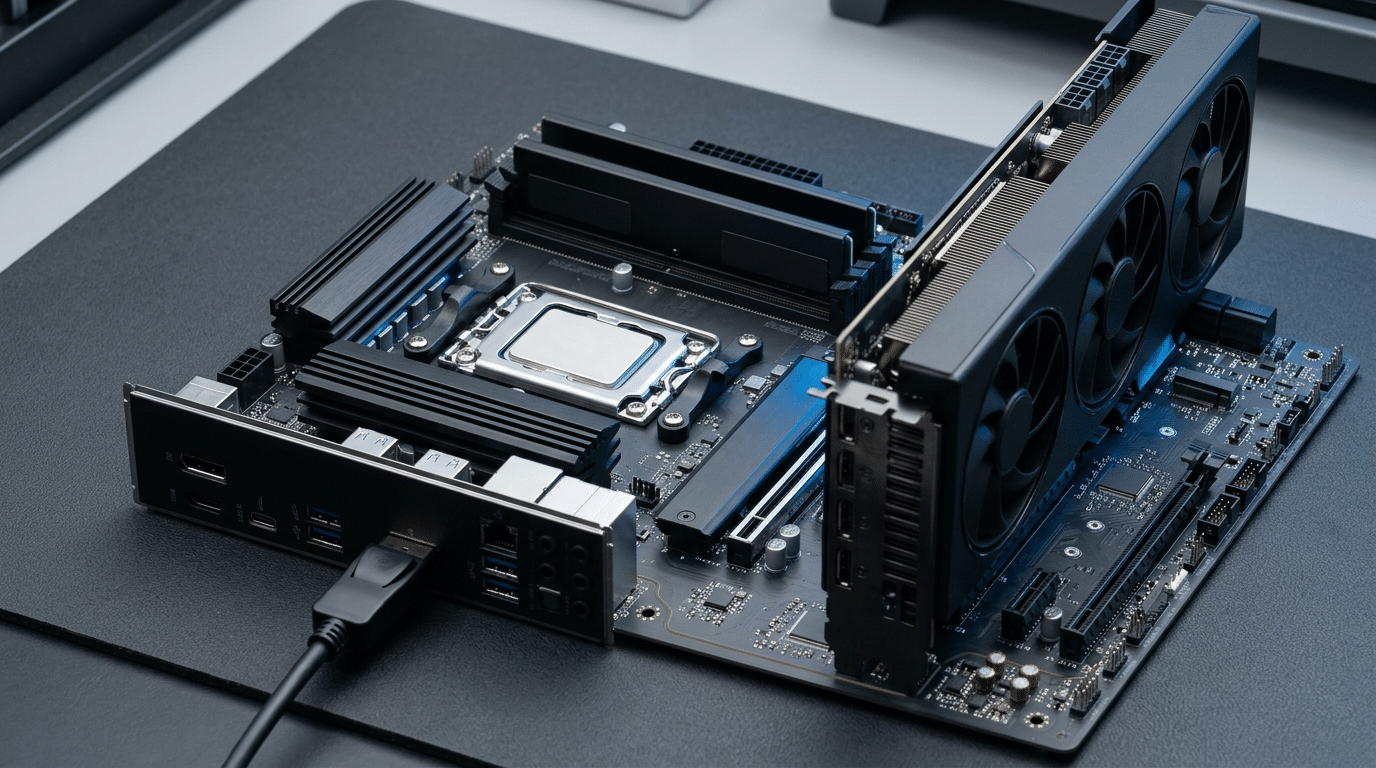
How Intel Bins and Disables the Graphics Tile
On Intel Core Ultra 200S Arrow Lake desktop processors detailed in the Intel Core Ultra 200S Series Datasheet, Intel utilizes a modular chiplet (tile-based) design fabricated on TSMC N3B and companion nodes. Four functional silicon tiles sit together on a base Foveros interposer inside the processor package: the Compute Tile (housing all Lion Cove P-cores, Skymont E-cores, and L2/L3 Smart Cache), the SoC Tile (housing the memory controller, media display engine interfaces, and 13 TOPS NPU), the I/O Tile (routing PCIe 5.0 and Thunderbolt 4), and the Graphics Tile (4 Xe-LPG cores / 64 Execution Units).
When a wafer yields Compute, SoC, and I/O tiles that hit every clock and voltage target cleanly—but the Graphics Tile exhibits a minor defect or Intel needs retail KF inventory to hit a lower price bracket—Intel fuses off the integrated graphics execution and display engines internally. Notice what remains completely untouched:
- Identical Core Counts & Clock Tables: Every Core Ultra 7 265K and 265KF runs 8 Performance-cores and 12 Efficient-cores up to 5.5 GHz boost. Likewise, the 245K and 245KF share 6P+8E cores boosting to 5.2 GHz.
- Identical Smart Cache & L2 Pools: Neither L3 Smart Cache nor per-cluster L2 cache changes between K and KF variants. The 265K and 265KF both retain 30 MB Intel Smart Cache plus 36 MB L2 (66 MB combined), preserving identical game-logic hit rates and
1% Lows. - Identical Memory & PCIe 5.0 Bandwidth: Both K and KF support dual-channel DDR5-6400 UDIMMs and DDR5-7200+ CUDIMMs along with full CPU PCIe 5.0 x16 graphics and PCIe 5.0 x4 NVMe storage lanes.
- Identical Power Envelopes & AI Boost NPU: Both 265K and 265KF carry the exact same 125W Base Power (TDP) and 250W Maximum Turbo Power (MTP) ratings, and Arrow Lake KF chips retain the SoC Tile’s integrated AI Boost NPU.
Because modern 3D games render exclusively on your discrete PCIe graphics card once installed, frame rates, shader compilation speed, and frametime pacing in titles from Counter-Strike 2 to Cyberpunk 2077 remain mathematically indistinguishable between a K processor and its KF twin.
What You Actually Lose Without Integrated Graphics & Quick Sync Video
If frame rates stay identical, why does our CPU evaluation framework routinely steer DIY builders and hybrid creators away from KF processors unless discounted sharply? Because sacrificing the Graphics Tile strips away five practical hardware capabilities that discrete GPUs only partially replicate.
1. Intel Quick Sync Video Hardware Media Acceleration (AV1, HEVC & 4:2:2)
Intel Quick Sync Video is not software—it is dedicated, fixed-function silicon inside Intel’s integrated graphics engine built solely to decode and encode compressed video streams at extreme speed and minimal wattage. As confirmed in Intel’s Quick Sync Video verification documentation, Quick Sync relies strictly on an active Intel integrated GPU enabled in UEFI BIOS and exposes its pipelines via Direct3D 11/12 Video API, Media Foundation, and Intel oneVPL.
Crucially, even when you own a powerful discrete graphics card, Quick Sync solves two real-world creator bottlenecks:
- Camera Codec Coverage (Especially 10-Bit 4:2:2 H.265/H.264): Modern mirrorless cameras from Sony, Canon, and Panasonic record heavily compressed 10-bit 4:2:2 H.265 (HEVC) or H.264 Long-GOP footage. Until NVIDIA introduced its Blackwell RTX 50-series architecture—as documented in the NVIDIA Video Encode and Decode GPU Support Matrix—consumer GeForce RTX 30-series and RTX 40-series GPUs, as well as AMD Radeon cards, lacked hardware 4:2:2 decode blocks. On any system carrying an RTX 4070, RTX 4080, or RX 9070 XT, an Intel K-series chip with Quick Sync smoothly scrubs 4K/8K 4:2:2 timelines in Adobe Premiere Pro and DaVinci Resolve Studio, whereas a KF chip forces sluggish software CPU decoding that spikes core utilization and drops playback frames.
- Concurrent Dual-Engine Decoding & AV1 Encoding: Even if you pair your rig with a Blackwell RTX 5070 Ti or RTX 5080, Quick Sync gives editing suites an independent second hardware media block. Core Ultra 200S Xe-LPG graphics natively encode and decode AV1 alongside HEVC, H.264 (AVC), and VP9. Multi-cam timelines, proxy generation, and Plex/Jellyfin home media transcoding run simultaneously on Intel’s fixed-function media block while your discrete GPU handles color grading, noise reduction, or 3D effects without contention.
2. Zero-Overhead OBS Streaming & Secondary Replay Recording
Game streamers frequently assume their discrete GPU’s NVENC or AMF encoder handles everything effortlessly. In standard single-stream 1080p60 broadcasts, NVENC works admirably—yet multi-output creators who simultaneously broadcast to Twitch (H.264) while recording high-bitrate local 1440p/4K AV1 or HEVC clips for YouTube editing, or keeping instant replay buffers active during competitive matches, quickly saturate single-GPU media pipelines and VRAM pools. With an Intel K processor, you can route OBS local recording, secondary vertical clips, or Discord screen-capture encoding onto Intel Quick Sync Video over Intel’s Xe-LPG block, isolating your discrete GPU strictly for maximum 3D gaming frame rates.
3. Emergency Display Output & Discrete GPU Diagnostics
Ask any veteran PC builder why they refuse KF chips over a $15 savings, and hardware isolation tops the list. When a gaming rig fails to display an image at boot—or suffers sudden black screens during heavy load—an integrated GPU lets you pull the discrete graphics card out, plug DisplayPort or HDMI straight into the motherboard rear I/O, and boot cleanly into Windows or UEFI BIOS within two minutes.
That diagnostic fallback saves days of downtime in four common scenarios:
- GPU RMA or Upgrade Downtime: You can sell your current GPU before your replacement RTX 5070 Ti or RX 9070 XT arrives—or ship a faulty card for warranty service—and still use your PC for work, school, and browsing.
- 12V-2×6 Connector & PCIe Reseating Faults: Modern high-wattage graphics cards rely on tight
12V-2x6sense-pin tolerances and heavy triple-slot PCIe coolers. Booting via the motherboard iGPU instantly separates a GPU power/seating failure from a dead motherboard, bad DDR5 stick, or corrupted Windows update. - BIOS PCIe Gen & VBIOS Recovery: When vertical GPU riser cables negotiate unstable PCIe 5.0 speeds or a custom VBIOS flash goes sideways, integrated graphics lets you enter UEFI directly to force PCIe Gen 4 link speeds or recover your discrete card.
- Prebuilt System Verification: Many prebuilt systems ship with KF or F processors (such as the OEM Intel Core Ultra 7 265F we audited separately); if shipping vibrations unseat the GPU, buyers without a spare PCIe card face zero display feedback whatsoever.
4. Multi-Monitor Port Expansion, Thunderbolt 4 & Homelab Passthrough
Most modern Z890 and B860 motherboards wire Rear DisplayPort/HDMI headers—plus Thunderbolt 4 / USB4 Type-C DisplayPort Alt Mode—directly to the CPU’s Graphics Tile. On an Intel K CPU, turning on “IGD Multi-Monitor” in UEFI lets you drive a secondary Discord/telemetry panel, an internal sensor LCD screen, or a Thunderbolt 4 studio display straight from motherboard I/O without occupying high-bandwidth DisplayPort 2.1 ports on your primary graphics card. Homelab builders running Proxmox or Linux KVM also value K chips because the host OS keeps the integrated GPU for terminal output while passing the entire discrete RTX or Radeon GPU cleanly into a Windows gaming virtual machine.
5. Used Resale Value & Second-Life Utility
Desktop processors rarely die; instead, they cycle into secondary office builds, Plex transcode servers, or resale listings three to five years later. On the secondhand market, buyers hunting for a compact NAS/media server or a GPU-less workstation actively filter out KF processors because adding a cheap discrete display adapter consumes a PCIe slot, burns extra idle wattage, and adds cost. Retaining the integrated GPU protects far higher resale liquidity than the initial $15 MSRP gap.
Platform Pairing Rules: Z890 vs. B860, MTP Cooling & DDR5 Tuning
Choosing between K and KF is only half of buying an unlocked Intel gaming chip responsibly. Under our Knowledge Graph platform rules, pairing an unlocked processor with the wrong motherboard chipset, undersized cooler, or sloppy memory configuration wastes far more real-world performance than the missing iGPU.
- Match Unlocked K/KF Chips With Z890 When CPU Tuning Matters (
R-MB-02): On LGA 1851,Intel B860 Chipset --[LOCKS_OUT]--> CPU Multiplier Overclocking (RAM OC still enabled). While a Core Ultra 7 265K or 245K runs safely at stock boosts on a quality B860 board, you lose manual core ratio tuning and advanced voltage-curve control unless you choose an Intel Z890 motherboard—which also adds native Thunderbolt 4/USB4 and broader VRM headroom. We break down every lane and VRM difference in our Intel Z890 vs. B860 comparison. (And if you encounter prebuilts pairing legacy unlockedi9-14900KFchips with budget B760 boards, read our Core i9-14900KF on B760 compatibility audit before buying.) - Size CPU Cooling to Peak MTP, Not Base TDP (
R-CASE-01): Both K and KF versions of the Core Ultra 7 265K/265KF, 270K Plus, and Core Ultra 9 285K advertise a 125W Base TDP, yet pull up to 250W Maximum Turbo Power (MTP) under sustained multi-core rendering or heavy shader compilation. Never pair a 250W MTP processor with a tiny single-tower air cooler or an entry 120mm AIO; install a capable dual-tower air cooler or a 360mm AIO liquid cooler inside a mesh or ventilated dual-chamber chassis. - Pair LGA 1851 With Two Matched High-Speed DDR5 Sticks (
R-RAM-02): Arrow Lake’s tile interconnect responds best to fast dual-channel memory—targeting 32GB (2×16GB) DDR5-6400 CL32 or CUDIMM DDR5-7200+ via Intel XMP 3.0. Always populate two matched slots (A2/B2) rather than four sticks, which stress the memory controller and cut peak transfer rates. - Remember BIOS Settings When Using Quick Sync Alongside a Discrete GPU: Many motherboards automatically disable the integrated GPU once they detect a discrete PCIe graphics card. To run Quick Sync inside Premiere, DaVinci Resolve, or OBS on a K CPU, enter UEFI Advanced Graphics settings and set iGPU Multi-Monitor (or Integrated Graphics) from Auto to Enabled, then install Intel’s latest graphics driver package.
Myth vs. Engineering Reality: Five Intel K vs. KF Myths Busted
Forum threads and prebuilt marketing descriptions regularly circulate outdated claims about KF processors. Auditing Intel’s official architectural datasheets separates myth from silicon reality:
- Myth 1: “KF processors run cooler and overclock higher because the integrated GPU is removed.”
Engineering Reality: When a K processor runs alongside a discrete GPU and the iGPU sits idle (or disabled in UEFI), its Graphics Tile consumes negligible power and contributes virtually zero measurable heat. Overclocking ceilings depend on individual silicon lottery variance across Compute Tile P-cores—not whether the Graphics Tile is fused off. - Myth 2: “Disabling the iGPU on a KF chip frees up L3 cache and power budget for higher gaming FPS.”
Engineering Reality: Intel’s 4 Xe-LPG cores on Arrow Lake occupy a separate Graphics Tile with their own media/display blocks—never sharing the Compute Tile’s 30 MB–36 MB L3 Smart Cache. Gaming FPS and1% Lowsare identical on K and KF models under matching cooling and motherboard power limits. - Myth 3: “If you own an RTX 40-series or RTX 50-series GPU, Quick Sync has zero use.”
Engineering Reality: Even with NVIDIA NVENC active, Quick Sync acts as a dedicated concurrent hardware engine. Creators editing 10-bit 4:2:2 camera files on RTX 40-series or AMD Radeon GPUs gain dramatic timeline scrubbing relief via Quick Sync, while multi-output streamers can offload local OBS recording without touching discrete GPU compute or VRAM. - Myth 4: “AMD Ryzen desktop CPUs are just like Intel KF chips with no integrated graphics.”
Engineering Reality: That ceased to be true starting with Socket AM5. Mainstream Ryzen 7000 and Ryzen 9000 processors—including the Ryzen 5 9600X, Ryzen 7 9700X, and Ryzen 7 9800X3D—include a basic 2-CU Radeon iGPU specifically for display output and GPU troubleshooting. Only AMD’s rare OEM-focusedFparts like the Ryzen 7 8700F remove integrated graphics (and also halve L3 cache to 16MB and trim usable PCIe lanes to 16 Gen 4 lanes, far heavier cuts than Intel KF!). - Myth 5: “A KF CPU still lets you use Thunderbolt 4 / USB4 DisplayPort video off your Z890 motherboard.”
Engineering Reality: Without a functional integrated GPU feeding the motherboard’s display pipelines, rear motherboard HDMI, DisplayPort, and iGPU-driven Type-C display outputs stay completely dark unless your motherboard offers a dedicated discrete-GPU DisplayPort-In loopback cable.
Actionable Buyer & Builder Checklist Before Picking K or KF
Before adding an Intel processor—or a prebuilt desktop—to your cart, run through these six practical checks:
- Audit the Real-World Price Gap First: Check current street pricing between K and KF twins (and compare directly against the 24-core Core Ultra 7 270K Plus at ~$289–$300 Launch MSRP). If the K model costs within $15–$30 of the KF, buy K every single time. Only pick KF if a steep promotional discount widens the savings beyond $40–$50 and you run zero Quick Sync workflows.
- Check Whether Your Creative Software Uses Quick Sync: Verify your editing, transcoding, or streaming apps (Adobe Premiere Pro, DaVinci Resolve Studio, HandBrake, OBS Studio, Plex Media Server). If you process 4:2:2 camera footage or transcode multi-stream video, an iGPU-less KF or F chip is an immediate downgrade.
- Confirm You Own a Backup PCIe GPU If Choosing KF: If you commit to a KF build, make sure you keep an inexpensive backup PCIe display card—or access to a second rig—so a faulty GPU driver update or RMA never strands your workstation without display output.
- Inspect Prebuilt Listings for Hidden “F” vs. “KF” Labels: Many prebuilt Amazon towers advertise “Core Ultra 7” or “Core i7” while slipping in locked
265For14700FOEM chips with lower boost ceilings and zero Quick Sync. Always confirm the exact trailing letter suffix before checkout. - Verify Motherboard Chipset & Cooler Sizing Together: Pair K/KF chips with a Z890 board if CPU multiplier tuning matters (or B860 if running stock clocks with XMP RAM OC), and mount at least a quality dual-tower air cooler or 360mm AIO capable of dissipating 250W MTP cleanly.
- Compare Platform Runway Against Socket AM5: If pure high-refresh 1080p/1440p gaming takes top priority over Quick Sync media acceleration or 24-core productivity, evaluate Socket AM5 longevity and 3D V-Cache chips inside our AMD AM5 vs. Intel LGA 1851 platform guide.
Verified Intel K-Series Processors & Platform Alternatives Worth Buying
For builders choosing LGA 1851 gaming and creator rigs right now, keeping the integrated Xe-LPG graphics engine via a K-series SKU preserves full Intel Quick Sync acceleration, multi-display flexibility, and diagnostic video fallback across every budget tier. Below are three verified Intel Core Ultra 200S K-series processors from our 2026 gaming CPU hub, along with guidance on sub-$300 value picks in our best gaming CPUs under $300 roundup.
1. Intel Core Ultra 7 265K — Best All-Round K-Series Hybrid Gaming & Quick Sync Processor

Budget Tier: $300–$350 tier ($394 Launch MSRP vs. $379 for 265KF) | Audited Specs: Arrow Lake Series 2 | Socket LGA 1851 | 20 Cores (8P + 12E) / 20 Threads | Up to 5.5 GHz Boost | 66 MB Combined Cache (30 MB L3 Intel Smart Cache + 36 MB L2) | 125W Base TDP / 250W Max MTP | Integrated 4 Xe-Core Intel Graphics + Quick Sync Video + AV1 + NPU | Unlocked PCIe 5.0/4.0.
Why Choosing the 265K Beats the 265KF: At a tiny $15 Launch MSRP spread over the 265KF—and far better equipped than the locked 65W OEM 265F—the Core Ultra 7 265K gives hybrid gamers and video creators full hardware Quick Sync AV1/HEVC/4:2:2 acceleration, active Thunderbolt 4 / rear display troubleshooting, and unlocked Z890 overclocking headroom without sacrificing a single megahertz of gaming speed. (Also cross-check street pricing against the newer 24-core Core Ultra 7 270K Plus whenever both sit near $300.)
2. Intel Core Ultra 5 245K — Best Mainstream K-Series Value With Integrated Quick Sync Intact

Budget Tier: Under $200 street tier ($309 Launch MSRP vs. $294 for 245KF) | Audited Specs: Arrow Lake Series 2 | Socket LGA 1851 | 14 Cores (6P + 8E) / 14 Threads | Up to 5.2 GHz Boost | 50 MB Combined Cache (24 MB L3 Intel Smart Cache + 26 MB L2) | 125W Base TDP / 159W Max MTP | Integrated Intel Graphics + Quick Sync Video + AV1 | PCIe 5.0/4.0 Support.
Why Choosing the 245K Beats the 245KF: Now discounted sharply into the sub-$200 tier, the Core Ultra 5 245K proves you never need to drop Quick Sync on a budget gaming or editing build. Its modest 159W peak MTP runs quietly on affordable dual-tower air coolers and B860 or Z890 boards while retaining full hardware media transcoding and emergency display output for first-time builders.
3. Intel Core Ultra 9 285K — Flagship 24-Core LGA 1851 Processor for Creator & Gaming Workstations

Budget Tier: $350–$400 street tier ($589 Launch MSRP) | Audited Specs: Arrow Lake Series 2 Flagship | Socket LGA 1851 | 24 Cores (8P + 16E) / 24 Threads | Up to 5.7 GHz Turbo | 76 MB Combined Cache (36 MB Intel Smart Cache + 40 MB L2) | 125W Base TDP / 250W Max MTP | Integrated Intel Graphics + Quick Sync Video + AI Boost NPU | Unlocked for Z890.
Why It Completes High-End Quick Sync Rigs: Available exclusively as an iGPU-equipped K-series flagship with no KF handicap, the Core Ultra 9 285K pairs 24 physical cores and 5.7 GHz single-thread turbo speeds with Intel’s full Xe-LPG Quick Sync media engine and AI Boost NPU. Pair it with a 360mm AIO liquid cooler and DDR5-6400+ or CUDIMM memory for heavy Premiere Pro, Blender, and 1440p/4K gaming workloads—though always compare its street tier directly against the value-focused 24-core Core Ultra 7 270K Plus before checkout.
Official Standards & Engineering References
- Intel Processor Names, Numbers, and Suffix Meanings (K, KF, F): intel.com/content/www/us/en/support/articles/000007480/processors.html
- Intel Quick Sync Video Requirements & Verification Guide: intel.com/content/www/us/en/support/articles/000029338/processors.html
- Intel Core Ultra 200S Series Desktop Processor Datasheet (Xe-LPG Graphics & AV1 Media Support): intel.com/content/www/us/en/products/docs/processors/core-ultra/core-ultra-200s-series-datasheet.html
- Intel Core Ultra 7 Processor 265K Official ARK Specifications: intel.com/content/www/us/en/products/sku/238573/intel-core-ultra-7-processor-265k-30m-cache-up-to-5-50-ghz.html
- NVIDIA Video Encode and Decode GPU Support Matrix (NVENC/NVDEC & 4:2:2 Reference): developer.nvidia.com/video-encode-and-decode-gpu-support-matrix
How We Audited This Guide
- Processors, motherboards, memory, and storage were compared by socket longevity, chipset lane allocation, VRM design, DDR5 EXPO/XMP support, and PCIe generation.
- Every specification claim was cross-checked against official OEM datasheets, platform vendor documentation, and published industry standards (PCI-SIG, JEDEC, VESA, Intel ATX) rather than marketplace listing copy.
- Recommendations were evaluated against our weighted audit rubric and documented compatibility rules; we do not publish fabricated FPS, thermal, or acoustic numbers.
Frequently Asked Questions About Intel K vs. KF CPUs
Is there any gaming FPS difference between Intel K and KF CPUs?
No. Intel K and KF processors share identical P-core and E-core counts, base and boost clock speeds, L2 and L3 Smart Cache sizes, PCIe 5.0 lanes, and memory support. Once paired with a discrete graphics card, in-game average FPS and 1% Lows remain completely identical.
What do you lose if you buy an Intel KF CPU instead of a K CPU?
Buying a KF processor permanently disables the integrated graphics engine, meaning you lose Intel Quick Sync Video hardware encoding and decoding (AV1, HEVC, and 4:2:2 timelines), rear motherboard DisplayPort/HDMI display outputs, secondary monitor offloading, and diagnostic video fallback if your discrete GPU fails.
Do you still need Intel Quick Sync if you own an NVIDIA RTX graphics card?
For pure gaming, NVIDIA NVENC handles basic single-stream broadcasting cleanly. However, video editors working with 10-bit 4:2:2 footage on RTX 40-series or AMD Radeon GPUs—and streamers recording dual high-bitrate OBS tracks—benefit massively from keeping Quick Sync active as an independent hardware media accelerator.
Can Intel K and KF CPUs overclock on a B860 or B760 motherboard?
Both K and KF processors unlock CPU multipliers, but Intel B860 and B760 chipsets lock out CPU core ratio overclocking while keeping RAM XMP overclocking active. To unlock full manual CPU multiplier tuning on K or KF chips, you must pair them with a Z890 or Z790 motherboard.
When is it actually worth buying an Intel KF CPU over a K model?
At the typical $15 Launch MSRP gap, choosing the K model is strongly preferred. Only pick a KF processor if a steep retail discount saves $40 or more, you never edit video or use Quick Sync, and you keep a spare PCIe graphics card available for emergency diagnostics.


