
Disclosure: As an Amazon Associate, The PC Audit earns from qualifying purchases. If you buy through links on this page, we may earn a small commission at no extra cost to you.
When you examine intel core ultra 7 265f audit specs across 2026 gaming desktops, you quickly uncover a sharp divide between marketing headlines and underlying silicon rules. Built as an OEM and system-integrator staple for Intel’s LGA 1851 socket, the 20-core Core Ultra 7 265F powers popular mid-to-upper-tier towers such as the ASUS ROG G700, Alienware Aurora ACT1250, and select Dell and HP configurations—while also appearing as a value tray chip in the $250-$300 retail tier.
On paper, the 265F shares the same TSMC N3B compute architecture, 20 physical cores (8 P-cores plus 12 E-cores), and 66 MB of combined cache as the unlocked Core Ultra 7 265K ($394 Launch MSRP), yet trims Processor Base Power to 65W and caps Maximum Turbo Power (MTP) at 182W. The trade-off? Intel permanently disables the integrated GPU tile—eliminating display troubleshooting output and Intel Quick Sync video acceleration—while locking CPU multiplier overclocking. This hardware audit separates genuine efficiency advantages from hidden platform bottlenecks compared with Intel K-series chips and AMD AM5 socket rivals in our best gaming CPUs hub.
In This Hardware Audit
Summary Verdict & Weighted Scorecard
Unlike cut-down OEM parts such as the AMD Ryzen 7 8700F—which halves L3 cache to 16 MB and restricts the graphics slot to PCIe 4.0 x8—the Intel Core Ultra 7 265F keeps its full 30 MB Intel Smart Cache, 36 MB L2 pool, and all 24 CPU PCIe 5.0/4.0 lanes intact. Its core compromise is strictly media-focused and platform-bound: missing Quick Sync hardware transcoding, zero fallback iGPU video output, and a shorter LGA 1851 upgrade path compared with AMD’s Zen 5 AM5 ecosystem.
Weighted CPU Audit Scorecard — Intel Core Ultra 7 265F: 8.3 / 10 Overall
| Evaluation Criterion (Weight) | Score | Architectural Audit Summary |
|---|---|---|
| Gaming Frame Rate & 1% Lows (35%) | 8.1 / 10 | Strong Arrow Lake IPC and full PCIe 5.0 x16 routing handle 1440p/4K cleanly, though 30 MB L3 and tile latency trail 96 MB 3D V-Cache in 1080p 1% Lows. |
| Platform Longevity & PCIe I/O (25%) | 7.8 / 10 | Delivers full 24 CPU PCIe lanes (5.0/4.0) and DDR5-6400/CUDIMM support, but LGA 1851 lacks AM5’s multi-generation CPU upgrade runway. |
| Multi-Core Creator Headroom (20%) | 8.3 / 10 | 20 physical cores (8P + 12E) excel in rendering, code builds, and shader compilation, yet stripped iGPU silicon eliminates Quick Sync acceleration. |
| Power Efficiency & Thermal Behavior (20%) | 9.2 / 10 | TSMC N3B efficiency, removed Hyper-Threading, and a 65W base / 182W MTP envelope cool easily without 250W K-series heat spikes. |
Core Ultra 7 265F Pros
- 20 physical cores (8P + 12E) and 66 MB combined cache power through multitasking and shader compilation
- Disciplined 65W Base / 182W MTP power ceiling runs dramatically cooler than 250W K-series Arrow Lake chips
- Retains full 24 CPU PCIe 5.0/4.0 lanes with x16 GPU routing—avoiding the x8 PCIe cut seen on OEM 8700F chips
- Pairs cleanly with cost-effective Intel B860 motherboards without wasting money on Z890 multiplier overclocking
Core Ultra 7 265F Cons
- Zero integrated graphics permanently disables Intel Quick Sync 4:2:2 acceleration and display diagnostic fallback
- LGA 1851 upgrade ceiling ends within the Arrow Lake family, trailing AMD AM5’s multi-generation drop-in longevity
- Higher inter-tile latency and 30 MB L3 cache lag behind AMD 3D V-Cache chips in 1080p high-refresh 1% Lows
Buy It If / Skip It If: Buy the Core Ultra 7 265F when it anchors a well-cooled 1440p prebuilt paired with 32GB dual-channel DDR5 and a 12GB+ graphics card, or as a $250-$300 tray pick on an Intel B860 board for mixed productivity and gaming. Skip it entirely if you edit 4:2:2 video relying on Intel Quick Sync, compete in 1080p 240Hz+ esports where 3D V-Cache rules 1% Lows, or want a multi-generation AM5 upgrade socket.
Verified Technical Specifications & Silicon Architecture
Comparing official specifications from Intel’s Core Ultra 7 265F datasheet alongside unlocked Arrow Lake siblings and AMD’s Ryzen 7 9700X and Ryzen 7 9800X3D platforms clarifies exactly what Intel adjusted to create this 65W OEM processor.
| Audited Specification | Core Ultra 7 265F | Core Ultra 7 265K | Core Ultra 7 270K Plus | AMD Ryzen 7 9700X | AMD Ryzen 7 9800X3D |
|---|---|---|---|---|---|
| Socket & Architecture | LGA 1851 (Arrow Lake) | LGA 1851 (Arrow Lake) | LGA 1851 (Arrow Lake Refresh) | AM5 (Zen 5) | AM5 (Zen 5 + 2nd Gen V-Cache) |
| Cores / Threads | 20C / 20T (8P + 12E) | 20C / 20T (8P + 12E) | 24C / 24T (8P + 16E) | 8C / 16T | 8C / 16T |
| Base Clocks | 2.4 GHz P / 1.8 GHz E | 3.9 GHz P / 3.3 GHz E | 3.7 GHz P / 3.2 GHz E | 3.8 GHz | 4.7 GHz |
| Max Turbo Boost | Up to 5.3 GHz (5.2 P / 4.6 E) | Up to 5.5 GHz (5.4 P / 4.6 E) | Up to 5.5 GHz (4.7 E) | Up to 5.5 GHz | Up to 5.2 GHz |
| L2 + L3 Cache | 36 MB L2 + 30 MB L3 (66 MB) | 36 MB L2 + 30 MB L3 (66 MB) | 40 MB L2 + 36 MB L3 (76 MB) | 8 MB L2 + 32 MB L3 (40 MB) | 8 MB L2 + 96 MB L3 (104 MB) |
| Base Power / Max Power | 65W / 182W MTP | 125W / 250W MTP | 125W / 250W MTP | 65W TDP / 88W PPT | 120W TDP / 162W PPT |
| Integrated Graphics | None (No Quick Sync) | Intel Graphics (4 Xe-cores) | Intel Graphics (4 Xe-cores) | 2-CU Radeon Graphics | 2-CU Radeon Graphics |
| CPU PCIe Lanes | 24 Lanes (PCIe 5.0/4.0, x16 GPU) | 24 Lanes (PCIe 5.0/4.0, x16 GPU) | 24 Lanes (PCIe 5.0/4.0, x16 GPU) | 24 Usable PCIe 5.0 (x16 GPU) | 24 Usable PCIe 5.0 (x16 GPU) |
| Native DDR5 Spec | DDR5-6400 (CUDIMM capable) | DDR5-6400 (CUDIMM capable) | Up to DDR5-7200 | DDR5-5600 (6000 CL30 sweet spot) | DDR5-5600 (6000 CL30 sweet spot) |
| Multiplier Tuning | Locked | Unlocked | Unlocked | Unlocked (PBO) | Unlocked (PBO) |
| Origin / Launch MSRP | OEM / Prebuilt ($250-$300 tier) | $394 Launch MSRP ($300-$350 tier) | ~$289-$300 Launch MSRP | $250-$300 tier | $479 Launch MSRP |
1. Arrow Lake Tile Architecture & Dropping Hyper-Threading
The Core Ultra 7 265F belongs to Intel’s Arrow Lake desktop generation, departing from monolithic Intel silicon in favor of a disaggregated multi-tile package built around a TSMC N3B Compute Tile, SoC Tile, and I/O Tile. Rather than relying on simultaneous multithreading to stretch core counts, Intel removed Hyper-Threading completely across Series 2 desktop chips: 8 Lion Cove Performance cores and 12 Skymont Efficient cores yield an exact 20-core, 20-thread layout.
Eliminating Hyper-Threading delivers two distinct engineering payoffs. First, per-core power efficiency improves substantially over 14th-Gen Raptor Lake processors because physical Skymont E-cores carry vastly higher IPC than legacy Gracemont E-cores while avoiding SMT power overhead. Second, memory-controller and tile-to-tile fabric latency remain the main gaming limiter: even though individual Lion Cove P-cores boost up to 5.3 GHz via Turbo Boost Max 3.0, signals crossing between the Compute Tile and SoC memory controller introduce latency penalties compared with AMD’s Zen 5 CCDs stacked over 3D V-Cache.
2. Clarifying the 66 MB Cache Pool vs. Amazon’s “36 MB Cache” Listings
Marketplace product pages frequently summarize the Core Ultra 7 265F—and even the Core Ultra 7 265K—as carrying “36 MB cache,” which causes understandable confusion among hardware shoppers. On Intel’s official specification sheet, the 265F pairs 30 MB of Intel Smart Cache (L3) with 36 MB of total L2 cache (3 MB per P-core across eight P-cores plus 4 MB per four-core E-core cluster), producing 66 MB of combined L2+L3 cache. Only 24-core Arrow Lake models like the Core Ultra 9 285K ($589 Launch MSRP) and March 2026 Core Ultra 7 270K Plus step up to 36 MB L3 and 40 MB L2 (76 MB total).
In practical gaming behavior, that 30 MB L3 pool puts the 265F leagues ahead of cut-down OEM parts like the AMD Ryzen 7 8700F (16 MB L3), yet well behind the Ryzen 7 9800X3D’s 96 MB of stacked L3 SRAM. Whenever complex open-world geometry, dense NPC AI, and draw calls outgrow 30 MB of L3 cache, threads must reach out across the inter-tile fabric into system DDR5 memory—creating slightly softer frame pacing in CPU-heavy esports titles.
3. The “F” Suffix Cut: Zero iGPU, Zero Quick Sync, 13 TOPS NPU Intact
Intel’s “F” designation means the 4 Xe-core integrated GPU tile is permanently disabled at the factory. As unpacked in our dedicated breakdown of Intel K vs. KF gaming CPUs and Quick Sync, losing that graphics tile affects both creative pipelines and basic hardware diagnostics:
- No Intel Quick Sync Video Engine: Content creators working inside Adobe Premiere Pro, DaVinci Resolve Studio, or OBS lose Intel’s dedicated dual media engines for hardware-accelerated H.264 and HEVC 10-bit 4:2:2 timeline scrubbing. While modern RTX 50-series GPUs include strong NVENC encoders (including 4:2:2 Blackwell support), losing Quick Sync removes simultaneous iGPU + dGPU multi-stream decode/encode headroom.
- Zero Display Troubleshooting Fallback: If a discrete graphics card fails to seat properly after shipping, trips a loose 12V-2×6 power connector, or develops a driver black-screen bug, plugging a monitor into your motherboard HDMI or DisplayPort I/O outputs nothing. A working discrete GPU is strictly mandatory just to enter BIOS.
- 13 TOPS NPU Remains Active: Because Intel’s Neural Processing Unit resides on the SoC Tile rather than the GPU Tile, the 265F preserves the same 13 TOPS Intel AI Boost engine found on the 265K for lightweight background audio, webcam effects, and Windows Studio AI tasks.
4. 65W Base / 182W MTP Power Discipline vs. 250W K-Series Heat
Power envelopes represent the Core Ultra 7 265F’s defining structural advantage over unlocked K-series desktop silicon. Whereas the Core Ultra 7 265K, 265KF, and 270K Plus carry a 125W Base Power and a 250W MTP ceiling, Intel rates the 265F at 65W Processor Base Power and 182W Maximum Turbo Power (MTP), with P-core base clocks stepping down from 3.9 GHz to 2.4 GHz and peak turbo stepping modestly from 5.5 GHz to 5.3 GHz.
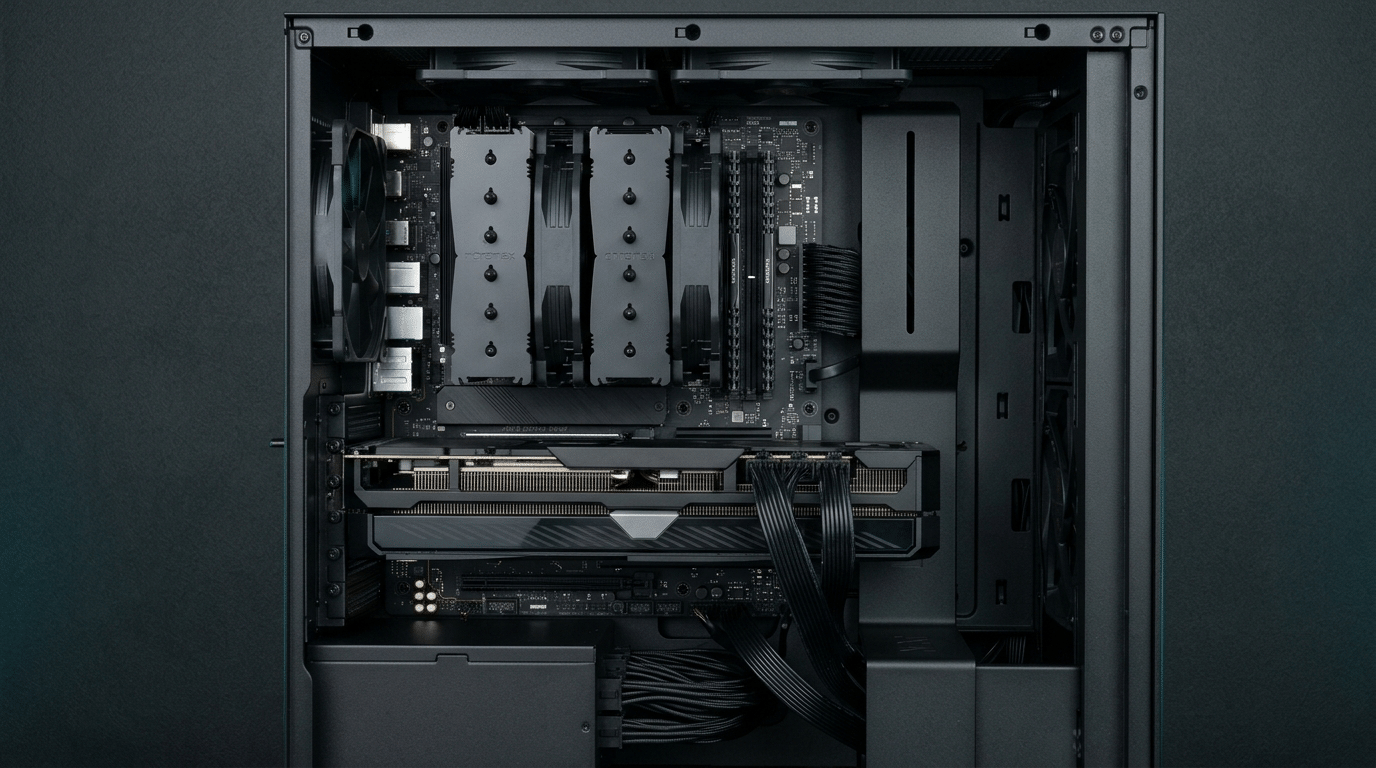
During real gaming loads, the 265F consumes roughly half its 182W MTP ceiling, letting an affordable dual-tower air cooler or 240mm liquid unit run quietly without thermal throttling. Even under sustained all-core rendering or UE5 shader compilation, 182W is nearly 70W easier to dissipate than 250W unlocked parts—explaining why major system builders deploy the 265F inside compact OEM enclosures without resorting to massive 360mm radiators. Still, buyers comparing against AMD’s Ryzen 7 9700X should note that the Zen 5 chip operates at an even leaner 88W PPT stock ceiling, making AM5 unrivaled for ultra-low-wattage efficiency.
5. Full 24 CPU PCIe 5.0/4.0 Lanes (Avoiding the 8700F Lane Trap)
Budget-minded buyers frequently lump all F-suffix OEM processors into one compromised bucket, yet Intel avoids AMD’s biggest OEM pitfall here. Per PCI-SIG PCI Express signaling standards (16 GT/s per lane on PCIe 4.0 versus 32 GT/s on PCIe 5.0), the Ryzen 7 8700F exposes only 16 usable PCIe 4.0 lanes and forces graphics cards down to an x8 electrical connection. By contrast, the Core Ultra 7 265F retains all 24 CPU-direct PCIe 5.0/4.0 lanes (configurable as x16 PCIe 5.0 for your GPU plus dual x4 M.2 NVMe connections). You get full unthrottled bandwidth for RTX 5070, RTX 5070 Ti, and RX 9070 XT graphics cards alongside primary Gen 5 or Gen 4 storage.
Real-World Workload & Resolution Ceiling (1080p / 1440p / 4K + Creator)
Because processor impact shifts dramatically with screen resolution and graphics load, evaluating the Core Ultra 7 265F requires separating CPU-bound competitive environments from GPU-bound visual showcases.
- 1080p High-Refresh Esports & Simulation Titles: In CPU-bound multiplayer games—such as Counter-Strike 2, Valorant, large-lobby battle royales, or grand-strategy titles—Arrow Lake’s tile-to-tile fabric latency and 30 MB L3 cache create a clear ceiling below AMD’s 3D V-Cache lineup. While 5.3 GHz P-cores easily push playable triple-digit frame rates, players chasing maximum 240Hz to 480Hz consistency and rock-solid 1% Lows get substantially better frametime stability from a Ryzen 7 7800X3D or Ryzen 7 9800X3D.
- 1440p Ultra & 4K AAA Gaming: Once resolution climbs to 1440p or 4K with high textures and ray tracing enabled, GPU shader compute and VRAM capacity dominate the rendering pipeline. Paired with an RTX 5070 12GB, RX 9070 XT 16GB, or RTX 5070 Ti 16GB, the 265F allows the GPU to run at full 98–100% utilization in modern AAA games, minimizing any real-world gap against pricier 265K silicon. This exact dynamic explains why retail machines profiled in our Alienware Aurora ACT1250 vs. ASUS ROG G700 audit anchor around the 265F + RTX 5070 pairing.
- Shader Compilation, Streaming & Heavy Productivity: Twenty physical cores give the 265F an unambiguous multi-thread edge over 6-core and 8-core AM5 non-X3D CPUs during Unreal Engine 5 shader compilation, software compilation, Blender CPU rendering, and simultaneous Discord/browser/background capture workloads. The single glaring exception is Quick Sync-dependent video editing: if your NLE timeline counts on Intel’s hardware 4:2:2 media engine, stepping up to the Core Ultra 7 265K or Core Ultra 7 270K Plus becomes mandatory.
Compatibility, Prebuilt Traps & Buyer Alerts
Critical Buyer Alert — 4 Mandatory Hardware Checks Before Buying a 265F Build or Prebuilt
- LGA 1851 Upgrade Ceiling & Q1 2026 Refresh Pressure: Intel’s LGA 1851 platform caps future in-socket upgrades within the Arrow Lake family (up to the 24-core Core Ultra 7 270K Plus or Core Ultra 9 285K). Worse for DIY tray buyers, the March 2026 Core Ultra 7 270K Plus (~$289-$300 Launch MSRP, 24C/24T, 76 MB cache, integrated Quick Sync) sits right near the 265F’s retail bracket. Check our Ryzen 7 9800X3D vs. Core Ultra 7 270K Plus analysis before buying standalone LGA 1851 silicon.
- Don’t Overpay for Z890 Overclocking Features: Because the 265F has a locked CPU multiplier, an unlocked Z890 motherboard provides zero CPU multiplier overclocking return. Pair the 265F with a well-VRM’d Intel B860 motherboard, which keeps full PCIe 5.0 GPU/M.2 routing and unlocks DDR5 XMP memory tuning while saving $60-$100. Reserve Z890 strictly for K-series processors or heavy Thunderbolt 4 / chipset I/O demands.
- OEM BIOS Power Locks & Prebuilt RAM Omissions: Many major-OEM prebuilts shipping the 265F silently restrict sustained PL1 power limits in BIOS or bundle a single stick of slow 16GB DDR5-4800 RAM, which cuts memory bandwidth in half and severely damages 1% Lows. Always confirm two matching DDR5 sticks in dual-channel slots and inspect HWiNFO64 power telemetry to verify full 182W MTP boost headroom.
- DDR5 Memory Controller & Cooler Sizing Rules: Arrow Lake thrives on fast two-stick kits—target 32GB (2x16GB) DDR5-6400 CL32 (or CUDIMM 7200+ on supported boards) rather than AM5’s 1:1 DDR5-6000 CL30 target, as covered in our DDR5-6000 CL30 vs. 6400 CUDIMM guide. Never populate four DDR5 DIMMs, and size CPU cooling for the 182W MTP burst (dual-tower air or 240mm AIO—avoid 120mm liquid coolers).
Audited & Disqualified Configurations (Rejected Picks)
Applying our vertical rejection triggers eliminates four common configurations that drain buyer value around this hardware tier:
- Core Ultra 7 265F + Z890 Motherboard Bought for Overclocking: Pairing a multiplier-locked non-K CPU with an enthusiast Z890 board wastes platform budget on VRM and multiplier headroom the 265F cannot unlock.
- Core Ultra 7 265F Prebuilt Bought for Quick Sync Editing: Video editors expecting hardware Quick Sync H.264/HEVC 4:2:2 acceleration hit an immediate brick wall because the GPU tile is disabled in hardware.
- Core Ultra 7 265F Desktop With 1x16GB DDR5-4800 & Solid Front Glass: Single-channel DDR5 bottlenecks frametimes by 15–30% in 1% Lows, while unvented chassis panels force discrete GPUs to run hot and loud.
- Legacy Intel Core i9-14900KF on Locked B760 Prebuilts: Older LGA 1700 prebuilts pitch high core counts on locked B760 VRMs that frequently power-throttle under 253W loads while suffering the same dead-end socket and missing iGPU drawback.
Best System Pairings & Audited Alternatives
If you build around a Core Ultra 7 265F—or decide whether stepping up to a Quick Sync K-series chip or pivoting to AM5 fits better—anchor the rest of your system around balanced, non-throttling components: an Intel B860 ATX board with Wi-Fi 7 and VRM heatsinks, 32GB (2x16GB) DDR5-6400 CL32 RAM, a 2TB PCIe 4.0 DRAM+TLC NVMe SSD (delivering identical game load behavior to hot Gen 5 drives at cooler thermals), a quality dual-tower air cooler sized past 182W MTP, and a 750W–850W ATX 3.1 80+ Gold PSU with native 12V-2×6 cabling for modern 1440p GPUs.
Below are the four verified Amazon US components covering the audited Core Ultra 7 265F silicon, its recommended B860 platform match, and the two sharpest retail processor alternatives in adjacent budget tiers.
1. Intel Core Ultra 7 Desktop Processor 265F — Audited 20-Core Efficiency Value

Budget Tier: $250-$300 tier (OEM / Prebuilt origin; no standalone consumer box Launch MSRP) | Audited Specs: LGA 1851 Socket | 20 Cores (8P + 12E) / 20 Threads | Up to 5.3 GHz Turbo | 30 MB Intel Smart Cache + 36 MB L2 (66 MB total) | 65W Base / 182W MTP | 24 PCIe 5.0/4.0 Lanes | No Integrated Graphics (Discrete GPU Required).
Audit Summary: The Core Ultra 7 265F shines when you prioritize quiet 182W MTP thermals, 20 physical cores for background multitasking, and full x16 PCIe 5.0 connectivity without paying a Z890 overclocking tax. Just verify you never need Intel Quick Sync media acceleration or integrated display troubleshooting, and cross-shop closely against discounted 265K or 270K Plus stock before ordering standalone silicon.
Pros: 20 physical cores with 66 MB combined cache; noticeably cooler 182W MTP ceiling than 250W K-series chips; full 24 PCIe 5.0/4.0 lanes.
Cons: Permanently lacks integrated graphics and Intel Quick Sync; locked multiplier; shorter LGA 1851 upgrade horizon than AM5.
2. Intel Core Ultra 7 Desktop Processor 265K — Best Upgrade for Quick Sync & Unlocked Clocks

Budget Tier: $300-$350 tier ($394 Launch MSRP) | Audited Specs: LGA 1851 Socket | 20 Cores (8P + 12E) / 20 Threads | 3.9 GHz Base / Up to 5.5 GHz Turbo | 30 MB L3 + 36 MB L2 (66 MB total) | 125W Base / 250W MTP | 4 Xe-Core Intel Graphics (Quick Sync Enabled) | Unlocked Multiplier.
Audit Summary: Stepping up one bracket to the Core Ultra 7 265K solves the 265F’s biggest omissions in a single drop-in swap. You restore the 4 Xe-core integrated GPU with Intel Quick Sync for 4:2:2 video workflows and emergency display diagnostics, gain +200 MHz peak boost (5.5 GHz) alongside much higher 3.9 GHz P-core base clocks, and unlock CPU multiplier tuning on Z890—at the cost of stepping up cooling capacity for its 250W MTP peak.
Pros: Restores full Intel Quick Sync media engine and diagnostic iGPU; unlocked multiplier plus 5.5 GHz turbo; identical 20-core count and PCIe 5.0 lanes.
Cons: Higher 250W MTP demands beefier dual-tower or 280/360mm liquid cooling; faces stiff internal competition from the 24-core Core Ultra 7 270K Plus.
3. AMD Ryzen 7 9700X — Best Same-Tier AM5 Efficiency & Upgrade-Runway Rival

Budget Tier: $250-$300 tier | Audited Specs: Socket AM5 (Zen 5) | 8 Cores / 16 Threads | 3.8 GHz Base / Up to 5.5 GHz Boost | 32 MB L3 + 8 MB L2 (40 MB total) | 65W TDP / 88W PPT | 24 Usable PCIe 5.0 Lanes | Integrated 2-CU Radeon Graphics | Unlocked with Precision Boost Overdrive.
Audit Summary: Priced squarely in the same $250-$300 bracket for DIY builders, the Ryzen 7 9700X trades the 265F’s 12 E-cores for a cleaner monolithic Zen 5 gaming profile, an ultra-lean 88W PPT power envelope, built-in Radeon diagnostic graphics, and Socket AM5’s multi-generation upgrade path. On an AMD B850 board with 32GB DDR5-6000 CL30, you gain unlocked Precision Boost Overdrive today and effortless future swaps to a Ryzen 7 9800X3D ($479 Launch MSRP) or newer X3D silicon later.
Pros: Long-lived AM5 upgrade runway for future X3D processors; remarkable 65W TDP / 88W PPT efficiency; 32 MB L3 cache with unlocked PBO and diagnostic iGPU.
Cons: 8 cores / 16 threads trail Intel’s 20-core 265F in heavy all-core offline rendering and multi-thread compiles; lacks Intel Quick Sync.
4. MSI B860 Gaming Plus WiFi — Recommended LGA 1851 Motherboard Pairing

Budget Tier: $180-$220 tier | Audited Specs: LGA 1851 Socket | Intel B860 Chipset | ATX Form Factor | 1x PCIe 5.0 x16 GPU Slot | M.2 PCIe Gen5 & Gen4 Slots | DDR5 XMP Overclocking Support | Wi-Fi 7 & High-Speed Ethernet | EZ DIY Tool-Less GPU & M.2 Latches.
Audit Summary: Because the Core Ultra 7 265F has a locked CPU multiplier, paying extra for a Z890 chipset strictly to unlock CPU ratios yields zero return. Per MSI’s B860 Gaming Plus WiFi specifications, this ATX board supplies full PCIe 5.0 x16 GPU routing, PCIe 5.0 M.2 storage, DDR5 XMP memory overclocking for 6400+ kits, and integrated Wi-Fi 7—leaving extra budget for a stronger GPU or 32GB memory kit.
Pros: Eliminates wasted Z890 CPU-OC premium for locked 265F builds while preserving DDR5 XMP tuning; includes Wi-Fi 7, PCIe 5.0 x16, and EZ DIY latches.
Cons: Locks CPU multiplier overclocking if you later drop in an unlocked 265K or 270K Plus; DMI 4.0 x4 chipset link offers fewer downstream lanes than Z890.
How We Audited This Guide
- Processors, motherboards, memory, and storage were compared by socket longevity, chipset lane allocation, VRM design, DDR5 EXPO/XMP support, and PCIe generation.
- Every specification claim was cross-checked against official OEM datasheets, platform vendor documentation, and published industry standards (PCI-SIG, JEDEC, VESA, Intel ATX) rather than marketplace listing copy.
- Recommendations were evaluated against our weighted audit rubric and documented compatibility rules; we do not publish fabricated FPS, thermal, or acoustic numbers.
Frequently Asked Questions: Intel Core Ultra 7 265F Audit
Does the Intel Core Ultra 7 265F have integrated graphics or Quick Sync?
No. Like all Intel F-suffix desktop processors, the Core Ultra 7 265F permanently disables the 4 Xe-core integrated GPU tile. That removes Intel Quick Sync hardware video acceleration and eliminates motherboard HDMI or DisplayPort troubleshooting output, meaning a working discrete graphics card is mandatory.
What is the difference between the Core Ultra 7 265F and Core Ultra 7 265K?
Both pack 20 cores (8P + 12E), 20 threads, and 66 MB combined cache on LGA 1851. The 265K ($394 Launch MSRP) keeps Quick Sync graphics, unlocks multiplier tuning, boosts to 5.5 GHz, and scales up to 250W MTP, whereas the 265F locks clocks at 5.3 GHz and caps MTP at 182W.
Should I pair the Core Ultra 7 265F with a B860 or Z890 motherboard?
An Intel B860 motherboard is the smarter match for most 265F builds. Because the processor locks CPU multiplier overclocking, paying extra for Z890 CPU tuning adds zero frequency gain, while B860 still delivers PCIe 5.0 x16 GPU routing, Gen 5 M.2 storage, and DDR5 XMP memory overclocking.
Does the Core Ultra 7 265F bottleneck an RTX 5070, RTX 5070 Ti, or RX 9070 XT?
At 1440p Ultra and 4K, GPU rendering dominates, allowing the 265F’s 20 cores and full PCIe 5.0 x16 interface to feed an RTX 5070, RTX 5070 Ti, or RX 9070 XT cleanly. Only competitive 1080p high-refresh titles reveal noticeably higher 1% Lows on AMD’s 3D V-Cache processors.
What DDR5 RAM and CPU cooler work best for Core Ultra 7 265F audit specs?
Run a matched dual-channel 32GB (2x16GB) DDR5-6400 CL32 kit—or verified CUDIMM 7200+ memory on compatible boards—and avoid single-stick or four-DIMM layouts. Pair the chip with a quality dual-tower air cooler or 240mm liquid cooler sized comfortably past its 182W Maximum Turbo Power ceiling.
Final Verdict: Where the Intel Core Ultra 7 265F Stands in 2026
Reviewing the complete intel core ultra 7 265f audit specs proves this OEM processor is far better balanced than cut-down prebuilt silicon like the Ryzen 7 8700F. Retaining 20 physical Arrow Lake cores, 66 MB combined cache, and all 24 CPU PCIe 5.0/4.0 lanes inside a cool 65W base / 182W MTP envelope makes the 265F an effective engine inside discounted 1440p prebuilt towers when paired with 32GB dual-channel DDR5 and a 12GB+ graphics card. For standalone DIY shoppers, however, missing Intel Quick Sync, LGA 1851’s limited upgrade horizon, and direct competition from the Core Ultra 7 265K, Core Ultra 7 270K Plus, and Socket AM5’s Ryzen 7 9700X leave the 265F strictly conditional on aggressive pricing.
Official Standards & Technical References
- Intel Core Ultra 7 Processor 265F Official Specifications: intel.com/content/www/us/en/products/sku/241249/intel-core-ultra-7-processor-265f-30m-cache-up-to-5-30-ghz/specifications.html
- AMD Ryzen 7 9700X Official Specifications: amd.com/en/products/processors/desktops/ryzen/9000-series/amd-ryzen-7-9700x.html
- AMD Ryzen 7 9800X3D Official Specifications: amd.com/en/products/processors/desktops/ryzen/9000-series/amd-ryzen-7-9800x3d.html
- MSI B860 Gaming Plus WiFi LGA 1851 Specifications: msi.com/Motherboard/B860-GAMING-PLUS-WIFI
- PCI-SIG PCI Express Architecture Specifications: pcisig.com


