
Disclosure: As an Amazon Associate, The PC Audit earns from qualifying purchases. If you buy through links on this page, we may earn a small commission at no extra cost to you.
Evaluating the alienware aurora act1250 vs asus rog g700 presents one of the clearest spec-sheet paradoxes in the $1,800 to $2,000 gaming desktop bracket: both retail towers anchor around the exact same 20-core Intel Core Ultra 7 265F processor, NVIDIA GeForce RTX 5070 12GB GDDR7 graphics card, and 1TB NVMe storage tier—yet they trade direct blows on memory capacity, wireless networking, chassis volume, and long-term ATX upgrade freedom.
Within our master guide to the best prebuilt gaming PCs, OEM flagships routinely hide critical compromises behind flashy CPU and GPU headlines. To isolate true hardware value without relying on marketing labels, this comparison evaluates both systems using our weighted 100-point audit rubric: GPU & VRAM Headroom (35%), CPU & Platform Runway (25%), Memory & Storage Balance (20%), and Cooling, PSU & Warranty Support (20%).
In This Audit
- TL;DR Winner Matrix: Quick Verdict
- Side-by-Side Verified Spec Table
- Battleground 1: Core Ultra 7 265F Architecture, Missing Quick Sync & LGA 1851 Runway (25%)
- Battleground 2: RTX 5070 12GB GDDR7, DLSS 4 & 1440p vs. 4K Headroom (35%)
- Battleground 3: 32GB vs. 16GB DDR5 Channel Risks & NVMe SSD Ambiguity (20%)
- Battleground 4: 58L Standard ATX vs. Compact OEM Enclosure, 850W Power & Warranty (20%)
- Battleground 5: Wi-Fi 7 vs. Wi-Fi 6, Amazon Catalog Traps & First-Hour Unboxing Audit
- Audited Retail Picks: ASUS ROG G700 vs. Alienware Aurora ACT1250
- Decisive Verdict: Which Core Ultra 7 265F Tower Deserves Your Desk?
- Frequently Asked Questions
TL;DR Winner Matrix: Quick Verdict
When two competing desktops share identical Intel and NVIDIA core silicon, supporting platform choices break the tie. Here is the unambiguous winner across all five evaluation pillars.
| Evaluation Category | Declared Winner | Decisive Technical Reason |
|---|---|---|
| Overall Upgrade & Chassis Winner | ASUS ROG G700 | Combines a spacious 58L tool-less dual-glass tower, quad-fan airflow, explicit 850W PSU headroom, and standard ATX upgrade clearance under $1,900. |
| Out-of-the-Box RAM & Networking | Alienware Aurora ACT1250 | Ships ready with 32GB DDR5, Wi-Fi 7 (802.11be), and Killer 2.5Gb Ethernet under $1,950—avoiding an immediate day-one memory upgrade. |
| Raw Gaming, Ray Tracing & Upscaling | Exact Tie (RTX 5070 12GB) | Both machines deploy the Core Ultra 7 265F and RTX 5070 12GB GDDR7, delivering identical baseline 1440p raster and DLSS 4 Multi-Frame Generation ceilings. |
| Power Supply Clarity & Future GPUs | ASUS ROG G700 | Explicitly declares an 850W PSU inside a roomy 58L enclosure, whereas the ACT1250 Amazon listing omits PSU wattage, 80+ rating, and ATX 3.1 status. |
| Turnkey Support & Zero-DIY Service | Alienware Aurora ACT1250 | Includes 1-Year Dell Onsite Service for in-home hardware repair alongside double the base memory capacity for plug-and-play buyers. |
Side-by-Side Verified Spec Table
Every specification below reflects verified retail documentation for the under-$2,000 gaming desktop tier alongside canonical processor and GPU hardware data. Notice where each brand exposes clear numbers—and where critical subcomponents remain undisclosed.
| Audited Specification | ASUS ROG G700 (B0F2BCD9C6) | Alienware Aurora ACT1250 (B0DPKLJ4CV) |
|---|---|---|
| Retail Budget Tier | Upper mid-range (under $1,900) | Upper tier (under $1,950) |
| Processor (CPU) | Intel Core Ultra 7 265F (20C/20T: 8P+12E, up to 5.3 GHz) | Intel Core Ultra 7 265F (20C/20T: 8P+12E, up to 5.3 GHz) |
| Cache & Power Limits | 30MB L3 Smart Cache (66MB total) | 65W Base / 182W MTP | 30MB L3 Smart Cache (66MB total) | 65W Base / 182W MTP |
| Integrated GPU / Quick Sync | None (F-suffix processor; 13 TOPS NPU retained) | None (F-suffix processor; 13 TOPS NPU retained) |
| Platform Socket | Intel LGA 1851 (Arrow Lake) | Intel LGA 1851 (Arrow Lake) |
| Graphics Card (GPU) | NVIDIA GeForce RTX 5070 12GB GDDR7 ($549 Launch MSRP class, 192-bit, 250W) | NVIDIA GeForce RTX 5070 12GB GDDR7 ($549 Launch MSRP class, 192-bit, 250W) |
| System Memory (RAM) | 16GB DDR5 (exact MT/s, CL latency & stick count omitted) | 32GB DDR5 (exact MT/s & CL timings omitted on headline card) |
| NVMe Storage | 1TB M.2 PCIe 4.0 NVMe SSD (NAND/DRAM cache omitted) | 1TB NVMe SSD (PCIe gen, NAND & DRAM cache omitted) |
| Chassis Architecture | 58L tool-less dual-glass ROG tower; quad-fan airflow; standard ATX upgrade room | Compact ~35.9L Alienware Aurora chassis; major-OEM layout |
| Power Supply (PSU) | 850W PSU explicitly specified (80+ / ATX 3.1 label requires visual inspection) | Wattage, 80+ efficiency & ATX 3.1 status omitted on Amazon listing |
| Networking & Audio | Wi-Fi 6, 2.5GbE LAN, Dolby Atmos | Wi-Fi 7 (802.11be), Killer 2.5Gb Ethernet |
| Warranty Model | Standard manufacturer hardware warranty | 1-Year Dell Onsite Service |
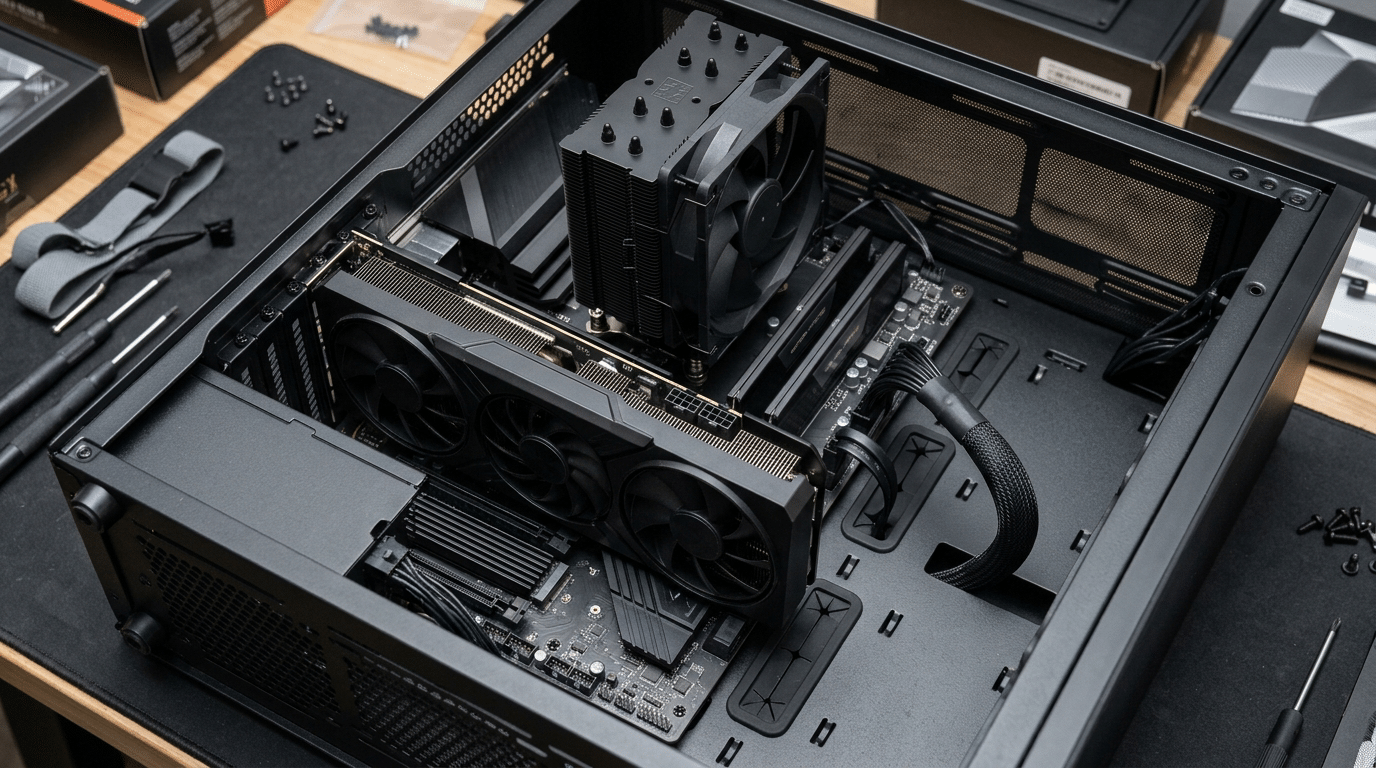
Battleground 1: Core Ultra 7 265F Architecture, Missing Quick Sync & LGA 1851 Runway (25%)
Accounting for 25% of our system evaluation, processor architecture determines frame-time smoothness, shader compilation speed, and platform upgrade longevity. Both desktops center on the Core Ultra 7 265F, Intel’s OEM-focused Arrow Lake processor fabricated on TSMC N3B silicon using a tile-based chiplet architecture. As detailed in our standalone Intel Core Ultra 7 265F audit, this chip drops Hyper-Threading entirely in favor of 20 physical cores and 20 threads—8 Lion Cove Performance cores boosting up to 5.3 GHz alongside 12 Skymont Efficient cores—backed by 30MB of L3 Smart Cache and 66MB of combined L2+L3 cache.
Removing Hyper-Threading and adopting TSMC N3B pays major dividends in thermal discipline compared to older 14th-Gen Raptor Lake towers. Instead of spiking straight to 253W like earlier desktop parts, the Core Ultra 7 265F specifies a 65W Processor Base Power and a 182W Max Turbo Power (MTP) ceiling—distinctly lower than the 250W MTP of unlocked retail siblings like the Core Ultra 7 265K ($394 Launch MSRP) and 265KF ($379 Launch MSRP). Even so, OEM buyers should verify BIOS power settings out of the box, because compact OEM towers sometimes restrict sustained PL1 limits below 182W under heavy rendering or shader compilation.
- The “F” Suffix Warning (Zero iGPU, Zero Quick Sync): Unlike the non-F Core Ultra 7 265 or 265K, the 265F permanently disables the integrated GPU tile. Although it keeps its 13 TOPS Neural Processing Unit for lightweight Windows AI tasks, creators lose Intel Quick Sync hardware acceleration for H.264/HEVC 4:2:2 timeline scrubbing in Adobe Premiere Pro or DaVinci Resolve—pushing all encoding work onto the RTX 5070’s dual NVENC engine. Worse, if the discrete graphics card ever stops outputting video, you cannot plug a monitor into the motherboard I/O to diagnose POST failures.
- Gaming Headroom vs. AM5 3D V-Cache Rivals: While 20 Arrow Lake cores demolish multi-threaded productivity, tile-to-tile latency and 30MB L3 cache keep the 265F behind AMD’s AM5 gaming specialists. A dedicated chip like the Ryzen 7 9800X3D ($479 Launch MSRP) carries 96MB of stacked 3D V-Cache (104MB total cache), delivering noticeably stronger 1% Lows in CPU-heavy simulation, battle royale, and competitive esports lobbies. Conversely, the Core Ultra 7 265F cleanly avoids the severe cache-and-lane cuts seen on budget OEM AM5 silicon like the Ryzen 7 8700F, which restricts builders to 16MB L3 cache and 16 usable PCIe 4.0 lanes.
- LGA 1851 Socket Longevity Trap: Both towers mount on Intel’s LGA 1851 socket (paired with Intel 800-series OEM or B860/Z890-class boards). Unlike AMD’s multi-generation AM5 roadmap, LGA 1851 offers a much shorter CPU upgrade ceiling—effectively capping future in-socket swaps to Arrow Lake refreshes such as the 24-core Core Ultra 7 270K Plus ($299 Launch MSRP class, 250W MTP) or Core Ultra 9 285K ($589 Launch MSRP), provided the OEM BIOS publishes microcode updates and VRM cooling supports 250W loads.
CPU Battleground Verdict: Tie on raw silicon, with a subtle execution edge to the ASUS ROG G700. Standard ATX thermal breathing room inside its 58L chassis gives its 20 cores better odds of sustaining full 182W MTP boost clocks without aggressive thermal fan ramping.
Battleground 2: RTX 5070 12GB GDDR7, DLSS 4 & 1440p vs. 4K Headroom (35%)
Carrying the largest 35% weight in our evaluation, graphics hardware dictates visual fidelity, ray-tracing headroom, and resolution longevity. Both the Alienware Aurora ACT1250 and ASUS ROG G700 pair the Core Ultra 7 265F with the NVIDIA GeForce RTX 5070 ($549 Launch MSRP class). Built on the Blackwell architecture with 12GB of high-speed GDDR7 memory across a 192-bit interface and a 250W Total Graphics Power envelope, the RTX 5070 lands squarely as a dedicated 1440p gaming workhorse—easily outpacing 8GB entry cards in 1080p gaming while dodging the texture stutters that plague sub-$1,400 RTX 5060 Ti 8GB rigs.
Even so, shoppers spending nearly $1,900 to $1,950 must look honestly at where 12GB VRAM runs out of breathing room. Next to 12GB OEM rivals like the Radeon RX 9070 GRE (12GB GDDR6, 220W TBP), the RTX 5070’s GDDR7 bandwidth and NVIDIA feature stack hold strong. Yet against 16GB graphics tiers—specifically the AMD Radeon RX 9070 XT ($599 Launch MSRP, 16GB GDDR6, 256-bit bus), NVIDIA’s RTX 5070 Ti ($749 Launch MSRP, 16GB GDDR7), and the 4K-oriented RTX 5080 ($999 Launch MSRP, 16GB GDDR7)—a 12GB frame buffer shows tighter limits once you push 4K gaming, ultra-high texture packs, and heavy path tracing simultaneously.
- DLSS 4 Transformer & Multi-Frame Generation Rule: Both desktops unlock Blackwell’s Transformer-based DLSS 4 super resolution and Multi-Frame Generation (MFG). Remember our baseline latency guardrail: generated frames never reduce real control latency. Always target a native or DLSS Quality/Balanced baseline of 50 to 60 base FPS before enabling Multi-Frame Generation, and pair it with NVIDIA Reflex in supported titles to keep aiming snappy.
- DisplayPort 2.1 Monitor Matching: Because the RTX 5070 includes DisplayPort 2.1 outputs alongside HDMI 2.1, either system cleanly drives modern 1440p 240Hz–360Hz OLED displays or 4K 240Hz monitors without older DisplayPort 1.4 bandwidth bottlenecks.
- Retail Release Discipline: Evaluate these systems strictly against released 2025–2026 graphics cards. Buyers should not stall current builds around unverified, unreleased rumor-mill parts like the rumored RTX 5070 Super or RTX 5080 Super—neither of which is an active retail product.
GPU Battleground Verdict: Dead heat out of the box, but a long-term win for the ASUS ROG G700. When you eventually replace the 12GB RTX 5070 with a triple-slot 16GB RTX 5070 Ti, RX 9070 XT, or RTX 5080 class card, the G700’s 58L volume and 850W PSU accommodate longer AIB coolers far more easily than Alienware’s tighter ~35.9L chassis.
Battleground 3: 32GB vs. 16GB DDR5 Channel Risks & NVMe SSD Ambiguity (20%)
Accounting for 20% of our scorecard, memory and storage expose the biggest day-one hardware gap between these two configurations. Here, the Alienware Aurora ACT1250 lands a clean knockout blow against the base ASUS ROG G700 SKU: Dell pairs the Core Ultra 7 265F and RTX 5070 with 32GB DDR5 from the factory, whereas the under-$1,900 ROG G700 configuration ships with only 16GB DDR5.
In 2026, shipping 16GB DDR5 inside a near-$1,900 desktop is an immediate compromise—especially when browsing systems profiled in our best prebuilt gaming PCs with Wi-Fi 7 and 32GB DDR5-6000 guide. Modern Unreal Engine 5 titles, Discord voice overlays, browser tabs, and OBS capture quickly consume more than 16GB of working memory, forcing Windows page-file swaps that trigger frame-time hitches.
- The Single-Channel & Loose-Timing DDR5 Trap: Neither Amazon product card explicitly prints stick count (1x16GB vs. 2x8GB on the G700, or 2x16GB on the ACT1250), CAS latency, or exact transfer rate. If the ROG G700 ships a single 1x16GB stick, cutting dual-channel bandwidth can depress gaming 1% Lows by 15% to 30%. Meanwhile, Arrow Lake platforms perform best on 2-stick dual-channel DDR5-6400 CL32 (or CUDIMM kits on retail boards), whereas many OEM towers default to conservative JEDEC DDR5-5200 or DDR5-5600 CL40–CL46 kits—and adding two extra sticks to reach four DIMMs stresses the memory controller and lowers stability. Upgrading the G700 immediately with a matched 2x16GB 32GB DDR5 kit narrows or erases its ~$50 tier savings over the Alienware.
- 1TB NVMe SSD Transparency Gaps: ASUS explicitly confirms a 1TB M.2 PCIe 4.0 NVMe SSD, whereas Alienware lists simply a 1TB NVMe SSD. Crucially, neither OEM discloses the SSD controller, dedicated DRAM cache versus DRAM-less Host Memory Buffer (HMB), or TLC versus QLC NAND flash. DRAM-less QLC drives suffer steep write-cliff slowdowns during massive Steam installs or 4K video scrubbing. Furthermore, 1TB fills quickly once Windows 11 and three or four 150GB AAA games are installed; both buyers should budget for an extra 2TB PCIe 4.0 DRAM+TLC secondary NVMe drive rather than overspending on hot PCIe 5.0 drives that deliver virtually zero gaming load-time gain.
Memory & Storage Verdict: Alienware Aurora ACT1250 wins convincingly. Getting 32GB DDR5 ready out of the box avoids immediate RAM replacement costs and protects 1% Lows during heavy multitasking.
Battleground 4: 58L Standard ATX vs. Compact OEM Enclosure, 850W Power & Warranty (20%)
The final 20% of our rubric separates disposable proprietary appliances from durable desktop platforms—and here the architectural gap between a standard-ATX ASUS ROG tower and a major-OEM Alienware box reverses the momentum sharply in favor of ASUS.
The ASUS ROG G700 wraps its components inside a cavernous 58L tool-less dual-glass ROG chassis cooled by quad fans and backed by an explicit 850W PSU alongside standard ATX mounting clearance. That 850W ceiling matches our recommended power target for 1440p and upper-tier graphics cards like the RTX 5070 Ti and RX 9070 XT, giving builders room to grow without buying a fresh power unit first. Even better, standard ATX geometry means standard 24-pin ATX motherboard headers, conventional fan mounts, and unobstructed cable channels—avoiding the dead-end repairs common to legacy OEM desktops.
By contrast, the Alienware Aurora ACT1250 packs its hardware into a markedly smaller ~35.9L industrial tower. While Dell refined airflow compared to older enclosed Aurora shells, major OEM platforms routinely rely on bespoke chassis dimensions, custom front-I/O wiring, and a proprietary motherboard or non-standard power layout that blocks off-the-shelf ATX swaps down the road. Just as important under our Amazon transparency rules: the ACT1250 listing completely omits PSU wattage, 80+ efficiency tier, CPU cooler type, and ATX 3.1 / PCIe 5.1 status.
- ATX 3.1 & 12V-2×6 Power Safety Check: Modern 250W–360W Blackwell GPUs demand clean transient excursion handling (200%–300% load spikes) and a properly seated 12V-2×6 connector. While ASUS confirms 850W capacity, neither listing verifies explicit ATX 3.1 or 80+ Gold certification on its headline bullet list. Whichever tower arrives at your door, visually inspect the PSU label (checking Cybenetics or 80 Plus ratings) and verify at least 35mm of straight side-panel bend clearance so the GPU power cable never pulls sideways against glass.
- Dual-Glass Airflow Caution vs. Quad-Fan Intake: On the ROG G700, dual tempered glass looks showcase-ready, so verify that its quad-fan layout feeds unrestricted side or bottom intake air rather than choking fans directly behind solid glass. Conversely, verify that the ACT1250 unit ships with sufficient cooling for the 182W MTP Core Ultra 7 265F rather than a minimal single-fan blower or tiny 120mm radiator.
- Warranty Philosophy (Onsite Service vs. DIY Modularity): Alienware fights back with 1-Year Dell Onsite Service—a genuine perk for non-technical buyers who want a technician at their door rather than shipping a 30-pound PC to a depot. After year one, however, standard ATX serviceability turns into a huge financial advantage for the ASUS ROG G700.
Chassis, PSU & Warranty Verdict: ASUS ROG G700 wins decisively on long-term engineering, documented 850W power headroom, and standard ATX replaceability; Alienware claims the convenience edge solely during year-one onsite warranty coverage.
Battleground 5: Wi-Fi 7 vs. Wi-Fi 6, Amazon Catalog Traps & First-Hour Unboxing Audit
Networking hardware and marketplace buying hygiene decide whether your tower feels modern out of the box—or forces surprise upgrades on day one. On wireless connectivity, the Alienware Aurora ACT1250 takes a clear step ahead with integrated Wi-Fi 7 (802.11be) paired with Killer 2.5Gb Ethernet. Households running multi-gigabit fiber and Wi-Fi 7 mesh routers gain access to 6 GHz channels and Multi-Link Operation without running Ethernet cables through hallways. Meanwhile, the ASUS ROG G700 settles for older Wi-Fi 6 alongside 2.5GbE LAN and Dolby Atmos audio processing—perfectly reliable over wired Ethernet, yet dated for wireless gaming at nearly $1,900.
Before clicking checkout on Amazon, protect yourself against common marketplace catalog pitfalls:
- Avoid Sidebar Filter Illusions & Review Pooling: Amazon’s left-sidebar “Graphics Memory” filter caps at “8 GB & above,” masking massive tiers between 8GB, 12GB, and 16GB cards, while shared parent product pages frequently pool reviews from older configurations onto 2025–2026 Core Ultra SKUs. Always lock Condition strictly to New and confirm exact configuration tags (Core Ultra 7 265F, RTX 5070 12GB, 16GB vs. 32GB DDR5) directly in the active SKU title and seller line.
- First-Hour Post-Unboxing Validation Protocol: Once your desktop arrives, remove the side panel before powering on to inspect shipping foam, GPU PCIe seating, and straight 12V-2×6 cable clearance. Confirm two DDR5 sticks occupy dual-channel slots (A2/B2), note the exact PSU wattage and 80+ label, and check for an open secondary M.2 slot. On first boot, update BIOS to the latest stable Intel Core Ultra microcode release, enable XMP (if supported by the kit) and Resizable BAR, confirm Intel Default Settings rather than artificially throttled OEM power limits, uninstall preloaded trial antivirus suites and unnecessary background overlays, verify maximum monitor refresh rate in Windows (144Hz/240Hz/360Hz), set an in-driver frame cap (Refresh Rate minus 3) with G-Sync/FreeSync and Reflex enabled, and run stability verification passes with HWiNFO64, Cinebench 2024, OCCT, 3DMark, and CapFrameX to confirm clean clock scaling, thermal headroom, and steady 1% Lows.
Audited Retail Picks: ASUS ROG G700 vs. Alienware Aurora ACT1250
Below are the two verified Amazon US desktop configurations matching this Core Ultra 7 265F and RTX 5070 12GB OEM comparison—auditing every confirmed spec, hidden trade-off, and upgrade path side by side.
1. ASUS ROG G700 (Core Ultra 7 265F & RTX 5070 12GB) — Best Standard ATX Chassis & Power Headroom
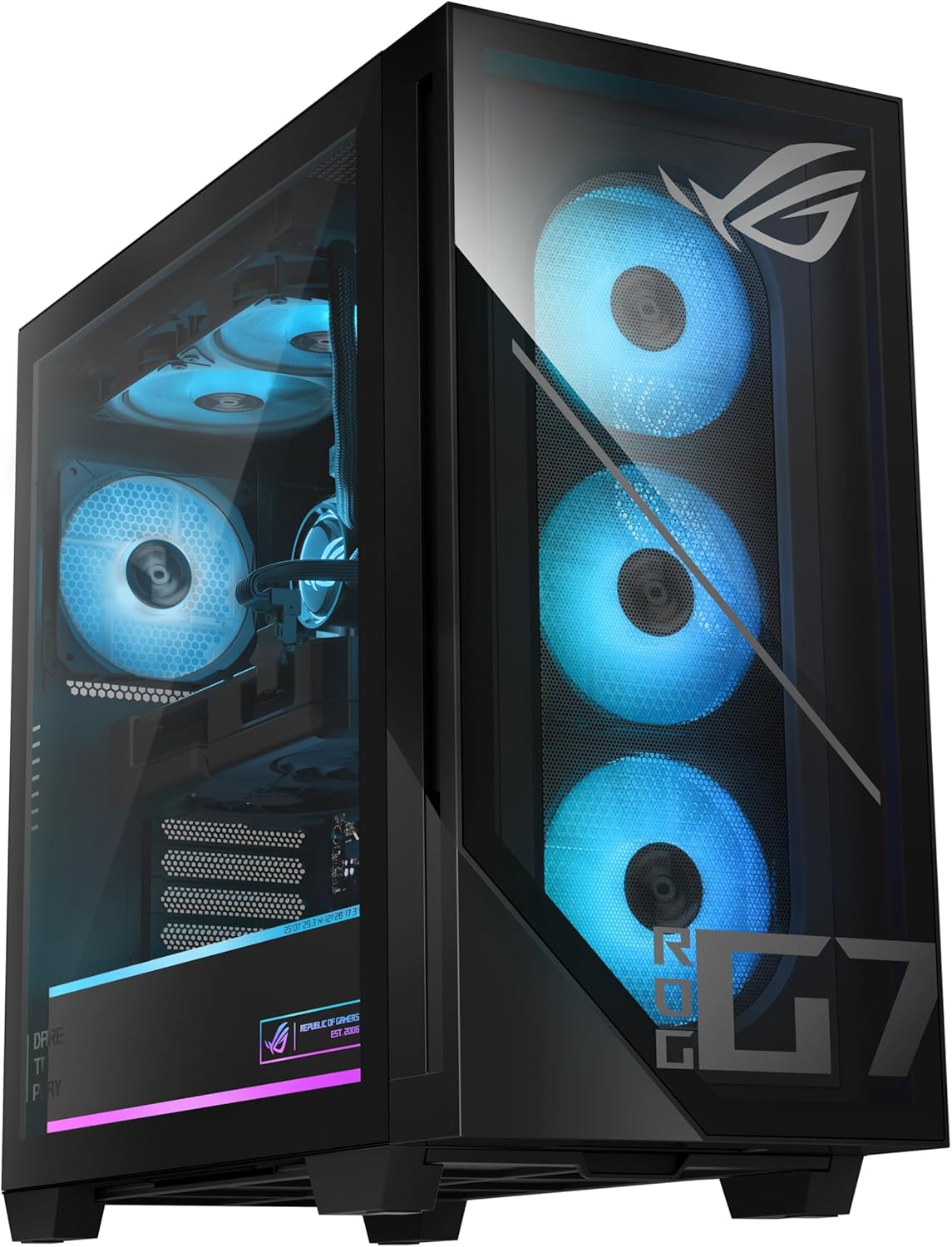
Budget Tier: Upper mid-range (under $1,900) | Audited Specs: Intel Core Ultra 7 265F (20 cores, up to 5.3 GHz, 30MB L3 / 66MB total cache, LGA 1851, no iGPU) | NVIDIA GeForce RTX 5070 12GB GDDR7 | 16GB DDR5 | 1TB M.2 PCIe 4.0 NVMe SSD | 58L Tool-Less Dual-Glass ROG Chassis | Quad-Fan Airflow | 850W PSU | Wi-Fi 6 | 2.5GbE LAN | Dolby Atmos.
Audit Summary: The ASUS ROG G700 earns our overall hardware nod for buyers who care about long-term upgradeability. Pairing a spacious 58L tool-less dual-glass tower with quad-fan cooling, an explicitly rated 850W PSU, and standard ATX internal clearance gives you seamless room to swap in 32GB DDR5-6400 memory, a secondary 2TB PCIe 4.0 NVMe SSD, or even a future 16GB RTX 5080-class GPU. Just budget modestly for an eventual 32GB RAM upgrade if you stream or multitask heavily—and verify wired Ethernet if Wi-Fi 6 is below your router spec.
Pros: Explicit 850W PSU and spacious 58L tool-less standard ATX chassis; quad-fan airflow design; confirmed PCIe 4.0 M.2 NVMe SSD and 2.5GbE LAN under $1,900.
Cons: Base configuration ships with only 16GB DDR5; older Wi-Fi 6 radio instead of Wi-Fi 7; Core Ultra 7 265F omits integrated graphics and Intel Quick Sync.
2. Alienware Aurora Gaming Desktop (ACT1250) — Best Turnkey 32GB DDR5, Wi-Fi 7 & Onsite Service

Budget Tier: Upper tier (under $1,950) | Audited Specs: Intel Core Ultra 7 265F (20 cores, up to 5.3 GHz, 66MB total cache, LGA 1851, no iGPU) | NVIDIA GeForce RTX 5070 12GB GDDR7 | 32GB DDR5 | 1TB NVMe SSD | Wi-Fi 7 (802.11be) | Killer 2.5Gb Ethernet | 1-Year Dell Onsite Service.
Audit Summary: The Alienware Aurora ACT1250 is engineered for buyers who never want to open a side panel on day one. For roughly one tier higher under $1,950, you immediately receive 32GB DDR5—sidestepping single-channel 16GB bottlenecks—plus next-generation Wi-Fi 7, Killer 2.5Gb Ethernet, and 1-year Dell Onsite Service. However, shoppers trading DIY hardware openness for OEM polish face tighter ~35.9L clearance, proprietary Dell internal layout risks, and omitted headline disclosures for PSU wattage, 80+ rating, and cooler specs.
Pros: Ships complete with 32GB DDR5 out of the box; includes Wi-Fi 7 and Killer 2.5Gb Ethernet; backed by 1-year Dell Onsite Service for stress-free support.
Cons: Headline Amazon listing omits PSU wattage, 80+ rating, and cooler specs; OEM chassis/motherboard architecture restricts major ATX swaps; Core Ultra 7 265F lacks Quick Sync.
Decisive Verdict: Which Core Ultra 7 265F Tower Deserves Your Desk?
Both desktops deliver virtually identical 1440p frame rates and DLSS 4 capability on day one, so your choice comes down to a crystal-clear trade-off: long-term ATX modularity and 850W power headroom on the ASUS ROG G700 versus turnkey 32GB DDR5, Wi-Fi 7, and onsite warranty convenience on the Alienware Aurora ACT1250.
Choose the ASUS ROG G700 If…
- You want a spacious 58L tool-less dual-glass chassis with quad-fan airflow and standard ATX component clearance.
- You prioritize a verified 850W PSU ceiling to support future 16GB GPU upgrades without proprietary OEM power limits.
- You use wired 2.5GbE LAN and don’t mind dropping in an affordable 32GB DDR5 kit or extra M.2 SSD later.
Choose the Alienware Aurora ACT1250 If…
- You want 32GB DDR5 ready out of the box for heavy gaming, background streaming, and creator multitasking without opening the case.
- You game over a modern 6 GHz wireless network and need built-in Wi-Fi 7 alongside Killer 2.5Gb Ethernet.
- You value 1-Year Dell Onsite Service and a sleek compact ~35.9L footprint over standard ATX DIY expansion.
Overall, builders and upgraders get superior structural longevity from the ASUS ROG G700—just plan to move from 16GB to 32GB DDR5 down the line—while zero-tinker wireless gamers and hybrid multitaskers get a smarter day-one spec sheet from the Alienware Aurora ACT1250. Want to compare either Core Ultra 7 machine against AM5 Ryzen 7 9800X3D or 16GB RX 9070 XT desktops? Explore our best prebuilt gaming PC hub or browse the complete Gaming PCs archive.
How We Audited This Guide
- Prebuilt configurations were audited for GPU tier and VRAM, CPU platform runway, memory channel layout, SSD class, PSU brand and rating disclosure, and case airflow before inclusion.
- Every specification claim was cross-checked against official OEM datasheets, platform vendor documentation, and published industry standards (PCI-SIG, JEDEC, VESA, Intel ATX) rather than marketplace listing copy.
- Recommendations were evaluated against our weighted audit rubric and documented compatibility rules; we do not publish fabricated FPS, thermal, or acoustic numbers.
Frequently Asked Questions
Which is better in 2026: the Alienware Aurora ACT1250 or ASUS ROG G700?
Both deliver identical Core Ultra 7 265F and RTX 5070 12GB frame rates. The ASUS ROG G700 wins for long-term upgraders thanks to its 58L standard ATX chassis, quad-fan airflow, and 850W PSU, whereas the Alienware Aurora ACT1250 wins out of the box with 32GB DDR5, Wi-Fi 7, and 1-year Dell Onsite Service.
Does the Intel Core Ultra 7 265F in both desktops include Intel Quick Sync?
No. The F suffix on the Core Ultra 7 265F permanently disables the integrated graphics tile and Intel Quick Sync media engine. Video editors rely solely on the RTX 5070’s NVENC encoders, and a discrete GPU is strictly required for video output during troubleshooting.
Can you upgrade the ASUS ROG G700 or Alienware Aurora ACT1250 later with standard ATX parts?
The ASUS ROG G700 uses a spacious 58L chassis with standard ATX upgrade clearance and an 850W PSU, making future GPU, storage, and cooling swaps straightforward. The Alienware Aurora ACT1250 sits in a compact OEM tower where proprietary motherboard or PSU layouts can restrict full ATX replacements.
Is 16GB DDR5 enough on the ASUS ROG G700, or should you prioritize the Alienware’s 32GB DDR5?
For light single-game sessions, 16GB DDR5 works temporarily, provided it runs in dual-channel rather than a single stick. However, 32GB DDR5 is strongly preferred for 2026 AAA gaming, background streaming, and creator workloads—making Alienware’s 32GB kit a cleaner turnkey buy unless you plan a DIY RAM upgrade.
Is 12GB VRAM on the RTX 5070 enough for 1440p and 4K gaming in 2026?
Yes for 1440p Ultra gaming when paired with DLSS 4 Quality or Balanced upscaling, cleanly outlasting 8GB entry cards. For native 4K Ultra with heavy path tracing and Multi-Frame Generation enabled, 12GB VRAM nears capacity, where 16GB RX 9070 XT or RTX 5070 Ti builds provide extra buffer.
Official Standards & Technical References
- Intel Core Ultra Desktop Processors Series 2 Overview: intel.com/content/www/us/en/products/details/processors/core-ultra.html
- NVIDIA GeForce RTX 50-Series Blackwell Specifications: nvidia.com/en-us/geforce/graphics-cards/50-series/
- ASUS Republic of Gamers Desktop Platforms: rog.asus.com
- PCI-SIG PCIe CEM 5.1 & ATX 3.1 12V-2×6 Specifications: pcisig.com/specifications
- Cybenetics PSU Efficiency & Acoustic Database: cybenetics.com


