
Disclosure: As an Amazon Associate, I earn from qualifying purchases. If you buy through links on this page, we may earn a small commission at no extra cost to you.
Finding the best prebuilt gaming PC with WiFi 7 and 32GB DDR5 is harder than Amazon spec headlines make it look. Dozens of prebuilt towers advertise next-generation Blackwell or RDNA 4 graphics while quietly shipping outdated Wi-Fi 5 adapters, single-stick 16GB DDR5-4800 memory, or undisclosed memory timings that drag down 1% Low framerates.
To separate genuine wireless and memory performers from deceptive listings, we audited nine active 2026 desktop configurations across Amazon US against our full best prebuilt gaming PCs engineering framework. Whether you want native Wi-Fi 7 out of the box—like our #1 Lenovo Legion Tower 5 and #3 Alienware Aurora ACT1250—or verified 32GB DDR5-6000 memory on our #2 STORMCRAFT Phantom, every entry below documents exactly what ships in the box and what upgrade steps close any spec gap. If you are shopping strictly on a sub-$2,000 budget, cross-check our dedicated best prebuilt gaming PCs under $2,000 roundup alongside these picks.
In This Guide
Quick Picks: Best Prebuilt Gaming PC with WiFi 7 and 32GB DDR5 at a Glance
#1 Best Overall (Wi-Fi 7 + 9800X3D)
Lenovo Legion Tower 5 (2026)
Pairs verified Wi-Fi 7 (802.11be), 2.5GbE LAN, 32GB DDR5, Ryzen 7 9800X3D, and 16GB RX 9070 XT on an 850W PSU. (Jump to audit)
#2 Best 4K DDR5-6000 Flagship
STORMCRAFT Phantom (RTX 5080)
Explicitly specifies 32GB DDR5-6000 RGB, AMD B850 chipset, 2TB Gen4 SSD, and 360mm AIO cooling for 4K gaming. (Jump to audit)
#3 Best Under $2,000 with Wi-Fi 7
Alienware Aurora (ACT1250)
Combines native Wi-Fi 7, Killer 2.5GbE, Core Ultra 7 265F, RTX 5070 12GB, and 32GB DDR5 under $1,950. (Jump to audit)
Side-by-Side Comparison: Top 9 Audited Gaming Desktops
| Product & Award | Best For | CPU / GPU / Storage | Wi-Fi & DDR5 Status | Action |
|---|---|---|---|---|
| Lenovo Legion Tower 5 (2026) Best Overall (Wi-Fi 7 + 9800X3D) | 1440p & 4K gamers wanting verified Wi-Fi 7 + 16GB VRAM | Ryzen 7 9800X3D | RX 9070 XT 16GB | 1TB NVMe SSD | Wi-Fi 7 + 2.5GbE LAN | 32GB DDR5 (verify MT/s) | View on Amazon |
| STORMCRAFT Phantom Best 4K DDR5-6000 Flagship | 4K gaming with verified DDR5-6000 & B850 | Ryzen 7 9800X3D | RTX 5080 16GB | 2TB Gen4 SSD | B850 Wi-Fi (confirm rev) | 32GB DDR5-6000 RGB | View on Amazon |
| Alienware Aurora ACT1250 Best Under $2,000 with Wi-Fi 7 | Wireless gamers & streamers wanting onsite service | Core Ultra 7 265F | RTX 5070 12GB | 1TB NVMe SSD | Wi-Fi 7 + Killer 2.5GbE | 32GB DDR5 (verify MT/s) | View on Amazon |
| Skytech Gaming Azure Best High-Clock AM5 2TB Build | High-refresh esports with zero bloatware | Ryzen 7 9850X3D | RX 9070 XT 16GB | 2TB Gen4 SSD | Wi-Fi unlisted on card | 32GB DDR5-5600 | View on Amazon |
| MSI Aegis R2 AI Best Creator & AI 32GB Rig | 24-core 3D rendering, video & AI tinkering | Core Ultra 9 285 | RTX 5070 Ti 16GB | 2TB NVMe SSD | Wi-Fi unlisted on card | 32GB DDR5 (verify MT/s) | View on Amazon |
| MSI Codex Z2 (A8NVP-436US) Best Upgradeable AM5 2TB Value | Under-$1,850 1440p buyers eyeing future X3D swap | Ryzen 7 8700F | RTX 5070 12GB | 2TB NVMe SSD | Wi-Fi unlisted on card | 32GB DDR5 (verify MT/s) | View on Amazon |
| MSI Codex R2 (D14NVP5-613US) Best Wi-Fi 6E & 32GB Alternative | 6 GHz Wi-Fi 6E + RTX 5070 under $1,850 | Core i5-14400F | RTX 5070 12GB | 1TB NVMe SSD | Wi-Fi 6E (6 GHz) | 32GB DDR5 (verify XMP) | View on Amazon |
| KOTIN Gaming PC Desktop Best Sub-$1,500 Wi-Fi 7 Base | Budget buyers upgrading to 32GB DDR5-6000 | Ryzen 7 8700F | RTX 5060 Ti 8GB | 1TB Gen4 SSD | Wi-Fi 7 + Bluetooth | 16GB DDR5 (4 DIMM slots) | View on Amazon |
| Skytech Crystal Series Best Full-Cache 7700 Base | Wired Ethernet buyers replacing Wi-Fi 5 card | Ryzen 7 7700 | RTX 5060 Ti 8GB | 1TB NVMe SSD | Wi-Fi 5 (downgrade) | 32GB DDR5-5600 | View on Amazon |
Match Your Use Case: Which Rig Fits Your Setup?
| Buyer Scenario | Best Match | Why & Expected Outcome |
|---|---|---|
| Zero-compromise 1440p Ultra with native Wi-Fi 7 & 32GB DDR5 | Lenovo Legion Tower 5 (2026) | Verifies Wi-Fi 7, 2.5GbE LAN, 32GB DDR5, 96MB 3D V-Cache, and 16GB VRAM with an 850W PSU. |
| 4K high-refresh display with guaranteed DDR5-6000 & 2TB SSD | STORMCRAFT Phantom (RTX 5080) | Pairs RTX 5080 16GB GDDR7 and 9800X3D with explicit 32GB DDR5-6000 RGB on an AMD B850 board. |
| Under-$2,000 wireless setup with onsite OEM warranty | Alienware Aurora ACT1250 | Delivers Wi-Fi 7, Killer 2.5GbE, Core Ultra 7 265F, RTX 5070 12GB, and 1-Year Dell Onsite Service. |
| Competitive high-FPS AM5 rig with zero OEM bloatware | Skytech Gaming Azure (9850X3D) | 5.6 GHz Ryzen 7 9850X3D + 360mm AIO + 2TB SSD in a clean ATX tower; easy DDR5-6000 / Wi-Fi 7 swap. |
| 3D modeling, video editing & local AI workloads | MSI Aegis R2 AI (285 / 5070 Ti) | 24 Arrow Lake cores and 16GB GDDR7 RTX 5070 Ti power through heavy timelines and GPU compute. |
| Sub-$1,500 native Wi-Fi 7 entry ready for a DIY 32GB kit | KOTIN Gaming PC Desktop | Locks in native Wi-Fi 7 and 650W 80+ Gold power under $1,500; budget for a 2x16GB DDR5-6000 swap. |
Detailed Audits: Best Prebuilt Gaming PCs with WiFi 7 and 32GB DDR5
1. Lenovo Legion Tower 5 (2026 — Ryzen 7 9800X3D & RX 9070 XT 16GB) — Best Overall (Wi-Fi 7 + 9800X3D)

Quick Specs: AMD Ryzen 7 9800X3D (8C/16T, 96MB L3 3D V-Cache, AM5) | AMD Radeon RX 9070 XT 16GB GDDR6 | 32GB DDR5 | 1TB NVMe SSD | 850W PSU, Wi-Fi 7 (802.11be), 2.5GbE LAN | Price Tier: Enthusiast tier (around $2,250–$2,350)
Audit Score: 9.1 / 10
- GPU & VRAM Headroom (35%): 9.4 / 10
- CPU, Platform Runway & Wi-Fi 7 (25%): 9.6 / 10
- Memory & Storage Balance (20%): 8.4 / 10
- Cooling, PSU & Warranty Support (20%): 8.8 / 10
Most OEM towers force you to choose between modern networking and raw gaming silicon, yet the 2026 Lenovo Legion Tower 5 nails both in one enthusiast configuration. It explicitly pairs native Wi-Fi 7 (802.11be) and 2.5GbE LAN with 32GB DDR5 and the AMD Ryzen 7 9800X3D—bringing 96MB of 3D V-Cache on Socket AM5 to eliminate frametime dips during 1440p gaming and competitive CPU-bound matches. Alongside it sits the AMD Radeon RX 9070 XT with 16GB GDDR6 on a 256-bit bus and an 850W power supply that clears AMD’s 750W minimum specification with room to spare.
Crucially, Lenovo avoids the dead-end proprietary motherboard and cramped chassis compromises that hold back our #3 pick, the Alienware Aurora ACT1250, while cutting more than $1,200 off the budget tier of our #2 STORMCRAFT Phantom. The only trade-offs are typical of mainstream prebuilt spec sheets: Lenovo confirms 32GB DDR5 capacity without specifying whether the factory modules run 5600 or 6000 MT/s, and the 1TB NVMe SSD will fill up quickly once you install five or six modern 150GB titles.
Buyer Verification Alert: After initial Windows 11 setup, open Task Manager’s Performance tab or BIOS to verify your shipped DDR5 transfer speed, and enable AMD EXPO or XMP if OEM firmware defaults the memory to JEDEC 4800 MT/s.
Pros
- Explicitly includes Wi-Fi 7 (802.11be) and 2.5GbE LAN alongside 32GB DDR5
- Ryzen 7 9800X3D plus 16GB RX 9070 XT delivers elite 1440p and entry 4K gaming muscle
- 850W PSU clears AMD’s 750W board guidance without proprietary lock-in
- Accessible Eclipse Black Tower 5 layout simplifies future storage or RAM swaps
Cons
- Amazon listing omits exact DDR5 MT/s clock speed and CAS latency
- 1TB NVMe SSD offers tight headroom for large AAA game libraries
Verdict: Buy it if you want the cleanest all-around 2026 balance of verified Wi-Fi 7, 32GB DDR5, 3D V-Cache gaming stability, and 16GB VRAM without flagship pricing. Skip it if you require NVIDIA DLSS 4 Multi-Frame Generation or want 2TB of storage pre-installed. Adding a secondary 2TB PCIe 4.0 DRAM-cached TLC SSD takes ten minutes and turns this into a complete multi-year centerpiece.
2. STORMCRAFT Phantom — Ryzen 7 9800X3D & RTX 5080 — Best 4K DDR5-6000 Flagship

Quick Specs: AMD Ryzen 7 9800X3D (8C/16T, up to 5.2 GHz, 96MB L3) | NVIDIA GeForce RTX 5080 16GB GDDR7 | 32GB DDR5-6000 RGB | 2TB NVMe Gen4 SSD | AMD B850 chipset, 360mm AIO Liquid Cooler, 7x ARGB fans, 850W 80+ Gold PSU, 2-Yr Parts / 3-Yr Labor | Price Tier: Flagship tier (over $3,500)
Audit Score: 9.0 / 10
- GPU & VRAM Headroom (35%): 9.7 / 10
- CPU, Platform Runway & Wi-Fi 7 (25%): 8.2 / 10
- Memory & Storage Balance (20%): 9.5 / 10
- Cooling, PSU & Warranty Support (20%): 8.3 / 10
Where most Amazon listings hide exact memory clock speeds behind generic “32GB DDR5” labels, the STORMCRAFT Phantom explicitly puts 32GB DDR5-6000 RGB memory front and center on a named AMD B850 motherboard. Paired with the Ryzen 7 9800X3D, DDR5-6000 hits Zen 5’s optimal 1:1 memory controller sweet spot right out of the shipping box, while the NVIDIA GeForce RTX 5080 16GB GDDR7 brings full DLSS 4 Multi-Frame Generation and high-bandwidth DisplayPort 2.1 output for 240Hz 4K OLED monitors. STORMCRAFT also checks off a 2TB Gen4 NVMe SSD, a 360mm AIO liquid cooler, seven ARGB fans, an 850W 80+ Gold PSU, and a 2-Year Parts / 3-Year Labor warranty.
So why does this flagship land at #2 instead of #1? Two honest audit details separate it from the Lenovo Legion Tower 5 (#1): first, STORMCRAFT does not specify on the Amazon card whether its B850 motherboard carries Wi-Fi 6E or Wi-Fi 7 (B850 boards span both standards depending on the vendor SKU); second, while an 850W 80+ Gold unit supports a 360W RTX 5080 at stock settings, serious 4K builders generally prefer 1000W ATX 3.1 overhead for aggressive transient spikes. Compared with Skytech Azure (#4), however, STORMCRAFT delivers vastly superior component transparency and an RTX 5080 tier bump.
Buyer Verification Alert: Inspect the installed B850 motherboard model and PSU spec sticker upon delivery to confirm whether your specific batch ships with a Wi-Fi 7 or Wi-Fi 6E module and verify native 12V-2×6 cable seating (with at least 35mm clearance before bending near the tempered glass).
Pros
- Explicitly guarantees 32GB DDR5-6000 memory on a transparent AMD B850 platform
- RTX 5080 16GB GDDR7 and 9800X3D dominate demanding 4K gaming and path tracing
- 360mm AIO cooler, 7x ARGB fans, and 2TB Gen4 NVMe SSD require zero immediate fixes
- 2-Year Parts / 3-Year Labor warranty outlasts standard 1-year OEM coverage
Cons
- Amazon listing omits whether the B850 board ships with Wi-Fi 6E or Wi-Fi 7
- 850W PSU leaves narrower headroom than a 1000W ATX 3.1 unit on an RTX 5080
Verdict: Buy it if you are building a flagship 4K rig and value confirmed DDR5-6000 RAM, a named B850 motherboard, 2TB storage, and RTX 5080 GDDR7 power over budget savings. Skip it if you want a verified Wi-Fi 7 badge guaranteed before clicking checkout or prefer staying under $2,500. Should the included B850 board ship with Wi-Fi 6E, swapping in an M.2 Key-E Wi-Fi 7 card is an inexpensive weekend upgrade.
3. Alienware Aurora Gaming Desktop (ACT1250) — Best Under $2,000 with Wi-Fi 7

Quick Specs: Intel Core Ultra 7 265F (up to 5.3 GHz, 66MB total cache) | NVIDIA GeForce RTX 5070 12GB GDDR7 | 32GB DDR5 | 1TB NVMe SSD | Wi-Fi 7, Killer 2.5Gb Ethernet, 1-Yr Dell Onsite Service | Price Tier: Upper tier (under $1,950)
Audit Score: 8.6 / 10
- GPU & VRAM Headroom (35%): 8.6 / 10
- CPU, Platform Runway & Wi-Fi 7 (25%): 8.9 / 10
- Memory & Storage Balance (20%): 8.2 / 10
- Cooling, PSU & Warranty Support (20%): 8.5 / 10
Shoppers staying under $1,950 rarely get transparent flagship networking, which is precisely where the Alienware Aurora ACT1250 earns its Top 3 podium spot. Dell specifies both native Wi-Fi 7 and a Killer 2.5GbE LAN controller right on the spec sheet—giving wireless-only rooms access to 320 MHz 6 GHz channels and Wi-Fi Alliance Multi-Link Operation without opening the side panel. Under the hood, the 20-core Intel Core Ultra 7 265F runs noticeably cooler than previous 14th-Gen Intel silicon while feeding the NVIDIA GeForce RTX 5070 12GB GDDR7 and 32GB DDR5 memory for smooth 1440p gaming and streaming.
Even with 1-Year Dell Onsite Service included, you still need to weigh OEM trade-offs carefully against our #6 pick, the MSI Codex Z2, in the same sub-$1,950 bracket. Alienware relies on a proprietary motherboard and custom PSU form factor that prevents straightforward off-the-shelf ATX swaps down the road, whereas MSI gives you 2TB storage and standard AM5 parts. Additionally, the “F” suffix on the Core Ultra 7 265F disables integrated Intel graphics and Quick Sync hardware acceleration, and Dell omits the exact DDR5 MT/s speed on the Amazon page.
Buyer Verification Alert: Plug your DisplayPort or HDMI monitor cables strictly into the discrete RTX 5070 card—the Core Ultra 7 265F has no active iGPU—and uninstall unwanted preloaded Dell utility bloatware after confirming driver updates.
Pros
- Explicitly includes Wi-Fi 7 and Killer 2.5Gb Ethernet under $1,950
- 20-core Core Ultra 7 265F pairs cool efficiency with strong creator multitasking
- RTX 5070 12GB GDDR7 and 32GB DDR5 handle 1440p Ultra + DLSS 4 smoothly
- 1-Year Dell Onsite Service sends technicians directly to your home if hardware fails
Cons
- Proprietary motherboard, chassis, and PSU layout block future standard-ATX rebuilds
- F-series CPU lacks integrated graphics and Intel Quick Sync media encoding
- Exact DDR5 memory speed and timings are unlisted on the product card
Verdict: Buy it if you want plug-and-play Wi-Fi 7, Killer 2.5GbE, 32GB DDR5, and in-home warranty dispatch under $1,950 without touching a screwdriver. Skip it if you expect to transplant parts into a standard ATX case later or rely on Quick Sync video timelines. Dropping a second NVMe SSD into an open M.2 slot is the only immediate upgrade most owners will ever need.
4. Skytech Gaming Azure — Ryzen 7 9850X3D & RX 9070 XT — Best High-Clock AM5 2TB Build

Quick Specs: AMD Ryzen 7 9850X3D (4.7 GHz base / up to 5.6 GHz Turbo, AM5) | AMD Radeon RX 9070 XT 16GB GDDR6 | 32GB DDR5-5600 | 2TB Gen4 NVMe M.2 SSD | 360mm AIO Liquid CPU Cooler, Tempered Glass ATX Case, Zero Bloatware | Price Tier: Enthusiast tier (around $2,850–$2,950)
Audit Score: 8.5 / 10
- GPU & VRAM Headroom (35%): 9.4 / 10
- CPU, Platform Runway & Wi-Fi 7 (25%): 7.8 / 10
- Memory & Storage Balance (20%): 8.4 / 10
- Cooling, PSU & Warranty Support (20%): 8.1 / 10
For frame-chasing esports players who want raw off-the-shelf ATX modularity and zero OEM bloatware, Skytech’s Azure steps up with the January 2026 Ryzen 7 9850X3D boosting to 5.6 GHz alongside 16GB of RX 9070 XT rendering muscle. Unlike our #1 Lenovo Legion Tower 5, Skytech doubles primary storage to a generous 2TB Gen4 NVMe SSD and drops in a full 360mm AIO liquid cooler inside a standard ATX tempered-glass chassis.
However, our audit docked Skytech Azure sharply on spec transparency for buyers targeting Wi-Fi 7 and DDR5-6000 specifically. The shipped memory runs at 32GB DDR5-5600 rather than the DDR5-6000 CL30 sweet spot, and the Amazon product card omits the exact AM5 motherboard chipset, wireless generation, and PSU wattage—meaning you should inspect the shipped motherboard before assuming Wi-Fi 7 is present out of the box.
Buyer Verification Alert: Multi-configuration Skytech product pages often share a single Parent ASIN across older and 2026 builds; confirm the exact “9850X3D | 9070XT” option is selected before checkout and verify the installed Wi-Fi adapter in Windows Device Manager.
Pros
- 5.6 GHz Ryzen 7 9850X3D sits at the top of 2026 pure gaming CPU silicon
- 2TB Gen4 NVMe SSD, 360mm AIO cooler, and zero OEM bloatware out of the box
- Standard ATX layout makes RAM, Wi-Fi card, and PSU upgrades painless
- RX 9070 XT 16GB powers 1440p high-refresh monitors with comfortable VRAM margin
Cons
- Ships with DDR5-5600 instead of optimal AM5 DDR5-6000 CL30 memory
- Omits motherboard chipset, Wi-Fi version, and PSU wattage on the listing
Verdict: Buy it if you want a clean, zero-bloatware ATX build anchored by the 5.6 GHz Ryzen 7 9850X3D, a 360mm AIO, and 2TB of fast Gen4 storage. Skip it if you want verified Wi-Fi 7 and DDR5-6000 confirmed upfront without spending an extra tier over Lenovo (#1). Replacing the 5600 MT/s sticks with a DDR5-6000 CL30 EXPO kit and verifying Wi-Fi 7 on arrival completes this platform cleanly.
5. MSI Aegis R2 AI — Core Ultra 9 285 & RTX 5070 Ti — Best Creator & AI 32GB Rig

Quick Specs: Intel Core Ultra 9 285 (24 cores, 3.7 GHz base, 32MB cache) | NVIDIA GeForce RTX 5070 Ti 16GB GDDR7 | 32GB DDR5 | 2TB M.2 NVMe SSD | RGB CPU Air Cooler + 4 System Fans, USB Type-C | Price Tier: Flagship creator tier (around $3,350–$3,450)
Audit Score: 8.4 / 10
- GPU & VRAM Headroom (35%): 9.2 / 10
- CPU, Platform Runway & Wi-Fi 7 (25%): 8.0 / 10
- Memory & Storage Balance (20%): 8.5 / 10
- Cooling, PSU & Warranty Support (20%): 7.4 / 10
Developers, Unreal Engine builders, and 4K video editors need far more threaded compute than an 8-core gaming chip provides, and the MSI Aegis R2 AI answers with Intel’s 24-core Core Ultra 9 285 paired with the RTX 5070 Ti 16GB GDDR7. Unlike F-series chips, the non-F Core Ultra 9 285 retains Intel integrated media support alongside dual NVENC engines and 16GB of fast GDDR7 memory on a 256-bit bus—making it equally capable of heavy 1440p/4K gaming with DLSS 4 and local AI inference.
Compared to our #2 STORMCRAFT Phantom in an adjacent flagship price bracket, MSI provides superior 24-core productivity throughput and non-F iGPU codec versatility, but falls behind on gaming rasterization (RTX 5070 Ti vs. RTX 5080) and cooling headroom. Pairing a 24-core Core Ultra 9 processor with a standard RGB air cooler instead of a 360mm AIO increases noise under sustained rendering, and the Amazon sheet leaves exact DDR5 speeds, PSU wattage, and Wi-Fi card details undisclosed.
Buyer Verification Alert: Check the installed MSI board’s Wi-Fi module and DDR5 clock speed on first boot; heavy Blender or Unreal users should monitor CPU package temperatures under sustained multi-core loads.
Pros
- 24-core Core Ultra 9 285 excels at rendering, compiling, and multi-app streaming
- RTX 5070 Ti 16GB GDDR7 packs full 256-bit bandwidth and Blackwell AI encoders
- 2TB M.2 NVMe SSD and 32GB DDR5 accommodate large creative scratch disks
- Standard MSI ATX chassis supports easy cooling or memory upgrades later
Cons
- RGB air cooler leaves less thermal margin on 24 cores than a 360mm AIO
- Amazon listing omits exact Wi-Fi generation, DDR5 MT/s, and PSU specs
Verdict: Buy it if your desk doubles as a 24-core workstation for 3D modeling, compilation, or local AI projects that benefit from 16GB GDDR7 VRAM. Skip it if your priority is pure 4K gaming value, where Lenovo (#1) or STORMCRAFT (#2) deliver stronger gaming frames per dollar. Upgrading later to a 360mm AIO cooler and 64GB (2x32GB) DDR5-6400 CL32 maximizes this workstation’s lifespan.
6. MSI Codex Z2 Gaming Desktop (A8NVP-436US — Ryzen 7 8700F / RTX 5070) — Best Upgradeable AM5 2TB Value

Quick Specs: AMD Ryzen 7 8700F (8C/16T, 16MB L3, 16 Usable PCIe 4.0 Lanes, AM5) | NVIDIA GeForce RTX 5070 12GB GDDR7 | 32GB DDR5 | 2TB NVMe SSD | Standard MSI ATX AM5 Motherboard, 4-Fan Airflow + ARGB Air Cooler | Price Tier: Upper Prebuilt Tier (Under $1,850)
Audit Score: 8.2 / 10
- GPU & VRAM Headroom (35%): 8.6 / 10
- CPU, Platform Runway & Wi-Fi 7 (25%): 7.7 / 10
- Memory & Storage Balance (20%): 8.6 / 10
- Cooling, PSU & Warranty Support (20%): 7.8 / 10
If your budget stays under $1,850 and you care more about long-term Socket AM5 upgradeability than out-of-the-box OEM polish, the MSI Codex Z2 builds an attractive foundation. It combines an RTX 5070 12GB GDDR7, 32GB DDR5, and a roomy 2TB NVMe SSD on a standard off-the-shelf MSI ATX AM5 motherboard cooled by four case fans and a tower ARGB air cooler. Unlike the Alienware Aurora ACT1250 (#3), nothing inside the Codex Z2 uses a proprietary motherboard or non-standard power connector.
That value comes with two technical compromises you should understand upfront. First, the OEM-centric Ryzen 7 8700F derives from Phoenix silicon with just 16MB L3 cache (one-sixth of the Ryzen 7 9800X3D’s 96MB L3) and 16 usable PCIe 4.0 lanes with no integrated graphics—meaning competitive esports 1% Lows trail full-cache Zen 5 chips. Second, MSI’s Amazon page omits exact DDR5 transfer speeds, PSU wattage/certification, and the onboard Wi-Fi standard, so verify whether your board ships with Wi-Fi 6E or Wi-Fi 7.
Buyer Verification Alert: Do not mistake the Ryzen 7 8700F (16MB L3 cache) for a Ryzen 7 7700 (32MB L3) or 9800X3D (96MB L3), and confirm whether XMP/EXPO is active in MSI BIOS upon first boot.
Pros
- Standard MSI ATX AM5 motherboard supports a future drop-in Ryzen 7 9800X3D upgrade
- Ships with RTX 5070 12GB, 32GB DDR5, and a generous 2TB NVMe SSD under $1,850
- 4-fan mesh airflow and dedicated ARGB air tower run cool and quiet
- Zero proprietary connectors, making future PSU or Wi-Fi 7 card swaps simple
Cons
- Ryzen 7 8700F trims L3 cache to 16MB and limits usable PCIe 4.0 lanes to 16
- Amazon listing leaves Wi-Fi tier, DDR5 MT/s clock, and PSU wattage unstated
Verdict: Buy it if you want a standard-ATX 1440p gaming rig with RTX 5070 graphics, 32GB DDR5, and 2TB storage under $1,850 that you can upgrade to an X3D CPU later. Skip it if you want guaranteed Wi-Fi 7 on day one, where Alienware (#3) wins out of the box. Pairing a future BIOS update with a Ryzen 7 9800X3D and DDR5-6000 CL30 (plus a PCIe Wi-Fi 7 card if needed) transforms this into an enthusiast rig.
7. MSI Codex R2 Gaming Desktop (D14NVP5-613US — RTX 5070) — Best Wi-Fi 6E & 32GB Alternative

Quick Specs: Intel Core i5-14400F (20MB cache) | NVIDIA GeForce RTX 5070 12GB GDDR7 | 32GB DDR5 | 1TB NVMe SSD | Dedicated RGB air cooler, 4x fans, Wi-Fi 6E, Windows 11 Home | Price Tier: Upper tier (under $1,850)
Audit Score: 8.0 / 10
- GPU & VRAM Headroom (35%): 8.6 / 10
- CPU, Platform Runway & Wi-Fi 7 (25%): 7.4 / 10
- Memory & Storage Balance (20%): 8.1 / 10
- Cooling, PSU & Warranty Support (20%): 7.8 / 10
When our #6 MSI Codex Z2 fluctuates in stock under $1,850, its Intel sibling—the MSI Codex R2—delivers the same RTX 5070 12GB GDDR7 muscle, 32GB DDR5 memory, and four-fan ATX cooling while explicitly confirming Wi-Fi 6E networking. Having 6 GHz spectrum support puts the Codex R2 far ahead of Wi-Fi 5 downgrades like our #9 Skytech Crystal Series, giving apartment gamers a clean, interference-free wireless band without buying an add-in adapter.
Still, two constraints keep the Codex R2 behind both the Codex Z2 (#6) and Alienware Aurora ACT1250 (#3). First, Wi-Fi 6E caps at 160 MHz channel width and omits Wi-Fi 7’s Multi-Link Operation; second, the Intel Core i5-14400F sits on Intel’s closed LGA 1700 platform with half the storage (1TB vs. 2TB on Codex Z2) and no next-generation CPU upgrade runway beyond 14th-Gen parts.
Buyer Verification Alert: Check MSI Click BIOS on arrival to verify XMP is active on the 32GB DDR5 kit, and note that LGA 1700 caps future CPU upgrades without a motherboard swap.
Pros
- Explicitly includes 6 GHz Wi-Fi 6E, avoiding congested 5 GHz Wi-Fi 5 bottlenecks
- RTX 5070 12GB GDDR7 + 32GB DDR5 handle 1440p Ultra gaming capably
- Dedicated RGB tower air cooler and four fans maintain steady acoustics
- Standard MSI ATX hardware welcomes future PCIe Wi-Fi 7 or storage additions
Cons
- LGA 1700 i5-14400F lacks the future upgrade longevity of Socket AM5
- Wi-Fi 6E lacks Wi-Fi 7’s 320 MHz bandwidth, and PSU wattage goes unlisted
Verdict: Buy it if you want a standard-ATX RTX 5070 desktop with 32GB DDR5 and 6 GHz Wi-Fi 6E under $1,850 when the Codex Z2 is unavailable. Skip it if you expect Wi-Fi 7 out of the box or want an upgradeable AM5 socket. Adding a secondary 2TB PCIe 4.0 SSD (or a PCIe Wi-Fi 7 card if you upgrade your router) keeps it relevant for years.
8. KOTIN Gaming PC Desktop (Ryzen 7 8700F / RTX 5060 Ti / Wi-Fi 7) — Best Sub-$1,500 Wi-Fi 7 Base

Quick Specs: AMD Ryzen 7 8700F (8C/16T, AM5, 16MB L3) | NVIDIA GeForce RTX 5060 Ti 8GB GDDR7 | 16GB DDR5 (4x DIMM slots) | 1TB PCIe Gen4 NVMe SSD (3x M.2 slots) | 650W 80+ Gold PSU, 6-heatpipe Digital Tower Cooler, 5x 120mm ARGB fans, Wi-Fi 7 + Bluetooth | Price Tier: Upper budget ceiling (around $1,400-$1,500)
Audit Score: 7.7 / 10
- GPU & VRAM Headroom (35%): 7.5 / 10
- CPU, Platform Runway & Wi-Fi 7 (25%): 8.2 / 10
- Memory & Storage Balance (20%): 6.8 / 10
- Cooling, PSU & Warranty Support (20%): 8.4 / 10
Few desktops around $1,400-$1,500 spell out every supporting component as transparently as the KOTIN Gaming PC Desktop. You get native Wi-Fi 7 + Bluetooth, a verified 650W 80+ Gold power supply, a 6-heatpipe digital tower cooler, five 120mm ARGB fans, three M.2 storage slots, and four DDR5 DIMM slots on Socket AM5. Unlike our #9 Skytech Crystal Series, you do not have to crack open the case to fix Wi-Fi 5 latency bottlenecks.
Why does it rank #8 in a 32GB roundup? Transparency cuts both ways: KOTIN ships with 16GB DDR5 out of the box—not 32GB—paired with the 8GB RTX 5060 Ti and Ryzen 7 8700F (16MB L3 cache). Per NVIDIA’s RTX 5060 family specifications, the 8GB model thrives at 1080p high-refresh gaming but encounters VRAM texture limits in demanding 1440p ray-traced titles. Fortunately, replacing the stock 16GB memory with a clean 2x16GB DDR5-6000 CL30 kit brings this Wi-Fi 7 rig right up to 32GB spec while keeping total outlay modest.
Buyer Verification Alert: This desktop ships with 16GB DDR5, not 32GB. When upgrading to 32GB, remove the original memory completely and install a matched 2x16GB DDR5-6000 kit in slots A2/B2—do NOT populate all 4 DIMM slots, which forces AM5 speed drops.
Pros
- Confirmed Wi-Fi 7 + Bluetooth and 650W 80+ Gold PSU around $1,400-$1,500
- 6-heatpipe digital air tower cooler and 5x 120mm ARGB fans outperform stock coolers
- 3x M.2 slots and Socket AM5 leave strong multi-year expansion room
- Ships from Amazon fulfillment with clear supporting component disclosure
Cons
- Requires buying a 32GB (2x16GB) DDR5-6000 kit separately to hit 32GB
- RTX 5060 Ti 8GB hits VRAM ceilings above 1080p Ultra in heavy 2026 games
- Ryzen 7 8700F limits L3 cache to 16MB and PCIe 4.0 lanes to 16 usable
Verdict: Buy it if you want native Wi-Fi 7, a 650W 80+ Gold PSU, and strong cooling around $1,400-$1,500 and are happy spending ten minutes dropping in a 2x16GB DDR5-6000 kit. Skip it if you want 32GB pre-installed on day one or 12GB–16GB VRAM for 1440p Ultra textures. Installing a 32GB EXPO memory kit immediately unlocks smooth multitasking alongside Wi-Fi 7.
9. Skytech Crystal Series (Ryzen 7 7700 / RTX 5060 Ti) — Best Full-Cache 7700 Base (Needs Wi-Fi Swap)
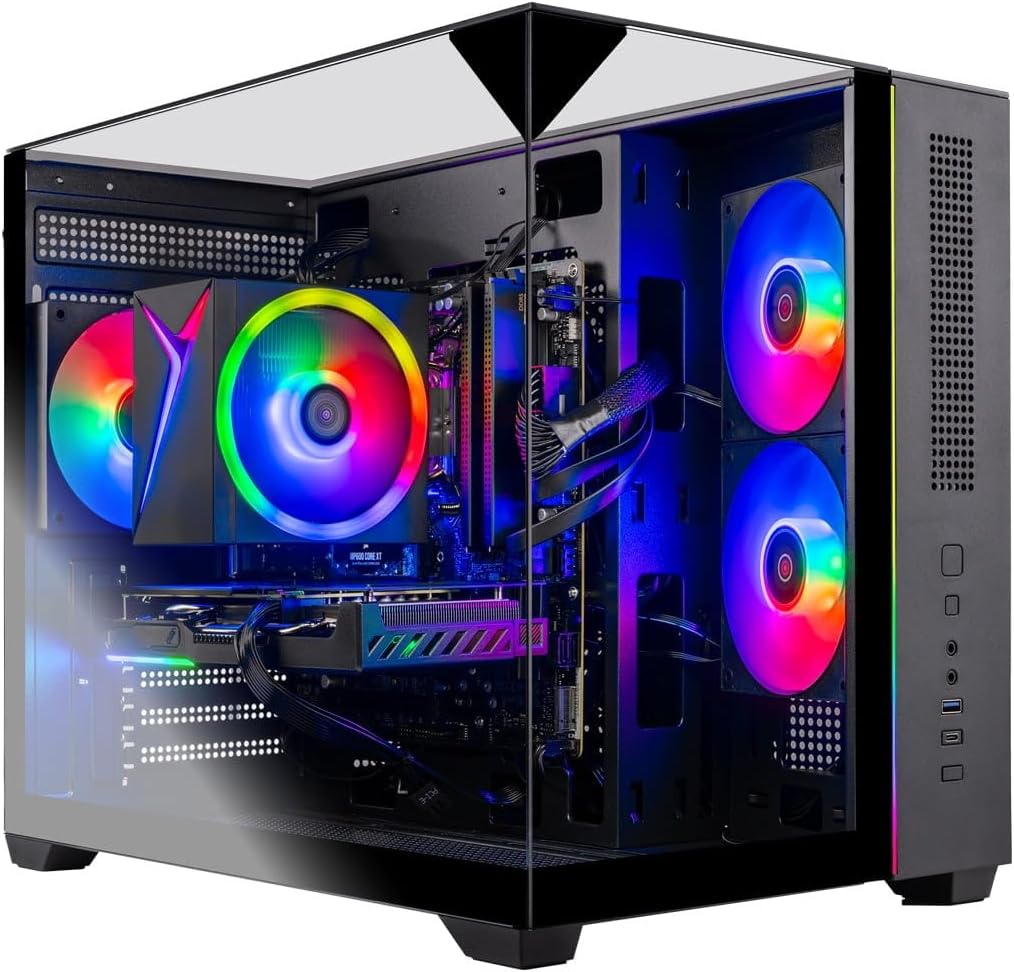
Quick Specs: AMD Ryzen 7 7700 (3.8–5.3 GHz, 32MB L3, AM5) | NVIDIA GeForce RTX 5060 Ti 8GB GDDR7 | 32GB DDR5-5600 | 1TB NVMe M.2 SSD | 650W 80+ Gold PSU, Triple-Glass Crystal Case, Wi-Fi 5, Keyboard & Mouse | Price Tier: Mid-upper tier (under $1,700)
Audit Score: 7.6 / 10
- GPU & VRAM Headroom (35%): 7.5 / 10
- CPU, Platform Runway & Wi-Fi 7 (25%): 7.0 / 10
- Memory & Storage Balance (20%): 8.1 / 10
- Cooling, PSU & Warranty Support (20%): 7.8 / 10
Our #9 entry highlights a crucial real-world caveat we examine in detail inside our hidden Wi-Fi 5 and DDR5-4800 prebuilt downgrades audit. On paper, the Skytech Crystal Series gets several core fundamentals right: you receive a full-cache Ryzen 7 7700 (32MB L3 cache, double the cache of the 8700F in #6 and #8), pre-installed 32GB DDR5-5600, a 1TB NVMe SSD, and a verified 650W 80+ Gold PSU inside a standard-ATX Socket AM5 chassis.
Yet despite sitting under $1,700, Skytech fits an aging Wi-Fi 5 (802.11ac) radio rather than Wi-Fi 6E or Wi-Fi 7, pairs it with an 8GB RTX 5060 Ti rather than a 12GB–16GB GPU, and places components behind a triple-glass panel that traps more heat than a full-mesh tower. If you run wired Ethernet or catch this configuration heavily discounted and add a $30–$40 PCIe Wi-Fi 7 adapter, the full-cache 7700 + 32GB + 80+ Gold foundation still holds merit—otherwise, the Alienware ACT1250 (#3) or MSI Codex Z2 (#6) deliver far better overall value.
Buyer Verification Alert: Do not expect gigabit wireless performance out of the box; this configuration ships with legacy Wi-Fi 5 (802.11ac), requiring either Cat6 Ethernet or an aftermarket M.2/PCIe Wi-Fi 7 card.
Pros
- Full-cache Ryzen 7 7700 (32MB L3) delivers stronger esports 1% Lows than Ryzen 7 8700F
- Ships with 32GB DDR5-5600 and a verified 650W 80+ Gold PSU out of the box
- Standard ATX AM5 platform welcomes future X3D CPUs and GPU upgrades
- Includes 1TB NVMe M.2 SSD plus starter keyboard and mouse
Cons
- Includes a dated Wi-Fi 5 wireless adapter despite its mid-upper price bracket
- 8GB RTX 5060 Ti encounters VRAM limits at 1440p Ultra with ray tracing
- Triple-glass showcase design restricts front intake airflow compared to mesh towers
Verdict: Buy it only if you spot a deep promotional discount, plan to connect via wired Ethernet (or swap in a Wi-Fi 7 card), and want the 32MB L3 Ryzen 7 7700 with 32GB DDR5 already installed. Skip it at full price, where the MSI Codex Z2 (#6) steps up to an RTX 5070 12GB and 2TB SSD for roughly one tier higher. A $30–$40 PCIe Wi-Fi 7 card immediately cures its wireless bottleneck.
Buying Guide: Choosing the Best Prebuilt Gaming PC with WiFi 7 and 32GB DDR5
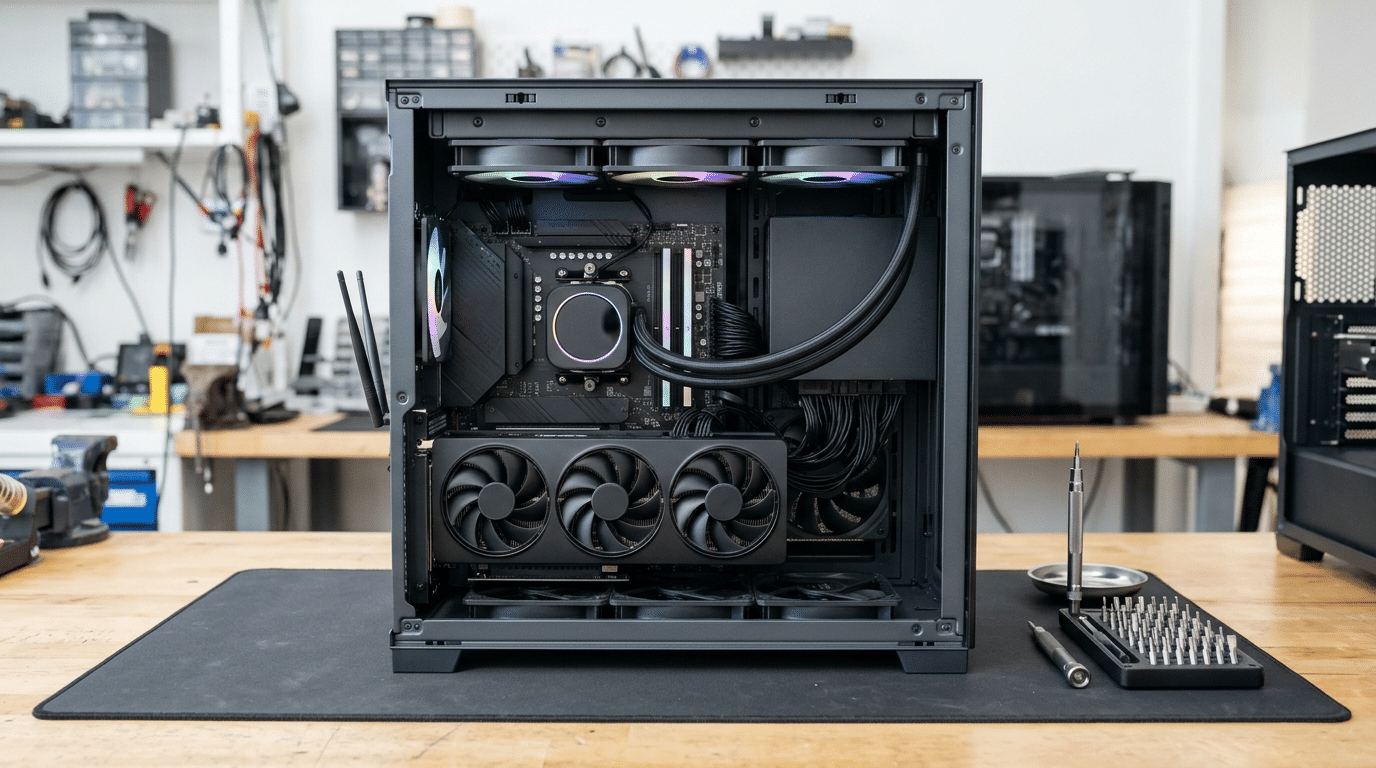
Shopping for the best prebuilt gaming PC with WiFi 7 and 32GB DDR5 requires reading past surface-level marketing labels. While system integrators proudly print CPU and GPU model numbers in bold type, wireless controllers, memory timings, motherboard chipsets, and ATX 3.1 PSU certifications are routinely buried or omitted altogether. Use the five hardware checkpoints below before buying any 2026 desktop.
1. Wi-Fi 7 (802.11be) vs. Wi-Fi 6E and Hidden Wi-Fi 5 Traps
Certified Wi-Fi 7 introduces three architectural upgrades over legacy standards: 320 MHz channel widths on the uncrowded 6 GHz spectrum, 4K QAM modulation for roughly 20% denser throughput per packet, and Multi-Link Operation (MLO). For online gaming in multi-device households, MLO is the real differentiator because it lets your desktop transmit simultaneously across 5 GHz and 6 GHz links to bypass interference spikes rather than dropping packets.
Even if you eventually run wired 2.5GbE LAN, insisting on Wi-Fi 7 (or at minimum Wi-Fi 6E) prevents getting stuck with an 802.11ac Wi-Fi 5 card capped to congested 5 GHz channels. Always verify whether the external magnetic antenna leads are attached cleanly to the rear I/O shield—without those external antennas screwed in tightly, even a flagship Wi-Fi 7 chip performs worse than a budget USB dongle.
2. Why DDR5-6000 CL30 Is the AM5 Sweet Spot (And the 2-DIMM Rule)
Memory speed cannot be judged by MT/s transfer rate alone. True responsiveness depends on First Word Latency, calculated as (CAS Latency × 2000) / Data Rate. A 32GB DDR5-6000 CL30 kit yields exactly 10.0ns latency, whereas cheap factory sticks rated at DDR5-5600 CL46 drag latency above 16ns and starve CPU draw calls during frantic team fights.
On AMD Socket AM5 processors like the Ryzen 7 9800X3D and 9850X3D, the internal memory controller runs at an optimal 1:1 clock ratio (UCLK=MCLK) up to DDR5-6000; pushing past 6400 MT/s forces a 2:1 divider that actually adds latency. Equally critical is our 2-DIMM Rule: always run two 16GB sticks in the primary A2/B2 slots rather than populating all four slots with 8GB modules, because four DDR5 DIMMs almost always force downclocking to 4800 or 5200 MT/s. Check our guide to the best DDR5 RAM kits for gaming for verified low-latency EXPO and XMP options.
3. CPU Cache Realities & GPU VRAM Ceilings for 1440p and 4K Gaming
Not all eight-core Ryzen chips perform alike. Prebuilt listings frequently feature the OEM-heavy Ryzen 7 8700F, which shrinks L3 cache to 16MB and limits usable PCIe 4.0 lanes to 16—compared with 32MB L3 on the Ryzen 7 7700 and 96MB L3 3D V-Cache on the Ryzen 7 9800X3D. For Intel buyers, remember that F-suffix chips like the Core Ultra 7 265F strip out the integrated GPU and Intel Quick Sync video acceleration.
Match your GPU VRAM to your monitor resolution before ordering. While 8GB cards such as the RTX 5060 Ti 8GB handle 1080p smoothly, modern 1440p gaming with ultra textures and ray tracing demands 12GB (RTX 5070) or ideally 16GB (RX 9070 XT, RTX 5070 Ti, or RTX 5080). Whenever you enable DLSS 4 Multi-Frame Generation on Blackwell GPUs, target at least 50–60 native base FPS paired with NVIDIA Reflex so frame pacing stays crisp.
4. Upgrade Roadmap & Hidden Ownership Costs
Smart prebuilt shoppers evaluate post-purchase upgrade costs alongside sticker price. On standard-ATX rigs like the MSI Codex Z2, Skytech Azure, KOTIN, or STORMCRAFT Phantom, closing a single spec deficit costs far less than overpaying for an overpriced flagship SKU:
- Adding Wi-Fi 7 to a Wi-Fi 5/6E ATX tower: A desktop PCIe x1 or M.2 Key-E Wi-Fi 7 adapter with an external magnetic antenna typically falls in the $30–$45 tier and installs in under ten minutes.
- Stepping up from 16GB or DDR5-5600 to 32GB DDR5-6000 CL30: Budget around $90–$115 for a matched 2x16GB EXPO/XMP kit—and always enable EXPO/XMP in BIOS immediately after installation so RAM does not stall at 4800 MT/s.
- Expanding beyond a 1TB NVMe SSD: A secondary 2TB PCIe 4.0 DRAM+TLC drive (such as a WD Black SN850X) adds roughly $130–$160 without sacrificing FPS versus pricier PCIe 5.0 drives.
- Verifying ATX 3.1 PSU & 12V-2×6 safety: If you later upgrade an under-specified PSU on an RTX 5070 Ti or RTX 5080 rig, choose an 850W–1000W ATX 3.1 80+ Gold unit with native 12V-2×6 recessed sense pins rated for 200%–300% transient power excursions.
5. Proprietary OEM Chassis vs. Standard-ATX System Integrators
Choosing between a major OEM (like Dell/Alienware) and a standard-ATX system integrator (like MSI Codex, Skytech, STORMCRAFT, or KOTIN) comes down to warranty convenience versus component longevity. OEMs provide polished in-home service and guaranteed wireless validation, yet a proprietary motherboard or non-standard power connector can prevent transplanting your case, PSU, or cooling four years later. Standard-ATX builders occasionally leave minor motherboard or PSU specs vague on Amazon listings, but every single cable, M.2 slot, and fan header remains freely upgradeable for a decade.
How We Audited, Scored & Filtered These Models
Every system in this guide was evaluated through structured technical specification audits rather than marketing slogans. Our scoring rubric weighs the four engineering pillars that govern real-world longevity, wireless latency, frametime stability, and upgrade economics on 2026 gaming rigs. Read our full Evaluation Methodology for complete audit standards.
| Evaluation Criterion | Weight | What We Audited |
|---|---|---|
| GPU & VRAM Headroom | 35% | Blackwell and RDNA 4 architecture tier, 12GB–16GB VRAM vs. 8GB 1440p bottlenecks, bus width, and DLSS 4 / FSR 4 feature sets. |
| CPU, Platform Runway & Wi-Fi 7 | 25% | 3D V-Cache capacity, core architecture, AM5 vs. LGA 1851/1700 longevity, verified Wi-Fi 7 (802.11be) + 2.5GbE LAN, and PCIe lanes. |
| Memory & Storage Balance | 20% | 32GB DDR5-6000 dual-channel readiness vs. DDR5-5600 or 16GB deficits, 2-DIMM slot room, and 1TB–2TB NVMe SSD capacity. |
| Cooling, PSU & Warranty Support | 20% | 360mm AIO vs. multi-heatpipe air cooling, mesh vs. choked glass airflow, 80+ Gold / ATX 3.1 PSU clarity, standard ATX parts, and warranty terms. |
Models We Audited & Rejected (And Why)
- $1,500–$3,000 Prebuilts Bundling Wi-Fi 5 & Single-Stick DDR5-4800: Multiple popular Amazon configurations in the mid-to-upper bracket pair modern GPUs with 802.11ac Wi-Fi 5 adapters and slow 16GB DDR5-4800 RAM, wiping out 15%–25% of potential 1% Low stability unless immediately rebuilt.
- Unlocked Core i9-14900KF Desktops Built on Locked B760 Boards: Several high-wattage Intel listings mate unlocked K-series processors with budget B760 chipsets, disabling CPU multiplier tuning and triggering VRM power throttling under sustained workloads.
- Legacy AM4 / 4GB–6GB GPU Listings Under Pooled Parent ASINs: Amazon’s default sidebar filters stop at “8 GB & above” and mix discontinued Ryzen 5 5500 or GTX 1660 Ti configs onto shared review pages—disqualified for misleading buyers shopping for modern 2026 hardware.
Frequently Asked Questions About Prebuilt Gaming PCs with Wi-Fi 7 & 32GB DDR5
Do most 2026 prebuilt gaming PCs actually include both Wi-Fi 7 and 32GB DDR5-6000?
No—very few Amazon prebuilts disclose both specs simultaneously on their product cards. Models like the Lenovo Legion Tower 5 and Alienware Aurora ACT1250 confirm Wi-Fi 7 and 32GB DDR5 without listing exact MT/s speeds, while the STORMCRAFT Phantom confirms 32GB DDR5-6000 without detailing its B850 Wi-Fi module.
Does Wi-Fi 7 actually improve online gaming ping compared to Wi-Fi 5 or Wi-Fi 6E?
Yes, when paired with a Wi-Fi 7 router. Multi-Link Operation (MLO) lets compatible adapters transmit simultaneously across 5 GHz and 6 GHz bands while 320 MHz channels clear congestion, sharply reducing packet-loss jitter and game-patch download times compared with legacy Wi-Fi 5.
Why does DDR5-6000 CL30 matter so much on AMD Ryzen AM5 prebuilts?
AMD Zen 4 and Zen 5 memory controllers run an optimal 1:1 clock ratio (UCLK=MCLK) up to DDR5-6000. Tight CL30 timings yield roughly 10.0ns first-word latency, boosting 1% Low framerates by 10% to 15% over slow JEDEC DDR5-4800 or loose CL42 factory sticks.
Can I upgrade a prebuilt gaming PC from Wi-Fi 5 or DDR5-5600 to Wi-Fi 7 and DDR5-6000?
Yes on standard ATX systems like Skytech, MSI Codex, or KOTIN builds. You can install an M.2 Key-E or PCIe x1 Wi-Fi 7 card in minutes and replace factory memory with a 2x16GB DDR5-6000 CL30 kit in slots A2 and B2 with EXPO enabled.
Why shouldn’t I add two extra 8GB sticks to a 16GB DDR5 prebuilt to hit 32GB?
Populating all four DDR5 DIMM slots heavily stresses the CPU memory controller and almost always drops speeds down to 4800 or 5200 MT/s. Always remove the original sticks and install a matched 2x16GB dual-channel kit for full DDR5-6000 stability.
Final Verdict: Which Prebuilt Gaming PC with WiFi 7 & 32GB DDR5 Should You Buy?
Selecting the best prebuilt gaming PC with WiFi 7 and 32GB DDR5 comes down to matching verified day-one specs with your target resolution and upgrade tolerance. For most buyers in 2026, our #1 Lenovo Legion Tower 5 (2026) earns the clear recommendation by combining verified Wi-Fi 7, 2.5GbE LAN, 32GB DDR5, 96MB 3D V-Cache Ryzen 7 9800X3D silicon, 16GB RX 9070 XT rendering, and an 850W PSU without proprietary lock-in.
If 4K high-refresh gaming with explicit DDR5-6000 memory and a 2TB SSD tops your checklist, step up to the #2 STORMCRAFT Phantom (RTX 5080) and confirm the shipped B850 board’s wireless revision on arrival. Shoppers aiming under $1,950 for guaranteed native Wi-Fi 7, 32GB DDR5, and in-home support should pick the #3 Alienware Aurora ACT1250, whereas DIY-minded buyers wanting standard-ATX upgradeability under $1,850 or under $1,500 will find unmatched long-term value in the #6 MSI Codex Z2 and #8 KOTIN Gaming PC Desktop.


