
Disclosure: As an Amazon Associate, The PC Audit earns from qualifying purchases. If you buy through links on this page, we may earn a small commission at no extra cost to you.
Direct Answer: Asking whether an RX 6500 XT 4GB or RTX 3050 6GB is worth it in 2026 yields a clear architectural no. Both legacy GPUs choke modern games through tiny 4GB–6GB VRAM pools, cut-down 64-bit or 96-bit memory buses, missing hardware video encoders or frame generation, and dead-end prebuilt platforms—making modern 10GB–16GB alternatives vastly superior value.
Shoppers browsing entry-level gaming desktops in the under-$800 bracket routinely encounter shiny RGB towers advertised as ready for modern PC gaming while hiding outdated silicon underneath. Across our best graphics cards for gaming hub and Graphics Cards archive, one baseline relationship controls whether a budget desktop ages gracefully or collapses immediately: Target Monitor Resolution & Hz --[DETERMINES_MINIMUM_TIER]--> GPU & VRAM Tier.
In 2026, two holdover cards still flood Page 1 of online marketplaces inside budget prebuilts: the AMD Radeon RX 6500 XT 4GB and the NVIDIA GeForce RTX 3050 6GB. Neither card belongs in a newly purchased gaming desktop when modern architectures—including Intel Xe2 Battlemage, AMD RDNA 4, and NVIDIA Blackwell—start at 10GB, 12GB, or 16GB of high-bandwidth memory and full platform longevity. In this engineering breakdown, we audit every hardware shortcut inside RX 6500 XT 4GB and RTX 3050 6GB prebuilts and show where your budget delivers genuine gaming runway instead.
In This Guide
- 2026 Spec Audit Table: Legacy 4GB–6GB Traps vs. Modern Entry GPUs
- Why RX 6500 XT 4GB & RTX 3050 6GB Prebuilts Still Flood Search Pages
- Anatomy of the RX 6500 XT 4GB Bottleneck: 64-Bit Bus, x4 Lanes & Zero Encoders
- Anatomy of the RTX 3050 6GB Compromise: Cut-Down Silicon Behind a Familiar Badge
- Collateral Prebuilt Damage: Dead-End AM4 Boards, 1x RAM & Hidden PSUs
- Myth vs. Engineering Reality: Five Entry Prebuilt Myths Busted
- Actionable Budget PC & GPU Buyer Checklist
- Verified 2026 GPU Upgrades Worth Buying Instead
- Frequently Asked Questions
2026 Spec Audit Table: Legacy 4GB–6GB Traps vs. Modern Entry GPUs
Comparing model names alone hides the true gap between outdated 4GB–6GB holdovers and current 2025–2026 budget silicon. Inspecting VRAM capacity, memory bus width, PCIe lane count, and hardware video encoders side by side reveals immediately why RX 6500 XT 4GB and RTX 3050 6GB builds fail our 2026 entry-tier audit.
| Graphics Card Model | Architecture & Cores | VRAM & Memory Bus | Raw Memory Bandwidth | PCIe Interface | Hardware Video Encode | 2026 Prebuilt Value Verdict |
|---|---|---|---|---|---|---|
| AMD Radeon RX 6500 XT 4GB | RDNA 2 (Navi 24) | 1,024 SP | 4GB GDDR6 | 64-bit | 144 GB/s (+16MB Infinity Cache) | PCIe 4.0 x4 | None (No H.264, HEVC, or AV1) | Disqualified: Immediate VRAM overflow & PCIe 3.0 choke |
| NVIDIA GeForce RTX 3050 6GB | Ampere (GA107) | 2,304 CUDA | 6GB GDDR6 | 96-bit | 168 GB/s | PCIe 4.0 x8 | NVENC H.264/HEVC (No AV1) | Disqualified: Cut-down silicon, 6GB ceiling & no DLSS 4 MFG |
| Intel Arc B570 ($219 Launch MSRP) | Xe2 Battlemage | 18 Xe-Cores | 10GB GDDR6 | 160-bit | 380 GB/s | PCIe 4.0 x8 (ReBAR) | Full AV1, HEVC & H.264 | Entry Floor: Clears 8GB limits under $250 tier |
| Intel Arc B580 ($249 Launch MSRP) | Xe2 Battlemage | 20 Xe-Cores | 12GB GDDR6 | 192-bit | 456 GB/s | PCIe 4.0 x8 (ReBAR) | Full AV1, HEVC & H.264 | Budget Winner: 3x RX 6500 XT VRAM & 456 GB/s bandwidth |
| NVIDIA GeForce RTX 5060 ($299 Launch MSRP) | Blackwell | 3,840 CUDA | 8GB GDDR7 | 128-bit | 448 GB/s class GDDR7 | PCIe 5.0 x8 | Dual NVENC w/ AV1 | Esports 1080p: Modern DLSS 4 MFG & efficiency |
| AMD Radeon RX 9060 XT 16GB ($349 Launch MSRP) | RDNA 4 | 2,048 SP | 16GB GDDR6 | 128-bit | 340 GB/s + Infinity Cache | PCIe 5.0 x16 | RDNA 4 VCN w/ AV1 | Value Sweet Spot: Full x16 lanes & 2026–2029 16GB buffer |
As shown in our 2026 VRAM capacity guide, 8GB already defines the tightest safe floor for 1080p esports and moderate-setting AAA games—and under audit rule R-GPU-01, even 8GB becomes a serious bottleneck past the $350–$400 card tier or inside $1,100+ desktops. Stepping below 8GB to 4GB or 6GB inside a brand-new gaming PC guarantees frame-pacing instability right out of the shipping box.
Why RX 6500 XT 4GB & RTX 3050 6GB Prebuilts Still Flood Search Pages
If 4GB and 6GB graphics cards struggle so badly with modern releases, why do major system integrators and marketplace resellers still feature them heavily on Page 1? Our November 2026 Amazon marketplace catalog audit (R-AMZ-01, R-AMZ-02, and R-AMZ-04) pinpoints four structural factors keeping these legacy desktops alive.
1. The Sub-$800 Margin Squeeze and Slot-Powered Convenience
Building a complete retail PC under the $800 tier while absorbing case tooling, Windows licensing, assembly labor, shipping protection, and marketplace fees leaves razor-thin component budgets. Both the RX 6500 XT 4GB and RTX 3050 6GB represent heavily discounted older silicon that OEMs can bundle alongside leftover AM4 DDR4 motherboards and entry 65W CPUs such as the Ryzen 5 5500. Even better for budget builders, the RTX 3050 6GB operates within a 70W power envelope fed entirely through the motherboard PCIe slot—eliminating the need for a dedicated 8-pin GPU power cable or a higher-wattage ATX 3.1 power supply.
2. Broken Storefront Filter Facets (Rule R-AMZ-01)
Marketplace navigation actively masks how old these components are. On Amazon’s left-sidebar filter panel, the Graphics Memory facet tops out at 8 GB & above, offering zero granularity between 8GB, 12GB, 16GB, and 32GB cards, while the Graphics Processor checkbox column still mixes legacy classifications such as RX 500, Vega, and Intel HD alongside modern GPUs. Worse, search results interleave New and Renewed desktops unless shoppers manually lock the condition filter, letting refurbished office conversions with dropped-in RTX 3050 6GB cards appear alongside brand-new towers.
3. Parent ASIN Review Pooling (Rule R-AMZ-02)
Under marketplace rule R-AMZ-02, several high-volume sellers group dramatically different CPU and GPU tiers inside a single parent ASIN using variant dropdowns labeled Set name or duplicated processor strings. An entry RX 6500 XT 4GB or RTX 3050 6GB option often inherits over 1,000 four-star ratings originally earned by completely different historical configurations—or positive reviews from casual users playing decade-old esports titles at 1080p Low. Always verify the exact selected configuration in the title and specification table before trusting aggregate star averages.
4. Omitted Core Specs and Generic Marketing Copy (Rule R-AMZ-05)
Listings carrying legacy 4GB–6GB cards routinely leave critical specifications blank or ambiguous under R-AMZ-05. Titles highlight big marketing buzzwords—“Ray Tracing Ready”, “16GB Memory”, or “Fast NVMe Storage”—while omitting whether that memory is a single-channel 1x16GB stick, whether the SSD is a 500GB DRAM-less QLC drive, and what wattage or efficiency standard governs the PSU. Collapsed detail tables frequently show automated catalog artifacts like Screen Size: 0.01 or Cache Size: 8 rather than useful motherboard chipset or cooling specifications.
Anatomy of the RX 6500 XT 4GB Bottleneck: 64-Bit Bus, x4 Lanes & Zero Encoders
The AMD Radeon RX 6500 XT 4GB was originally adapted from a laptop-oriented Navi 24 RDNA 2 die designed to sit beside integrated notebook graphics. When transplanted into desktop retail prebuilts, three severe engineering compromises collide simultaneously.
1. A 4GB Frame Buffer on a 64-Bit Memory Bus
Applying the fundamental memory bandwidth formula—Memory Bandwidth (GB/s) = (Effective Data Rate in Gbps × Bus Width in Bits) ÷ 8—reveals the RX 6500 XT’s immediate ceiling. Driving 18 Gbps GDDR6 across a narrow 64-bit interface yields just 144 GB/s of raw off-chip memory bandwidth, cushioned only slightly by 16MB of on-die Infinity Cache. Worse than raw bandwidth is sheer capacity: Windows 11 desktop compositing, browser tabs, Discord, and background overlays routinely reserve 0.6GB to 1.5GB of VRAM before a game even initializes its main menu. That leaves roughly 2.5GB to 3.2GB of usable memory on a 4GB card.
Modern 2026 titles built on Unreal Engine 5, dense texture streaming, and DirectStorage pipelines routinely allocate 6GB to 9GB even at 1080p Medium–High presets. Once local 4GB memory fills, the graphics driver is forced to either silently blur surface textures into low-resolution mud or page overflow assets out to system RAM across the motherboard PCIe slot.
2. The PCIe 4.0 x4 Lane Trap on PCIe 3.0 Prebuilts
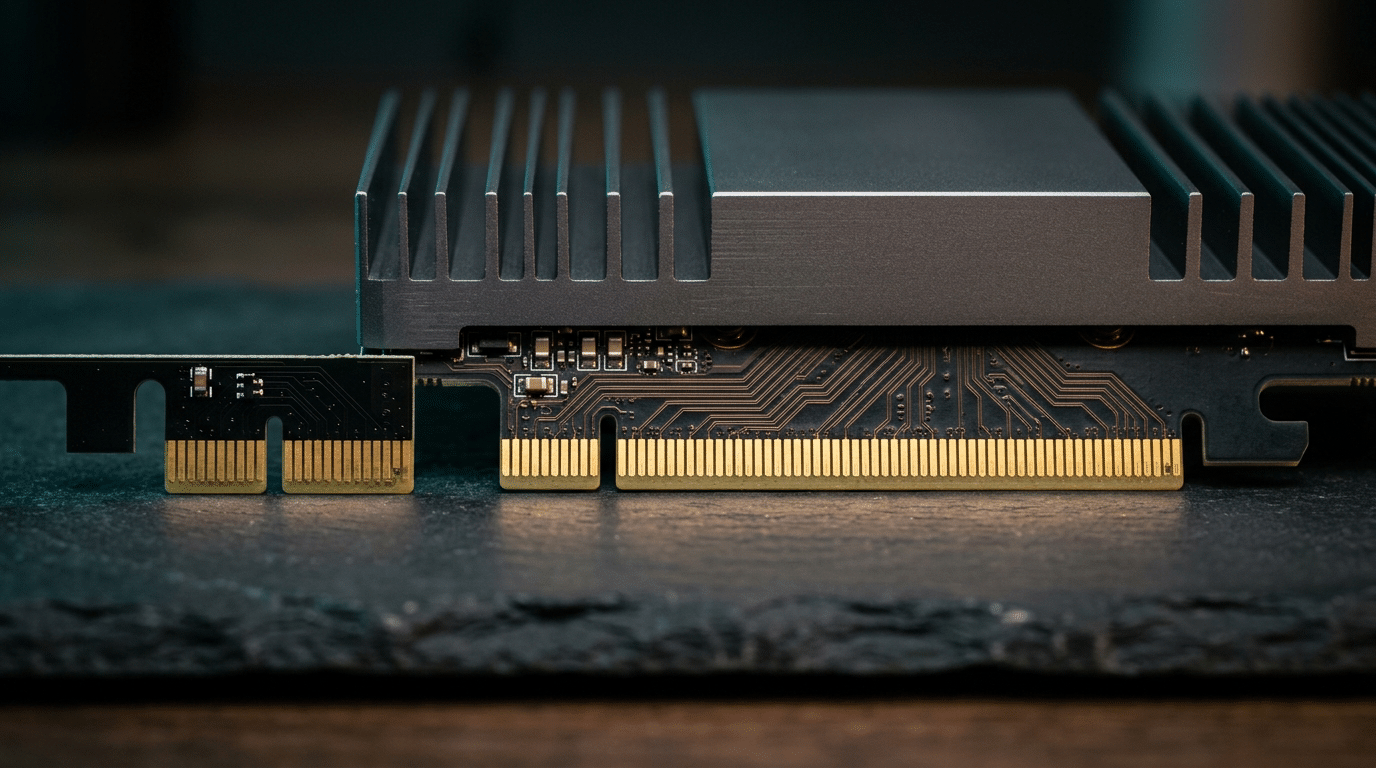
Here is where the RX 6500 XT’s laptop heritage turns catastrophic inside cheap prebuilt desktops. Unlike full-length x16 GPUs—such as the AMD RDNA 4 Radeon RX 9060 XT—the Navi 24 silicon wires only four physical PCIe 4.0 lanes (x4) to the motherboard expansion slot. Look at what happens to host-to-GPU overflow bandwidth per PCI-SIG PCI Express link specifications:
- Modern PCIe 5.0 x16 Slot: ~63 GB/s unidirectional host bandwidth.
- Mainstream PCIe 4.0 x16 Slot: ~31.5 GB/s unidirectional host bandwidth.
- RX 6500 XT on PCIe 4.0 x4: Caps at roughly 7.88 GB/s unidirectional—one-quarter of a full x16 link.
- RX 6500 XT on PCIe 3.0 x4 (Budget Prebuilt Trap): Collapses to roughly 3.94 GB/s unidirectional!
Because budget prebuilts pairing an RX 6500 XT almost always cut costs using an older PCIe 3.0 CPU (such as the AMD Ryzen 5 5500, which lacks PCIe 4.0 support entirely) or an entry A520/B450 AM4 motherboard, that x4 card drops down to PCIe 3.0 x4 speed. The moment the tiny 4GB VRAM pool overflows, assets crawl across a sub-4 GB/s straw—causing violent 1% Lows collapse and multi-second traversal hitches.
3. Missing Hardware Video Encoders and Zero AV1 Support
AMD stripped hardware video encoding blocks out of the Navi 24 die altogether—meaning the RX 6500 XT 4GB offers no H.264 encode, no HEVC (H.265) encode, and no AV1 encode or decode. In an entry prebuilt paired with a non-iGPU processor like a Ryzen 5 5500, anyone trying to record gameplay clips, stream to Twitch or YouTube via OBS, or share high-motion Discord streams forces 100% of video compression onto CPU cores, stealing critical frame-rate headroom from an already budget chip.
Anatomy of the RTX 3050 6GB Compromise: Cut-Down Silicon Behind a Familiar Badge
At first glance, the NVIDIA GeForce RTX 3050 6GB sounds significantly safer than a 4GB RX 6500 XT. It wears an RTX badge, carries 6GB of GDDR6, uses eight PCIe 4.0 lanes instead of four, and includes NVIDIA’s Ampere-era NVENC encoder. Unfortunately, marketplace listings lean heavily on name-recognition confusion to obscure how deeply the 6GB card is cut down.
1. RTX 3050 8GB vs. RTX 3050 6GB: Same Name, Different GPU
Many shoppers assume an RTX 3050 6GB is simply the original desktop RTX 3050 with 2GB less memory. Engineering specifications tell a far harsher story. The original 2022 RTX 3050 8GB used a GA106 silicon configuration featuring 2,560 CUDA cores, a 128-bit memory bus delivering 224 GB/s of bandwidth, boost clocks near 1.78 GHz, and a 130W TDP fed by an external 8-pin power cable. By contrast, the newer RTX 3050 6GB swaps to a smaller GA107 implementation with 2,304 CUDA cores, sharply lowered reference boost clocks around 1.47 GHz, a trimmed 96-bit memory bus yielding 168 GB/s bandwidth, and a 70W slot-powered TGP.
Cutting CUDA cores by 10%, slashing memory bandwidth by 25%, and halving the power budget strips away roughly 20% to 30% of rasterization throughput compared to the already modest 8GB card—placing the RTX 3050 6GB squarely behind every current 2025–2026 desktop GPU tier.
2. Why 6GB Still Fails 2026 AAA Memory Demands
While 6GB avoids the instant desktop collapse of 4GB, it still falls short of the 8GB bare minimum required by modern PC games—and sits miles away from the 10GB–12GB standard set by Intel Xe2 Battlemage GPUs in the $219–$249 Launch MSRP bracket. Remember that hardware ray tracing requires allocating Bounding Volume Hierarchy (BVH) acceleration trees and denoiser targets inside VRAM—typically adding 1GB to 2.5GB of overhead. On a 6GB card, turning on the very ray tracing features advertised by the RTX badge immediately saturates memory and tanks frame pacing.
3. Missing DLSS 4 Multi-Frame Generation and Hardware AV1 Encode
Modern NVIDIA Blackwell RTX 50-series GPUs deliver transformer-based DLSS 4 Super Resolution, Multi-Frame Generation (MFG), dual 9th-Gen NVENC encoders supporting 4:2:2 10-bit capture and AV1 encoding, plus native DisplayPort 2.1b UHBR20 outputs for high-refresh OLED monitors per VESA DisplayPort standards. Ampere-era RTX 3050 6GB silicon lacks hardware Optical Flow accelerators for Frame Generation, lacks DLSS 4 Multi-Frame Generation, and lacks hardware AV1 encoding—leaving budget buyers paying new-PC prices for 2020-era media and feature architecture.
The RTX 3050 6GB has exactly one legitimate use case in 2026: reviving an existing legacy corporate office desktop (such as an older SFF tower with a proprietary 240W–300W PSU lacking PCIe power cables) as a drop-in slot-powered GPU upgrade. Inside a brand-new gaming desktop sold at $650 to $850, that 70W design is an OEM cost-cutting liability, not a feature.
Collateral Prebuilt Damage: Dead-End AM4 Boards, 1x RAM & Hidden PSUs
When a prebuilt builder puts an RX 6500 XT 4GB or RTX 3050 6GB inside a sub-$800 system, the GPU is rarely the only compromise. Auditing full-system specifications across these budget towers (covered extensively in our Amazon under-$800 gaming PC audit) exposes four compounding traps that choke future upgrades:
- Dead-End AM4 Platforms and PCIe 3.0 Caps: Many budget desktops still rely on AM4 DDR4 boards paired with Cezanne-derived processors like the Ryzen 5 5500 (capped at PCIe 3.0 and carrying just 16MB of L3 cache) or older LGA 1200/1700 entry boards. Unlike AMD’s current AM5 socket (`B850` / `X870`), upgrading an AM4 system down the road forces you to replace CPU, motherboard, and DDR4 memory simultaneously.
- Single-Channel Memory Penalties (Rule R-RAM-01): Budget rigs frequently advertise “16GB Memory” by installing one single
1x16GBDIMM (or worse,1x8GBDDR4) instead of a matched dual-channel kit. Dropping from dual-channel to single-channel cuts memory bandwidth in half, knocking1% Lowsdown by 15% to 30%—magnifying stutters whenever a 4GB or 6GB GPU spills assets into system RAM. - 500GB DRAM-Less QLC SSDs (Rule R-SSD-02): To stay under budget, OEMs regularly hide generic 500GB DRAM-less QLC NVMe drives behind vague “NVMe SSD” labels. Modern AAA games consume 100GB to 180GB apiece, filling a 500GB drive after three installations while triggering QLC write-cliff slowdowns during large patches.
- Undisclosed Non-ATX 3.1 Power Supplies (Rules R-PSU-01 & R-PRE-01): Because an RTX 3050 6GB draws 70W from the motherboard slot and an RX 6500 XT needs only a single 6-pin lead (~107W), low-end builders routinely ship unbranded 400W–500W ATX 2.x Bronze units—or proprietary OEM PSUs with missing PCIe 8-pin connectors. When you later try to drop in a modern 160W–250W GPU, you are forced to replace the PSU (or abandon the proprietary case altogether).
Myth vs. Engineering Reality: Five Entry Prebuilt Myths Busted
- Myth 1: “Buying an RTX 3050 6GB prebuilt gives me modern NVIDIA ray tracing and DLSS 4 Frame Generation.”
Engineering Reality: Ampere-architecture RTX 30-series GPUs lack the Blackwell hardware Optical Flow and neural scheduling engines needed for DLSS 4 Multi-Frame Generation. Moreover, enabling ray tracing BVH structures inside a 6GB 96-bit frame buffer causes immediate VRAM exhaustion and steep1% Lowsdrops. - Myth 2: “The RX 6500 XT 4GB runs smoothly at 1080p as long as the CPU has six or eight cores.”
Engineering Reality: Adding CPU cores cannot repair a 4GB VRAM limit or a four-lane PCIe choke. Worse, pairing an RX 6500 XT with popular budget CPUs like the Ryzen 5 5500 forces the card down to PCIe 3.0 x4 (~3.94 GB/s), crippling overflow transfers regardless of core count. - Myth 3: “Every listing labeled RTX 3050 inside an Amazon desktop performs like the 8GB version.”
Engineering Reality: NVIDIA’s desktop RTX 3050 name spans two fundamentally different chips: the 8GB 128-bit GA106 model (2,560 CUDA cores, 130W) and the stripped-down 6GB 96-bit GA107 model (2,304 CUDA cores, 70W). Always read past the GPU family name to confirm VRAM capacity and bus tier. - Myth 4: “Upgrading a 4GB or 6GB prebuilt to 32GB of system RAM fixes game stuttering.”
Engineering Reality: While moving from single-channel 8GB/16GB to dual-channel 32GB improves CPU frame pacing, system DDR4 or DDR5 sits behind the PCIe slot—running 10x to 40x slower than on-board GDDR6/GDDR7. Extra system memory cannot compensate for an overflowing 4GB–6GB local VRAM buffer. - Myth 5: “Hundreds of five-star Amazon reviews guarantee a sub-$800 gaming tower plays 2026 titles well.”
Engineering Reality: Under catalog ruleR-AMZ-02, parent ASIN review pooling merges ratings across older hardware configurations and light esports setups into one shared review score. Evaluate current component specs—not inherited star totals—before purchasing.
Actionable Budget PC & GPU Buyer Checklist
Apply these six engineering checks before purchasing any entry-level gaming desktop or sub-$350 graphics card in 2026:
- Enforce a Strict 8GB Esports / 10GB–16GB AAA Minimum: Disqualify any newly purchased gaming desktop containing a 4GB RX 6500 XT or 6GB RTX 3050. Require 8GB at minimum for esports-only budgets (
RTX 5060orRX 9060 XT 8GB) and 10GB–16GB for general AAA 1080p/1440p play. - Verify Exact Model Suffixes Past Sidebar Filters (Rule R-AMZ-01): Ignore Amazon’s generic 8 GB & above filter and verify full GPU model designations (
RTX 3050 6GBvs.RTX 5060 Ti 16GB,RX 9060 XT 16GB) inside the product title and technical specs. - Check PCIe Generation, Lane Width & Resizable BAR: Confirm the motherboard supports at least PCIe 4.0 x16 (ideally AM5
B850with a Ryzen 5 9600X or LGA 1851) and allows enabling Resizable BAR in BIOS—a mandatory requirement for Intel Arc B580 and B570 graphics cards. - Confirm Hardware AV1 & NVENC/VCN Support: If you record gameplay, stream, or edit video, avoid encoder-less Navi 24 cards and step into Battlemage, RDNA 4, or Blackwell for dedicated hardware AV1 encoding.
- Audit Dual-Channel RAM, 1TB+ TLC Storage & Standard ATX PSUs: Require
2x16GB(or minimum2x8GB) dual-channel memory, at least a 1TB PCIe 4.0 TLC NVMe drive, and a standard off-the-shelf 650W+ ATX 3.1 PSU with native 8-pin/12V-2×6 cables so future GPU upgrades drop right in. - Compare Against Audited Sub-$1,000 Prebuilts & DIY Parts: If your budget sits near $750, stretching slightly into our best prebuilt gaming PC under $1,000 guide or checking our best budget graphics cards under $350 roundup typically doubles effective GPU throughput and triples usable VRAM.
Verified 2026 GPU Upgrades Worth Buying Instead
Whether you are building an entry rig from scratch or rescuing a prebuilt desktop with a standard ATX power supply, three verified 2025–2026 retail graphics cards on Amazon US solve every architectural flaw found in RX 6500 XT 4GB and RTX 3050 6GB systems. Compare these directly with full multi-tier recommendations in our best graphics cards for gaming buyer guide, our budget GPUs under $350 breakdown, and our Amazon under-$800 prebuilt audit.
1. Intel Arc B580 Limited Edition 12GB — Best Sub-$250 Escape from 4GB–6GB VRAM Traps

Budget Tier: Budget tier (starting at $249 Launch MSRP) | Audited Specs: Intel Xe2 Battlemage (BMG-G21) | 20 Xe-Cores & 160 XMX AI Engines | 12GB GDDR6 | 192-bit Bus (456 GB/s Bandwidth) | 190W TBP | 1x 8-Pin PCIe Connector (600W–650W PSU Recommended) | 3x DisplayPort 2.1 + 1x HDMI 2.1 | 272 × 115 × 44 mm 2-Slot PCIe 4.0 x8 (Requires ReBAR).
Why It Defeats Legacy 4GB–6GB Cards: For a budget entry starting at $249 Launch MSRP, the Intel Arc B580 triples the RX 6500 XT’s 4GB VRAM and doubles the RTX 3050 6GB’s capacity while delivering 456 GB/s of 192-bit bandwidth—nearly triple the legacy cards’ throughput. You also gain hardware AV1 encoding and AI-accelerated XeSS 2 upscaling; just verify your motherboard supports Resizable BAR in BIOS and provides a 600W+ PSU with one 8-pin connector.
2. XFX Swift AMD Radeon RX 9060 XT OC Triple Fan 16GB — Full PCIe 5.0 x16 Lanes & 16GB Longevity

Budget Tier: Value tier (starting at $349 Launch MSRP) | Audited Specs: AMD RDNA 4 | 32 Compute Units (2,048 SP, Up to 3,320 MHz Boost) | 16GB GDDR6 | 128-bit Bus (20 Gbps, 340 GB/s) | 160W Class TBP | 1x PCIe 8-Pin Connector (450W–650W PSU Recommended) | 2x DisplayPort 2.1 + 1x HDMI 2.1 | 290 × 124 × 49 mm Dual-Slot Triple-Fan | Full PCIe 5.0 x16 Interface.
Why It Defeats Legacy 4GB–6GB Cards: Unlike AMD’s old x4-limited RX 6500 XT, the RDNA 4 RX 9060 XT 16GB restores a full PCIe 5.0 x16 physical interface alongside 16GB of GDDR6 memory, modern ML-accelerated FSR 4 upscaling, and hardware AV1 encoding—all on a single 8-pin power cable at 160W TBP. Confirm 290mm chassis length clearance before upgrading an existing compact tower.
3. ASUS Dual GeForce RTX 5060 Ti 16GB GDDR7 OC — Compact Single-8-Pin Upgrade with DLSS 4 MFG

Budget Tier: Lower-midrange tier (starting at $429 Launch MSRP) | Audited Specs: NVIDIA Blackwell | 4,608 CUDA Cores (2,632 MHz OC Boost) | 16GB GDDR7 | 128-bit Bus (28 Gbps Memory Speed) | 180W TBP | 1x 8-Pin PCIe Connector (550W–650W PSU Recommended) | 3x Native DisplayPort 2.1b + 1x HDMI 2.1b | 229 × 120 × 50 mm Compact Dual Axial-Tech Cooler.
Why It Defeats Legacy 4GB–6GB Cards: For buyers wanting full NVIDIA Blackwell capabilities—including DLSS 4 Multi-Frame Generation, Reflex latency reduction, dual AV1/NVENC 4:2:2 encoders, and 16GB of fast 28 Gbps GDDR7 memory—without swapping into an oversized 320mm case, this short 229mm single-8-pin card drops straight into mainstream 550W–650W builds and effortlessly crushes 1080p Ultra and 1440p workloads.
Official Standards & Engineering References
- AMD Radeon Desktop Graphics Architecture & Specifications: amd.com/en/products/graphics/desktops/radeon.html
- NVIDIA GeForce RTX 50-Series Blackwell Architecture & NVENC Specifications: nvidia.com/en-us/geforce/graphics-cards/50-series/
- Intel Arc Discrete Desktop GPUs & Battlemage Specifications: intel.com/content/www/us/en/products/details/discrete-gpus/arc.html
- PCI-SIG PCI Express Base & Link Bandwidth Specifications: pcisig.com/specifications
- VESA DisplayPort 2.1 High-Bandwidth Display Standards: displayport.org
PCIe Link Bandwidth & Board Power: How Older Platforms Amplify the Trap
VRAM capacity is only half the story. When a 4GB or 6GB card runs out of video memory, textures spill into system RAM and travel across the PCIe link, so the lane count and the motherboard’s PCIe generation decide how painful that overflow becomes. Budget prebuilts frequently pair these cards with PCIe 3.0 AM4 boards or Ryzen 5 5500-class CPUs, which halves the link. The table compares per-direction link bandwidth on each platform generation alongside official board power.
| GPU | VRAM | PCIe Lanes | Link on PCIe 3.0 Board | Link on PCIe 4.0 Board | Link on PCIe 5.0 Board | Board Power |
|---|---|---|---|---|---|---|
| RX 6500 XT | 4GB GDDR6, 64-bit | x4 (Gen 4) | ~3.9 GB/s | ~7.9 GB/s | ~7.9 GB/s (card capped at Gen 4) | 107W, 6-pin |
| RTX 3050 6GB | 6GB GDDR6, 96-bit | x8 (Gen 4) | ~7.9 GB/s | ~15.8 GB/s | ~15.8 GB/s (card capped at Gen 4) | 70W, slot-powered |
| Intel Arc B570 | 10GB GDDR6, 160-bit | x8 (Gen 4) | ~7.9 GB/s | ~15.8 GB/s | ~15.8 GB/s | 150W |
| Intel Arc B580 | 12GB GDDR6, 192-bit | x8 (Gen 4) | ~7.9 GB/s | ~15.8 GB/s | ~15.8 GB/s | 190W |
| RTX 5060 | 8GB GDDR7, 128-bit | x8 (Gen 5) | ~7.9 GB/s | ~15.8 GB/s | ~31.5 GB/s | 145W |
| RX 9060 XT 16GB | 16GB GDDR6, 128-bit | x16 (Gen 5) | ~15.8 GB/s | ~31.5 GB/s | ~63 GB/s | 160W |
The contrast is stark. On a PCIe 3.0 board, the RX 6500 XT’s overflow path shrinks to roughly 3.9 GB/s, which is about 1/37th of its own 144 GB/s VRAM bandwidth. Every texture that does not fit in 4GB therefore arrives dozens of times slower than local memory, producing the long frame-time spikes that ruin 1% lows. The RTX 3050 6GB fares better with x8 lanes, but its 6GB buffer overflows often enough in 2026 titles that the link still becomes a bottleneck.
Modern alternatives attack the problem from both sides: 10GB–16GB of VRAM means overflow happens far less often, and x8 or x16 links move data faster when it does. The RX 9060 XT 16GB’s full x16 interface is the reason it stays resilient even in older PCIe 4.0 or 3.0 systems. Board power rises to 145W–190W, so pair these cards with a quality unit sized using our PSU wattage guide. For the full lane-scaling picture, see PCIe 5.0 vs. PCIe 4.0 for GPUs, and compare the three modern entry cards head to head in our Arc B580 vs. RTX 5060 vs. RX 9060 XT audit.
How We Audited This Guide
- Graphics cards were evaluated by VRAM capacity, memory bus, power connector and PSU requirements, slot width and length clearance, and display output standards.
- Every specification claim was cross-checked against official OEM datasheets, platform vendor documentation, and published industry standards (PCI-SIG, JEDEC, VESA, Intel ATX) rather than marketplace listing copy.
- Recommendations were evaluated against our weighted audit rubric and documented compatibility rules; we do not publish fabricated FPS, thermal, or acoustic numbers.
Frequently Asked Questions
Are an RX 6500 XT 4GB or RTX 3050 6GB worth buying in a 2026 prebuilt PC?
No. Both GPUs fall below the 8GB VRAM minimum needed for modern 1080p gaming, rely on narrow 64-bit or 96-bit buses, and ship inside dead-end prebuilts with hidden power or memory shortcuts. Current 10GB–16GB entry cards offer vastly superior longevity.
Why does the RX 6500 XT 4GB stutter so badly on budget AM4 motherboards?
The RX 6500 XT uses only four physical PCIe 4.0 lanes instead of sixteen. When installed on a PCIe 3.0 budget AM4 CPU or board like the Ryzen 5 5500, bus bandwidth drops to roughly 3.94 GB/s—causing severe 1% Low hitches whenever 4GB VRAM overflows.
Is the RTX 3050 6GB the same speed as the RTX 3050 8GB?
No. Beyond losing 2GB of memory, the RTX 3050 6GB cuts CUDA cores from 2,560 down to 2,304, shrinks the memory bus from 128-bit to 96-bit, drops boost clocks, and lowers TDP from 130W to 70W—reducing throughput roughly 20% to 30%.
Can the RX 6500 XT 4GB or RTX 3050 6GB stream gameplay with AV1?
No. The RX 6500 XT 4GB omits hardware video encoders completely—lacking H.264, HEVC, and AV1 encode—forcing all capture onto your CPU. The RTX 3050 6GB supports older H.264 and HEVC NVENC encoding, but lacks hardware AV1 encoding found on current-generation GPUs.
What GPU should I buy instead of an RX 6500 XT 4GB or RTX 3050 6GB in 2026?
For strict budgets on Resizable BAR systems, the Intel Arc B580 12GB ($249 Launch MSRP) or Arc B570 10GB ($219 Launch MSRP) crush 4GB–6GB holdovers. Stepping up to the Radeon RX 9060 XT 16GB ($349 Launch MSRP) or RTX 5060 Ti 16GB ($429 Launch MSRP) adds multi-year 16GB headroom.


