
Disclosure: As an Amazon Associate, The PC Audit earns from qualifying purchases. Every component selected in this 2026 enthusiast DIY blueprint is chosen strictly on verified hardware specifications, physical chassis tolerances, and ATX 3.1 electrical standards at zero extra cost to you.
Blueprint Summary: The best 2000 dollar 1440p gaming pc build in 2026 pairs the AMD Ryzen 7 9800X3D ($479 Launch MSRP) and GIGABYTE B850 AORUS Elite WIFI7 (~$230 Launch MSRP) with either the XFX Swift AMD Radeon RX 9070 XT Triple Fan 16GB ($599 Launch MSRP) for peak raster value or the ASUS TUF Gaming GeForce RTX 5070 Ti 16GB GDDR7 OC ($749 Launch MSRP) for ray tracing and DLSS 4 Multi-Frame Generation—backed by DDR5-6000 CL30 EXPO RAM, a 2TB PCIe 4.0 DRAM+TLC NVMe SSD, 360mm AIO or dual-tower cooling, an 850W ATX 3.1 PSU, and a high-airflow chassis targeting 1440p Ultra 165–240Hz and entry 4K smoothness.
Around $2,000 sits the true inflection point of custom PC engineering in late 2026. Below this bracket, builders routinely have to split priorities between processor cache and graphics horsepower—as seen in our $1,500 mainstream 1440p gaming PC blueprint, which favors a 6-core Ryzen 5 9600X to defend 16GB VRAM. At $1,800–$2,200, however, the budget finally accommodates both an uncompromising 2nd-generation 3D V-Cache processor and a true 256-bit 16GB upper-midrange graphics card without resorting to cut-rate power supplies, DRAM-less QLC drives, or choked tempered-glass cases.
Built squarely around the system allocation standards in our how to build a balanced gaming PC pillar guide for Guides & Optimization, the best 2000 dollar 1440p gaming pc build eliminates the silent bottlenecks that still show up in commercial retail systems—including Wi-Fi 5 downgrades, loose CL42–CL46 memory, and omitted ATX 3.1 PSU ratings. Whether you favor the raw rasterization value of AMD RDNA 4 or NVIDIA Blackwell’s ray-tracing and DLSS 4 suite, every verified SKU and physical clearance in this blueprint is cross-checked to assemble cleanly on the first build.
In This Blueprint
- Target Performance Profile & $2,000 Budget Allocation Split
- 8-Component Balanced $2,000 1440p Parts Table
- Component-by-Component Engineering Rationale & Verified SKUs
- Core Trio Verdict Cards: Raster Value vs. Ray Tracing
- IF -> THEN Physical, Thermal & Electrical Compatibility Proof Box
- DIY vs. Prebuilt Alternatives, Marketplace Traps & First-Boot Bridge
- Authoritative Technical References
- Frequently Asked Questions
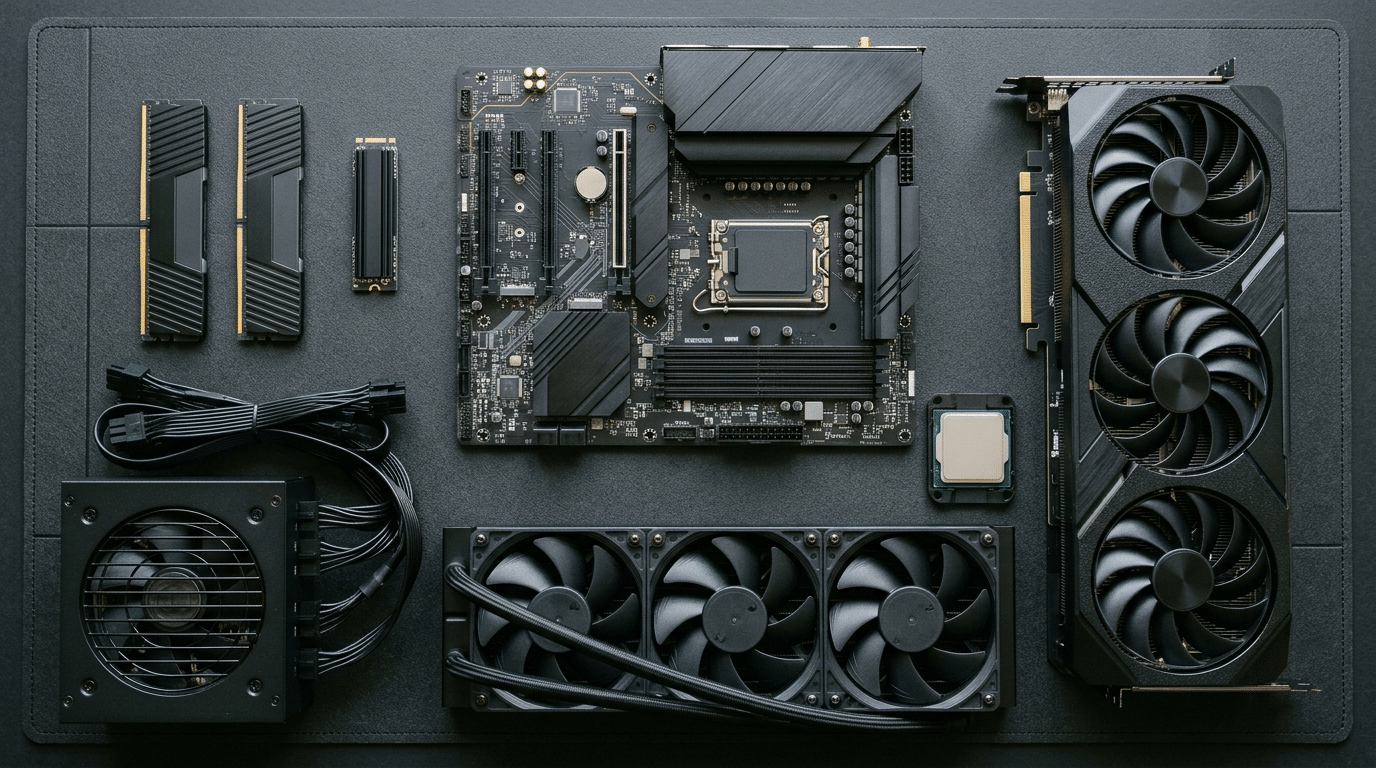
Target Performance Profile & $2,000 Budget Allocation Split
Driving a 2560×1440 OLED or Fast IPS panel at 165Hz–240Hz requires massive concurrent throughput across two halves of the rendering pipeline. First, shading ~3.69 million pixels per frame with Ultra textures and ray-traced lighting demands a minimum 16GB frame buffer on a wide 256-bit bus so textures never spill across PCIe into system memory. Second, sustaining high 1% Low framerates in crowded multiplayer maps, Unreal Engine 5 open worlds, and simulation titles demands high instructions per clock paired with deep L3 cache so draw calls never stall waiting on DDR5 latency.
Under The PC Audit’s 2026 1440p Enthusiast ($1,800–$2,200) budget matrix, hitting both ceilings simultaneously without overspending follows four strict percentage allocations:
- Graphics Card (43%–48% of Total Budget): Allocates maximum funds toward a 16GB 256-bit GPU tier—either the RX 9070 XT ($599 Launch MSRP) or RTX 5070 Ti ($749 Launch MSRP)—for unthrottled 1440p Ultra and credible 4K upscaled entry.
- Processor + Cooler (20%–24% of Total Budget): Anchors the rig with AMD’s Ryzen 7 9800X3D ($479 Launch MSRP) cooled by either a high-headroom 360mm AIO or an elite dual-tower air cooler rated well beyond its 162W Max PPT ceiling.
- Motherboard + DDR5 + 2TB NVMe SSD (18%–20% of Total Budget): Pairs an upper-tier AMD B850 board with Wi-Fi 7 and unshared PCIe 5.0 lanes alongside dual-channel DDR5-6000 CL30 memory and a cool-running 2TB PCIe 4.0 DRAM+TLC drive.
- 850W ATX 3.1 PSU + Airflow Chassis (12%–15% of Total Budget): Protects high-draw silicon with 200%–300% transient excursion headroom, native 12V-2×6 wiring, and unrestricted mesh or dual-chamber intake geometry.
Because street pricing shifts between the $599 Launch MSRP RX 9070 XT and $749 Launch MSRP RTX 5070 Ti—and because some builders want 64GB RAM or an SFF footprint—the same $2,000 budget supports three tightly balanced configurations:
| $2,000 Build Profile | Target Display & Workload | GPU Pairing | CPU & Board Pairing | Memory & Engineering Trade-Off |
|---|---|---|---|---|
| Config A: 1440p Raster & Value King (Primary High-Value Blueprint) | 1440p Ultra 165–240Hz, Esports & Entry 4K FSR 4 | XFX Swift Radeon RX 9070 XT 16GB ($599 Launch MSRP) | Ryzen 7 9800X3D + GIGABYTE B850 AORUS Elite WIFI7 | Leaves plenty of budget inside $2,000 for 32GB or 64GB DDR5-6000 CL30, a 360mm AIO, and 2TB DRAM+TLC storage while maximizing raster FPS per dollar. |
| Config B: 1440p Ultra RT & DLSS 4 (NVIDIA Feature Anchor) | 1440p Path Tracing, DLSS 4 MFG, 4K Upscaling & CUDA Apps | ASUS TUF GeForce RTX 5070 Ti 16GB OC ($749 Launch MSRP) | Ryzen 7 9800X3D (or 7800X3D) + ASRock B850 LiveMixer WiFi 7 (or AORUS Elite) | Shifts ~$150 MSRP into Blackwell ray tracing, GDDR7 bandwidth, and DP 2.1b UHBR20; swap to 7800X3D or LiveMixer + dual-tower air cooler to hold strictly under $2,000. |
| Config C: Compact SFF / Creator 64GB (Small-Footprint Powerhouse) | Minimal Desk Space, Flight Sims, Heavy Modding & Video Timelines | XFX RX 9070 XT or ASUS TUF RTX 5070 Ti | Ryzen 7 9800X3D + ASRock B850I Lightning WiFi 6E (Mini-ITX) | Adds 64GB (2x32GB) DDR5-6000 CL30 EXPO inside a compact high-clearance ITX case with an 850W SFX ATX 3.1 supply. |
Rumored Hardware Compliance Note (Audit Rule R-GPU-02): Unreleased refreshes discussed in early industry leaks—specifically the rumored RTX 5070 Super and RTX 5080 Super—remain unannounced and unreleased as of November 2026. Do not put off a current build or recommend speculative placeholder specs for unreleased cards; every GPU and CPU below is an officially launched 2025–2026 retail model. For a deeper look at how the two primary GPUs and flagship X3D chips stack up head-to-head, see our dedicated RTX 5070 Ti vs. Radeon RX 9070 XT comparison and Ryzen 7 9800X3D vs. Ryzen 7 9850X3D boost analysis.
8-Component Balanced $2,000 1440p Parts Table
Every entry in the 8-part matrix below has been cross-verified for physical dimensions, socket power delivery, DDR5 divider ratios, PCIe 5.0 lane routing, and ATX 3.1 transient resilience. Core GPU, CPU, motherboard, and enthusiast 64GB EXPO RAM picks link directly to verified 2026 Amazon US retail SKUs, while cooling, 32GB baseline RAM, NVMe storage, PSU, and chassis rows define exact validated retail specifications.
| Component | Recommended Pick | Key Spec Verified | Budget % / Rationale | Amazon Link / Spec Status |
|---|---|---|---|---|
| GPU | XFX Swift Radeon RX 9070 XT 16GB (Config A) / ASUS TUF RTX 5070 Ti 16GB OC (Config B) | 16GB VRAM (256-bit Bus), 300W–304W TBP, 325–329mm Length, DP 2.1 | 43%–48% ($599 or $749 Launch MSRP) · Zero VRAM compromises at 1440p Ultra + RT | RX 9070 XT on Amazon / RTX 5070 Ti on Amazon |
| CPU | AMD Ryzen 7 9800X3D (Alt: Ryzen 7 7800X3D for Config B savings) | 8C/16T Zen 5 + 2nd-Gen 3D V-Cache, 104MB Cache (96MB L3), 120W TDP / 162W PPT | 18%–20% ($479 Launch MSRP) · Unmatched 1440p 1% Low frametime consistency | 9800X3D on Amazon / 7800X3D Alt |
| CPU Cooler | 360mm Black AIO Liquid Cooler (or Dual-Tower 120mm Air Class) | 360mm Rad (>=220W dissipation) or 6–7 Heatpipe Dual-Tower; avoids tall RGB DIMM interference | 2%–4% · Handles 162W Max PPT silently; never use 120mm AIOs | Verified Spec Standard (360mm AIO for Tall RGB RAM) |
| Motherboard | GIGABYTE B850 AORUS Elite WIFI7 (Alts: ASRock B850 LiveMixer / B850I ITX) | AM5 ATX, 14+2+2 60A DrMOS VRM, 3x M.2 (Zero GPU x8 Lane Sharing), Wi-Fi 7, Q-Flash Plus | 9%–11% ($200–$250 tier, ~$230 Launch MSRP) · Full Gen 5 GPU/M.2 without X870E markup | AORUS Elite on Amazon / LiveMixer Alt |
| DDR5 RAM | 32GB (2x16GB) DDR5-6000 CL30 EXPO (Creator Upgrade: G.SKILL / Corsair 64GB CL30) | 2-Stick Dual-Channel in A2/B2, 6000 MT/s CL30 (10.0ns), AMD EXPO 1:1 UCLK:MCLK | 5%–7% (32GB; 8%–10% for 64GB) · 32GB keeps Config B under $2k; 64GB fits mods & creators | G.SKILL 64GB Black / Corsair 64GB White |
| NVMe SSD | 2TB PCIe 4.0 x4 M.2 2280 SSD (DRAM + 3D TLC) | Dedicated DRAM Cache + TLC NAND, 7,000–7,450 MB/s, DirectStorage Ready | 5%–7% · 0 FPS penalty vs hot PCIe 5.0 drives; avoids QLC sustained write drops | Verified Spec Standard (Mandate TLC + DRAM Cache) |
| PSU (ATX 3.1) | 850W 80+ Gold / Cybenetics Gold+ ATX 3.1 Full Modular | PCIe 5.1 Compliant, Native 12V-2×6 + Dual 8-Pin PCIe, 140–150mm Depth, 105C Caps | 6%–8% · Sits at 55%–60% peak efficiency under 460W–520W gaming draw; 200%–300% spike safe | Verified Spec Standard (Mandate ATX 3.1 & 10-Yr Warranty) |
| PC Case | Dual-Chamber Panoramic or High-Airflow Mesh Mid-Tower | >=360mm GPU Fit, >=35mm Lateral 12V-2×6 Clearance, 360mm Rad Mount, Perforated Intakes | 5%–7% · Clears 329mm GPUs + side-panel cable bend without glass intake choking | Verified Spec Standard (Confirm >=360mm GPU & Mesh) |
Component-by-Component Engineering Rationale & Verified SKUs
1. Graphics Card (43%–48% Budget Share): RX 9070 XT vs. RTX 5070 Ti at 1440p Ultra
Whether you anchor your best 2000 dollar 1440p gaming pc build on AMD or NVIDIA, both architectures finally arrive at the exact baseline required for trouble-free 1440p Ultra longevity: 16GB of video memory on a full 256-bit bus. Under Hardware Audit Rule R-GPU-01, spending around $2,000 on any card restricted to 8GB or even 12GB forces texture-streaming compromises in demanding Unreal Engine 5 releases and heavy path-traced scenes. Our RTX 5070 Ti vs. Radeon RX 9070 XT breakdown examines their frame-pacing balance in detail, and both verified SKUs below bring distinct advantages inside this budget tier.
For Config A, the XFX Swift AMD Radeon RX 9070 XT Triple Fan 16GB ($599 Launch MSRP tier) stands as the 1440p rasterization value champion. Built on RDNA 4 with 64 Compute Units (4,096 Stream Processors) boosting up to 2,970 MHz, 16GB GDDR6 feeding 640 GB/s alongside 64MB of Infinity Cache, and machine-learning AMD FSR 4 upscaling, it matches flagship-tier raster performance while freeing roughly $150 of Launch MSRP overhead compared with NVIDIA’s competing bracket. That extra breathing room easily funds a 360mm liquid cooler, 64GB of DDR5-6000 CL30, or a faster OLED display upgrade. Power flows over two traditional PCIe 8-pin connectors (304W class TBP), cooled by triple 100mm double ball-bearing fans across a chunky 325mm x 150mm x 65mm (3.5-slot) heatsink.
Config A Primary GPU (Raster Value King): XFX Swift AMD Radeon RX 9070 XT Triple Fan 16GB

Budget Tier: Mid-upper tier ($599 Launch MSRP) | Audited Specs: AMD RDNA 4 (64 CUs / 4,096 SP) | Up to 2,970 MHz Boost | 16GB GDDR6 on 256-bit Bus (640 GB/s + 64MB Infinity Cache) | 304W Class TBP | 2x PCIe 8-Pin | 3x DisplayPort 2.1 + 1x HDMI 2.1 | 325 x 150 x 65 mm (3.5-Slot Triple 100mm Double Ball-Bearing Fans).
Why It Anchors Config A: Delivers top-tier 1440p rasterization and 16GB VRAM headroom over familiar dual 8-pin connectors while keeping total tower cost well balanced around $2,000.
If your library leans heavily toward Cyberpunk-scale path tracing, Blender/CUDA productivity, or pairing high-refresh 1440p/4K OLED monitors with NVIDIA’s upscaling stack, step into Config B with the ASUS TUF Gaming GeForce RTX 5070 Ti 16GB GDDR7 OC ($749 Launch MSRP tier). Armed with 8,960 Blackwell CUDA cores boosting to 2,610 MHz, ultra-fast 16GB GDDR7 (28 Gbps on a 256-bit bus), and three native DisplayPort 2.1b (UHBR20) outputs plus two HDMI 2.1b ports, it pushes heavier ray-tracing workloads smoothly and scales into 4K DLSS 4 Multi-Frame Generation (MFG). Keep Audit Rule R-GPU-03 top of mind when tuning MFG: maintain at least 50–60 native base FPS before engaging frame generation, and always keep NVIDIA Reflex enabled so visual smoothness never adds sluggish mouse feel. Physically, the TUF OC measures 329 x 140 x 62.5 mm (3.125-slot) and draws 300W class power via a single 16-pin 12V-2×6 cable—making an ATX 3.1 PSU mandatory.
Config B Primary GPU (Ray Tracing & DLSS 4): ASUS TUF Gaming GeForce RTX 5070 Ti 16GB GDDR7 OC

Budget Tier: Upper-midrange tier ($749 Launch MSRP) | Audited Specs: NVIDIA Blackwell (8,960 CUDA Cores) | 2,610 MHz OC Boost | 16GB GDDR7 (256-bit, 28 Gbps) | 300W Class TBP | 1x 16-pin 12V-2×6 | 3x Native DisplayPort 2.1b (UHBR20) + 2x HDMI 2.1b | 329 x 140 x 62.5 mm (3.125-Slot Triple Axial-Tech).
Why It Anchors Config B: Adds 28 Gbps GDDR7 bandwidth, superior hardware ray tracing, DLSS 4 MFG, and uncompressed DP 2.1b UHBR20 output for high-refresh 1440p/4K OLED displays.
2. Processor (18%–20% Budget Share): Why Ryzen 7 9800X3D Anchors 1440p 1% Lows
Average FPS numbers sell parts lists, yet 1% Low frametime consistency is what separates a snappy $2,000 build from one that hitches during chaotic gunfights or city traversal. Ignore simplistic online pairing tools—as covered in our analysis of why bottleneck calculators mislead PC builders, high-refresh 1440p gaming depends far more on L3 cache hit rate than raw core count. Under Hardware Audit Rule R-CPU-01, AMD’s Ryzen 7 9800X3D ($479 Launch MSRP) is the clear pure-gaming anchor on Socket AM5.
Unlike first-generation X3D chips that stacked 3D V-Cache above the compute cores, AMD’s 2nd-generation 3D V-Cache on the Zen 5 Ryzen 7 9800X3D sits underneath the CCD. Placing the cores directly against the integrated heat spreader yields dramatically cleaner heat transfer, allowing sustained 4.7 GHz base / 5.2 GHz boost across 8 cores / 16 threads while preserving 104MB total cache (96MB L3 + 8MB L2), 24 usable CPU PCIe 5.0 lanes (x16 GPU + 2×4 NVMe), and a 2-CU Radeon iGPU inside a manageable 120W TDP / 162W Max PPT ceiling. Even better, our Ryzen 7 9800X3D vs. Ryzen 7 9850X3D evaluation confirms why keeping the $479 9800X3D over the higher-MSRP 9850X3D ($499 Launch MSRP) preserves capital for your GPU and storage without giving up perceptible 1440p smoothness.
Primary Enthusiast Gaming CPU: AMD Ryzen 7 9800X3D

Budget Tier: Enthusiast Tier ($479 Launch MSRP) | Audited Specs: Zen 5 (Granite Ridge) + 2nd-Gen 3D V-Cache, AM5 Socket | 8 Cores / 16 Threads (4.7 GHz Base / 5.2 GHz Boost) | 104MB Cache (8MB L2 + 96MB L3) | PCIe 5.0 (24 Usable Lanes) | 120W TDP / 162W Max PPT | Integrated 2-CU Radeon Graphics.
Why It Anchors Both Configs: Delivers top-shelf 1440p/1080p 1% Low stability, inverted under-CCD thermal efficiency, unlocked PBO Curve Optimizer tuning, and full PCIe 5.0 I/O.
What if street fluctuations push the $749 Launch MSRP RTX 5070 Ti plus a 64GB RAM or 360mm AIO bundle slightly past your hard $2,000 ceiling? Rather than downgrading to a 6-core Ryzen 5 9600X—or falling into an OEM-heavy Ryzen 7 8700F trap carrying just 16MB L3 cache and 16 PCIe 4.0 lanes (R-AMZ-03)—pivot cleanly to the AMD Ryzen 7 7800X3D. It keeps the exact same Socket AM5 motherboard, 104MB total cache (96MB L3), 24 usable PCIe 5.0 lanes, and 162W Max PPT envelope at a lower street tier.
Value X3D Budget-Balancing Pivot: AMD Ryzen 7 7800X3D 8-Core Desktop Processor
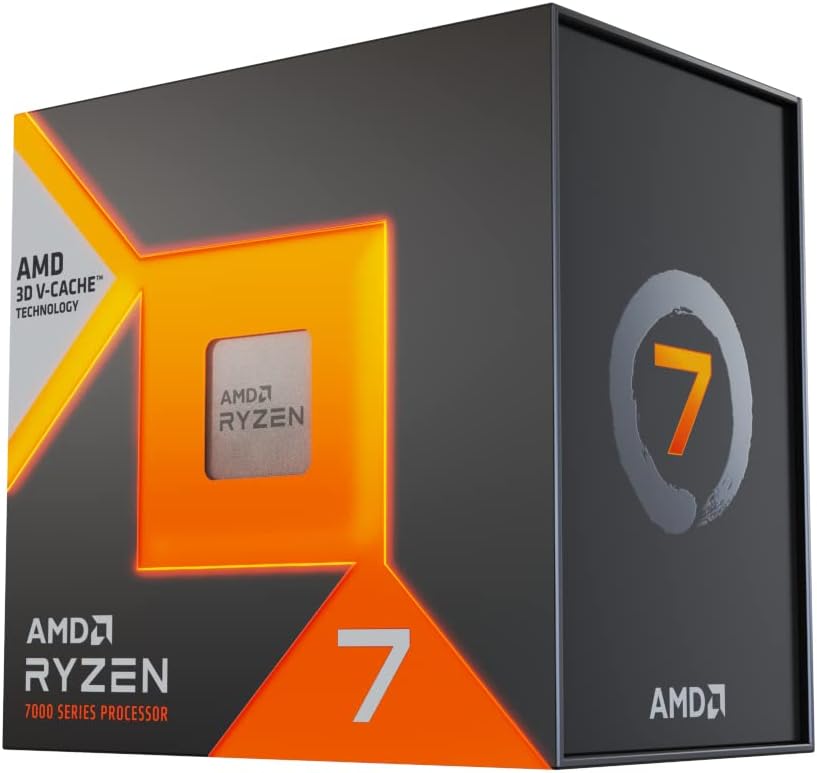
Budget Tier: Upper-Mid Retail Tier | Audited Specs: Zen 4 (Raphael) + 1st-Gen 3D V-Cache, AM5 Socket | 8 Cores / 16 Threads (4.2 GHz Base / 5.0 GHz Boost) | 104MB Cache (8MB L2 + 96MB L3) | PCIe 5.0 (24 Usable Lanes) | 120W TDP / 162W Max PPT | Integrated 2-CU Radeon Graphics.
Why It Fits Config B Tight Budgets: Preserves 96MB L3 cache and full PCIe 5.0 lanes when pairing an RTX 5070 Ti and 64GB RAM under a firm $2,000 limit.
3. CPU Cooler (2%–4% Budget Share): 360mm AIO vs. Dual-Tower Air for 162W PPT
Coolers must always be sized to actual Package Power Tracking (162W Max PPT on both the 9800X3D and 7800X3D), never to base TDP labels. Under Audit Rule R-CASE-01, avoid slim 120mm AIO liquid coolers outright; their cramped radiator surface area saturates rapidly during shader compilation and spins small fans loudly. Instead, choose between two proven acoustic topologies covered in our best coolers for Ryzen 7 9800X3D guide:
- Primary Recommendation for Enthusiast Dual-Chamber Builds & RGB DIMMs — 360mm AIO Liquid Cooler: Provides huge thermal soak capacity under sustained 162W loads, low-RPM three-fan acoustic margins, direct top-exhaust airflow, and zero physical front-fan overhang above DDR5 slots—critical when installing tall 44mm+ RGB heatsinks like G.SKILL Trident Z5 Neo RGB or CORSAIR Vengeance RGB.
- Zero-Maintenance Budget-Defensive Alternative — Dual-Tower 120mm Air Cooler (6–7 Heatpipes): Saves $50–$80 toward Config B’s RTX 5070 Ti while eliminating pump wear altogether. If choosing dual-tower air cooling, either pair it with low-profile non-RGB DDR5-6000 CL30 modules (
<=35mmtall) or confirm at least>=170mmcase CPU height clearance so the front 120mm fan can slide up slightly over taller RGB spreaders.
4. Motherboard (9%–11% Budget Share): Unshared B850 PCIe 5.0 Lanes Without X870E Markup
Many first-time $2,000 builders waste $120–$200 stepping up to X870 or X870E motherboards whose headline premium comes from mandatory USB4 controllers rather than gaming throughput. As explained in our AMD B850 vs. X870 vs. X870E chipset audit, AMD B850 is the clear sweet spot under Rule R-MB-01: it mandates PCIe 5.0 M.2 NVMe support, enables full Precision Boost Overdrive and EXPO tuning, and powers 162W X3D silicon effortlessly—provided you check VRM amperage and M.2 lane-sharing topology.
Our primary ATX anchor, the GIGABYTE B850 AORUS Elite WIFI7 ($200–$250 tier, ~$230 Launch MSRP), solves the exact engineering trap we look for when auditing motherboards: zero GPU x8 lane sharing across all three M.2 slots. You can populate the CPU-direct PCIe 5.0 x4 bay, the CPU PCIe 4.0 x4 bay, and the chipset PCIe 4.0 x4 bay simultaneously while your primary PCIe 5.0 x16 graphics slot remains locked at full x16 bandwidth. Add a stout 14+2+2 Digital Twin VRM with 60A DrMOS, integrated Wi-Fi 7 (160MHz) + Bluetooth 5.4 + 2.5GbE LAN, front 20Gbps USB-C header, Q-Flash Plus BIOS Flashback, and tool-less EZ-Latch Plus / Click GPU and M.2 armor, and there is zero reason to overspend on X870E.
Primary ATX AM5 Motherboard: GIGABYTE B850 AORUS Elite WIFI7

Budget Tier: $200–$250 tier (~$230 Launch MSRP) | Audited Specs: Socket AM5 ATX | 14+2+2 Digital Twin VRM (60A DrMOS) | 1x PCIe 5.0 x16 (Zero GPU x8 Lane Sharing) | 3x M.2 (1x PCIe 5.0 x4, 2x PCIe 4.0 x4) | Wi-Fi 7 (160MHz) + BT 5.4 + 2.5GbE LAN | Front 20Gbps USB-C | Q-Flash Plus & EZ-Latch Plus.
Why It Anchors This Blueprint: Eliminates hidden M.2-to-GPU x8 lane downgrades while delivering heavy 60A DrMOS cooling, tool-less DIY latches, and Wi-Fi 7 in the $230 Launch MSRP class.
Two verified ASRock B850 boards round out specialized builder priorities. If Config B’s RTX 5070 Ti stretches your budget ceiling, dropping into the ASRock AMD B850 LiveMixer WiFi 7 ($160–$200 tier) trims motherboard spend by ~$30–$50 while keeping ATX sizing, PCIe 5.0 x16, three M.2 slots, Wi-Fi 7, and streamer-friendly rear USB expansion. Conversely, builders crafting a small-footprint desk rig around Config C can choose the ASRock AMD B850I Lightning WiFi 6E ($180–$220 tier) Mini-ITX platform, preserving PCIe 5.0 x16, dual M.2 bays, and Wi-Fi 6E on a 170x170mm PCB.
Value & Streamer ATX Option: ASRock AMD B850 LiveMixer WiFi 7 AM5 ATX Motherboard

Budget Tier: $160–$200 tier | Audited Specs: Socket AM5 | AMD B850 Chipset | ATX Form Factor | 1x PCIe 5.0 x16 Slot | 3x M.2 NVMe Slots | Integrated Wi-Fi 7.
Why It Fits Config B / Streamers: Shaves ~$30–$50 off upper-tier B850 pricing to fund an RTX 5070 Ti while keeping PCIe 5.0 graphics lanes, triple M.2 storage, and Wi-Fi 7 intact.
Compact SFF Desk Option: ASRock AMD B850I Lightning WiFi 6E AM5 Mini-ITX Motherboard

Budget Tier: $180–$220 tier | Audited Specs: Socket AM5 | AMD B850 Chipset | Mini-ITX Form Factor | 1x PCIe 5.0 x16 Slot | 2x M.2 NVMe Slots | Integrated Wi-Fi 6E.
Why It Fits Config C (SFF): Packs full PCIe 5.0 x16 graphics bandwidth and dual M.2 storage into a 170x170mm Mini-ITX footprint for compact high-airflow cases.
5. System Memory (5%–7% Baseline / 8%–10% 64GB Share): DDR5-6000 CL30 1:1 Timing Rules
Socket AM5 memory tuning follows strict architectural physics rather than bigger-number marketing. As detailed in our DDR5-6000 CL30 vs. DDR5-6400 CUDIMM guide, Zen 5 processors hit peak efficiency when running DDR5-6000 CL30 (~10.0ns first-word latency), which locks the Unified Memory Controller into a synchronized 1:1 UCLK:MCLK ratio. Buying ultra-high-frequency Intel XMP CUDIMM DDR5-8400 kits on AM5 is counterproductive and wastes budget: Ryzen lacks LGA 1851’s CUDIMM clock-driver scaling and automatically trips into a slower 2:1 divider penalty above 6400 MT/s. Under Rules R-RAM-01 and R-RAM-02, also avoid single-stick 1x16GB kits, loose CL42–CL46 modules, and four-DIMM setups that stress the memory controller.
When deciding capacity inside $2,000, match the stick count strictly to two modules installed in primary slots A2 and B2 (see our 32GB vs. 64GB RAM for gaming analysis). Pure gamers pairing the $749 Launch MSRP RTX 5070 Ti with the 9800X3D should choose a low-profile 32GB (2x16GB) DDR5-6000 CL30 EXPO kit to keep total build spend squarely around $2,000. However, enthusiasts building Config A (RX 9070 XT) with room to spare—or creators running Star Citizen, Microsoft Flight Simulator, heavily modded Skyrim/Cities: Skylines II, virtual machines, or 4K video timelines—can step straight into a verified 64GB (2x32GB) DDR5-6000 CL30 AMD EXPO dual-stick kit below, paired cleanly with our 360mm AIO cooler so DIMM height never collides with an air tower fan.
Enthusiast 64GB Black EXPO Kit: G.SKILL Trident Z5 Neo RGB 64GB (2x32GB) 6000MT/s CL30

Budget Tier: Enthusiast Dual-Rank 64GB | Audited Specs: 64GB (2x32GB) DDR5-6000MT/s | Timings CL30-40-40-96 at 1.40V | Certified AMD EXPO Profile | Matte Black Heatspreader (F5-6000J3040G32GX2-TZ5NR).
Why It Fits Stealth Black Builds: Combines 64GB two-stick capacity with AM5’s ideal 1:1 6000MT/s CL30 timing sweet spot; pair with a 360mm AIO for unrestricted height clearance.
Enthusiast 64GB White EXPO Kit: CORSAIR Vengeance RGB DDR5 64GB (2x32GB) 6000MHz CL30

Budget Tier: Enthusiast Dual-Rank 64GB | Audited Specs: 64GB (2x32GB) DDR5-6000MHz | Tight Sub-Timings CL30-36-36-76 at 1.4V | Dual AMD EXPO & Intel XMP 3.0 Profiles | White Finish (CMH64GX5M2B6000Z30W).
Why It Fits White Dual-Chamber Builds: Tighter CL30-36-36-76 secondary timings with native AMD EXPO and Intel XMP 3.0 profiles for clean white panoramic builds cooled by a 360mm AIO.
6. NVMe Storage (5%–7% Budget Share): 2TB PCIe 4.0 DRAM+TLC Over Hot Gen 5 Drives
Even with an unshared CPU-direct PCIe 5.0 x4 slot waiting on your B850 motherboard, paying extra for a Gen 5 SSD on a gaming rig misallocates budget. As confirmed in our PCIe 5.0 vs. PCIe 4.0 SSD gaming study, DirectStorage loading and Windows boot times show virtually zero real-world FPS delta and barely 0–2 seconds of load-screen variation over flagship PCIe 4.0 drives, while Gen 5 controllers run noticeably hotter and shrink capacity per dollar.
Under Audit Rules R-SSD-01 and R-SSD-02, skip DRAM-less QLC drives (which suffer dramatic write-cliff slowdowns during big Steam updates once pSLC caches saturate) and specify a 2TB PCIe 4.0 x4 M.2 2280 SSD with dedicated DRAM cache and 3D TLC NAND (7,000–7,450 MB/s read tier, 1,200 TBW endurance rating, such as WD Black SN850X or Samsung 990 Pro class). Mounted under the B850 AORUS Elite’s tool-less EZ-Latch Click heatsink, it stays cool, never throttles, and stores 12–15 modern 120GB+ titles effortlessly—leaving two open M.2 slots free for future expansion without throttling the GPU.
7. Power Supply (6%–8% Budget Share): 850W ATX 3.1 Gold+ & Native 12V-2×6 Safety
Powering a 300W–304W class GPU alongside a 162W Max PPT Ryzen 7 9800X3D pushes sustained system gaming draw into the 460W–520W band, with sub-millisecond transient power excursions spiking 200%–300% higher. Under Rule R-PSU-01, never cut corners with an outdated ATX 2.x unit or adapter dongles. Follow our ATX 3.1 and 12V-2×6 safety guide and best 850W ATX 3.1 power supply roundup by choosing a full-modular 850W 80+ Gold (Cybenetics ETA Gold+ / Lambda A-class) ATX 3.1 supply measuring 140mm–150mm deep with 105C Japanese capacitors, full OCP/OVP/UVP/OPP/SCP/OTP protections, and a 10-year warranty.
An 850W ATX 3.1 unit positions a ~480W gaming load right around 55%–60% peak efficiency and quiet fan operation while natively supplying both options our dual-GPU blueprint requires: a clean, recessed-sense-pin 12V-2×6 (H++) cable for the ASUS TUF RTX 5070 Ti (eliminating adapter clutter and incomplete-seating melting risks) and two dedicated 8-pin PCIe leads for the XFX Swift RX 9070 XT.
8. PC Case (5%–7% Budget Share): High-Airflow Mesh or Dual-Chamber Fit for 329mm+ GPUs
Both graphics cards in this blueprint are serious triple-fan bricks: the XFX Swift RX 9070 XT spans 325 x 150 x 65 mm (3.5-slot), and the ASUS TUF RTX 5070 Ti spans 329 x 140 x 62.5 mm (3.125-slot). Under Rule R-CASE-01, rule out solid unvented front-glass cases and pick a modern dual-chamber panoramic airflow chassis or perforated mesh ATX mid-tower from our best airflow gaming PC cases guide (such as Montech King 95 Pro, NZXT H6 Flow, or Lian Li Lancool class enclosures) verified to provide >=360mm horizontal GPU clearance, top/side 360mm radiator mounting, magnetic dust filters, front USB-C, an included GPU anti-sag bracket, and at least >=35mm of lateral glass-to-GPU power connector margin.
Core Trio Verdict Cards: Raster Value vs. Ray Tracing
The PC Audit 2026 Verdict (Config A — Raster Value King): Ryzen 7 9800X3D + XFX RX 9070 XT 16GB + B850 AORUS Elite WIFI7
Why Config A Wins for Most $2,000 Builders: Anchoring around the $599 Launch MSRP XFX Swift RX 9070 XT 16GB, the AMD Ryzen 7 9800X3D, and the unshared-lane GIGABYTE B850 AORUS Elite WIFI7 delivers 16GB 256-bit raster speed and class-leading 1% Lows at 1440p 165–240Hz—while preserving room inside $2,000 for 360mm liquid cooling, a 2TB DRAM+TLC SSD, an 850W ATX 3.1 PSU, and an optional 64GB DDR5-6000 CL30 upgrade.
The PC Audit 2026 Verdict (Config B — Ray Tracing & DLSS 4 Anchor): Ryzen 7 9800X3D + ASUS TUF RTX 5070 Ti 16GB + B850 AORUS Elite WIFI7
Why Config B Wins for Heavy RT, 4K Upscaling & CUDA: Stepping into the $749 Launch MSRP ASUS TUF RTX 5070 Ti 16GB GDDR7 OC unlocks 28 Gbps GDDR7 bandwidth, DLSS 4 Multi-Frame Generation, and native DisplayPort 2.1b UHBR20 over a single 12V-2×6 cable. Pair with 32GB DDR5-6000 CL30 (or step to the Ryzen 7 7800X3D / ASRock B850 LiveMixer) to stay pinned tightly around $2,000.
IF -> THEN Physical, Thermal & Electrical Compatibility Proof Box
Mechanical, Thermal & Electrical Audit Status: All six conditional IF -> THEN checks below are validated across Config A (RX 9070 XT), Config B (RTX 5070 Ti), and Config C (SFF Mini-ITX).
- IF GPU is
XFX Swift Radeon RX 9070 XT(325 x 150 x 65 mm, 3.5-slot, 2x 8-pin) ORASUS TUF RTX 5070 Ti OC(329 x 140 x 62.5 mm, 3.125-slot, 1x 16-pin 12V-2×6) THEN a chassis rated for>=360mmGPU length clears the front fans/radiator by at least 31–35mm; in addition, confirm>=175mmlateral width clearance (or vertical GPU mount) so the12V-2x6cable maintains at least 35mm of straight unbent exit before touching tempered glass. - IF CPU is
AMD Ryzen 7 9800X3DorRyzen 7 7800X3D(Socket AM5, 120W TDP / 162W Max PPT) THEN theGIGABYTE B850 AORUS Elite WIFI7(14+2+2 60A DrMOS VRM) andASRock B850 LiveMixer WiFi 7sustain 162W+ PPT continuously without VRM throttling, and both chips include an integrated 2-CU Radeon iGPU for instant display diagnostics. - IF DDR5 RAM is a 2-stick
DDR5-6000 CL30AMD EXPO kit such asG.SKILL Trident Z5 Neo RGB 64GBorCORSAIR Vengeance RGB 64GB(~44mm height) installed in slotsA2/B2THEN AM5 runs synchronized in a1:1 UCLK:MCLKratio (~10.0ns latency) and pairs cleanly with a top-mounted360mm AIOwith zero DIMM height collisions; if choosing a dual-tower 120mm air cooler instead, swap to<=35mmlow-profile sticks or verify>=170mmcase cooler height to raise the front fan cleanly. - IF NVMe drives occupy one, two, or all three M.2 bays on the
GIGABYTE B850 AORUS Elite WIFI7(1x CPU PCIe 5.0 x4 + 1x CPU PCIe 4.0 x4 + 1x Chipset PCIe 4.0 x4) THEN zero lane-sharing exists with the primaryPCIe 5.0 x16GPU slot—preserving full x16 graphics bandwidth at all times while cooling your 2TB PCIe 4.0 DRAM+TLC drive beneath the tool-less EZ-Latch Click armor. - IF PSU is a full-modular
850W 80+ Gold ATX 3.1supply (140mm–150mm depth) installed in an ATX or dual-chamber bay rated for180mm–220mm+PSU length THEN 30–70mm+ of rear cable tuck clearance remains clear while feeding ~480W peak gaming loads at 55%–60% efficiency and absorbing 200%–300% GPU transient spikes natively over recessed-pin12V-2x6or dual dedicated8-pinleads. - IF building Config C on the Mini-ITX
ASRock B850I Lightning WiFi 6ETHEN verify an SFF enclosure rated for>=335mmlength and3.5-slot(65mm+) thickness, pair with an850W SFXATX 3.1 PSU (100mm depth), and confirm 240mm/280mm radiator or air cooler height limits before ordering.
DIY vs. Prebuilt Alternatives, Marketplace Traps & First-Boot Bridge
Building this $2,000 blueprint yourself preserves complete control over hidden components that prebuilt system integrators routinely downgrade—especially Cybenetics-class ATX 3.1 PSUs, dual-channel DDR5-6000 CL30 EXPO timings, DRAM-cached 2TB TLC storage, unshared PCIe 5.0 lanes, and native Wi-Fi 7. When browsing commercial $1,500–$2,200 retail listings on Amazon, watch closely for Audit Rules R-AMZ-02 through R-AMZ-06: parent ASIN review pooling that merges legacy GTX 1660 Ti reviews onto 2026 configs, unexpected Wi-Fi 5 adapters on pricey towers, slow single-stick DDR5-4800/5600 kits, unlocked Intel i9-14900KF chips locked onto B760 boards, or omitted PSU specs marked only as generic wattage.
If you prefer single-point OEM warranty support and zero assembly time—and find an off-the-shelf ATX-standard tower priced within 5%–12% of raw part parity—compare verified retail rigs in our best prebuilt gaming PC under $2,000 audit before committing.
Six Post-Build Steps Immediately After First Power-On
Once every cable snaps flush and your 850W ATX 3.1 switch flips on, execute our complete post-build gaming PC setup and optimization checklist in sequence:
- Allow Initial AM5 Memory Training to Complete: On cold first boot (or after seating 64GB kits), Socket AM5 requires 45 seconds to 3 minutes of black-screen DDR5 training—monitor the motherboard EZ Debug LEDs and never cut AC power early.
- Flash Latest Stable BIOS & Enable AMD EXPO: Use Q-Flash Plus or UEFI update tools for current AGESA microcode, then activate AMD EXPO so your modules step from default 4800 MT/s up to verified 6000 MT/s CL30.
- Verify Resizable BAR, PBO & PWM Fan Hysteresis: Confirm Resizable BAR and Above 4G Decoding read Enabled, optionally apply a mild negative Curve Optimizer offset (-15 to -20) after validation to trim 9800X3D temperatures by 5–10C, and set 2–3 second PWM ramp delays on radiator and case fans.
- Connect DisplayPort 2.1 Directly to the Discrete GPU: Route your high-refresh cable straight into the RX 9070 XT or RTX 5070 Ti DisplayPort 2.1 output (never the motherboard shield), then raise Windows Advanced Display refresh rate to 165Hz–240Hz+.
- Install Clean Chipset + GPU Drivers & Tune VRR: Load official AMD AM5 chipset drivers first, followed by GPU drivers (running DDU in Safe Mode if migrating Windows drives across GPU vendors). Enable FreeSync/G-Sync + driver-level V-Sync ON + an FPS cap 3 frames under max refresh + Anti-Lag 2 or NVIDIA Reflex.
- Run Thermal & Frametime Diagnostics: Inspect CPU Tdie, GPU hotspot, and +12V PSU rail stability inside
HWiNFO64while validating sustained load behavior withCinebench 2024,OCCTmemory/power diagnostics,3DMarkloop stability runs, andCapFrameXframetime logs—confirming zero WHEA errors or thermal throttling.
Authoritative Technical References
- AMD Official Radeon RX 9000 Series Architecture Specifications — RDNA 4 64-CU topology, 16GB GDDR6 256-bit bandwidth, 64MB Infinity Cache, and FSR 4 specifications.
- NVIDIA Official GeForce RTX 50-Series Blackwell Technical Specifications — RTX 5070 Ti 16GB GDDR7 memory specs, DLSS 4 MFG baseline guidance, and DisplayPort 2.1b UHBR20 output support.
- AMD Official Ryzen Desktop & 3D V-Cache Specifications — Ryzen 7 9800X3D and 7800X3D cache layouts, 162W Max PPT limits, and PCIe 5.0 lane maps.
- GIGABYTE Official B850 AORUS Elite WIFI7 Manuals & QVL — 14+2+2 60A DrMOS VRM schema, unshared PCIe 5.0 x16 lane diagram, and DDR5 EXPO compatibility lists.
- ASRock Official B850 Motherboard Documentation — B850 LiveMixer WiFi 7 and B850I Lightning WiFi 6E storage and mechanical layout specs.
- PCI-SIG CEM 5.1 & PCIe 5.0 Electrical Standards — Official ATX 3.1 transient excursion ratings and recessed-sense-pin 12V-2×6 safety compliance.
- Cybenetics Labs Power Supply Efficiency & Acoustics Database — Verified ETA efficiency grades and Lambda acoustic ratings for 850W ATX 3.1 power supplies.
How We Audited This Guide
- Steps were validated against official BIOS, driver, and platform vendor documentation and ordered from lowest-risk to highest-risk so readers can stop as soon as the issue is resolved.
- Every specification claim was cross-checked against official OEM datasheets, platform vendor documentation, and published industry standards (PCI-SIG, JEDEC, VESA, Intel ATX) rather than marketplace listing copy.
- Recommendations were evaluated against our weighted audit rubric and documented compatibility rules; we do not publish fabricated FPS, thermal, or acoustic numbers.
Frequently Asked Questions
Should I build my $2,000 gaming PC with the RX 9070 XT or RTX 5070 Ti?
Choose the XFX Swift RX 9070 XT ($599 Launch MSRP) for top 1440p rasterization value, dual 8-pin power simplicity, and extra budget toward 64GB RAM or cooling. Choose the ASUS TUF RTX 5070 Ti ($749 Launch MSRP) if heavy ray tracing, DLSS 4 MFG, CUDA apps, or 4K upscaling dominate.
Is the Ryzen 7 9800X3D worth it over the 7800X3D or 9850X3D in a $2,000 build?
Yes. The Ryzen 7 9800X3D ($479 Launch MSRP) uses cooler under-CCD 2nd-gen 3D V-Cache for higher sustained clocks than the 7800X3D while saving money versus the 9850X3D. Step back to the 7800X3D only if offsetting an RTX 5070 Ti plus 64GB RAM under $2,000.
Do I need an X870E motherboard or PCIe 5.0 SSD for a $2,000 gaming rig?
No. A well-engineered AMD B850 board like the GIGABYTE B850 AORUS Elite WIFI7 delivers 14+2+2 60A DrMOS VRMs, Wi-Fi 7, and unshared PCIe 5.0 x16 GPU and M.2 lanes without X870E’s USB4 markup, while a 2TB PCIe 4.0 DRAM+TLC SSD delivers identical gaming FPS.
Should a $2,000 AM5 gaming build use 32GB or 64GB DDR5-6000 CL30—and what about CUDIMM 8400?
Pick two sticks of DDR5-6000 CL30 EXPO in slots A2/B2 to lock AM5’s optimal 1:1 UCLK:MCLK ratio (~10.0ns). Stick with 32GB (2x16GB) for pure gaming under $2,000, or choose 64GB (2x32GB) for sims, mods, and editing. Skip Intel XMP CUDIMM 8400 kits, which force slower 2:1 dividers on Ryzen.
Why mandate an 850W ATX 3.1 PSU instead of reusing a 650W or ATX 2.x supply?
Both the 304W RX 9070 XT and 300W RTX 5070 Ti generate sub-millisecond 200%–300% transient spikes alongside a 162W PPT 9800X3D. An 850W ATX 3.1 80+ Gold unit absorbs transients cleanly, runs quietly at 55%–60% load, and provides a recessed-sense-pin native 12V-2×6 cable.


