
Disclosure: As an Amazon Associate, I earn from qualifying purchases. If you buy through links on this page, we may earn a small commission at no extra cost to you.
Finding the best rx 9070 xt prebuilt gaming pc in 2026 means looking far beyond the graphics card badge on an Amazon product title. AMD’s RDNA 4 architecture brings 16GB GDDR6 memory on a wide 256-bit bus, making it a natural fit for high-refresh 1440p gaming and capable 4K gaming with AMD FSR 4 upscaling. Yet many prebuilt listings quietly pair this strong GPU with single-stick memory, vague power supplies, or cut-down processors that drag down frame consistency.
To separate balanced systems from disguised compromises, we audited 10 verified retail configurations built around the RX 9070 XT 16GB—comparing Ryzen 9000X3D, 7800X3D, 9900X, 9700X, and 9600X processors, DDR5 channel layouts, SSD sizing, cooling transparency, and wireless networking. If you are still weighing broader budget tiers or GPU families across our main prebuilt gaming PC hub, these ten RDNA 4 towers establish clear winners for every buyer profile.
In This Guide
- Quick Picks: Top 3 RX 9070 XT Systems
- Side-by-Side Comparison (All 10 Audited Builds)
- Match Your Use Case
- Detailed Hardware Audits (1–10)
- 1. Lenovo Legion Tower 5 (Ryzen 7 9800X3D)
- 2. Skytech Gaming Azure (Ryzen 7 9850X3D)
- 3. STORMCRAFT Skyhawk PRO (9800X3D / 2TB)
- 4. XIDAX Prebuilt Gaming PC (9800X3D / 2TB)
- 5. KOTIN Gaming PC (9800X3D / 1TB)
- 6. STORMCRAFT Falcon AI (Ryzen 7 7800X3D)
- 7. Skytech Gaming PC (Ryzen 7 7800X3D)
- 8. KOTIN Gaming PC (Ryzen 7 9700X)
- 9. Acer Nitro 85 (Ryzen 9 9900X)
- 10. Ultimate Budget Gaming PC (Ryzen 5 9600X)
- Buying Guide & Upgrade Roadmap
- Scoring Rubric & Rejected Models
- Frequently Asked Questions
- Final Verdict
Quick Picks: Best RX 9070 XT Prebuilt Gaming PC Builds at a Glance
#1 Best Overall
Lenovo Legion Tower 5 (2026)
Pairs the Ryzen 7 9800X3D and RX 9070 XT 16GB with 32GB DDR5, an explicit 850W PSU, and Wi-Fi 7 around $2,250–$2,350. (Jump to audit)
#2 Best Peak X3D & 360mm AIO
Skytech Gaming Azure (9850X3D)
Upgrades to a 5.6 GHz Ryzen 7 9850X3D, 360mm AIO liquid cooler, 2TB Gen4 SSD, and off-the-shelf ATX internals with zero bloatware. (Jump to audit)
#3 Best 2TB 9800X3D ATX Build
STORMCRAFT Skyhawk PRO
Combines Ryzen 7 9800X3D, RX 9070 XT 16GB, 32GB DDR5, and a 2TB SSD in a standard ATX SI chassis below flagship Azure pricing. (Jump to audit)
Side-by-Side Comparison: Top 10 RX 9070 XT Prebuilt Gaming PCs
| Product & Award | CPU & Cache | RAM & Storage | Key Audit Highlight | Link |
|---|---|---|---|---|
| 1. Lenovo Legion Tower 5 Best Overall | Ryzen 7 9800X3D (96MB L3 V-Cache) | 32GB DDR5 1TB NVMe SSD | Verified 850W PSU, Wi-Fi 7, 2.5GbE LAN; around $2,250–$2,350 | View on Amazon |
| 2. Skytech Gaming Azure Best Peak X3D & AIO | Ryzen 7 9850X3D (Up to 5.6 GHz, 96MB L3) | 32GB DDR5-5600 2TB Gen4 NVMe | 360mm AIO liquid cooler, open ATX case; around $2,850–$2,950 | View on Amazon |
| 3. STORMCRAFT Skyhawk PRO Best 2TB 9800X3D ATX | Ryzen 7 9800X3D (96MB L3 V-Cache) | 32GB DDR5 2TB SSD | Standard ATX SI build with 2TB storage upfront | View on Amazon |
| 4. XIDAX Prebuilt Gaming PC Best Boutique 2TB | Ryzen 7 9800X3D (96MB L3 V-Cache) | 32GB DDR5 2TB SSD | Boutique integrator 2TB alternative to Skyhawk PRO | View on Amazon |
| 5. KOTIN Gaming PC (9800X3D) Best Value 9800X3D | Ryzen 7 9800X3D (96MB L3 V-Cache) | 32GB DDR5 1TB SSD | Trims factory storage to 1TB for leaner 9800X3D entry | View on Amazon |
| 6. STORMCRAFT Falcon AI Best Previous-Gen X3D | Ryzen 7 7800X3D (96MB L3 V-Cache) | 32GB DDR5 1TB SSD | Retains full 96MB L3 V-Cache at friendlier AM5 pricing | View on Amazon |
| 7. Skytech Gaming PC (7800X3D) Best Skytech 7800X3D | Ryzen 7 7800X3D (96MB L3 V-Cache) | 32GB RAM 1TB SSD | Skytech ATX alternative; verify DDR5 & Wi-Fi selector | View on Amazon |
| 8. KOTIN Gaming PC (9700X) Best Non-X3D Zen 5 | Ryzen 7 9700X (8C/16T, 32MB L3) | 32GB DDR5 1TB SSD | Avoids 8700F 16MB L3 trap; smart 1440p GPU focus | View on Amazon |
| 9. Acer Nitro 85 Best 12-Core Creator | Ryzen 9 9900X (12C/24T, 64MB L3) | 16GB DDR5 1TB Gen4 SSD | 24-thread rendering punch; budget for 32GB RAM swap | View on Amazon |
| 10. Ultimate Budget Gaming PC Best Entry AM5 | Ryzen 5 9600X (6C/12T, 32MB L3) | Verify on Listing (AM5 Base) | Entry AM5 16GB RDNA 4 value; verify RAM/SSD/PSU | View on Amazon |
Match Your Use Case: Which RX 9070 XT Rig Fits Your Setup?
| Buyer Scenario | Best Match | Why & Expected Outcome |
|---|---|---|
| Turnkey 1440p & 4K With Wi-Fi 7 + 850W Clarity | 1. Lenovo Legion Tower 5 | Delivers 9800X3D, 16GB RX 9070 XT, 32GB DDR5, 850W power, and Wi-Fi 7 with zero omitted PSU guesswork around $2,250–$2,350. |
| Max X3D Clocks + 360mm AIO + 2TB SSD | 2. Skytech Gaming Azure (9850X3D) | Sustains 5.6 GHz Turbo peaks under 360mm liquid cooling with zero bloatware and open ATX upgradeability. |
| Large 2TB Game Library Without Opening the Case | 3. STORMCRAFT Skyhawk PRO | Combines 9800X3D, 32GB DDR5, and a 2TB SSD in a standard ATX chassis below Azure’s flagship pricing. |
| Competitive 1440p Shooters on a Tighter X3D Budget | 6. STORMCRAFT Falcon AI (7800X3D) | Retains full 96MB L3 3D V-Cache for high 1% Lows and smooth frame pacing without paying Zen 5 X3D premiums. |
| 12-Core Video Editing, Compiling & Gaming | 9. Acer Nitro 85 (9900X) | 24-thread Ryzen 9 9900X speeds heavy CPU exports once upgraded from 16GB to dual-channel 32GB DDR5. |
| Lowest AM5 Entry Into 16GB RDNA 4 Graphics | 10. Ultimate Budget Gaming PC (9600X) | Prioritizes RX 9070 XT 16GB throughput per dollar while leaving Socket AM5 open for a later X3D processor drop-in. |
Detailed Hardware Audits: 10 Audited RX 9070 XT Prebuilt Gaming PCs
1. Lenovo Legion Tower 5 (2026 — Ryzen 7 9800X3D & RX 9070 XT 16GB) — Best Overall RX 9070 XT Prebuilt

Quick Specs: AMD Ryzen 7 9800X3D (8C/16T, 96MB L3 3D V-Cache, AM5) | AMD Radeon RX 9070 XT 16GB GDDR6 | 32GB DDR5 | 1TB NVMe SSD | 850W PSU, Wi-Fi 7 (802.11be), 2.5GbE LAN | Price Tier: Enthusiast tier (around $2,250–$2,350)
Audit Score: 9.4 / 10
- GPU & VRAM Headroom (35%): 9.6 / 10
- CPU & Platform Runway (25%): 9.6 / 10
- Memory & Storage Balance (20%): 9.0 / 10
- Cooling, PSU & Warranty Support (20%): 9.3 / 10
Most Amazon prebuilt listings hide the power supply wattage and wireless card generation behind vague bullet points, forcing buyers to guess whether a 304W GPU is running on bare-minimum cabling. Lenovo sidesteps that trust gap cleanly on the Legion Tower 5 by pairing the AMD Ryzen 7 9800X3D and AMD Radeon RX 9070 XT 16GB with 32GB DDR5, an explicitly verified 850W PSU, Wi-Fi 7 (802.11be), and 2.5GbE Ethernet in its Eclipse Black tower.
In side-by-side spec comparisons, the Legion Tower 5 wins #1 Best Overall over the #2 Skytech Gaming Azure by hitting a vastly stronger value sweet spot around $2,250–$2,350 instead of climbing near $2,950. You give up 1TB of factory SSD space and a 360mm AIO liquid cooler relative to Skytech’s flagship, yet keep the identical 16GB RDNA 4 graphics throughput, 96MB L3 3D V-Cache gaming stability, and 32GB memory pool while gaining confirmed Wi-Fi 7 and 850W power headroom.
Buyer Verification Alert: Confirm the selected configuration explicitly states the 2026 Ryzen 7 9800X3D, RX 9070 XT 16GB, 850W PSU, and Wi-Fi 7 bundle rather than older Legion Tower SKUs.
Pros
- Ryzen 7 9800X3D + RX 9070 XT 16GB eliminates CPU and VRAM bottlenecks at 1440p Ultra
- Explicit 850W PSU delivers safe transient spike headroom for 304W RDNA 4 loads
- Modern Wi-Fi 7 (802.11be), 2.5GbE LAN, and 32GB DDR5 out of the box
- Priced around $500–$600 below #2 Skytech Azure 9850X3D
Cons
- 1TB NVMe SSD fills rapidly with modern 120GB+ AAA game installs
- Subdued Tower 5 case lacks the panoramic showcase styling of boutique ATX builds
Verdict: Buy it if you want the best rx 9070 xt prebuilt gaming pc balance of verified 850W power, Wi-Fi 7, 32GB DDR5, and 9800X3D gaming speed around $2,250–$2,350. Skip it if you want 2TB storage factory-installed or a panoramic glass 360mm AIO showcase. Upgrade Note: Budget around $120–$170 for a secondary 2TB PCIe 4.0 DRAM TLC M.2 drive when expanding your library.
2. Skytech Gaming Azure — Ryzen 7 9850X3D & RX 9070 XT — Best Peak X3D & 360mm AIO Cooling

Quick Specs: AMD Ryzen 7 9850X3D (4.7 GHz base / up to 5.6 GHz Turbo, AM5) | AMD Radeon RX 9070 XT 16GB GDDR6 | 32GB DDR5-5600 | 2TB Gen4 NVMe M.2 SSD | 360mm AIO Liquid Cooler, Zero Bloatware | Price Tier: Enthusiast tier (around $2,850–$2,950)
Audit Score: 9.2 / 10
- GPU & VRAM Headroom (35%): 9.6 / 10
- CPU & Platform Runway (25%): 9.8 / 10
- Memory & Storage Balance (20%): 8.9 / 10
- Cooling, PSU & Warranty Support (20%): 8.4 / 10
For enthusiasts unwilling to leave even a few hundred megahertz on the table, the Skytech Gaming Azure steps up to AMD’s January 2026 Ryzen 7 9850X3D—pushing boost clocks up to 5.6 GHz across 8 cores, 16 threads, and 104MB of total cache on the AM5 socket. Pairing that silicon with a 360mm AIO liquid cooler, a full 2TB Gen4 NVMe M.2 SSD, zero preinstalled OEM bloatware, and standard retail ATX hardware makes this the cleanest turn-key DIY-style system on our list.
Compared directly against #1 Lenovo Legion Tower 5, however, Skytech asks around $2,850–$2,950—an extra $500–$600 that buys higher CPU clock headroom, double the SSD capacity, and liquid cooling while shipping with DDR5-5600 memory rather than the DDR5-6000 CL30 sweet spot. Meanwhile, our #3 STORMCRAFT Skyhawk PRO gives you 2TB storage and 9800X3D speed for substantially less money if you do not specifically need the 9850X3D’s 5.6 GHz bin.
Buyer Verification Alert: Skytech Azure product families frequently bundle older configurations under shared parent listings. Verify the Amazon selector explicitly shows “Ryzen 7 9850X3D | RX 9070 XT” and confirm PSU wattage and Wi-Fi generation before checkout.
Pros
- Ryzen 7 9850X3D (5.6 GHz boost) delivers peak single-CCD gaming ceiling
- 360mm AIO liquid cooling and 2TB Gen4 NVMe M.2 SSD included upfront
- Standard off-the-shelf ATX layout with zero third-party trial bloatware
Cons
- Steep around-$2,850–$2,950 tier pushes close to RTX 5080 DIY territory
- 32GB DDR5-5600 falls slightly shy of optimal DDR5-6000 CL30 AM5 speeds
- Headline listing omits motherboard chipset and exact PSU 80+ rating
Verdict: Buy it if you want off-the-shelf ATX expandability, zero bloatware, 360mm liquid cooling, 2TB SSD storage, and the flagship Ryzen 7 9850X3D right out of the carton. Skip it if #1 Lenovo Legion Tower 5 saves you over $500 for nearly identical real-world 1440p frame rates. Upgrade Note: Enable AMD EXPO in BIOS on day one and verify whether your wireless module is Wi-Fi 6E/7 or requires a drop-in adapter.
3. STORMCRAFT Skyhawk PRO Gaming Desktop (Ryzen 7 9800X3D, RX 9070 XT, 32GB DDR5, 2TB SSD) — Best 2TB Storage & 9800X3D ATX Build

Quick Specs: AMD Ryzen 7 9800X3D (8C/16T, 96MB L3 3D V-Cache, AM5) | AMD Radeon RX 9070 XT 16GB GDDR6 | 32GB DDR5 | 2TB SSD | Standard ATX SI Layout | Price Tier: Upper mid-range to enthusiast tier (above $900; 9800X3D & 2TB bracket)
Audit Score: 9.0 / 10
- GPU & VRAM Headroom (35%): 9.5 / 10
- CPU & Platform Runway (25%): 9.5 / 10
- Memory & Storage Balance (20%): 9.1 / 10
- Cooling, PSU & Warranty Support (20%): 7.7 / 10
If 1TB of storage on the #1 Lenovo Legion Tower 5 feels cramped before you even install Call of Duty, Baldur’s Gate 3, and Unreal Engine 5 releases, the STORMCRAFT Skyhawk PRO resolves that headache out of the box. Built by US system integrator STORMCRAFT using standard ATX components, it anchors the same Ryzen 7 9800X3D and 16GB RX 9070 XT foundation alongside 32GB DDR5 and a full 2TB SSD.
Where it edges ahead of #4 XIDAX is STORMCRAFT’s strong track record for off-the-shelf ATX compatibility without weird proprietary mounts—critical if you want to upgrade your cooler or drop in a Cybenetics ETA/Lambda certified ATX 3.1 PSU years later. Its only notable scoring penalty comes from sparse headline spec transparency: exact PSU wattage, RAM transfer MT/s rate, and CPU cooler radiator dimensions are not surfaced in the short summary, putting it half a step behind #1 Lenovo on verified power clarity.
Buyer Verification Alert: Check the full Amazon technical specifications block and recent seller answers to verify PSU wattage (750W–850W target) and GPU partner (“Brand may vary”) before ordering.
Pros
- Pairs Ryzen 7 9800X3D with 16GB RX 9070 XT and 32GB DDR5
- Doubles factory storage to 2TB compared to 1TB rivals like #1 Lenovo and #5 KOTIN
- Standard ATX integrator chassis supports trouble-free future upgrades
Cons
- Summary omits PSU wattage, 80+ efficiency badge, and motherboard chipset
- DDR5 speed, timings, and SSD NAND type are undisclosed upfront
Verdict: Buy it if you want 9800X3D + 32GB DDR5 + 2TB storage ready on day one inside standard ATX parts without paying #2 Skytech Azure’s 9850X3D surcharge. Skip it if you prefer Lenovo’s guaranteed 850W PSU and Wi-Fi 7 spec transparency. Upgrade Note: Confirm dual-channel RAM placement (slots A2 and B2) and verify AMD EXPO speed in BIOS upon arrival.
4. XIDAX Prebuilt Gaming PC (Ryzen 7 9800X3D, RX 9070 XT, 32GB DDR5, 2TB SSD) — Best Boutique 2TB 9800X3D Alternative

Quick Specs: AMD Ryzen 7 9800X3D (8C/16T, 96MB L3 3D V-Cache, AM5) | AMD Radeon RX 9070 XT 16GB GDDR6 | 32GB DDR5 | 2TB SSD | Boutique ATX Tower | Price Tier: Upper mid-range to enthusiast tier (above $900; 9800X3D & 2TB bracket)
Audit Score: 8.8 / 10
- GPU & VRAM Headroom (35%): 9.5 / 10
- CPU & Platform Runway (25%): 9.5 / 10
- Memory & Storage Balance (20%): 9.0 / 10
- Cooling, PSU & Warranty Support (20%): 7.0 / 10
Boutique system builder XIDAX mirrors #3 STORMCRAFT Skyhawk PRO across every headline component: an AM5 Ryzen 7 9800X3D processor, 16GB Radeon RX 9070 XT graphics card, 32GB of DDR5 RAM, and a 2TB NVMe SSD. That core combination tackles maxed-out 1440p gaming and FSR 4 4K workloads effortlessly without leaving you scrambling for immediate storage or memory upgrades.
In practical buying comparisons, XIDAX serves primarily as your price-and-stock check against #3 STORMCRAFT Skyhawk PRO and #1 Lenovo Legion Tower 5. Whenever STORMCRAFT sells out or fluctuates upward, XIDAX preserves the identical 2TB 9800X3D spec tier in a standard ATX enclosure. Still, because Amazon’s concise bullet summary withholds PSU wattage, motherboard chipset (B850 vs. B650), and cooling specs—and marketplace warranty terms depend on the seller of record—it sits cleanly behind STORMCRAFT and Lenovo on upfront verification confidence.
Buyer Verification Alert: Confirm “Sold by” and “Ships from” details on Amazon to verify official XIDAX warranty eligibility, plus exact PSU wattage and cooler specs inside the full listing details.
Pros
- Matches flagship 9800X3D + 16GB RX 9070 XT + 32GB DDR5 + 2TB SSD specs
- Boutique ATX architecture allows easy component upgrades on Socket AM5
- Strong backup option when #3 STORMCRAFT Skyhawk PRO inventory shifts
Cons
- Headline listing omits PSU capacity, 80+ rating, cooler size, and Wi-Fi generation
- Amazon warranty coverage varies depending on third-party fulfillment channel
Verdict: Buy it if you want a 2TB 9800X3D + RX 9070 XT system and XIDAX undercuts #3 STORMCRAFT Skyhawk PRO on live Amazon checkout. Skip it if you prefer Lenovo’s explicit 850W PSU and Wi-Fi 7 disclosure. Upgrade Note: Inspect internal GPU support brackets and verify Resizable BAR is enabled in BIOS upon initial setup.
5. KOTIN Gaming PC (Ryzen 7 9800X3D, RX 9070 XT 16GB, 32GB DDR5, 1TB SSD) — Best Value 9800X3D & 32GB DDR5 Combo

Quick Specs: AMD Ryzen 7 9800X3D (8C/16T, 96MB L3 3D V-Cache, AM5) | AMD Radeon RX 9070 XT 16GB GDDR6 | 32GB DDR5 | 1TB SSD | Price Tier: Upper mid-range tier (above $900; 9800X3D & 1TB bracket)
Audit Score: 8.6 / 10
- GPU & VRAM Headroom (35%): 9.5 / 10
- CPU & Platform Runway (25%): 9.4 / 10
- Memory & Storage Balance (20%): 8.3 / 10
- Cooling, PSU & Warranty Support (20%): 6.9 / 10
KOTIN’s Ryzen 7 9800X3D rig keeps every single frame-rate pillar intact while shaving factory SSD capacity down from 2TB to 1TB. For competitive players focused on a handful of titles—such as Valorant, Apex Legends, CS2, or Escape from Tarkov—stepping down to a 1TB NVMe SSD avoids paying a steep prebuilt integrator markup for extra storage while retaining 32GB DDR5 and full 96MB 3D V-Cache performance.
Relative to #1 Lenovo Legion Tower 5 (which also carries 1TB storage and a 9800X3D), KOTIN cannot match Lenovo’s upfront 850W PSU and Wi-Fi 7 confirmation or household Tier-1 warranty infrastructure. Yet compared with #8 KOTIN 9700X, paying modestly more for the 9800X3D model pays huge dividends in CPU-heavy 1% Lows and keeps your AM5 motherboard platform balanced for years of PCI-SIG compliant PCIe graphics and M.2 expansion.
Buyer Verification Alert: Review the full product details on Amazon to verify PSU wattage (750W–850W target), cooling setup, and Amazon fulfillment protection before purchasing from third-party storefronts.
Pros
- Keeps the full Ryzen 7 9800X3D, RX 9070 XT 16GB, and 32GB DDR5 core intact
- Leaner 1TB configuration trims upfront entry cost vs. 2TB builds
- Open AM5 platform makes dropping in a second M.2 SSD trivial later
Cons
- 1TB drive fills fast if you hoard modern AAA single-player installs
- Compact listing omits PSU wattage, motherboard chipset, and RAM timings
- Third-party merchant support lacks Lenovo’s Tier-1 OEM service network
Verdict: Buy it if you want Ryzen 7 9800X3D + 32GB DDR5 + RX 9070 XT 16GB at a sharper price point than 2TB systems and don’t mind adding storage later. Skip it if #1 Lenovo Legion Tower 5 sits within reach for verified 850W power and Wi-Fi 7. Upgrade Note: Pick up a 2TB PCIe 4.0 DRAM TLC M.2 SSD (around the $120–$170 tier) whenever your main 1TB drive passes 75% capacity.
6. STORMCRAFT Falcon AI Gaming PC (Ryzen 7 7800X3D, RX 9070 XT 16GB, 32GB DDR5, 1TB SSD) — Best Previous-Gen 3D V-Cache Value

Quick Specs: AMD Ryzen 7 7800X3D (8C/16T, 96MB L3 3D V-Cache, up to 5.0 GHz, AM5) | AMD Radeon RX 9070 XT 16GB GDDR6 | 32GB DDR5 | 1TB SSD | Price Tier: Upper mid-range tier (above $900; 7800X3D value bracket)
Audit Score: 8.5 / 10
- GPU & VRAM Headroom (35%): 9.5 / 10
- CPU & Platform Runway (25%): 8.7 / 10
- Memory & Storage Balance (20%): 8.3 / 10
- Cooling, PSU & Warranty Support (20%): 7.2 / 10
Dropping from a Ryzen 7 9800X3D to the AMD Ryzen 7 7800X3D is one of the smartest value shortcuts available in 2026 prebuilts. Although the Zen 4 7800X3D caps at 5.0 GHz boost clocks compared to 5.2 GHz on the 9800X3D, it keeps the exact same 96MB L3 3D V-Cache capacity (104MB total cache)—preserving crisp 1% Lows in simulation-heavy and battle-royale titles while feeding the 16GB RX 9070 XT smoothly.
STORMCRAFT wisely avoids skimping on system memory here by including 32GB DDR5 alongside the 1TB SSD inside a standard ATX integrator build. Compared with #8 KOTIN 9700X, the 7800X3D Falcon AI commands noticeably steadier high-refresh gaming frametimes thanks to triple the L3 cache, while sitting on the exact same AM5 socket as #3 Skyhawk PRO if you ever drop in a future-generation CPU years from now.
Buyer Verification Alert: Check the full Amazon description to confirm PSU wattage (750W+ recommended), Wi-Fi generation, and cooling radiator or tower sizing, as concise product cards omit supporting specs.
Pros
- Retains 96MB L3 3D V-Cache for top-tier 1% Lows at a lower budget bracket than 9800X3D rigs
- Full 32GB DDR5 and 16GB RDNA 4 VRAM avoid immediate memory bottlenecks
- Socket AM5 motherboard preserves future Zen 5 X3D or next-gen processor upgrades
Cons
- 5.0 GHz Zen 4 boost clock trails 9800X3D and 9850X3D in productivity and heavy simulation games
- 1TB SSD capacity and omitted PSU/motherboard details require pre-checkout verification
Verdict: Buy it if you want real 96MB 3D V-Cache gaming stability and 32GB DDR5 paired with the RX 9070 XT 16GB without stretching to 9800X3D pricing. Skip it if you run heavy multi-core creative workloads where #9 Acer Nitro 85’s 12-core 9900X pulls ahead. Upgrade Note: Update the AM5 BIOS on arrival and verify EXPO memory timings are active.
7. Skytech Gaming PC Desktop (Ryzen 7 7800X3D, RX 9070 XT, 32GB RAM, 1TB SSD) — Best Skytech 7800X3D ATX Alternative

Quick Specs: AMD Ryzen 7 7800X3D (8C/16T, 96MB L3 3D V-Cache, AM5) | AMD Radeon RX 9070 XT 16GB GDDR6 | 32GB RAM (DDR5 AM5) | 1TB SSD | Standard ATX Layout | Price Tier: Upper mid-range tier (above $900; 7800X3D value bracket)
Audit Score: 8.3 / 10
- GPU & VRAM Headroom (35%): 9.4 / 10
- CPU & Platform Runway (25%): 8.6 / 10
- Memory & Storage Balance (20%): 8.1 / 10
- Cooling, PSU & Warranty Support (20%): 6.9 / 10
Skytech’s 7800X3D desktop offers an immediate counterpart to #6 STORMCRAFT Falcon AI, combining the 96MB L3 Ryzen 7 7800X3D with a 16GB RX 9070 XT, 32GB of memory, and a 1TB SSD inside a retail ATX chassis. Because Skytech avoids bloated OEM utilities and sticks to industry-standard power, motherboard, and fan headers, swapping parts or adding a secondary NVMe SSD down the road remains effortless.
It finishes one slot behind #6 STORMCRAFT Falcon AI purely due to Amazon listing clarity and connectivity habits: Skytech summaries occasionally drop exact DDR5 speed ratings (writing “32GB RAM” without listing MT/s), omit PSU wattage in the headline title, and on select mid-upper SKUs still ship Wi-Fi 5 adapters unless Wi-Fi 6E or Wi-Fi 7 is explicitly named. Double-checking those three specs makes this a clean alternative whenever STORMCRAFT stock tightens.
Buyer Verification Alert: Check the Amazon style dropdown carefully to verify “Ryzen 7 7800X3D + RX 9070 XT” is selected, and confirm PSU wattage and whether Wi-Fi 6E/7 or Wi-Fi 5 is included.
Pros
- Balanced 7800X3D + RX 9070 XT 16GB + 32GB RAM foundation for 1440p Ultra
- Standard Skytech ATX chassis with zero OEM proprietary lock-in or bloatware
- Easy US system integrator support and straightforward future AM5 upgrades
Cons
- Headline listing omits DDR5 MT/s speed, PSU wattage, and exact Wi-Fi standard
- Requires checking Amazon variant selector to avoid older bundled configurations
Verdict: Buy it if you want a 7800X3D + RX 9070 XT ATX system from Skytech and live pricing beats #6 STORMCRAFT Falcon AI. Skip it if the detailed spec sheet reveals Wi-Fi 5 and you rely on wireless gaming without Ethernet. Upgrade Note: If needed, a PCIe Wi-Fi 6E/7 card (around the $30–$45 tier) or wired 2.5GbE cable fixes wireless speed cuts instantly.
8. KOTIN Gaming PC (Ryzen 7 9700X, RX 9070 XT 16GB, 32GB DDR5, 1TB SSD) — Best Non-X3D Zen 5 1440p Value

Quick Specs: AMD Ryzen 7 9700X (8C/16T, Zen 5, 32MB L3 Cache, AM5) | AMD Radeon RX 9070 XT 16GB GDDR6 | 32GB DDR5 | 1TB SSD | Price Tier: Mid-upper tier (above $900; non-X3D Zen 5 bracket)
Audit Score: 8.1 / 10
- GPU & VRAM Headroom (35%): 9.4 / 10
- CPU & Platform Runway (25%): 8.0 / 10
- Memory & Storage Balance (20%): 8.2 / 10
- Cooling, PSU & Warranty Support (20%): 6.6 / 10
Not every player needs 3D V-Cache if they primarily enjoy GPU-bound single-player epics at 1440p Ultra or 4K FSR 4 rather than 360Hz competitive shooters. KOTIN’s Ryzen 7 9700X build pairs Zen 5 single-thread efficiency (8 cores, 16 threads, 32MB L3 cache, AM5) with 32GB DDR5 and the 16GB RX 9070 XT, saving money relative to X3D tiers while cleanly avoiding the cut-down OEM Ryzen 7 8700F (which loses half its L3 cache and trims PCIe lanes).
Compared against #9 Acer Nitro 85, KOTIN wins higher gaming balance because it ships with 32GB DDR5 instead of 16GB out of the box and avoids Tier-1 OEM chassis restrictions. Compared with #6 STORMCRAFT Falcon AI, however, 7800X3D remains noticeably stronger in CPU-heavy simulation games and competitive esports 1% Lows—so only buy the 9700X system when live pricing gives you a clear discount below X3D listings.
Buyer Verification Alert: Confirm PSU wattage (aim for 750W+ 80+ Gold), cooler design, and exact Amazon fulfillment coverage before checking out, as headline bullets skip power supply specs.
Pros
- Full Zen 5 9700X doubles the L3 cache (32MB) of cut-down Ryzen 7 8700F chips
- 32GB DDR5 + 16GB RX 9070 XT avoids day-one RAM upgrades
- Cool, efficient AM5 platform easily upgraded to an X3D processor later
Cons
- Trails 7800X3D and 9800X3D systems in cache-hungry open-world 1% Lows
- Omitted PSU, motherboard chipset, and RAM MT/s speed in the short spec summary
Verdict: Buy it if you play visually rich 1440p/4K games, want 32GB DDR5 out of the box, and find this 9700X build discounted well under 7800X3D alternatives. Skip it if the price gap to #6 STORMCRAFT Falcon AI or #5 KOTIN 9800X3D is narrow. Upgrade Note: Enable PBO Curve Optimizer gently in BIOS if unlocked by the board to keep temps low and clocks steady.
9. Acer Nitro 85 Gaming Desktop (Ryzen 9 9900X, RX 9070 XT, 16GB DDR5, 1TB Gen4 SSD) — Best 12-Core Hybrid Creator & Gaming Rig

Quick Specs: AMD Ryzen 9 9900X (12C/24T, 64MB L3 Cache, AM5) | AMD Radeon RX 9070 XT 16GB GDDR6 | 16GB DDR5 | 1TB Gen4 SSD | Acer Nitro OEM Chassis | Price Tier: Mid-upper tier (above $900; 12-core creator bracket)
Audit Score: 7.9 / 10
- GPU & VRAM Headroom (35%): 9.3 / 10
- CPU & Platform Runway (25%): 8.4 / 10
- Memory & Storage Balance (20%): 6.4 / 10
- Cooling, PSU & Warranty Support (20%): 6.9 / 10
The Acer Nitro 85 targets a distinct niche within our RX 9070 XT roundup: hybrid content creators, software developers, and heavy multitaskers. Packing AMD’s 12-core / 24-thread Ryzen 9 9900X alongside a 16GB RX 9070 XT and a 1TB Gen4 SSD, it demolishes 6-core and 8-core gaming towers in multi-threaded rendering, code compilation, and simultaneous stream encoding while delivering established Tier-1 OEM support.
However, two clear specification cuts keep it ninth overall. First, 16GB DDR5 is dramatically undersized for a 12-core creator machine—particularly if shipped as a single 1x16GB module, which cuts memory bandwidth in half and degrades gaming 1% Lows by 15–30%. Second, Tier-1 OEM builds like Acer Nitro frequently use custom motherboard layouts, restricted BIOS tuning, or semi-proprietary PSU cabling compared with open-ATX systems from #2 Skytech Azure or #3 STORMCRAFT Skyhawk PRO.
Buyer Verification Alert: Check whether the 16GB DDR5 ships as 1x16GB or 2x8GB, verify PSU wattage for the 12-core 9900X + 304W GPU combo, and inspect Acer BIOS memory voltage compatibility before buying replacement 32GB kits.
Pros
- 12-core / 24-thread Ryzen 9 9900X accelerates video exports and heavy multitasking
- Full 16GB RX 9070 XT paired with a 1TB Gen4 NVMe SSD
- Major OEM warranty backing and clean turnkey setup
Cons
- 16GB DDR5 creates an immediate capacity bottleneck for creator workloads and AAA multitasking
- Acer Nitro OEM chassis and motherboard layout may limit future ATX case/PSU swaps
- Dual-CCD 9900X trails 9800X3D and 7800X3D in pure gaming cache efficiency
Verdict: Buy it if you specifically need 12-core / 24-thread Ryzen 9 rendering throughput paired with 16GB RDNA 4 gaming from Acer and plan to upgrade RAM right away. Skip it if pure gaming and 32GB out-of-the-box balance are your priorities. Upgrade Note: Budget around $90–$120 for a clean dual-channel 2x16GB DDR5 kit verified against Acer’s memory compatibility profile.
10. Ultimate Budget Gaming PC (Ryzen 5 9600X, RX 9070 XT) — Best Entry AM5 RX 9070 XT Configuration

Quick Specs: AMD Ryzen 5 9600X (6C/12T, up to 5.4 GHz, 32MB L3 Cache, 65W TDP, AM5) | AMD Radeon RX 9070 XT 16GB GDDR6 | Socket AM5 | Verify exact RAM, SSD & PSU variant on Amazon | Price Tier: Entry RX 9070 XT tier (above $900)
Audit Score: 7.6 / 10
- GPU & VRAM Headroom (35%): 9.2 / 10
- CPU & Platform Runway (25%): 7.5 / 10
- Memory & Storage Balance (20%): 6.4 / 10
- Cooling, PSU & Warranty Support (20%): 6.1 / 10
On paper, pairing AMD’s efficient Zen 5 Ryzen 5 9600X (6 cores, 12 threads, 5.4 GHz boost, 65W TDP) with a 16GB RX 9070 XT represents the purest GPU-first value play at 1440p Ultra and 4K. Even with six cores, the 9600X retains 32MB of L3 cache and full PCIe lane support on the AM5 socket—easily outclassing OEM Ryzen 7 8700F chips in responsive single-thread speed while staying cool under modest air cooling.
The sole reason this configuration lands tenth instead of sixth is incomplete Amazon catalog specification disclosure: our audit data confirms only the Ryzen 5 9600X and RX 9070 XT core without locking down factory RAM capacity, stick count, SSD size, or PSU wattage. Treat it strictly as an entry-price bargain play to pursue only after confirming at least 16GB–32GB dual-channel DDR5, 1TB+ NVMe storage, and a 750W+ PSU on the product detail page—otherwise step up to #8 KOTIN 9700X or #6 STORMCRAFT Falcon AI.
Buyer Verification Alert: Mandatory Pre-Checkout Check—confirm exact RAM capacity (aim for 32GB or at least 2x8GB dual-channel DDR5, never 1x16GB), NVMe SSD size (>=1TB), and PSU wattage (750W+ recommended for a 304W RX 9070 XT) inside the live Amazon configuration table.
Pros
- Maximizes RDNA 4 16GB graphics budget at an entry AM5 CPU price tier
- Zen 5 Ryzen 5 9600X boosts to 5.4 GHz with double the L3 cache of OEM 8700F chips
- 65W TDP processor runs cool and leaves AM5 ready for a later 9800X3D swap
Cons
- 6 cores / 12 threads trail 8-core X3D and 12-core 9900X chips in heavy multitasking
- Amazon summary omits RAM size/speed, SSD capacity, motherboard, and PSU wattage
Verdict: Buy it only if live Amazon pricing undercuts 7800X3D and 9700X rigs significantly AND you verify 1TB+ NVMe, dual-channel DDR5, and 750W+ power in the listing specs. Skip it if undisclosed cuts force expensive immediate upgrades. Upgrade Note: If the chosen variant ships with 16GB DDR5, upgrade to 2x16GB DDR5-6000 CL30 early to stabilize 1% Lows.
Buying Guide: How to Choose the Best RX 9070 XT Prebuilt Gaming PC
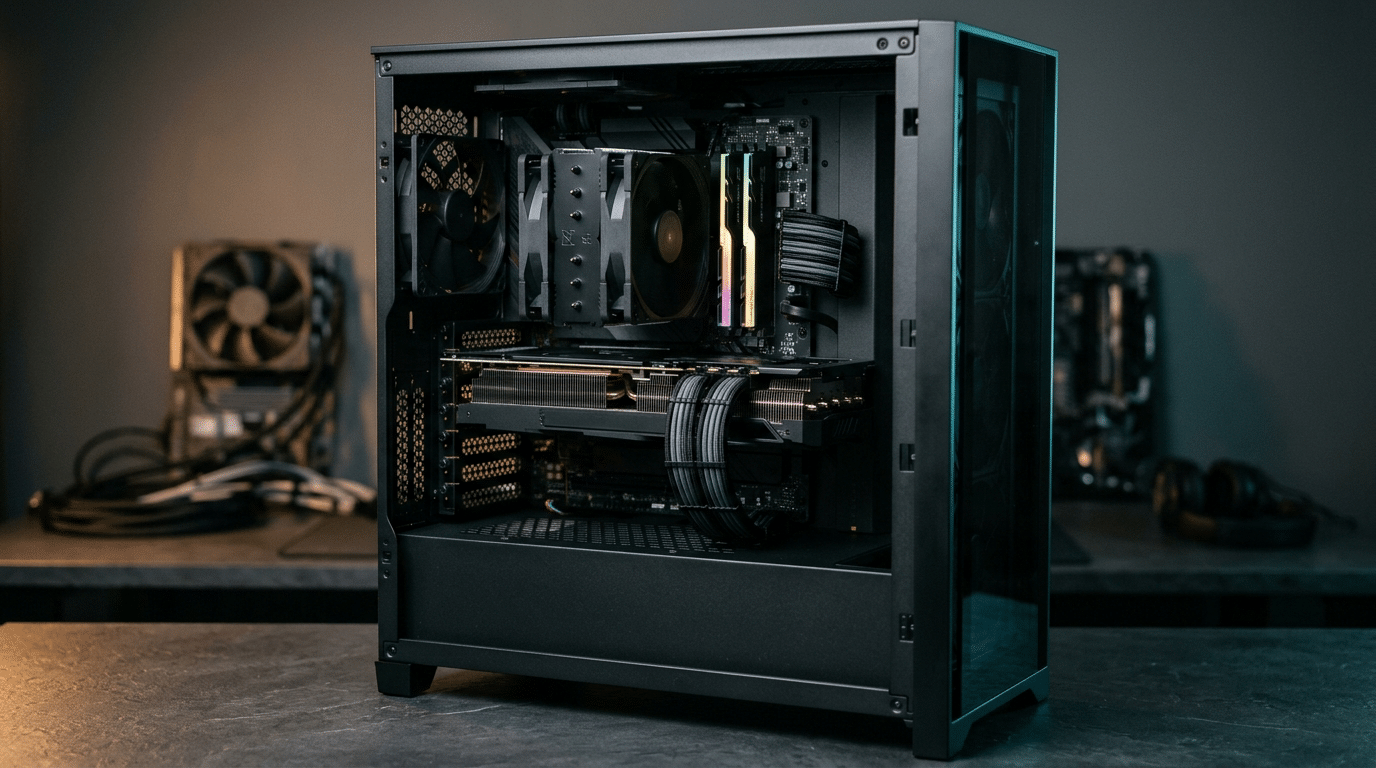
Picking the best rx 9070 xt prebuilt gaming pc comes down to verifying that the supporting components let AMD’s RDNA 4 silicon stretch its legs without hitting hidden bottlenecks. Because every system above shares the same 16GB graphics foundation, five platform and integration checks separate top-ranked machines from compromised listings.
1. RDNA 4 Architecture, 16GB GDDR6 & FSR 4 vs. RTX 5070 Ti
Launched at around $599 Launch MSRP, the Radeon RX 9070 XT packs 64 Compute Units (4,096 Stream Processors), 16GB of GDDR6 on a full 256-bit memory bus, roughly 304W Total Board Power, and DisplayPort 2.1a display output. That 16GB buffer hits the 2026 sweet spot for maxed-out 1440p gaming and 4K gaming with upscaling, sidestepping the memory spillovers that plague 8GB cards and tight 12GB GPUs when Ultra texture packs and ray tracing run concurrently.
Equally important, RDNA 4 introduces dedicated AI hardware supporting AMD FSR 4—a machine-learning upscaler that narrows visual clarity gaps dramatically compared to older shader-based FSR 3. When enabling Frame Generation or Fluid Motion Frames, keep your native base frame rate above 50–60 FPS paired with AMD Anti-Lag 2 so controls stay snappy rather than sluggish. Note also that rumored NVIDIA RTX 5070 Super and RTX 5080 Super refreshes remain unreleased rumors as of November 2026—never hold off on an active purchase waiting for unverified rumor windows. To see how Team Red compares against NVIDIA’s around-$749 Launch MSRP rival, explore our RTX 5070 Ti vs. Radeon RX 9070 XT comparison or browse our Best 1440p Graphics Cards (2026) audit.
2. Matching AM5 CPU Cache Tiers to Your Graphics Card
Every single verified RX 9070 XT prebuilt in our 2026 audit uses AMD’s AM5 socket—an encouraging sign for longevity—yet processor cache varies widely across the lineup:
- Ryzen 7 9850X3D & Ryzen 7 9800X3D (96MB L3 3D V-Cache): Top choices for pure gaming. Zen 5 cores stacked with 96MB of L3 cache keep 1% Lows extraordinarily flat in CPU-dense games, making #1 Lenovo Legion Tower 5 and #2 Skytech Azure dominant all-rounders.
- Ryzen 7 7800X3D (96MB L3 3D V-Cache): Retains the full 96MB cache advantage at slightly lower 5.0 GHz clocks, giving #6 STORMCRAFT Falcon AI and #7 Skytech 7800X3D outstanding gaming frames per dollar.
- Ryzen 9 9900X (12C/24T, 64MB L3): Tuned for video rendering, streaming, and heavy compiling inside #9 Acer Nitro 85, though dual-CCD topology trails X3D chips in pure gaming smoothness.
- Ryzen 7 9700X & Ryzen 5 9600X (32MB L3): Smart value Zen 5 picks (#8 and #10) that double the L3 cache of OEM-cut Ryzen 7 8700F systems (which drop to just 16MB L3 cache and 16 usable PCIe 4.0 lanes).
3. Dual-Channel DDR5 Memory & NVMe SSD Reality
System memory cuts are the easiest silent compromise for prebuilt brands to hide. On AM5 motherboards, memory controllers hit their peak 1:1 UCLK:MCLK ratio at 32GB (2x16GB) DDR5-6000 CL30, delivering roughly 10.0ns first-word latency. Dropping to a single 1x16GB stick—or using slow DDR5-4800—slashes memory bandwidth and triggers noticeable 15–30% drops in 1% Lows. Meanwhile, avoid populating all four DIMM slots, which forces AM5 controllers to drop transfer speeds for stability.
On storage, aim for a 1TB to 2TB PCIe 4.0 NVMe SSD built with TLC NAND and dedicated DRAM cache. Do not overpay for PCIe 5.0 SSDs on a pure gaming desktop; Gen 5 drives generate extra heat while showing virtually zero FPS or game-loading advantage over quality PCIe 4.0 DRAM TLC drives in current DirectStorage titles. Conversely, avoid 500GB or DRAM-less QLC primary drives that suffer write slowdowns as they fill up.
4. ATX 3.1 Power Headroom, Chassis Airflow & GPU Sag Support
The RX 9070 XT draws roughly 304W under sustained gaming loads, and modern GPUs routinely spike 200–300% above steady power for a few milliseconds during heavy shader bursts. Always target a 750W to 850W 80+ Gold power supply built to the modern ATX 3.1 specification—one reason #1 Lenovo Legion Tower 5’s explicitly listed 850W PSU earned top marks. Avoid unvented solid front glass cases that choke intake fans, inspect shipped rigs for internal protective foam plus an anti-sag GPU bracket, and ensure at least 35mm of straight power-cable clearance before any bend near the side glass.
5. Avoiding Amazon Prebuilt Catalog Traps & Spec Omissions
Live Amazon marketplace audits expose recurring pitfalls that trip up fast shoppers. First, Amazon’s left-sidebar “Graphics Memory” filter still caps out at “8 GB & above,” lumping older 8GB entry cards alongside 16GB RDNA 4 desktops. Second, several RDNA 4 OEM listings sell the cut-down AMD Radeon RX 9070 GRE (12GB)—a 48-CU, 192-bit card—right next to full 64-CU RX 9070 XT 16GB builds, so verify “XT” and “16GB” in the exact variant selector.
Third, watch out for parent-ASIN review pooling (via Amazon’s “Set name” selector), where listings merge legacy GTX 1660 Ti reviews onto brand-new Ryzen 9000 configurations, and beware listings stating “Brand may vary” while omitting PSU wattage, CPU cooler size, or motherboard chipset. Finally, verify Condition is locked to New and confirm Wi-Fi 6E or Wi-Fi 7 (802.11be) rather than hidden Wi-Fi 5 downgrades.
6. Upgrade Roadmap, Hidden Costs & Sub-$2,000 Alternatives
Even strong prebuilts leave room for smart Day-1 upgrades that cost far less DIY than paying inflated configurator markups:
- Secondary 2TB PCIe 4.0 DRAM TLC M.2 SSD (Around $120–$170 Tier): Ideal for 1TB towers like #1 Lenovo Legion Tower 5, #5 KOTIN, and #6 STORMCRAFT Falcon AI—just confirm your motherboard M.2 slot routing does not steal PCIe lanes from the primary x16 graphics slot.
- Clean 32GB (2x16GB) DDR5-6000 CL30 Kit (Around $90–$120 Tier): Essential for 16GB rigs like #9 Acer Nitro 85 (or #10 Ultimate if configured at 16GB), replacing mixed or single-channel sticks entirely.
- PCIe Wi-Fi 6E/7 Card or 2.5GbE Cable (Around $30–$45 Tier): Fixes any system integrator build that quietly ships legacy Wi-Fi 5 radios.
Still deciding whether an RX 9070 XT build fits your overall budget ceiling? Compare multi-brand GPU options across our Best Prebuilt Gaming PC Under $2,000 (2026) guide, or step back to our Best Prebuilt Gaming PC pillar hub if you are open to RTX 5070 or RTX 5060 Ti 16GB towers at lower price brackets.
How We Audited, Scored & Filtered These RX 9070 XT Builds
Every configuration on this page underwent a structured specification and platform compatibility audit anchored in official AMD RDNA 4 / Zen 5 datasheets, PCI-SIG lane specifications, Cybenetics transient power criteria, and The PC Audit’s evaluation methodology—with zero paid rankings or fabricated frame-rate charts. Each rig receives a weighted score out of 10 across four criteria totaling 100%:
| Evaluation Criterion | Weight | What We Audited |
|---|---|---|
| GPU & VRAM Headroom | 35% | 16GB GDDR6 256-bit bandwidth, RDNA 4 64-CU throughput, AMD FSR 4 ML support, DisplayPort 2.1a output, and AIB cooling headroom. |
| CPU & Platform Runway | 25% | 96MB 3D V-Cache vs. standard Zen 5 L3 cache, AM5 multi-gen socket upgradeability, and PCIe lane integrity. |
| Memory & Storage Balance | 20% | 32GB dual-channel DDR5 vs. 16GB kits, DDR5 transfer speed transparency, and 1TB vs. 2TB NVMe SSD sizing. |
| Cooling, PSU & Warranty Support | 20% | 360mm AIO or tower cooler clarity, 750W–850W ATX 3.1 PSU disclosure, Wi-Fi 7/6E networking, standard ATX parts, and warranty. |
Models We Audited & Rejected (And Why)
- AMD Radeon RX 9070 GRE (12GB) Cross-Listed Prebuilts: Disqualified because the OEM-heavy RX 9070 GRE trims Compute Units from 64 down to 48 and cuts memory to 12GB GDDR6 (192-bit), eroding 1440p/4K Ultra longevity when priced near true 16GB RX 9070 XT machines.
- OEM Ryzen 7 8700F + 16GB DDR5-4800 Configurations Above $1,600: Excluded because the Phoenix-die 8700F drops L3 cache to 16MB and limits usable PCIe 4.0 lanes to 16, hurting 1% Lows relative to 7800X3D, 9800X3D, and even 9600X/9700X builds.
- 8GB VRAM Prebuilts (RTX 5060 / RTX 5060 Ti 8GB) Above $1,100: Disqualified under our VRAM ceiling rule because 8GB frame buffers compress textures or stutter at 1440p Ultra settings where 16GB RX 9070 XT builds run cleanly.
- Review-Pooled & Wi-Fi 5-Capped Listings Above $2,000: Excluded whenever parent ASINs mask outdated builds under thousands of inherited GTX 1660 Ti reviews or strip modern towers down to outdated Wi-Fi 5 cards.
Frequently Asked Questions About RX 9070 XT Prebuilt Gaming PCs
What CPU pairs best with the Radeon RX 9070 XT in a prebuilt gaming PC?
The AMD Ryzen 7 9800X3D is the ideal match thanks to 96MB of L3 3D V-Cache, eliminating frametime dips at 1440p Ultra. If you want maximum clock ceiling, the Ryzen 7 9850X3D leads pure gaming, while the Ryzen 7 7800X3D delivers strong 3D V-Cache value.
Is 16GB VRAM on the RX 9070 XT enough for 4K gaming in 2026?
Yes. Its 16GB GDDR6 buffer on a 256-bit bus hits the 2026 sweet spot for maxed-out 1440p textures, ray tracing, and 4K gaming paired with AMD FSR 4 upscaling. It comfortably avoids the memory spillovers seen on 8GB and tight 12GB graphics cards.
What power supply wattage does an RX 9070 XT prebuilt need?
Look for a 750W to 850W 80+ Gold power supply, ideally built to the ATX 3.1 standard. Because the RX 9070 XT draws roughly 304W Total Board Power and generates brief millisecond transient spikes, verified 850W rigs like our #1 Lenovo Legion Tower 5 provide safer headroom.
How does an RX 9070 XT prebuilt compare to an RTX 5070 Ti system?
At native rasterization and 1440p frames per dollar, the RX 9070 XT matches the RTX 5070 Ti closely while often lowering total system price. The RTX 5070 Ti pulls ahead in heavy path tracing and NVIDIA DLSS 4 Multi-Frame Generation ecosystems.
Should I avoid RX 9070 XT prebuilts that ship with only 16GB DDR5?
Treat 16GB DDR5 as a minor compromise rather than an automatic dealbreaker—especially on 12-core creator builds like the Acer Nitro 85. Just verify whether it uses single-channel 1x16GB and budget around $90–$120 to swap in a clean 2x16GB DDR5-6000 kit.
Why should buyers watch out for RX 9070 GRE listings when shopping for an RX 9070 XT?
Amazon prebuilt listings frequently group RDNA 4 graphics cards under similar naming. The OEM-heavy RX 9070 GRE cuts Compute Units from 64 down to 48 and trims VRAM from 16GB to 12GB (192-bit), so always confirm “RX 9070 XT 16GB” in the exact product title.
Final Verdict: Which RX 9070 XT Prebuilt Gaming PC Should You Buy?
For the vast majority of 1440p and 4K buyers, the Lenovo Legion Tower 5 (2026 — Ryzen 7 9800X3D & RX 9070 XT 16GB) stands out as the best rx 9070 xt prebuilt gaming pc available on Amazon. Around the $2,250–$2,350 tier, it nails every vital hardware pillar—96MB 3D V-Cache, 16GB RDNA 4 VRAM, 32GB DDR5, an explicitly verified 850W power supply, and Wi-Fi 7—leaving room in your budget to drop in a 2TB secondary NVMe SSD later.
If you prefer a boutique off-the-shelf ATX chassis with a 360mm AIO liquid cooler, 2TB SSD upfront, zero bloatware, and AMD’s peak 5.6 GHz Ryzen 7 9850X3D, step up to the Skytech Gaming Azure. Prefer 2TB storage and 9800X3D speed without flagship pricing? Pick the STORMCRAFT Skyhawk PRO. And if value comes first without sacrificing 96MB of 3D V-Cache, the STORMCRAFT Falcon AI (Ryzen 7 7800X3D) remains a smart long-term AM5 gaming investment.


