
Disclosure: As an Amazon Associate, I earn from qualifying purchases. If you buy through links on this page, The PC Audit may earn a small commission at no extra cost to you.
Shopping for the best RTX 5070 prebuilt gaming PC on Amazon in late 2026 quickly reveals two quiet compromises hiding behind Blackwell marketing headlines. First, NVIDIA separates the GeForce RTX 5070 desktop family into two meaningfully different cards: a 12GB GDDR7 RTX 5070 on a 192-bit bus (6,144 CUDA cores, 250W TDP) and a 16GB GDDR7 RTX 5070 Ti on a 256-bit bus (8,960 CUDA cores, 300W TDP). Second, Amazon’s left-sidebar graphics memory filter caps out at “8 GB & above,” letting builders pair headline RTX 5070 GPUs with trimmed-cache CPUs, 16GB DDR5 kits, or undisclosed power supplies.
To help you sidestep expensive bottlenecks, we audited 9 verified, in-stock Amazon configurations spanning full-tower ATX builds, Tier-1 OEM desktops, and compact Mini-ITX powerhouses across both RTX 5070 (12GB) and RTX 5070 Ti (16GB) tiers. Building on our master Best Prebuilt Gaming PC hub, our Best Prebuilt Gaming PC Under $2,000 guide, and our Best 1440p Graphics Cards tier list, every pick below is evaluated on silicon balance, 3D V-Cache 1% Low stability, upgrade runway, and listing transparency.
In This Audit
- Quick Picks: Top 3 Recommendations
- Side-by-Side Comparison of All 9 Audited Builds
- Match Your Use Case
- Detailed Product Audits (1–9)
- 1. MSI Vision ZS Gaming Desktop (Best Overall RTX 5070 Build)
- 2. MSI Codex Z2 A8NVP-436US (Best Value AM5 Under $1,850)
- 3. Cooler Master NR2 Pro Mini-ITX (Best RTX 5070 Ti 16GB & Compact Pick)
- 4. ASUS ROG G700 (Best ATX Airflow & 850W PSU Headroom)
- 5. XIDAX Prebuilt Gaming PC (Best 7800X3D Boutique AM5 Value)
- 6. Alienware Aurora ACT1250 (Best Wi-Fi 7 & Onsite Service OEM)
- 7. MSI Aegis R2 AI (Best 24-Core Creator & AI RTX 5070 Ti Tower)
- 8. Lenovo Legion Tower 5 (Best Mainstream OEM 7800X3D Rig)
- 9. LAN Gamer 8.1L Mini-ITX SFF (Best Ultra-Compact 8.1L RTX 5070 Ti)
- Buying Guide: 12GB vs. 16GB GDDR7 & Upgrade Roadmap
- Scoring Methodology & Rejected Models
- Frequently Asked Questions
- Final Verdict
Quick Picks: Best RTX 5070 Prebuilt Gaming PC Recommendations
#1 Best Overall RTX 5070 Build
MSI Vision ZS (9800X3D / RTX 5070)
Pairs the 104MB-cache Ryzen 7 9800X3D with an RTX 5070 12GB, 32GB DDR5, and a 2TB SSD in a standard ATX chassis (Jump to audit).
#2 Best Value Under $1,850
MSI Codex Z2 A8NVP-436US
Delivers RTX 5070 12GB graphics, 32GB DDR5, and a 2TB NVMe SSD on an upgrade-ready ATX AM5 board under $1,850 (Jump to audit).
#3 Best RTX 5070 Ti 16GB Pick
Cooler Master NR2 Pro Mini-ITX
Packs a 16GB GDDR7 RTX 5070 Ti, Ryzen 7 9800X3D, confirmed 32GB DDR5-6000, and 2TB SSD into an SFF tower (Jump to audit).
Side-by-Side Comparison: Top 9 RTX 5070 & 5070 Ti Prebuilt Gaming PCs
| Product & Award | GPU & VRAM | CPU & Platform | RAM & Storage | Link |
|---|---|---|---|---|
| 1. MSI Vision ZS Best Overall RTX 5070 | RTX 5070 12GB GDDR7 | Ryzen 7 9800X3D (AM5) | 32GB DDR5 | 2TB SSD | View on Amazon |
| 2. MSI Codex Z2 A8NVP-436US Best Value Under $1,850 | RTX 5070 12GB GDDR7 | Ryzen 7 8700F (AM5) | 32GB DDR5 | 2TB NVMe | View on Amazon |
| 3. Cooler Master NR2 Pro Best RTX 5070 Ti & Compact | RTX 5070 Ti 16GB GDDR7 | Ryzen 7 9800X3D (AM5 ITX) | 32GB DDR5-6000 | 2TB SSD | View on Amazon |
| 4. ASUS ROG G700 Best ATX Airflow & 850W PSU | RTX 5070 12GB GDDR7 | Core Ultra 7 265F (LGA 1851) | 16GB DDR5 | 1TB PCIe 4.0 | View on Amazon |
| 5. XIDAX Prebuilt PC Best 7800X3D Boutique Value | RTX 5070 12GB GDDR7 | Ryzen 7 7800X3D (AM5) | 32GB DDR5 | 2TB SSD | View on Amazon |
| 6. Alienware Aurora ACT1250 Best Wi-Fi 7 & Onsite Warranty | RTX 5070 12GB GDDR7 | Core Ultra 7 265F (OEM) | 32GB DDR5 | 1TB NVMe | View on Amazon |
| 7. MSI Aegis R2 AI Best 24-Core Creator 5070 Ti | RTX 5070 Ti 16GB GDDR7 | Core Ultra 9 285 (LGA 1851) | 32GB DDR5 | 2TB NVMe | View on Amazon |
| 8. Lenovo Legion Tower 5 Best Mainstream OEM X3D | RTX 5070 12GB GDDR7 | Ryzen 7 7800X3D (AM5 OEM) | 32GB RAM | 1TB SSD | View on Amazon |
| 9. LAN Gamer 8.1L SFF Best Ultra-Compact 8.1L 5070 Ti | RTX 5070 Ti 16GB GDDR7 | Core Ultra 7 265 (LGA 1851) | 24GB DDR5 | 1TB Gen4 | View on Amazon |
Match Your Use Case: Which Audited Build Fits Your Setup?
| Buyer Scenario | Best Match | Why & Expected Outcome |
|---|---|---|
| Peak 1440p high-refresh gaming with zero CPU bottleneck | 1. MSI Vision ZS (9800X3D / RTX 5070) | 104MB 3D V-Cache keeps 1% Lows steady in esports and simulation games alongside 32GB DDR5 and 2TB storage. |
| Best RTX 5070 value under $1,850 on upgradeable AM5 | 2. MSI Codex Z2 A8NVP-436US | Secures 12GB GDDR7, 32GB DDR5, and 2TB NVMe today while keeping an effortless drop-in path to future X3D silicon. |
| 1440p Ultra Path Tracing, upscaled 4K & compact desk | 3. Cooler Master NR2 Pro (RTX 5070 Ti) | 256-bit 16GB GDDR7, 8,960 CUDA cores, and confirmed DDR5-6000 eliminate 12GB VRAM ceilings inside an SFF tower. |
| Spacious tool-less ATX cooling & 850W PSU under $1,900 | 4. ASUS ROG G700 (265F / RTX 5070) | 58L quad-fan chassis and 850W power headroom accommodate future GPUs after an inexpensive 32GB RAM upgrade. |
| Plug-and-play Wi-Fi 7 & Dell Onsite Warranty under $1,950 | 6. Alienware Aurora ACT1250 | Delivers 32GB DDR5, Wi-Fi 7, Killer 2.5GbE, and onsite service for shoppers who never want to swap motherboards. |
| Heavy 3D rendering, video timelines & local AI models | 7. MSI Aegis R2 AI (Ultra 9 285 / 5070 Ti) | Combines 24 Arrow Lake cores (with Quick Sync iGPU) and 16GB GDDR7 inside a full-size ATX expansion chassis. |
Detailed Audits: Best RTX 5070 Prebuilt Gaming PC & 5070 Ti Rigs (1–9)
1. MSI Vision ZS Gaming Desktop (Ryzen 7 9800X3D, RTX 5070, 32GB DDR5, 2TB SSD) — Best Overall RTX 5070 Build

Quick Specs: NVIDIA GeForce RTX 5070 12GB GDDR7 (192-bit, 6,144 CUDA, 250W TDP) | AMD Ryzen 7 9800X3D (8C/16T, up to 5.2 GHz, 104MB total cache, AM5) | 32GB DDR5 | 2TB SSD | Standard ATX MSI Platform | Price Tier: Upper prebuilt tier (around $2,000+)
Audit Score: 9.1 / 10
- GPU & VRAM Headroom (35%): 8.8 / 10
- CPU & Platform Runway (25%): 9.8 / 10
- Memory & Storage Balance (20%): 9.3 / 10
- Cooling, PSU & Warranty Support (20%): 8.5 / 10
Too many prebuilt assemblers cripple a fast graphics card by pairing it with an entry-level processor or cutting system storage back to 1TB. The MSI Vision ZS avoids every major balance mistake at once by anchoring the RTX 5070 12GB GDDR7 directly to the AMD Ryzen 7 9800X3D—bringing 8 Zen 5 cores, 5.2 GHz boost clocks, and 104MB of total cache (2nd-generation 3D V-Cache) on Socket AM5. With 32GB DDR5 and a full 2TB SSD installed from the factory, there is no immediate upgrade tax waiting after unboxing.
Compared with our #2 value pick, the MSI Codex Z2 A8NVP-436US, the Vision ZS eliminates the Ryzen 7 8700F’s 16MB L3 cache and 16-lane PCIe limits completely, yielding noticeably tighter 1% Low frame pacing in CPU-heavy esports and simulation games. Meanwhile, against the #3 Cooler Master NR2 Pro (RTX 5070 Ti), the Vision ZS gives up 4GB VRAM and 45.8% raw CUDA cores while winning back full standard ATX breathing room and uncomplicated future 3.5-slot GPU upgrades.
Buyer Verification Alert: MSI’s Amazon listing card does not disclose the exact DDR5 transfer speed (such as 6000 MT/s CL30) or PSU wattage and ATX 3.1 label upfront. Inspect the power supply specification plate and verify dual-channel EXPO activation in BIOS on day one.
Pros
- Pairs RTX 5070 12GB GDDR7 with AMD’s 104MB-cache Ryzen 7 9800X3D for unmatched 1% Low gaming consistency
- Includes 32GB DDR5 memory and a generous 2TB NVMe SSD out of the box
- Standard ATX MSI chassis and AM5 motherboard preserve effortless future GPU and storage expansion
- Avoids proprietary OEM power connectors and custom case layouts
Cons
- 12GB GDDR7 framebuffer trails the 16GB RTX 5070 Ti in heavy Path Tracing and 4K Ultra texture packs
- Exact PSU wattage, 80+ efficiency tier, and DDR5 MT/s timings are omitted on the summary listing
Verdict: Buy it if you want the cleanest zero-compromise ATX best RTX 5070 prebuilt gaming PC pairing 9800X3D cache dominance with 32GB DDR5 and 2TB storage. Skip it if heavy 4K ray tracing pushes your wishlist toward a 16GB RTX 5070 Ti build like #3. Upgrade note: Confirm EXPO is active in BIOS and check whether the PSU natively includes a 12V-2×6 cable before upgrading to a higher-wattage GPU years later.
2. MSI Codex Z2 Gaming Desktop (A8NVP-436US — Ryzen 7 8700F / RTX 5070) — Best Value AM5 RTX 5070 Under $1,850

Quick Specs: NVIDIA GeForce RTX 5070 12GB GDDR7 | AMD Ryzen 7 8700F (8C/16T, 16MB L3, 16 usable PCIe 4.0 lanes, AM5) | 32GB DDR5 | 2TB NVMe SSD | Standard MSI ATX AM5 Motherboard, 4-Fan Airflow + ARGB Air Cooler, USB Type-C, Windows 11 Home | Price Tier: Upper prebuilt tier (under $1,850)
Audit Score: 8.8 / 10
- GPU & VRAM Headroom (35%): 8.8 / 10
- CPU & Platform Runway (25%): 8.4 / 10
- Memory & Storage Balance (20%): 9.2 / 10
- Cooling, PSU & Warranty Support (20%): 8.8 / 10
Most RTX 5070 systems hovering under $1,850 slash memory down to 16GB or storage down to 1TB to protect assembler margins. The MSI Codex Z2 A8NVP-436US breaks that pattern by bundling full RTX 5070 12GB graphics with 32GB DDR5 memory, a 2TB NVMe SSD, four airflow case fans, an ARGB tower cooler, and front USB Type-C on a standard MSI ATX AM5 motherboard. For buyers targeting smooth 1440p gaming with DLSS 4 right away while keeping long-term upgrade freedom intact, that capacity balance is remarkably hard to beat.
The explicit trade-off sits inside the CPU socket: per AMD’s Ryzen 7 8700F specifications, this 65W Phoenix-derived chip reduces L3 cache to 16MB (half of standard Zen 4/Zen 5 Ryzen 7 CPUs and under a sixth of X3D chips), limits usable PCIe 4.0 lanes to 16, and removes integrated graphics. Compared with the #4 ASUS ROG G700 under $1,900, MSI doubles both RAM (32GB vs. 16GB) and SSD capacity (2TB vs. 1TB) on a far more upgradeable AM5 socket, even though ASUS discloses an 850W PSU upfront.
Buyer Verification Alert: Verify the physical PSU wattage and ATX 3.1 / 80+ Gold status through the case window or side panel before planning a future GPU jump, and remember the Ryzen 7 8700F has no integrated iGPU for fallback display diagnostics.
Pros
- Rare under-$1,850 RTX 5070 configuration shipping both 32GB DDR5 and a 2TB NVMe SSD
- Standard MSI ATX AM5 motherboard retains a clean drop-in upgrade path to Ryzen 7 9800X3D silicon
- Four-fan chassis layout and dedicated ARGB air cooler keep 65W CPU temperatures low and quiet
- Includes USB Type-C I/O and standard off-the-shelf ATX internals
Cons
- Ryzen 7 8700F 16MB L3 cache and 16 usable PCIe 4.0 lanes trail X3D builds in CPU-bound esports 1% Lows
- PSU rating and exact DDR5 memory speed/CL timings are not detailed in the product summary
Verdict: Buy it if you want the best under-$1,850 value prebuilt combining an RTX 5070 12GB, 32GB DDR5, and a 2TB SSD on an upgradeable AM5 socket. Skip it if you play competitive high-refresh shooters daily and can afford #1 MSI Vision ZS or #5 XIDAX upfront. Upgrade note: Flash the latest MSI BIOS whenever you decide to drop in a Ryzen 7 9800X3D or 9850X3D processor later.
3. Cooler Master NR2 Pro Mini-ITX Gaming PC (Ryzen 7 9800X3D, RTX 5070 Ti, 32GB DDR5, 2TB SSD) — Best RTX 5070 Ti 16GB & Compact Build

Quick Specs: NVIDIA GeForce RTX 5070 Ti 16GB GDDR7 (256-bit, 8,960 CUDA, 300W TDP) | AMD Ryzen 7 9800X3D (8C/16T, 104MB total cache, AM5) | 32GB DDR5-6000 | 2TB M.2 SSD | Cooler Master NR2 Pro Mini-ITX Small Form Factor | Price Tier: Enthusiast SFF tier (above $2,200)
Audit Score: 9.0 / 10
- GPU & VRAM Headroom (35%): 9.6 / 10
- CPU & Platform Runway (25%): 9.2 / 10
- Memory & Storage Balance (20%): 9.4 / 10
- Cooling, PSU & Warranty Support (20%): 7.6 / 10
For buyers ready to step past 12GB VRAM into true 16GB GDDR7 headroom, Cooler Master’s NR2 Pro Mini-ITX is the cleanest gaming-first RTX 5070 Ti specification sheet on Amazon. Jumping from an RTX 5070 to the RTX 5070 Ti boosts CUDA cores by 45.8% (from 6,144 to 8,960), widens the memory bus from 192-bit to 256-bit, and unlocks 16GB GDDR7 so 1440p Ultra ray tracing and upscaled 4K never choke on texture swaps. Better still, Cooler Master explicitly pairs the Ryzen 7 9800X3D with confirmed 32GB DDR5-6000 RAM—hitting AMD AM5’s exact 1:1 memory-controller sweet spot—and a 2TB M.2 SSD.
Why does the NR2 Pro land at #3 instead of #1? Mini-ITX Small Form Factor (SFF) density brings real physical trade-offs: tighter airflow clearance for a 300W GPU, louder fan speeds under sustained load than a spacious ATX mid-tower like #1 MSI Vision ZS, and only two DDR5 DIMM slots plus one PCIe x16 slot. Still, compared with the ultra-tiny #9 LAN Gamer 8.1L SFF (24GB DDR5, Core Ultra 7 265), the NR2 Pro breathes far better and upgrades every single core gaming component.
Buyer Verification Alert: SFF Mini-ITX enclosures leave narrow clearance next to the graphics card’s 12V-2×6 power connector. If you ever open the NR2 Pro to clean dust or reseat cables, ensure at least 35mm of straight bend clearance so the sense pins stay fully seated.
Pros
- 16GB GDDR7 RTX 5070 Ti (256-bit, 8,960 CUDA) handles 1440p Path Tracing and upscaled 4K effortlessly
- Confirmed 32GB DDR5-6000 memory pairs ideally with the Ryzen 7 9800X3D’s 1:1 fabric ratio
- 2TB M.2 SSD avoids immediate storage upgrades inside a space-conscious desk footprint
- Uses standard Mini-ITX and SFX layouts rather than proprietary OEM parts
Cons
- SFF chassis airflow raises fan acoustics under sustained 300W GPU + 162W PPT CPU loads compared with ATX towers
- Mini-ITX form factor caps future expansion to 2 RAM slots, 1 PCIe card, and compact SFX power supplies
Verdict: Buy it if you want flagship 16GB RTX 5070 Ti and Ryzen 7 9800X3D gaming performance with confirmed DDR5-6000 speeds in a desk-friendly Mini-ITX footprint. Skip it if quiet full-tower acoustics and multi-slot ATX expandability matter more than saving desk space. Upgrade note: Apply a modest negative PBO Curve Optimizer offset (-15 to -20) in BIOS after verifying stability to shave 5°C–10°C off SFF CPU boost temperatures.
4. ASUS ROG G700 (Core Ultra 7 265F & RTX 5070 12GB) — Best ATX Airflow & 850W Power Headroom
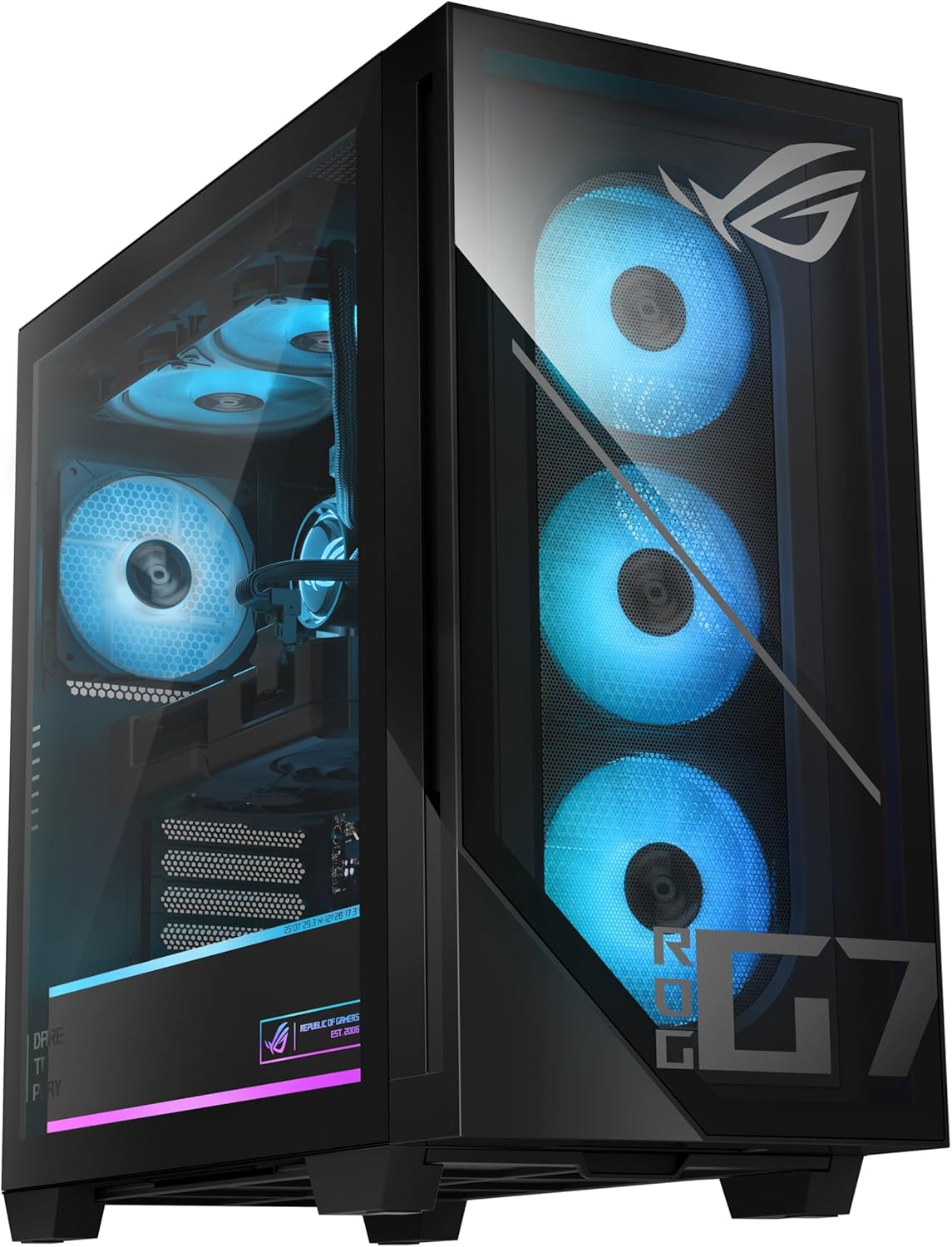
Quick Specs: NVIDIA GeForce RTX 5070 12GB GDDR7 | Intel Core Ultra 7 265F (20 cores, up to 5.3 GHz, 30MB L3 / 66MB total cache, LGA 1851) | 16GB DDR5 | 1TB M.2 PCIe 4.0 NVMe SSD | 58L Tool-Less Dual-Glass ROG Chassis, Quad-Fan Airflow, 850W PSU, Wi-Fi 6, 2.5GbE LAN | Price Tier: Upper mid-range (under $1,900)
Audit Score: 8.6 / 10
- GPU & VRAM Headroom (35%): 8.8 / 10
- CPU & Platform Runway (25%): 8.4 / 10
- Memory & Storage Balance (20%): 7.6 / 10
- Cooling, PSU & Warranty Support (20%): 9.4 / 10
While dozens of Amazon desktops leave power supply capacity completely blank, the ASUS ROG G700 earns huge credibility by documenting its chassis and power infrastructure upfront. Inside a massive 58-liter tool-less dual-glass ROG tower cooled by four system fans, ASUS pairs an 850W PSU with standard LGA 1851 ATX internals, 2.5GbE LAN, Wi-Fi 6, and a 20-core Intel Core Ultra 7 265F processor boosting up to 5.3 GHz. That 850W power budget exceeds NVIDIA’s 650W baseline for the RTX 5070 by 200W—leaving generous transient headroom for future flagship GPU upgrades.
Two compromises prevent the ROG G700 from landing in our Top 3. First, ASUS ships only 16GB DDR5 and a 1TB PCIe 4.0 NVMe SSD under $1,900, trailing the 32GB DDR5 and 2TB SSD found on our #2 MSI Codex Z2 and #6 Alienware Aurora ACT1250. Second, the F-suffix Core Ultra 7 265F deletes integrated Intel graphics and Quick Sync hardware media encoding—meaning video editors who depend on Quick Sync timeline acceleration should look at non-F models like #7 or #9.
Buyer Verification Alert: Check whether the stock 16GB DDR5 arrives as a single 1x16GB module using HWiNFO64; single-channel DDR5 throttles 1% Low framerates until swapped for a matched dual-channel kit.
Pros
- Confirmed 850W power supply provides massive transient spike safety and future GPU upgrade headroom
- 58L tool-less dual-glass ROG chassis with quad-fan airflow simplifies cleaning, GPU clearance, and swaps
- 20-core Intel Core Ultra 7 265F balances cool Arrow Lake power draw with strong multitasking throughput
- Includes 2.5GbE Ethernet, Wi-Fi 6, and standard ATX LGA 1851 component layout
Cons
- Only 16GB DDR5 and 1TB SSD out of the box under $1,900
- F-suffix Core Ultra 7 265F omits iGPU and Intel Quick Sync encoding
- LGA 1851 lacks AM5’s long multi-generation X3D upgrade runway
Verdict: Buy it if you want a roomy, tool-less 58L standard ATX tower with a confirmed 850W PSU under $1,900 and don’t mind performing an easy day-one RAM upgrade. Skip it if you want 32GB DDR5 and 2TB storage installed from the factory like #2 MSI Codex Z2. Upgrade note: Budget around $95–$110 for a matched 32GB (2x16GB) DDR5-6400 CL32 kit and enable XMP 3.0 in BIOS.
5. XIDAX Prebuilt Gaming PC (Ryzen 7 7800X3D, RTX 5070, 32GB DDR5, 2TB SSD) — Best 7800X3D Boutique AM5 Value

Quick Specs: NVIDIA GeForce RTX 5070 12GB GDDR7 | AMD Ryzen 7 7800X3D (8C/16T, up to 5.0 GHz, 104MB total cache, AM5) | 32GB DDR5 | 2TB SSD | Standard ATX Boutique System Integrator Chassis | Price Tier: Upper prebuilt tier (around $2,000+)
Audit Score: 8.6 / 10
- GPU & VRAM Headroom (35%): 8.8 / 10
- CPU & Platform Runway (25%): 9.1 / 10
- Memory & Storage Balance (20%): 9.1 / 10
- Cooling, PSU & Warranty Support (20%): 7.3 / 10
Previous-generation 3D V-Cache still outclasses non-X3D entry silicon in gaming responsiveness, making this XIDAX Ryzen 7 7800X3D build a compelling alternative whenever it undercuts newer 9800X3D desktops. With 104MB of combined cache feeding the RTX 5070 12GB, 32GB DDR5 RAM, and a spacious 2TB SSD inside a standard aftermarket ATX chassis, XIDAX delivers balanced 1440p gaming headroom without forcing proprietary OEM connectors or cramped 1TB storage limits.
Compared with #8 Lenovo Legion Tower 5 (which also pairs the Ryzen 7 7800X3D and RTX 5070), XIDAX doubles storage capacity from 1TB to 2TB and relies on standard retail ATX hardware rather than OEM BIOS constraints. Its penalty comes down strictly to Amazon catalog transparency: the listing omits PSU wattage, 80+ efficiency certification, motherboard chipset, and exact DDR5 MT/s speed—putting #1 MSI Vision ZS ahead for buyers wanting newer 9800X3D clock speeds.
Buyer Verification Alert: Because XIDAX’s Amazon summary leaves out motherboard chipset, cooler type, and PSU wattage, confirm the exact power supply label and ensure AMD EXPO is enabled inside BIOS upon arrival.
Pros
- 104MB 3D V-Cache Ryzen 7 7800X3D delivers far stronger 1% Low gaming consistency than 8700F or i5 builds
- Ships complete with 32GB DDR5 and a full 2TB SSD for massive modern AAA installs
- Standard ATX boutique assembly keeps future AM5 CPU and PSU upgrades straightforward
Cons
- Amazon product summary omits PSU wattage, 80+ rating, motherboard chipset, and RAM speed
- Previous-gen 7800X3D trails the 9800X3D’s 5.2 GHz boost clocks and improved thermal layout
Verdict: Buy it if seasonal discounts pull this XIDAX 7800X3D build cleanly below 9800X3D towers while you want 32GB DDR5, 2TB storage, and standard ATX parts. Skip it if pricing sits within striking distance of #1 MSI Vision ZS. Upgrade note: Verify Resizable BAR and EXPO settings on first boot using HWiNFO64.
6. Alienware Aurora Gaming Desktop (ACT1250) — Best Wi-Fi 7 & Dell Onsite Warranty

Quick Specs: NVIDIA GeForce RTX 5070 12GB GDDR7 | Intel Core Ultra 7 265F (up to 5.3 GHz, 66MB total cache, LGA 1851) | 32GB DDR5 | 1TB NVMe SSD | Wi-Fi 7, Killer 2.5Gb Ethernet, 1-Year Dell Onsite Service | Price Tier: Upper tier (under $1,950)
Audit Score: 8.4 / 10
- GPU & VRAM Headroom (35%): 8.8 / 10
- CPU & Platform Runway (25%): 7.8 / 10
- Memory & Storage Balance (20%): 8.4 / 10
- Cooling, PSU & Warranty Support (20%): 8.5 / 10
Not every buyer wants to swap RAM sticks or manage component-by-component RMAs. Under $1,950, the Alienware Aurora ACT1250 nails plug-and-play convenience by pairing the 20-core Intel Core Ultra 7 265F and RTX 5070 12GB with full 32GB DDR5 memory, native Wi-Fi 7 wireless networking, Killer 2.5Gb Ethernet, and 1-Year Dell Onsite Service. Having an onsite technician service hardware failures at home offers genuine practical value for streamers, remote workers, and first-time PC buyers.
Our engineering audit docks points against standard ATX contenders like #1 MSI Vision ZS and #4 ASUS ROG G700 on internal expandability. While Dell improved Aurora cooling compared with legacy cramped chassis, Dell/Alienware OEM motherboards and tailored power harness layouts still restrict aftermarket motherboard or power supply swaps down the road, and the 1TB SSD fills fast compared with MSI’s 2TB offerings.
Buyer Verification Alert: Double-check the Amazon configuration selector so you receive the 32GB DDR5 / RTX 5070 ACT1250 SKU rather than lower-RAM variants, and uninstall preloaded trial antivirus bloatware right after Windows setup.
Pros
- Includes 32GB DDR5 out of the box—avoiding the 16GB compromise seen on the ASUS ROG G700
- Next-gen Wi-Fi 7 and Killer 2.5Gb Ethernet deliver flagship wireless and wired throughput
- 1-Year Dell Onsite Service eliminates shipping an entire heavy tower back for hardware service
- 20-core Core Ultra 7 265F handles Discord, OBS streaming, and multitasking smoothly alongside 1440p gaming
Cons
- Proprietary OEM motherboard and PSU enclosure design limits long-term standard ATX upgrades
- F-suffix CPU omits Intel Quick Sync graphics and ships with 1TB storage instead of 2TB
Verdict: Buy it if you want 32GB DDR5, Wi-Fi 7, Killer 2.5GbE, and onsite Dell technician support under $1,950 with zero opening-the-case maintenance. Skip it if future standard ATX motherboard or PSU swaps sit high on your priority list (#4 ASUS ROG G700 or #2 MSI Codex Z2 fit better). Upgrade note: Drop a secondary 2TB PCIe 4.0 DRAM-equipped NVMe SSD into the spare M.2 slot once your game library grows.
7. MSI Aegis R2 AI (Core Ultra 9 285 & RTX 5070 Ti) — Best 24-Core Creator & AI RTX 5070 Ti Tower

Quick Specs: NVIDIA GeForce RTX 5070 Ti 16GB GDDR7 (256-bit, 8,960 CUDA, 300W TDP) | Intel Core Ultra 9 285 (24 cores, 3.7 GHz base, 32MB cache) | 32GB DDR5 | 2TB M.2 NVMe SSD | RGB CPU Air Cooler + 4 System Fans, USB Type-C, Windows 11 Home | Price Tier: Flagship creator tier (around $3,350–$3,450)
Audit Score: 8.3 / 10
- GPU & VRAM Headroom (35%): 8.3 / 10
- CPU & Platform Runway (25%): 8.8 / 10
- Memory & Storage Balance (20%): 8.9 / 10
- Cooling, PSU & Warranty Support (20%): 7.3 / 10
For software developers, 3D modelers, and local AI tinkerers who game after hours, the MSI Aegis R2 AI merges a 24-core Intel Core Ultra 9 285 processor with the 16GB GDDR7 RTX 5070 Ti, 32GB DDR5, and a 2TB M.2 NVMe SSD inside a full ATX tower. Unlike F-suffix OEM chips, the Core Ultra 9 285 keeps Intel Quick Sync media hardware active alongside dual Blackwell 9th-Gen NVENC engines—making 4:2:2 10-bit video scrubbing, Blender viewport rendering, and local LLM execution dramatically smoother than 8-core gaming rigs.
Why does it rank 7th instead of top 3? Value per dollar for pure gamers. Sitting around $3,350–$3,450 places this RTX 5070 Ti build directly against full RTX 5080 desktops in our Best Prebuilt Gaming PC rankings, and cooling 24 Arrow Lake cores on an air tower rather than a 360mm AIO leaves less sustained all-core boost headroom than liquid-cooled workstation builds. Pure gamers wanting 16GB RTX 5070 Ti performance get dramatically stronger value from #3 Cooler Master NR2 Pro.
Buyer Verification Alert: Check current RTX 5080 prebuilt availability before paying around $3,350–$3,450 for an RTX 5070 Ti tower, and verify PSU wattage and ATX 3.1 labeling inside the Aegis chassis.
Pros
- 24-core Core Ultra 9 285 with Quick Sync crushes multi-threaded compilation, 3D rendering, and creator workflows
- 16GB GDDR7 RTX 5070 Ti handles large AI quantization models and 1440p/4K Ultra textures cleanly
- Full standard ATX tower with 4 system fans, 32GB DDR5, 2TB NVMe SSD, and USB Type-C
Cons
- Flagship bracket around $3,350–$3,450 carries steep gaming price premium against RTX 5080 towers
- Tower air cooler works harder under continuous 24-core all-core loads than a 360mm AIO
- Exact PSU wattage and DDR5 MT/s kit rating are not disclosed in the Amazon summary
Verdict: Buy it if your primary workload mixes heavy 24-core creative rendering or local AI development with 16GB RTX 5070 Ti gaming inside a standard ATX tower. Skip it if you are a pure gamer—grab #3 Cooler Master NR2 Pro for RTX 5070 Ti value or shop RTX 5080 tiers instead. Upgrade note: Step up to a 64GB (2x32GB) DDR5 kit and verify 360mm radiator clearance if you saturate memory during long 3D renders.
8. Lenovo Legion Tower 5 (Ryzen 7 7800X3D, RTX 5070, 32GB RAM, 1TB Storage) — Best Mainstream OEM 7800X3D Rig

Quick Specs: NVIDIA GeForce RTX 5070 12GB GDDR7 | AMD Ryzen 7 7800X3D (8C/16T, 104MB total cache, AM5) | 32GB DDR5 (AM5 platform) | 1TB SSD | Lenovo Legion OEM Tower | Price Tier: Upper mid-range (around $1,900–$2,200)
Audit Score: 8.2 / 10
- GPU & VRAM Headroom (35%): 8.7 / 10
- CPU & Platform Runway (25%): 8.7 / 10
- Memory & Storage Balance (20%): 7.8 / 10
- Cooling, PSU & Warranty Support (20%): 7.2 / 10
Shoppers loyal to household Tier-1 retail brands rarely find AMD 3D V-Cache silicon inside mainstream OEM towers, which makes the Lenovo Legion Tower 5 noteworthy. Combining the Ryzen 7 7800X3D with an RTX 5070 12GB and 32GB memory puts Legion far ahead of OEM towers stuck on 16GB RAM or non-X3D chips when running CPU-demanding 1440p competitive shooters and strategy simulations.
Compared against our #5 XIDAX 7800X3D build, however, Lenovo cuts initial storage down to 1TB and leaves DDR5 clock speed, PSU wattage, and motherboard chipset undocumented on its summary card. Tier-1 OEM boards also tend to expose fewer memory sub-timing controls in BIOS than retail MSI or ASUS motherboards, pushing #1 MSI Vision ZS and #2 MSI Codex Z2 ahead for hardware enthusiasts.
Buyer Verification Alert: Check the physical PSU sticker and available M.2 SSD slots before ordering expansion parts, and confirm whether Lenovo’s OEM BIOS defaults your 32GB memory below DDR5-6000.
Pros
- Delivers proven Ryzen 7 7800X3D 3D V-Cache gaming stability and 32GB RAM from a Tier-1 OEM brand
- Clean Legion acoustic engineering and straightforward single-point Lenovo warranty coverage
- Stronger 1% Low framerates than Ryzen 7 8700F or Core i5 desktops
Cons
- 1TB SSD fills up quickly compared with 2TB towers at #1, #2, and #5
- OEM motherboard BIOS and PSU wattage/ATX 3.1 details lack upfront transparency
Verdict: Buy it if you specifically want Tier-1 Lenovo Legion support paired with Ryzen 7 7800X3D gaming speeds and 32GB RAM out of the box. Skip it if you want 2TB storage and open retail ATX BIOS control (#1 MSI Vision ZS or #5 XIDAX win cleanly). Upgrade note: Add a secondary 2TB PCIe 4.0 DRAM-equipped NVMe SSD for modern AAA storage breathing room.
9. LAN Gamer 8.1L Mini-ITX SFF Desktop (Core Ultra 7 265, RTX 5070 Ti, 24GB DDR5, 1TB SSD) — Best Ultra-Compact 8.1L RTX 5070 Ti

Quick Specs: NVIDIA GeForce RTX 5070 Ti 16GB GDDR7 (256-bit, 8,960 CUDA, 300W TDP) | Intel Core Ultra 7 265 (20 cores, LGA 1851, includes iGPU / Quick Sync) | 24GB DDR5 | 1TB Gen4 NVMe SSD | 8.1L Mini-ITX SFF Enclosure | Price Tier: Enthusiast SFF tier (around $2,000+)
Audit Score: 8.0 / 10
- GPU & VRAM Headroom (35%): 9.4 / 10
- CPU & Platform Runway (25%): 8.2 / 10
- Memory & Storage Balance (20%): 7.1 / 10
- Cooling, PSU & Warranty Support (20%): 6.4 / 10
Cramming a 300W 16GB GDDR7 RTX 5070 Ti and a 20-core Intel Core Ultra 7 265 processor into an 8.1-liter suitcase-ready enclosure makes the LAN Gamer SFF desktop a pure engineering niche pick. Unlike the F-suffix Core Ultra 7 265F found in #4 ASUS and #6 Alienware, this non-F Core Ultra 7 265 retains integrated graphics and Intel Quick Sync hardware decoding—handy for traveling video creators who need high-speed 1440p/4K GPU power on the road.
Thermally and economically, however, our #3 Cooler Master NR2 Pro Mini-ITX outperforms this 8.1L box in almost every stationary desk scenario. Dropping down to 8.1 liters squeezes radiator, cooler, and PSU clearances tightly, while the unusual 24GB DDR5 memory capacity and 1TB SSD leave less headroom than Cooler Master’s 32GB DDR5-6000, 2TB SSD, and Ryzen 7 9800X3D.
Buyer Verification Alert: Confirm the internal SFX PSU capacity and verify that the 24GB DDR5 configuration runs in balanced dual-channel mode (2x12GB non-binary DIMMs rather than mismatched sticks) before pushing heavy workloads.
Pros
- Delivers full 16GB GDDR7 RTX 5070 Ti graphics inside a travel-friendly 8.1-liter footprint
- Non-F Core Ultra 7 265 preserves Quick Sync video acceleration and backup display output
- Includes Gen4 NVMe SSD responsiveness out of the box
Cons
- Sub-9L SFF chassis compresses cooling margins for a 300W GPU, increasing fan noise under sustained load
- Unusual 24GB DDR5 capacity and 1TB SSD trail 32GB/2TB peers
- Boutique small-volume seller with undisclosed PSU wattage rating
Verdict: Buy it only if portability under 9 liters is mandatory and you want 16GB RTX 5070 Ti + Quick Sync silicon inside a carry-on form factor. Skip it for stationary desktop use—pick #3 Cooler Master NR2 Pro for a much stronger SFF gaming build. Upgrade note: Set a frame rate cap matching your monitor refresh rate in NVIDIA App to trim coil whine and fan acoustics inside the 8.1L shell.
Buying Guide: How to Choose the Best RTX 5070 Prebuilt Gaming PC
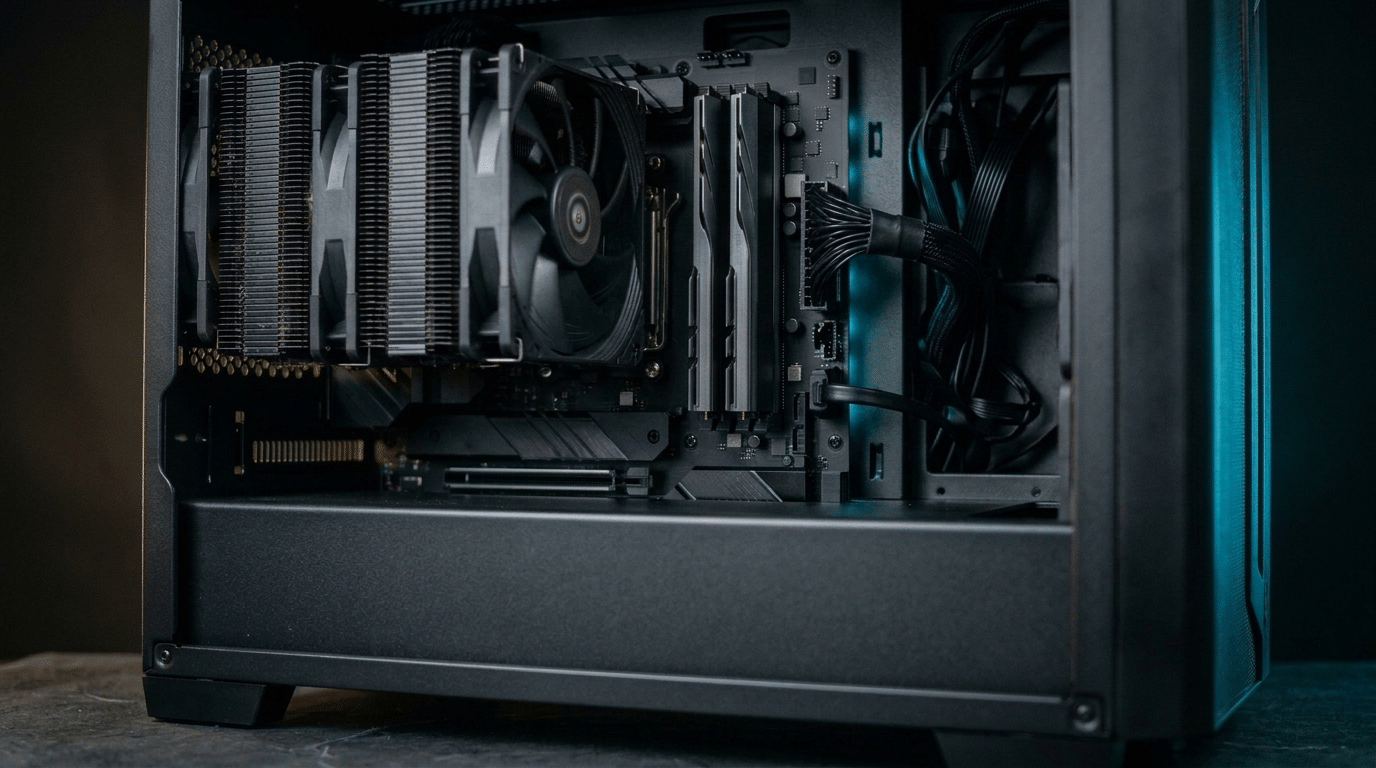
Buying a desktop built around NVIDIA Blackwell mid-upper silicon requires reading far deeper than the GPU line in an Amazon headline. Memory bus width, CPU L3 cache size, DDR5 stick geometry, ATX 3.1 power headroom, and wireless adapter specs separate genuinely balanced 1440p systems from rigs packed with quiet margin-saving shortcuts.
RTX 5070 (12GB) vs. RTX 5070 Ti (16GB): Bandwidth, DLSS 4 MFG & VRAM Reality
Although both cards carry the “5070” badge, their hardware separation is substantial. NVIDIA’s standard RTX 5070 carries a Launch MSRP starting at $549 with 6,144 CUDA cores, a 192-bit memory interface, 12GB GDDR7 VRAM, and a 250W TDP. Stepping up to the RTX 5070 Ti (Launch MSRP starting at $749) jumps to 8,960 CUDA cores (+45.8%), a wider 256-bit bus, 16GB GDDR7 VRAM (+33.3%), and a 300W TDP. At 1440p gaming with High–Ultra raster settings, 12GB GDDR7 remains comfortable across nearly all 2026 releases; however, enabling heavy Path Tracing alongside DLSS 4 Multi-Frame Generation—which adds its own frame-buffer overhead—pushes demanding Unreal Engine 5 titles past 12GB, giving the 16GB RTX 5070 Ti far better 4-year longevity.
Always apply the Frame Generation baseline rule before buying: DLSS 4 Multi-Frame Generation creates smooth visual motion when paired with NVIDIA Reflex, yet it relies on at least 50–60+ native base FPS to avoid sluggish mouse response or temporal artifacts. To see how both cards compare against AMD’s RDNA 4 lineup, read our Best 1440p Graphics Cards roundup and our head-to-head RTX 5070 Ti vs. Radeon RX 9070 XT breakdown.
CPU & Socket Audit: Ryzen 7 9800X3D vs. 7800X3D vs. 8700F vs. Core Ultra 7 265F
Amazon’s RTX 5070 prebuilt catalog leans heavily on four CPU tiers with wildly different 1% Low behavior. At the top, the Ryzen 7 9800X3D (#1 Vision ZS, #3 NR2 Pro) and Ryzen 7 7800X3D (#5 XIDAX, #8 Lenovo) bring 104MB of total cache via 3D V-Cache, practically erasing shader-hitch spikes in multiplayer shooters while keeping AM5 open for later upgrades. Meanwhile, value AM5 rigs like the #2 MSI Codex Z2 rely on the Ryzen 7 8700F, which cuts L3 cache to 16MB and trims usable PCIe 4.0 lanes to 16 with no iGPU—manageable for budget 1440p Ultra gaming today since you can swap in an X3D CPU later, though slower in CPU-heavy competitive esports. On Intel’s LGA 1851 side, the 20-core Core Ultra 7 265F (#4 ROG G700, #6 Alienware) brings cool power efficiency and strong creator multitasking, though its F-suffix removes Quick Sync hardware video decoding.
ATX 3.1 Power Supplies, Native 12V-2×6 Cables & Amazon Listing Traps
Modern Blackwell graphics cards experience short 200%–300% transient power excursions lasting milliseconds, which makes PSU quality critical. NVIDIA calls for a 650W minimum PSU on the RTX 5070 and 750W on the RTX 5070 Ti; ideally, confirm your prebuilt ships a 750W–850W 80+ Gold unit meeting Cybenetics ATX 3.1 standards with a native PCI-SIG 12V-2×6 power connector (recessed sense pins prevent partial-seating thermal failures). Watch out for four common Amazon catalog traps as well: left-sidebar filters that lump 8GB, 12GB, and 16GB GPUs together; parent-ASIN “Set name” dropdowns pooling thousands of old reviews from legacy builds; upper-tier desktops sneaking in outdated Wi-Fi 5 adapters instead of Wi-Fi 6E or Wi-Fi 7; and single-stick 1x16GB DDR5-4800 RAM cuts that halve memory bandwidth.
Upgrade Roadmap & Hidden Ownership Costs
Factor realistic day-one tuning and potential upgrades into your prebuilt budget so there are zero hidden surprises:
- Verify Dual-Channel DDR5 & Enable EXPO/XMP (Budget around $95–$110 if 16GB): Open HWiNFO64 immediately after setup. If you buy a 16GB system like #4 ASUS ROG G700 or spot a single-channel stick, swap to a matched 32GB (2x16GB) DDR5-6000 CL30 kit on AM5 (preserving its 1:1 UCLK:MCLK fabric ratio) or DDR5-6400 CL32 on LGA 1851, and never populate four DIMMs for gaming speeds.
- Expand Game Storage With PCIe 4.0 DRAM+TLC NVMe (Budget around $110–$140 for 2TB): On 1TB systems like #4, #6, #8, or #9, drop a 2TB PCIe 4.0 DRAM-equipped TLC drive (like a WD Black SN850X or Samsung 990 Pro) into your secondary M.2 slot rather than paying extra for hot-running PCIe 5.0 SSDs that deliver virtually zero gaming FPS advantage.
- Day-One BIOS & Windows Display Checklist (Free): Confirm Resizable BAR (ReBAR) is enabled in BIOS, raise your monitor refresh rate above Windows’ 60Hz default, turn on Hardware-Accelerated GPU Scheduling (HAGS) for DLSS 4 Frame Gen, and pair G-Sync/VRR with NVIDIA Reflex plus a frame cap three frames below your monitor’s max refresh rate.
RTX 5070 Prebuilt vs. Custom DIY, Lower Budget Tiers & Rumored RTX 5070 Super
Should you buy one of these rigs right now, build custom DIY, drop down a tier, or wait? Custom DIY still gives 100% component control over exact B850 VRM boards, 80+ Gold ATX 3.1 PSUs, and 10-year part warranties—though well-priced standard ATX prebuilts like #2 MSI Codex Z2 A8NVP-436US typically carry only a modest 5%–12% assembly and warranty premium over standalone retail parts. Shoppers targeting tighter budgets around $1,200–$1,500 should check our Best Prebuilt Gaming PC Under $1,500 guide instead of sacrificing DDR5 or PSU quality. Finally, do not hold out for the rumored RTX 5070 Super (unreleased/rumored 18GB GDDR7 specification): industry reporting indicates memory allocation delays keep any Super refresh strictly unconfirmed and unavailable for retail purchase in late 2026.
How We Audited, Scored & Filtered These Builds
Following our Editorial Evaluation Methodology, every system here completed a component-level specification and Amazon catalog audit rather than fabricated lab claims. We validated GPU silicon specs, CPU cache and PCIe lane architectures, motherboard platform longevity, memory configuration disclosures, PSU wattage/ATX 3.1 transparency, and enclosure airflow designs against official NVIDIA, AMD, Intel, and Cybenetics documentation using four weighted pillars summing to 100%.
| Evaluation Criterion | Weight | What We Audited |
|---|---|---|
| GPU & VRAM Headroom | 35% | 12GB vs. 16GB GDDR7 bandwidth (192-bit vs. 256-bit), CUDA throughput, DLSS 4 Multi-Frame Generation readiness, and price-tier fairness. |
| CPU & Platform Runway | 25% | Core count, 3D V-Cache capacity (104MB vs. 16MB on 8700F vs. 66MB–76MB Arrow Lake), AM5 vs. LGA 1851 upgrade runway, and Quick Sync availability. |
| Memory & Storage Balance | 20% | 32GB vs. 16GB/24GB DDR5 capacity, disclosed speed (such as DDR5-6000), dual-channel safety, and 1TB vs. 2TB PCIe 4.0 NVMe room. |
| Cooling, PSU & Warranty Support | 20% | Airflow topology, cooler sizing, PSU wattage and ATX 3.1 / 12V-2×6 disclosure, Wi-Fi 6E/7 connectivity, ATX vs. OEM expandability, and warranty terms. |
Models We Audited & Rejected (And Why)
- Unlocked Core i9-14900KF Rigs Paired With Locked Intel B760 Motherboards: Several Amazon prebuilts advertise a flagship i9-14900KF alongside an RTX 5070 while quietly placing it on a locked B760 board—disabling CPU multiplier tuning, stressing budget VRMs under 253W+ loads, and trapping buyers on an end-of-life LGA 1700 socket.
- Parent-ASIN Review-Pooled Dropdowns Mixing Legacy RTX 3050 / 4060 SKUs: Pages that combine discontinued AM4 or 8GB RTX 3050/4060 configs under shared “Set name” dropdowns inherit thousands of legacy star ratings, risking accidental mis-orders when shoppers overlook the active GPU variant.
- 16GB DDR5-4800 Single-Stick Towers With Wi-Fi 5 Above $1,800: Upper-tier desktops shipping single-channel 1x16GB slow memory and legacy 802.11ac Wi-Fi 5 impose avoidable 1% Low stutters and immediate upgrade expenses.
- Rumored / Unreleased RTX 5070 Super Placeholder Listings: The rumored RTX 5070 Super remains strictly unreleased as of November 2026 and is excluded from verified retail buying recommendations.
Frequently Asked Questions About RTX 5070 & 5070 Ti Prebuilt Gaming PCs
Is a 12GB RTX 5070 prebuilt gaming PC enough for 1440p gaming in 2026?
Yes, for 1440p High to Ultra rasterization and competitive esports titles, 12GB GDDR7 performs reliably and outpaces 8GB cards cleanly. However, enabling Path Tracing alongside DLSS 4 Multi-Frame Generation in heavy AAA releases pushes VRAM past 12GB—making a 16GB RTX 5070 Ti prebuilt safer for 4-year longevity.
Should I buy an RTX 5070 (12GB) or step up to an RTX 5070 Ti (16GB) prebuilt?
Choose an RTX 5070 prebuilt under $1,900 if you primarily play 1440p rasterized or esports games and want strong value. Step up to an RTX 5070 Ti (16GB GDDR7, 256-bit bus, 8,960 CUDA cores) if you max out ray tracing, game at upscaled 4K, or run local AI tools.
Is the Ryzen 7 8700F a bottleneck inside an RTX 5070 prebuilt gaming PC?
In GPU-heavy 1440p Ultra single-player titles, the Ryzen 7 8700F holds up well, yet its trimmed 16MB L3 cache and 16 usable PCIe 4.0 lanes lower 1% Low framerates in CPU-bound shooters. Compared with the 104MB-cache Ryzen 7 7800X3D or 9800X3D, it trails in esports, though an AM5 board lets you swap in an X3D CPU later.
Should I wait for the rumored RTX 5070 Super before buying a prebuilt?
No—the rumored RTX 5070 Super (18GB GDDR7) remains an unreleased and unconfirmed rumor as of November 2026. Industry reporting indicates GDDR7 allocation shifts push any potential Super release toward late 2026 or 2027, whereas verified RTX 5070 (12GB) and RTX 5070 Ti (16GB) prebuilts are shipping today with full warranty coverage.
What power supply wattage and cable standard do RTX 5070 and 5070 Ti prebuilts need?
NVIDIA specifies a 250W TDP (650W minimum PSU) for the RTX 5070 and 300W TDP (750W minimum PSU) for the RTX 5070 Ti. Prioritize prebuilts shipping a confirmed 750W to 850W 80+ Gold ATX 3.1 power supply with a native 12V-2×6 cable to handle 200%–300% transient spikes safely.
Why does Amazon’s graphics filter hide the difference between RTX 5070 and 5070 Ti builds?
Amazon’s left-sidebar Graphics Memory facet caps at 8GB and above, grouping 8GB, 12GB, and 16GB cards together while mixing legacy GPU labels and pooled parent-ASIN reviews. Always verify the exact GPU model (RTX 5070 12GB vs. RTX 5070 Ti 16GB), CPU suffix, and Condition: New before ordering.
Final Verdict: Which Best RTX 5070 Prebuilt Gaming PC Should You Buy?
Picking the best RTX 5070 prebuilt gaming PC comes down to matching 12GB vs. 16GB VRAM capacity with a bottleneck-free processor platform. For most 1440p players wanting zero CPU compromises in an open ATX case, the MSI Vision ZS Gaming Desktop (#1) wins overall by unifying a Ryzen 7 9800X3D, RTX 5070 12GB, 32GB DDR5, and a 2TB SSD under one standard AM5 chassis. Value shoppers under $1,850 should grab the MSI Codex Z2 A8NVP-436US (#2), which protects 32GB DDR5 and 2TB NVMe capacity today while leaving Socket AM5 open for a future X3D upgrade. Finally, buyers prioritizing 16GB GDDR7 longevity for heavy ray tracing and upscaled 4K get the strongest hardware package in the Cooler Master NR2 Pro Mini-ITX (#3), while ASUS ROG G700 (#4) and Alienware Aurora ACT1250 (#6) serve shoppers seeking documented 850W ATX headroom or Wi-Fi 7 with onsite Dell service.


