
Disclosure: As an Amazon Associate, The PC Audit earns from qualifying purchases. Every component in this 2026 4K DIY blueprint is selected strictly on audited hardware specifications, chassis clearances, PCIe lane routing, and ATX 3.1 electrical compliance at zero extra cost to you.
Blueprint Summary: The best 3500 dollar 4k gaming pc build in 2026 anchors around the PNY NVIDIA GeForce RTX 5080 OC Triple-Fan 16GB ($999 Launch MSRP class), the AMD Ryzen 9 9900X3D 12-core Zen 5 3D V-Cache processor, and the GIGABYTE X870E AORUS PRO motherboard—paired with 32GB–64GB (2-stick) DDR5-6000 CL30 RAM, a 2TB–4TB PCIe 4.0 DRAM+TLC NVMe SSD, a 360mm AIO liquid cooler, a 1000W ATX 3.1 Gold/Platinum PSU, and a high-clearance dual-chamber case for 4K 120–240Hz OLED ray tracing. Builders escalating into a $4,500+ no-compromise budget can swap in the GeForce RTX 5090 32GB GDDR7 ($1,999 Launch MSRP) and a 1200W+ ATX 3.1 PSU directly inside this same AM5 platform.
Engineering the best 3500 dollar 4k gaming pc build leaves zero margin for sloppy parts pairing. Native 4K resolution (3840×2160) pushes roughly 8.29 million pixels per frame—four times the pixel count of 1080p—while modern path tracing, neural rendering, and DLSS 4 Multi-Frame Generation place simultaneous demands on GDDR7 memory bandwidth, 12V-2×6 power stability, and CPU 3D V-Cache frametime pacing. Using the system allocation framework in our how to build a gaming PC pillar guide under Guides & Optimization, this blueprint prevents silent traps such as X870E M.2 lane sharing cutting your GPU slot from x16 to x8, four-stick DDR5 clock penalties, undersized power supplies, and cramped side-glass cable bends.
Whether you target the $3,500 RTX 5080 + Ryzen 9 9900X3D sweet spot, scale upward into a $4,500+ RTX 5090 32GB workstation-gaming hybrid (see our full RTX 5080 vs. RTX 5090 technical breakdown), trim platform costs with a Ryzen 7 7800X3D + ASRock B850 LiveMixer WiFi 7, or allocate part of a $3,500 total desk budget toward a 4K 240Hz QD-OLED monitor using an RTX 5070 Ti 16GB, every core component below is electrically, mechanically, and thermally verified.
In This Blueprint
- Target 4K Performance Profile & $3,500+ Budget Allocation Split
- 8-Component Balanced $3,500+ 4K Parts Table
- Component-by-Component Engineering Rationale & Verified SKUs
- Core Trio Verdict Card
- IF -> THEN Physical, Electrical & PCIe Lane Compatibility Proof Box
- DIY vs. High-End Prebuilts & Post-Build Optimization Bridge
- Authoritative Technical References
- Frequently Asked Questions
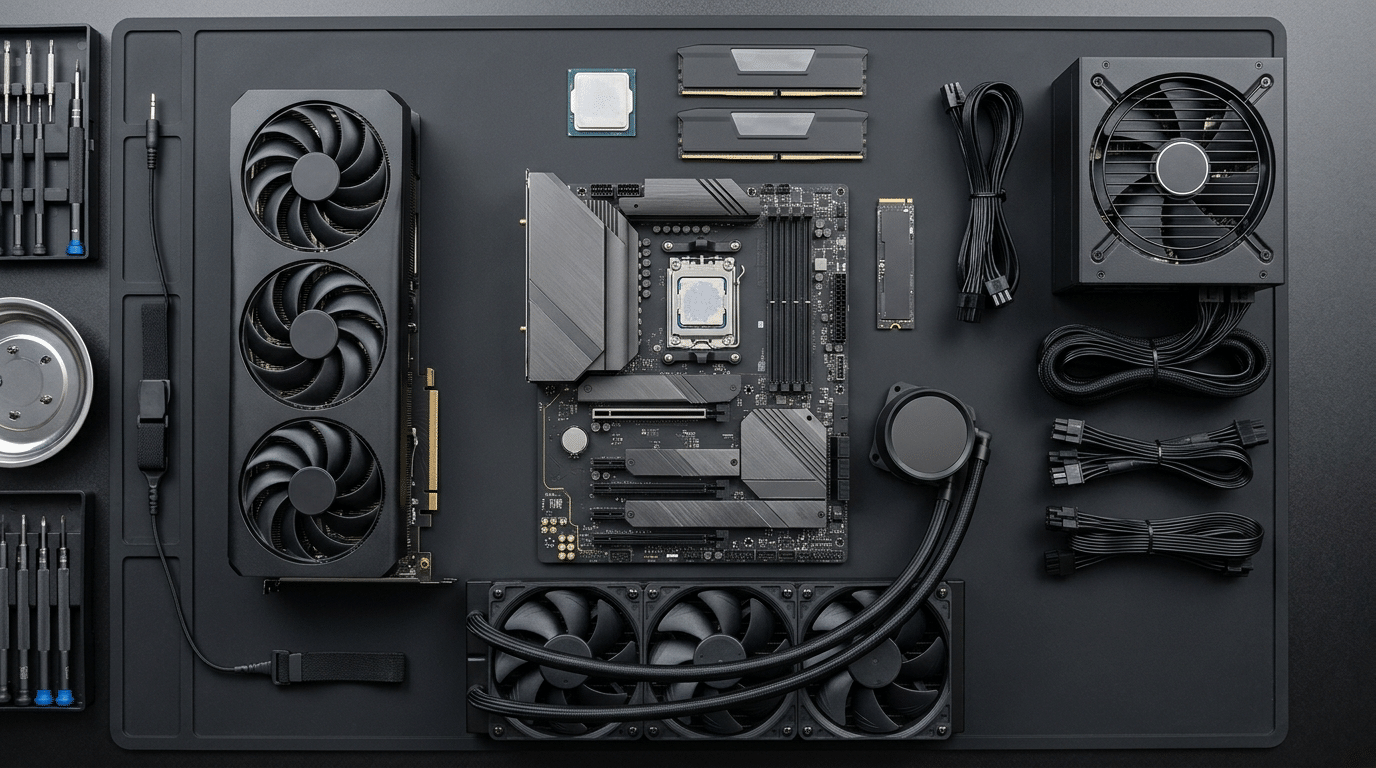
Target 4K Performance Profile & $3,500+ Budget Allocation Split
In The PC Audit’s 2026 reference framework, a $3,500 tower moves squarely out of 1440p midrange compromises and into dedicated 4K High-Refresh (120Hz–240Hz) + Hardware Ray Tracing territory. Matched with a native DisplayPort 2.1b UHBR20 (80Gbps) OLED display—such as the 4K 240Hz QD-OLED models profiled in our best 4K OLED gaming monitors guide and DisplayPort 2.1 UHBR20 vs. DP 1.4 DSC analysis—this tier drives uncompressed 4K output without legacy bandwidth bottlenecks.
Maintaining strict component ratios keeps you from wasting flagship dollars on mismatched hardware. Follow our 2026 High-End 4K ($2,800–$3,500) and Flagship No-Compromise ($4,500+) percentage shares:
- Graphics Card (35%–52% of Total Budget): Secures 16GB GDDR7 at 960 GB/s via the RTX 5080 ($999 Launch MSRP) in the $3,500 core tier, or scales to 32GB GDDR7 across a 512-bit bus on the RTX 5090 ($1,999 Launch MSRP) in $4,500+ builds.
- Processor + 360mm AIO Cooler (18%–24% CPU + 3%–6% Cooler): Locks in 3D V-Cache 1% Low stability and 24-thread multitasking via the Ryzen 9 9900X3D (or 9800X3D/9850X3D/9950X3D) cooled by a 360mm liquid unit rated well past 162W–230W Max PPT.
- Motherboard + DDR5 + NVMe Storage (8%–12% Board + 5%–8% RAM + 6%–9% SSD): Combines an X870E (or feature-rich B850) board with 2-stick DDR5-6000 CL30 memory and 2TB–4TB of DRAM-cached TLC NVMe storage.
- ATX 3.1 PSU + Dual-Chamber Case (6%–8% PSU + 5%–8% Case): Guarantees 1000W (RTX 5080) or 1200W+ (RTX 5090) Cybenetics Gold–Platinum compliance with native 12V-2×6 delivery inside a chassis offering generous cable bend radius.
Because “4K enthusiast” spans pure gamers, hybrid video/AI creators, and builders fitting a 4K OLED screen into the same $3,500 invoice, the matrix below maps four verified build profiles inside this platform:
| $3,500+ Build Profile | Target Resolution & Workload | GPU Pairing | CPU & Board Pairing | Engineering Trade-Off |
|---|---|---|---|---|
| Config A: $3,500 4K Flagship Hybrid (Primary Blueprint) | 4K 120–240Hz + RT, Streaming & Heavy Multitasking | PNY GeForce RTX 5080 OC 16GB ($999 Launch MSRP class) | Ryzen 9 9900X3D + GIGABYTE X870E AORUS PRO | Balances 16GB GDDR7 (960 GB/s) and UHBR20 DP 2.1b with 12C/24T 3D V-Cache, dual 40Gbps USB4, and 16+2+2 80A VRM muscle. |
| Config B: $4,500+ RTX 5090 No-Compromise (Path-Tracing & AI Escalation) | 4K Max Path Tracing, 8K Video & Local LLM Inference | GeForce RTX 5090 32GB GDDR7 ($1,999 Launch MSRP, 575W TDP) | Ryzen 9 9900X3D (or 9950X3D) + GIGABYTE X870E AORUS PRO | Doubles VRAM to 32GB on a 512-bit bus; requires upgrading PSU to 1200W–1500W+ ATX 3.1 and maintaining >=35mm 12V-2×6 bend clearance. |
| Config C: $2,800–$3,500 Pure Gaming / Monitor-Included Pivot | 4K High-Refresh Tower + Room for 4K 240Hz QD-OLED Monitor | PNY RTX 5080 OC 16GB or ASUS TUF RTX 5070 Ti 16GB ($749 Launch MSRP) | Ryzen 7 7800X3D (or 9800X3D) + ASRock B850 LiveMixer WiFi 7 | Redirects ~$350–$450 from USB4 X870E/12-core overhead into display budget while keeping 96MB L3 3D V-Cache and 16GB GDDR7 intact. |
| Config D: Compact SFF 4K Desk Tower | Low-Footprint Living Room or Minimalist Desk 4K Rig | PNY RTX 5080 OC 16GB or ASUS TUF RTX 5070 Ti 16GB | Ryzen 9 9900X3D / 7800X3D + ASRock B850I Lightning WiFi 6E | Shrinks platform to 170x170mm Mini-ITX with PCIe 5.0 x16; demands strict SFF case GPU-length (>=335mm) and SFX 1000W PSU verification. |
Rumored Hardware Compliance Note (Audit Rule R-GPU-02): Unconfirmed NVIDIA refreshes frequently discussed in industry leaks—specifically the rumored RTX 5070 Super and RTX 5080 Super—remain unreleased and unverified as of November 2026. Never base PSU sizing, chassis purchases, or build timelines around unannounced GPUs; build strictly with shipping Blackwell retail cards.
8-Component Balanced $3,500+ 4K Parts Table
This primary 8-part parts list specifies Config A for the best 3500 dollar 4k gaming pc build. Verified GPU, CPU, and motherboard options link directly to active 2026 Amazon US retail SKUs, while liquid cooling, DDR5 memory, NVMe storage, ATX 3.1 power, and chassis slots define strict audited hardware standards so you can match current stock without falling into hidden compromises.
| Component | Recommended Pick | Key Spec Verified | Budget % / Rationale | Amazon Link / Spec Status |
|---|---|---|---|---|
| GPU | PNY NVIDIA GeForce RTX 5080 OC Triple-Fan 16GB (or RTX 5090 32GB in $4,500+ Config B) | Blackwell, 10,752 CUDA, 16GB GDDR7 (256-bit, 960 GB/s), 360W TDP, 1x 12V-2×6, 3x DP 2.1b UHBR20, 328.7mm | 35%–42% ($999 Launch MSRP tier; 45%–52% for $1,999 Launch MSRP RTX 5090) · Native 4K + DLSS 4 + UHBR20 OLED output | Check Price on Amazon |
| CPU | AMD Ryzen 9 9900X3D 12-Core Processor | 12C/24T Zen 5 + 3D V-Cache (AM5), 5.5 GHz Boost, 140MB Total Cache, 120W TDP / 162W Max PPT | 15%–18% ($500–$550 tier; $599 Launch MSRP class) · Blends 3D V-Cache 1% Lows with 24-thread creator muscle | Check Price on Amazon |
| CPU Cooler | 360mm AIO Liquid Cooler Class (or Flagship Dual-Tower Air) | 360x120mm Copper-Plate AIO, 3x High-Static-Pressure PWM Fans, Rated >=230W–280W Thermal Load | 3%–5% · Holds 162W PPT X3D chips cool and quiet under sustained 4K ray-tracing and shader workloads | Verified Spec Standard (Select 360mm AIO w/ AM5 Offset Mount) |
| Motherboard | GIGABYTE X870E AORUS PRO | AM5 X870E ATX, 16+2+2 80A SPS VRM, PCIe 5.0 x16 UD Slot X, 4x M.2, Dual USB4 40Gbps, Wi-Fi 7, 2.5GbE | 10%–12% ($350–$400 tier; ~$360–$395 Launch MSRP) · Zero thermal throttling + USB4; use M2A_CPU + M2D_SB to protect x16 | Check Price on Amazon |
| DDR5 RAM | 64GB (2x32GB) or 32GB (2x16GB) DDR5-6000 CL30 EXPO | 2-Stick Dual-Channel Only, CL30 (~10.0ns First Word Latency), AMD EXPO Certified, Slots A2/B2 | 5%–8% · Locks AM5 into optimal 1:1 UCLK:MCLK sync; avoids 4-stick speed penalties | Verified Spec Standard (Mandate 2 Sticks & EXPO CL30) |
| NVMe SSD | 2TB–4TB PCIe 4.0 x4 DRAM+TLC SSD (+ Optional PCIe 5.0 OS/Work Drive) | 3D TLC NAND + Dedicated DRAM Cache, 7,000–7,450 MB/s (Gen 4) or 12,000+ MB/s (Gen 5), M.2 2280 | 6%–9% · Eliminates QLC write cliffs; install only in M2A_CPU and M2D_SB on X870E AORUS PRO | Verified Spec Standard (Mandate TLC + DRAM Cache) |
| PSU (ATX 3.1) | 1000W (RTX 5080) or 1200W+ (RTX 5090) ATX 3.1 Gold/Platinum | PCIe 5.1 Compliant, Native 12V-2×6 Cable, Cybenetics Gold–Platinum, 105C Japanese Caps, 10-Yr Warranty | 6%–8% · Absorbs 200%–300% GPU spikes safely while keeping gaming load near 50%–60% peak efficiency | Verified Spec Standard (Mandate ATX 3.1 & Native 12V-2×6) |
| PC Case | Spacious Dual-Chamber or Full Mesh Airflow Chassis | Perforated Intake + Reverse Bottom/Side Fans, >=360mm GPU Fit, Top 360mm Rad, >=35mm Lateral Cable Margin | 5%–8% · Prevents 12V-2×6 side-glass pinch and sustains cool ambient air under 360W–575W GPU exhaust | Verified Spec Standard (Confirm >=175mm Board-to-Glass Margin) |
Component-by-Component Engineering Rationale & Verified SKUs
1. Graphics Card (35%–52% Budget Share): RTX 5080 16GB vs. RTX 5090 32GB & Total-Desk Pivots
At 3840×2160, graphics horsepower determines almost every visual slider you can enable. Pushing modern engines with hardware ray tracing, volumetric lighting, and high-resolution texture packs leaves zero patience for 8GB or 12GB VRAM compromises—both of which suffer frame-pacing hiccups when allocating ray-tracing BVH structures and frame-generation buffers simultaneously. For the best 3500 dollar 4k gaming pc build, 16GB of fast GDDR7 across a 256-bit bus is the mandatory floor, while 32GB of GDDR7 across a 512-bit bus stands as the ceiling for $4,500+ builds.
In Config A ($3,500 tier), our primary recommendation is the PNY NVIDIA GeForce RTX 5080 OC Triple-Fan 16GB ($999 Launch MSRP class). Equipped with 10,752 CUDA cores, a 2,730 MHz boost clock, 16GB GDDR7 running at 30 Gbps (960 GB/s memory bandwidth), and a triple-fan vapor-chamber heatsink within a 360W TDP envelope, it drives 4K high-refresh OLED monitors effortlessly. Crucially, its three native DisplayPort 2.1b (UHBR20) outputs support uncompressed 4K 240Hz pipelines without relying on heavy Display Stream Compression, while DLSS 4 Multi-Frame Generation multiplies smoothness smoothly whenever native rendering meets our mandatory 50–60 base FPS baseline paired with NVIDIA Reflex (Audit Rule R-GPU-03).
Primary $3,500 4K Anchor GPU: PNY NVIDIA GeForce RTX 5080 OC Triple-Fan 16GB

Budget Tier: Flagship tier (starting at $999 Launch MSRP) | Audited Specs: NVIDIA Blackwell | 10,752 CUDA Cores (2,730 MHz Boost) | 16GB GDDR7 on 256-bit Bus (30 Gbps / 960 GB/s) | 360W TDP | 1x 16-pin 12V-2×6 (3x 8-Pin Adapter Included) | 3x DisplayPort 2.1b (UHBR20) + 1x HDMI 2.1b | 328.7 x 137.7 x 59.7 mm (3-Slot Vapor Chamber).
Why It Anchors Config A: Hits peak 4K 240Hz OLED speed and 960 GB/s GDDR7 throughput inside a manageable 360W thermal envelope without forcing a $4,500+ total system bill.
When Should You Escalate to the RTX 5090 ($4,500+ Config B)? Stepping up to the NVIDIA GeForce RTX 5090 ($1,999 Launch MSRP) makes decisive sense when you run uncompromised native 4K path tracing without heavy upscaling, edit multi-stream 8K RAW timelines, or run large local AI weights exceeding 16GB VRAM. Doubling capacity to 32GB GDDR7 on a 512-bit bus unlocks massive memory bandwidth, but its 575W TDP shifts your supporting hardware rules: you must step up from a 1000W PSU to a 1200W–1500W+ ATX 3.1 Cybenetics Platinum unit and double-check full-tower airflow exhaust. For a full architectural breakdown of price-per-frame scaling between these two cards, inspect our RTX 5080 vs. RTX 5090 comparison.
Conversely, what if your strict $3,500 budget needs to cover both the tower and a flagship 4K 240Hz QD-OLED monitor? Do not drop down to a 12GB or 8GB GPU—instead, pivot to the ASUS TUF Gaming GeForce RTX 5070 Ti 16GB GDDR7 OC ($749 Launch MSRP class). Preserving the same 16GB GDDR7 256-bit bus, 3x native DisplayPort 2.1b UHBR20 outputs, and DLSS 4 stack inside a 300W TBP envelope frees $250+ toward your OLED panel while maintaining genuine 4K DLSS quality resilience.
Monitor-Included $3,500 Desk Pivot: ASUS TUF Gaming GeForce RTX 5070 Ti 16GB GDDR7 OC

Budget Tier: Upper-midrange tier (starting at $749 Launch MSRP) | Audited Specs: NVIDIA Blackwell | 8,960 CUDA Cores (2,610 MHz OC Boost) | 16GB GDDR7 on 256-bit Bus (28 Gbps) | 300W Class TBP | 1x 16-pin 12V-2×6 | 3x Native DisplayPort 2.1b (UHBR20) + 2x HDMI 2.1b | 329 x 140 x 62.5 mm (3.125-Slot Axial-Tech).
Why It Fits Config C: Protects the mandatory 16GB GDDR7 256-bit floor and UHBR20 OLED connectivity while freeing $250+ toward a 4K display or 64GB RAM inside a hard $3,500 desk budget.
2. Processor (18%–24% Budget Share): Why X3D L3 Cache Still Governs 4K 1% Lows
A persistent hardware myth claims your processor stops mattering at 4K. In reality, whenever you enable DLSS 4 Performance or Balanced modes at 4K, your GPU renders internally at 1080p–1440p before AI reconstruction—throwing shader compilation, draw-call queues, NPC physics, and ray-tracing BVH updates directly back onto the CPU. Without massive L3 cache, even an RTX 5080 or RTX 5090 suffers jagged 1% Low frametime stutters in dense urban hubs, extraction shooters, and strategy titles.
In Config A ($3,500 tier), our primary recommendation is the AMD Ryzen 9 9900X3D 12-Core Processor ($500–$550 tier; $599 Launch MSRP class). Built on Zen 5 architecture for Socket AM5, it stacks 140MB of total cache with 12 cores / 24 threads boosting up to 5.5 GHz within a cool 120W TDP / 162W Max PPT limit. Compared with 8-core pure-gaming chips like the Ryzen 7 9800X3D ($479 Launch MSRP) and Ryzen 7 9850X3D ($499 Launch MSRP), the 9900X3D handles OBS stream encoding, background browser/Discord stacks, Unreal compiles, and heavy Blender/video exports effortlessly alongside 3D V-Cache gaming stability—while running cooler and cheaper than the 16-core Ryzen 9 9950X3D ($699 Launch MSRP, 230W Max PPT) recommended only for full-time workstation hybrids in Config B.
Primary Hybrid 4K X3D CPU: AMD Ryzen 9 9900X3D 12-Core Processor

Budget Tier: $500–$550 tier ($599 Launch MSRP class) | Audited Specs: Zen 5 + 3D V-Cache (Socket AM5) | 12 Cores / 24 Threads (4.4 GHz Base / 5.5 GHz Boost) | 140MB Total Cache | 120W TDP / 162W Max PPT.
Why It Anchors Config A: Combines Zen 5 3D V-Cache gaming 1% Lows with 24-thread creator headroom while keeping power limits inside a calm 162W envelope.
If you never touch video rendering or multi-threaded studio work and want to maximize raw gaming value (Config C), the AMD Ryzen 7 7800X3D remains a smart pure-gaming AM5 anchor. Packing 8 cores, 16 threads, 96MB of L3 3D V-Cache (104MB total), full 24 usable PCIe 5.0 lanes, and a 2-CU Radeon iGPU for instant display diagnostics, it frees $150+ compared with 12-core/16-core chips to put directly toward 4TB NVMe storage or an OLED panel.
Critical Marketplace CPU Warning (Audit Rules R-AMZ-03 & R-AMZ-04): Never confuse AM5 value X3D processors with budget OEM SKUs like the Ryzen 7 8700F—which slashes L3 cache down to 16MB, truncates expansion to 16 usable PCIe 4.0 lanes, and removes integrated graphics—nor pair an unlocked Intel Core i9-14900KF with a budget locked B760 board inside a flagship build.
Pure Gaming X3D Value Pivot: AMD Ryzen 7 7800X3D 8-Core Desktop Processor
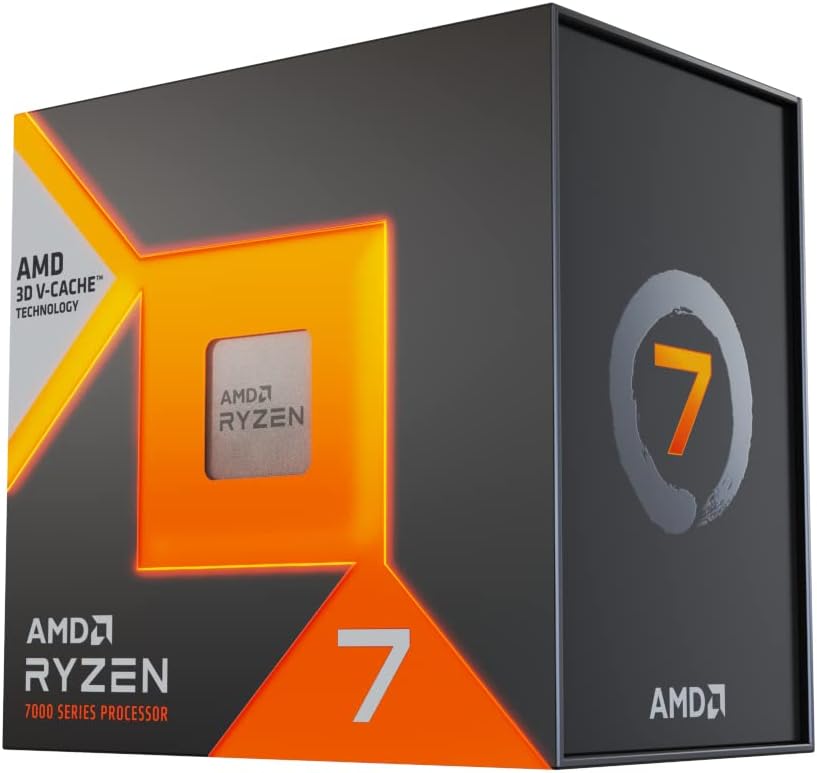
Budget Tier: Upper-Mid Retail Tier | Audited Specs: Zen 4 + 3D V-Cache (Socket AM5) | 8 Cores / 16 Threads (4.2 GHz Base / 5.0 GHz Boost) | 104MB Total Cache (96MB L3) | PCIe 5.0 (24 Usable Lanes) | 120W TDP / 162W Max PPT | 2-CU Integrated Radeon Graphics.
Why It Fits Config C: Delivers 96MB L3 3D V-Cache 1% Low stability and full PCIe 5.0 lanes while preserving budget for a 4K display or extra NVMe storage.
3. CPU Cooler (3%–5% Budget Share): 360mm AIO Cooling for Sustained Boost
Never evaluate coolers by base TDP numbers alone. Both the Ryzen 9 9900X3D and Ryzen 7 7800X3D pull up to 162W Max PPT under sustained shader compilation, while upgrading later to a 16-core Ryzen 9 9950X3D raises sustained demand to 230W Max PPT. Under Rule R-CASE-01, slim 120mm AIOs are strictly disqualified—their small radiator surface area saturates within minutes and drives fans into irritating high-RPM whine.
Specify a 360mm AIO liquid cooler using a 27mm–38mm aluminum radiator, three high-static-pressure 120mm PWM fans, and AM5 offset mounting brackets—or, if you prefer zero pump-wear maintenance, a flagship dual-tower air cooler like the Noctua NH-D15 G2 class (see our best coolers for X3D processors guide). In a dual-chamber chassis, mounting the 360mm radiator across the top panel as exhaust prevents trapped hot GPU air from recirculating across your motherboard VRMs.
4. Motherboard (8%–12% Budget Share): X870E Lane Discipline vs. B850 Value
Understanding motherboard lane topology separates an expertly built $3,500 rig from an expensive accidental bottleneck. As explained in our AMD B850 vs. X870 vs. X870E chipset guide and PCIe lane sharing breakdown, X870E enforces mandatory PCIe 5.0 graphics, PCIe 5.0 M.2, and dual 40Gbps USB4 controllers—but many flagship X870E boards multiplex extra CPU M.2 lanes directly off the primary graphics slot.
For Config A and Config B, the GIGABYTE X870E AORUS PRO ($350–$400 tier; ~$360–$395 Launch MSRP) delivers rock-solid flagship power and connectivity: a massive 16+2+2 Digital Twin VRM with 80A Smart Power Stages (SPS), four M.2 slots (three PCIe 5.0 x4 CPU bays plus one chipset PCIe 4.0 x4 bay), dual rear USB4 40Gbps Type-C ports supporting DisplayPort Alt Mode up to 4K 240Hz, Qualcomm Wi-Fi 7 (QCNCM865), 2.5GbE LAN, Q-Flash Plus, and tool-less EZ-Latch Plus GPU and M.2 armor. Crucially, follow this exact slot rule: install your primary NVMe drive in M2A_CPU and your secondary SSD in chipset-routed M2D_SB. Leaving M2B_CPU and M2C_CPU empty preserves the GPU PCIe 5.0 x16 UD Slot X at full x16 bandwidth—whereas populating either M2B_CPU or M2C_CPU drops the graphics slot down to x8.
Primary Flagship ATX Motherboard: GIGABYTE X870E AORUS PRO

Budget Tier: $350–$400 tier (~$360–$395 Launch MSRP) | Audited Specs: Socket AM5 ATX | 16+2+2 Digital Twin 80A SPS VRM | 1x PCIe 5.0 x16 UD Slot X | 4x M.2 (3x Gen 5 CPU + 1x Gen 4 Chipset) | 2x Rear USB4 40Gbps Type-C | Qualcomm Wi-Fi 7 + 2.5GbE LAN | Q-Flash Plus & EZ-Latch Plus.
Why It Anchors Config A & B: Overbuilt 80A VRM sustains 16-core X3D boost clocks effortlessly, while populating only M2A_CPU and M2D_SB protects full PCIe 5.0 x16 bandwidth for your RTX 5080 or RTX 5090.
What if you have zero need for 40Gbps USB4 ports and want to trim ~$180–$200 off motherboard spend (Config C) without sacrificing PCIe 5.0 x16 graphics, Wi-Fi 7, or AM5 longevity? Step straight into the ASRock AMD B850 LiveMixer WiFi 7 AM5 ATX Motherboard ($160–$200 tier), which keeps three M.2 bays, PCIe 5.0 x16 support, and Wi-Fi 7 ready for peripheral-rich streaming desks. Likewise, builders shrinking a 4K powerhouse into a compact living-room or minimalist Small Form Factor enclosure (Config D) should choose the ASRock AMD B850I Lightning WiFi 6E AM5 Mini-ITX Motherboard ($180–$220 tier), keeping full PCIe 5.0 x16 and dual M.2 slots in a 170x170mm footprint—while dodging the obsolete Wi-Fi 5 downgrades (R-AMZ-06) seen on many retail prebuilt PCs.
Value-Optimized ATX AM5 Option: ASRock AMD B850 LiveMixer WiFi 7 AM5 ATX

Budget Tier: $160–$200 tier | Audited Specs: Socket AM5 | AMD B850 Chipset | ATX Form Factor | 1x PCIe 5.0 x16 | 3x M.2 NVMe Slots | Integrated Wi-Fi 7.
Why It Fits Config C: Saves nearly $200 vs. X870E when USB4 isn’t needed—preserving PCIe 5.0 x16 GPU lanes, Wi-Fi 7, and triple M.2 expansion.
Compact SFF 4K Option: ASRock AMD B850I Lightning WiFi 6E AM5 Mini-ITX

Budget Tier: $180–$220 tier | Audited Specs: Socket AM5 | AMD B850 Chipset | Mini-ITX Form Factor | 1x PCIe 5.0 x16 | 2x M.2 NVMe Slots | Integrated Wi-Fi 6E.
Why It Fits Config D: Packs full AM5 PCIe 5.0 graphics support and dual M.2 storage into Mini-ITX dimensions for compact 4K enclosures (pair with an SFX ATX 3.1 PSU).
5. System Memory (5%–8% Budget Share): 64GB vs. 32GB DDR5-6000 CL30 (2 DIMMs Only)
At the $3,500+ level, RAM mistakes usually happen in one of two directions: either buying an under-spec’d 16GB kit (or slow CL40–CL46 DDR5-4800), or wasting money on four sticks (4x16GB) to fill every motherboard slot visually. Under Rules R-RAM-01 and R-RAM-02, populating four DDR5 slots on AM5 overloads the integrated memory controller and forces harsh frequency drops.
Install strictly a 2-stick dual-channel AMD EXPO kit in primary motherboard slots A2 and B2 tuned to DDR5-6000 CL30 (~10.0ns first-word latency), which locks Ryzen Zen 4/5 controllers into an optimal 1:1 UCLK:MCLK ratio rather than triggering the slower 2:1 divider above 6400 MT/s. Choose 32GB (2x16GB) for dedicated pure gaming, or move up to 64GB (2x32GB) inside Config A/B if you simultaneously stream, run heavily modded simulations, edit 4K/8K timelines, or host local AI models—detailed further in our 32GB vs. 64GB RAM capacity analysis. When installing a 360mm AIO pump block, RAM heat-spreader height sits unobstructed; if opting for a dual-tower air cooler, mandate low-profile modules <=35mm tall.
6. NVMe SSD Storage (6%–9% Budget Share): 2TB–4TB PCIe 4.0 DRAM+TLC vs. PCIe 5.0
High-budget builds routinely overpay for 1TB PCIe 5.0 SSDs while starving library space—or unknowingly hide slow DRAM-less QLC drives behind vague retail specs. Under Audit Rules R-SSD-01 and R-SSD-02, game loading and DirectStorage streaming exhibit zero FPS gain between flagship PCIe 4.0 and PCIe 5.0 drives (see our PCIe 5.0 vs. PCIe 4.0 SSD gaming guide), whereas QLC NAND suffers severe write-speed cliffs during 150GB patches.
Anchor your $3,500 rig with a 2TB or 4TB PCIe 4.0 x4 NVMe M.2 2280 SSD featuring 3D TLC NAND and dedicated DRAM cache (7,000–7,450 MB/s sequential class, WD Black SN850X or Samsung 990 Pro tier) installed in M2A_CPU. Creators moving multi-hundred-gigabyte 8K video projects or large AI checkpoints can place a PCIe 5.0 DRAM+TLC drive (12,000–14,800 MB/s class, Samsung 9100 Pro or Crucial T705 tier) under the heavy EZ-Latch heatsink in M2A_CPU and move bulk games to a 2TB–4TB PCIe 4.0 TLC drive in chipset bay M2D_SB—keeping M2B_CPU and M2C_CPU free so your graphics card retains all 16 PCIe lanes.
7. Power Supply (6%–8% Budget Share): 1000W (RTX 5080) vs. 1200W+ (RTX 5090) ATX 3.1
High-draw Blackwell cards demand zero compromise on power delivery. Under Rule R-PSU-01 and our ATX 3.1 and 12V-2×6 safety guide, outdated ATX 2.x units and multi-adapter pigtails invite tripping under 200%–300% millisecond transient power excursions or thermal stress on loose sense pins. Mandate a full-modular ATX 3.1 / PCIe 5.1 unit with a native 12V-2×6 (H++) cable featuring recessed sense pins, 105C Japanese electrolytic capacitors, full OCP/OVP/UVP/OPP/SCP/OTP protections, Cybenetics ETA Gold–Platinum / Lambda quiet acoustic certification, and a 10-year warranty.
Match wattage strictly to your GPU tier using our audited 1000W & 1200W+ power supplies guide: pair the 360W RTX 5080 + 162W PPT 9900X3D with a 1000W ATX 3.1 Gold/Platinum PSU (Corsair RM1000e, MSI MPG A1000G, or Seasonic Vertex class), keeping ~500W–580W peak gaming loads right inside the silent 50%–60% peak efficiency zone. If escalating to the 575W RTX 5090 ($4,500+ Config B), mandate a 1200W–1500W+ ATX 3.1 Cybenetics Platinum–Titanium PSU (NZXT C1500, Seasonic Prime TX, or MSI Ai1600T class) so heavy gaming plus transients stay comfortably below continuous rail limits.
8. Airflow Chassis (5%–8% Budget Share): Dual-Chamber Width & 12V-2×6 Margin
A 360W RTX 5080—and especially a 575W RTX 5090—dumps enormous thermal energy directly inside your enclosure. Choked glass front panels (R-CASE-01) force radiator and GPU fans to roar past comfortable acoustic limits. Choose a wide dual-chamber panoramic chassis (NZXT H9 Flow, Corsair 6500X, or Montech King 95 Pro tier) or spacious perforated mesh tower profiled in our best airflow gaming PC cases guide. Verify four mechanical dimensions before purchasing: >=360mm–400mm GPU length clearance, top 360mm (or 420mm) radiator support, dedicated bottom/side intake airflow feeding fresh air beneath the GPU shroud, and at least 35mm of unobstructed horizontal gap between the card’s 12V-2×6 socket edge and the tempered side glass so the cable exits straight before curving gently.
Core Trio Verdict Card: Best $3,500 4K Flagship Anchor
The PC Audit 2026 $3,500 4K Blueprint Winner: PNY RTX 5080 OC 16GB + Ryzen 9 9900X3D + X870E AORUS PRO
Why This Trio Owns the $3,500 Tier: Pairing the PNY NVIDIA GeForce RTX 5080 OC Triple-Fan 16GB ($999 Launch MSRP class) with the AMD Ryzen 9 9900X3D and GIGABYTE X870E AORUS PRO achieves true 4K 120–240Hz OLED fluidity, 960 GB/s GDDR7 headroom, DisplayPort 2.1b UHBR20 output, 24-thread streaming/creator power, and dual 40Gbps USB4 I/O without sacrificing PCIe x16 GPU bandwidth—leaving effortless drop-in room inside the exact same platform to escalate to an RTX 5090 and 1200W+ PSU later.
IF -> THEN Physical, Electrical & PCIe Lane Compatibility Proof Box
Mechanical, Electrical & Lane-Routing Verification: Confirm every IF -> THEN constraint below before finalizing your cart across Configs A, B, C, or D.
- IF GPU is
PNY GeForce RTX 5080 OC 16GB(328.7 x 137.7 x 59.7 mm, 3-slot, 360W) ORASUS TUF RTX 5070 Ti OC 16GB(329 x 140 x 62.5 mm, 3.125-slot, 300W) THEN select a dual-chamber or mesh case rated for>=360mmGPU length (leaving >=31mm front clearance) and>=175mm–185mmCPU/chamber width so the 137.7mm–140mm card height plus>=35mmstraight12V-2x6cable projection clears the tempered side glass with zero sideways strain—and always use the included anti-sag support bracket. - IF CPU is
AMD Ryzen 9 9900X3D(AM5, 162W Max PPT) orAMD Ryzen 7 7800X3D(AM5, 162W Max PPT) onGIGABYTE X870E AORUS PRO(16+2+2 80A VRM) THEN top-mounting a360mm AIOcools 162W–230W PPT loads below thermal throttling limits while exhausting GPU heat upward; verify radiator-plus-fan thickness (52mm–63mm) clears the upper VRM heatsink shroud cleanly. - IF memory is a 2-DIMM
64GB (2x32GB)or32GB (2x16GB) DDR5-6000 CL30AMD EXPO kit installed in slotsA2/B2THEN Socket AM5 stays locked in a1:1 UCLK:MCLKratio (~10.0ns latency) with zero 4-DIMM instability and zero AIO coldplate interference (or mandate<=35mmlow-profile modules if opting for a dual-tower air cooler). - IF building on
GIGABYTE X870E AORUS PROwith two NVMe SSDs THEN install primary OS/work drive inM2A_CPUand secondary storage in chipset-fedM2D_SB, leavingM2B_CPUandM2C_CPUvacant—guaranteeing your primaryPCIe 5.0 x16 UD Slot Xstays at full x16 instead of dropping to x8. - IF powering
RTX 5080(360W) select a1000W ATX 3.1full-modular PSU (150mm–180mm depth); IF escalating toRTX 5090(575W) upgrade strictly to a1200W–1500W+ ATX 3.1Cybenetics Platinum–Titanium PSU (180mm–210mm depth) inside a rear bay rated>=220mm, and seat the native12V-2x6plug until the latch clicks flush with zero visible gap. - IF pivoting to Mini-ITX via
ASRock B850I Lightning WiFi 6E(Config D) THEN confirm your SFF enclosure explicitly accommodates>=335mmlength and3.15-slotthickness (62.5mm) alongside a100mm SFX1000W ATX 3.1 PSU and 240mm/280mm liquid radiator clearance.
DIY vs. High-End Prebuilts & Post-Build Optimization Bridge
At $3,500+, DIY assembly delivers massive structural advantages over retail prebuilt desktops. Even expensive $2,500–$3,500 prebuilt listings frequently cut corners silently via Wi-Fi 5 adapters, loose CL42 DDR5-5600 memory, DRAM-less QLC drives, non-modular PSUs with unverified transient specs, or parent ASIN review pooling masking older hardware. Building yourself secures full 10-year PSU warranties, explicit X870E/B850 lane control, and transparent cooling.
However, if you strongly prefer single-point turn-key warranty coverage and zero assembly work—and locate a system built strictly from standard ATX components within 5%–12% of raw parts cost—inspect our verified best high-end prebuilt gaming PCs under $3,000 roundup before buying.
Six First-Boot Setup Steps After Assembling Your 4K Rig
Once your hardware passes physical assembly checks, walk through our complete post-build gaming PC setup and BIOS checklist in your first hour:
- Allow Full AM5 First-Boot Memory Training: On initial cold power-up, AM5 systems spend 45 seconds to 3 minutes calibrating DDR5 sub-timings with a dark screen—watch motherboard EZ Debug LEDs and wait patiently rather than cutting power.
- Update BIOS Firmware & Activate AMD EXPO: Flash the latest stable AGESA BIOS via Q-Flash Plus or UEFI before toggling AMD EXPO to bring your 2-stick kit from default 4800 MT/s up to verified 6000 MT/s CL30.
- Verify ReBAR, PCIe x16 Link Speed & Fan Curves: Confirm Resizable BAR and Above 4G Decoding are Enabled, verify your GPU reports PCIe 5.0 x16 link width, apply a subtle negative Precision Boost Overdrive Curve Optimizer offset (-15 to -20) if thermally beneficial, and set 2–3 second PWM fan ramp hysteresis.
- Connect DisplayPort 2.1b Directly to the GPU: Use a certified DP80 UHBR20 cable plugged directly into the RTX 5080 / 5070 Ti / 5090—never the motherboard I/O shield—then raise Windows Advanced Display to your 4K panel’s native 120Hz–240Hz refresh rate.
- Install Chipset + GPU Drivers & Enable HAGS + VRR: Install AMD AM5 chipset drivers first, then NVIDIA GeForce drivers. Enable Hardware-Accelerated GPU Scheduling (HAGS) for DLSS 4 Frame Generation, pair G-Sync/FreeSync with driver-level V-Sync ON, cap FPS 3 frames below refresh rate, and turn on NVIDIA Reflex.
- Validate Thermals, Voltages & 1% Lows: Monitor CPU Tdie, GPU core/memory junction temperatures, and +12V rail stability in HWiNFO64 alongside Cinebench 2024, OCCT memory/PSU stability suites, 3DMark looping, and CapFrameX frametime capture to confirm zero WHEA errors or thermal throttling.
Authoritative Technical References
- NVIDIA GeForce RTX 50-Series Blackwell Specifications — Official RTX 5090 (32GB GDDR7, 575W), RTX 5080 (16GB GDDR7, 360W), RTX 5070 Ti, DLSS 4 MFG, and DisplayPort 2.1b UHBR20 specs.
- AMD Ryzen Socket AM5 & 3D V-Cache Specifications — Ryzen 9 9900X3D, 9950X3D, Ryzen 7 9800X3D / 7800X3D PPT power limits, L3 cache topology, and DDR5 controller documentation.
- GIGABYTE X870E AORUS PRO Block Diagram & Manual — 16+2+2 80A VRM layout, M2A_CPU / M2B_CPU / M2C_CPU / M2D_SB PCIe lane-sharing routing, and USB4 Alt Mode specs.
- ASRock B850 LiveMixer WiFi 7 & B850I Lightning WiFi 6E Manuals — ATX and Mini-ITX AM5 PCB slot maps and AMD EXPO DDR5 QVL guides.
- PCI-SIG CEM 5.1 & ATX 3.1 / 12V-2×6 Standards — Recessed sense-pin geometry, 200%–300% transient excursion tolerances, and mechanical bend clearance safety rules.
- Cybenetics Labs ETA & Lambda PSU Certification Database — Independent power conversion efficiency and acoustic decibel benchmarks for 1000W–1500W ATX 3.1 units.
How We Audited This Guide
- Steps were validated against official BIOS, driver, and platform vendor documentation and ordered from lowest-risk to highest-risk so readers can stop as soon as the issue is resolved.
- Every specification claim was cross-checked against official OEM datasheets, platform vendor documentation, and published industry standards (PCI-SIG, JEDEC, VESA, Intel ATX) rather than marketplace listing copy.
- Recommendations were evaluated against our weighted audit rubric and documented compatibility rules; we do not publish fabricated FPS, thermal, or acoustic numbers.
Frequently Asked Questions
Should a $3,500 4K gaming PC use the RTX 5080 or stretch to the RTX 5090?
The RTX 5080 ($999 Launch MSRP class) fits cleanly inside a balanced $3,500 total system budget with an X3D CPU and X870E board. Escalate to the RTX 5090 ($1,999 Launch MSRP) and a 1200W+ ATX 3.1 PSU in a $4,500+ build if you demand unscaled 4K path tracing or 32GB VRAM for local AI.
Why choose the Ryzen 9 9900X3D over the Ryzen 7 7800X3D or 9800X3D at $3,500?
The Ryzen 9 9900X3D delivers Zen 5 3D V-Cache gaming 1% Lows alongside 12 cores and 24 threads for streaming, video encoding, and Unreal builds at a calm 162W PPT. Pure gamers not rendering can save money with the Ryzen 7 7800X3D or 9800X3D.
Which M.2 slots keep the GIGABYTE X870E AORUS PRO GPU slot at full PCIe 5.0 x16?
Populate only M2A_CPU for your primary SSD and M2D_SB for your secondary drive. Installing an NVMe drive inside M2B_CPU or M2C_CPU splits PCIe CPU lanes with the primary UD Slot X, dropping your RTX 5080 or RTX 5090 from x16 down to x8.
Do I need 32GB or 64GB of DDR5-6000 CL30 RAM for 4K gaming in 2026?
Pure 4K gaming runs smoothly on 32GB (2x16GB) DDR5-6000 CL30, while 64GB (2x32GB) suits hybrid 4K streaming, modded sims, and video editing. Always run exactly two sticks in slots A2/B2 to maintain AM5’s 1:1 UCLK:MCLK sync.
How much PSU wattage and case clearance does an RTX 5080 or RTX 5090 need?
Pair an RTX 5080 with a 1000W ATX 3.1 Gold/Platinum PSU, and upgrade to 1200W–1500W+ ATX 3.1 Platinum for a 575W RTX 5090. Ensure at least 35mm of straight horizontal clearance beyond the GPU edge so the native 12V-2×6 plug clears your side glass.


