
On This Page
Affiliate Disclosure: As an Amazon Associate, The PC Audit earns from qualifying purchases. Product links marked with commercial tags support our independent hardware verification without increasing your checkout price.
Choosing between the RTX 5080 vs RTX 5090 comes down to a stark architectural divide rather than a modest tier step: NVIDIA’s flagship lineup splits in half between a $999 Launch MSRP 360W 4K card and a $1,999 Launch MSRP 575W silicon titan carrying 21,760 CUDA cores and 32GB of GDDR7 memory. If you are building or upgrading an elite rig from our best graphics cards for gaming hub, paying double the Launch MSRP—plus stepping up to a 1200W+ ATX 3.1 power supply and larger chassis—only makes sense if your workload actually saturates that massive memory bus and core array.
In this engineering and value comparison, we audit both NVIDIA Blackwell flagships across raw silicon scaling, 16GB versus 32GB GDDR7 capacity limits, DLSS 4 Multi-Frame Generation latency behavior, DisplayPort 2.1b bandwidth, and total platform power costs so you buy the exact GPU your monitor and workloads demand.
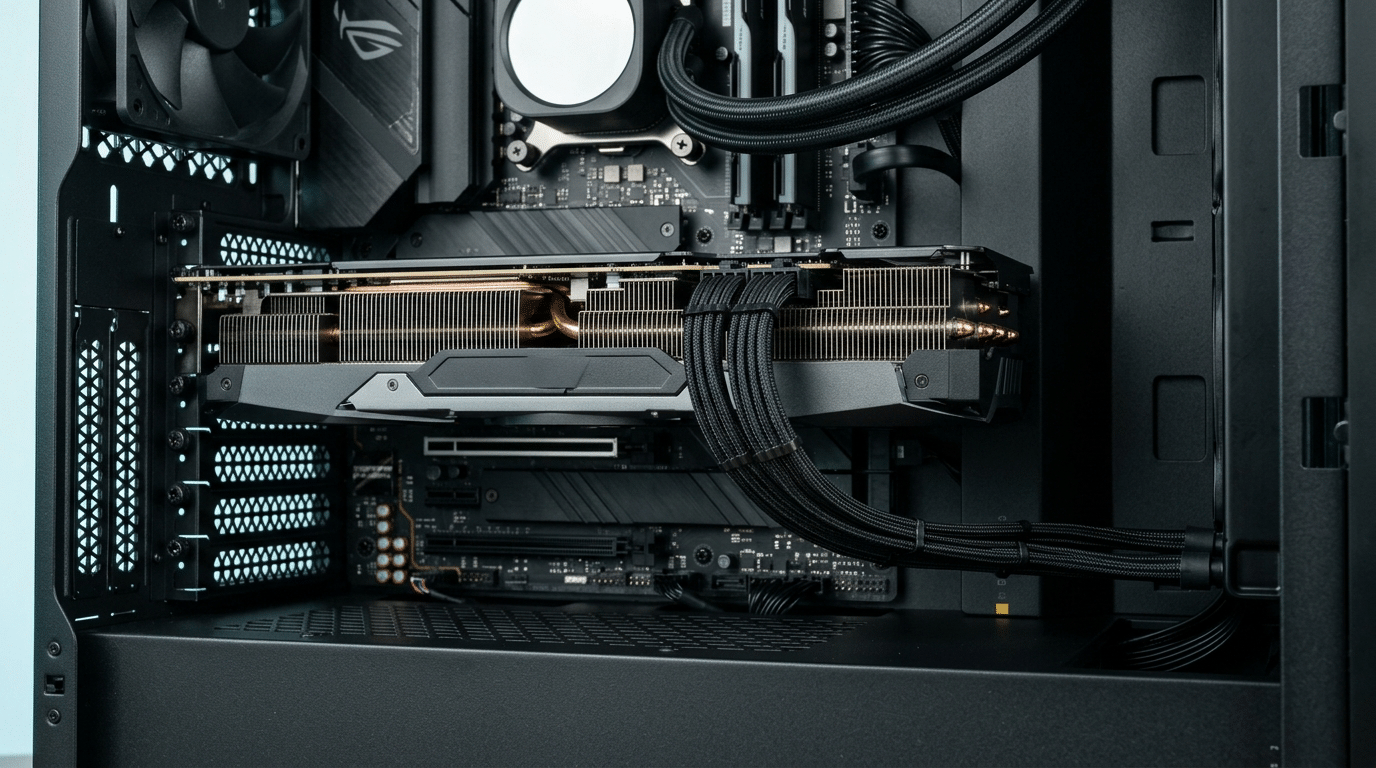
TL;DR Verdict Matrix: RTX 5080 vs. RTX 5090
Before diving into architectural mechanics and power delivery overhead, here is how the two Blackwell flagships separate across five decisive buyer criteria:
| Comparison Category | Winner | Decisive Audit Rationale |
|---|---|---|
| Overall Winner (Pure 4K Gamers) | NVIDIA GeForce RTX 5080 | Delivers flagship 4K high-refresh performance, 16GB GDDR7, and full DLSS 4 MFG at half the Launch MSRP and 215W lower TDP. |
| Raw Raster & Path Tracing Ceiling | NVIDIA GeForce RTX 5090 | 21,760 CUDA cores and a 512-bit memory bus (~1.79 TB/s) crush native 4K/8K path tracing without upscaling crutches. |
| Power Efficiency & Thermal Sanity | NVIDIA GeForce RTX 5080 | 360W TDP pairs comfortably with 850W–1000W ATX 3.1 PSUs and standard 3-slot mid-tower cooling vs. 575W heat dumps. |
| VRAM Longevity, Local AI & 3D Creation | NVIDIA GeForce RTX 5090 | 32GB GDDR7 holds large local LLMs, Unreal Engine scenes, and 8K RAW timelines inside GPU memory where 16GB spills over. |
| Value for Money & System TCO | NVIDIA GeForce RTX 5080 | Avoids the $1,999+ Launch MSRP premium and mandatory 1200W+ Platinum PSU + oversized airflow chassis upgrade costs. |
Verified Technical Specifications: RTX 5080 vs. RTX 5090
Unlike previous NVIDIA generations where the xx80-class card sat within roughly 30% to 40% of the flagship core count, Blackwell draws an unmistakable boundary. The official specification sheets from NVIDIA’s RTX 5090 documentation and RTX 5080 specification page confirm an almost exact 2:1 split across compute, memory bus width, and VRAM capacity:
| Hardware Specification | NVIDIA GeForce RTX 5080 | NVIDIA GeForce RTX 5090 |
|---|---|---|
| Launch MSRP (USD) | $999 Launch MSRP | $1,999 Launch MSRP |
| Release Date | January 30, 2025 | January 30, 2025 |
| GPU Architecture | NVIDIA Blackwell | NVIDIA Blackwell |
| CUDA Cores | 10,752 | 21,760 |
| Tensor / Ray Tracing Cores | 5th-Gen Tensor (FP4/FP8) | 4th-Gen RT | 5th-Gen Tensor (FP4/FP8) | 4th-Gen RT |
| VRAM Capacity & Type | 16 GB GDDR7 | 32 GB GDDR7 |
| Memory Bus Width | 256-bit | 512-bit |
| Memory Bandwidth | 960 GB/s (30 Gbps modules) | ~1,792 GB/s (~1.79 TB/s) |
| Total Graphics Power (TDP) | 360 W | 575 W |
| Power Connector Standard | 1x 16-pin 12V-2×6 (PCIe 5.1) | 1x 16-pin 12V-2×6 (PCIe 5.1) |
| Recommended ATX 3.1 PSU | 850W–1000W (1000W ideal for 4K builds) | 1000W–1200W+ (1200W+ Platinum/Titanium ideal) |
| PCIe Host Interface | PCIe 5.0 x16 | PCIe 5.0 x16 |
| Display I/O Outputs | DisplayPort 2.1b (UHBR20, 80 Gbps) + HDMI 2.1b | DisplayPort 2.1b (UHBR20, 80 Gbps) + HDMI 2.1b |
| Video Media Engine | 9th-Gen NVENC / 6th-Gen NVDEC (4:2:2 10-bit & AV1) | 9th-Gen NVENC / 6th-Gen NVDEC (4:2:2 10-bit & AV1) |
Battleground 1: Compute Silicon, 4K Scaling & Path Tracing Reality
Looking strictly at the silicon, the RTX 5090 packs 21,760 CUDA cores—more than double the RTX 5080’s 10,752 CUDA cores—paired with proportionally doubled 5th-Generation Tensor Cores and 4th-Generation Ray Tracing Cores engineered for Blackwell Mega Geometry. On paper, that looks like a clean 2x gaming leap. In practice, modern PC pipelines never scale linearly with shader count outside pure compute workloads, because CPU draw-call submission, engine geometry limits, and display refresh targets cap real-world throughput.
At 1080p or even 1440p high-refresh competitive play, neither GPU sits at the top of its value curve. Even paired with a flagship 3D V-Cache processor like the AMD Ryzen 7 9800X3D or Ryzen 7 9850X3D, frametime stability and 1% Lows at 1440p frequently become CPU- or engine-bound well before 21,760 CUDA cores hit full utilization. That is why our best 4K graphics cards audit anchors both cards strictly at 3840×2160 and ultra-wide 5K2K resolutions where pixel shaders and ray-bouncing workloads actually starve for execution units.
Where does the RTX 5090 decisively break away from the RTX 5080? In uncompromised native 4K Path Tracing and multi-bounce global illumination titles built on Unreal Engine 5. With 86% more raw memory bandwidth (~1.79 TB/s vs. 960 GB/s) and double the RT core throughput, the RTX 5090 sustains playable native base frame rates in extreme path-traced scenes where the RTX 5080 relies on DLSS Quality or Balanced upscaling to keep base rendering smooth. Even so, both cards hold Tier S and Tier S+ dominance over the broader 2026 market: AMD’s RDNA 4 lineup tops out at the $599 Launch MSRP Radeon RX 9070 XT (16GB GDDR6), while Intel’s Battlemage Arc B580 (12GB GDDR6) targets the sub-$250 Launch MSRP bracket. Neither competitor fields a direct challenger above the $600–$750 segment.
One quiet architectural detail matters for older motherboards: both GPUs utilize a full PCIe 5.0 x16 electrical interface. Running either card in a PCIe 4.0 x16 motherboard slot introduces virtually zero gaming frame loss, provided you verify that secondary M.2 NVMe slots do not share primary CPU lanes and bifurcate your GPU slot down to x8. Always enable Resizable BAR in your motherboard UEFI so the processor can map the full 16GB or 32GB frame buffer directly instead of paging through legacy 256MB windows.
Battleground 2: 16GB vs. 32GB GDDR7 — Who Actually Hits a VRAM Bottleneck?
Memory capacity is the single loudest debate around the RTX 5080 vs. RTX 5090 matchup. At $999 Launch MSRP, critics rightly scrutinize whether 16GB of GDDR7 is enough for a flagship 4K card expected to last four years, while RTX 5090 buyers point to 32GB GDDR7 on a 512-bit bus as future-proof armor. Separating real memory saturation from marketing fear requires examining how games and workstation apps allocate VRAM in 2026.
In mainstream 2026 PC gaming, 16GB represents the verified sweet spot through 2029. Whereas 8GB cards run headfirst into texture pop-in and catastrophic 1% Lows drops at 1440p Ultra, and 12GB GPUs (like the $549 Launch MSRP RTX 5070) brush up against tight limits when combining 4K textures with Path Tracing and Frame Generation, 16GB GDDR7 at 30 Gbps (960 GB/s) handles virtually every modern AAA title at 4K Max Settings with DLSS enabled without triggering a VRAM bottleneck. When a game does not exceed 16GB, owning 32GB yields zero extra frames per second.
So who genuinely needs 32GB GDDR7 and a 512-bit memory bus? Three distinct user profiles realize immediate, quantifiable gains that no amount of driver optimization can replicate on 16GB:
- Local AI, LLM Quantization & Diffusion Researchers: Loading 32B–70B quantized language models, multi-LoRA image pipelines, or local video synthesis models requires keeping weights inside high-bandwidth VRAM. Exceeding 16GB forces layers onto system DDR5 RAM over PCIe, collapsing token-per-second throughput by an order of magnitude.
- 3D Scene Designers, Unreal Engine 5 Developers & 8K Video Editors: Complex Blender Cycles geometry, multi-stream 8K RAW timelines, and uncompressed neural texture baking rapidly consume 20GB to 28GB of working memory. Paired with Blackwell’s 9th-Gen NVENC 4:2:2 10-bit hardware encoding/decoding pipeline, the RTX 5090 acts as a compact single-GPU workstation powerhouse.
- Extreme VR Sim Pilots & Modded 4K/8K Enthusiasts: Dual-eye ultra-high-resolution VR headsets rendering native super-sampled pixels alongside massive 8K texture overhauls can surpass 16GB allocations, making the 32GB buffer insurance against sudden PCIe swap stutter.
Editorial Rumor Advisory (RTX 5080 Super): Many shoppers stuck between 16GB and 32GB ask whether they should wait for a rumored 24GB RTX 5080 Super refresh. As of November 2026, both the RTX 5080 Super (rumored 24GB GDDR7 / 10,752 CUDA cores) and RTX 5070 Super remain unreleased and rumored, reportedly pushed toward late 2026 or Q1 2027 due to GDDR7 memory allocation constraints. Do not delay a working build around unconfirmed silicon schedules; evaluate strictly between released 16GB and 32GB retail SKUs.
Battleground 3: DLSS 4 Multi-Frame Generation & DisplayPort 2.1b (UHBR20)
Both the RTX 5080 and RTX 5090 share identical Blackwell display and neural rendering architecture, including NVIDIA DLSS 4 Multi-Frame Generation, transformer-based Super Resolution and Ray Reconstruction, hardware Flip Metering for frame pacing, and full DisplayPort 2.1b (UHBR20) output bandwidth up to 80 Gbps.
Understanding how DLSS 4 interacts with raw GPU horsepower prevents the most common flagship buying mistake. While AMD has narrowed image-quality gaps with AMD FSR 4 (machine-learning upscaling exclusive to RDNA 4) and Intel continues expanding XMX-accelerated Intel XeSS 2, NVIDIA’s Transformer-model DLSS 4 pipeline currently delivers the sharpest temporal stability on fine foliage, wire fences, and volumetric particles, plus up to 3 AI-generated frames per rendered frame via Multi-Frame Generation.
However, an ironclad rule governs Frame Generation on both cards: never equate 120 generated FPS with 120 native FPS. Multi-Frame Generation smooths visual motion on high-refresh OLED monitors, not raw mouse-to-photon control responsiveness. If your underlying native rendering drops below 45–50 FPS, engaging 3x or 4x Multi-Frame Generation produces heavy, sluggish camera feedback and visible motion artifacts. You need at least a 50–60+ native base FPS baseline paired with mandatory NVIDIA Reflex / Reflex 2 latency reduction for Multi-Frame Generation to feel snappy while saturating a 240Hz panel.
This is where the RTX 5090’s raw compute muscle subtly elevates DLSS 4: in ultra-demanding 4K Path Tracing games, the RTX 5090 hits that 60 FPS native baseline with DLSS Quality upscaling effortlessly, turning Multi-Frame Generation into effortless 180–240Hz visual fluidity. On the RTX 5080, achieving the same responsive 60 FPS native floor in heavy path-traced titles occasionally requires stepping down from DLSS Quality to DLSS Balanced—still visually clean at 4K, yet a real trade-off if you refuse any aggressive internal resolution scaling.
On the physical display side, both GPUs shine equally for monitor enthusiasts. Native DisplayPort 2.1b UHBR20 (80 Gbps) pairs seamlessly with flagship 4K 240Hz QD-OLED monitors such as the ASUS ROG Swift OLED PG32UCDM3 or MSI MPG 322UR, as well as Dual-Mode 4K 240Hz / 1080p 480Hz OLED panels, eliminating legacy DisplayPort 1.4 DSC bandwidth bottlenecks and alt-tab black-screen delays.
Battleground 4: 360W vs. 575W Power Draw, ATX 3.1 PSUs & Thermal Infrastructure
Wattage is where the RTX 5080 vs. RTX 5090 comparison stops being purely about frame rates and becomes a full-system infrastructure audit. Jumping from 360W TDP on the RTX 5080 to 575W TDP on the RTX 5090 adds 215W of continuous thermal load—more power than an entire mid-range RTX 5060 Ti graphics card draws on its own—plus severe sub-millisecond transient power spikes.
Under the official PCI-SIG PCIe CEM 5.1 specification, both cards rely on the updated 12V-2×6 16-pin auxiliary connector rather than the first-generation 12VHPWR header. As detailed in our ATX 3.1 & 12V-2×6 vs. 12VHPWR guide, the 12V-2×6 receptacle physically extends the twelve +12V power pins by +0.25mm while recessing the four sideband sense pins (including SENSE0 and SENSE1) back by -1.25mm. If the plug is seated even slightly crooked or short of a full click, the recessed sense pins fail to close the circuit and immediately throttle or refuse high-wattage delivery—mitigating the partial-insertion overheating risks that plagued early 450W+ adapters.
That safety mechanism becomes critical at 575W, because the RTX 5090 operates right near the 600W continuous ceiling of a single 12V-2×6 cable. For any RTX 5080 or RTX 5090 build, skip bulky 3x or 4x 8-pin octopus adapters completely and run a native dual-ended 12V-2×6 cable from a genuine ATX 3.1 / PCIe 5.1 power supply rated to absorb 200%–300% transient power excursions without triggering over-current shutdowns. Follow our best 1000W and 1200W+ power supplies audit to match wattage cleanly to the 50%–60% peak efficiency sweet spot:
- RTX 5080 Power & Chassis Footprint (360W TDP): Pairs comfortably with an 850W to 1000W ATX 3.1 80+ Gold or Cybenetics Gold–Platinum unit (such as a Corsair RM1000e or Seasonic Focus/Vertex 1000W). Most 1000W units stay compact at 140mm–150mm PSU body length, fitting virtually any mesh mid-tower chassis while running near silent fan RPM curves during 4K gaming.
- RTX 5090 Power & Chassis Footprint (575W TDP): When paired with a 162W–250W flagship CPU (Ryzen 9 9950X3D or Core Ultra 9 285K), system peak draw plus transient spikes demands a 1200W+ to 1600W ATX 3.1 PSU certified under Cybenetics ETA Platinum/Titanium and Lambda A+/A++ acoustics (such as the NZXT C1500, Seasonic Prime TX, or MSI MEG Ai1600T). Watch out for extended 160mm–180mm+ PSU housings that crowd bottom cable shrouds.
- Clearance, Sag & Case Airflow Physics: Custom 3-slot to 3.5-slot AIB cards routinely stretch 310mm–360mm long and weigh well over 1.3kg, mandating an adjustable anti-sag bracket to protect the PCIe slot. Equally crucial, verify at least 35mm to 40mm of horizontal clearance between the GPU’s 12V-2×6 header and your tempered-glass side panel so the cable bends smoothly without straining terminal pins. Inside the case, avoid choked solid-glass fronts: choose a high-airflow mesh mid-tower or ventilated dual-chamber enclosure tuned for slight positive pressure (more filtered intake than exhaust), and verify that dumping 575W of warm air inside the chamber does not heat-soak your CPU cooler or NVMe SSD heatsink.
Before finalizing your GPU pick, audit secondary acoustic and firmware traits too: look for a hardware Dual BIOS switch (Performance vs. Quiet fan curves), Zero-RPM idle fan stop, and set a global driver frame-rate cap just below your monitor’s maximum refresh rate so uncapped 1,000+ FPS game menus do not provoke audible coil whine on high-power VRM inductors.
Battleground 5: Value, Retail Availability & Verified High-End GPU Picks
Pure Launch MSRP economics settle the RTX 5080 vs. RTX 5090 debate for nine out of ten enthusiasts. Moving from $999 Launch MSRP to $1,999 Launch MSRP represents a 100% price increase before accounting for the higher-capacity 1200W+ Platinum PSU and oversized airflow chassis required to feed 575W cleanly. Worse, real-world RTX 5090 retail availability on Amazon US routinely suffers from third-party reseller markups well above Launch MSRP, stretching the true acquisition gap even further.
If your budget stretches toward the flagship bracket—or if auditing the $1,999 Launch MSRP vs. $999 Launch MSRP gap convinces you that a 16GB GDDR7 card is the smarter play—these three verified Amazon US retail models represent the cleanest hardware choices across the high-end 16GB tier:

1. PNY NVIDIA GeForce RTX 5080 OC Triple-Fan 16GB (Best 4K Flagship Pick)
Budget Tier: Flagship tier (starting at $999 Launch MSRP) | Architecture: NVIDIA Blackwell (10,752 CUDA Cores, 2,730 MHz Boost)
Verified Specs: 16GB GDDR7 on 256-bit bus (30 Gbps / 960 GB/s), 360W TDP, 1x 16-pin 12V-2×6 (3x 8-pin adapter included), 3x DisplayPort 2.1b (UHBR20) + 1x HDMI 2.1b, 328.7 x 137.7 x 59.7 mm 3-slot triple-fan vapor chamber cooler (per PNY datasheet).
Audit Takeaway: Hits the exact performance, efficiency, and 16GB GDDR7 sweet spot for 4K 240Hz OLED gamers who want Blackwell ray tracing and DLSS 4 Multi-Frame Generation without 575W thermal and PSU overhead.
Pros
- Massive 3-slot vapor chamber keeps 360W loads cool and quiet
- Full 960 GB/s GDDR7 bandwidth and 3x DP 2.1b UHBR20 ports
- Manageable power envelope for 850W–1000W ATX 3.1 PSUs
Cons
- 328.7 mm length requires mid-tower GPU clearance check
- 16GB buffer is not built for 30B+ local LLM hosting

2. ASUS TUF Gaming GeForce RTX 5070 Ti 16GB GDDR7 OC (Best 16GB GDDR7 Value Step-Down)
Budget Tier: Upper-midrange tier (starting at $749 Launch MSRP) | Architecture: NVIDIA Blackwell (8,960 CUDA Cores, 2,610 MHz OC Boost)
Verified Specs: 16GB GDDR7 on 256-bit bus (28 Gbps), 300W Class TBP, 1x 16-pin 12V-2×6, 3x Native DisplayPort 2.1b (UHBR20) + 2x HDMI 2.1b, 329 x 140 x 62.5 mm 3.125-slot Triple Axial-Tech cooler (per ASUS specifications).
Audit Takeaway: Shares the exact same 16GB GDDR7 capacity, 256-bit bus width, DLSS 4 MFG stack, and UHBR20 display connectivity as the RTX 5080 at a $749 Launch MSRP versus $999 Launch MSRP—making it the smartest fallback if RTX 5080 street markups climb.
Pros
- Identical 16GB GDDR7 capacity and 256-bit bus as RTX 5080
- Dual native HDMI 2.1b + triple DP 2.1b for multi-OLED setups
- Includes TUF GPU sag support bracket and 300W efficiency
Cons
- 16.7% fewer CUDA cores than RTX 5080 at native 4K
- Thick 3.125-slot / 329mm shroud crowds compact cases

3. XFX Swift AMD Radeon RX 9070 XT Triple Fan 16GB (Best 16GB Rasterization Value Alternative)
Budget Tier: Mid-upper tier (starting at $599 Launch MSRP) | Architecture: AMD RDNA 4 (64 Compute Units / 4,096 SP, up to 2,970 MHz Boost)
Verified Specs: 16GB GDDR6 on 256-bit bus (640 GB/s + 64MB Infinity Cache), 304W Class TBP, 2x PCIe 8-Pin power connectors (800W PSU recommended), 3x DisplayPort 2.1 + 1x HDMI 2.1, 325 x 150 x 65 mm 3.5-slot triple-fan cooler.
Audit Takeaway: If your goal is fast 1440p Ultra or 4K upscaled gaming with 16GB VRAM—and you have zero need for 32GB AI compute or heavy Path Tracing—this RDNA 4 card delivers outstanding frames-per-dollar using familiar dual 8-pin cables.
Pros
- Unbeatable rasterization frames-per-dollar at $599 Launch MSRP
- 16GB VRAM avoids 12GB bottlenecks without 12V-2×6 adapters
- ML-powered AMD FSR 4 closes upscaling quality gaps
Cons
- Trails RTX 5080 and 5090 in heavy NVIDIA Path Tracing
- No CUDA ecosystem or DLSS 4 Multi-Frame Generation
Final Decision Guide: Choose RTX 5080 or RTX 5090?
Choose the RTX 5080 If…
- Your primary workload is 4K 120Hz–240Hz OLED gaming with DLSS 4 and Ray Tracing enabled.
- You want 16GB GDDR7 headroom on a 256-bit bus without paying $1,999+ Launch MSRP or buying a 1200W+ PSU.
- You value quieter acoustics, lower room heat output (360W vs. 575W), and easier mid-tower compatibility.
Choose the RTX 5090 If…
- You run local LLMs, AI image/video generation, Unreal Engine 5 baking, or 8K RAW timelines that truly require 32GB GDDR7.
- You demand the highest possible native 4K/8K Path Tracing frame rates regardless of price-to-performance efficiency.
- Your rig already includes (or budgets for) a 1200W+ ATX 3.1 Platinum PSU and high-clearance airflow chassis.
RTX 5090 Buying Note: Because verified Sold-by-Amazon inventory for 32GB RTX 5090 models fluctuates heavily against third-party markups, verify official retail stock via NVIDIA’s RTX 5090 product page before paying above $1,999 Launch MSRP.
How We Audited This Guide
- Graphics cards were evaluated by VRAM capacity, memory bus, power connector and PSU requirements, slot width and length clearance, and display output standards.
- Every specification claim was cross-checked against official OEM datasheets, platform vendor documentation, and published industry standards (PCI-SIG, JEDEC, VESA, Intel ATX) rather than marketplace listing copy.
- Recommendations were evaluated against our weighted audit rubric and documented compatibility rules; we do not publish fabricated FPS, thermal, or acoustic numbers.
Frequently Asked Questions: RTX 5080 vs. RTX 5090
Is 16GB VRAM on the RTX 5080 enough for 4K gaming in 2026 and beyond?
Yes. Sixteen gigabytes of fast 30 Gbps GDDR7 memory handles 4K Ultra textures, Ray Tracing, and DLSS 4 Multi-Frame Generation across virtually all 2026 AAA games without triggering a VRAM bottleneck. Only extreme 8K texture mods, dual-eye VR simming, or local AI model hosting push past 16GB.
Can I run an RTX 5090 on a 1000W power supply, or is 1200W+ mandatory?
NVIDIA lists 1000W as the baseline minimum, yet a 1200W+ ATX 3.1 PSU rated Cybenetics Platinum or Titanium is strongly recommended for the RTX 5090. Its 575W TDP plus 200%–300% transient spikes alongside a high-draw CPU leaves minimal acoustic and efficiency headroom on 1000W units.
How does the 12V-2×6 connector prevent melting on 360W and 575W GPUs?
Defined under PCIe CEM 5.1, 12V-2×6 extends the twelve +12V power pins by +0.25mm and recesses the four sense pins back by -1.25mm compared to legacy 12VHPWR headers. If the plug is not fully seated, sense pins break contact and restrict power before high-resistance heating occurs.
Should I skip the RTX 5080 and wait for a rumored 24GB RTX 5080 Super?
No. While rumors circulate around an unreleased 24GB RTX 5080 Super projected for late 2026 or Q1 2027, NVIDIA has made zero retail launch commitment. Buying based on verified 16GB RTX 5080 or 32GB RTX 5090 inventory protects you from supply-driven delays.
Does the RTX 5090 require a PCIe 5.0 motherboard, or does PCIe 4.0 work?
Both GPUs support PCIe 5.0 x16 and remain fully backward compatible with PCIe 4.0 x16 motherboards with negligible gaming frame-rate difference. Just confirm your motherboard’s secondary M.2 NVMe slots do not share lanes with the primary PCIe slot and cut link width to x8.


