
Disclosure: As an Amazon Associate, I earn from qualifying purchases. If you buy through links on this page, we may earn a small commission at no extra cost to you.
Finding the best prebuilt gaming pc under 3000 in late 2026 means looking right past oversized tempered-glass cases and flashy RGB fan counts. Across Amazon’s upper-tier catalog, flagship RTX 5080 and Core Ultra 9 towers regularly spill past the over-$3,350 bracket, while many mid-upper listings quietly pack 8GB graphics cards, 16GB of slow single-channel DDR5, or last-generation Wi-Fi 5 adapters behind vague spec tables.
To cut through marketing noise, we audited every verified 2025–2026 retail configuration below the sub-$3,000 ceiling against our component knowledge graph—comparing GPU memory capacity, CPU cache architecture, motherboard upgradeability, power headroom, and hidden spec omissions. Whether you want native 1440p Ultra and 4K FSR 4 performance today or prefer pairing an upper-tier RTX 5070 rig with a 4K OLED display inside a unified budget of $3,000, these eight audited prebuilt gaming PCs earned a spot on the shortlist.
In This Guide
- Quick Picks: Best Prebuilt Gaming PC Under 3000
- Side-by-Side Comparison (All 8 Audited Rigs)
- Match Your Use Case
- Detailed Hardware Audits (1–8)
- 1. Lenovo Legion Tower 5 (9800X3D & RX 9070 XT 16GB)
- 2. Alienware Aurora ACT1250 (Ultra 7 265F & RTX 5070)
- 3. ASUS ROG G700 (Ultra 7 265F & RTX 5070)
- 4. MSI Codex Z2 (Ryzen 7 8700F & RTX 5070)
- 5. MSI Codex R2 (Core i5-14400F & RTX 5070)
- 6. STORMCRAFT Sirius (Ryzen 7 8700F & RTX 5060 Ti)
- 7. KOTIN Gaming PC (Ryzen 7 8700F & RTX 5060 Ti)
- 8. CyberPowerPC Gamer Xtreme (i7-14700F & RTX 5060 Ti)
- Buying Guide & Upgrade Roadmap
- Scoring Rubric & Excluded Models
- Frequently Asked Questions
- Final Verdict
Quick Picks: Best Prebuilt Gaming PC Under 3000 at a Glance
#1 Best Overall Under $3,000
Lenovo Legion Tower 5 (2026)
Pairs the Ryzen 7 9800X3D with an RX 9070 XT 16GB GPU, 32GB DDR5, 850W power, and Wi-Fi 7 for genuine 4K headroom. (Jump to audit)
#2 Best Creator & Wireless Pick
Alienware Aurora ACT1250
Packs a 20-core Core Ultra 7 265F, RTX 5070 12GB, 32GB DDR5, Wi-Fi 7, and 1-year Dell Onsite Service under $1,950. (Jump to audit)
#3 Best Airflow & Upgrade Room
ASUS ROG G700
Delivers a 58L tool-less quad-fan enclosure, documented 850W PSU, and standard ATX parts alongside an RTX 5070 12GB under $1,900. (Jump to audit)
Side-by-Side Comparison: 8 Audited Prebuilt Gaming PCs Under 3,000
| Product & Award | Best For | GPU & VRAM | CPU & Memory | Budget Tier & Link |
|---|---|---|---|---|
| 1. Lenovo Legion Tower 5 (2026) Best Overall Under $3,000 (9.2/10) | True 16GB 4K & 1440p Ultra gaming | Radeon RX 9070 XT 16GB GDDR6 | Ryzen 7 9800X3D | 32GB DDR5 | Around $2,250–$2,350 View on Amazon |
| 2. Alienware Aurora ACT1250 Best Creator & Wireless Pick (8.7/10) | Hybrid creation, Wi-Fi 7 & onsite support | GeForce RTX 5070 12GB GDDR7 | Core Ultra 7 265F | 32GB DDR5 | Under $1,950 View on Amazon |
| 3. ASUS ROG G700 Best Airflow & Upgrade Room (8.6/10) | Cool ATX expansion & 850W headroom | GeForce RTX 5070 12GB GDDR7 | Core Ultra 7 265F | 16GB DDR5 | Under $1,900 View on Amazon |
| 4. MSI Codex Z2 (A8NVP-436US) Best 2TB Storage & AM5 Path (8.5/10) | Large library & future X3D swap | GeForce RTX 5070 12GB GDDR7 | Ryzen 7 8700F | 32GB DDR5 (2TB) | Under $1,850 View on Amazon |
| 5. MSI Codex R2 (D14NVP5-613US) Best RTX 5070 + Wi-Fi 6E Alt (8.3/10) | Turnkey RTX 5070 + 32GB value | GeForce RTX 5070 12GB GDDR7 | Core i5-14400F | 32GB DDR5 | Under $1,850 View on Amazon |
| 6. STORMCRAFT Sirius Best B650 & DDR5-6000 Base (7.9/10) | 1440p + monitor bundle savings | GeForce RTX 5060 Ti 8GB GDDR7 | Ryzen 7 8700F | 16GB DDR5-6000 | Under $1,650 View on Amazon |
| 7. KOTIN Gaming PC Desktop Best Spec Transparency (7.8/10) | 650W Gold, 3x M.2 & Wi-Fi 7 value | GeForce RTX 5060 Ti 8GB GDDR7 | Ryzen 7 8700F | 16GB DDR5 | Around $1,400–$1,500 View on Amazon |
| 8. CyberPowerPC Gamer Xtreme Best 20-Core Starter Rig (7.7/10) | Heavy streaming under half budget | GeForce RTX 5060 Ti 8GB GDDR7 | Core i7-14700F | 16GB DDR5 | Under $1,350 View on Amazon |
Match Your Use Case: Which Sub-$3,000 Prebuilt Fits Your Setup?
| Buyer Scenario | Best Match | Why & Expected Outcome |
|---|---|---|
| Native 4K High/Ultra & 1440p 240Hz Esports | Lenovo Legion Tower 5 (2026) | Only verified pick here with 16GB VRAM (RX 9070 XT) plus Ryzen 7 9800X3D 3D V-Cache for rock-steady 1% Lows. |
| Video Editing, Streaming & 4K DLSS 4 + Onsite Support | Alienware Aurora ACT1250 | Combines 20 Arrow Lake cores, 32GB DDR5, Wi-Fi 7, and 1-Year Dell Onsite Service under $1,950. |
| Tool-Less ATX Tower Ready for a Future GPU Swap | ASUS ROG G700 | 58L dual-glass chassis, quad-fan airflow, and documented 850W PSU support clean DIY RAM and GPU upgrades. |
| 2TB Game Library & Future AM5 X3D Drop-In | MSI Codex Z2 (A8NVP-436US) | Ships with 32GB DDR5 and a 2TB NVMe SSD on standard MSI AM5 hardware, leaving room for a later 9800X3D swap. |
| Splitting a Budget of $3,000 Across Tower + 4K OLED Display | KOTIN Gaming PC Desktop | Leaves roughly $1,500 under the cap for a flagship OLED display while documenting 650W 80+ Gold power and Wi-Fi 7. |
| 20-Core Encoding & Direct Amazon Fulfillment Under $1,350 | CyberPowerPC Gamer Xtreme | Delivers 28-thread Core i7-14700F multitasking power for 1080p/1440p play while freeing half the budget. |
Detailed Hardware Audits: 8 Best Prebuilt Gaming PCs Under $3,000
1. Lenovo Legion Tower 5 (2026 — Ryzen 7 9800X3D & RX 9070 XT 16GB) — Best Overall Under $3,000

Quick Specs: AMD Ryzen 7 9800X3D (8C/16T, 96MB L3 3D V-Cache, AM5) | AMD Radeon RX 9070 XT 16GB GDDR6 | 32GB DDR5 | 1TB NVMe SSD | 850W PSU, Wi-Fi 7 (802.11be), 2.5GbE LAN | Price Tier: Enthusiast tier (around $2,250–$2,350)
Audit Score: 9.2 / 10
- GPU & VRAM Headroom (35%): 9.4 / 10
- CPU & Platform Runway (25%): 9.7 / 10
- Memory & Storage Balance (20%): 8.3 / 10
- Cooling, PSU & Warranty Support (20%): 9.1 / 10
Every sub-$3,000 prebuilt comparison comes down to one hard technical reality: 4K gaming chews through video memory faster than raw shader cores. The Lenovo Legion Tower 5 earns first place because it is the sole verified configuration under our cap pairing AMD’s Ryzen 7 9800X3D (8 cores, 16 threads, and 96MB of L3 3D V-Cache) with a full 16GB Radeon RX 9070 XT built on a 256-bit GDDR6 bus. With 64 RDNA 4 Compute Units and machine-learning-accelerated AMD FSR 4 upscaling, the RX 9070 XT handles 1440p Ultra effortlessly and pushes 4K High-to-Ultra textures without crossing the memory ceiling that forces 12GB rivals to dial back asset quality.
Just as important is what Lenovo did not cut behind the Eclipse Black mesh chassis. Unlike several mid-upper prebuilts that sneak in Wi-Fi 5 adapters or undisclosed budget PSUs, this Tower 5 specifies an 850W power supply, Wi-Fi 7 (802.11be), 2.5GbE wired Ethernet, and 32GB of DDR5 memory while avoiding locked proprietary motherboard traps. Stacked against our #2 Alienware Aurora ACT1250 and #3 ASUS ROG G700, Lenovo gives up NVIDIA DLSS 4 Multi-Frame Generation in heavy path-traced titles, yet wins decisively on VRAM buffer size (16GB vs. 12GB), AM5 longevity, and 3D V-Cache frametime consistency.
Buyer Verification Alert: Verify the exact configuration tile selects the Ryzen 7 9800X3D paired with the RX 9070 XT 16GB before checkout, because Lenovo Legion Tower 5 product pages frequently share variant selectors with lower-tier GPUs.
Pros
- Only sub-$3,000 build audited here with 16GB VRAM (RX 9070 XT) and Ryzen 7 9800X3D 3D V-Cache
- 32GB DDR5 capacity handles heavy 4K texture streaming and background multitasking
- Documented 850W PSU, Wi-Fi 7, and 2.5GbE LAN prevent silent infrastructure downgrades
- Standard AM5 architecture leaves room for future Ryzen CPU drops and M.2 expansion
Cons
- 1TB NVMe SSD fills rapidly once five or six modern 120GB+ AAA titles are installed
- Lacks NVIDIA DLSS 4 Multi-Frame Generation and CUDA/NVENC studio acceleration
Verdict: Buy it if you want the strongest out-of-the-box 1440p Ultra and 4K FSR 4 rig under $3,000 with zero dead-end proprietary hardware. Skip it if your workload relies heavily on CUDA rendering or NVIDIA DLSS 4 Multi-Frame Generation. Because it lands around $2,250–$2,350, adding a secondary 2TB PCIe 4.0 DRAM TLC NVMe SSD keeps total spend well below your ceiling.
2. Alienware Aurora Gaming Desktop (ACT1250) — Best Creator & Wireless 4K Upscaling Pick

Quick Specs: Intel Core Ultra 7 265F (20C/20T, up to 5.3 GHz, 66MB total cache, LGA 1851) | NVIDIA GeForce RTX 5070 12GB GDDR7 | 32GB DDR5 | 1TB NVMe SSD | Wi-Fi 7, Killer 2.5GbE, 1-Yr Dell Onsite Service | Price Tier: Upper tier (under $1,950)
Audit Score: 8.7 / 10
- GPU & VRAM Headroom (35%): 8.7 / 10
- CPU & Platform Runway (25%): 8.6 / 10
- Memory & Storage Balance (20%): 8.6 / 10
- Cooling, PSU & Warranty Support (20%): 9.0 / 10
Priced comfortably under $1,950, the Alienware Aurora ACT1250 approaches the 4K desktop tier from a creator-friendly angle. Under the hood sits Intel’s 20-core Core Ultra 7 265F (8 Performance-cores plus 12 Efficient-cores) paired with an NVIDIA GeForce RTX 5070 12GB GDDR7 graphics card. Thanks to Blackwell’s 5th-generation Tensor Cores and DLSS 4 Multi-Frame Generation, the RTX 5070 scales smoothly into 4K when paired with Quality or Balanced AI upscaling and DisplayPort 2.1b output for modern high-refresh OLED monitors, even though its 12GB buffer requires stepping down from uncompressed Ultra textures in the heaviest ray-traced scenes.
Where Alienware pulls ahead of the #3 ASUS ROG G700 at nearly the same price bracket is out-of-the-box readiness: you receive a full 32GB of DDR5 memory (double ASUS’s 16GB allocation), Wi-Fi 7 wireless throughput, Killer 2.5Gb Ethernet, and 1-Year Dell Onsite Service so a technician handles hardware faults directly. That turnkey polish involves an OEM trade-off, however—Dell’s custom chassis and proprietary motherboard geometry restrict deep future board or PSU swaps compared with standard ATX builders like Lenovo or ASUS.
Buyer Verification Alert: Note the “F” suffix on the Core Ultra 7 265F—this silicon removes integrated graphics and Intel Quick Sync Video, so route Premiere Pro and OBS hardware encoding directly through the RTX 5070’s dual 9th-generation NVENC media engine.
Pros
- Includes 32GB DDR5 out of the box, beating the 16GB memory tier on the competing ASUS ROG G700
- 20-core Arrow Lake CPU accelerates code compiles, streaming, and multi-track timelines
- Wi-Fi 7, Killer 2.5GbE, and 1-Year Dell Onsite Service deliver strong post-sale security
- RTX 5070 supports DLSS 4 MFG, Reflex latency reduction, and DisplayPort 2.1b
Cons
- 12GB VRAM falls short of 16GB headroom when combining native 4K Ultra textures and Frame Gen
- Proprietary motherboard and OEM power harness prevent standard ATX motherboard swaps
- F-series CPU lacks integrated GPU fallback and Intel Quick Sync hardware decoding
Verdict: Buy it if you want a balanced creator and DLSS 4 gaming tower under $1,950 backed by Wi-Fi 7, 32GB DDR5, and onsite Dell support. Skip it if you love gutting and rebuilding PCs around off-the-shelf ATX components. With more than $1,050 left below $3,000, you can easily add a 2TB PCIe 4.0 SSD and pair a flagship 4K OLED screen.
3. ASUS ROG G700 (Core Ultra 7 265F & RTX 5070 12GB) — Best Airflow Chassis & Upgrade Room
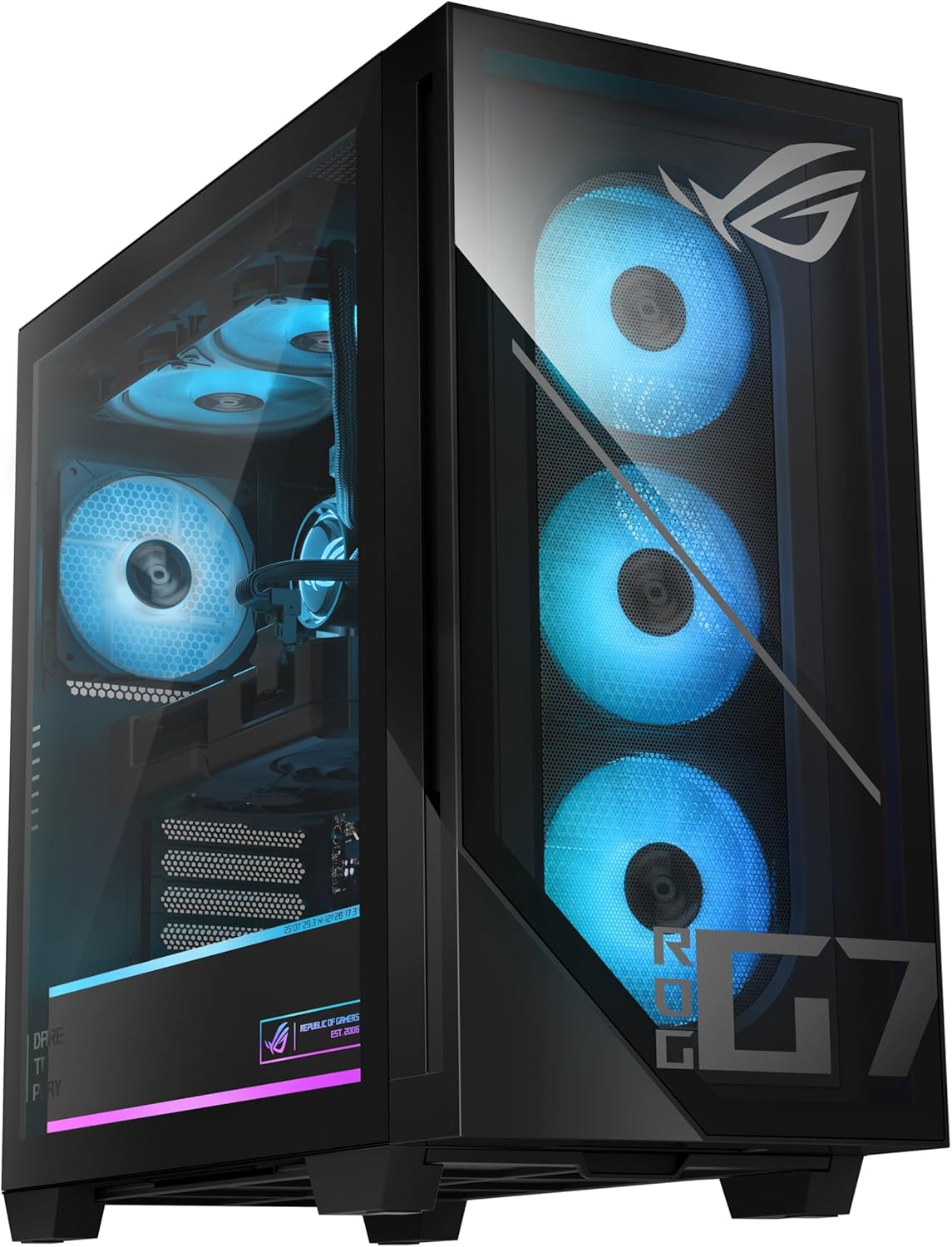
Quick Specs: Intel Core Ultra 7 265F (20C, up to 5.3 GHz, 66MB total cache, LGA 1851) | NVIDIA GeForce RTX 5070 12GB GDDR7 | 16GB DDR5 | 1TB M.2 PCIe 4.0 NVMe SSD | 58L Tool-Less Chassis, Quad-Fan Airflow, 850W PSU, Wi-Fi 6, 2.5GbE | Price Tier: Upper mid-range (under $1,900)
Audit Score: 8.6 / 10
- GPU & VRAM Headroom (35%): 8.7 / 10
- CPU & Platform Runway (25%): 8.8 / 10
- Memory & Storage Balance (20%): 7.7 / 10
- Cooling, PSU & Warranty Support (20%): 9.1 / 10
Sharing the exact same Core Ultra 7 265F processor and RTX 5070 12GB GDDR7 GPU as our #2 Alienware Aurora, the ASUS ROG G700 flips the engineering philosophy toward long-term physical modularity. ASUS builds this rig inside a generous 58-liter tool-less dual-glass tower fitted with quad-fan cooling pathways and a documented 850W PSU—giving you ample physical clearance and electrical headroom to drop in a flagship 360W+ graphics card down the line without fighting proprietary OEM harnesses.
The catch preventing it from taking #2 outright sits right in the memory bay. While Alienware ships 32GB of DDR5 under $1,950, ASUS ships just 16GB DDR5 under $1,900 alongside Wi-Fi 6 rather than Wi-Fi 7. For heavy 4K texture streaming or multitasking with dozens of browser tabs, 16GB is tight in 2026. Fortunately, the tool-less side panel makes swapping in a clean dual-channel 32GB kit effortless, and because the G700 lands roughly $1,100 below the sub-$3,000 ceiling, upgrading memory and adding a second 2TB SSD still leaves substantial savings on the table.
Buyer Verification Alert: Inspect the installed RAM layout upon delivery using HWiNFO64; if ASUS fitted a single 1x16GB stick instead of 2x8GB, either match it cleanly or replace it outright with a 2x16GB DDR5-6400 CL32 kit for full dual-channel 1% Lows.
Pros
- Spacious 58L tool-less enclosure with quad-fan intake avoids the thermal throttling common in tight OEM cases
- Standard ATX component layout and 850W PSU support effortless future GPU upgrades
- Core Ultra 7 265F + RTX 5070 12GB pushes smooth 1440p Ultra and DLSS 4 upscaled 4K frame rates
- Includes 2.5GbE wired LAN and Dolby Atmos audio support out of the box
Cons
- Only 16GB DDR5 stock RAM in an upper-tier gaming tower near $1,900
- 12GB GDDR7 VRAM requires DLSS Balanced or High textures in demanding 4K titles
- Wi-Fi 6 lags behind the Wi-Fi 7 adapters inside Lenovo Legion Tower 5 and Alienware Aurora
Verdict: Buy it if you want standard ATX upgradeability, a documented 850W power supply, and cool quad-fan acoustics under $1,900, and plan to drop in a 32GB DDR5 kit on day one. Skip it if you never want to open a side panel after unboxing.
4. MSI Codex Z2 Gaming Desktop (A8NVP-436US — Ryzen 7 8700F / RTX 5070) — Best 2TB Storage & AM5 Runway

Quick Specs: AMD Ryzen 7 8700F (8C/16T, 16MB L3, 16 usable PCIe 4.0 lanes, AM5) | NVIDIA GeForce RTX 5070 12GB GDDR7 | 32GB DDR5 | 2TB NVMe SSD | Standard MSI ATX AM5 Board, 4-Fan Airflow + ARGB Air Cooler | Price Tier: Upper Prebuilt Tier (Under $1,850)
Audit Score: 8.5 / 10
- GPU & VRAM Headroom (35%): 8.7 / 10
- CPU & Platform Runway (25%): 8.2 / 10
- Memory & Storage Balance (20%): 9.1 / 10
- Cooling, PSU & Warranty Support (20%): 8.0 / 10
Most under-$1,950 prebuilts force you to add an extra SSD within the first month, which makes the MSI Codex Z2 (A8NVP-436US) stand out right on the spec sheet: under $1,850, it pairs an RTX 5070 12GB GDDR7 GPU with 32GB of DDR5 memory and a spacious 2TB NVMe SSD mounted on a standard MSI ATX AM5 motherboard. Because MSI builds with commercial retail-standard ATX layouts rather than proprietary boards, this tower gives you a direct socket upgrade runway into future Zen 5 or Ryzen 7 9800X3D chips.
Our component audit does flag one major caveat on the CPU side: the OEM-heavy Ryzen 7 8700F uses a monolithic die with just 16MB of L3 cache and 16 usable PCIe 4.0 lanes—roughly half the cache of a standard Ryzen 7 9700X and one-sixth the 96MB L3 cache inside our #1 Lenovo Legion Tower 5’s 9800X3D. At 4K GPU-bound settings with DLSS 4 active, the RTX 5070 carries most of the frame-time workload, yet CPU-intensive simulations and competitive 1440p matches post lower 1% Lows than an X3D processor. Contrast this against #5 MSI Codex R2: the Z2 wins cleanly on double the SSD space (2TB vs. 1TB) and long-term AM5 upgradability.
Buyer Verification Alert: MSI’s headline Amazon summary omits exact PSU wattage, 80+ efficiency certification, and native 12V-2×6 cable details. Inspect the power supply label before adding an RTX 5080-class GPU later, and confirm AMD EXPO is turned on inside the BIOS.
Pros
- 32GB DDR5 and a full 2TB NVMe SSD out of the box under $1,850 eliminate immediate storage anxiety
- Standard MSI ATX AM5 motherboard supports a drop-in Ryzen 7 9800X3D or 9850X3D upgrade later
- RTX 5070 12GB GDDR7 enables DLSS 4 Multi-Frame Generation for crisp 1440p and upscaled 4K play
- Four-fan mesh chassis paired with an ARGB tower cooler preserves steady airflow
Cons
- Ryzen 7 8700F’s 16MB L3 cache and 16 usable PCIe 4.0 lanes trail X3D CPUs in 1% Lows
- Headline listing omits PSU wattage, 80+ certification, and exact DDR5 MT/s speed
- 12GB VRAM still calls for texture optimization in maxed-out 4K ray-traced scenes
Verdict: Buy it if you want a 2TB, 32GB DDR5, RTX 5070 tower under $1,850 with a standard AM5 board that can accept a Ryzen 7 9800X3D upgrade later. Skip it if you want peak X3D competitive frame consistency out of the box without touching a screwdriver.
5. MSI Codex R2 Gaming Desktop (D14NVP5-613US — RTX 5070) — Best Turnkey RTX 5070 + Wi-Fi 6E Alternative

Quick Specs: Intel Core i5-14400F (10C/16T, 20MB L3, LGA 1700) | NVIDIA GeForce RTX 5070 12GB GDDR7 | 32GB DDR5 | 1TB NVMe SSD | 4x Fans, Dedicated RGB Air Cooler, Wi-Fi 6E | Price Tier: Upper tier (under $1,850)
Audit Score: 8.3 / 10
- GPU & VRAM Headroom (35%): 8.7 / 10
- CPU & Platform Runway (25%): 7.5 / 10
- Memory & Storage Balance (20%): 8.5 / 10
- Cooling, PSU & Warranty Support (20%): 8.2 / 10
The MSI Codex R2 (D14NVP5-613US) acts as a close sibling to the #4 Codex Z2, swapping AMD’s AM5 platform for Intel’s 10-core Core i5-14400F while keeping the RTX 5070 12GB GDDR7 GPU and 32GB DDR5 intact under $1,850. In GPU-bound 4K titles using DLSS 4 Quality upscaling, the 14400F feeds the RTX 5070 cleanly enough for smooth single-player immersion, and MSI earns points for explicitly documenting Wi-Fi 6E support alongside four chassis fans and a dedicated tower RGB air cooler.
Still, it ranks one slot below the #4 MSI Codex Z2 for two clear reasons. First, Intel’s LGA 1700 platform sits at the end of its generation roadmap, meaning future CPU upgrades max out on 14th-Gen chips rather than next-generation AM5 X3D processors. Second, storage drops from 2TB down to 1TB, and the headline spec card omits PSU wattage and exact DDR5 timings. Think of the Codex R2 as a reliable backup pick if the Codex Z2 goes out of stock or if you strictly require documented Wi-Fi 6E out of the box.
Buyer Verification Alert: Check the exact model code D14NVP5-613US in your Amazon cart—MSI ships lower-tier RTX 5060 configurations inside the identical Codex R2 chassis photo.
Pros
- Pairs RTX 5070 12GB GDDR7 and 32GB DDR5 under $1,850 with zero single-stick memory squeeze
- Documented Wi-Fi 6E connectivity avoids the Wi-Fi 5 downgrades seen on competing listings
- Four case fans and a tower air cooler inside a standard ATX MSI chassis maintain solid acoustics
- Saves over $1,150 under a budget of $3,000 for peripherals or a 4K gaming monitor
Cons
- Core i5-14400F on LGA 1700 lacks forward CPU upgrade headroom relative to AM5
- 1TB SSD provides half the storage capacity of the similarly priced #4 MSI Codex Z2
- Exact PSU wattage and 80+ rating remain unlisted in the Amazon overview
Verdict: Buy it if you want a turnkey RTX 5070 + 32GB DDR5 desktop with Wi-Fi 6E under $1,850 when the Codex Z2 is out of stock. Skip it if long-term CPU upgradeability or 2TB of initial NVMe space matters more.
6. STORMCRAFT Sirius Gaming PC (Ryzen 7 8700F / RTX 5060 Ti 8GB) — Best Mid-Tier AM5 & DDR5-6000 Starter

Quick Specs: AMD Ryzen 7 8700F (AM5, up to 5.0 GHz) | NVIDIA GeForce RTX 5060 Ti 8GB GDDR7 | 16GB DDR5-6000 RGB | 1TB PCIe 4.0 NVMe SSD | AMD B650 Chipset, 650W 80+ Gold PSU | Price Tier: Mid tier (under $1,650 with Prime promo)
Audit Score: 7.9 / 10
- GPU & VRAM Headroom (35%): 7.4 / 10
- CPU & Platform Runway (25%): 8.1 / 10
- Memory & Storage Balance (20%): 8.1 / 10
- Cooling, PSU & Warranty Support (20%): 8.4 / 10
Once you step down into the under-$1,650 bracket, the STORMCRAFT Sirius wins praise for spec transparency while carrying a strict VRAM disclaimer. STORMCRAFT assembles this unit in California around a documented AMD B650 AM5 motherboard, a 650W 80+ Gold PSU (aligned with Cybenetics and 80 Plus efficiency targets), and fast DDR5-6000 memory—avoiding the sluggish DDR5-4800 kits and mystery power supplies common below $1,700.
Why does it rank sixth in an under-$3,000 roundup? Because the 8GB RTX 5060 Ti hits a hard VRAM wall when pushed past 1440p High into native 4K Ultra textures or Frame Generation buffers. For shoppers expecting turnkey 4K gaming, stepping up to #1 Lenovo Legion Tower 5 (16GB VRAM) or #2–#4 RTX 5070 towers (12GB VRAM) is money far better spent. The Sirius only makes sense if you are budgeting roughly $1,350+ out of a budget of $3,000 for an OLED monitor or workstation peripherals today and plan to drop a 16GB GPU and 32GB RAM kit into this AM5 chassis later.
Buyer Verification Alert: Our VRAM audit flags all 8GB GPUs above mid-range thresholds: the RTX 5060 Ti 8GB suits 1080p Ultra and 1440p High gaming rather than native 4K Ultra textures. Expect to lower texture settings or rely on DLSS Performance at 4K.
Pros
- Confirmed DDR5-6000 RAM speed avoids the 15–30% frametime penalties of slow budget DDR5-4800 kits
- Transparent AMD B650 board and 650W 80+ Gold PSU assembled in California
- AM5 platform lets you upgrade to a Ryzen 7 9800X3D processor down the line
- Leaves over $1,350 under a max $3,000 total budget for a premium 4K or 1440p OLED display
Cons
- 8GB VRAM on the RTX 5060 Ti bottlenecks native 4K Ultra textures and ray-traced titles
- 16GB RAM and 650W PSU limit future high-wattage RTX 5080-class GPU swaps without upgrading both
- Ryzen 7 8700F holds just 16MB of L3 cache compared with 96MB on X3D chips
Verdict: Buy it if you want a transparent B650 AM5 and DDR5-6000 base under $1,650 while spending the rest of a budget of $3,000 on monitors and peripherals. Skip it if you want turnkey 4K gaming straight out of the box—#1 Lenovo Legion Tower 5 and #2–#4 RTX 5070 builds justify every extra dollar.
7. KOTIN Gaming PC Desktop (Ryzen 7 8700F / RTX 5060 Ti / Wi-Fi 7) — Best Supporting Spec Transparency

Quick Specs: AMD Ryzen 7 8700F (8C/16T, AM5, 16MB L3) | NVIDIA GeForce RTX 5060 Ti 8GB GDDR7 | 16GB DDR5 (4x DIMM slots) | 1TB PCIe Gen4 NVMe SSD (3x M.2 slots) | 650W 80+ Gold PSU, 6-Heatpipe Digital Cooler, 5x ARGB Fans, Wi-Fi 7 | Price Tier: Upper budget ceiling (around $1,400–$1,500)
Audit Score: 7.8 / 10
- GPU & VRAM Headroom (35%): 7.4 / 10
- CPU & Platform Runway (25%): 8.0 / 10
- Memory & Storage Balance (20%): 7.7 / 10
- Cooling, PSU & Warranty Support (20%): 8.5 / 10
Sitting around $1,400–$1,500—literally half our sub-$3,000 ceiling—the KOTIN Gaming PC Desktop earns praise for spelling out nearly every hidden spec most Amazon listings bury. You get a confirmed 650W 80+ Gold power supply, a 6-heatpipe digital tower air cooler, five 120mm ARGB fans, three total M.2 NVMe slots, four DDR5 DIMM slots, and Wi-Fi 7 connectivity. Compared directly against the #6 STORMCRAFT Sirius, KOTIN delivers superior wireless networking and extra M.2 expansion slots for roughly $150 to $200 less, though STORMCRAFT counters with verified DDR5-6000 sticks and domestic California assembly.
As with the Sirius, our audit places strict boundaries on expectations: an 8GB RTX 5060 Ti is a 1080p/1440p workhorse with DLSS 4 support, not a native 4K Ultra GPU. Buying around $1,500 makes strategic sense for dual-purpose shoppers splitting a budget of $3,000 evenly between a starter AM5 rig and a 4K 240Hz QD-OLED monitor—just plan to replace the 16GB stock RAM with a 2x16GB DDR5-6000 CL30 kit rather than filling all four memory slots.
Buyer Verification Alert: Even though this board includes four DDR5 DIMM slots, avoid populating all four sticks when upgrading to 32GB—DDR5 memory controllers drop transfer speeds sharply in four-DIMM layouts. Swap in two 16GB modules in slots A2/B2 instead, and note that 8GB VRAM limits native 4K texture presets.
Pros
- Exceptional spec disclosure naming 650W 80+ Gold PSU, 6-heatpipe digital cooler, and 5x 120mm fans
- Three M.2 slots and Wi-Fi 7 connectivity provide rare expansion headroom under $1,500
- Leaves roughly $1,500 inside a budget of $3,000 for a flagship OLED panel or desk upgrades
Cons
- 8GB RTX 5060 Ti runs out of VRAM quickly when aiming for native 4K Ultra visuals
- 16GB stock DDR5 capacity requires a clean 2x16GB upgrade for heavy multitasking
- Sold by third-party merchant Kotin (fulfilled by Amazon) rather than a major Tier-1 OEM
Verdict: Buy it if you want full spec clarity (650W Gold PSU, Wi-Fi 7, 3x M.2 slots) under $1,500 to pair with an expensive 4K monitor or phased AM5 upgrades. Skip it if you expect native 4K Ultra frame rates right out of the shipping box.
8. CyberPowerPC Gamer Xtreme (GXiVR8040A19 — Core i7-14700F / RTX 5060 Ti 8GB) — Best 20-Core Starter Rig

Quick Specs: Intel Core i7-14700F (20C/28T: 8P+12E, 33MB L3, LGA 1700) | Intel B760 Chipset | NVIDIA GeForce RTX 5060 Ti 8GB GDDR7 | 16GB DDR5 | 1TB PCIe 4.0 NVMe SSD | Wi-Fi 6, BT 5.3, USB-C 3.2 | Price Tier: Mid-upper tier (under $1,350; roughly $1,200–$1,350)
Audit Score: 7.7 / 10
- GPU & VRAM Headroom (35%): 7.4 / 10
- CPU & Platform Runway (25%): 7.8 / 10
- Memory & Storage Balance (20%): 7.7 / 10
- Cooling, PSU & Warranty Support (20%): 7.9 / 10
Rounding out the field under $1,350, the CyberPowerPC Gamer Xtreme (GXiVR8040A19) solves a specific problem for hybrid gamers and streamers shopping below half the sub-$3,000 cap: raw multi-core thread count. Where #6 STORMCRAFT Sirius and #7 KOTIN rely on 8-core Ryzen 7 8700F processors, CyberPowerPC installs Intel’s 20-core / 28-thread Core i7-14700F with 33MB of L3 cache, backed by direct “Shipped & Sold by Amazon” fulfillment and bundled peripherals.
However, three clear trade-offs keep it eighth in our ranking. First, like #6 and #7, its 8GB RTX 5060 Ti GPU cannot drive native 4K Ultra textures without hitting memory spillovers. Second, the Intel B760 motherboard locks out CPU overclocking on an older LGA 1700 socket with zero next-generation upgrade runway. Third, CyberPowerPC omits exact PSU wattage, 80+ efficiency ratings, and CPU cooler specs on the product sheet—so power-hungry 14700F boosts warrant an immediate thermal and BIOS voltage check after unboxing.
Buyer Verification Alert: Update the Intel B760 motherboard BIOS immediately upon setup to apply Intel’s latest stability and microcode voltage limits for 14th-Gen processors, and check whether the 16GB RAM uses single-channel 1x16GB or dual-channel sticks.
Pros
- 20-core / 28-thread i7-14700F outpaces 8-core Ryzen 8700F rivals in rendering, compiling, and streaming
- Direct Shipped & Sold by Amazon fulfillment streamlines shipping and return protection
- Under $1,350 tier preserves over $1,650 under $3,000 for displays, audio gear, and RAM upgrades
Cons
- 8GB RTX 5060 Ti restricts 4K gaming to aggressive DLSS Performance and lowered texture settings
- LGA 1700 / B760 chipset offers no modern AM5-style multi-generation processor upgrade path
- PSU wattage, 80+ badge, and CPU cooler dimensions are completely omitted from the listing
Verdict: Buy it if you stream, edit video, or multitask heavily on a 1080p/1440p monitor and want 20 Intel cores under $1,350 with direct Amazon checkout. Skip it if your priority is native 4K gaming or AM5 platform longevity.
Buying Guide: Choosing the Best Prebuilt Gaming PC Under 3000
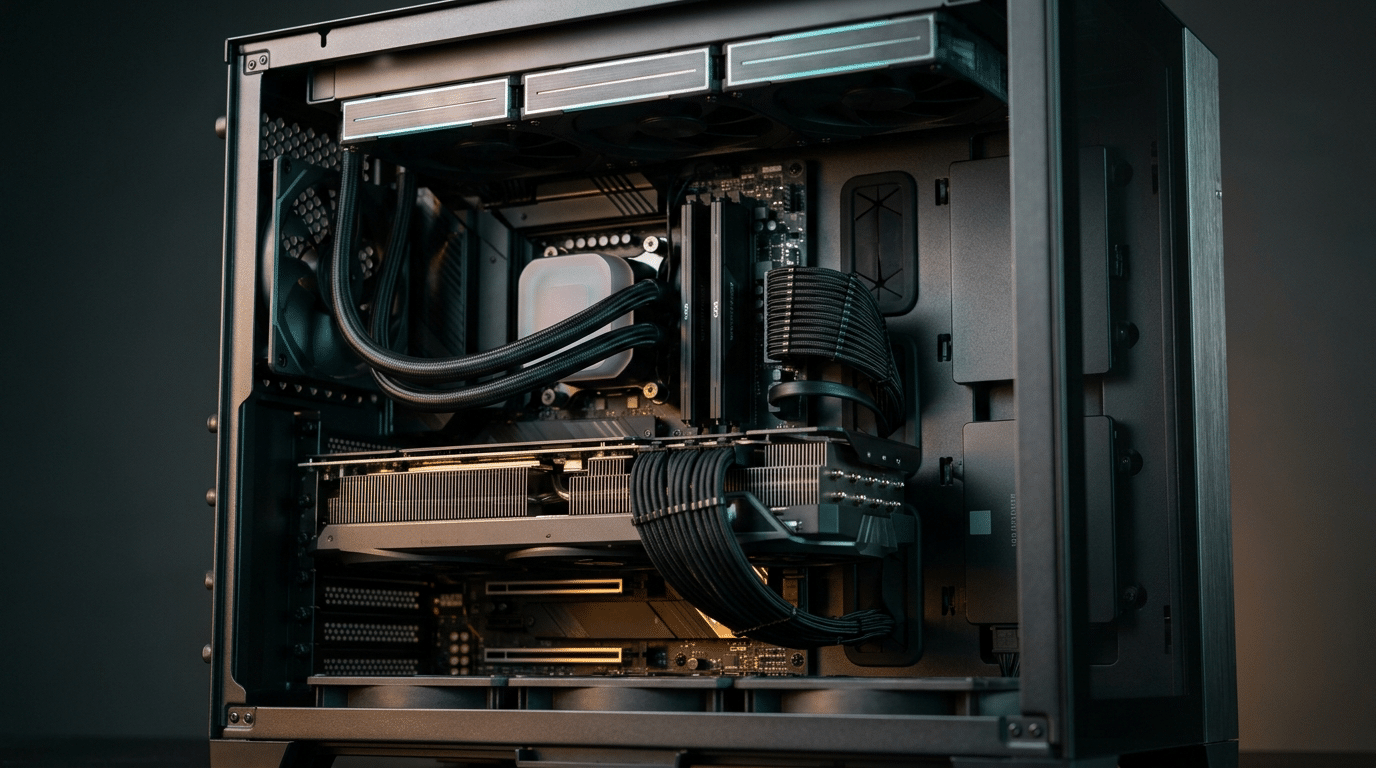
Shopping for the best prebuilt gaming pc under 3000 puts you directly at the crossroads between 1440p gaming dominance and 4K visual fidelity. Because verified RTX 5080 and RTX 5070 Ti towers currently hover in the over-$3,350 bracket on Amazon, squeezing maximum value below $3,000 requires auditing five engineering details rather than chasing marketing wattage or RGB fan counts.
1. GPU VRAM Ceilings at 4K: 16GB vs. 12GB vs. 8GB
Video memory dictates whether a desktop maintains smooth frame pacing four years from now. At 4K resolution, 16GB is the sweet spot—which is why our #1 pick, the Lenovo Legion Tower 5 with its 16GB RX 9070 XT, outscores 12GB RTX 5070 rivals for long-term 4K textures. Meanwhile, 12GB GDDR7 cards like the RTX 5070 handle 1440p Ultra comfortably and reach 4K smoothly via DLSS 4 upscaling, though heavy ray tracing combined with Frame Generation can push 12GB close to capacity.
Be cautious when evaluating AI Frame Generation claims on any graphics card. Multi-Frame Generation improves motion smoothness rather than controller responsiveness, so keep your native base frame rate above 50–60 FPS with NVIDIA Reflex or AMD Anti-Lag 2 active before stacking generated frames. Note also that rumored upgrades like the RTX 5070 Super and RTX 5080 Super remain strictly unreleased rumors as of November 2026—never postpone an active purchase expecting unannounced retail inventory. For a deeper look at flagship 4K GPUs, read our Best 4K Graphics Cards (2026) audit.
2. CPU Cache Architecture & Platform Longevity
Not every eight-core processor performs remotely alike inside a gaming tower. The AMD Ryzen 7 9800X3D stacks 96MB of L3 3D V-Cache underneath Zen 5 cores, preventing sudden frametime stutters in Unreal Engine 5 open worlds and competitive shooters. By contrast, OEM-focused processors like the Ryzen 7 8700F ship with only 16MB of L3 cache and 16 usable PCIe 4.0 lanes without an iGPU—usable for budget-saving AM5 builds like the MSI Codex Z2, yet visibly weaker on 1% Lows until swapped later. Similarly, Intel’s 20-core Core Ultra 7 265F excels at background encoding and productivity on LGA 1851, though its F-series suffix removes Quick Sync hardware video decoding. Curious whether newer X3D clock bumps justify stretching your CPU budget? Check our Ryzen 7 9800X3D vs. Ryzen 7 9850X3D breakdown.
3. Memory Balance, NVMe Storage & ATX 3.1 Power Safety
High-end 4K systems demand 32GB DDR5 running in dual-channel configuration—two 16GB sticks rather than a single 1x16GB module or four crowded DIMMs that destabilize memory controllers. AM5 platforms hit optimal 1:1 ratio latency at DDR5-6000 CL30, whereas Intel Arrow Lake systems scale best around DDR5-6400 CL32. For storage, prioritize a 1TB to 2TB PCIe 4.0 NVMe SSD built with TLC NAND and dedicated DRAM cache; PCIe 5.0 drives add extra heat without lowering game load times in real-world play.
On the power front, high-draw GPUs produce brief 200–300% transient power excursions lasting milliseconds. Look for 750W to 850W+ 80+ Gold units meeting the modern ATX 3.1 standard with native 12V-2×6 connectors—and verify at least 35mm of straight clearance before bending the GPU power cable against tempered glass side panels.
4. Avoiding Amazon Catalog Traps & Silent Spec Cuts
Amazon’s search filters haven’t kept pace with 2026 hardware. Left-sidebar Graphics Memory checkboxes still top out at “8 GB & above,” grouping 8GB entry cards alongside 16GB flagships, while multi-variant product pages frequently pool thousands of legacy reviews from older GTX 1660 Ti systems onto brand-new Ryzen 9000 configurations. Even in the $1,500–$3,000 tier, builders occasionally slip in Wi-Fi 5 radios, undisclosed OEM PSUs, or “Brand may vary” graphics cards. Always confirm the exact GPU VRAM figure, CPU suffix, networking standard (Wi-Fi 6E or Wi-Fi 7), and Condition: New before clicking buy.
5. Upgrade Roadmap & Hidden Ownership Costs
Because every pick on this list falls comfortably under $2,400, smart buyers should reserve leftover cash under their budget of $3,000 for high-impact upgrades rather than paying a 25%+ prebuilt markup:
- Day-One Storage Expansion (Around $120–$170 Tier): Any 1TB rig (#1 Legion Tower 5, #2 Aurora, #3 ROG G700, #5 Codex R2) benefits immediately from slotting a 2TB PCIe 4.0 DRAM TLC drive into the secondary M.2 bay.
- 32GB Dual-Channel RAM Upgrade (Around $90–$120 Tier): On 16GB builds (#3 ASUS ROG G700, #6–#8), swapping to a clean 2x16GB DDR5-6000 CL30 (AM5) or DDR5-6400 CL32 (Intel) kit eliminates memory paging stutters.
- DisplayPort 2.1b 4K OLED Pairing: Buying a sub-$1,950 RTX 5070 rig or the around-$2,300 Legion Tower 5 leaves $700 to $1,100 toward a true 4K QD-OLED monitor—delivering far sharper HDR visuals than overspending on an unbalanced tower plugged into a decade-old 1080p screen.
6. Sub-$3,000 Prebuilt vs. Stretching Above $3,000 for RTX 5080
Should you buy the #1 Lenovo Legion Tower 5 around $2,250–$2,350 right now, or push over $3,000? If your goal is native 4K Path Tracing at high refresh rates without upscaling compromises, stepping up into the over-$3,500 RTX 5080 tier makes sense—explore our Best RTX 5080 Prebuilt Gaming PCs (2026) audit before stretching your budget. If you refuse to spend over $3,000—or want a complete tower plus 4K display under one cap—our #1 9800X3D + RX 9070 XT pick or #2–#4 RTX 5070 towers offer vastly stronger value per dollar.
How We Audited, Scored & Filtered These Models
Every system on this page underwent a structured specification and architecture audit grounded in manufacturer datasheets, PCI-SIG power specs, and The PC Audit’s evaluation methodology—with zero paid placements or fabricated benchmark claims. Each tower is scored out of 10 using four weighted hardware pillars summing to 100%:
| Evaluation Criterion | Weight | What We Audited |
|---|---|---|
| GPU & VRAM Headroom | 35% | 16GB vs. 12GB vs. 8GB VRAM buffers, 256-bit vs. 192-bit/128-bit bus widths, DLSS 4 MFG and FSR 4 support, and DisplayPort 2.1 output. |
| CPU & Platform Runway | 25% | 96MB 3D V-Cache vs. 16MB OEM cache, AM5 multi-gen socket longevity vs. LGA 1851/1700, and PCIe lane routing. |
| Memory & Storage Balance | 20% | 32GB dual-channel DDR5 vs. 16GB kits, memory transfer speeds, and 1TB vs. 2TB NVMe SSD capacity. |
| Cooling, PSU & Warranty Support | 20% | Chassis airflow volume, CPU cooler sizing, 80+ Gold / ATX 3.1 power clarity, Wi-Fi 7/6E networking, and OEM warranty terms. |
Models We Audited & Rejected (And Why)
- STORMCRAFT Phantom (Ryzen 7 9800X3D & RTX 5080): Excluded for exceeding our budget cap—verified Amazon retail availability places this flagship RTX 5080 16GB build over $3,500, so it belongs in our dedicated RTX 5080 prebuilt roundup rather than a sub-$3,000 guide.
- MSI Aegis R2 AI (Core Ultra 9 285 & RTX 5070 Ti): Excluded for pricing—its 24-core processor and 16GB RTX 5070 Ti currently place it around the $3,350–$3,450 creator tier above our max $3,000 ceiling.
- Unlocked Core i9-14900KF + Locked Intel B760 Listings: Disqualified under our motherboard audit standard because pairing high-power unlocked Intel silicon with a locked B760 board disables multiplier tuning and stresses VRM power limits.
- Wi-Fi 5 & Review-Pooled High-Tier Listings (e.g., Legacy Element / Skytech Variants): Disqualified where upper-tier configurations conceal chipset omissions, bundle outdated Wi-Fi 5 adapters above $1,500, or inherit legacy GTX 1660 Ti reviews under shared parent ASINs.
- Sub-$1,200 Entry 4GB–8GB Systems (RTX 5060 8GB, RTX 3050 6GB, RX 6500 XT 4GB): Excluded because entry-level 4GB to 8GB GPUs cannot deliver acceptable 1440p or 4K texture fidelity for high-end tower buyers.
Frequently Asked Questions About Prebuilt Gaming PCs Under $3,000
What GPU should you expect in the best prebuilt gaming PC under 3000?
Aim for at least 16GB of VRAM via an AMD Radeon RX 9070 XT or a 12GB NVIDIA RTX 5070 with DLSS 4 upscaling. Avoid 8GB GPUs if you target native 4K Ultra settings, because modern AAA texture packs rapidly exceed 8GB buffers and hurt 1% Lows.
Can a prebuilt gaming PC under $3,000 handle native 4K 120Hz gaming?
Yes, with realistic settings expectations. A Ryzen 7 9800X3D and RX 9070 XT 16GB tower like the Lenovo Legion Tower 5 handles 4K High-to-Ultra at strong frame rates, especially with AMD FSR 4 Quality enabled, while RTX 5070 12GB builds rely on DLSS 4 upscaling.
Why are RTX 5080 and RTX 5070 Ti prebuilts excluded from this under-$3,000 list?
Verified Amazon retail configurations carrying an RTX 5080 16GB or Core Ultra 9 285 with an RTX 5070 Ti currently sit in the over-$3,350 to $3,500+ flagship bracket. Rather than breaking our strict under-$3,000 ceiling, we documented them in our excluded section and linked our RTX 5080 roundup.
Is 32GB DDR5 mandatory for a high-end 4K prebuilt gaming PC in 2026?
Yes. Modern open-world games, background Discord/browser tabs, and 4K texture streaming easily push total system memory use past 16GB. Look for 2x16GB dual-channel DDR5-6000 on AM5 or DDR5-6400 on Intel LGA 1851, or budget a prompt upgrade on 16GB rigs.
How does the Ryzen 7 9800X3D compare to the Core Ultra 7 265F in prebuilts?
The Ryzen 7 9800X3D leads pure gaming smoothness thanks to 96MB of L3 3D V-Cache, cutting frametime dips at 1440p and CPU-heavy 4K scenes. Intel’s 20-core Core Ultra 7 265F trails in gaming cache size but excels in multi-threaded rendering and background streaming.
Should you spend up to $3,000 on the PC tower or pair a sub-$1,950 rig with a 4K OLED monitor?
Splitting your budget often delivers a better visual jump. Buying a sub-$1,950 RTX 5070 tower or the around-$2,300 Legion Tower 5 leaves $700 to $1,100 toward a true 4K 240Hz QD-OLED monitor over DisplayPort 2.1, rather than driving an older 1080p panel.
Final Verdict: Which Prebuilt Gaming PC Under 3000 Should You Buy?
Across November 2026 inventory, the Lenovo Legion Tower 5 (2026) stands clearly as the best prebuilt gaming pc under 3000. By combining the Ryzen 7 9800X3D, an RX 9070 XT 16GB graphics card, 32GB DDR5, an 850W PSU, and Wi-Fi 7 around $2,250–$2,350, it delivers true 16GB 4K VRAM headroom and AM5 platform longevity while still leaving room in your budget for a second 2TB NVMe SSD.
If your workflow leans toward NVIDIA DLSS 4 Multi-Frame Generation, video encoding, or saving even more cash for a 4K OLED monitor, choose the Alienware Aurora ACT1250 under $1,950 for 32GB DDR5, Wi-Fi 7, and 1-Year Dell Onsite Service—or step into the ASUS ROG G700 under $1,900 for superior 58L tool-less airflow and clean ATX upgrade flexibility.


