
Disclosure: As an Amazon Associate, I earn from qualifying purchases. If you buy through links on this page, we may earn a small commission at no extra cost to you.
Shopping for the best RTX 5080 prebuilt gaming PC on Amazon means looking past flashy tempered-glass lighting and inspecting the supporting silicon underneath. NVIDIA’s Blackwell GeForce RTX 5080 brings 10,752 CUDA cores, 16GB GDDR7 memory on a 256-bit bus, and DLSS 4 Multi-Frame Generation to smooth 4K gaming, yet system integrators routinely cut corners on motherboard chipsets, power supply ratings, memory speed, or wireless networking inside upper-tier ($2,500–$3,500+) towers.
To help you separate balanced 4K rigs from hidden downgrades, we audited current 2026 Amazon US configurations across AMD AM5 3D V-Cache, 12-core Zen 5, Intel Arrow Lake Refresh, and compact Mini-ITX form factors. Whether you are cross-shopping our main hub for the best prebuilt gaming PCs or deciding whether to stretch beyond the best high-end prebuilt gaming PC under $3,000 tier, these seven systems deliver genuine 4K capability without fatal hardware compromises.
In This Guide
- Quick Picks: Top 3 RTX 5080 Prebuilts
- Side-by-Side Comparison: All 7 Audited Systems
- Match Your Use Case: Scenario Matrix
- Detailed Audits: 7 RTX 5080 Prebuilt Desktops
- Buying Guide, Upgrade Roadmap & Prebuilt vs. DIY
- Scoring Rubric & Disqualified Configurations
- Frequently Asked Questions
- Final Verdict
Quick Picks: Best RTX 5080 Prebuilt Gaming PCs at a Glance
#1 Best Overall
STORMCRAFT Phantom — Ryzen 7 9800X3D
Transparent AMD B850 platform, verified 32GB DDR5-6000, 360mm AIO, and 850W 80+ Gold power with 2-year parts and 3-year labor coverage. (Jump to audit)
#2 Best Value 9800X3D Tower
Skytech Azure 3 Gaming Desktop
Hits the core 9800X3D, RTX 5080 16GB, 32GB DDR5-6000, and 360mm AIO hardware target in a standard upgrade-friendly ATX frame. (Jump to audit)
#3 Best Thermal & PSU Headroom
HP Omen Max 45L Gaming PC
Combines patented Cryo Chamber radiator isolation with a massive 1200W ATX 3.1 modular PSU and Wi-Fi 7 out of the box. (Jump to audit)
Side-by-Side Comparison: Top 7 RTX 5080 Prebuilt Desktops
| Product & Award | Best For | CPU & Memory Spec | Cooling, Storage & PSU | Link |
|---|---|---|---|---|
| STORMCRAFT Phantom Best Overall (9.4/10) | Transparent B850 AM5 upgraders | Ryzen 7 9800X3D | 32GB DDR5-6000 | 360mm AIO | 2TB Gen4 | 850W Gold | View on Amazon |
| Skytech Azure 3 Best Value 9800X3D (9.2/10) | Core 4K ATX value buyers | Ryzen 7 9800X3D | 32GB DDR5-6000 | 360mm AIO | 2TB NVMe | 850W Gold | View on Amazon |
| HP Omen Max 45L Best Cooling & PSU (9.1/10) | OEM support & 1200W margin | Ryzen 7 9800X3D | 32GB DDR5 | Cryo Chamber AIO | 2TB Gen4 | 1200W ATX 3.1 | View on Amazon |
| KOTIN Gaming PC Best 9850X3D Boost (9.0/10) | Maximum 5.6 GHz X3D clocks | Ryzen 7 9850X3D | 32GB DDR5 | 360mm AIO + IPS Display | 2TB SSD | Wi-Fi 7 | View on Amazon |
| MSI Aegis ZS Best 12-Core Hybrid (8.9/10) | Streaming & 12-core creation | Ryzen 9 9900X | 32GB DDR5 | 360mm AIO | 2TB NVMe | 750W–850W Gold | View on Amazon |
| STORMCRAFT Valkyrie AI Best Intel Hybrid (8.8/10) | Quick Sync & 24-core work | Core Ultra 7 270K Plus | 32GB DDR5 | 360mm AIO | 2TB SSD | 850W Gold | View on Amazon |
| Thermaltake Traveler 9880S Best Mini-ITX SFF (8.7/10) | Compact desk & OLED setups | Ryzen 7 9800X3D | 32GB DDR5-6000 | TR100 SFF AIO | 2TB NVMe | SFX PSU | View on Amazon |
Match Your Use Case: Which RTX 5080 Prebuilt Fits Your Setup?
| Buyer Scenario | Best Match | Why & Expected Outcome |
|---|---|---|
| Pure 4K 120–240Hz Gaming & Future AM5 Upgrades | STORMCRAFT Phantom | Disclosed AMD B850 board, DDR5-6000, and 360mm AIO keep 1% Lows tight while preserving retail ATX upgrade paths. |
| Value-Minded 9800X3D & 360mm AIO Rig | Skytech Azure 3 | Secures 32GB DDR5-6000 and 2TB Gen4 NVMe storage in a standard ATX chassis once wireless spec is confirmed. |
| Coolest CPU Thermals & 1200W ATX 3.1 Margin | HP Omen Max 45L | Isolated Cryo Chamber intake lowers CPU radiator temperatures while a 1200W modular PSU runs quietly with headroom. |
| Peak Single-Core Boost in CPU-Bound Games | KOTIN Gaming PC (9850X3D) | Higher 5.6 GHz boost ceiling over the 9800X3D extracts extra frametime stability in high-refresh 1440p/4K esports. |
| Simultaneous 4K Gaming, OBS & Rendering | MSI Aegis ZS (9900X) | 12 Zen 5 cores and 24 threads accelerate multi-tasking and background encoding without stalling 4K frame pacing. |
| Premiere Pro Quick Sync & 24-Core Creation | STORMCRAFT Valkyrie AI | 24-core Core Ultra 7 270K Plus retains Intel Graphics Quick Sync hardware decoding for timeline editing alongside 4K gaming. |
| Minimalist Desk or Living-Room 4K OLED Rig | Thermaltake Traveler 9880S | Dual-chamber TR100 Mini-ITX mesh case delivers uncompromised desktop RTX 5080 and 9800X3D hardware in a compact footprint. |
Detailed Audits: Best RTX 5080 Prebuilt Gaming PCs Compared
1. STORMCRAFT Phantom — Ryzen 7 9800X3D & RTX 5080 — Best Overall

Quick Specs: NVIDIA GeForce RTX 5080 16GB GDDR7 | AMD Ryzen 7 9800X3D (8C/16T, up to 5.2 GHz, 96MB L3 3D V-Cache) | AMD B850 Chipset | 32GB DDR5-6000 RGB | 2TB NVMe Gen4 SSD | 360mm AIO + 7x ARGB Fans | 850W 80+ Gold PSU | 2-Yr Parts / 3-Yr Labor | Price Tier: Flagship tier (over $3,500)
Audit Score: 9.4 / 10
- GPU & VRAM Headroom (35%): 9.6 / 10
- CPU & Platform Runway (25%): 9.5 / 10
- Memory & Storage Balance (20%): 9.3 / 10
- Cooling, PSU & Warranty Support (20%): 9.0 / 10
The STORMCRAFT Phantom earns our top rank because it eliminates the biggest headache on Amazon’s high-end prebuilt market: component secrecy. Instead of burying critical details behind vague bullet points, STORMCRAFT explicitly pairs the 360W NVIDIA GeForce RTX 5080 (10,752 CUDA cores, 16GB GDDR7 across a 256-bit bus at up to 960 GB/s) with an AMD B850 motherboard, verified 32GB DDR5-6000 memory, a 2TB Gen4 NVMe SSD, and a 360mm AIO liquid cooler supported by seven case fans. That B850 foundation brings mandatory PCIe 5.0 M.2 support and full AM5 CPU overclocking on a modern retail board.
Underneath the cooler sits the AMD Ryzen 7 9800X3D, whose 104MB combined L2+L3 3D V-Cache smooths out CPU-bound shader compilation and 1% Lows whether you play at native 4K or drive a 240Hz OLED monitor with DLSS 4 Multi-Frame Generation. Compared directly against our #2 pick, the Skytech Azure 3, the Phantom guarantees B850 platform clarity and adds stronger warranty transparency (2-year parts, 3-year labor). Against the #3 HP Omen Max 45L, you give up HP’s oversized 1200W PSU in exchange for full retail ATX motherboard compatibility and effortless future upgrades.
Buyer Verification Alert: After unpacking the chassis and clearing any internal GPU transit foam, boot into the AMD B850 BIOS once to confirm AMD EXPO is active at 6000 MT/s and Resizable BAR is enabled.
Pros
- Explicitly discloses AMD B850 chipset, 32GB DDR5-6000, and 850W 80+ Gold PSU
- Ryzen 7 9800X3D with 96MB L3 3D V-Cache maximizes 4K and 1440p 1% Lows
- 360mm AIO and seven-fan panoramic airflow handle sustained gaming loads cleanly
- Backed by a clear 2-year parts and 3-year labor warranty
Cons
- 850W 80+ Gold PSU offers less future overhead than 1000W–1200W ATX 3.1 units
- Flagship tier pricing (over $3,500) commands a noticeable premium over value builders
Verdict: Buy it if you want the cleanest turn-key AM5 B850 specification sheet in the RTX 5080 class without risking slow DDR5-4800 or proprietary boards. Skip it if you want a 1000W+ factory PSU or target an upper-tier rig closer to under $3,000. Upgrade note: Drop an extra 2TB PCIe 4.0 DRAM TLC SSD into an open M.2 slot when your game library outgrows the boot drive.
2. Skytech Azure 3 Gaming Desktop PC — Best Value 9800X3D Tower
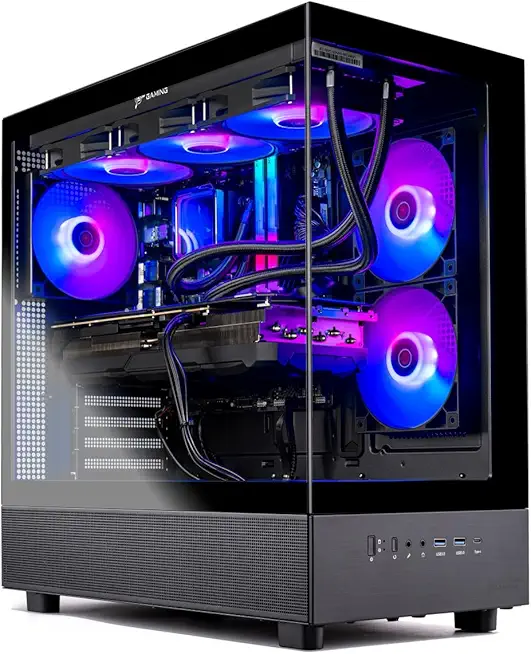
Quick Specs: NVIDIA GeForce RTX 5080 16GB GDDR7 | AMD Ryzen 7 9800X3D (8C/16T, up to 5.2 GHz) | 32GB DDR5-6000 RGB | 2TB NVMe Gen4 SSD | 360mm ARGB AIO Liquid Cooler | 850W 80+ Gold PSU | Price Tier: Upper-tier ($2,500–$3,500)
Audit Score: 9.2 / 10
- GPU & VRAM Headroom (35%): 9.6 / 10
- CPU & Platform Runway (25%): 9.1 / 10
- Memory & Storage Balance (20%): 9.2 / 10
- Cooling, PSU & Warranty Support (20%): 8.5 / 10
Skytech’s Azure 3 hits every core gaming specification we look for in an upper-tier 4K system while typically landing more competitively within the $2,500–$3,500 bracket. You get the same Ryzen 7 9800X3D and RTX 5080 16GB GDDR7 foundation as our #1 pick, backed by verified 32GB DDR5-6000 dual-channel memory rather than the slow DDR5-4800 kits that plague budget-cut prebuilts. A 360mm ARGB AIO cooler keeps the Zen 5 chip well below its 95°C Tjmax ceiling during long gaming sessions, and 2TB of Gen4 NVMe storage prevents you from juggling installs on day one.
Where the Skytech Azure 3 trails the #1 STORMCRAFT Phantom is parts transparency across production runs. Skytech routinely sources retail-standard AMD B650 motherboards, 850W Gold PSUs, and AIB GPU partners based on current inventory, and select Azure 3 batches have shipped with Wi-Fi 5 or Wi-Fi 6 adapters rather than Wi-Fi 7. If you game over wired Ethernet—or plan a straightforward wireless card upgrade—this remains one of the sharpest pure-gaming values among standard ATX RTX 5080 desktops, offering far easier long-term swap options than the OEM-board #3 HP Omen Max 45L.
Buyer Verification Alert: Always verify the exact selected CPU/GPU configuration title on Amazon—some Skytech parent listings share review history across multiple hardware tiers—and confirm whether your delivered motherboard batch carries Wi-Fi 6 or Wi-Fi 5 before relying on wireless 4K streaming.
Pros
- Verified 32GB DDR5-6000 speed preserves AM5 1:1 UCLK memory latency
- 360mm ARGB AIO cooler and ventilated ATX chassis prevent CPU throttling
- Standard off-the-shelf ATX components allow effortless future upgrades
- Generous 2TB NVMe SSD capacity right out of the box
Cons
- Exact motherboard chipset (often B650) and AIB GPU partner vary by batch
- Select batches ship with older Wi-Fi 5/6 wireless hardware instead of Wi-Fi 7
Verdict: Buy it if you want 9800X3D + RTX 5080 + DDR5-6000 performance in a clean, standard ATX chassis and already run wired Ethernet. Skip it if guaranteed Wi-Fi 7 or a pre-disclosed B850 board is non-negotiable. Upgrade note: Dropping in a retail Wi-Fi 6E/7 PCIe card or M.2 wireless module is a quick fix if your unit ships with Wi-Fi 5.
3. HP Omen Max 45L Gaming PC — Best Thermal Isolation & PSU Headroom

Quick Specs: NVIDIA GeForce RTX 5080 16GB GDDR7 | AMD Ryzen 7 9800X3D (8C/16T, up to 5.2 GHz) | 32GB DDR5 | 2TB Gen4 NVMe SSD | Patented Cryo Chamber Liquid Cooling | 1200W ATX 3.1 Modular PSU | Wi-Fi 7 | Price Tier: Flagship tier (over $3,000)
Audit Score: 9.1 / 10
- GPU & VRAM Headroom (35%): 9.6 / 10
- CPU & Platform Runway (25%): 8.4 / 10
- Memory & Storage Balance (20%): 8.9 / 10
- Cooling, PSU & Warranty Support (20%): 9.4 / 10
While boutique system integrators assemble off-the-shelf fishbowl cases, HP engineered the Omen Max 45L around physical thermal segregation. Its signature Cryo Chamber sits above the main motherboard compartment so the liquid radiator pulls fresh ambient room air rather than ingesting 360W of pre-warmed RTX 5080 exhaust. Even more impressive is HP’s power delivery: typical Omen Max 45L RTX 5080 builds ship with a 1200W ATX 3.1 modular PSU, comfortably hitting the 50–60% load efficiency sweet spot with native PCIe 5.1 cabling and quiet fan curves.
Throw in integrated Wi-Fi 7, tool-less side-panel latches, and Windows 11 Pro support on common retail SKUs, and the 45L beats both the #1 STORMCRAFT Phantom and #2 Skytech Azure 3 on raw cooling isolation and power reserve. The trade-off lies in its OEM foundation: HP’s custom motherboard restricts deep retail BIOS tweaking and limits straightforward board swaps years from now, and the massive 45L tower demands serious desk or floor clearance compared with mid-tower builds or our #7 Mini-ITX pick.
Buyer Verification Alert: Confirm your exact DDR5 memory speed profile inside OMEN Gaming Hub on first boot, and disable unnecessary background promotional utilities or trial security suites to keep frametime latency clean.
Pros
- Cryo Chamber physically separates CPU radiator intake from GPU heat
- 1200W ATX 3.1 modular PSU handles 200–300% transient power spikes quietly
- Includes modern Wi-Fi 7 networking and tool-less maintenance panels
- Tier-1 OEM support infrastructure with clean factory cable routing
Cons
- OEM HP motherboard offers narrower BIOS tuning and upgrade freedom than retail AM5 boards
- Large, heavy 45L chassis footprint takes up substantial workspace
Verdict: Buy it if thermal isolation, whisper-quiet 1200W ATX 3.1 power margin, Wi-Fi 7, and major-brand OEM warranty support matter more than retail BIOS tinkering. Skip it if you want a standard off-the-shelf B850/X870 motherboard for custom overclocking or future board swaps. Upgrade note: Because the 1200W ATX 3.1 PSU is already oversized for an RTX 5080, future storage or GPU upgrades won’t touch your power budget.
4. KOTIN Gaming PC Desktop (Ryzen 7 9850X3D, RTX 5080) — Best Peak-Clock 9850X3D Rig

Quick Specs: NVIDIA GeForce RTX 5080 16GB GDDR7 | AMD Ryzen 7 9850X3D (8C/16T, up to 5.6 GHz, 104MB total cache) | 32GB DDR5 | 2TB NVMe SSD | 360mm AIO Liquid Cooler | Integrated 3.95-Inch IPS Display | Wi-Fi 7 | Price Tier: Upper-tier ($2,500–$3,500)
Audit Score: 9.0 / 10
- GPU & VRAM Headroom (35%): 9.6 / 10
- CPU & Platform Runway (25%): 9.2 / 10
- Memory & Storage Balance (20%): 8.7 / 10
- Cooling, PSU & Warranty Support (20%): 8.3 / 10
Most RTX 5080 builds stop at the Ryzen 7 9800X3D, which peaks at 5.2 GHz. KOTIN steps straight up to AMD’s January 2026 Ryzen 7 9850X3D—keeping the same 104MB total cache and 120W TDP envelope while raising max boost clocks to 5.6 GHz. Paired with an RTX 5080 16GB GDDR7 GPU, 32GB DDR5, 2TB SSD storage, Wi-Fi 7, and a 360mm AIO cooler, this chassis chases maximum single-thread responsiveness in simulation games, flight sims, and competitive 1440p/4K shooters.
An integrated 3.95-inch IPS status panel lets you track real-time CPU/GPU thermals at a glance without cluttering your OLED monitor with software overlays. Even with faster 5.6 GHz CPU silicon than the #1 STORMCRAFT Phantom and #2 Skytech Azure 3, KOTIN sits at fourth place because its Amazon spec sheet omits exact motherboard chipset branding, DDR5 CAS latency timings, and the specific 850W PSU OEM model—plus a newer marketplace track record compared with tier-1 brands like MSI or HP.
Buyer Verification Alert: Run HWiNFO64 on day one to inspect the exact motherboard chipset (B850 vs. B650), verify dual-channel DDR5 stick population and CAS timings, and physically confirm native 12V-2×6 power connector seating on the RTX 5080.
Pros
- 5.6 GHz Ryzen 7 9850X3D delivers AMD’s highest pure-gaming boost frequency
- Includes modern Wi-Fi 7 wireless networking alongside 32GB DDR5 and 2TB SSD
- Built-in 3.95-inch IPS panel provides crisp hardware telemetry monitoring
- 360mm AIO cooler provides thermal margin for 9850X3D Precision Boost Overdrive
Cons
- Amazon listing omits exact motherboard brand, RAM CL timings, and PSU OEM model
- Less established US warranty infrastructure than HP, MSI, or STORMCRAFT
Verdict: Buy it if you specifically want the 5.6 GHz Ryzen 7 9850X3D bin with Wi-Fi 7 and built-in thermal telemetry in a ready-to-run RTX 5080 build. Skip it if you prefer itemized retail board/PSU part numbers and multi-year US labor support. Upgrade note: Consider applying a conservative -15 PBO Curve Optimizer offset in BIOS once stability-checked to trim CPU temperatures under extended load.
5. MSI Aegis ZS Gaming Desktop (Ryzen 9 9900X, RTX 5080) — Best 12-Core Hybrid & Streaming Rig

Quick Specs: NVIDIA GeForce RTX 5080 16GB GDDR7 | AMD Ryzen 9 9900X (12C/24T, up to 5.6 GHz, 64MB L3) | MSI AM5 Motherboard | 32GB DDR5 | 2TB M.2 NVMe Gen4 SSD | 360mm AIO Liquid Cooler | Wi-Fi 7 | Price Tier: Upper-tier ($2,500–$3,500)
Audit Score: 8.9 / 10
- GPU & VRAM Headroom (35%): 9.6 / 10
- CPU & Platform Runway (25%): 8.7 / 10
- Memory & Storage Balance (20%): 8.7 / 10
- Cooling, PSU & Warranty Support (20%): 8.4 / 10
Gamers who simultaneously run OBS encoding, Discord, browser workspaces, and background video renders can quickly saturate an 8-core processor. The MSI Aegis ZS replaces X3D silicon with the 12-core, 24-thread AMD Ryzen 9 9900X—sustaining up to 5.6 GHz boost clocks across Zen 5 cores under a 360mm liquid cooler. Combined with the RTX 5080’s dual hardware NVENC engines (supporting 4:2:2 10-bit video on Blackwell), this tower breezes through 4K gameplay and creator exports alike on an AM5 platform with Wi-Fi 7.
In pure gaming scenarios, the 9900X’s split dual-CCD 64MB L3 cache naturally gives up some 1080p/1440p 1% Low punch to the #1 STORMCRAFT Phantom (9800X3D) and #4 KOTIN (9850X3D), though at native 4K Ultra most games remain GPU-bound by the RTX 5080. Compared with our #6 Intel Core Ultra 7 270K Plus pick, MSI keeps you on AMD’s longer-lived AM5 socket for easier future CPU swaps, though certain OEM MSI B650-VC motherboards limit RAM expansion to two DIMM slots and wire Ethernet at 1GbE rather than 2.5GbE.
Buyer Verification Alert: Different retail runs of the MSI Aegis ZS RTX 5080 have shipped with either 750W or 850W 80+ Gold power supplies—verify the PSU rating printed on the internal label upon delivery, since 850W ATX 3.1 is NVIDIA’s stated baseline for a 360W RTX 5080.
Pros
- 12C/24T Ryzen 9 9900X outperforms 8-core X3D CPUs in multi-threaded renders and streaming
- Retail-standard MSI AM5 architecture, 360mm AIO, and Wi-Fi 7 onboard
- Multiple M.2 PCIe 4.0 slots support seamless storage expansion
- Reliable MSI brand ecosystem and clean airflow mid-tower layout
Cons
- Trails 9800X3D/9850X3D in CPU-bound 1% Low framerates due to smaller 64MB L3 cache
- Some OEM PRO B650-VC board variants include 1GbE LAN and only two DIMM slots
Verdict: Buy it if you need 12 Zen 5 cores on an upgradeable AM5 motherboard from a tier-1 brand for streaming, coding, and 4K gaming. Skip it if every ounce of competitive frame pacing matters more than multi-core throughput. Upgrade note: If your chassis carries a 2-DIMM board, plan to swap directly to a 2x32GB DDR5-6000 CL30 kit if 64GB is ever needed.
6. STORMCRAFT Valkyrie AI Gaming PC (Core Ultra 7 270K Plus, RTX 5080) — Best Intel Arrow Lake Hybrid Build

Quick Specs: NVIDIA GeForce RTX 5080 16GB GDDR7 | Intel Core Ultra 7 270K Plus (24C/24T: 8P+16E, up to 5.5 GHz, 76MB total cache) | LGA 1851 | 32GB DDR5 | 2TB SSD | 360mm AIO Liquid Cooling | 850W 80+ Gold PSU | Price Tier: Upper-tier ($2,500–$3,500)
Audit Score: 8.8 / 10
- GPU & VRAM Headroom (35%): 9.6 / 10
- CPU & Platform Runway (25%): 8.3 / 10
- Memory & Storage Balance (20%): 8.6 / 10
- Cooling, PSU & Warranty Support (20%): 8.5 / 10
For Intel buyers and hybrid video creators, the STORMCRAFT Valkyrie AI leverages the March 2026 Intel Core Ultra 7 270K Plus on LGA 1851. Packing 24 cores (8 Lion Cove P-cores boosting to 5.5 GHz plus 16 Skymont E-cores) and 76MB total cache, this Arrow Lake Refresh chip doubles the core count of the #5 MSI Aegis ZS (Ryzen 9 9900X) while keeping integrated Intel Graphics active for hardware Quick Sync H.265/HEVC timeline scrubbing—an advantage KF-suffixed Intel chips sacrifice.
STORMCRAFT balances that 250W Maximum Turbo Power envelope with a 360mm AIO cooler, panoramic multi-fan airflow, 32GB DDR5, 2TB SSD capacity, an 850W 80+ Gold PSU, and a 2-year parts / 3-year labor warranty. Why does it rank sixth instead of higher? First, Arrow Lake trails AMD’s 9800X3D and 9850X3D in cache-sensitive gaming frametimes; second, LGA 1851 offers a shorter multi-generation upgrade path than AM5 platforms like the #1 STORMCRAFT Phantom.
Buyer Verification Alert: Check whether your delivered LGA 1851 board carries Intel Z890 or B860 silicon—both support high-speed DDR5 XMP profiles, whereas B860 locks manual CPU multiplier overclocking on K-series chips.
Pros
- 24-core (8P+16E) Core Ultra 7 270K Plus excels in Adobe editing and heavy multi-tasking
- Non-F processor retains Intel Quick Sync media engine and 36 TOPS AI acceleration
- 360mm AIO easily tames sustained Arrow Lake turbo workloads
- Standard ATX components backed by 2-year parts and 3-year labor warranty
Cons
- Trails AM5 X3D builds in high-refresh 1080p/1440p CPU-bound 1% Low framerates
- LGA 1851 platform carries limited future-generation CPU drop-in runway
Verdict: Buy it if your RTX 5080 rig splits time evenly between 4K gaming and Premiere Pro, DaVinci Resolve, or multi-core compiling where Quick Sync and 24 threads shine. Skip it if pure gaming frame rate and multi-gen CPU socket longevity are top priorities. Upgrade note: Arrow Lake scales well with faster DDR5-6400 CL32 or 2-DIMM CUDIMM kits if you ever move up to 64GB.
7. Thermaltake LCGS Traveler 9880S Mini-ITX — Best Compact SFF 4K Desktop

Quick Specs: NVIDIA GeForce RTX 5080 16GB GDDR7 | AMD Ryzen 7 9800X3D (8C/16T, up to 5.2 GHz) | Mini-ITX Dual-Chamber Mesh (TR100) | 32GB ToughRAM DDR5-6000 RGB | 2TB NVMe M.2 SSD | AIO Liquid Cooling & SFX PSU | Price Tier: Upper-tier ($2,500–$3,500)
Audit Score: 8.7 / 10
- GPU & VRAM Headroom (35%): 9.5 / 10
- CPU & Platform Runway (25%): 8.6 / 10
- Memory & Storage Balance (20%): 8.6 / 10
- Cooling, PSU & Warranty Support (20%): 7.7 / 10
Small-form-factor enthusiasts often run into a trap on Amazon: ultra-compact mini PCs stamped “RTX 5080” that actually house power-restricted laptop GPUs. Thermaltake’s LCGS Traveler 9880S avoids that compromise completely by building inside the perforated TR100 Mini-ITX dual-chamber chassis. Inside sits a genuine desktop RTX 5080 vertically mounted via PCIe riser, an AM5 Ryzen 7 9800X3D under dedicated liquid cooling, verified 32GB ToughRAM DDR5-6000 dual-channel memory, a 2TB NVMe M.2 SSD, and a standard SFX power supply.
Compared with full mid-tower builds like the #1 STORMCRAFT Phantom or the giant #3 HP Omen Max 45L, the Traveler 9880S reclaims huge desk space and travels easily between workstations or living-room 4K OLED TVs. Physics still applies, however: compact Mini-ITX airflow produces higher fan RPM under sustained 360W GPU loads than 360mm ATX towers, and future DIY upgrades demand tight millimeter checks for radiator clearance, SFX power lengths, and 3-slot GPU widths.
Buyer Verification Alert: Because the GPU connects via a vertical PCIe riser inside the TR100 enclosure, inspect both ends of the riser cable for firm seating after transit and confirm Resizable BAR is active in GPU-Z or NVIDIA Control Panel.
Pros
- True desktop 9800X3D and RTX 5080 hardware inside a compact TR100 Mini-ITX shell
- Verified 32GB DDR5-6000 dual-channel RAM and 2TB NVMe SSD
- Full mesh dual-chamber airflow prevents glass-panel heat soak
- Standard Mini-ITX and SFX components avoid laptop-NUC upgrade dead ends
Cons
- Runs louder under sustained 4K gaming loads than full-size 360mm AIO ATX towers
- Mini-ITX layout allows zero extra PCIe expansion cards and tighter GPU length clearance
Verdict: Buy it if you need uncompromised desktop RTX 5080 4K performance in a clean, space-saving Mini-ITX footprint. Skip it if whisper-quiet acoustics or room for extra capture cards and multiple drives matter most. Upgrade note: Before ordering a second NVMe drive, check whether the installed Mini-ITX motherboard places its secondary M.2 slot on the rear PCB behind the tray.
Buying Guide: How to Choose the Best RTX 5080 Prebuilt Gaming PC
Evaluating the best RTX 5080 prebuilt gaming PC requires inspecting how the builder balances the headline graphics card against power delivery, memory bandwidth, cooling acoustics, and platform upgradability. Every system in this guide centers on the same core Blackwell silicon—around $999 Launch MSRP class desktop GPU—yet real-world ownership experiences diverge sharply based on the surrounding parts.
1. RTX 5080 16GB GDDR7, DLSS 4 Baseline & DisplayPort 2.1
Across 2026 AAA releases, 16GB GDDR7 memory over a 256-bit bus (up to 960 GB/s) serves as the practical sweet spot for 4K Ultra textures, hardware ray tracing, and DLSS 4 transformer upscaling. If you are deciding how the RTX 5080 fits into the broader GPU landscape, compare its positioning in our best 4K graphics cards guide or check our deep technical breakdown of RTX 5080 vs. RTX 5090—where stepping up to 32GB GDDR7 and 575W only pays off for heavy path tracing, 8K pipelines, or local AI model hosting. When enabling DLSS 4 Multi-Frame Generation (MFG) on an RTX 5080, maintain at least a 50–60 FPS native baseline paired with NVIDIA Reflex so motion smoothness never trades away mouse responsiveness. Finally, verify you connect a high-refresh 4K 240Hz OLED monitor to the GPU’s DisplayPort 2.1b (UHBR20) output rather than the motherboard’s display port.
Rumor Status Note (November 2026): Any speculative mentions of an RTX 5070 Super or RTX 5080 Super (rumored 24GB GDDR7 refresh) remain strictly unreleased and rumored—do not delay a current retail purchase waiting on unannounced silicon or treat rumored SKUs as active retail inventory.
2. Matching CPU Architecture & Dual-Channel DDR5-6000
For pure gaming, AMD’s Ryzen 7 9800X3D and Ryzen 7 9850X3D dominate frametime stability thanks to 96MB of stacked L3 3D V-Cache (104MB total), preventing stutter in CPU-heavy simulation, battle royale, and Unreal Engine 5 titles. Content creators who split workloads between 4K gaming and Adobe Premiere or Blender rendering benefit from the 12-core Ryzen 9 9900X or Intel’s 24-core Core Ultra 7 270K Plus (which keeps Intel Quick Sync active). Regardless of CPU, demand 32GB DDR5 across two matching DIMM sticks (2x16GB). On AM5 platforms, DDR5-6000 CL30 hits the optimal 1:1 UCLK:MCLK memory controller ratio, whereas prebuilts shipping single-stick 1x16GB or slow DDR5-4800 suffer a steep 15–30% drop in 1% Low framerates. Avoid populating all four DDR5 slots on a gaming tower, as four-DIMM configurations stress the memory controller and force lower speeds.
3. ATX 3.1 PSUs, 12V-2×6 Safety & 360mm AIO Cooling
A 360W RTX 5080 paired with an X3D or Arrow Lake CPU can generate sudden 2x–3x millisecond transient power spikes under peak load. Per PCI-SIG and ATX 3.1 engineering standards, insist on an 80+ Gold or Cybenetics-certified power supply rated at 850W minimum—or ideally 1000W to 1200W—using a native 12V-2×6 power cable with recessed sense pins rather than messy legacy adapters. Need an upgrade path later? Browse our audited best 1000W & 1200W+ power supplies roundup. Inside the chassis, ensure the side panel leaves at least 35mm of unbent clearance for the 12V-2×6 connector and pair high-wattage CPUs with a 360mm AIO or isolated cooling chamber rather than choked glass front panels or weak 120mm liquid coolers.
4. Amazon Catalog Traps, Upgrade Roadmap & Hidden Ownership Costs
Amazon’s shopping sidebar masks crucial distinctions: the “Graphics Memory” filter caps at “8 GB & above,” and parent listings frequently merge reviews from older systems under shared style selectors while hiding motherboard chipsets, Wi-Fi versions, and SSD controller types (DRAM vs. DRAM-less QLC). When planning post-purchase upgrades, keep realistic ownership costs in mind:
- Secondary 2TB PCIe 4.0 DRAM TLC NVMe SSD: Budget under $150–$200 down the road when modern 150GB+ 4K games fill the factory drive; PCIe 4.0 TLC drives deliver near-zero gaming load difference versus hot Gen 5 drives.
- Wi-Fi 6E / Wi-Fi 7 PCIe Adapter: Budget around $30–$50 if a system like the Skytech Azure 3 ships with an older Wi-Fi 5 card and you cannot run Cat6 Ethernet.
- DisplayPort 2.1 UHBR20 Cable & Sag Check: Confirm your monitor ships with a VESA-certified DP80 cable and verify the internal GPU anti-sag bracket sits firmly beneath the heavy 3-slot RTX 5080 heatsink.
5. Prebuilt RTX 5080 Tower vs. Custom DIY Build
Buying a prebuilt RTX 5080 rig makes strong financial sense when the turnkey markup lands within 5%–12% of equivalent retail parts—factoring in Windows 11 licensing, assembly labor, transit protection, and 2-to-3-year single-point warranty coverage. Choose Custom DIY only if you demand exact retail model control over every fan, DRAM-cached SSD, and 10-year Cybenetics Platinum PSU, or plan to push heavy manual memory sub-timing overclocks.
How We Audited, Scored & Filtered These Systems
Every configuration in this roundup passed a full 10-point specification audit aligned with The PC Audit methodology. Rather than trusting headline “RTX 5080 + Ryzen” marketing titles, we verified CPU cache topology, memory speed and channel layout, PCIe lane routing, PSU ATX 3.1/12V-2×6 compliance, chassis airflow paths, wireless hardware generations, and OEM warranty terms against official NVIDIA, AMD, Intel, PCI-SIG, and Cybenetics technical documentation. Each system is scored on a transparent 100% weighted rubric:
| Evaluation Criterion | Weight | What We Audited |
|---|---|---|
| GPU & VRAM Headroom | 35% | Full desktop RTX 5080 16GB GDDR7 (360W TBP), AIB 3-slot cooling clearance, DLSS 4 MFG support, and DisplayPort 2.1b output. |
| CPU & Platform Runway | 25% | 3D V-Cache 1% Low stability vs. multi-core throughput, AM5 vs. LGA 1851 upgradability, motherboard chipset clarity, and Wi-Fi 6E/7. |
| Memory & Storage Balance | 20% | 32GB dual-channel DDR5-6000 target vs. single-stick/slow kits, plus 2TB PCIe Gen4 NVMe capacity. |
| Cooling, PSU & Warranty Support | 20% | 360mm AIO or Cryo Chamber airflow, 850W–1200W 80+ Gold/Platinum ATX 3.1 PSU safety, and parts/labor coverage. |
Models We Audited & Rejected (And Why)
- Mobile-Architecture Mini PCs (e.g., ASUS ROG NUC 16 with Core Ultra 9 290HX Plus): Excluded from desktop tower rankings because compact mini-PC form factors rely on mobile-envelope HX processors and reduced GPU thermal power budgets rather than a full 360W desktop RTX 5080 AIB card in a standard PCIe x16 slot.
- Non-Standard 24GB RAM Ultra-Compact Rigs (e.g., LAN Gamer 8.1L Mini-ITX): Disqualified because non-standard 24GB DDR5 memory complicates symmetric dual-channel upgrades, and cramped sub-9L interiors tighten future GPU length and 12V-2×6 cable bend tolerances.
- Omitted-Spec, Wi-Fi 5 & Legacy-Paired Parent Listings (i9-14900KF + B760 / Pooled ASINs): Rejected any high-tier listing concealing power supply wattage completely, pairing unlocked Intel K CPUs with locked B760 motherboards, shipping legacy Wi-Fi 5 in upper tiers, or inheriting 1,000+ unrelated reviews from obsolete GTX 1660 Ti configurations via Amazon style selectors.
Frequently Asked Questions About RTX 5080 Prebuilt Gaming PCs
What CPU is best to pair with an RTX 5080 prebuilt gaming PC?
The AMD Ryzen 7 9800X3D or 9850X3D is the ideal gaming match because 96MB of 3D V-Cache stabilizes 1% Low frametimes in demanding engines. Streamers and video editors can step to the 12-core Ryzen 9 9900X or 24-core Intel Core Ultra 7 270K Plus for Quick Sync acceleration.
Is an 850W PSU enough for an RTX 5080 prebuilt gaming PC?
Yes, 850W meets NVIDIA’s official baseline for the 360W RTX 5080 when backed by ATX 3.0 or ATX 3.1 architecture and a native 12V-2×6 connector. Still, 1000W to 1200W ATX 3.1 power supplies keep fans quieter near the 50–60% load sweet spot and support future GPU upgrades.
Is 16GB GDDR7 VRAM on the RTX 5080 enough for 4K gaming in 2026?
Yes, 16GB of fast 256-bit GDDR7 memory delivers up to 960 GB/s of bandwidth for 4K Ultra textures, ray tracing, and DLSS 4 Multi-Frame Generation. Only extreme path-traced modding, 8K raw editing, or multi-billion-parameter local AI models truly justify jumping to a 32GB RTX 5090.
Why do some RTX 5080 prebuilts cost over $3,000 while others sit closer to $2,500?
Non-headline components explain the price spread. Upper-tier listings justify higher tags with disclosed AMD B850 motherboards, Wi-Fi 7 adapters, 360mm liquid coolers, DDR5-6000 kits, 1200W ATX 3.1 modular PSUs, and longer 2-to-3-year parts and labor coverage versus generic batch builds.
What should I check first when unboxing an RTX 5080 prebuilt PC?
Remove all internal transit foam first, then verify the heavy 3-slot RTX 5080 sag bracket and 12V-2×6 plug are seated tightly with no sharp cable bends. Next, enable AMD EXPO or Intel XMP in BIOS, confirm Resizable BAR is active, and plug your monitor directly into the GPU.
Final Verdict: Choosing the Best RTX 5080 Prebuilt Gaming PC
Picking the best RTX 5080 prebuilt gaming PC comes down to matching your workload and upgrade expectations against component transparency. For most 4K buyers, the STORMCRAFT Phantom earns #1 Best Overall by pairing the Ryzen 7 9800X3D and RTX 5080 16GB GDDR7 with a disclosed AMD B850 motherboard, verified 32GB DDR5-6000 memory, a 360mm AIO, and clear multi-year warranty coverage. Value-driven gamers comfortable with wired Ethernet can save by grabbing the Skytech Azure 3, while buyers prioritizing unmatched thermal isolation and oversized 1200W ATX 3.1 power headroom should choose the HP Omen Max 45L. Need extra multi-core muscle or compact sizing? Step to the 12-core MSI Aegis ZS, the 24-core Intel STORMCRAFT Valkyrie AI, or the space-saving Thermaltake LCGS Traveler 9880S Mini-ITX.


