
On This Page
Disclosure: As an Amazon Associate, The PC Audit earns from qualifying purchases. If you buy through links on this page, we may earn a small commission at no extra cost to you.
Direct Answer: In the DisplayPort 2.1 (UHBR20) vs. DP 1.4 DSC debate, both interfaces drive 4K 240Hz 10-bit OLED panels with virtually identical visual clarity because VESA DSC 1.2a is visually lossless. However, 80Gbps UHBR20 eliminates Alt+Tab black-screen delays, avoids multi-monitor head limits, and unlocks uncompressed 4K 240Hz on RTX 50-series GPUs.
Every flagship gaming monitor hitting desks in 2026 forces buyers to confront a messy specification mismatch on the back of the panel. Walk through our 2026 4K 240Hz OLED gaming monitor buyer guide and you will notice two distinct camps sharing identical Samsung QD-OLED or LG WOLED glass: displays equipped with full 80Gbps DisplayPort 2.1 (UHBR20) inputs alongside displays still shipping legacy DisplayPort 1.4 ports reliant on Display Stream Compression (DSC). Understanding displayport 2.1 uhbr20 vs dp 1.4 dsc requires looking past marketing port badges and auditing the complete signal chain—from your graphics card’s display engine across the physical copper or active redriver cable into the monitor’s scaler. Because choosing the right gaming monitor sets the target ceiling for your entire PC, getting the bandwidth math right prevents paying extra for 80Gbps capability your GPU cannot even transmit.
DisplayPort 2.1 (UHBR20) vs. DP 1.4 vs. HDMI 2.1 Bandwidth at a Glance
Before comparing real-world monitor behavior, you must separate raw signaling rate from effective video payload. Every modern display interface sacrifices a slice of raw cable throughput to clock recovery, framing, Forward Error Correction (FEC), and line-coding overhead. According to the VESA DisplayPort 2.1 specification, replacing DisplayPort 1.4’s older 8b/10b encoding (which discards 20% of wire bandwidth before a single pixel travels) with modern 128b/132b channel coding cuts encoding overhead down to roughly 3.3% once link framing and FEC are factored in.
That encoding overhaul explains why jumping from DisplayPort 1.4 to DisplayPort 2.1 UHBR20 delivers nearly triple the usable video throughput rather than just two-and-a-half times the raw bit rate. Just as important, “DisplayPort 2.1” is an umbrella specification covering three distinct Ultra-High Bit Rate (UHBR) tiers—UHBR10, UHBR13.5, and UHBR20—and only one of them clears uncompressed 4K 240Hz 10-bit RGB.
| Display Interface Tier | Per-Lane Rate & Coding | Raw Link Rate (4 Lanes) | Effective Video Payload | Uncompressed 4K (10-Bit RGB) Ceiling | 4K 240Hz 10-Bit DSC Status |
|---|---|---|---|---|---|
| DisplayPort 1.4 (HBR3) | 8.10 Gbps/lane (8b/10b) | 32.40 Gbps | 25.92 Gbps | ~98Hz (10-bit) / ~120Hz (8-bit) | Requires DSC 1.2a (~2.4:1 to 3:1 ratio) |
| HDMI 2.1 (FRL6) | 12.0 Gbps/lane (16b/18b) | 48.00 Gbps | ~42.67 Gbps | ~144Hz (10-bit) / ~165Hz (8-bit) | Requires DSC 1.2a (~1.5:1 ratio) |
| DisplayPort 2.1 (UHBR10) | 10.0 Gbps/lane (128b/132b) | 40.00 Gbps | 38.69 Gbps | ~144Hz (10-bit) | Requires DSC 1.2a (~1.6:1 ratio) |
| DisplayPort 2.1 (UHBR13.5) | 13.5 Gbps/lane (128b/132b) | 54.00 Gbps | 52.22 Gbps | ~180Hz–195Hz (10-bit) / 240Hz (8-bit tight CVT-RBv2) | Requires DSC 1.2a for 10-bit HDR RGB |
| DisplayPort 2.1 / 2.1b (UHBR20) | 20.0 Gbps/lane (128b/132b) | 80.00 Gbps | 77.37 Gbps | 240Hz+ Native Uncompressed (up to ~290Hz CVT-RBv2) | Zero DSC Required (~14.65 Gbps margin) |
The Exact Bandwidth Math Behind 4K 240Hz 10-Bit HDR
Marketing brochures frequently quote “80Gbps” or “48Gbps” without showing how many gigabits per second a modern 4K OLED panel actually consumes every frame. Calculating the true bandwidth requirement takes three simple multiplication steps that explain immediately why UHBR13.5 and HDMI 2.1 fall short while UHBR20 succeeds.
- Step 1 — Active Pixel Throughput: Multiply horizontal pixels by vertical pixels by refresh rate:
3,840 × 2,160 × 240 Hz = 1,990,656,000 pixels per second(roughly 1.99 gigapixels every second). - Step 2 — Color Bit Depth (10-Bit 4:4:4 RGB): Windows HDR10 pipelines and crisp desktop subpixel rendering require full 4:4:4 RGB chroma with 10 bits per red, green, and blue subpixel (30 bits per pixel total). Multiplying
1.990656 GPixels/s × 30 bppequals 59.72 Gbps of pure active pixel data before adding any display timing synchronization overhead. (Dropping down to 8-bit SDR at 24 bpp reduces active pixel throughput to 47.78 Gbps.) - Step 3 — VESA CVT-RBv2 Blanking Intervals: Every display frame includes short horizontal and vertical blanking windows so display timing controllers can reset scanlines and embed audio or HDR metadata packets. Under VESA’s tightest modern Coordinated Video Timings Reduced Blanking v2 (
CVT-RBv2) profile, 4K 240Hz 10-bit RGB requires roughly 62.72 Gbps of continuous video payload—while looser legacy timing windows climb past 67 Gbps.
Hold that 62.72 Gbps figure up against the effective payload column in our table above. DisplayPort 1.4 delivers 25.92 Gbps, leaving a massive 36.80 Gbps deficit that forces DSC 1.2a to compress the stream down near 21 Gbps. Even HDMI 2.1 FRL6 (42.67 Gbps payload) and DisplayPort 2.1 UHBR13.5 (52.22 Gbps payload) still miss the 62.72 Gbps bar for 10-bit RGB—which is why UHBR20’s 77.37 Gbps effective payload stands alone as the only consumer PC connector able to transmit uncompressed 4K 240Hz 10-bit 4:4:4 video with roughly 14.65 Gbps of spare overhead.
How Display Stream Compression (DSC 1.2a) Actually Works—And Where It Hurts
Mention “compression” to PC enthusiasts and many immediately picture blocky JPEG artifacts or washed-out streaming video. Display Stream Compression (DSC 1.2a) shares almost nothing with temporal video codecs like H.264 or AV1. VESA engineered DSC as a low-latency, intra-frame, line-based mathematical encoder using modified median-adaptive prediction and entropy coding across small pixel slices. Because each display scanline compresses independently in hardware inside both your GPU’s display engine and the monitor’s timing controller, latency overhead sits below a single horizontal scanline—measured in fractions of a microsecond, making it completely imperceptible against even a 0.03ms OLED pixel transition.
Under VESA’s ISO/IEC 29170 perceptual benchmark criteria, a 3:1 DSC stream is certified visually lossless: side-by-side evaluations comparing raw uncompressed UHBR20 pixels against 3:1 DP 1.4 DSC pixels on a 4K 240Hz QD-OLED panel show virtually indistinguishable sharpness, gradient smoothness, and HDR specular highlights in games and desktop typography alike.
Myth vs. Engineering Reality on DSC Compression
| Common DisplayPort Claim | Engineering Reality in 2026 |
|---|---|
| “DP 1.4 DSC makes 4K 240Hz look blurry or washed out.” | False. VESA DSC 1.2a preserves full 4:4:4 RGB chroma and 10-bit HDR precision at visually lossless ISO/IEC 29170 standards. Blurred text usually stems from subpixel fringing on OLED panels or accidental 4:2:2 chroma subsampling, not DSC. |
| “DSC adds several milliseconds of competitive input lag.” | False. Hardware line-slice encoding adds sub-microsecond buffering (~0.001ms range), vastly smaller than a 1000Hz mouse polling interval (1.0ms) or a single frame at 240Hz (4.17ms). |
| “Any DisplayPort 2.1 port runs 4K 240Hz without DSC.” | False. Ports capped at UHBR10 (40Gbps) or UHBR13.5 (54Gbps) still fall short of 62.72 Gbps for 4K 240Hz 10-bit RGB and quietly engage DSC. Always verify explicit UHBR20 / 80Gbps / DP80 support. |
| “UHBR20 has zero practical advantages over DP 1.4 DSC.” | False. While image quality matches, uncompressed UHBR20 removes three genuine DSC workflow headaches: Alt+Tab mode-switch blackouts, GPU display-head exhaustion, and DSR/DLDSR lockouts on legacy cards. |
The Three Real-World Downsides of DisplayPort 1.4 DSC
If DSC looks identical in motion and adds zero meaningful latency, why are enthusiasts still chasing DisplayPort 2.1 UHBR20 monitors? Because compressing a video pipeline introduces three operational friction points across Windows, GPU drivers, and multi-monitor setups:
- Alt+Tab & Exclusive Fullscreen Blackouts: Whenever an older DirectX 11 or competitive esports title running in Exclusive Fullscreen drops back to the Windows desktop—or when a Dual-Mode OLED switches between 4K 240Hz and 1080p 480Hz—the GPU and monitor must tear down and renegotiate DSC slice timing allocations over DP 1.4. That handshake frequently triggers a 2-to-5-second black screen accompanied by audio hiccups. Uncompressed UHBR20 streams eliminate DSC slice teardown during resolution and refresh transitions. (Running modern DX12 games in Borderless Windowed mode largely avoids this issue even on DP 1.4.)
- GPU Internal Display Head Exhaustion: High-bandwidth compressed streams historically consume double display-head resources inside the GPU’s scanout engine. On previous-generation RTX 40-series cards, running a 4K 240Hz monitor over DP 1.4 DSC consumes two of the GPU’s four internal display heads, restricting multi-monitor daisy-chaining or limiting how many auxiliary 144Hz/240Hz side displays can run simultaneously.
- Feature Lockouts (NVIDIA DSR / DLDSR & Integer Scaling): On older display engines forced into dual-head DSC mode, driver features that rely on extra scanout scaler resources—most notably NVIDIA Dynamic Super Resolution (DSR), Deep Learning DSR (DLDSR), and GPU integer scaling—often disappear from the control panel until DSC is disabled. NVIDIA Blackwell’s upgraded DisplayPort 2.1b engine avoids forcing DSC altogether on UHBR20 monitors while improving multi-head flexibility.
GPU Output Audit: Which 2026 Graphics Cards Actually Deliver 80Gbps UHBR20?
Here is the single biggest blind spot in 2026 monitor shopping, captured by our Knowledge Graph rule GPU --[DRIVES_DISPLAYPORT_2_1_SIGNAL]--> Monitor: an 80Gbps UHBR20 monitor automatically throttles down to the maximum link speed supported by your graphics card. Buying an expensive DP80 monitor expecting uncompressed 4K 240Hz achieves nothing if your GPU tops out at UHBR13.5 or DisplayPort 1.4a.
Auditing official 2025–2026 silicon documented in NVIDIA’s GeForce RTX 50-series specifications and AMD’s Radeon RX desktop specifications reveals a sharp divide across all three GPU vendors:
| 2026 GPU Family & Representative Models | DisplayPort Revision | Maximum UHBR Link Tier | Effective Video Payload | 4K 240Hz 10-Bit Behavior on UHBR20 Monitor |
|---|---|---|---|---|
| NVIDIA GeForce RTX 50-Series (Blackwell) RTX 5090 ($1,999 Launch MSRP), RTX 5080 ($999 Launch MSRP), RTX 5070 Ti ($749 Launch MSRP), RTX 5070, RTX 5060 Ti, RTX 5060 | DisplayPort 2.1b | UHBR20 (80 Gbps) | 77.37 Gbps | True Uncompressed 4K 240Hz 10-bit RGB (Zero DSC required) |
| AMD Radeon RX 9000-Series (RDNA 4) RX 9070 XT ($599 Launch MSRP), RX 9070 ($549 Launch MSRP), RX 9060 XT (16GB/8GB) | DisplayPort 2.1a | UHBR13.5 (54 Gbps) | 52.22 Gbps | Still Requires DSC 1.2a for 10-bit RGB (uncompressed caps near 4K 180Hz 10-bit or 8-bit 240Hz) |
| Intel Arc B-Series (Battlemage) Arc B580 ($249 Launch MSRP), Arc B570 ($219 Launch MSRP) | DisplayPort 2.1 | UHBR13.5 (54 Gbps) primary port / UHBR10 (40 Gbps) secondary | 52.22 Gbps / 38.69 Gbps | Requires DSC 1.2a; entry 1080p/1440p class (verify ReBAR enabled in BIOS) |
| NVIDIA RTX 40-Series (Ada Lovelace) & Older | DisplayPort 1.4a | HBR3 (32.4 Gbps) | 25.92 Gbps | Drops to DP 1.4a + DSC 1.2a regardless of monitor UHBR20 port |
Editorial Rumor Status Note (R-GPU-02): Rumored refresh cards frequently discussed in hardware circles—specifically the RTX 5070 Super and RTX 5080 Super—remain strictly unreleased and unconfirmed. Buyers assembling a 4K 240Hz pipeline should verify compatibility solely against released retail hardware such as the RTX 5080, RTX 5090, or RTX 5070 Ti profiled in our 2026 best 4K graphics cards audit.
Also note the practical rendering equation (R-GPU-03): very few AAA single-player titles hit 240 FPS natively at 3840×2160 without upscaling. Pushing a 4K 240Hz panel near its refresh ceiling routinely involves pairing DLSS 4 Multi-Frame Generation (MFG) or AMD FSR 4 with a solid 50 to 60+ base FPS baseline and enabling NVIDIA Reflex or AMD Anti-Lag 2 so motion fluidity does not introduce sluggish control feel.
The DP80 Cable Length Trap & VESA DP80LL Active Cables
Even if you pair a Blackwell RTX 5080 with an 80Gbps UHBR20 monitor, the cheapest part in the box can silently collapse your bandwidth back to DSC. Pushing 20 Gbps down each of four copper twisted pairs creates steep high-frequency signal attenuation and crosstalk. As a result, VESA divides certified cables into strict link tiers registered in the DisplayPort DP80 Certified Cables registry:
- DP40 Cables: Validated up to UHBR10 (40 Gbps). Suitable for high-refresh 1440p monitors, not uncompressed 4K 240Hz.
- DP54 Cables: Introduced by VESA for UHBR13.5 (54 Gbps) links on RDNA 4 and Battlemage hardware, extending passive cable reach while keeping DSC enabled at 4K 240Hz 10-bit.
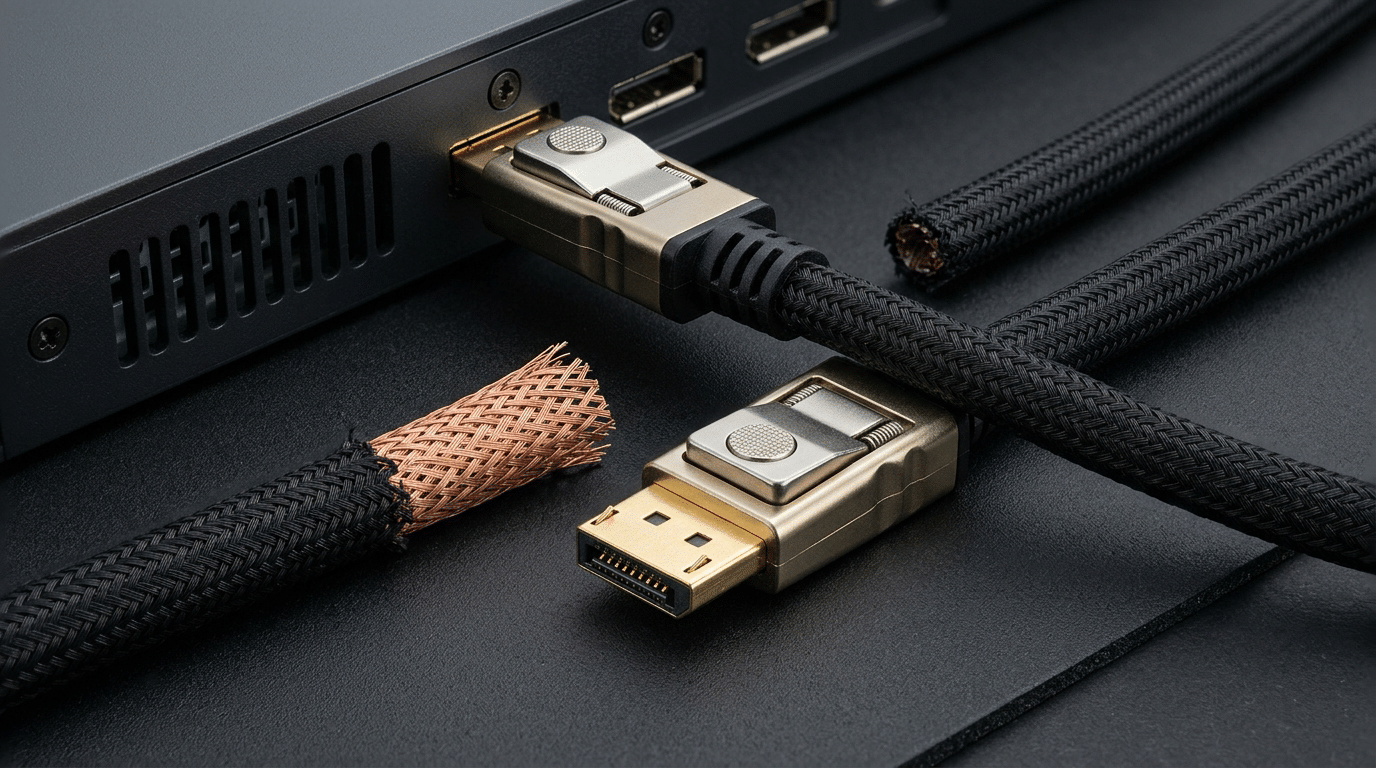
- Passive DP80 Cables (~1.0m to 1.2m Limit): Standard passive copper cables certified for full 80Gbps UHBR20 rarely exceed 1.0 to 1.2 meters (3.3 to 4 feet). Many 2026 UHBR20 monitors ship with a short 1-meter DP80 cable in the carton—which frequently comes up short if your tower sits on the floor beside a standing desk or routes through a monitor arm channel.
- DP80LL Active Cables (Up to 3 Meters): To solve the 1-meter desktop reach problem, VESA’s DisplayPort 2.1b DP80LL (“low loss”) specification integrates linear redriver (LRD) circuitry inside the connector housing, extending verified 80Gbps UHBR20 signal integrity up to 3 meters (nearly 10 feet) without dropping down to UHBR10 or HBR3.
Warning on Legacy Cables: Plugging an uncertified 2-meter or 3-meter DisplayPort 1.4 cable into a UHBR20 GPU and monitor triggers automatic link-training fallback—usually dropping the connection down to HBR3 (DP 1.4 + DSC) or UHBR10, or causing intermittent blackouts during HDR initialization.
Actionable Buyer & Builder Checklist Before Choosing 4K 240Hz
Before paying a premium for DisplayPort 2.1 branding—or passing on an otherwise superior OLED panel because it lists DisplayPort 1.4—run through these five verification checks:
- Check 1 — Verify Explicit “UHBR20 / 80Gbps / DP80” Specs: Never assume a listing labeled “DisplayPort 2.1” supports uncompressed 4K 240Hz. Confirm explicit UHBR20 or 80Gbps documentation on both the GPU bracket and monitor I/O spec sheet.
- Check 2 — Match Your GPU Display Engine: Uncompressed UHBR20 requires an NVIDIA GeForce RTX 50-series GPU right now. If you run an RTX 40-series card or an AMD Radeon RX 9070 XT (UHBR13.5), your 4K 240Hz 10-bit pipeline will run DSC regardless of which monitor you buy.
- Check 3 — Measure Your Desk Cable Run: Measure the exact routing distance from your GPU bracket through your monitor arm to the display bay. Anything beyond 1 meter requires a VESA-certified DP80LL active cable to hold 80Gbps cleanly.
- Check 4 — Weigh Panel Coating & Dual-Mode Features Above Port Numbers: Panel ergonomics matter far more to daily visuals than eliminating DSC. Decide between QD-OLED color volume and WOLED Dual-Mode 480Hz versatility using our QD-OLED vs. WOLED vs. Mini-LED comparison before picking a port tier.
- Check 5 — Audit Burn-In Coverage & VRR Behavior: Ensure any 4K 240Hz OLED includes an explicit 3-year burn-in warranty alongside Pixel Shift and Pixel Refresh protections, and remember that VRR flicker in dark loading screens stems from frametime swings rather than DP 1.4 vs. DP 2.1 signaling.
Commercial Bridge: Audited 2026 UHBR20 vs. DP 1.4 DSC Hardware Picks
Applying these rules across verified 2026 retail hardware reveals two clear paths: upgrading to native 80Gbps UHBR20 displays alongside an RTX 50-series GPU for zero-DSC headroom, or choosing a standout DP 1.4 (DSC) Dual-Mode OLED when 480Hz esports flexibility or glossy anti-reflective optics take priority. Browse our complete gaming monitor rankings for more 1440p and 4K options.
Choose DisplayPort 2.1 (UHBR20 80Gbps) If…
- You drive your monitor with an NVIDIA GeForce RTX 50-series (Blackwell) GPU such as the RTX 5080 or RTX 5090.
- You Alt+Tab frequently out of Exclusive Fullscreen games, run three or more high-refresh monitors, or rely on DSR/DLDSR scaling.
- You keep your PC within a 1-meter passive DP80 cable span (or pair a certified DP80LL active cable).
Stay Happy on DisplayPort 1.4 (DSC) If…
- You run an RTX 40-series or AMD Radeon RX 9070 XT (UHBR13.5) card that requires DSC at 4K 240Hz 10-bit anyway.
- You play modern titles in Borderless Windowed mode where Alt+Tab mode-switch blackouts do not occur.
- You prioritize Dual-Mode 4K 240Hz / 1080p 480Hz WOLED versatility and zero-haze glossy blacks over port bandwidth.
1. MSI MPG 322URX QD-OLED — Uncompressed 80Gbps DisplayPort 2.1a UHBR20 Flagship

Audited Specs: $1,300 tier | 31.5-inch flat QD-OLED | 4K UHD (3840×2160) at 240Hz | 0.03ms GtG | VESA DisplayHDR True Black 400 (1,000 nits peak) | 99% DCI-P3, 98% Adobe RGB | 1x DisplayPort 2.1a (UHBR20 80Gbps), 2x HDMI 2.1, USB-C (98W PD), KVM | 3-year burn-in warranty (MSI OLED Care 2.0).
Built specifically to eliminate DSC handshakes when driven by an RTX 50-series GPU, the MSI MPG 322URX implements full 80Gbps UHBR20 bandwidth alongside 98W USB-C power delivery and a built-in KVM switch for clean single-cable workstation switching.
2. ASUS ROG Swift OLED PG32UCDMR 32-Inch 4K 240Hz QD-OLED — DP80 Certified 80Gbps All-Rounder

Audited Specs: $850-$950 tier | 31.5-inch QD-OLED | 3840×2160 (4K UHD) at 240Hz | 0.03ms GtG | DisplayHDR True Black 400 | DisplayPort 2.1 (DP80), HDMI 2.1, USB-C (90W PD).
Pairing explicit DP80 80Gbps certification with 90W USB-C laptop delivery, the ROG Swift OLED PG32UCDMR brings uncompressed 4K 240Hz 10-bit compatibility down into a markedly sharper value bracket for Blackwell desktop builders.
3. Samsung 32-Inch Odyssey OLED G8 (G80SH) — 80Gbps DisplayPort 2.1 With Glare-Free HDR

Audited Specs: $800-$900 tier | 32-inch Glare-Free QD-OLED | 3840×2160 (4K UHD) at 240Hz | 0.03ms GtG | VESA DisplayHDR True Black 500 | DisplayPort 2.1 (80Gbps), HDMI 2.1, USB-C (98W).
For sunlit rooms where standard glossy QD-OLED coatings raise black levels into a purple tint, the Odyssey OLED G8 (G80SH) combines Samsung’s matte Glare-Free surface and True Black 500 peak highlights with full 80Gbps DisplayPort 2.1 throughput.
4. ASUS ROG Strix OLED XG32UCWMG — Where DP 1.4 (DSC) Still Shines (4K 240Hz / 480Hz Dual-Mode)
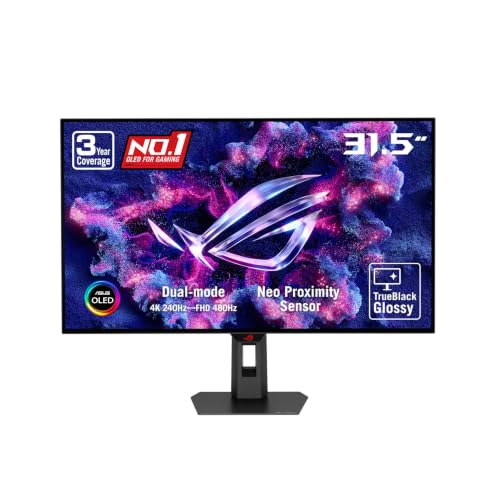
Audited Specs: $1,100 tier | 31.5-inch flat WOLED | Dual-Mode: 4K (3840×2160) at 240Hz / FHD (1920×1080) at 480Hz | 0.03ms GtG | DisplayHDR True Black 400 (up to 1,300 nits peak) | TrueBlack Glossy zero-haze finish | 1x DisplayPort 1.4 (DSC), 2x HDMI 2.1, USB-C (15W PD), Auto KVM | 3-year burn-in warranty (OLED Care Pro + Neo Proximity Sensor).
The XG32UCWMG proves why skipping DP 1.4 DSC blindly is a mistake: its TrueBlack Glossy WOLED panel preserves pitch-black contrast under ambient room lighting while flipping instantaneously from 4K 240Hz AAA storytelling to 480Hz FHD competitive shooters—all with visually lossless DSC parity.
5. PNY NVIDIA GeForce RTX 5080 OC Triple-Fan 16GB — Native DisplayPort 2.1b UHBR20 GPU Match

Audited Specs: Flagship tier (starting at $999 Launch MSRP) | NVIDIA Blackwell (10,752 CUDA Cores, 2,730 MHz Boost) | 16GB GDDR7 (256-bit, 30 Gbps, 960 GB/s) | 360W TDP (1x 16-pin 12V-2×6, 850W–1000W ATX 3.1 PSU recommended) | 3x DisplayPort 2.1b (UHBR20) + 1x HDMI 2.1b | 328.7 x 137.7 x 59.7 mm.
Pairing three native DisplayPort 2.1b UHBR20 ports with 960 GB/s of GDDR7 bandwidth and DLSS 4 Multi-Frame Generation, the PNY RTX 5080 supplies the exact 80Gbps output engine needed to unlock uncompressed 4K 240Hz 10-bit OLED displays without DSC fallback.
Configurations Flagged & Excluded Under Our Audit Rules
- Ambiguous “DisplayPort 2.1” Flagships Capped at UHBR10 (40Gbps): Displays advertising DisplayPort 2.1 on spec sheets without certifying UHBR20 (DP80) still compress 4K 240Hz 10-bit RGB streams via DSC while charging flagship premiums.
- Uncertified Long Passive Cables Pitched as “80Gbps DP 2.1”: Generic 2-meter or 3-meter passive cables lacking active redriver circuitry or VESA DP80LL certification routinely fail UHBR20 link training and silently revert to HBR3/UHBR10.
- High-Refresh 4K OLEDs Lacking Full HDMI 2.1 or Burn-In Coverage: Any flagship 4K monitor omitting full-speed HDMI 2.1 ports or an explicit multi-year burn-in warranty fails our core monitor durability standard.
Official Engineering References
- VESA: DisplayPort 2.1 Specification & 128b/132b UHBR Link Architecture
- VESA: DisplayPort 2.1b DP80LL Active Low-Loss Cable Specification (Up to 3 Meters)
- DisplayPort.org: VESA Certified DP80 (80Gbps UHBR20) Cables Registry
- NVIDIA GeForce: RTX 50 Series Blackwell Architecture & DisplayPort 2.1b UHBR20 Specs
- AMD Radeon: RX Desktop Graphics Cards & Radiance Display Engine Specifications
Frequently Asked Questions
Can the human eye see a difference between DisplayPort 2.1 UHBR20 and DP 1.4 DSC at 4K 240Hz?
In side-by-side gameplay and desktop reading, no. VESA DSC 1.2a meets ISO/IEC 29170 visually lossless criteria, preserving crisp 4:4:4 text edges, 10-bit HDR gradients, and sub-microsecond latency. UHBR20’s real advantage lies in eliminating DSC mode-switch delays rather than sharpening pixels.
Why does my monitor go black for several seconds when I Alt+Tab on DisplayPort 1.4 DSC?
Switching out of an Exclusive Fullscreen game forces a DP 1.4 DSC link to tear down and renegotiate slice headers and link training between your GPU and monitor scaler. Uncompressed UHBR20 skips DSC slice negotiation, and playing in Borderless Windowed mode largely avoids blackouts on DP 1.4.
Does an AMD Radeon RX 9070 XT run 4K 240Hz uncompressed without DSC?
No. AMD’s RDNA 4 lineup implements DisplayPort 2.1a capped at UHBR13.5 (54 Gbps raw / 52.22 Gbps effective payload). Because 4K 240Hz 10-bit RGB requires roughly 62.72 Gbps under CVT-RBv2 timings, an RX 9070 XT still activates DSC at 10-bit 240Hz.
Can I use my existing 2-meter DisplayPort 1.4 cable for 80Gbps UHBR20?
No. Legacy DisplayPort 1.4 cables cannot sustain 20 Gbps per lane signal integrity and will fall back to HBR3 or drop frames. Standard passive VESA DP80 cables top out near 1.0 to 1.2 meters, so runs up to 3 meters require a certified DP80LL active cable.
Is HDMI 2.1 (48Gbps) fast enough for uncompressed 4K 240Hz 10-bit gaming?
No. After 16b/18b line coding, HDMI 2.1 FRL6 delivers roughly 42.67 Gbps of usable video payload—short of the 62.72 Gbps needed for uncompressed 4K 240Hz 10-bit RGB. HDMI 2.1 still runs 4K 240Hz smoothly by applying lighter ~1.5:1 DSC compression.


