
Disclosure: As an Amazon Associate, I earn from qualifying purchases. If you buy through links on this page, we may earn a small commission at no extra cost to you.
Finding the best ultralight 8k gaming mice in 2026 requires looking past raw scale numbers and aggressive “8K-ready” marketing stickers. When you pair a fast 240Hz to 540Hz OLED monitor and a modern gaming processor like the Ryzen 7 9800X3D with a heavy, 1,000 Hz mouse, cursor updates stutter behind what your display can render. Yet chasing sub-50g weight blindly often traps buyers into 8-hour battery drain, hollow structural flex, or retail boxes that omit the 8,000 Hz receiver entirely. We audited datasheets, MCU pairings, optical switch specs, and Amazon US stock across dozens of competitive models to select 7 standout wireless picks spanning from the $50-$70 budget bracket up to flagship esports hardware.
Every best ultralight 8k wireless gaming mouse candidate here fits inside The PC Audit hardware ecosystem guides as the final physical link between your hand and frame delivery. Before picking a shell, pair your weight and polling target with our technical 8,000 Hz mouse polling rate guide to confirm whether your CPU and monitor actually benefit from 0.125 ms report intervals, and match your skate material using our speed vs. control gaming mousepads guide.
In This Guide
- Quick Picks: Best Ultralight 8K Wireless Mice at a Glance
- Side-by-Side Specs Comparison
- Match Your Grip & Setup
- Detailed Hardware Audits (Ranks 1–7)
- 1. Razer Viper V3 Pro (Best Overall)
- 2. Lamzu Maya X (Best Sub-50g Symmetrical)
- 3. Pulsar Xlite CrazyLight (Best Ultralight Ergonomic)
- 4. Keychron M3 Mini 8K (Best Value 8K)
- 5. Razer DeathAdder V3 HyperSpeed (Best Budget Ergonomic)
- 6. Logitech G Pro X Superlight 2 (Best Mainstream Esports Shape)
- 7. ENDGAME GEAR XM2w 4k v2 (Best Claw-Grip Benchmark)
- Buying Guide & Upgrade Roadmap
- Scoring Rubric & Rejected Models
- Frequently Asked Questions
- Final Verdict
Quick Picks: Best Ultralight 8K Gaming Mice at a Glance
#1 Best Overall
Razer Viper V3 Pro
Balanced 54g solid symmetrical frame with Razer’s glass-capable Focus Pro 35K Gen-2 sensor, Gen-3 optical switches, and a bundled 8K HyperPolling dongle. (Jump to audit)
#2 Best Value 8K
Keychron M3 Mini 8K
Brings a flagship PixArt PAW3950 sensor, included 8,000 Hz wireless receiver, Bluetooth 5.3, and bloat-free web software into the $50-$70 budget bracket. (Jump to audit)
#3 Best Ultralight Ergonomic
Pulsar Xlite CrazyLight
Cuts mass to an extraordinary 44g in a right-handed ergonomic shell while including Pulsar’s XS-1 sensor, 100M optical switches, and an 8K dongle under $100. (Jump to audit)
Side-by-Side Comparison: Top 7 Ultralight 8K Gaming Mice
| Product & Award | Weight & Shape | Sensor & Switches | Polling & 8K Dongle | Link |
|---|---|---|---|---|
| Razer Viper V3 Pro Best Overall | 54g Symmetrical | Focus Pro 35K Gen-2 / Optical Gen-3 | 8,000 Hz (Bundled) | View on Amazon |
| Lamzu Maya X Best Sub-50g Symmetrical | 47g Symmetrical | PAW3950 / Omron Optical | 8,000 Hz (Bundled) | View on Amazon |
| Pulsar Xlite CrazyLight Best Ultralight Ergonomic | 44g Ergonomic RH | Pulsar XS-1 / Pulsar Optical | 8,000 Hz (Bundled) | View on Amazon |
| Keychron M3 Mini 8K Best Value 8K | 55g Symmetrical | PAW3950 / Huano 80M Mech | 8,000 Hz (Bundled) | View on Amazon |
| Razer DeathAdder V3 HyperSpeed Best Budget Ergonomic | 55g Ergonomic RH | Focus X 26K / Optical Gen-3 | 1,000 Hz (8K Dongle Extra) | View on Amazon |
| Logitech G Pro X Superlight 2 Best Mainstream Esports Shape | 60g Symmetrical | HERO 2 / LIGHTFORCE Hybrid | 8,000 Hz (Firmware Update) | View on Amazon |
| ENDGAME GEAR XM2w 4k v2 Best Claw-Grip Benchmark | 61.5g Aggressive Claw | PAW3950 / Kailh GX Mech | 4,000 Hz (Bundled) | View on Amazon |
Match Your Use Case: Which Grip & Polling Setup Fits You?
| Buyer Scenario | Best Match | Why & Expected Outcome |
|---|---|---|
| Turnkey pro-grade symmetrical 8K (claw / relaxed claw) | Razer Viper V3 Pro | Balanced 54g shell with bundled 8K HyperPolling dongle, glass-capable Focus Pro 35K Gen-2 tracking, and zero double-click risk. |
| Featherweight sub-50g symmetrical micro-adjustments | Lamzu Maya X | 47g solid top chassis with PAW3950, Nordic 52840, and crisp Omron Optical switches in the $110-$135 tier. |
| Lightest right-handed ergonomic palm/claw at 44g | Pulsar Xlite CrazyLight | Effortless 44g sculpted right-hand comfort with XS-1 sensor and bundled 8K dongle inside the $75-$100 tier. |
| Budget 8K PAW3950 plus laptop Bluetooth switching | Keychron M3 Mini 8K | True 8,000 Hz wireless, Bluetooth 5.3, 600 mAh cell, and driverless Keychron Launcher web app in the $50-$70 bracket. |
| 100-hour budget ergonomic with optical click longevity | Razer DeathAdder V3 HyperSpeed | Compact 55g DeathAdder contour with 90M optical switches and optional future 8K dongle upgradeability. |
| Universal esports potato shape & 95-hour endurance | Logitech G Pro X Superlight 2 | 60g proven silhouette with HERO 2 battery efficiency and G HUB firmware-unlocked 8K LIGHTSPEED polling. |
| Locked-in rear-hump aggressive claw grip (4K) | ENDGAME GEAR XM2w 4k v2 | Wide rear XM hump and pre-sorted Kailh GX switches trading 6.5g of extra mass for locked-in claw control at 4,000 Hz. |
Detailed Hardware Audits: Top 7 Ultralight 8K Wireless Gaming Mice
1. Razer Viper V3 Pro Wireless Esports Gaming Mouse — Best Overall

Quick Specs: 54g (Black) / 55g (White) | Symmetrical (127.1 × 63.9 × 39.9 mm) | Focus Pro 35K Optical Gen-2 (35,000 DPI, 750 IPS, 70G) | Razer Optical Switches Gen-3 (90M clicks) | 8,000 Hz HyperPolling Wireless (8K dongle included) | Up to 95 hrs (1K) / 17 hrs (8K) | Price Tier: $100-$160 tier
Audit Score: 9.4 / 10
- Sensor, Switches & Polling Stability (35%): 9.7 / 10
- Weight, Shape & Build Rigidity (25%): 9.3 / 10
- Battery Endurance, Dongle & Software (20%): 9.2 / 10
- Competitive Value & Ecosystem Fit (20%): 9.1 / 10
The Razer Viper V3 Pro sets the 2026 benchmark for a turnkey ultralight mouse because it refuses to sacrifice shell stiffness, surface coating quality, or receiver hardware to hit 54 grams. Built without exterior honeycomb cutouts, its redesigned symmetrical silhouette raises the central hump slightly and flattens the side flares compared to earlier Viper generations, giving medium-to-large claw and relaxed-claw players far better rear palm contact. Under the shell, Razer’s Focus Pro 35K Optical Sensor Gen-2 specifications include 1-DPI step granularity, Motion Sync, asymmetric cut-off calibration, and dependable tracking directly on uncoated glass pads alongside traditional cloth weaves.
What separates the Viper V3 Pro from competitors is complete out-of-the-box 8K readiness paired with anti-wear optical switches. Razer includes its wedge-shaped HyperPolling Wireless Dongle in the retail box, transmitting packets every 0.125 ms cleanly without forcing a separate adapter purchase like the #5 Razer DeathAdder V3 HyperSpeed. Meanwhile, Razer Optical Gen-3 main switches eliminate physical metal leaf contact, erasing the chronic double-click failures that still plague mechanical switches over multi-year FPS grinding. Large, smoothly rounded virgin-grade PTFE skates glide effortlessly across both balanced control cloth and fast hybrid weaves.
Compared with #2 Lamzu Maya X (47g), the Viper V3 Pro gives up 7 grams of raw weight and sits slightly higher inside the $100-$160 tier, yet counters with superior 1,000 Hz battery endurance (95 hours versus 80 hours), glass-surface tracking resilience, and a grippier smooth-touch matte coating that locks in well even as palms warm up. Versus #6 Logitech G Pro X Superlight 2 (60g), Razer trims 6 grams while offering noticeably crisper side thumb buttons and stock skates that need zero aftermarket replacement. Battery runtime still drops sharply to roughly 17 hours at continuous 8,000 Hz, so toggling Razer’s automatic desktop-to-game polling profile (1,000 Hz on desktop, 2,000 Hz or 4,000 Hz in ranked queues) keeps charging predictable.
Buyer Verification Alert: Check the Amazon listing title carefully to confirm you are buying the standard Razer Viper V3 Pro (ASIN B0CVRGCGWJ) with the included 8K HyperPolling Wireless Dongle, not the stripped-down Viper V3 Pro SE edition that ships with a 1,000 Hz receiver.
Pros
- Includes the 8,000 Hz HyperPolling Wireless Dongle directly in the retail package
- Focus Pro 35K Gen-2 optical sensor tracks reliably even across glass mousepads
- Razer Optical Gen-3 switches rated for 90M clicks prevent mechanical double-click drift
- Solid 54g shell with grippy smooth-touch finish and wide rounded PTFE skates
Cons
- Continuous 8,000 Hz wireless mode shrinks battery stamina from 95 hours down to ~17 hours
- 127.1 mm length feels slightly elongated for compact pure fingertip grips
- Advanced polling switching and asymmetric lift-off tuning require Razer Synapse installation
Verdict: Buy it if you want a no-compromise 54g symmetrical esports flagship with bundled 8K wireless polling, optical click longevity, and top-grade stock skates. Skip it if you prefer a shorter sub-120mm fingertip body or want to stay under $100. Tuning Tip: Set Synapse to 1,000 Hz in Windows and 2,000 Hz–4,000 Hz in-game unless playing on a 360Hz–540Hz OLED monitor.
2. Lamzu Maya X Wireless Gaming Mouse — Best Sub-50g Symmetrical

Quick Specs: 47g | Symmetrical Medium-Large (124 × 64 × 40 mm) | PixArt PAW3950 (30,000 DPI, 750 IPS) | Nordic 52840 MCU + Omron Optical (D2FP-FN2) | 8,000 Hz Wireless (8K dongle included) | Up to 80 hrs (1K) / ~20 hrs (8K) | Price Tier: $110-$135 tier
Audit Score: 9.2 / 10
- Sensor, Switches & Polling Stability (35%): 9.4 / 10
- Weight, Shape & Build Rigidity (25%): 9.4 / 10
- Battery Endurance, Dongle & Software (20%): 8.8 / 10
- Competitive Value & Ecosystem Fit (20%): 9.1 / 10
If 54 grams still feels slightly dense during rapid vertical flicks, the Lamzu Maya X drops chassis weight all the way to 47 grams while keeping a solid, creak-free upper shell and generous medium-large dimensions. Unlike tiny fingertip mice that force cramped fingers, the Maya X stretches 124 × 64 × 40 mm to support relaxed claw and hybrid palm-claw grips effortlessly. Inside, Lamzu’s Maya X hardware architecture pairs the flagship PixArt PAW3950 sensor with a proven Nordic 52840 wireless MCU and an included 8K receiver dongle.
Click feel is a standout triumph here. Lamzu uses Omron D2FP-FN2 optical switches, which avoid the slightly hollow or muffled feedback found on some early optical designs—delivering crisp, snappy actuation with zero mechanical double-click degradation over time. Because the Maya X uses a 250 mAh battery to reach its 47g target, continuous 8,000 Hz operation averages roughly 20 hours, though stepping back to 1,000 Hz or 2,000 Hz pushes longevity toward 50 to 80 hours. Lamzu’s lightweight configuration utility also skips bloated background telemetry suites that bog down gaming rigs.
Cross-compared with #1 Razer Viper V3 Pro, the Lamzu Maya X sheds 7 grams and trims 3 mm of overall length for noticeably nimbler micro-adjustments in tracking shooters while staying in the $110-$135 tier. Conversely, the Viper V3 Pro provides slightly richer rear-hump fill, quieter click acoustics, and superior 1,000 Hz stamina. Compared with #3 Pulsar Xlite CrazyLight (44g), the Maya X keeps a neutral symmetrical grip geometry instead of tilting toward right-handed ergonomic palm support, making it the cleaner fit for claw and fingertip hybrids.
Buyer Verification Alert: The Maya X reduces weight via lightweight bottom baseplate cutouts rather than top-shell holes; install the included bottom dust-seal sticker if you use textured cloth pads in dusty rooms.
Pros
- Featherweight 47g balance on a rigid solid top shell with zero top-surface perforations
- PixArt PAW3950 sensor and Nordic 52840 MCU paired with a bundled 8K wireless dongle
- Tactile Omron D2FP-FN2 optical switches combine crisp click feel with double-click immunity
- Lightweight driver software preserves CPU resources during high-polling play
Cons
- 250 mAh battery averages roughly 20 hours when locked at continuous 8,000 Hz
- Open underside frame can accumulate cloth-pad lint without applying the dust film
- Omron optical clicks carry a sharper acoustic snap than Razer Gen-3 switches
Verdict: Buy it if you play claw or relaxed-claw FPS and want true sub-50g agility, optical switches, and bundled 8K wireless stability under flagship Viper pricing. Skip it if you dislike sharper optical click sound or prefer full ergonomic palm support. Upgrade Note: Pair its pure PTFE skates with a balanced control cloth pad if switching from a 70g+ mouse so 47g inertia does not feel overly slippery.
3. Pulsar Gaming Gears Xlite CrazyLight Wireless Mouse — Best Ultralight Ergonomic

Quick Specs: 44g (dot skates) / ~46g (regular skates) | Ergonomic Right-Handed Medium (122 × 66 × 43 mm) | Pulsar XS-1 Sensor (32,000 DPI, 750 IPS, 50G) | Pulsar Optical Switches (100M clicks) | 8,000 Hz Wireless (8K dongle included) | Up to 70 hrs (1K) / ~8-10 hrs (8K) | Price Tier: $75-$100 tier
Audit Score: 9.1 / 10
- Sensor, Switches & Polling Stability (35%): 9.2 / 10
- Weight, Shape & Build Rigidity (25%): 9.3 / 10
- Battery Endurance, Dongle & Software (20%): 8.4 / 10
- Competitive Value & Ecosystem Fit (20%): 9.5 / 10
Ergonomic right-handed mice historically carried extra bulk compared to symmetrical shells, making the Pulsar Gaming Gears Xlite CrazyLight a genuine engineering shock at just 44 grams. Its sculpted Size 2 medium contour (122 × 66 × 43 mm) supports full palm contact and relaxed claw grips naturally while feeling virtually weightless across wide arm sweeps. According to Pulsar’s official Xlite CrazyLight datasheet, the mouse pairs an exclusive Pulsar XS-1 optical sensor (32,000 DPI, 750 IPS, 50G) with 100-million-click optical switches and bundles both an 8K wireless dongle and UHMW-PE dot skates directly inside the $75-$100 tier.
The catch behind hitting 44 grams is battery capacity. To shed every spare gram, Pulsar relies on an ultralight internal lithium cell (~200 mAh class) rated up to 70 hours at 1,000 Hz—but pushing continuous 8,000 Hz polling drops real-world runtime down to roughly 8 to 10 hours of active gaming. Dropping wireless polling to 2,000 Hz or 4,000 Hz extends daily endurance substantially while keeping latency razor-sharp, and keeping the included USB-C cable handy on your desk solves mid-week top-offs quickly.
Against #5 Razer DeathAdder V3 HyperSpeed (55g, $50-$70 tier), the Pulsar Xlite CrazyLight slashes 11 grams off the scale, steps up to 32,000 DPI / 750 IPS tracking, and avoids Razer’s hidden dongle upsell by packing the 8K receiver in the box—making Pulsar the stronger all-in value for dedicated 8K ergonomic buyers. Against #1 Razer Viper V3 Pro (54g), Pulsar wins easily on budget tier and featherweight agility, though Razer wins decisively on 8K battery stamina (17 hours vs. 8-10 hours) and sealed-bottom structural rigidity.
Buyer Verification Alert: Verify the size variant on Amazon before adding to cart: Pulsar offers the Xlite CrazyLight in Mini (Size 1, ~41g) and Medium (Size 2, ~44g) dimensions under nearly identical product titles.
Pros
- Lightest ergonomic wireless mouse on the list at 44g with dot skates (~46g regular skates)
- Includes 8K wireless receiver dongle and UHMW-PE dot skates inside the $75-$100 tier
- Pulsar XS-1 32,000 DPI sensor and 100M optical switches guard against double-click wear
- Contoured 43 mm right-handed hump reduces palm strain during multi-hour ranked play
Cons
- Running continuous 8,000 Hz exhausts the ultralight cell in roughly 8 to 10 hours
- Right-handed tilt excludes left-handed players and flat symmetrical grip fans
- Underside skeletonized frame feels less sealed than Viper V3 Pro or Superlight 2
Verdict: Buy it if you grip right-handed ergonomic shapes and want sub-45g flick speed plus bundled 8K hardware under $100. Skip it if you despise recharging every evening under full 8K polling or play left-handed. Upgrade Note: Run 2,000 Hz or 4,000 Hz during casual sessions and save 8,000 Hz for tournament play to double battery intervals.
4. Keychron M3 Mini 8K Wireless Gaming Mouse — Best Value 8K

Quick Specs: 55g | Compact Symmetrical (121.5 × 66.7 × 38.9 mm) | PixArt PAW3950 (30,000 DPI, 750 IPS) | Huano 80M Mechanical Switches | 8,000 Hz (2.4 GHz wireless & wired) + Bluetooth 5.3 | 600 mAh (up to 140 hrs BT) / Keychron Launcher web app | Price Tier: $50-$70 tier
Audit Score: 8.9 / 10
- Sensor, Switches & Polling Stability (35%): 8.7 / 10
- Weight, Shape & Build Rigidity (25%): 8.5 / 10
- Battery Endurance, Dongle & Software (20%): 9.3 / 10
- Competitive Value & Ecosystem Fit (20%): 9.6 / 10
True 8,000 Hz wireless hardware no longer demands flagship spending, and the Keychron M3 Mini 8K proves it inside the $50-$70 tier. Keychron builds this 55g compact symmetrical frame around PixArt’s flagship PAW3950 optical sensor architecture (up to 30,000 DPI and 750 IPS) paired with a bundled 8K wireless dongle and USB extension adapter. Just as impressive for dual work-and-play setups, its tri-mode radio switches seamlessly between 8,000 Hz 2.4 GHz gaming, wired USB-C, and Bluetooth 5.3 powered by a spacious 600 mAh cell rated up to 140 hours in Bluetooth mode.
Software simplicity is another clear win over mainstream gaming brands. Instead of forcing a heavy background suite like Razer Synapse or Logitech G HUB, Keychron’s Launcher web configurator lets you dial in DPI stages, lift-off distance, macros, and polling rates straight inside a Chromium browser and save everything directly to onboard memory. Where does Keychron trim cost to stay under $70? First, its main clicks use mechanical Huano 80M micro-switches (blue-shell pink-dot tactile actuators) instead of optical switches—crisp out of the box, though lacking permanent double-click immunity over many years. Second, its matte polymer shell feels slightly less rubberized and tacky than Viper V3 Pro’s premium coating.
Comparing both $50-$70 budget picks side by side highlights two clear philosophies. Against #5 Razer DeathAdder V3 HyperSpeed, Keychron delivers a newer PAW3950 sensor, true 8,000 Hz wireless out of the box, Bluetooth travel utility, and bloat-free web setup—whereas Razer answers with optical Gen-3 switches and a contoured ergonomic shape. Compared against #2 Lamzu Maya X ($110-$135 tier), Keychron runs 8 grams heavier (55g vs. 47g) with mechanical rather than optical clicks, making Maya X worth the step up for hardcore competitive claw players while Keychron reigns as the clear price-to-spec value pick.
Buyer Verification Alert: Keychron sells both a 55g polymer M3 Mini 8K (ASIN B0DXTSS99Q) and a ~65g magnesium-chassis M3 Mini Metal Edition; confirm the standard 55g model if sub-55g agility is your priority.
Pros
- Flagship PixArt PAW3950 sensor and included 8K wireless dongle inside the $50-$70 tier
- Browser-based Keychron Launcher web app eliminates resident background software bloat
- Tri-mode 2.4 GHz, USB-C, and Bluetooth 5.3 with a 600 mAh battery (up to 140h BT)
- Compact 121.5 mm symmetrical footprint suits fingertip and medium claw hands cleanly
Cons
- Huano 80M mechanical switches lack the long-term double-click immunity of optical switches
- Matte ABS coating offers slightly less grip security in sweaty sessions than Razer or Lamzu
- 55g mass sits right on the 55g ceiling, trailing 44g–47g rivals noticeably on flick starts
Verdict: Buy it if you want the strongest sensor-and-polling spec per dollar under $70 alongside zero-bloat web software and Bluetooth travel convenience. Skip it if you demand optical click durability or sub-50g featherweight inertia. Setup Tip: Place the bundled USB receiver on its extension cable within 20 cm of your mousepad edge when running 8,000 Hz.
5. Razer DeathAdder V3 HyperSpeed Ergonomic Wireless Gaming Mouse — Best Budget Ergonomic (100h Battery)
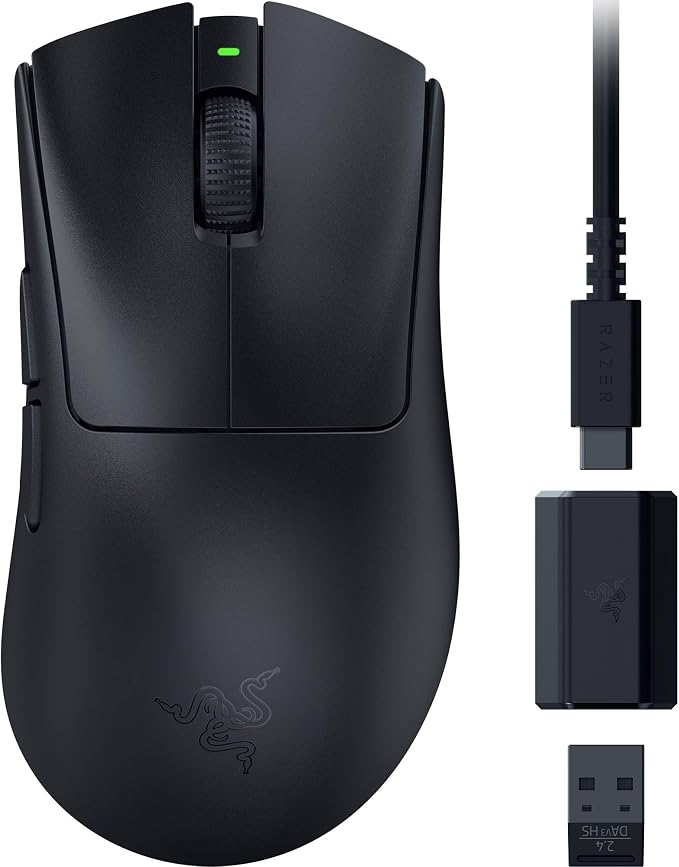
Quick Specs: 55g | Ergonomic Right-Handed Medium (122.2 × 64.8 × 41.3 mm) | Focus X 26K Optical (26,000 DPI, 500 IPS, 40G) | Razer Optical Switches Gen-3 (90M clicks) | 1,000 Hz bundled (8,000 Hz upgradeable via separate dongle) | Up to 100 hrs (1K) / ~20 hrs (8K) | Price Tier: $50-$70 tier
Audit Score: 8.6 / 10
- Sensor, Switches & Polling Stability (35%): 8.5 / 10
- Weight, Shape & Build Rigidity (25%): 9.0 / 10
- Battery Endurance, Dongle & Software (20%): 8.1 / 10
- Competitive Value & Ecosystem Fit (20%): 8.7 / 10
For players with small-to-medium hands who found the original full-sized DeathAdder V3 Pro too tall and bulky, the Razer DeathAdder V3 HyperSpeed scales the iconic ergonomic curve down to 122.2 × 64.8 × 41.3 mm and 55 grams. Despite sitting in the accessible $50-$70 tier, it retains Razer’s premium smooth-touch matte coating and 90-million-click Gen-3 optical switches—meaning budget buyers still gain complete protection against mechanical double-clicking. According to Razer’s DeathAdder V3 HyperSpeed product documentation, its Focus X 26K optical sensor delivers 26,000 DPI, 500 IPS tracking, and up to 100 hours of continuous battery endurance at 1,000 Hz.
Here is the critical specification catch every buyer must weigh before ordering: the DeathAdder V3 HyperSpeed is 8KHz upgradeable, not turnkey 8K out of the box. Inside the retail box sits a standard 1,000 Hz HyperSpeed USB dongle; unlocking 2,000 Hz, 4,000 Hz, or 8,000 Hz wireless polling requires buying the separate Razer HyperPolling Wireless Dongle. That hidden add-on cost changes the math completely if true 8K polling is a day-one requirement.
Cross-compared with #3 Pulsar Xlite CrazyLight ($75-$100 tier), adding an aftermarket HyperPolling dongle pushes total DeathAdder V3 HyperSpeed spending right into Pulsar’s bracket—where Pulsar offers 44g mass (11g lighter), a stronger XS-1 32K sensor, and an 8K receiver already inside the box. However, if you play on a 144Hz–240Hz monitor where 1,000 Hz remains responsive and value 100-hour battery stamina plus Razer’s tighter sealed chassis over Pulsar’s open-bottom 44g design, the DeathAdder V3 HyperSpeed stands as an ultra-reliable sub-$70 ergonomic pick.
Buyer Verification Alert: Do not mistake “8,000 Hz compatible” in Amazon bullet points for an included 8K receiver—this SKU ships with a 1,000 Hz dongle and requires purchasing Razer’s HyperPolling Wireless Dongle separately for multi-kilohertz polling.
Pros
- Refined 55g compact-medium DeathAdder contour fits small-to-medium ergonomic hands naturally
- Razer Optical Switches Gen-3 provide 90M-click anti-double-click reliability in the $50-$70 tier
- 100-hour 1,000 Hz battery stamina doubles or triples typical 8K featherweights
- Grippy smooth-touch coating and solid sealed underside feel noticeably sturdy
Cons
- Ships only with a 1,000 Hz dongle; unlocking 8,000 Hz wireless demands a separate adapter purchase
- Focus X 26K sensor lacks Focus Pro 35K Gen-2 glass-surface optimization and 750 IPS headroom
- Combined mouse-plus-8K-dongle cost approaches #3 Pulsar Xlite CrazyLight territory
Verdict: Buy it if you want a solid 55g right-handed ergonomic shell, optical click longevity, and 100-hour battery life under $70 with an optional 8K upgrade path later. Skip it if you want turnkey 8,000 Hz out of the box—choose #3 Pulsar Xlite CrazyLight or #4 Keychron M3 Mini 8K instead.
6. Logitech G Pro X Superlight 2 Lightspeed Wireless Gaming Mouse — Best Mainstream Esports Shape & Battery

Quick Specs: 60g | Universal Symmetrical (125.0 × 63.5 × 40.0 mm) | HERO 2 Optical (up to 44,000 DPI via firmware, >888 IPS, >88G) | LIGHTFORCE Hybrid Optical-Mechanical | Up to 8,000 Hz LIGHTSPEED (via G HUB firmware update) | Up to 95 hrs (1K) / POWERPLAY ready | Price Tier: $140-$160 tier
Audit Score: 8.7 / 10
- Sensor, Switches & Polling Stability (35%): 9.3 / 10
- Weight, Shape & Build Rigidity (25%): 8.3 / 10
- Battery Endurance, Dongle & Software (20%): 9.2 / 10
- Competitive Value & Ecosystem Fit (20%): 7.9 / 10
Why does one of the most recognizable tournament mice on earth land at #6 in a sub-55g roundup? Strict spec honesty: at 60 grams and sitting in the $140-$160 tier, the Logitech G Pro X Superlight 2 no longer leads the field on featherweight mass or dollar value. Even so, Logitech kept the Superlight 2 genuinely competitive through major G HUB firmware updates that unlocked up to 8,000 Hz wireless LIGHTSPEED polling directly on its included stock receiver alongside HERO 2 ceilings exceeding 888 IPS and 44,000 DPI—all documented across Logitech G’s official wireless gaming mice specifications.
Its enduring strength remains shape neutrality and unmatched power efficiency. The 125.0 × 63.5 × 40.0 mm “potato” profile avoids sharp rear flares or forced finger grooves, making it arguably the safest blind-buy symmetrical shape for palm, relaxed claw, and hybrid grips across virtually all medium-to-large hands. LIGHTFORCE hybrid optical-mechanical switches blend crisp tactile snap with optical contact reliability, while HERO 2 sips battery power slowly enough to deliver up to 95 hours at 1,000 Hz—plus native POWERPLAY wireless charging mat support if you hate cables altogether.
Compared directly against #1 Razer Viper V3 Pro, the Superlight 2 carries 6 extra grams (60g vs. 54g), exhibits slightly mushier side thumb buttons, and ships with noticeably thinner factory PTFE skates that feel scratchier out of the box. Against #2 Lamzu Maya X ($110-$135 tier), Logitech runs 13 grams heavier while asking more money. Buy the Superlight 2 specifically if years of GPX muscle memory lock in your crosshair placement better than a 47g–54g shell ever could.
Buyer Verification Alert: Early retail batches shipped capped at 2,000 Hz or 4,000 Hz—connect both the mouse and LIGHTSPEED receiver via USB inside Logitech G HUB immediately after unboxing to flash the 8,000 Hz firmware update.
Pros
- G HUB firmware updates unlock up to 8,000 Hz LIGHTSPEED polling on the included receiver
- Industry-leading HERO 2 power efficiency achieves up to 95 hours at 1K with >888 IPS headroom
- Universal symmetrical silhouette suits almost every palm and relaxed-claw grip comfortably
- LIGHTFORCE hybrid switches eliminate mechanical double-click drift while retaining tactile snap
Cons
- 60g weight misses the sub-55g bracket, sitting 6g–16g heavier than Ranks #1–#5
- Thin stock PTFE feet benefit heavily from aftermarket rounded skate upgrades
- Side thumb buttons feel softer with minor pre-travel compared to Viper V3 Pro and XM2w
Verdict: Buy it if you rely on GPX muscle memory, demand 95-hour 1K stamina or POWERPLAY wireless charging, and want firmware-unlocked 8K capability on a safe esports shape. Skip it if you want true sub-55g agility and better stock skates in the same flagship price tier—the #1 Razer Viper V3 Pro outspecs it for most competitive buyers. Upgrade Note: Budget for rounded aftermarket PTFE skates if you glide on firm textured pads.
7. ENDGAME GEAR XM2w 4k v2 Wireless Gaming Mouse — Best Aggressive Claw-Grip Benchmark (4K)

Quick Specs: 61.5g | Aggressive Claw Symmetrical (122 × 66 × 38 mm) | Custom PixArt PAW3950 (30,000 CPI, 750 IPS, 50G) | Nordic nRF52840 + Pre-sorted Kailh GX SPDT | 4,000 Hz Wireless (4K dongle included) | Up to 30 hrs (4K) / 54 hrs (1K) | Price Tier: $115-$140 tier
Audit Score: 8.5 / 10
- Sensor, Switches & Polling Stability (35%): 8.9 / 10
- Weight, Shape & Build Rigidity (25%): 8.4 / 10
- Battery Endurance, Dongle & Software (20%): 8.5 / 10
- Competitive Value & Ecosystem Fit (20%): 8.0 / 10
Transparency matters in spec audits: at 61.5 grams and capped at 4,000 Hz wireless polling, the ENDGAME GEAR XM2w 4k v2 sits outside both our strict sub-55g mass target and the 8K headline tier, placing it at #7. Yet excluding it entirely would ignore a vital competitive truth—many aggressive claw-grip tacticians aim sharper on a locked-in 61.5g XM chassis at 4,000 Hz than on an ill-fitting 45g featherweight at 8,000 Hz. Built to ENDGAME GEAR’s rigorous engineering standards, its 122 × 66 × 38 mm shell pairs a low 38 mm front click height with a wide, supportive rear hump and inward-sloped sidewalls that anchor thumbs and ring fingers effortlessly.
Internally, ENDGAME GEAR mates a custom PixArt PAW3950 sensor and Nordic nRF52840 controller with hand-sorted Kailh GX mechanical SPDT switches. While Kailh GX lacks permanent optical immunity against mechanical wear years down the line, SPDT dual-contact polling registers actuation almost instantaneously with crisp, zero-wobble click tension that optical actuators rarely replicate. Its included 4K wireless dongle runs at 0.25 ms report intervals for up to 30 continuous hours (or 54 hours at 1,000 Hz), dodging both 8K’s harsh battery penalty and unnecessary CPU interrupt churn.
Positioned next to #2 Lamzu Maya X in a similar $110-$140 budget range, the XM2w 4k v2 trades away 14.5 grams of weight savings, 8,000 Hz headroom, and Omron optical longevity in exchange for superior tank-like shell rigidity, sharper rear-hump claw lock, and arguably the crispest mechanical main clicks in wireless esports. If you play Valorant or Counter-Strike 2 with an aggressive claw grip and value mechanical click precision over scale minimalism, it earns its spot as a benchmark reference.
Buyer Verification Alert: Confirm your grip compatibility first—the XM2w 4k v2 flares wider across the rear palm (66 mm) specifically for medium-to-large claw grips and feels oversized for narrow fingertip players.
Pros
- Purpose-built wide rear XM hump and tapered sides lock aggressive claw grips tightly
- Pre-sorted Kailh GX SPDT mechanical switches deliver unmatched crisp, uniform click tension
- Bundled 4K wireless receiver sustains 30 hours of low-latency gameplay cleanly
- Zero-flex solid shell build quality resists even heavy competitive panic squeezes
Cons
- Heaviest pick on the list at 61.5g, missing the sub-55g bracket by 6.5 grams
- Wireless polling tops out at 4,000 Hz rather than 8,000 Hz
- Mechanical switches remain susceptible to eventual contact aging over years of heavy play
Verdict: Buy it if aggressive claw ergonomics, crisp Kailh GX clicks, and 30-hour 4K consistency matter more to your aim than breaking the 55g scale barrier. Skip it if you want a true sub-55g 8,000 Hz chassis—choose #1 Razer Viper V3 Pro or #2 Lamzu Maya X instead.
Buying Guide: How to Choose the Best Ultralight 8K Gaming Mice
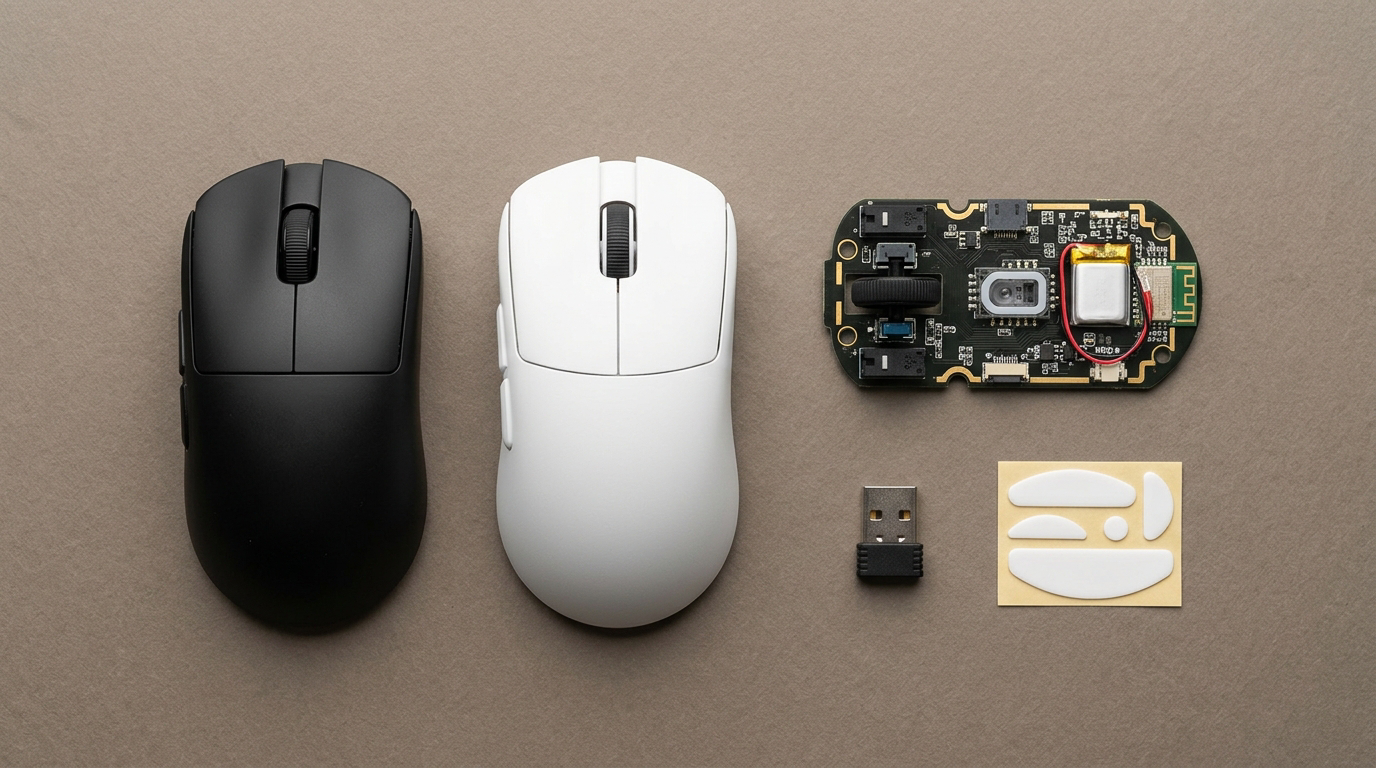
Choosing an esports mouse strictly by sorting weight from lowest to highest is the fastest way to buy hardware you will replace inside three months. Below are the five architectural factors that separate a genuine competitive upgrade from marketing specs.
1. Shape & Grip Geometry Always Outrank Chasing 5 Extra Grams
Dropping from an older 85g mouse into a sub-55g ultralight mouse dramatically cuts static start-up force and stopping inertia during wide crosshair flicks, yet dropping from 54g down to 44g offers diminishing returns if the shell fails to anchor your hand. Match chassis contours to your natural grip first: right-handed ergonomic curves with elevated left sides (like the 44g Pulsar Xlite CrazyLight or 55g Razer DeathAdder V3 HyperSpeed) suit relaxed palm grip and tilted claw players by letting knuckles rest comfortably across the 41–43 mm apex. Symmetrical mid-hump shapes like the Razer Viper V3 Pro and Lamzu Maya X serve balanced claw grip versatility, while compact sub-122 mm frames and aggressive rear humps give fingertip grip and rear-locked claw tacticians clear vertical range to pull down during spray control.
2. True 8K Polling Rate Reality: 0.125 ms Timing, Displays & CPU Headroom
Standard 1,000 Hz mice report cursor packets once every 1.0 ms, whereas enabling an 8K polling rate boosts USB reporting eightfold to once every 0.125 ms. In theory, that denser coordinate stream smooths cursor spacing across fast sweeps—but perceiving that smoothness in practice requires two supporting hardware pillars: a 240Hz to 540Hz monitor (such as modern QD-OLED or WOLED panels in our best gaming monitors roundup) and a high-IPC processor like an AMD Ryzen 7 9800X3D capable of servicing rapid USB interrupts without frame-time hitching. Older CPUs or unoptimized engines can actually stutter slightly when flooded with 8,000 packets per second. Furthermore, 8K wireless cuts battery runtime to one-third or one-quarter of 1,000 Hz longevity. For most players, running 2,000 Hz or 4,000 Hz strikes the competitive sweet spot—capturing nearly identical visual motion fidelity while preserving multi-day battery life—as detailed in our 8,000 Hz polling rate hardware guide.
3. Optical Switches vs. Mechanical Switches & Sensor Architectures
In 2026, paying flagship pricing for legacy mechanical switches prone to premature double-click chatter makes little technical sense. Modern optical switches (featured on the Razer Viper V3 Pro, Lamzu Maya X, Pulsar Xlite CrazyLight, and DeathAdder V3 HyperSpeed) break an infrared light beam rather than bending physical copper leaf contacts. Because no metal bounce occurs, optical actuators run with effectively zero debounce delay and resist oxidation-induced double-clicking past 90 million clicks. Mechanical switches still hold appeal only when specifically tuned for tactile perfection—such as the pre-sorted Kailh GX switches in ENDGAME GEAR’s XM2w 4k v2 or budget value builds like Keychron’s Huano 80M switches. On the tracking side, modern flagship sensors including the PixArt PAW3950, Razer Focus Pro 35K Gen-2, Pulsar XS-1, and Logitech HERO 2 all surpass 750 IPS and human tracking thresholds; wireless stability depends far more on pairing those sensors with low-jitter controllers like the Nordic 52840 MCU and clean firmware.
4. Upgrade Roadmap & Hidden Ownership Costs
Before clicking checkout, audit the hidden accessories and tuning steps required for full performance:
- Check the Included Dongle: Several listings advertise “8KHz compatible” while packing only a 1,000 Hz dongle (such as the Razer DeathAdder V3 HyperSpeed and Viper V3 Pro SE). Buying a standalone 8K HyperPolling receiver afterward easily erases upfront savings.
- Budget for Aftermarket PTFE Skates: Factory skates on heavier mainstream icons like the Logitech G Pro X Superlight 2 wear thinner and drag slightly faster than thick, rounded virgin-grade PTFE skates or UHMW-PE dot skates. Keep spare rounded skates in mind after 6–12 months of heavy pad friction.
- Match Your Mousepad Surface: Sub-55g mice behave radically differently depending on your control vs speed pad choice. Tactical shooters (Valorant, CS2) reward balanced control weaves for crisp stopping power, whereas tracking titles (Apex Legends, Overwatch 2) thrive on low-friction hybrid or glass surfaces—check our speed vs. control mousepads guide before altering skate material.
- USB Receiver Placement & Interference: High-frequency 4K and 8K wireless signals require clean line of sight. Plug the receiver into a direct motherboard rear USB port via the included extension cable and place it within 15–25 cm of your mousepad edge, well clear of Wi-Fi routers and USB 3.0 flash drives.
5. Sub-55g 8K Wireless vs. 60g Staples & Wired 8K Alternatives
Should you compromise shape just to hit 44g–54g wireless? No. If your hand locks naturally onto a wider rear hump or neutral oval silhouette, slightly heavier benchmarks like the 60g Logitech G Pro X Superlight 2 or 61.5g ENDGAME GEAR XM2w 4k v2 still out-aim an uncomfortable ultralight shell—especially when paired with rounded PTFE skates that mask 6–10 grams of chassis mass. Similarly, if your desk setup never requires wireless freedom and you want uncompromising sub-millisecond stability at lower cost, wired 8K designs (such as Endgame Gear’s OP1 8K v2 noted in our peripheral ecosystem reference) eliminate battery management altogether—though for most modern desks, clean 2.4 GHz wireless drag-free movement remains well worth the switch.
Completing an esports desk setup? A new mouse pairs naturally with a magnetic Rapid Trigger keyboard and a high-refresh 1440p monitor, since a 360Hz–540Hz panel is where 4,000 Hz to 8,000 Hz polling becomes most visible. For footstep clarity in tactical shooters, compare our gaming IEMs vs. wireless headsets breakdown.
How We Audited, Scored & Filtered These Models
Rather than repeating marketing bullet points or fabricating synthetic lab scores, The PC Audit evaluates every wireless mouse through strict hardware architecture verification—cross-checking official OEM datasheets, sensor/MCU pairings (Focus Pro 35K, HERO 2, Pulsar XS-1, PixArt PAW3950, and Nordic 52840), switch actuation methods (optical vs. mechanical), real-world polling-to-battery scaling, retail bundle completeness, and verified Amazon US listing accuracy. Read our full Evaluation Methodology for how hardware scores remain completely independent from affiliate partnerships.
| Evaluation Criterion | Weight | What We Audited |
|---|---|---|
| Sensor, Switches & Polling Stability | 35% | Flagship sensor ceiling (Focus Pro 35K, HERO 2, XS-1, PAW3950), optical vs. mechanical double-click immunity, and Nordic/flagship 4K–8K wireless controller stability. |
| Weight, Shape & Build Rigidity | 25% | Sub-55g scale mass on solid shells free of structural creaking, grip-type contour (claw, fingertip, palm), surface coating grip, and virgin PTFE skate smoothness. |
| Battery Endurance, Dongle & Software | 20% | Included vs. extra-cost 8K wireless receiver, real-world 8K vs. 1K/2K battery hours, onboard profile memory, and web-based vs. resident driver bloat. |
| Competitive Value & Ecosystem Fit | 20% | Budget-tier competitiveness, aftermarket skate support, and pairing readiness with 240Hz–540Hz OLED displays and high-IPC gaming CPUs. |
Models We Audited & Rejected (And Why)
- Perforated Honeycomb Shells Running Legacy Mechanical Switches: Disqualified because 2026 solid-top shells like the 44g Pulsar Xlite CrazyLight and 47g Lamzu Maya X undercut honeycomb weights without exposing PCBs to dust, sweat, or sidewall flex while eliminating mechanical double-click wear.
- Legacy 75g+ Flagship Wireless Mice Capped at 1,000 Hz: Excluded from sub-55g esports picks because heavier frames add stopping inertia during fast micro-flicks and 1.0 ms report intervals trail modern 240Hz–540Hz monitors.
- Razer Viper V3 Pro SE (1,000 Hz Bundled Receiver Variant): Excluded as a primary pick because unlike the standard Viper V3 Pro, the SE edition omits the 8K HyperPolling Wireless Dongle from the box and forces an extra purchase to exceed 1,000 Hz.
- Unverified Budget Clones With Cut-Down Sensors & No Onboard Profiles: Disqualified due to unstable wireless MCU queues causing micro-stutters at 8,000 Hz and mandatory background software dependencies.
Frequently Asked Questions About Ultralight 8K Gaming Mice
Is an 8,000 Hz wireless gaming mouse worth it in 2026?
An 8,000 Hz wireless gaming mouse is worth it primarily if you run a 240Hz to 540Hz monitor paired with a high-IPC processor like the Ryzen 7 9800X3D. At 8K, USB packets update every 0.125 ms instead of 1.0 ms, smoothing micro-tracking on fast OLED panels, though 2,000 Hz to 4,000 Hz delivers nearly identical feel with triple the battery life.
Does mouse weight under 55g matter more than mouse shape?
Mouse shape always matters more than shaving five to ten extra grams. A 54g symmetrical shell or 61.5g claw-grip frame that locks cleanly into your palm and fingers improves stopping consistency far more than an awkward 44g shell, though staying under 55g reduces wrist fatigue during marathon sessions.
How long does battery life last at 8,000 Hz wireless polling?
Continuous 8,000 Hz wireless polling typically cuts battery endurance down to 8 to 20 hours depending on internal cell size. Flagships like the Razer Viper V3 Pro average around 17 hours at 8K versus 95 hours at 1K, while featherweight 44g units such as the Pulsar Xlite CrazyLight require recharging after roughly 8 to 10 hours.
Why are optical switches preferred over mechanical switches in ultralight mice?
Optical switches register clicks using an infrared light beam instead of flexing metal leaf contacts, eliminating physical contact bounce and chronic double-click failures. Because zero debounce delay is needed, optical actuators on mice from Razer, Lamzu, and Pulsar sustain crisp actuation speeds over 90 to 100 million clicks.
Do all 8K-capable wireless mice include an 8K dongle in the box?
No—several retail boxes advertise 8K readiness while bundling only a 1,000 Hz standard receiver. Always verify before checkout: the Viper V3 Pro, Lamzu Maya X, Pulsar Xlite CrazyLight, and Keychron M3 Mini 8K include 8K receivers, whereas the Razer DeathAdder V3 HyperSpeed requires buying the HyperPolling Wireless Dongle separately.
What mousepad pairs best with a sub-55g ultralight 8K mouse?
Match mousepad friction to your primary game genre rather than weight alone. Tactical shooters like Valorant and Counter-Strike 2 favor balanced control cloth pads for crisp stopping power, whereas tracking-heavy games like Apex Legends and Overwatch 2 benefit from low-friction hybrid weave or glass surfaces paired with pure PTFE skates.
Final Verdict: Choosing the Best Ultralight 8K Gaming Mice
Selecting from the best ultralight 8k gaming mice in 2026 comes down to matching shell geometry and bundled dongle value to your grip style—whether your ideal pick is a symmetrical or ergonomic best ultralight 8k wireless gaming mouse. For most competitive shooters, the Razer Viper V3 Pro claims #1 overall by combining a rigid 54g symmetrical frame, glass-ready Focus Pro 35K Gen-2 tracking, Gen-3 optical switches, and a bundled 8K HyperPolling receiver with zero hidden add-ons. If you want lighter sub-50g agility, the 47g Lamzu Maya X delivers crisp Omron optical clicks and PAW3950 precision for less, while the 44g Pulsar Xlite CrazyLight owns right-handed ergonomic comfort under $100. On a strict budget in the $50-$70 tier, pick the Keychron M3 Mini 8K for turnkey 8K PAW3950 specs and driverless web setup—or grab the Razer DeathAdder V3 HyperSpeed if ergonomic optical durability and 100-hour 1K stamina outweigh immediate 8K polling.


