
On This Page
Affiliate Disclosure: As an Amazon Associate, The PC Audit earns from qualifying purchases. Product links marked with commercial tags support our independent hardware verification without increasing your checkout price.
Debating gaming IEMs vs wireless headsets comes down to a fundamental shift in competitive audio hardware: over the past two years, tactical shooter pros and high-rank ranked grinders have steadily traded 340g-to-550g over-ear cups for featherweight multi-driver in-ear monitors. While exploring our best gaming IEMs and wireless headsets pillar hub, the underlying choice is clear—you are weighing surgical spatial cue separation, passive acoustic isolation, and zero headband clamp against untethered 2.4GHz convenience and an integrated boom microphone.
In this head-to-head engineering and ergonomics audit, we compare wired gaming IEMs against modern 2.4GHz over-ear wireless headsets across driver crossovers, HRTF spatial imaging, passive noise sealing, motherboard impedance traps, eyeglass comfort, software bloat, and true total desk cost so you pick the setup that wins more duels in 2026.
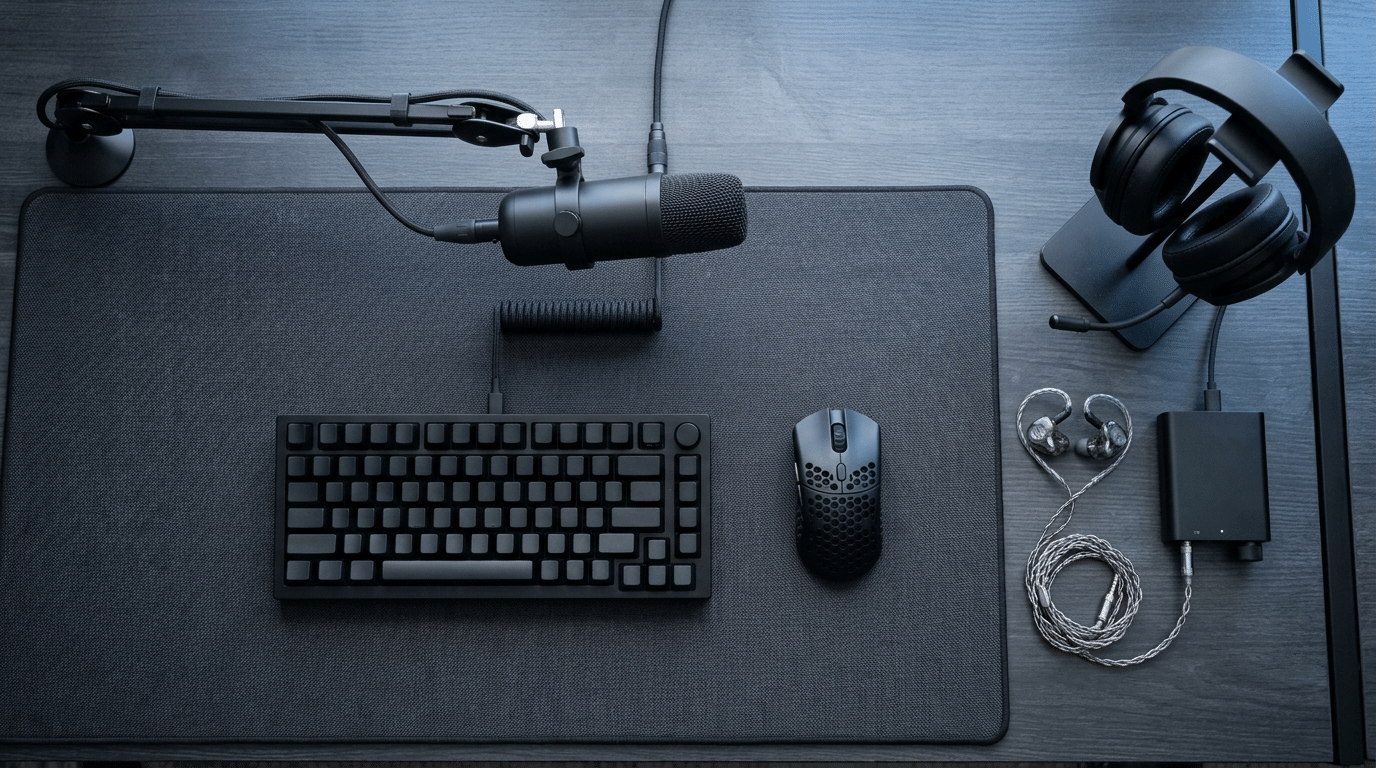
TL;DR Verdict Matrix: Gaming IEMs vs. Wireless Headsets
Before unpacking acoustic crossovers, impedance curves, and wireless radio protocols, here is how the two form factors separate across five decisive competitive buyer criteria:
| Comparison Category | Winner | Decisive Audit Rationale |
|---|---|---|
| Overall Winner (Competitive FPS) | Wired Gaming IEMs | Superior pinpoint imaging, -20dB to -30dB passive seal, zero battery degradation, and dramatically lower cost per decibel of detail. |
| Spatial Imaging & Cue Separation | Wired Gaming IEMs | Bypass outer-ear pinna reflections and closed-cup resonance, feeding multi-driver crossovers directly down the ear canal for crisp HRTF separation. |
| Wireless Convenience & Integrated Voice | 2.4GHz Wireless Headsets | Zero desk clutter, 50 to 120+ hour 2.4GHz battery runtimes, simultaneous Bluetooth phone mixing, and ready-to-talk detachable or retractable boom mics. |
| Marathon Comfort, Heat & Eyeglasses | Wired Gaming IEMs | Eliminate temple pressure on eyeglass frames, trapped heat under leatherette earpads, and 326g-to-550g neck fatigue—provided ear tips fit properly. |
| Value per Dollar (Pure Audio Fidelity) | Wired Gaming IEMs | A $50-$65 tier or $90-$115 tier IEM routinely outperforms $150-$250 wireless gaming headsets in midrange clarity and directional precision. |
Verified Technical Specifications: Gaming IEMs vs. Wireless Headsets
Comparing two acoustic categories only works when you inspect real retail models side by side. Using official specifications from TRUTHEAR’s ZERO:RED datasheet, Linsoul’s SIMGOT EM6L specifications, HyperX’s Cloud III S Wireless page, and SteelSeries’s Arctis Nova 7 Wireless Gen 2 documentation, the architectural trade-offs stand out immediately:
| Hardware Specification | TRUTHEAR x Crinacle Zero: RED (IEM) | Linsoul SIMGOT EM6L (IEM) | HyperX Cloud III S Wireless (Headset) | SteelSeries Arctis Nova 7 Wireless Gen 2 (Headset) |
|---|---|---|---|---|
| Budget Tier & Launch MSRP | $50-$65 tier ($55 Launch MSRP) | $90-$115 tier ($125 Launch MSRP) | $90-$115 tier (~$180 Launch MSRP) | $150-$175 tier (~$200 Launch MSRP) |
| Acoustic Form Factor | Wired In-Ear Monitor (DLP-3D Resin) | Wired In-Ear Monitor (3D Resin Shell) | Closed-Back Over-Ear Wireless | Closed-Back Over-Ear Wireless |
| Driver Configuration | Dual Dynamic (10mm + 7.8mm LCP Dome) | 1DD (8mm Polymer) + 4 Balanced Armatures | Angled 53mm Neodymium Dynamic | 40mm Neodymium Magnetic Dynamic |
| Impedance & Sensitivity | 17.5 ohm (+/-15%) | 117.5 dB/Vrms | 26 ohm (+/-15%) | 119 dB/Vrms | 64 ohm | 111.94 dB SPL @1kHz | 36 ohm | 105 dB |
| Frequency Range | 20 Hz – 40.5 kHz (Free Field) | 8 Hz – 40 kHz | 20 Hz – 20 kHz | 20 Hz – 22 kHz |
| Weight on Head / Ears | Featherweight in-ear (~20g total w/ cable) | Featherweight in-ear (~20g total w/ cable) | 340g headset (352g w/ boom mic) | ~326g headset |
| Connectivity & Latency | Detachable 0.78mm 2-Pin (3.5mm Analog) | Recessed 0.78mm 2-Pin OFC (3.5mm) | 2.4GHz USB-C/A Dongle + Bluetooth 5.3 | Simultaneous 2.4GHz USB-C + Bluetooth |
| Battery Endurance | None (Zero charging needed) | None (Zero charging needed) | Up to 120h (2.4GHz) / 200h (BT) | 50+ hours + 15-min/6h Fast Charge |
| Integrated Microphone | None (Requires desk mic or mic cable) | None (Requires desk mic or mic cable) | Detachable 10mm Boom + Built-in Mic | Retractable Bi-Directional Mic + Sonar AI |
| Spatial & EQ Ecosystem | Game-native HRTF + optional Equalizer APO | Game-native HRTF + optional Equalizer APO | NGENUITY + DTS Headphone:X | Sonar PC Suite + 200+ Mobile App Presets |
Battleground 1: Spatial Imaging, Soundstage & Driver Precision
The single biggest misconception among players migrating from closed-back headsets to in-ear monitors is confusing soundstage with spatial imaging. Soundstage describes how wide and expansive an environment feels—an acoustic illusion shaped by reflections off your outer ear (pinna) and the air cavity inside an earcup. Imaging, by contrast, is pinpoint directional localization: knowing whether a reload happened 35 degrees to your front-right behind a concrete pillar or one level above you on catwalk rafters.
Modern competitive shooters such as Counter-Strike 2, Valorant, Apex Legends, and Call of Duty already compute sophisticated binaural HRTF (Head-Related Transfer Function) phase and elevation cues directly inside the game engine. When that HRTF stereo stream hits a large closed-back gaming headset, internal cup reflections, thick leatherette pad damping, and single-driver cone breakup can smear high-frequency transients. Even well-tuned 53mm angled drivers like the HyperX Cloud III S Wireless or 40mm drivers in the SteelSeries Arctis Nova 7 Gen 2 must manage physical cup resonance that clouds micro-details during chaotic grenade explosions.
Wired gaming IEMs bypass earcup acoustics completely. Because the nozzle seals inside the ear canal and seats multi-driver arrays millimeters from your eardrum, transient speed stays razor sharp across layered chaotic fights. Hybrid designs like the Linsoul SIMGOT EM6L dedicate an 8mm polymer dynamic driver strictly to low-end weight while assigning four dedicated Balanced Armature (BA) drivers to cleanly separate upper-midrange footsteps, weapon swaps, and high-frequency glass shatters. Even dual-dynamic sets like the TRUTHEAR x Crinacle Zero: RED physically split sub-bass duty (10mm woofer) from midrange/treble cues (7.8mm LCP dome tweeter) via an acoustic and electrical crossover, preventing booming mortar strikes from masking quiet crouching footsteps.
What if you want audiophile depth inside an over-ear wireless chassis? That requires stepping up to heavy flagship planar magnetic designs like the 90mm driver Audeze Maxwell 2 (~$329–$349 Launch MSRP class). Planar magnetic transducers move an ultra-thin flat diaphragm uniformly between magnetic arrays, delivering expansive soundstage and sub-0.1% distortion that embarrasses budget closed-back headsets. Yet even a planar flagship weighs roughly 550g–560g—more than twenty times heavier than a pair of 20g Final Audio VR2000 or Meze Audio Alba IEMs—meaning pure esports stamina still tilts hard toward in-ear hardware.
Crucial Spatial Audio Rule: Whether you choose an IEM or a wireless headset, disable cheap Virtual 7.1 Surround dongles or overlapping spatializers inside Windows and headset utilities. Running virtualized surround on top of a game’s built-in HRTF stereo renderer causes double-processing phase echo that actively degrades directional accuracy. Leave your Windows output in clean 24-bit Stereo and let the game engine handle spatial positioning.
Battleground 2: Passive Noise Isolation, Headband Clamp & Eyeglass Comfort
Tournament LAN arenas gave IEMs their original esports spotlight for one practical reason: stage noise. Pro players wear acoustic-attenuating in-ear monitors underneath passive helicopter-style earmuffs to hear footsteps over roaring arenas. At home in 2026, that exact same physics solves everyday bedroom noise—without heavy clamping force.
Properly fitted silicone or memory-foam IEM eartips create a physical seal delivering roughly -20dB to -30dB of passive noise isolation. That physical barrier silences high-RPM GPU fans, liquid cooler pump hum, room AC units, and the crisp mechanical chatter of modern Hall Effect switches and TMR magnetic keyboards. Because the acoustic floor drops dramatically without relying on battery-draining Active Noise Cancellation (ANC) microphones, you can run your game volume 15%–20% lower while hearing distant audio cues clearly—a major long-term win for hearing preservation.
Ergonomically, the contrast is even starker if you wear prescription glasses or blue-light frames. Every closed-back wireless headset relies on clamping tension across synthetic leatherette or woven ear cushions to maintain bass seal and block outside noise. At 326g (Arctis Nova 7 Gen 2) to 340g+ (Cloud III S Wireless), or over half a kilogram on planar magnetic headsets, two problems emerge after hour three:
- Temple Pain & Acoustic Seal Leaks: Glasses arms create a physical gap under leatherette pads, causing low-end bass roll-off and painful pinching against the mastoid bone behind your ears.
- Heat Buildup & Crown Fatigue: Sealed foam cups trap body heat quickly during summer sessions, while top headband pressure causes crown soreness (even with SteelSeries’s breathable AirWeave pads and ski-goggle suspension strap).
- Headset Hair vs. Canal Fit Trade-Offs: IEMs eliminate headband clamp and ear heat entirely, though they introduce their own physical constraints: wider nozzles like the TRUTHEAR Zero: RED (~6.8mm bore) can feel tight in narrow ear canals, silicone tips require weekly hygiene cleaning, and the physical seal causes slight “occlusion” (hearing your own voice louder inside your head unless you enable low-latency microphone sidetone).
Note one important social edge for closed-back over-ear headsets: if you share a home and need quick conversational awareness without yanking an eartip out every five minutes, slipping one earcup slightly back off your ear on a wireless headset is effortless compared to breaking and re-seating an IEM vacuum seal.
Battleground 3: Wireless Freedom, Cable Hygiene & Motherboard Audio Traps
No wired IEM matches the physical freedom of walking to the kitchen during a queue pop without taking off your audio gear. Modern 2.4GHz wireless headsets have largely erased the wireless lag stigma of a decade ago: dedicated USB-C 2.4GHz transmitters operate in the ~15–25ms latency window—virtually imperceptible compared to visual monitor response times—while Bluetooth 5.3 or LE Audio secondary links let headsets like the HyperX Cloud III S Wireless and SteelSeries Arctis Nova 7 Gen 2 stay paired to your phone simultaneously.
Still, wireless convenience carries two real operational costs that wired IEMs completely bypass:
- Battery Degradation & Charging Discipline: Even class-leading 120-hour 2.4GHz endurance (HyperX Cloud III S Wireless) or 50+ hour fast-charging packs (Nova 7 Gen 2) rely on sealed lithium-ion cells that inevitably lose peak capacity after three to four years of charge cycles. Wired IEMs have zero batteries to recharge or replace; if a cable snags or frays after years of use, a standard 0.78mm 2-pin replacement cable restores factory reliability in ten seconds.
- 2.4GHz Spectrum Crowding on Competitive Desks: A modern esports desk already packs a 2.4GHz wireless mouse running high polling—often a sub-55g ultralight mouse with 8K polling rate and optical switches—alongside wireless keyboards and Wi-Fi 7 routers. Moving audio off the congested 2.4GHz band onto a shielded analog wire removes one more RF transmitter from your immediate mouse-dongle airspace.
- Mousepad Cable Routing Discipline: Letting an IEM cable drape blindly over your mousepad destroys the glide consistency of an ultralight mouse, whether you play on a high-friction control pad or a low-friction glass/speed surface (control vs speed pad setups demand zero snagging drag). Route your 1.2m IEM cable cleanly behind the keyboard or clip it beneath the desk lip toward a left-side USB DAC so it never crosses your mouse arm.
Critical PC Hardware Trap — Front-Panel Audio & Impedance Mismatch: If you buy sensitive low-impedance gaming IEMs (such as the 17.5-ohm TRUTHEAR Zero: RED or 26-ohm SIMGOT EM6L) and plug them directly into your PC tower’s front-panel headphone jack or a cheap motherboard rear line-out, expect two nasty surprises. First, poorly shielded front-panel headers pick up GPU coil whine and USB ground-loop static, audible as an annoying background hiss. Second, typical desktop motherboard Realtek codecs often carry high output impedance (30–80+ ohms), which warps the frequency crossover of low-impedance multi-driver IEMs and muddies bass tuning. (In fact, TRUTHEAR intentionally includes a 10-ohm inline adapter with the Zero: RED specifically to demonstrate how impedance shifts its low-end curve.) Always run sensitive IEMs through a clean, ultra-low-output-impedance USB-C DAC dongle (under 1 ohm output impedance) plugged into a rear USB port—or a compact desktop DAC/amp—to guarantee dead-black background silence and accurate imaging.
Battleground 4: Microphone Architecture, Software Bloat & True Desk Cost
Here is where honest buyers need a reality check: comparing sticker prices alone misrepresents total desk cost. Wireless headsets arrive as complete voice-and-audio communication rigs right out of the box, whereas studio-grade gaming IEMs almost always omit an integrated boom microphone.
On the headset side, the HyperX Cloud III S Wireless ships with a detachable 10mm uni-directional condenser boom mic plus a secondary internal mic if you take calls on the go, while the SteelSeries Arctis Nova 7 Gen 2 hides a retractable bi-directional mic flush inside the left earcup backed by ClearCast AI noise rejection inside SteelSeries Sonar. Neither matches a studio XLR podcaster mic, yet both deliver clear, reliable Discord callouts out of the box without eating extra desk space.
Switching to wired IEMs forces one of two mic decisions:
- Dedicated USB or XLR Dynamic Mic on a Low-Profile Boom Arm: Pairing a $50–$65 tier or $90–$115 tier IEM with an affordable dynamic USB mic eliminates tinny headset compression completely. Because dynamic capsules focus tightly on your mouth within 3–5 inches, teammates no longer hear your mechanical keyboard switches, Rapid Trigger counter-strafe taps, or desk bumps.
- Swappable 2-Pin Boom Cable: Budget-constrained players who lack desk space for a boom arm can swap the stock 3.5mm cable on 0.78mm 2-pin IEMs (like the SIMGOT EM6L or TRUTHEAR Zero: RED) for a third-party inline boom-mic cable, preserving one-wire headset simplicity while retaining superior IEM drivers.
Software Overhead & CPU Interrupt Hygiene: One hidden advantage of wired IEMs plus a driverless USB-C DAC is zero mandatory background bloatware. Heavy OEM headset suites—especially multi-module engines running real-time virtual DSP filters, RGB overlays, and telemetry services—consume RAM and background CPU threads. On high-refresh competitive builds driving 360Hz–540Hz gaming monitors alongside 8K polling mice and adjustable actuation keyboards configured for legal Rapid Trigger (keeping tournament-banned SOCD Snap Tap disabled in CS2), trimming background audio bloat keeps 1% Low frametimes clean. If you still want surgical EQ tweaks on IEMs, lightweight kernel-level parametric profiles (such as Equalizer APO) add near-zero overhead—while SteelSeries smartly countered PC bloat on the Nova 7 Gen 2 by letting players load 200+ EQ presets directly via mobile app without leaving PC software open.
Put the math together for Total Cost of Ownership: a TRUTHEAR x Crinacle Zero: RED ($50-$65 tier) plus a clean USB-C DAC dongle and an entry USB desk mic totals roughly the same outlay as a single $150-$175 wireless headset—while delivering noticeably sharper footstep separation, superior vocal quality for teammates, and modular parts that outlive any sealed wireless battery.
Battleground 5: Verified 2026 Retail Audio Picks (IEMs vs. Wireless Headsets)
To ground this comparison in verified in-stock 2026 retail hardware, these four representative models—two wired gaming IEM benchmarks and two 2.4GHz wireless headsets—cover the core competitive budget tiers from $50-$65 up through $150-$175 (for readers chasing an entry starter below $25, single-dynamic metal shells like the Moondrop CHU II also anchor the ultra-budget floor, though dual-driver and multi-BA models bring sharper separation for ranked shooters):

1. Linsoul SIMGOT EM6L 1DD + 4BA Hybrid IEM (Best Competitive FPS Imaging Pick)
Budget Tier: $90-$115 tier ($125 Launch MSRP) | Driver Topology: 1x 8mm Dual-Cavity Dynamic + 4x Balanced Armature Drivers
Verified Specs: 26 ohm (+/-15% @1kHz) impedance, 119 dB/Vrms sensitivity, 8 Hz–40 kHz frequency response, 3D-printed ergonomic resin shells, detachable recessed 0.78mm 2-pin silver-plated OFC 3.5mm cable (per Linsoul specifications).
Audit Takeaway: The benchmark gaming IEM in the $100 class. Its 5-driver crossover locks onto crisp midrange and lower-treble footstep cues across CS2, Valorant, and Apex Legends without bloating bass mud over team comms.
Pros
- Multi-BA transient speed reveals overlapping gunfire and footsteps cleanly
- Harman-inspired tuning avoids piercing treble fatigue in long matches
- Compact ergonomic resin shell fits most ear sizes effortlessly
Cons
- No built-in microphone—pair with a desk mic or aftermarket mic cable
- Sensitive 26-ohm design requires a clean USB-C DAC to avoid motherboard hiss

2. TRUTHEAR x Crinacle Zero: RED Dual-DD IEM (Best Budget FPS Audio Value)
Budget Tier: $50-$65 tier ($55 Launch MSRP) | Driver Topology: Dual Dynamic (10mm Subwoofer + 7.8mm LCP Dome Mid/Tweeter)
Verified Specs: 17.5 ohm (+/-15% @1kHz) impedance, 117.5 dB/Vrms sensitivity, <1% THD, DLP-3D printed acoustic cavity, detachable 0.78mm 2-pin silver-plated copper cable, bundled 10-ohm impedance bass adapter (per TRUTHEAR datasheet).
Audit Takeaway: Proves you do not need $200 wireless headsets for pinpoint stereo clarity. Neutral midrange balance lets footsteps and callouts breathe naturally, while the included 10-ohm adapter adds sub-bass weight for music or cinematic single-player campaigns.
Pros
- Unmatched tonal neutrality and dual-driver separation in the $50-$65 tier
- Included 10-ohm adapter offers instant hardware bass customization
- Detachable 2-pin cable easily upgrades or swaps without replacing shells
Cons
- Wider ~6.8mm nozzle diameter can feel snug for smaller ear canals
- Low 17.5-ohm rating demands a low-impedance USB-C DAC over rear PC jacks

3. HyperX Cloud III S Wireless (Best Battery Endurance & All-in-One Value Headset)
Budget Tier: $90-$115 tier (~$180 Launch MSRP) | Driver Topology: Angled 53mm Neodymium Dynamic Drivers (64 ohm)
Verified Specs: 111.94 dB SPL sensitivity, 20 Hz–20 kHz response, 2.4GHz USB-C/USB-A dongle + Bluetooth 5.3 + Instant Pair, up to 120 hours (2.4GHz) / 200 hours (Bluetooth) battery, detachable 10mm uni-directional boom mic + built-in mic, 340g weight without mic (per HyperX datasheet).
Audit Takeaway: If wires drive you crazy and you want one plug-and-play headset that lasts weeks between charges while delivering crisp voice chat on PC and PS5, the Cloud III S Wireless hits the price-to-endurance sweet spot.
Pros
- Class-leading 120-hour 2.4GHz and 200-hour Bluetooth battery endurance
- Clear detachable 10mm boom mic plus subtle on-ear mic fallback
- Sturdy steel-and-aluminum yoke with plush memory foam cushions
Cons
- 340g–352g mass traps heat and presses eyeglass arms over long sessions
- Does not support simultaneous 2.4GHz + Bluetooth audio mixing or Xbox

4. SteelSeries Arctis Nova 7 Wireless Gen 2 (Best Dual-Wireless Multi-Device Headset)
Budget Tier: $150-$175 tier (~$200 Launch MSRP) | Driver Topology: 40mm Neodymium Magnetic Dynamic Drivers (36 ohm)
Verified Specs: 105 dB sensitivity, 20 Hz–22 kHz frequency response, simultaneous 2.4GHz USB-C wireless + Bluetooth audio mixing, 50+ hour battery with 15-minute/6-hour USB-C fast charge, retractable bi-directional mic, ~326g weight, companion app with 200+ game EQ presets (per SteelSeries specs).
Audit Takeaway: Built for multi-taskers who want low-latency 2.4GHz PC/console game audio mixed live with phone calls or Discord mobile, plus breathable AirWeave fabric pads and phone-app EQ presets that avoid running heavy PC software.
Pros
- True simultaneous 2.4GHz game audio + Bluetooth phone/Discord mixing
- Breathable AirWeave memory foam runs noticeably cooler than leatherette
- Mobile Companion App tunes 200+ FPS footstep EQ profiles without PC bloat
Cons
- 50+ hour battery trails the 120-hour HyperX Cloud III S Wireless
- Retractable headset mic still trails a dedicated $50 USB dynamic desk mic
Final Decision Guide: Gaming IEMs or Wireless Headsets?
Choose Gaming IEMs If…
- Your top priority is ranked FPS performance (CS2, Valorant, Apex) demanding pinpoint spatial imaging and transient speed.
- You wear eyeglasses or play 4+ hour sessions where 326g+ closed-back headsets cause temple clamping, ear heat, or neck soreness.
- You already own (or plan to add) a dedicated desktop USB/XLR mic and want zero-battery durability with an affordable USB-C DAC.
Choose a 2.4GHz Wireless Headset If…
- You prioritize walking away from your desk between matches, clean cable-free ergonomics, and instant grab-and-go Discord voice chat.
- You switch seamlessly between PC, PlayStation, Switch, and mobile calls via simultaneous 2.4GHz + Bluetooth mixing.
- Ear tips irritate your ear canals or you frequently need to slip one earcup aside for family or room awareness.
Need more multi-tier recommendations? Browse our full Best Gaming IEMs & Wireless Headsets (2026) hub—including planar magnetic flagships like the Audeze Maxwell 2 and specialized wired IEMs like the Final Audio VR2000 and Meze Audio Alba.
Official References & Further Reading
- Bluetooth SIG: LE Audio & LC3 Codec Overview
- Sennheiser: Official Headphone & IEM Specifications
- HyperX: Official Gaming Headset Specifications
How We Audited This Guide
- Displays and peripherals were compared by panel technology, refresh rate and response specifications, connectivity standards, sensor and polling specifications, and warranty terms.
- Every specification claim was cross-checked against official OEM datasheets, platform vendor documentation, and published industry standards (PCI-SIG, JEDEC, VESA, Intel ATX) rather than marketplace listing copy.
- Recommendations were evaluated against our weighted audit rubric and documented compatibility rules; we do not publish fabricated FPS, thermal, or acoustic numbers.
Frequently Asked Questions: Gaming IEMs vs. Wireless Headsets
Why are pro FPS players switching from wireless headsets to gaming IEMs in 2026?
Pro FPS players prefer gaming IEMs because sealed multi-driver shells deliver faster transient imaging, block -20dB to -30dB of room and PC fan noise passively, and eliminate 330g-plus headband fatigue and eyeglass clamping during eight-hour tournament or ranked grinds.
Do gaming IEMs have better footstep imaging than over-ear wireless headsets?
Yes, in the $50 to $150 tier, well-tuned IEMs like the SIMGOT EM6L and TRUTHEAR Zero: RED generally resolve directional footsteps and layered gunfire cleaner than closed-back wireless headsets because they bypass earcup acoustic resonance and wireless compression.
Should I plug low-impedance gaming IEMs directly into my PC case front audio jack?
No. Front-panel PC audio headers often pick up electromagnetic GPU noise and carry high output impedance that shifts low-impedance IEM bass curves. Plugging into an inexpensive low-impedance USB-C DAC dongle on a rear motherboard port eliminates static hiss completely.
Should I turn on Virtual 7.1 Surround Sound for competitive shooters?
No. Almost all competitive shooters compute accurate 3D binaural HRTF audio natively in Stereo mode. Engaging cheap Virtual 7.1 Surround software or headset toggles adds artificial reverb and smears phase cues, hurting footstep distance accuracy.
Do I need an external microphone if I switch to gaming IEMs?
In most cases, yes. Dedicated gaming IEMs rarely ship with boom microphones, so pairing them with an affordable desktop USB dynamic mic on a boom arm—or swapping in a 0.78mm 2-pin inline boom-mic cable—is essential for clean voice comms.
Related Peripheral Guides & Authoritative Technical References
Building a complete low-latency competitive desk? Pair your audio choice with our verified peripheral and system optimization audits:
- Best Gaming IEMs & Wireless Headsets (2026): Spatial Audio Picks Audited (Parent Audio Hub)
- Best Hall Effect & Rapid Trigger Gaming Keyboards (2026): Magnetic Audited
- Best Ultralight 8K Wireless Gaming Mice (2026): Sub-55g Esports Picks
- Best Gaming Monitors (2026): QD-OLED, WOLED & Dual-Mode Picks Audited
- 10 Essential Steps After Building or Buying a Gaming PC (BIOS & Windows)
Official manufacturer datasheets and acoustic engineering references cited in this audit:
- Linsoul / SIMGOT EM6L Hybrid 1DD + 4BA Official Technical Specifications
- TRUTHEAR x Crinacle ZERO:RED Dual Dynamic Driver Specifications
- HyperX Cloud III S Wireless Official Hardware & Battery Specifications
- SteelSeries Arctis Nova 7 Wireless Gen 2 Official Datasheet
- Audeze Planar Magnetic Driver Architecture & Wireless Audio Reference


