Disclosure: As an Amazon Associate, I earn from qualifying purchases. If you buy through links on this page, we may earn a small commission at no extra cost to you.
Choosing the best dual mode gaming monitor ends the frustrating compromise between cinematic 4K detail for single-player adventures and ultra-high refresh speed for competitive esports. Until recently, gamers had to maintain two separate monitors on their desk or settle for a mid-range 1440p panel that never truly excelled at either extreme. Modern Dual-Mode displays solve that dilemma at the hardware level: press a dedicated hotkey, and the screen shifts instantly between crisp native 4K UHD (3840 × 2160) at 160Hz–240Hz and an integer-scaled Full HD (1920 × 1080) esports mode running up to 480Hz.
In this 2026 specification audit, we evaluated eight verified Dual-Mode models currently stocked on Amazon US—spanning flagship 32-inch 4K 240Hz / 1080p 480Hz WOLED panels, value glossy OLEDs, a 1,152-zone Mini-LED work-and-play hybrid, and fast zero-burn-in IPS displays under $600. If you are still deciding whether a Dual-Mode screen beats a fixed-refresh 4K 240Hz OLED gaming monitor or want to browse our broader best gaming monitors pillar hub, the comparisons and buyer alerts below clarify every architectural trade-off before you buy.
In This Guide
- Quick Picks at a Glance (Top 3 Dual-Mode Monitors)
- Side-by-Side Specs Comparison (All 8 Models)
- Match Your Use Case: Scenario Recommendations
- Detailed Product Audits (Ranks 1–8)
- 1. ASUS ROG Swift OLED PG32UCDP — Best Overall Dual-Mode OLED
- 2. ASUS ROG Strix OLED XG32UCWMG — Best Glossy Dual-Mode OLED
- 3. LG UltraGear 32GX870A-B — Best DisplayPort 2.1 Dual-Mode OLED
- 4. LG UltraGear 32GX850A-B — Best Value Glossy Dual-Mode OLED
- 5. MSI MPG 274URDFW E16M — Best Zero-Burn-In Mini-LED Hybrid
- 6. Alienware 27 AW2725QF — Best 27-Inch IPS Esports Speed
- 7. ASUS ROG Strix XG32UCG — Best Budget 32-Inch Dual-Mode Value
- 8. LG UltraGear 32GS95UE — Best Integrated Pixel Sound
- Buying Guide, Pixel Binning & Upgrade Roadmap
- Weighted Scoring Rubric & Models Rejected
- Frequently Asked Questions
- Final Verdict
Quick Picks: Best Dual Mode Gaming Monitor Rankings at a Glance
#1 Best Overall Dual-Mode OLED
ASUS ROG Swift OLED PG32UCDP
Unites 4K 240Hz / 1080p 480Hz WOLED clarity with 90W USB-C Power Delivery, Auto KVM, and a 3-year burn-in warranty in the $750-$850 tier. (Jump to audit)
#2 Best Glossy Dual-Mode OLED
ASUS ROG Strix OLED XG32UCWMG
Delivers TrueBlack Glossy zero-haze contrast, 1,300-nit MLA+ peak brightness, and a Neo Proximity Sensor for dim-room image purists. (Jump to audit)
#3 Best DisplayPort 2.1 Dual-Mode OLED
LG UltraGear 32GX870A-B
Upgrades LG’s 4K 240Hz / 480Hz WOLED platform with DisplayPort 2.1 UHBR13.5, 90W USB-C, and built-in speakers in the $800-$900 tier. (Jump to audit)
Side-by-Side Comparison: Top 8 Dual Mode Gaming Monitors (2026)
| Product & Award | Size & Panel | Dual-Mode Specs | Ports & USB-C | Link |
|---|---|---|---|---|
| ASUS ROG Swift PG32UCDP Best Overall OLED | 31.5″ Matte WOLED (0.03ms) | 4K 240Hz / FHD 480Hz | DP 1.4 DSC, 2× HDMI 2.1, 90W USB-C, KVM | View on Amazon |
| ASUS ROG Strix XG32UCWMG Best Glossy OLED | 31.5″ TrueBlack Glossy WOLED | 4K 240Hz / FHD 480Hz | DP 1.4 DSC, HDMI 2.1, 15W USB-C, Auto KVM | View on Amazon |
| LG UltraGear 32GX870A-B Best DP 2.1 OLED | 31.5″ Anti-Glare WOLED | 4K 240Hz / FHD 480Hz | DP 2.1 UHBR13.5, HDMI 2.1, 90W USB-C | View on Amazon |
| LG UltraGear 32GX850A-B Best Value Glossy OLED | 31.5″ Glossy WOLED (0.03ms) | 4K 165Hz / FHD 330Hz | DP 1.4 DSC, 2× HDMI 2.1, USB-B Hub | View on Amazon |
| MSI MPG 274URDFW E16M Best Mini-LED Hybrid | 27″ 1,152-Zone Mini-LED IPS | 4K 160Hz / FHD 320Hz | DP 1.4a, 2× HDMI 2.1, 98W USB-C, KVM | View on Amazon |
| Alienware AW2725QF Best 27″ IPS Esports | 27″ Fast IPS (0.5ms GtG) | 4K 180Hz / FHD 360Hz | DP, 2× HDMI 2.1 eARC, USB-C Data/Charge | View on Amazon |
| ASUS ROG Strix XG32UCG Best Budget 32-Inch | 31.98″ Fast IPS (0.3ms min) | 4K 160Hz / FHD 320Hz | DP 1.4, HDMI 2.1, 15W USB-C DP Alt | View on Amazon |
| LG UltraGear 32GS95UE Best Integrated Sound | 31.5″ Matte WOLED + Pixel Sound | 4K 240Hz / FHD 480Hz | DP 1.4 DSC, 2× HDMI 2.1, USB-B Hub | View on Amazon |
Match Your Use Case: Which Dual-Mode Monitor Fits Your Desk?
| Buyer Scenario | Best Match | Why & Expected Outcome |
|---|---|---|
| All-in-one OLED flagship + 90W work laptop dock | ASUS ROG Swift OLED PG32UCDP | Combines 4K 240Hz / 1080p 480Hz speed with 90W USB-C, Auto KVM, and a 3-year burn-in warranty in the $750-$850 tier. |
| Dark-room glossy OLED purity with zero matte grain | ASUS ROG Strix OLED XG32UCWMG | TrueBlack Glossy polarizer keeps blacks ink-deep under ambient lighting while Neo Proximity Sensor guards idle screens. |
| DisplayPort 2.1 interface + built-in desk audio | LG UltraGear 32GX870A-B | Delivers DP 2.1 UHBR13.5, 90W USB-C, and stereo speakers hundreds of dollars below the older 32GS95UE. |
| Glossy OLED value paired with RTX 5070 Ti / RX 9070 XT | LG UltraGear 32GX850A-B | Realistic 165Hz 4K and 330Hz FHD refresh ceilings unlock true glossy WOLED contrast in the $600-$900 tier. |
| 8+ hours daily static coding/Excel + 1,000-nit HDR | MSI MPG 274URDFW E16M | 1,152 Mini-LED local dimming zones eliminate burn-in worry and supply 98W USB-C KVM utility around $500. |
| Large 32-inch Dual-Mode on a strict $400-$450 budget | ASUS ROG Strix XG32UCG | Fast IPS 4K 160Hz / 320Hz ELMB Sync performance with USB-C video input and zero burn-in exposure. |
Detailed Dual Mode Gaming Monitor Audits (OLED, Mini-LED & Fast IPS)
1. ASUS ROG Swift OLED PG32UCDP — Best Overall Dual-Mode OLED

Quick Specs: 31.5-inch Flat MLA+ WOLED (Matte Anti-Glare) | 4K 240Hz / FHD 480Hz Dual-Mode | 0.03ms GtG | DisplayHDR True Black 400 (up to 1,300 nits peak) | 1× DP 1.4 (DSC), 2× HDMI 2.1, 90W USB-C PD, Auto KVM | 3-Year Burn-In Warranty | Price Tier: $750-$850 tier
Audit Score: 9.3 / 10
- Panel Contrast, Color & HDR (35%): 9.3 / 10
- Motion Clarity & Refresh Architecture (25%): 9.6 / 10
- Connectivity & Bandwidth (DP 2.1) (20%): 8.9 / 10
- Burn-In Care, Ergonomics & Value (20%): 9.4 / 10
At the top of our 2026 audit, the ASUS ROG Swift OLED PG32UCDP delivers the smartest all-around balance of image fidelity, competitive speed, workstation utility, and street pricing. Built on a third-generation Micro Lens Array Plus (MLA+) WOLED panel certified under VESA DisplayHDR True Black 400, it resolves 3840 × 2160 at 240Hz for demanding open-world titles and flips via a single chassis hotkey into 1920 × 1080 at 480Hz with near-instant 0.03ms pixel transitions. Where competing Dual-Mode displays force compromises on desktop productivity, ASUS integrates full 90W USB-C Power Delivery, two HDMI 2.1 FRL ports, an Auto KVM switch for dual-PC peripheral sharing, and a custom fanless passive heatsink backed by a 3-year ASUS ROG burn-in warranty.
Stacked against our #2 glossy pick, the ASUS ROG Strix OLED XG32UCWMG (around $1,100 tier), the PG32UCDP uses a matte anti-glare coating that introduces very faint surface grain on uniform bright-white windows but handles sunny side windows cleanly—and saves you roughly $250-$350 while upgrading laptop charging from 15W to 90W. Against #3 LG UltraGear 32GX870A-B ($800-$900 tier), LG offers DisplayPort 2.1 UHBR13.5, whereas ASUS fights back with a built-in Auto KVM, dual HDMI 2.1 ports, and an extra full year of US burn-in coverage.
Buyer Verification Alert: Check the Amazon style selector carefully to confirm you are ordering the 32-inch Dual-Mode WOLED PG32UCDP rather than ASUS’s fixed-refresh QD-OLED PG32UCDM variants, and note that DP 1.4 uses DSC compression at 4K 240Hz.
Pros
- Sharp 4K 240Hz and 2×2 integer-scaled 1080p 480Hz modes with 0.03ms GtG OLED response
- 90W USB-C Power Delivery, Auto KVM switch, and dual HDMI 2.1 ports fit hybrid work/gaming desks
- Fanless custom heatsink and ASUS OLED Care firmware paired with a 3-year burn-in warranty
- Strong $750-$850 tier positioning undercuts older flagship Dual-Mode WOLEDs substantially
Cons
- Matte anti-glare finish introduces subtle texture haze across bright solid backgrounds
- Relies on DisplayPort 1.4 HBR3 with DSC compression rather than DisplayPort 2.1
Verdict: Buy it if you want the single most complete Dual-Mode OLED package for 4K HDR gaming, 480Hz competitive FPS sessions, and 90W single-cable laptop work. Skip it if you run a strictly light-controlled studio and demand a glossy screen surface. Enable Pixel Shift and Uniform Brightness inside DisplayWidget Center right out of the box.
2. ASUS ROG Strix OLED XG32UCWMG — Best Glossy Dual-Mode OLED
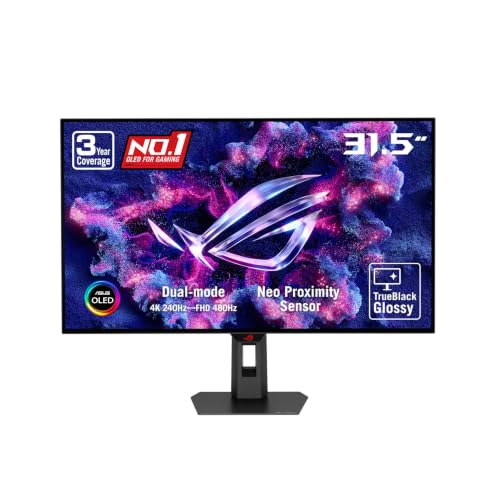
Quick Specs: 31.5-inch Flat WOLED (TrueBlack Glossy) | 4K 240Hz / FHD 480Hz Dual-Mode | 0.03ms GtG | DisplayHDR True Black 400 (up to 1,300 nits peak) | 1× DP 1.4 (DSC), HDMI 2.1, USB-C (15W PD), Auto KVM | OLED Care Pro + Neo Proximity Sensor | Price Tier: Around $1,100 tier
Audit Score: 9.1 / 10
- Panel Contrast, Color & HDR (35%): 9.6 / 10
- Motion Clarity & Refresh Architecture (25%): 9.6 / 10
- Connectivity & Bandwidth (DP 2.1) (20%): 8.1 / 10
- Burn-In Care, Ergonomics & Value (20%): 8.8 / 10
Traditional WOLED monitors earned a loyal following for pure whites and blinding 1,300-nit HDR highlights, yet matte anti-glare films always softened perceived dark-room contrast compared with glossy QD-OLED rivals. The ASUS ROG Strix OLED XG32UCWMG fixes that gap decisively using ASUS’s zero-haze TrueBlack Glossy anti-reflective coating. By stripping away matte light diffusion, every specular highlight pops cleanly against cosmic black pixels without the purple tint raise that QD-OLED polarizers experience under room lights. Better still, ASUS adds its OLED Care Pro Neo Proximity Sensor, automatically dimming the screen to black when you walk away from your desk and backing the panel with a 3-year burn-in warranty.
Compared directly with our #1 PG32UCDP, the XG32UCWMG earns a clear win in visual punch, perceived black depth, and crisp glossy text clarity—though it asks roughly $250-$350 more and steps USB-C Power Delivery down from 90W to 15W (still enough for DP Alt Mode video and Auto KVM switching, but insufficient for charging power-hungry laptops). Against #4 LG UltraGear 32GX850A-B (which also adopts a glossy WOLED surface), the XG32UCWMG justifies its higher bracket with full 240Hz/480Hz headroom, a proximity sensor, and a 3-year burn-in guarantee.
Buyer Verification Alert: TrueBlack Glossy resists ambient room washout better than matte coatings, yet direct sunlight or lamps positioned directly behind your chair will reflect sharply like glass—orient your desk perpendicular to windows.
Pros
- TrueBlack Glossy zero-haze finish removes matte grain and preserves deep dark-room contrast
- Neo Proximity Sensor detects user absence and blanks the screen automatically to prevent static retention
- Full 4K 240Hz / 1080p 480Hz Dual-Mode WOLED speed with 99% DCI-P3 Delta E < 2 factory accuracy
- Custom fanless passive cooling, Auto KVM, and 3-year burn-in coverage
Cons
- USB-C port provides 15W PD only rather than 90W single-cable laptop charging
- Sits in a steeper around $1,100 tier while still using DisplayPort 1.4 DSC
Verdict: Buy it if you play in a lighting-controlled room and prioritize pure glossy WOLED contrast, 480Hz esports motion, and hands-off proximity burn-in defense. Skip it if you rely on 90W USB-C laptop charging or shop under $900. Keep your laptop’s dedicated AC brick plugged in when using the integrated Auto KVM.
3. LG UltraGear 32GX870A-B — Best DisplayPort 2.1 Dual-Mode OLED

Quick Specs: 31.5-inch Flat MLA+ WOLED (Anti-Glare Low-Reflection) | 4K 240Hz / FHD 480Hz Dual-Mode | 0.03ms GtG | DisplayHDR True Black 400 (up to 1,300 nits peak) | DisplayPort 2.1 (UHBR13.5), HDMI 2.1, 90W USB-C PD | Built-in Speakers + DTS Headphone:X | Price Tier: $800-$900 tier
Audit Score: 9.0 / 10
- Panel Contrast, Color & HDR (35%): 9.2 / 10
- Motion Clarity & Refresh Architecture (25%): 9.6 / 10
- Connectivity & Bandwidth (DP 2.1) (20%): 9.0 / 10
- Burn-In Care, Ergonomics & Value (20%): 8.1 / 10
The LG UltraGear 32GX870A-B represents LG’s overdue architectural correction to its early Dual-Mode pricing and I/O gaps. Built on LG Display’s luminous 31.5-inch MLA+ WOLED panel with 98.5% DCI-P3 gamut coverage, it pairs 4K 240Hz HDR clarity and 1080p 480Hz esports speed with two critical upgrades omitted from the original 32GS95UE: native DisplayPort 2.1 signaling and 90W USB-C Power Delivery. LG also preserves integrated stereo speakers plus a front-friendly 4-pole DTS Headphone:X jack inside an uncluttered chassis—making it an exceptionally clean single-screen centerpiece for RTX 50-series and RDNA 4 builds per LG UltraGear documentation.
Evaluating bandwidth honestly matters here: under VESA DisplayPort 2.1 standards, the 32GX870A-B implements UHBR13.5 (54Gbps) rather than full 80Gbps UHBR20, so 10-bit 4K at 240Hz still invokes visually lossless Display Stream Compression (DSC) at a gentler ratio than DP 1.4 HBR3. Compared with #8 LG 32GS95UE ($1,400-$1,500 tier), the 32GX870A-B delivers superior connectivity for roughly $500-$600 less. Against #1 ASUS PG32UCDP, LG takes the edge in DisplayPort 2.1 future-proofing and built-in speakers, while ASUS wins on Auto KVM integration and 3-year versus 2-year burn-in coverage.
Buyer Verification Alert: Do not expect uncompressed 4K 240Hz without DSC from DisplayPort 2.1 UHBR13.5—only full 80Gbps UHBR20 panels bypass DSC at 4K 240Hz 10-bit, and check LG’s regional 2-year burn-in coverage wording before purchase.
Pros
- Adds DisplayPort 2.1 UHBR13.5 and 90W USB-C Power Delivery in the competitive $800-$900 tier
- Integrated speakers plus 4-pole DTS Headphone:X jack keep minimalist desks clutter-free
- Instant 0.03ms GtG OLED motion across 4K 240Hz and 2×2 integer-scaled 1080p 480Hz
- Massively outvalues LG’s older $1,400-$1,500 tier 32GS95UE flagship
Cons
- UHBR13.5 bandwidth still relies on DSC compression at 4K 240Hz 10-bit
- Lacks a built-in hardware KVM switch and offers 2-year rather than 3-year OLED coverage
Verdict: Buy it if you want LG’s refined Dual-Mode WOLED chassis with 90W USB-C, built-in audio, and modern DisplayPort 2.1 link signaling without paying over $1,400 in clearance pricing. Skip it if you switch between two computers daily via KVM—pick the ASUS PG32UCDP instead. Pair it with a VESA-certified DP54 or DP80 cable for rock-solid link negotiation.
4. LG UltraGear 32GX850A-B — Best Value Glossy Dual-Mode OLED

Quick Specs: 31.5-inch Flat Glossy WOLED | 4K 165Hz / FHD 330Hz Dual-Mode | 0.03ms GtG | DisplayHDR True Black 400 (~275 nits SDR typical) | 1× DP 1.4 (DSC), 2× HDMI 2.1, USB-B + 2× USB-A (No USB-C) | Price Tier: $600-$900 tier
Audit Score: 8.7 / 10
- Panel Contrast, Color & HDR (35%): 9.3 / 10
- Motion Clarity & Refresh Architecture (25%): 8.8 / 10
- Connectivity & Bandwidth (DP 2.1) (20%): 7.7 / 10
- Burn-In Care, Ergonomics & Value (20%): 8.4 / 10
Not every gamer owns an RTX 5090 capable of pushing modern AAA titles past 165 FPS at 4K, nor does every competitive player perceive a massive jump from 330Hz to 480Hz on an OLED panel. That pragmatic insight makes the LG 32GX850A-B compelling: it brings LG’s crisp glossy WOLED surface down from the four-figure bracket into the $600-$900 tier by pairing 4K at 165Hz with an integer-scaled 1080p 330Hz esports mode. You still enjoy instant 0.03ms pixel transitions, 98.5% DCI-P3 color depth, infinite dark-room contrast free of matte haze, and dual HDMI 2.1 ports for switching seamlessly between a gaming desktop and current-gen console.
Where #2 ASUS ROG Strix XG32UCWMG (around $1,100 tier) unlocks 240Hz/480Hz alongside a Neo Proximity Sensor and Auto KVM, the LG 32GX850A-B trims connectivity down to DisplayPort 1.4 DSC, two HDMI 2.1 ports, and a traditional USB-B upstream hub—omitting USB-C Power Delivery and built-in speakers. Always cross-check live pricing against #1 ASUS PG32UCDP ($750-$850 tier) before pulling the trigger: when the 32GX850A-B sits near $600-$700 on promotion, it is an easy glossy OLED bargain; if both sit near $800-$850, the PG32UCDP’s 240Hz/480Hz ceiling and 90W USB-C offer more long-term headroom.
Buyer Verification Alert: Despite sharing the GX8 prefix with the 32GX870A-B, the 32GX850A-B has no USB-C port, no speakers, and caps at 165Hz/330Hz rather than 240Hz/480Hz—verify live promo spacing between the two SKUs.
Pros
- Glossy WOLED surface preserves crystal-clear contrast and crisp text edges free of matte speckle
- Realistic 4K 165Hz / FHD 330Hz targets align cleanly with RTX 5070 Ti and RX 9070 XT framerates
- Retains 0.03ms GtG OLED clarity and dual HDMI 2.1 ports for console + PC desks
- Frequently dips toward the $600-$700 sweet spot during seasonal Amazon sales
Cons
- Omits USB-C Power Delivery, DisplayPort 2.1, KVM, and built-in speakers
- 165Hz / 330Hz ceiling falls short of 240Hz / 480Hz flagship Dual-Mode WOLEDs
Verdict: Buy it if you want a true glossy 32-inch 4K Dual-Mode OLED in a dim gaming room for noticeably less than $1,000 when discounted toward $600-$700. Skip it if you need 90W USB-C docking or maximum 480Hz esports refresh rates. Configure Windows dark mode and an auto-hiding taskbar to protect panel uniformity long term.
5. MSI MPG 274URDFW E16M — Best Zero-Burn-In Mini-LED Hybrid
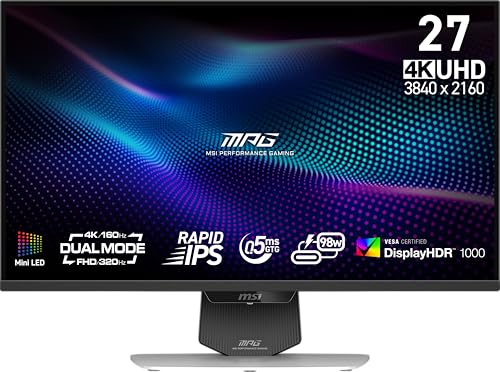
Quick Specs: 27-inch Flat Rapid IPS + Quantum Dot Mini-LED (1,152 FALD Zones) | 4K 160Hz / FHD 320Hz Dual-Mode | 0.5ms GtG (min) | DisplayHDR 1000 (1,000 nits peak, 400 nits SDR) | 1× DP 1.4a, 2× HDMI 2.1, 98W USB-C PD, KVM | Zero Burn-In Risk | Price Tier: Around $500 tier
Audit Score: 8.6 / 10
- Panel Contrast, Color & HDR (35%): 8.7 / 10
- Motion Clarity & Refresh Architecture (25%): 8.4 / 10
- Connectivity & Bandwidth (DP 2.1) (20%): 8.8 / 10
- Burn-In Care, Ergonomics & Value (20%): 8.7 / 10
If your monitor doubles as an eight-hour-a-day workstation for spreadsheets, coding IDEs, financial dashboards, or bright sunlight windows, even the best OLED burn-in warranty cannot fix high full-screen luminance limits or subpixel text anxiety. The MSI MPG 274URDFW E16M solves both pain points decisively around $500. Combining a razor-sharp 27-inch Quantum Dot Rapid IPS panel (163 PPI with zero text fringing) with a dense 1,152-zone Full-Array Local Dimming Mini-LED backlight certified for VESA DisplayHDR 1000, MSI’s Mini-LED Dual-Mode architecture sustains dazzling 1,000-nit HDR highlights and 400-nit everyday SDR legibility while flipping cleanly between 4K 160Hz and 1080p 320Hz.
Its connectivity punches well above its price bracket: two HDMI 2.1 ports, DisplayPort 1.4a, a built-in KVM switch, and 98W USB-C Power Delivery that outperforms even our #2 ASUS XG32UCWMG (around $1,100) for single-cable creator laptops. Compared with #6 Alienware AW2725QF ($400-$600 tier), MSI trades a minor 20Hz/40Hz top-end edge (160Hz/320Hz vs. 180Hz/360Hz) for dramatically deeper 1,152-zone local-dimming HDR contrast, 98W USB-C docking, and integrated KVM switching.
Buyer Verification Alert: Mini-LED local dimming excels in HDR games and movies, yet small white cursors on pure black IDE themes can show slight zone blooming—switch local dimming to low or off during SDR work, then enable full FALD for HDR.
Pros
- 1,152-zone Mini-LED DisplayHDR 1000 backlight punches bright HDR scenes and sunlit offices effortlessly
- Zero OLED burn-in risk and crisp 163 PPI RGB stripe text rendering for 8+ hour workdays
- 98W USB-C Power Delivery, built-in KVM, and two HDMI 2.1 ports around $500
- Clean Dual-Mode 4K 160Hz / 1080p 320Hz toggle with 98% DCI-P3 Quantum Dot color volume
Cons
- 0.5ms minimum IPS pixel transitions trail 0.03ms OLED motion clarity during rapid 320Hz tracking
- Subtle local-dimming haloing appears around tiny bright highlights against pitch-black scenes
Verdict: Buy it if you split time evenly between heavy static productivity, bright-room HDR gaming, and competitive 320Hz shooters while refusing any OLED burn-in compromises. Skip it if you game exclusively in dark rooms and crave infinite per-pixel 0.03ms OLED clarity. Use a certified 100W-capable USB-C cable to unlock full single-wire laptop docking.
6. Alienware 27 AW2725QF — Best 27-Inch IPS Esports Speed

Quick Specs: 27-inch Flat Fast IPS (163 PPI) | 4K 180Hz / FHD 360Hz Dual-Resolution | 0.5ms GtG (min) | DisplayHDR 600 (400 nits typical, 600 nits peak) | 1× DisplayPort, 2× HDMI 2.1 (eARC), USB-B + 3× USB-A + 1× USB-C Data/Charge | Dell Advanced Exchange Service | Price Tier: $400-$600 tier
Audit Score: 8.2 / 10
- Panel Contrast, Color & HDR (35%): 7.7 / 10
- Motion Clarity & Refresh Architecture (25%): 8.6 / 10
- Connectivity & Bandwidth (DP 2.1) (20%): 8.0 / 10
- Burn-In Care, Ergonomics & Value (20%): 8.6 / 10
Competitive Counter-Strike 2 and Valorant players often find 32-inch monitors physically too wide to scan the minimap and center crosshair simultaneously without turning their head. The Alienware 27 AW2725QF keeps the tight 27-inch tournament footprint while pushing LCD dual-resolution speeds higher than its Mini-LED and budget IPS rivals: 4K at 180Hz for crisp 163 PPI text and RPG visuals, switching cleanly to 1080p at 360Hz with integer pixel mapping. Factory calibration targets 95% DCI-P3 at Delta E < 2 accuracy, and Dell’s Advanced Exchange Service ships rapid next-day-style replacements before you even box up a defective unit.
Against #5 MSI MPG 274URDFW E16M (around $500 tier), however, Alienware shows its age on contrast and laptop connectivity: the AW2725QF uses edge-lit 1000:1 IPS backlighting under a DisplayHDR 600 badge rather than dense Mini-LED local dimming, and its front-access USB-C port handles downstream charging only (zero DisplayPort Alt Mode input). If dark-room HDR or 98W single-cable laptop docking matters, choose MSI; if pure 360Hz 27-inch speed, eARC soundbar support, and Dell warranty logistics sit higher on your priority list, Alienware remains appealing during $400-$450 dips.
Buyer Verification Alert: Despite Alienware’s popular QD-OLED lineup, the AW2725QF uses a traditional IPS LCD panel—meaning zero burn-in exposure, but raised gray blacks in darkened rooms and no USB-C video input.
Pros
- Highest non-OLED Dual-Mode refresh tier at 4K 180Hz and 1080p 360Hz
- 27-inch 163 PPI RGB IPS layout keeps competitive FOV compact and work fonts razor-sharp
- Dual HDMI 2.1 ports with eARC audio passthrough plus ComfortView Plus low-blue-light hardware
- Backed by Dell’s fast Advanced Exchange Service replacement warranty
Cons
- Standard 1000:1 IPS contrast lacks dark-room depth compared with Mini-LED or OLED picks
- USB-C port supports downstream peripheral charging only—no laptop DP Alt Mode video input
Verdict: Buy it if you strictly want a 27-inch 360Hz IPS Dual-Mode chassis backed by Dell’s Advanced Exchange logistics and find it priced cleanly under $500. Skip it if you want real HDR contrast or 98W USB-C docking—the MSI MPG 274URDFW E16M wins both decisively. Keep overdrive on Fast instead of Extreme to minimize inverse ghosting.
7. ASUS ROG Strix XG32UCG — Best Budget 32-Inch Dual-Mode Value
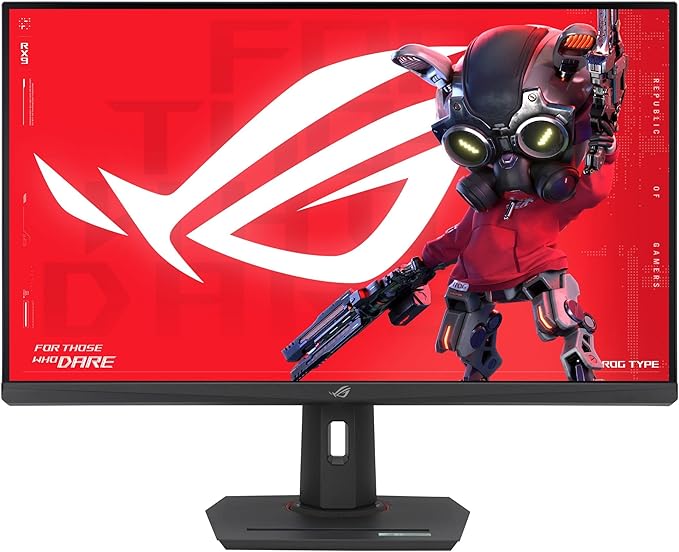
Quick Specs: 31.98-inch Flat Fast IPS | 4K 160Hz / FHD 320Hz Dual-Mode | 0.3ms min / 1ms GtG | DisplayHDR 400 (350 nits typical, 400 nits peak) | 1× DP 1.4, 1× HDMI 2.1, USB-C (DP Alt Mode + 15W PD) | ELMB Sync + Tripod Socket | Price Tier: $400-$450 tier
Audit Score: 8.0 / 10
- Panel Contrast, Color & HDR (35%): 7.5 / 10
- Motion Clarity & Refresh Architecture (25%): 8.5 / 10
- Connectivity & Bandwidth (DP 2.1) (20%): 7.9 / 10
- Burn-In Care, Ergonomics & Value (20%): 8.5 / 10
Sitting firmly in the $400-$450 tier, the ASUS ROG Strix XG32UCG proves you do not need an OLED budget to enjoy a massive 32-inch 4K / 1080p Dual-Mode workstation and gaming screen. Its Fast IPS panel switches instantaneously between 3840 × 2160 at 160Hz and 1920 × 1080 at 320Hz, supported by ASUS’s Extreme Low Motion Blur Sync (ELMB Sync) technology so backlight strobing can run concurrently with VRR to sharpen moving targets. Thoughtful desk touches from ASUS ROG’s Strix ergonomic chassis—including USB-C DP Alt Mode video input, a phone groove on the base, and an integrated 1/4-inch tripod thread atop the stand—make it an effortless value fit for streamers and students.
Naturally, cutting the price roughly in half compared with our #1 ASUS PG32UCDP ($750-$850 tier) leaves clear trade-offs: edge-lit 1000:1 IPS contrast and 400-nit peak luminance cannot deliver real HDR pop, and connectivity drops to one HDMI 2.1 port alongside 15W USB-C Power Delivery. Compared with #5 MSI MPG 274URDFW E16M (around $500 tier), MSI offers vastly better 1,152-zone Mini-LED HDR and 98W charging on a 27-inch screen, whereas ASUS gives budget buyers a fuller 32-inch canvas under $450.
Buyer Verification Alert: DisplayHDR 400 on an edge-lit Fast IPS display without local dimming signals basic HDR input compatibility rather than true high-contrast HDR—run Windows and games in calibrated SDR mode for punchiest results.
Pros
- Lowest price barrier for a 32-inch 4K 160Hz / 1080p 320Hz Dual-Mode gaming monitor
- ELMB Sync pairs motion-blur backlight strobing cleanly with G-SYNC Compatible / FreeSync VRR
- USB-C DisplayPort Alt Mode video input plus built-in 1/4-inch webcam tripod mount
- Zero OLED burn-in risk with 95% DCI-P3 / 130% sRGB gamut coverage
Cons
- 1000:1 IPS contrast and 400-nit brightness limit dark-room HDR depth
- Only one HDMI 2.1 port and 15W USB-C PD limit multi-device laptop charging
Verdict: Buy it if your ceiling sits strictly in the $400-$450 bracket and you want a large 32-inch Dual-Mode screen for daytime 4K productivity and 320Hz shooters. Skip it if true HDR contrast matters—stretch slightly to the MSI MPG 274URDFW E16M or save for the PG32UCDP. Pair with ASUS DisplayWidget Center to bind Dual-Mode profiles per game.
8. LG UltraGear 32GS95UE — Best Integrated Pixel Sound (Watch Street Price)

Quick Specs: 31.5-inch Flat MLA+ WOLED (Matte AGLR) | 4K 240Hz / FHD 480Hz Dual-Mode | 0.03ms GtG | DisplayHDR True Black 400 | 1× DP 1.4 (DSC), 2× HDMI 2.1, USB-B Hub (No USB-C) | Pixel Sound 2× 10W Screen Actuators | Price Tier: $1,400-$1,500 tier
Audit Score: 7.9 / 10
- Panel Contrast, Color & HDR (35%): 9.1 / 10
- Motion Clarity & Refresh Architecture (25%): 9.6 / 10
- Connectivity & Bandwidth (DP 2.1) (20%): 6.8 / 10
- Burn-In Care, Ergonomics & Value (20%): 5.0 / 10
As the first monitor to bring 4K 240Hz / FHD 480Hz Dual-Mode WOLED switching to retail desks, the LG UltraGear 32GS95UE still stands apart in one signature engineering trait: LG’s Pixel Sound audio architecture. Rather than hiding tinny downward-firing drivers inside the rear chin, LG mounts acoustic exciters behind the panel itself so stereo dialogue and DTS Virtual:X effects radiate directly from the screen surface. Combined with a clean hexagonal rear shell, 0.03ms pixel transitions, and effective matte AGLR anti-glare diffusion, the hardware remains genuinely pleasant to live with.
Why does it rank #8 in our 2026 audit? Pure value math. Sitting in the $1,400-$1,500 tier on several Amazon listings while omitting DisplayPort 2.1, USB-C Power Delivery, and any KVM switch makes it nearly impossible to recommend at full price against #3 LG UltraGear 32GX870A-B ($800-$900 tier) or #1 ASUS ROG Swift PG32UCDP ($750-$850 tier)—both of which match its 4K 240Hz / 480Hz WOLED panel speed and add 90W USB-C for $500-$650 less. Treat the 32GS95UE strictly as a conditional buy if deep promotion brings it down into the $750-$850 range.
Buyer Verification Alert: Check current live Amazon pricing against the newer LG UltraGear 32GX870A-B ($800-$900 tier) before checking out—paying the $1,400-$1,500 tier for the older 32GS95UE sacrifices USB-C and DisplayPort 2.1 for zero panel advantage.
Pros
- Unique Pixel Sound panel actuators project crisp front-facing stereo audio without external speakers
- Identical rapid 4K 240Hz / FHD 480Hz 0.03ms WOLED motion fidelity as newer flagships
- Dual HDMI 2.1 ports and 4-pole DTS Headphone:X front jack handle PC + console setups neatly
- Effective AGLR matte coating suppresses direct window glare cleanly
Cons
- $1,400-$1,500 tier pricing is drastically undercut by the $750-$900 PG32UCDP and 32GX870A-B
- Omits USB-C Power Delivery, KVM switching, and DisplayPort 2.1 bandwidth
Verdict: Buy it only if clearance pricing drops it parallel to the $750-$850 tier and you want Pixel Sound built directly into the panel to eliminate desktop speakers. Skip it at full $1,400-$1,500 tier pricing—the LG 32GX870A-B and ASUS PG32UCDP deliver far stronger value. Connect via DisplayPort 1.4 for PC and HDMI 2.1 for consoles.
Buying Guide: How to Choose the Best Dual Mode Gaming Monitor
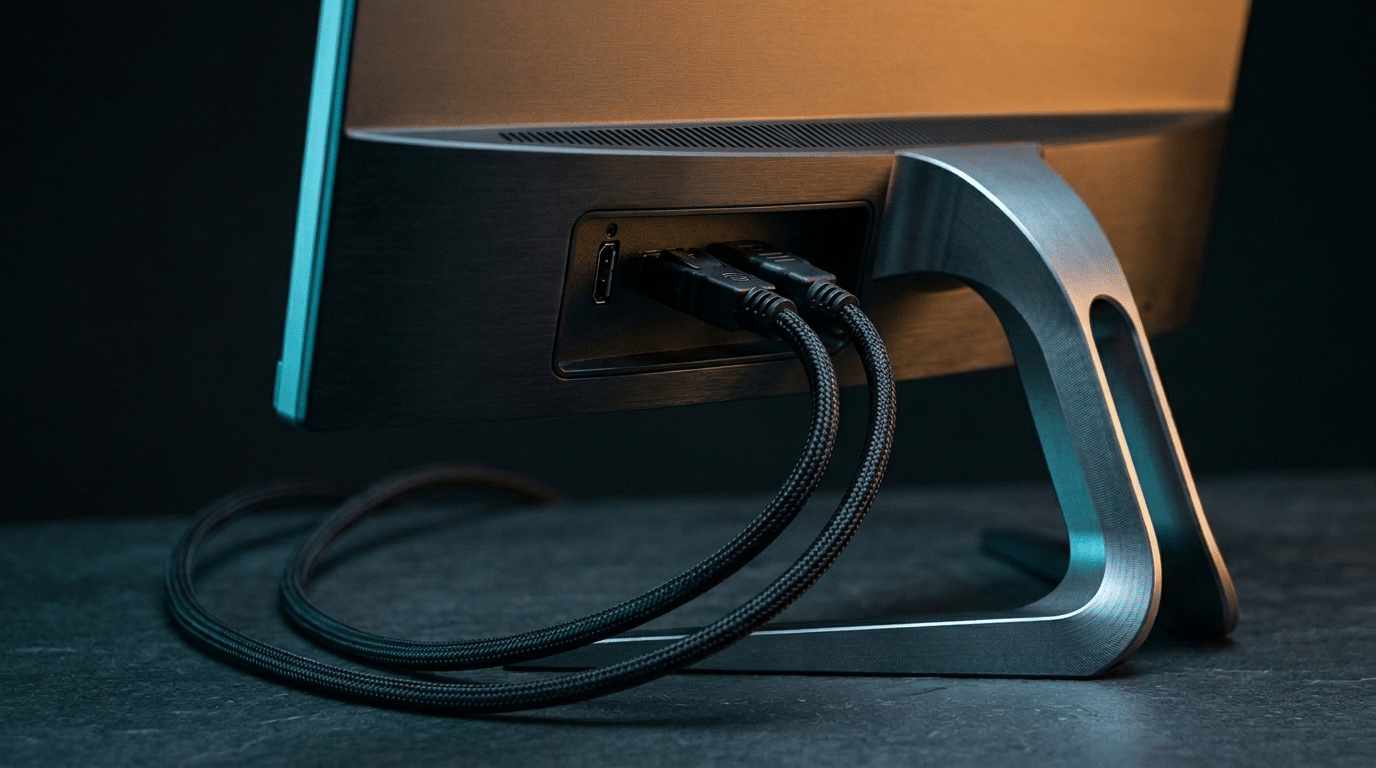
Shopping for the best dual mode gaming monitor requires looking past headline refresh-rate banners. Because a Dual-Mode display essentially runs two distinct hardware personalities inside one chassis, five architectural factors dictate whether the screen thrills you on day one or frustrates you during work and esports sessions.
1. How 2×2 Integer Scaling Keeps 1080p Sharp on a 4K Canvas
Running 1920 × 1080 on a 1440p monitor looks muddy because 1440 divided by 1080 equals a fractional 1.33× ratio, forcing blurry interpolation across neighbor pixels. Dual-Mode 4K panels bypass that flaw through exact 1:4 integer scaling: 3840 × 2160 divides cleanly by two along both axes, so each logical 1080p pixel locks directly onto an isolated 2×2 cluster of four physical subpixel cells. Zero blurry edge blending occurs, though viewing full 1080p across a 31.5-inch screen lowers apparent density—which is why ASUS and LG also include 24.5-inch and 27-inch cropped esports viewport modes inside the OSD.
2. WOLED vs. QD-OLED vs. 1,152-Zone Mini-LED & Glossy vs. Matte Coatings
Notice that every 4K 240Hz / 1080p 480Hz Dual-Mode OLED on the market relies on LG Display’s third-generation MLA+ WOLED architecture rather than Samsung QD-OLED panels (which focus on 4K 240Hz single-mode clarity and ultra-wide curves). WOLED excels at pure white full-screen brightness—crucial for web browsing and snowy HDR scenes—while hitting 0.03ms GtG resets. Choose a TrueBlack Glossy WOLED like the XG32UCWMG or LG 32GX850A-B if your gaming setup sits away from rear windows; choose a matte AGLR screen like the PG32UCDP or 32GX870A-B if overhead studio lights would mirror off glass. Conversely, if static Excel sheets or code occupy your monitor for eight hours daily, step over to a 1,152-zone Mini-LED display like the MSI MPG 274URDFW E16M for bright 1,000-nit punch and zero burn-in anxiety.
3. DisplayPort 2.1 UHBR13.5 vs. DisplayPort 1.4 DSC & USB-C Power Delivery
Uncompressed 4K at 240Hz with 10-bit color demands more bandwidth than either DisplayPort 1.4 HBR3 (32.4Gbps) or DisplayPort 2.1 UHBR13.5 (54Gbps) carries natively, so every Dual-Mode OLED in this guide uses visually lossless DSC compression at maximum 4K refresh. Even so, LG’s DisplayPort 2.1 input on the 32GX870A-B lowers the required compression ratio and pairs reliably with newer GPUs. Equally impactful in daily life is your laptop desk setup: look for 90W–98W USB-C Power Delivery paired with an integrated KVM switch (found on the PG32UCDP and MSI MPG 274URDFW E16M) rather than 15W-only ports that force extra charging bricks onto your desk.
4. Upgrade Roadmap & Hidden Ownership Costs
Budget beyond the monitor checkout cart for three subtle system requirements that unlock full Dual-Mode value:
- CPU Cache & GPU Bandwidth Pairing: Pushing 4K toward 240Hz in heavy ray-traced games requires an RTX 5080, RTX 5070 Ti, or Radeon RX 9070 XT running DLSS 4 or FSR 4. Conversely, unlocking sustained 360Hz–480Hz framerates in Counter-Strike 2 or Valorant shifts the bottleneck onto CPU L3 cache—read our Ryzen 7 9800X3D vs. Ryzen 7 9850X3D breakdown to avoid starving a 480Hz panel with an underpowered processor.
- VRR Flicker & Burn-In Warranty Discipline: Self-emissive OLED displays can exhibit subtle dark-scene VRR flicker during erratic loading screens when G-SYNC or FreeSync tracks wild frametime spikes; capping framerates smoothly slightly below refresh or toggling VRR off per title solves it immediately. Always keep an explicit 2-to-3-year burn-in warranty document saved alongside your receipt.
- Certified DP54/DP80 Cables & Heavy-Duty Monitor Arms: Longer desk runs require certified short-length DP54/DP80 or Ultra High Speed HDMI 2.1 cables to prevent intermittent DSC link drops, plus a gas-spring VESA arm rated for 15–20 lb panels if you reclaim desk depth for low-DPI mouse sweeps.
5. Secondary Intent Resolver: Dual-Mode OLED vs. Fixed 4K QD-OLED vs. 1440p Esports
Before finalizing a Dual-Mode purchase, confirm whether your game rotation genuinely spans both resolution extremes. If you play 95% story-driven RPGs, flight simulators, and dark-room cinema—and rarely touch 480Hz twitch shooters—a dedicated 4K 240Hz OLED gaming monitor featuring 80Gbps DisplayPort 2.1 UHBR20 QD-OLED glass delivers even richer HDR color volume without DSC. Conversely, if you play purely competitive FPS titles and never edit 4K timelines, a dedicated 27-inch 1440p 360Hz–500Hz OLED saves budget while keeping one crisp native pixel grid at all times. Only pick a Dual-Mode unit when you truly live in both camps.
How We Audited, Scored & Filtered These Dual-Mode Monitors
Every monitor ranking in this guide reflects a structured specification, architecture, and warranty audit against verified 2026 manufacturer datasheets, VESA DisplayPort and DisplayHDR compliance registries, and live Amazon US catalog listings—with zero paid placements or sponsored tiers. Full scoring mechanics live in our Editorial Evaluation Methodology, weighted across four criteria summing to 100%:
| Evaluation Criterion | Weight | What We Audited |
|---|---|---|
| Panel Contrast, Color & HDR | 35% | WOLED vs. 1,152-zone Mini-LED vs. Fast IPS black depth, DisplayHDR True Black 400 / DisplayHDR 1000 peak nits, gamut coverage, and surface coating clarity. |
| Motion Clarity & Refresh Architecture | 25% | 4K 160Hz–240Hz native cadence, 1080p 320Hz–480Hz Dual-Mode switching, 0.03ms vs. 0.3–0.5ms GtG response, 2×2 integer scaling, and VRR flicker behavior. |
| Connectivity & Bandwidth (DP 2.1) | 20% | DisplayPort 2.1 UHBR13.5 vs. DP 1.4 DSC, HDMI 2.1 FRL counts, 15W–98W USB-C Power Delivery, and built-in Auto KVM convenience. |
| Burn-In Care, Ergonomics & Value | 20% | 2-year vs. 3-year burn-in warranty terms, passive heatsinks, proximity sensors, zero-burn-in LCD suitability, and street price tier competitiveness. |
Models We Audited & Rejected (And Why)
- Single-Mode 4K 240Hz QD-OLED Monitors Without Integer 480Hz Switching: Disqualified from a Dual-Mode roundup because fixed-refresh panels cannot unlock 480Hz 1080p hardware binning without software scaling compromises or buying a second esports monitor.
- OLED Dual-Mode Imports Lacking Explicit US Burn-In Warranty Terms: Excluded under our monitor audit rubric because static desktop HUDs, taskbars, and high-brightness HDR windows demand documented multi-year manufacturer pixel protection.
- Low-Zone Edge-Lit 4K IPS Screens Marketed as Premium HDR Displays: Disqualified for high-contrast HDR buyers when lacking either emissive OLED pixel control or dense 1,000+ zone Mini-LED local dimming above 600–1,000 nits.
Frequently Asked Questions About Dual Mode Gaming Monitors
Does 1080p look blurry on a 32-inch 4K Dual-Mode OLED monitor?
No traditional scaling blur occurs because Dual-Mode displays map every 1920 × 1080 pixel cleanly onto a uniform 2×2 cluster of four physical 4K pixels (1:4 integer scaling). Edge crispness stays intact, though pixel density across a full 32 inches is modest—which is why competitive players often toggle the built-in 24.5-inch or 27-inch cropped view.
Which GPU and CPU do you need for 4K 240Hz and 1080p 480Hz?
You need balanced top-end bandwidth on both sides: pushing 4K toward 240Hz in modern AAA titles requires GPUs like the RTX 5080, RTX 5070 Ti, or RX 9070 XT paired with DLSS 4 or FSR 4. Conversely, sustaining 480Hz at 1080p in Valorant or Counter-Strike 2 stresses CPU L3 cache, making 3D V-Cache processors like the Ryzen 7 9800X3D or 9850X3D essential.
Should I buy a Matte or TrueBlack Glossy Dual-Mode OLED?
Match your coating to your room lighting: pick TrueBlack Glossy models like the ASUS ROG Strix XG32UCWMG or LG 32GX850A-B in dim or controlled rooms where glass clarity maximizes cosmic blacks and sharp text. Choose a matte anti-glare model like the ASUS PG32UCDP or LG 32GX870A-B if bright windows or overhead lamps sit behind you.
Do Dual-Mode OLED monitors require DisplayPort 2.1 to hit 4K 240Hz or 480Hz?
No—DisplayPort 1.4 with DSC compression already runs both modes cleanly. Even LG’s DisplayPort 2.1 port on the 32GX870A-B operates at UHBR13.5 (54Gbps) rather than full 80Gbps UHBR20, meaning 4K 240Hz 10-bit still uses visually lossless DSC, though pairing with modern RTX 50-series GPUs minimizes mode-switch delays.
Are Dual-Mode OLED monitors safe for 8-hour workdays?
Light mixed productivity is fine, but heavy static workflows favor Mini-LED. Custom passive heatsinks, Pixel Shift, proximity sensors, and 2-to-3-year burn-in warranties protect casual office tasks cleanly. If bright Excel sheets, IDE sidebars, or browser tabs stay locked onscreen 8+ hours daily, pick the 1,152-zone Mini-LED MSI MPG 274URDFW E16M instead.
Can I switch between 4K 240Hz and 1080p 480Hz mid-game without restarting?
Yes—one hotkey press flips display modes in roughly two to three seconds. Hardware switches on models like the PG32UCDP, XG32UCWMG, and 32GX870A-B re-handshake resolution dynamically with Windows, though toggling in your desktop or game lobby before queuing ensures HUD scaling and raw mouse sensitivity remain completely predictable.
Final Verdict: Which Best Dual Mode Gaming Monitor Should You Buy?
Finding the best dual mode gaming monitor comes down to matching screen finish, USB-C laptop utility, and burn-in tolerance to your daily routine. For most gamers and hybrid workers, the ASUS ROG Swift OLED PG32UCDP claims #1 Best Overall by uniting 4K 240Hz / 1080p 480Hz WOLED clarity with 90W USB-C Power Delivery, Auto KVM, and a 3-year burn-in warranty in the $750-$850 tier. Visual purists in dim rooms should step up to the TrueBlack Glossy ASUS ROG Strix OLED XG32UCWMG, while buyers prioritizing DisplayPort 2.1 UHBR13.5 and built-in speakers save hundreds picking the LG UltraGear 32GX870A-B over the pricier 32GS95UE. Finally, if your desk sees eight-hour static spreadsheets or tighter budgets, the 1,152-zone Mini-LED MSI MPG 274URDFW E16M around $500 and the ASUS ROG Strix XG32UCG under $450 deliver Dual-Mode versatility with zero burn-in risk.


