
Disclosure: As an Amazon Associate, The PC Audit earns from qualifying purchases. If you buy through links on this page, we may earn a small commission at no extra cost to you.
Direct Answer: Choosing a speed vs control gaming mousepad depends on whether your game rewards crisp crosshair stopping power or effortless continuous tracking. Control cloth pads (4–6mm thick) add friction for precision flicks in tactical shooters like Valorant and CS2, while hybrid, Cordura, and glass speed surfaces minimize drag for fast tracking in Apex Legends and Overwatch 2.
Players spend hours agonizing over sub-55g wireless shells and 8,000 Hz polling dongles, yet overlook the half-square-meter surface directly beneath those PTFE skates. Deciding between a speed vs control gaming mousepad governs how much force your wrist exerts to break a dead stop, how smoothly your crosshair follows an erratically strafing target, and how consistently your flicks settle on pixel-sized targets after an abrupt sweep.
Across our Best Ultralight 8K Wireless Gaming Mice (2026) hub and Monitors & Peripherals editorial archive, competitive input feel follows a linked physical system: Surface Friction + Sub-55g Mouse + 8K Polling --[MINIMIZES_INPUT_LATENCY]--> High-Refresh Monitor Pipeline. Drop an ultralight mouse onto a mismatched pad—such as a heavy humidity-soaked control cloth for high-mobility arena tracking, or an ice-slick glass sheet for shaky low-sensitivity angle holds—and neither sensor precision nor high refresh rates can rescue erratic micro-corrections. This technical buyer guide breaks down surface friction mechanics, foam base compression, skate wear chemistry, and exact genre pairings so you match your desk surface to your aim style on the first try.
In This Guide
- Quick Reference Matrix: Control Cloth vs. Hybrid vs. Cordura vs. Glass
- Surface Friction Physics: Static Breakaway, Dynamic Glide & Base Sink
- Surface Material Audit: Cloth, Hybrid Polyester, Cordura & Tempered Glass
- Three-Way Coupling: Mouse Weight, PTFE Skates & Optical Sensors
- Matching Surface Friction to Your Game Genre & cm/360° Sensitivity
- Myth vs. Engineering Reality: Five Mousepad Claims Debunked
- Actionable Buyer & Maintenance Checklist Before Ordering
- Audited 2026 Control Pads, Hybrid Mats & Glass-Capable Mice
- Frequently Asked Questions
Quick Reference Matrix: Control Cloth vs. Hybrid vs. Cordura vs. Glass
Modern gaming mousepads span a continuous friction spectrum rather than two isolated buckets. Compare static breakaway resistance, continuous glide velocity, humidity sensitivity, and skate wear across the four primary surface architectures available in 2026:
| Surface Category | Static Friction (Initial Pull) | Dynamic Friction (Glide Speed) | Mechanical Stopping Power | Humidity & Sweat Impact | PTFE Skate Wear Rate | Ideal Game Genres & Sensitivity |
|---|---|---|---|---|---|---|
| Micro-Woven Control Cloth / Mudpad (e.g., 4–6mm Rubber or Soft Poron) | Moderate to High | Slow to Balanced | Maximum (foam sink assists braking) | High (fibers swell in damp rooms) | Low (gentle on virgin PTFE) | Tactical FPS (CS2, Valorant, R6 Siege) at 45–75+ cm/360° |
| Textured Polyester Hybrid (e.g., 3mm Firm Rubber Base) | Low to Moderate | Fast / Controlled | Moderate to High (crisp tactile halt) | Minimal (hydrophobic tight weave) | Low to Moderate | All-Rounder / Mixed FPS (CoD, Warzone, Battlefield) at 30–45 cm/360° |
| Cordura Nylon Speed Fabric (Hydrophobic Rugged Weave) | Low | Fast / Airy | Low to Moderate | None (liquid & sweat repellent) | Moderate to High | Fast Tracking & Flick-Switch Shooters at 25–40 cm/360° |
| Micro-Etched Tempered Glass (Rigid Aluminosilicate Pad) | Near Zero | Maximum Speed | Very Low (100% hand-driven) | None (wipe-clean solid slab) | High (requires hardened PTFE/UHMWPE) | Pure Tracking & Arena FPS (Apex Legends, OW2, Finals) at 20–35 cm/360° |
Surface Friction Physics: Static Breakaway, Dynamic Glide & Base Sink
Calling a pad simply “fast” or “slow” collapses three separate mechanical forces into a single vague adjective. Two mousepads can feel identical during a 30-centimeter 180-degree flick while behaving completely differently when you try to nudge your crosshair two pixels onto a distant head.
1. Static Friction vs. Dynamic (Kinetic) Friction
In classical surface tribology, sliding a mouse across a desk mat involves two sequential resistance thresholds:
- Static Friction (Breakaway Force): The initial force required to move the mouse from a complete standstill. On soft micro-woven fabrics, PTFE mouse feet nestle microscopically into the plush yarn valleys during pauses. High static friction stabilizes your crosshair when holding tight corners—preventing tiny hand tremors or heavy click actuation from nudging your aim off pixel angles—yet can cause jarring “stick-slip” micro-stutter when initiating slow tracking adjustments.
- Dynamic / Kinetic Friction (Sustained Glide): The continuous resistive drag exerted once the skates are already in motion. Lower kinetic friction makes long horizontal sweeps and rapid target transitions feel weightless, whereas elevated kinetic friction supplies steady, syrupy damping across wide arm turns.
- The Static-to-Dynamic Ratio: The smoothest aiming pads keep static breakaway close to dynamic resistance. When static friction dwarfs kinetic friction, your hand pushes hard to start moving, then abruptly overshoots once the skates break free—a classic flaw on worn-down or humidity-clogged uncoated cloth pads.
2. Stopping Power & Base Compression Mechanics (3mm Firm vs. 6mm Plush)
Surface yarn texture tells only half the stopping-power story. Beneath the woven top layer sits a rubber or polyurethane (Poron) elastomer foam cushion ranging from 2 mm ultra-thin firm sheets up to 6 mm extra-thick plush bases, and its compression stiffness directly alters braking behavior:
- Plush / Soft Foam (4mm–6mm or XSoft Poron): When your palm or fingers apply slight downward pressure at the end of a fast flick, the skates physically sink deeper into the fabric, increasing surface contact area and edge resistance on command. That dynamic compression provides intuitive mechanical stopping feedback while absorbing minor warps or wood-grain bumps on imperfect desks.
- Firm Rubber / Rigid Bases (3mm Firm or Tempered Glass): Zero vertical deflection means your glide speed stays virtually identical whether you grip the mouse lightly with fingertips or clamp hard with a tense claw grip under clutch pressure. Competitive tracking players often favor firm 3mm hybrids or glass precisely because frantic downward grip tension never randomly stalls their cursor mid-spray.
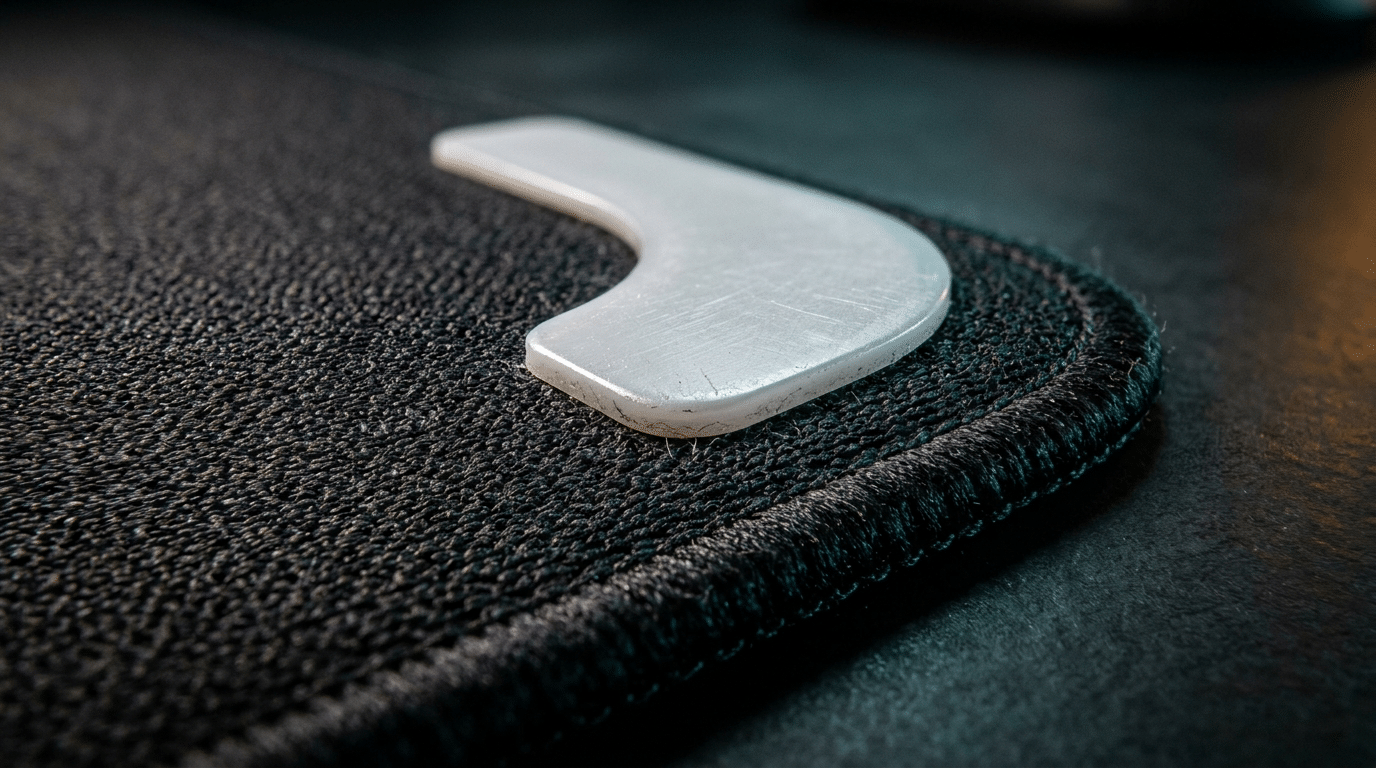
Surface Material Audit: Cloth, Hybrid Polyester, Cordura & Tempered Glass
Understanding how top-layer materials behave across weeks and seasons prevents buying a pad that feels crisp in week one only to turn muddy by month three.
Micro-Woven Control Cloth & Coated Cloth Traps
Traditional gaming pads—epitomized by the long-running SteelSeries QcK micro-woven cloth lineup—weave tight, soft fibers designed for comfortable skin contact and consistent optical tracking across older and flagship sensors alike. Uncoated micro-woven cloth delivers reliable, forgiving stopping control right out of the box.
However, standard cloth carries two well-documented physical compromises: humidity sensitivity and fiber polishing. Natural and synthetic open weaves absorb ambient moisture and palm sweat, raising drag noticeably on muggy summer afternoons. Over six to twelve months of heavy center-pad play, repeated PTFE friction compresses and polishes the middle fibers flat, creating a slower, muddier “dead zone” compared to the unused outer corners. Beware also of cheap “coated” cloth speed pads: manufacturers spray a slick polymer coating atop ordinary fabric that feels blazing fast for sixty days before wearing unevenly in the exact area where you aim most.
Textured Hybrid Polyester Surfaces
Hybrid mats bridge the gulf between sluggish cloth and unforgiving hard plastic. Built from heat-textured, tightly knotted polyester fibers laminated onto a firm 3mm anti-slip rubber foundation—such as the Razer Strider hybrid mouse mat—the surface stays crisp, rollable, and warp-resistant without any fragile top-spray coating to flake off.
Because mouse skates ride across the raised polyester peaks rather than sinking deeply into a loose plush pile, hybrid weaves achieve low initial breakaway force while preserving audible, textured stopping feedback. Better still, tight polyester weaves are naturally water-resistant, meaning sweat and room humidity no longer alter glide consistency mid-match. The lone ergonomic trade-off is texture: players with sensitive bare forearms who sweep aggressively across the pad may notice mild graininess compared to silky control cloth—a quirk easily resolved by wearing a lightweight nylon gaming sleeve.
Cordura Nylon Speed Fabrics
Originally engineered for abrasion-resistant military packs and motorcycle gear, Cordura uses high-tenacity, densely braided nylon yarn. On a desk, Cordura feels noticeably stiffer and slicker than polyester cloth, producing very low static and dynamic friction alongside total liquid repellency. Because nylon resists flattening and wear dramatically longer than soft cloth, Cordura pads resist “center slow spots” across years of daily play—at the cost of slightly faster rounding on soft virgin PTFE mouse feet.
Micro-Etched Tempered Glass Pads
Hard glass pads represent the extreme speed edge of the 2026 ecosystem. Rather than relying on fabric weave, aluminosilicate tempered glass undergoes micro-acid etching or ceramic texturing to create microscopic surface grain that high-end optical LEDs can read cleanly while minimizing skate contact resistance.
Because glass cannot absorb sweat, fray at the edges, or deform under palm weight, its glide stays mathematically identical on day 1,000 as on day 1. Yet glass imposes strict ownership demands: zero inherent stopping friction means your arm and fingers handle 100% of deceleration; a single speck of dust trapped under a skate produces an audible scratchy grind until wiped clean with a microfiber cloth; and bare skin sticking to cold or sweaty glass practically mandates wearing a compression sleeve.
Three-Way Coupling: Mouse Weight, PTFE Skates & Optical Sensors
No mousepad operates in isolation. Surface friction interacts dynamically with three properties built into your gaming mouse:
1. Sub-55g Ultralight Chassis Mass & Stopping Physics
By Newton’s second law (F = m × a) and basic kinetic momentum (p = m × v), cutting mouse mass from 85 grams down to 44g–55g lowers both the breakaway push needed to start a micro-adjustment and the forward momentum fighting your muscles when you stop. Consequently, switching to an ultralight wireless mouse from our 2026 ultralight 8K mice roundup makes every mousepad feel slightly faster and snappier than it did under a heavier shell. Many competitive players discover that stepping down to a sub-55g mouse pairs best with a balanced or control cloth surface—harvesting effortless flick initiation from low weight while preserving forgiving cloth stopping power.
2. PTFE Skate Chemistry, Contact Area & Dot Layouts
Your mouse does not touch the pad; its PTFE (polytetrafluoroethylene) skates do. Both skate material and contact footprint reshape pad behavior dramatically:
- Pure Virgin PTFE (Large Full Feet): Standard white rounded virgin PTFE delivers the quietest, smoothest glide on cloth and hybrid weaves. On soft 4–6mm cloth, wide full-footprint skates distribute weight evenly so corners do not dig aggressively into the foam.
- Hardened PTFE & UHMWPE Dot Skates: Hard surfaces like micro-etched glass and abrasive Cordura grind soft virgin PTFE flat surprisingly fast—sometimes exposing sharp plastic bottom shells within weeks. Glass-pad enthusiasts swap to denser hardened PTFE dots or ultra-high-molecular-weight polyethylene (UHMWPE) dot skates arranged in four- to six-point corners, delivering consistent longevity, replaceable low-cost swap cycles, and quieter glass tracking.
- Hard Rule — Never Pair Glass Skates with a Glass Pad: Aftermarket aluminosilicate glass mouse skates are built exclusively to speed up cloth pads. Running glass skates against a tempered glass pad causes glass-on-glass abrasion that produces grinding noise and permanently mars the etched tracking micro-texture.
3. Optical Sensor Glass Compatibility, LOD & 8K Trajectory Smoothness
If you step toward textured hybrid surfaces or reflective tempered glass, verify your optical sensor architecture first. Modern flagship navigation sensors—specifically the PixArt PAW3950, Razer Focus Pro 35K Gen-2, and Logitech G HERO 2—include dedicated surface-adaptability algorithms and millimeter-accurate Lift-Off Distance (LOD) tuning (often down to 0.7mm–1.0mm) engineered to lock tracking cleanly even on reflective glass. Older budget optical sensors frequently spin out, skip counts, or track abnormally high off etched silicate glass.
Equally important, friction smoothness exposes polling cadence on ultra-fast displays. On zero-motion-blur 240Hz to 540Hz OLED monitors certified under VESA display motion standards, low-static-friction glides reveal uneven cursor steps if your sensor lacks crisp packet pacing. As detailed in our 8,000 Hz mouse polling rate analysis, pairing a balanced 2,000 Hz–4,000 Hz (or 8,000 Hz) polling tier with 1,600–3,200 DPI and NVIDIA Reflex low-latency pipeline tuning ensures micro-movements on a slick hybrid or glass pad translate into butter-smooth onscreen motion without empty USB frames.
Matching Surface Friction to Your Game Genre & cm/360° Sensitivity
Instead of picking a surface based on streamer hype, anchor your decision to two objective metrics: how many centimeters of pad distance your mouse travels for a full 360-degree in-game rotation (cm/360°) and your primary shooter sub-genre.
- Tactical FPS (Counter-Strike 2, Valorant, Rainbow Six Siege) | 45–75+ cm/360°: Gunfights center on pre-aiming head-level angles, disciplined crosshair placement, and crisp flick-stopping paired with minimal-debounce Hall Effect Rapid Trigger counter-strafing. Choose a Control or Balanced Cloth pad with a 4mm–6mm cushion and stitched edges (or smooth low-profile flat edges) at Large (450×400mm) or XL sizing so full-arm 180-degree turns never run off the boundary.
- Fast Tracking & Arena FPS (Apex Legends, Overwatch 2, The Finals) | 20–38 cm/360°: Targets sprint, slide, grapple, and jump vertically across huge arcs. Sticky static breakaway drag actively ruins continuous beam tracking when an enemy suddenly reverses strafe direction. Choose a Textured Hybrid Polyester, Cordura, or Micro-Etched Glass pad so directional transitions stay instantaneous.
- Multi-Genre / Battle Royale / MOBA (Call of Duty: Warzone, Battlefield, League of Legends) | 30–45 cm/360°: Medium-sensitivity players toggling between close-quarters tracking, medium-range sniper flicks, and RTS/MOBA edge panning gain the widest adaptability from a 3mm Firm Hybrid Polyester or balanced-speed woven pad that avoids extremes on either end.
Mousepad Size & Thickness Spec Matrix: Matching Dimensions to Your cm/360°
Surface friction only works if your arm never runs out of pad mid-flick. The matrix below maps the common retail size classes (using SteelSeries QcK-style published dimensions as the reference footprint) to surface area, typical base thickness, and the sensitivity range each footprint comfortably supports.
| Size Class | Typical Dimensions (W × D) | Surface Area | Common Base Thickness | Common Surface Types | Comfortable Sensitivity Range |
|---|---|---|---|---|---|
| Small | 250 × 210 mm | 525 cm² | 2 mm | Cloth | Below 20 cm/360° (wrist aim, travel/LAN bag) |
| Medium | 320 × 270 mm | 864 cm² | 2–3 mm | Cloth, hybrid | 20–30 cm/360° |
| Large | 450 × 400 mm | 1,800 cm² | 3–6 mm | Cloth, hybrid, Cordura | 30–50 cm/360° (most FPS players) |
| Large Glass / Square XL | 490 × 420 mm | 2,058 cm² | 4 mm (glass slab) / 3–4 mm (cloth) | Tempered glass, hybrid, Cordura | 35–55 cm/360° |
| Desk Mat XXL | 900 × 400 mm | 3,600 cm² | 4 mm | Cloth, hybrid | 50–75+ cm/360° (full-arm tactical aim) |
The key number is usable horizontal width, not total area. A 180° turn at 60 cm/360° needs roughly 30 cm of travel, and because most players start a flick from the middle of the pad rather than its edge, a 320 mm Medium mat leaves almost no margin for low-sensitivity tactical aim. That is why the Large 450 × 400 mm footprint remains the default: its 450 mm width covers a centered 180° sweep up to about 45–50 cm/360° while still fitting beside a tenkeyless keyboard.
Thickness interacts with size. A 6 mm base on an XXL desk mat lifts the keyboard as well, which changes wrist angle for typing, so many players pair a 4 mm XXL cloth mat with a compact keyboard such as the boards in our Hall Effect keyboard guide. Glass pads are almost always 4 mm rigid slabs with no compression, meaning all stopping power comes from your hand rather than base sink. If you sit at 25 cm/360° or faster, a Medium or Large firm hybrid is plenty; above 50 cm/360°, budget desk depth for a 900 mm-wide mat before you compare surface textures.
Myth vs. Engineering Reality: Five Mousepad Claims Debunked
- Myth 1: “Faster speed mousepads always raise your aim ceiling once you adjust.”
Engineering Reality: Speed pads remove mechanical stopping assistance. Unless you primarily play tracking-heavy titles or practice deliberate wrist/finger braking discipline daily, dropping onto ultra-low-friction glass often increases micro-shake and flick overshoot in slow tactical shooters compared to balanced control cloth. - Myth 2: “Mousepad thickness only affects wrist comfort, never tracking glide.”
Engineering Reality: Going from a firm 3mm base to a plush 6mm rubber or XSoft Poron foam layer lets mouse feet compress deeper into the weave under natural palm pressure, noticeably increasing stopping friction during intense flick shots. - Myth 3: “Coated cloth speed pads hold their out-of-the-box glide indefinitely.”
Engineering Reality: Surface-sprayed polymer coatings wear unevenly right under your dominant flick zone within weeks to months, creating unpredictable friction patches. Uncoated heat-textured hybrids, Cordura, or glass maintain uniform glide far longer. - Myth 4: “Any optical gaming mouse tracks cleanly on a tempered glass pad.”
Engineering Reality: Only modern sensors tuned for reflective transparent planes—like the PixArt PAW3950, Razer Focus Pro 35K Gen-2, and Logitech HERO 2 with adjusted LOD—track predictably across micro-etched glass. Older optical sensors frequently stutter or lose tracking during rapid swipes. - Myth 5: “Replacing PTFE feet with glass skates on a glass pad maximizes speed safely.”
Engineering Reality: Glass-on-glass contact grinds both surfaces simultaneously, destroying the pad’s micro-etched optical texture and producing harsh scraping noise. Use hardened PTFE or UHMWPE dot skates on glass pads; reserve glass skates strictly for soft cloth pads.
Actionable Buyer & Maintenance Checklist Before Ordering
Before selecting your next surface—or pairing it with a fresh mouse—complete these six practical hardware and ergonomics checks:
- Measure Your 180° Arm Sweep Against Pad Width: Low-sensitivity players (45+ cm/360°) should avoid cramped 320×270mm office mats and step directly to at least 450×400mm (Large) or 490×420mm / Desk-Mat XL dimensions so full horizontal turns stay comfortably within bounds.
- Audit Your Room Humidity & Desk Evenness: If you game in a humid bedroom without air conditioning or sweat heavily through long sessions, skip uncoated soft cotton-feel control pads in favor of hydrophobic polyester hybrids or Cordura. Conversely, if your desk has subtle seam ridges or uneven wood grain, a thick 6mm rubber base masks imperfections far better than thin 2mm sheets.
- Check Stitched Edge Height vs. Forearm Position: Raised border stitching prevents fabric delamination along the bottom wrist edge, yet thick proud stitching can irritate bare wrists during low-arm sweeps. Look for low-profile flush stitching sitting below or level with the top weave—or orient the pad cleanly flush with your desk edge.
- Match Mouse Skate Composition to Pad Hardness: Keep smooth virgin full-area PTFE feet for soft cloth and hybrid polyester pads; keep extra packs of hardened PTFE or UHMWPE dot skates on hand if moving onto Cordura or micro-etched glass.
- Verify Optical Sensor Compatibility & Tune LOD + DPI: Confirm your mouse runs a glass-validated optical sensor (such as PAW3950, Focus Pro 35K Gen-2, or HERO 2) before buying hard glass, set Lift-Off Distance to 1mm, and keep DPI at 1,600–3,200 (adjusting in-game sensitivity downward to keep
cm/360°identical) alongside clean peripheral software habits. - Maintain Surface Consistency Cleanly: Never throw stitched or rubber-backed mousepads into a washing machine or hot dryer, which permanently warps foam elasticity. Wash cloth/hybrid mats gently in lukewarm water with mild dish soap using a soft microfiber sponge and air-dry completely flat; wipe glass pads daily with a dry microfiber cloth to clear dust grains.
Audited 2026 Control Pads, Hybrid Mats & Glass-Capable Mice
Four audited retail products cleanly anchor opposite ends of the speed vs control gaming mousepad spectrum alongside two ultralight mice engineered to track reliably across cloth, hybrid, and glass surfaces. For full sub-55g wireless mouse rankings across palm, claw, and fingertip grips, explore our complete Best Ultralight 8K Wireless Gaming Mice (2026) guide.
1. SteelSeries QcK Heavy Gaming Mouse Pad (Large) — 6mm Control Cloth Benchmark

Budget Tier: under $35 | Audited Specs: 450 × 400 × 6 mm (Large) | High-Thread-Count QcK Micro-Woven Cloth | Extra-Thick 6mm Non-Slip Natural Rubber Base | Control / Balanced Glide Profile.
Why It Anchors the Control Archetype: Few desk mats demonstrate base-compression stopping power as clearly as the QcK Heavy Large. Its signature 6mm dense rubber cushion absorbs natural wrist pressure at the tail end of high-speed flicks in Counter-Strike 2 and Valorant while smoothing over uneven desk joints, and its gentle micro-woven cloth surface preserves virgin PTFE skate longevity for months of low-eDPI play.
2. Razer Strider Hybrid Mouse Mat (Large) — 3mm Firm Speed & Humidity-Proof Hybrid

Budget Tier: under $35 | Audited Specs: 450 × 400 × 3 mm (Large) | Firm Textured Polyester Hybrid Surface | 3mm Anti-Slip Grooved Rubber Base | Water-Resistant Weave + Anti-Fraying Stitched Edges.
Why It Anchors the Hybrid Speed Archetype: Delivering fast initial glide without giving up soft-mat rollability or reliable edge stitching, the Razer Strider solves the biggest flaw of uncoated cloth: humidity drag. Its firm 3mm base removes spongey downward sink so horizontal and vertical tracking in Apex Legends or Warzone stays crisp year-round, while water-resistant polyester sheds sweat cleanly.
3. Razer Viper V3 Pro Wireless Esports Mouse — 54g Focus Pro 35K Gen-2 Glass-Ready Flagship

Budget Tier: $100-$160 tier | Audited Specs: 54g Symmetrical Shell | Focus Pro 35K Optical Sensor Gen-2 (35,000 DPI) | 8,000 Hz HyperPolling Wireless (8K dongle included) | Wide Rounded Virgin PTFE Feet.
Why It Pairs Cleanly Across Every Pad Tier: On soft 6mm control cloth like the QcK Heavy, the Viper V3 Pro’s oversized rounded PTFE skates distribute 54 grams evenly to prevent corner digging. Stepping onto hybrid or etched tempered glass surfaces, its Focus Pro 35K Gen-2 sensor maintains rock-solid surface tracking and customizable asymmetric lift-off cutoffs without spin-outs.
4. Keychron M3 Mini 8K Wireless Mouse — 55g PixArt PAW3950 Glass-Tracking Value

Budget Tier: $50-$70 tier | Audited Specs: 55g Symmetrical Chassis | PixArt PAW3950 Optical Sensor (30,000 DPI) | 8,000 Hz Wireless & Wired + Bluetooth 5.3 / USB-C (140h BT battery) | Browser-Based Web Configurator.
Why It Unlocks Glass & Hybrid Tracking on a Budget: Historically, native tempered-glass optical tracking lived exclusively in flagship price brackets. By bringing the PixArt PAW3950 sensor, adjustable lift-off distance, and driverless browser-based DPI profiles into the $50-$70 tier, the 55g M3 Mini 8K lets budget-conscious tracking specialists graduate smoothly onto Cordura or etched glass without sensor dropouts.
Quick Buying Verdict: Matching Your Surface & Mouse Ecosystem
Pick a 4–6mm micro-woven control cloth pad (like the SteelSeries QcK Heavy) if you prioritize locked-in flick stopping power at low tactical FPS sensitivities (45–75+ cm/360°). Choose a 3mm firm polyester hybrid mat (like the Razer Strider) if you play tracking-heavy or multi-genre shooters, battle humid rooms, and want fast glide with dependable edge durability—then pair your surface with a sub-55g, glass-capable optical mouse from our Best Ultralight 8K Wireless Gaming Mice hub.
Official Standards & Engineering References
- PixArt Imaging PAW3950 Optical Navigation & Glass-Surface Tracking Architecture: pixart.com
- SteelSeries QcK Heavy Micro-Woven Cloth & 6mm Rubber Base Specifications: steelseries.com
- Razer Strider Hybrid Mouse Mat & Focus Pro 35K Gen-2 Optical Sensor Specs: razer.com
- Logitech G HERO 2 Dual-Array Optical Sensor & Zero-Additive PTFE Architecture: logitechg.com
- NVIDIA Reflex End-to-End Peripheral & Display Latency Optimization Guide: nvidia.com/en-us/geforce/technologies/reflex/
- VESA Display Standards & High-Refresh OLED Motion Clarity Specifications: vesa.org
How We Audited This Guide
- Displays and peripherals were compared by panel technology, refresh rate and response specifications, connectivity standards, sensor and polling specifications, and warranty terms.
- Every specification claim was cross-checked against official OEM datasheets, platform vendor documentation, and published industry standards (PCI-SIG, JEDEC, VESA, Intel ATX) rather than marketplace listing copy.
- Recommendations were evaluated against our weighted audit rubric and documented compatibility rules; we do not publish fabricated FPS, thermal, or acoustic numbers.
Frequently Asked Questions
Is a speed or control gaming mousepad better for FPS games?
Neither type is universally superior; match the pad to your shooter sub-genre. Tactical FPS games like Valorant and CS2 reward control cloth pads for crisp flick stopping, while fast-paced tracking games like Apex Legends and Overwatch 2 favor low-drag hybrid, Cordura, or glass surfaces.
Why do thicker 6mm control mousepads stop faster than 3mm pads?
Plush 6mm rubber or XSoft Poron bases compress downward slightly whenever your hand applies pressure at the end of a sweep. That micro-sink increases skate contact resistance against the weave, supplying mechanical braking feedback while smoothing over uneven desk surfaces.
Do humid rooms actually slow down cloth gaming mousepads?
Yes. Uncoated micro-woven control cloth absorbs ambient moisture and palm sweat, swelling surface fibers and significantly increasing static breakaway tug. Players in humid climates get far steadier year-round glide from hydrophobic polyester hybrids, Cordura fabrics, or tempered glass pads.
Which mouse skates should I use on a glass mousepad?
Use hardened PTFE or UHMWPE dot skates on micro-etched glass pads rather than thin full-size virgin PTFE feet, which wear flat rapidly. Never install glass mouse skates on a glass mousepad, as glass-on-glass abrasion grinds and damages the etched tracking surface.
Can every wireless gaming mouse track accurately on glass mousepads?
No. Older or entry-level optical sensors frequently skip or spin out on reflective glass surfaces. Choose mice equipped with glass-capable flagship sensors—such as the PixArt PAW3950, Razer Focus Pro 35K Gen-2, or Logitech HERO 2—and verify clean lift-off distance calibration.


