
On This Page
Affiliate Disclosure: As an Amazon Associate, The PC Audit earns from qualifying purchases. Our editorial hardware audits remain strictly independent and grounded in verified architectural datasheets and market specifications.
Buying a lower-midrange graphics card in 2026 forces an uncomfortable retail trap right on the store shelf: two identical boxes sharing the GeForce RTX 5060 Ti name, the exact same 4,608 CUDA cores, and a modest $50 Launch MSRP gap, yet wildly different shelf lives. When you break down the rtx 5060 ti 8gb vs 16gb matchup, the decision comes down to whether 8GB of memory can survive modern texture pools, ray tracing structures, and frame generation buffers—or whether stepping up (or switching camps) saves your next four years of gaming. Before locking in your build, place this showdown within our broader hub of the best graphics cards for gaming.
On paper, NVIDIA’s GB206 Blackwell silicon offers crisp 1080p Ultra throughput and credible 1440p scalability. In practice, starving that silicon with an 8GB frame buffer turns an otherwise capable mid-range chip into a severe VRAM bottleneck risk—especially once its PCIe 5.0 x8 host link enters the equation.
TL;DR Winner Matrix: RTX 5060 Ti 8GB vs. 16GB Verdict
Across architectural longevity, feature stability, and real-world frame pacing, the 16GB edition sweeps every decisive category. Even when budget pushes you below the 16GB card’s $429 Launch MSRP, competing 16GB and 12GB GPUs outperform the 8GB RTX 5060 Ti on long-term value.
| Audit Category | Winner | Architectural Rationale |
|---|---|---|
| Overall Winner | RTX 5060 Ti (16GB) | Doubles memory headroom to 16GB GDDR7 without cutting cores, clocks, or power efficiency, eliminating early obsolescence. |
| Raw Raster & Core Throughput | RTX 5060 Ti (16GB) | Both share 4,608 CUDA cores and 448 GB/s bandwidth, so 16GB matches 8GB in light titles and decisively wins whenever textures exceed 8GB. |
| Ray Tracing & DLSS 4 MFG | RTX 5060 Ti (16GB) | Ray tracing BVH buffers and DLSS 4 Multi-Frame Generation consume extra memory that routinely overflows an 8GB pool at 1440p. |
| VRAM Longevity & 1% Lows Stability | RTX 5060 Ti (16GB) | Keeps high-resolution assets inside local GDDR7 rather than stalling across the PCIe 5.0 x8 slot into system RAM. |
| Value for Money & Resale Runway | RTX 5060 Ti (16GB) | Spending $50 Launch MSRP extra buys 100% more VRAM and shields resale value; sub-$379 buyers are better served by 16GB RX 9060 XT or 12GB Arc B580. |
Side-by-Side Verified Specifications: GB206 Under the Microscope
Unlike previous GPU generations where lower-memory variants also quietly trimmed shader counts or memory bus width, NVIDIA left the core compute engine completely intact on both RTX 5060 Ti SKUs. That makes the rtx 5060 ti 8gb vs 16gb comparison a pure capacity and host-bus spillover audit using verified NVIDIA Blackwell and AIB engineering specifications.
| Hardware Specification | RTX 5060 Ti (8GB) | RTX 5060 Ti (16GB) | Buyer Impact in 2026 |
|---|---|---|---|
| Launch MSRP | $379 Launch MSRP | $429 Launch MSRP | $50 Launch MSRP spread (~13% more for 2x VRAM) |
| Architecture & GPU Die | NVIDIA Blackwell (GB206) | NVIDIA Blackwell (GB206) | Identical Tensor, RT, and NVENC silicon |
| CUDA Cores | 4,608 | 4,608 | Identical shader compute ceiling |
| Reference Boost Clock | ~2,572 MHz | ~2,572 MHz (AIB OC up to ~2,632 MHz) | No frequency penalty on 16GB modules |
| VRAM Capacity & Standard | 8GB GDDR7 | 16GB GDDR7 | 16GB clears AAA Ultra & local AI thresholds |
| Memory Bus & Bandwidth | 128-bit | 28 Gbps (448 GB/s) | 128-bit | 28 Gbps (448 GB/s) | Bandwidth matches until 8GB overflows |
| Host PCIe Interface | PCIe 5.0 x8 | PCIe 5.0 x8 | 8-lane bus magnifies spillover penalties on older boards |
| Total Board Power (TBP) | 180W | 180W | Efficient single 8-pin power on most AIB cards |
| Display I/O | 3x DisplayPort 2.1b + 1x HDMI 2.1b | 3x DisplayPort 2.1b + 1x HDMI 2.1b | Native UHBR20 ready for high-refresh OLEDs |
| The PC Audit Tier | Tier B- (VRAM Limited — Avoid >$350) | Tier B (1080p Ultra / 1440p Sweet Spot) | Only the 16GB SKU passes our 2026 audit |
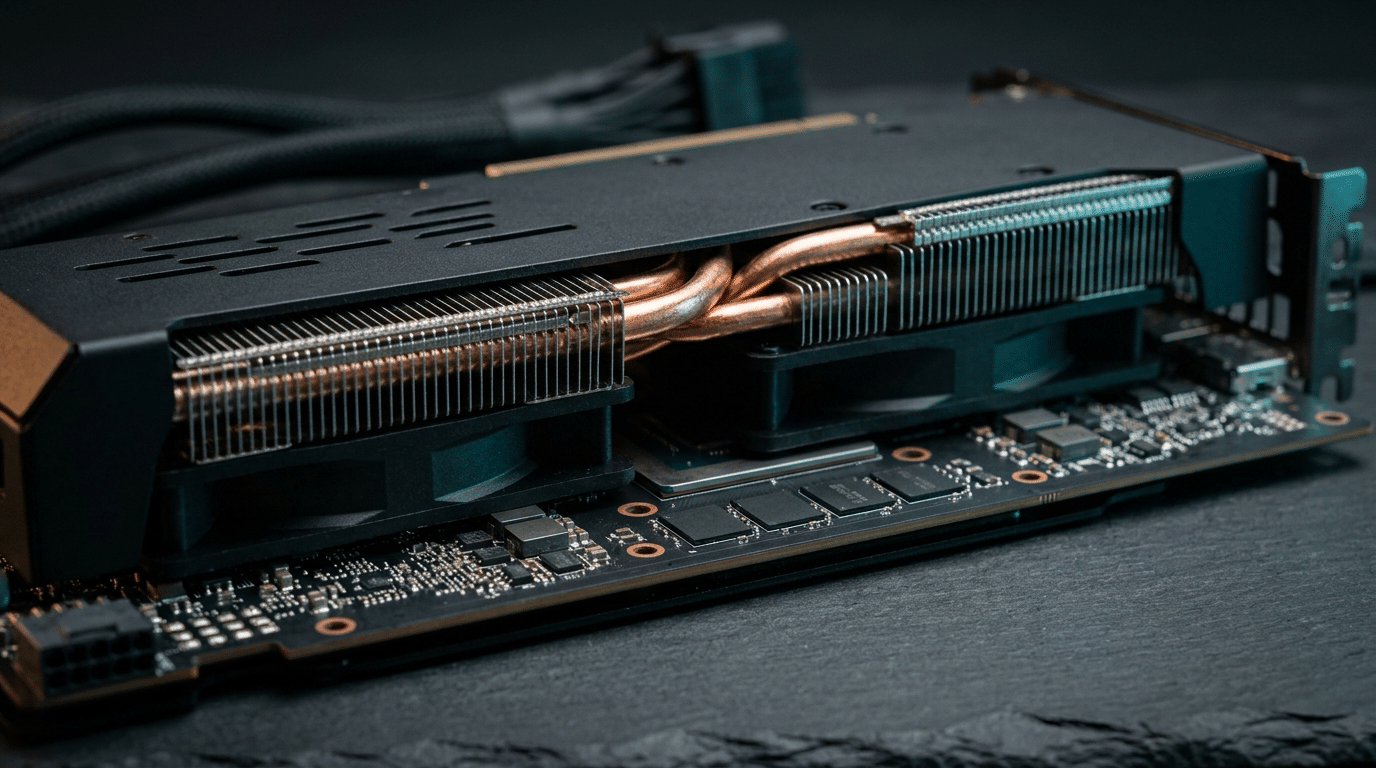
1. VRAM Capacity & 1% Lows Stability: Why 8GB Hits a Wall in 2026
Average frame rates lie when a graphics card runs out of dedicated video memory. When an 8GB frame buffer fills up in modern Unreal Engine 5 titles, open-world RPGs, or heavy high-resolution texture packs, the driver does not always crash immediately. Instead, it silently degrades visual fidelity through delayed MIP-map streaming, muddy surfaces, or sudden asset swapping across system RAM that drags 1% Lows straight into unplayable stutter.
Under The PC Audit’s hardware rulebook, any graphics card exceeding the $350 budget tier with just 8GB of video memory triggers an immediate VRAM ceiling warning. Today’s 8GB cards already require dialing textures down to Medium or High—and turning off hardware ray tracing—even at 1080p in demanding 2025 and 2026 AAA releases. Buying a new GPU carrying a $379 Launch MSRP that forces immediate settings compromises on day one defeats the entire purpose of stepping up from an entry-level $250–$300 card. For a full breakdown of game engine allocations across resolutions, see our deep-architecture explainer on how much VRAM you need for gaming in 2026.
By contrast, 16GB of GDDR7 completely removes memory starvation from the equation for the GB206 chip. You will run into raw shader compute limits long before a 16GB buffer fills up at 1080p Ultra or 1440p High/Ultra, keeping frametime graphs flat and texture pools razor-sharp throughout the card’s usable lifespan.
2. The Hidden PCIe 5.0 x8 Trap: What Happens When 8GB Spills Over
Here is the architectural nuance most retail product listings gloss over: the GeForce RTX 5060 Ti is electrically wired for PCIe 5.0 x8, not a full 16-lane x16 link. While the card still fits mechanically into any standard x16 motherboard slot, only half of the data lanes carry traffic between the GPU and the CPU.
On a current-generation AMD B850, X870, or Intel Z890/B860 motherboard supporting PCIe 5.0, eight lanes deliver plenty of headroom—roughly equivalent to PCIe 4.0 x16 (~64 GB/s bidirectional theoretical throughput). However, buyers shopping in the $350–$450 GPU bracket frequently drop new graphics cards into existing AM4 (B450/B550) or older LGA 1200/1700 rigs running PCIe 4.0 or PCIe 3.0. In those motherboards, an x8-wired GPU negotiates down to PCIe 4.0 x8 (~32 GB/s bidirectional) or PCIe 3.0 x8 (~16 GB/s bidirectional).
As long as textures and render targets stay inside local GPU memory, that narrower x8 PCIe link barely registers in frame pacing. The moment an 8GB card overflows and starts paging assets back and forth over the PCIe bus, an x8 interface chokes at half the bandwidth of a full x16 card. Furthermore, watch for motherboard M.2 lane-sharing traps: if a secondary NVMe SSD slot steals lanes from your primary graphics slot, you want maximum local VRAM so your GPU never leans on host transfers. That is precisely why the 16GB RTX 5060 Ti stays smooth even on older PCIe 4.0 and PCIe 3.0 motherboards (provided you enable Resizable BAR in BIOS), whereas the 8GB variant suffers compounded frametime spikes on legacy platforms. Meanwhile, AMD’s competing RDNA 4 Radeon RX 9060 XT retains a full PCIe 5.0 x16 interface alongside 16GB of VRAM, avoiding the lane-cut vulnerability altogether.
3. DLSS 4 Multi-Frame Generation & Ray Tracing Eat Extra VRAM
NVIDIA markets the Blackwell generation heavily around neural rendering: Transformer-based DLSS Super Resolution, Ray Reconstruction, and DLSS 4 Multi-Frame Generation. Ironically, those exact selling points are what break the 8GB variant most reliably.
Every AI post-processing stage allocates extra scratch memory inside VRAM:
- Hardware Ray Tracing & BVH Structures: Enabling ray-traced reflections, shadows, or global illumination adds Bounding Volume Hierarchy geometry structures that easily demand 1GB to 2.5GB on top of standard raster buffers.
- DLSS 4 Multi-Frame Generation Overhead: Generating up to three interpolated AI frames between real rendered frames requires holding motion vectors, depth buffers, and optical flow intermediate tensors in fast GDDR7 memory.
- The 60+ Base FPS Latency Rule: Frame generation only looks and feels crisp when your GPU already achieves 50–60+ native/upscaled base FPS paired with NVIDIA Reflex. Pushing an 8GB card past its memory ceiling drops base frame rates into the 30s and causes severe input sluggishness and visual artifacts when Multi-Frame Generation tries to interpolate a starved pipeline.
On the RTX 5060 Ti 16GB, Blackwell’s full software ecosystem works as intended. You can combine High or Ultra textures, modest Ray Tracing presets, DLSS Quality upscaling, and Multi-Frame Generation at 1440p without watching your frame buffer hit 99% saturation. Competitors have also closed the upscaling quality gap: AMD FSR 4 delivers dedicated ML-accelerated upscaling on RDNA 4 silicon, and Intel XeSS 2 leverages XMX matrix engines on Battlemage GPUs—both paired with 12GB to 16GB of memory in the same price orbit.
4. Silicon Parity, Power Delivery, Display I/O & Creator Workloads
Because both cards share the identical GB206 die, there are zero acoustic, power, or connectivity compromises when choosing the 16GB model. Both run within a remarkably cool 180W Total Board Power envelope—dramatically lower than the 250W RTX 5070 or 300W RTX 5070 Ti.
Even better for DIY upgraders, mainstream AIB 16GB models like the ASUS Dual GeForce RTX 5060 Ti 16GB OC rely on a single 8-pin PCIe power connector and a 550W–650W power supply recommendation, sidestepping the 12V-2×6 cable bend-clearance concerns required by higher-wattage cards. You still receive three native DisplayPort 2.1 (2.1b UHBR20) outputs and HDMI 2.1b, allowing uncompressed high-refresh driving of modern 1440p 360Hz or 4K 240Hz QD-OLED gaming monitors.
Outside gaming, 16GB vs. 8GB splits content creators and AI tinkerers in half. Blackwell’s dual ninth-generation NVENC hardware encoders support 4:2:2 10-bit H.265/HEVC and AV1 acceleration on both cards, yet 8GB chokes rapidly on multi-track 4K timelines, Blender GPU scenes, and local LLM or image-generation checkpoints. With 16GB of fast 448 GB/s GDDR7, quantized 8B–14B parameter language models and high-res diffusion pipelines stay comfortably resident on-card without offloading layers across that narrow x8 PCIe slot.
5. Value Audit: Why $379 Launch MSRP for 8GB Loses to Both Sides
The clearest indictment of the RTX 5060 Ti 8GB is simple arithmetic. Paying $379 Launch MSRP for 8GB versus $429 Launch MSRP for 16GB asks you to forfeit half your memory pool—and break future compatibility with your GPU’s flagship software features—just to save $50. Amortized over a standard four-year upgrade cycle, the 16GB model costs roughly $12.50 per year more while shielding resale value and preventing premature GPU replacement.
Even if your hard spending ceiling sits strictly below $400, the 8GB RTX 5060 Ti still fails to make a compelling case against non-NVIDIA competition:
- Against the Radeon RX 9060 XT 16GB ($349 Launch MSRP): AMD’s 16GB RDNA 4 card undercuts the 8GB RTX 5060 Ti on Launch MSRP while delivering twice the VRAM (16GB GDDR6), ML-powered FSR 4, and a full PCIe 5.0 x16 connection. Compare the two 16GB titans directly in our Radeon RX 9060 XT 16GB vs. RTX 5060 Ti 16GB audit.
- Against the Intel Arc B580 12GB ($249 Launch MSRP): For budget-constrained builders, Intel’s Xe2 Battlemage card gives you 12GB of GDDR6 on a wider 192-bit bus (456 GB/s) and hardware AV1 encoding for well under $300—as long as your CPU and motherboard support Resizable BAR. See every sub-$350 contender ranked in our best budget graphics cards under $350 guide.
Prebuilt Buyer Warning: Watch out for mid-range prebuilt gaming PCs in the $1,100–$1,400 bracket that advertise an “RTX 5060 Ti” in the headline while quietly installing the 8GB edition inside the chassis. Always confirm the exact 16GB VRAM capacity in the component table before purchasing a prebuilt desktop or bare retail SKU.
Verified Retail Picks: What to Buy Instead of the 8GB Variant
Because our editorial audit rejects 8GB graphics cards priced above the budget $350 bracket, we do not recommend buying the RTX 5060 Ti 8GB retail SKU. Instead, here are the three verified 2025–2026 retail graphics cards that actually protect your frame buffer across the $250–$450 budget span.
1. Best Overall Blackwell Pick: ASUS Dual GeForce RTX 5060 Ti 16GB GDDR7 OC

Budget Tier: Lower-midrange tier (starting at $429 Launch MSRP)
Best For: 1080p Ultra and entry 1440p gamers or local AI creators who refuse 8GB VRAM limits and want a compact single 8-pin NVIDIA card.
- Architecture & Cores: NVIDIA Blackwell | 4,608 CUDA Cores | 2,632 MHz OC Boost
- VRAM & Bus: 16GB GDDR7 | 128-bit Bus | 28 Gbps Memory Speed
- Power & Connectors: 180W TBP | 1x 8-Pin PCIe Connector | 550W-650W PSU Recommended
- Display I/O: 3x Native DisplayPort 2.1b | 1x HDMI 2.1b
- Dimensions: 229 x 120 x 50 mm | 2.5-Slot Compact Dual Axial-Tech Fans (Dual BIOS)
Pros: Double the GDDR7 headroom of the 8GB variant; ultra-compact 229mm SFF-Ready shroud; single 8-pin power cable; Dual BIOS with 0dB fan stop.
Cons: Uses an x8 PCIe 5.0 link; costs $50+ Launch MSRP more than AMD’s 16GB RX 9060 XT.
Check Price on Amazon2. Best Sub-$379 16GB Alternative: XFX Swift AMD Radeon RX 9060 XT OC Triple Fan 16GB

Budget Tier: Value tier (starting at $349 Launch MSRP)
Best For: Value-focused 1080p Ultra and 1440p gamers who want 16GB VRAM and cool triple-fan acoustics around the $349-$400 bracket instead of settling for an 8GB card.
- Architecture & Cores: AMD RDNA 4 | 32 Compute Units (2,048 SP) | Up to 3,320 MHz Boost
- VRAM & Bus: 16GB GDDR6 | 128-bit Bus | 20 Gbps (340 GB/s Bandwidth)
- Power & Connectors: 160W Class TBP | 1x PCIe 8-Pin | 450W-650W PSU Recommended
- Display I/O: 2x DisplayPort 2.1 | 1x HDMI 2.1 | Dual-Slot Triple-Fan
- Dimensions: 290 x 124 x 49 mm | PCIe 5.0 x16 Full Interface
Pros: Lower Launch MSRP than the RTX 5060 Ti 8GB while providing 16GB VRAM; full PCIe 5.0 x16 interface avoids x8 bus limits; quiet 160W triple-fan cooler.
Cons: Lacks DLSS 4 Multi-Frame Generation; 290mm length requires verifying compact mATX case clearance.
Check Price on Amazon3. Best Budget 12GB Alternative: Intel Arc B580 Limited Edition 12GB

Budget Tier: Budget tier (starting at $249 Launch MSRP)
Best For: Budget 1080p and entry 1440p builders on modern ReBAR-enabled platforms who want 12GB VRAM and hardware AV1 encoding around $249 Launch MSRP.
- Architecture & Cores: Intel Xe2 Battlemage (BMG-G21) | 20 Xe-Cores | 160 XMX AI Engines
- VRAM & Bus: 12GB GDDR6 | 192-bit Bus | 456 GB/s Bandwidth
- Power & Connectors: 190W TBP | 1x 8-Pin PCIe Connector | 600W-650W PSU Recommended
- Display I/O: 3x DisplayPort 2.1 (1x UHBR13.5 + 2x UHBR10) | 1x HDMI 2.1
- Dimensions: 272 x 115 x 44 mm | 2-Slot PCIe 4.0 x8 Interface (Requires ReBAR)
Pros: 12GB VRAM on a wide 192-bit bus (456 GB/s) well below $300; Intel XeSS 2 AI upscaling; strong dual hardware AV1 media engine.
Cons: Mandatory Resizable BAR requirement excludes older non-ReBAR CPUs; slower ray tracing and legacy DX9/11 throughput than Blackwell.
Check Price on AmazonFinal Buying Verdict: Which GPU Belongs in Your Build?
Choose the RTX 5060 Ti 16GB If…
- You play modern AAA titles at 1080p Ultra or 1440p High/Ultra and plan to keep your GPU for 3–5 years.
- You want DLSS 4 Multi-Frame Generation, Ray Reconstruction, and Reflex without watching 8GB VRAM overflow.
- You run local AI models, 3D renders, or 4:2:2 10-bit video editing alongside gaming.
- You are upgrading an older PCIe 3.0 or PCIe 4.0 motherboard where x8 bus spillover would tank 1% Lows.
Skip the RTX 5060 Ti 8GB (Choose Alternatives) If…
- Your budget tops out strictly around $350—grab the 16GB Radeon RX 9060 XT instead for double the VRAM and a full x16 PCIe link.
- You are building an affordable $250–$300 GPU rig with ReBAR—the 12GB Intel Arc B580 outlasts 8GB cards on modern textures.
- You only play lightweight Esports titles like Valorant or CS2—save your money with a lower-tier entry card rather than paying $379 Launch MSRP for 8GB.
Official Hardware & Standards References
All architectural specifications, bus lane widths, memory speeds, and display interface claims in this audit are verified directly against official vendor and standards body documentation:
- NVIDIA GeForce RTX 50 Series Blackwell Architecture & Specifications
- ASUS Dual GeForce RTX 5060 Ti 16GB GDDR7 OC Official Product Datasheet
- AMD Radeon RX 9060 XT RDNA 4 Architecture & Specifications
- Intel Arc B-Series Xe2 Battlemage Desktop Graphics Specifications
- PCI-SIG Official PCIe 5.0 & Interface Bandwidth Specifications
How We Audited This Guide
- Graphics cards were evaluated by VRAM capacity, memory bus, power connector and PSU requirements, slot width and length clearance, and display output standards.
- Every specification claim was cross-checked against official OEM datasheets, platform vendor documentation, and published industry standards (PCI-SIG, JEDEC, VESA, Intel ATX) rather than marketplace listing copy.
- Recommendations were evaluated against our weighted audit rubric and documented compatibility rules; we do not publish fabricated FPS, thermal, or acoustic numbers.
Frequently Asked Questions: RTX 5060 Ti 8GB vs. 16GB
Is the RTX 5060 Ti 16GB faster than the 8GB version if a game uses under 8GB of VRAM?
No. Both cards share identical GB206 silicon with 4,608 CUDA cores, a 128-bit GDDR7 memory bus running at 28 Gbps (448 GB/s), and identical reference boost clocks. Performance diverges sharply the moment a game allocates more than 8GB of memory.
Why does the RTX 5060 Ti’s PCIe 5.0 x8 interface hurt the 8GB variant more?
When VRAM stays under 8GB, eight PCIe lanes offer ample headroom. Once 8GB overflows into system memory—especially on older PCIe 3.0 or 4.0 motherboards—the x8 link cuts spillover bandwidth in half compared to x16 cards, causing harsher 1% Lows drops.
Does DLSS 4 Multi-Frame Generation fix the 8GB VRAM limitation?
No—it actually worsens it. Multi-Frame Generation and Ray Reconstruction consume additional scratch VRAM for optical flow and motion buffers, meaning an 8GB card often overflows sooner when AI features are enabled alongside High or Ultra textures at 1440p.
Do I need an ATX 3.1 power supply with a 12V-2×6 cable for the RTX 5060 Ti 16GB?
Usually no. Because the RTX 5060 Ti carries a 180W Total Board Power rating, partner models like the ASUS Dual RTX 5060 Ti 16GB OC use a standard single 8-pin PCIe power connector and run reliably on quality 550W–650W power supplies.
What is the smartest GPU to buy if the RTX 5060 Ti 16GB exceeds my budget?
Skip the $379 Launch MSRP 8GB RTX 5060 Ti and pick the $349 Launch MSRP Radeon RX 9060 XT 16GB for full 16GB VRAM and PCIe 5.0 x16, or drop to the $249 Launch MSRP Intel Arc B580 12GB on ReBAR-enabled rigs.


