
Disclosure: As an Amazon Associate, I earn from qualifying purchases. If you buy through links on this page, we may earn a small commission at no extra cost to you.
Choosing the best budget gaming pc case under 100 in 2026 comes down to separating genuine airflow engineering from deceptive sheet-metal savings. While graphics cards like the RTX 5070 Ti and RX 9070 XT routinely measure 310mm to 355mm long and rely on stiff 12V-2×6 power harnesses, entry-level enclosures still ship with choked acrylic fronts, single non-PWM exhaust fans, or narrow side clearances that trap heat.
We audited nine verified mid-tower and dual-chamber enclosures currently positioned under $100 to evaluate included PWM fan counts, magnetic dust filtration, 360mm radiator clearance, and BTF back-connect readiness. If you are shopping across higher budget brackets too, check our hub guide on the Best Airflow Gaming PC Cases (2026), or pair these enclosures with our gaming PC build blueprint under $1,000 for balanced parts allocation.
In This Guide
Quick Picks: Best Budget Gaming PC Cases Under 100 at a Glance
#1 Best Overall Value
MONTECH AIR 903 MAX
Four 140mm PWM fans, 400mm GPU clearance, and front USB-C deliver plug-and-play thermal headroom without extra fan spending. (Jump to audit)
#2 Best Compact GPU Cooling
LIAN LI LANCOOL 207
Front-offset PSU layout places two 120mm intake fans directly below 410mm GPUs inside a shorter ATX footprint. (Jump to audit)
#3 Best Modular & BTF Chassis
Corsair 4000D RS ARGB FRAME
InfiniRail sliding tracks, 430mm GPU depth, and back-connect motherboard cutouts future-proof clean ATX builds. (Jump to audit)
Side-by-Side Comparison: Top 9 Budget Gaming PC Cases Under 100
| Case & Award | Best For | Included Fans | GPU / Cooler Fit | Link |
|---|---|---|---|---|
| MONTECH AIR 903 MAX Best Overall Value | All-around airflow & E-ATX builds | 4x 140mm PWM (3x ARGB + 1x rear) | 400mm GPU / 180mm Cooler | View on Amazon |
| LIAN LI LANCOOL 207 Best Compact GPU Cooling | Compact desks & hot 300W+ GPUs | 2x 140mm ARGB + 2x 120mm bottom | 410mm GPU / 180mm Cooler | View on Amazon |
| Corsair 4000D RS ARGB FRAME Best Modular & BTF | Back-connect & modular upgrades | 3x 120mm RS ARGB PWM | 430mm GPU / 170mm Cooler | View on Amazon |
| MONTECH HS01 PRO White Best 5-Fan Reversible | White BTF & inverted desk setups | 5x 120mm GF120 V2 ARGB PWM | 420mm GPU / 175mm Cooler | View on Amazon |
| NZXT H6 Flow Best Dual-Chamber Showcase | Panoramic glass + angled intake | 3x 120mm angled intake | 365mm GPU / 163mm Cooler | View on Amazon |
| NZXT H7 Flow (2024) Best 420mm Rad & Tower Fit | 420mm front AIO & tall coolers | 3x 120mm front intake | 410mm GPU / 185mm Cooler | View on Amazon |
| NZXT H5 Flow (2024) Best Minimalist Compact ATX | Subtle, RGB-free office/gaming rigs | 2x 120mm (1x front + 1x rear) | 410mm GPU / 170mm Cooler | View on Amazon |
| Zalman S6 Best Entry 140mm + USB-C | Strict budgets wanting USB-C | 4x FRGB (3x 140mm + 1x 120mm) | 345mm GPU / 165mm Cooler | View on Amazon |
| MONTECH X3 Mesh Best 6-Fan Ultra-Budget | Starter 1080p GPUs under 305mm | 6x Fixed RGB Molex (3×140 + 3×120) | 305mm GPU / 160mm Cooler | View on Amazon |
Match Your Use Case: Which Budget Chassis Fits Your Build?
| Buyer Scenario | Best Match | Why & Expected Outcome |
|---|---|---|
| Zero Extra Fan Purchases + Full ATX/E-ATX Fit | MONTECH AIR 903 MAX | Four stock 140mm PWM fans, hub controller, and 400mm GPU space let you spend every remaining dollar on GPU and CPU tiers. |
| Compact Desk with High-Wattage Tri-Fan GPU | LIAN LI LANCOOL 207 | Two dedicated 120mm bottom fans push fresh intake straight into RTX 5070 Ti or RX 9070 XT shrouds inside a short footprint. |
| Back-Connect Cable-Free Interior (BTF / Project Zero) | Corsair 4000D RS ARGB FRAME | Native rear-connector motherboard cutouts plus 430mm GPU depth yield spotless showcase routing with future modular parts. |
| All-White Build with Left-or-Right Desk Inversion | MONTECH HS01 PRO White | Ships with five ARGB PWM fans and reversible panel orientation for right-handed or left-handed desk placements. |
| Wraparound Glass Dual-Chamber Aesthetic Under $100 | NZXT H6 Flow | Side-mounted PSU chamber hides cable clutter behind the motherboard while angled front-right fans feed cool air directly inward. |
| Ultra-Budget 1080p Entry Rig Under Tightest Cap | MONTECH X3 Mesh | Delivers six pre-installed fans and hinged glass for dual-fan 1080p cards under 305mm when saving every dollar counts. |
Detailed Audits: Top 9 Budget Gaming PC Cases Under $100
1. MONTECH AIR 903 MAX High-Airflow E-ATX Case — Best Overall Value

Quick Specs: E-ATX / ATX / mATX / Mini-ITX | 4x 140mm PWM Fans (3x ARGB Front + 1x Rear) | 400mm Max GPU | 180mm Max CPU Cooler | 360mm Front/Top Radiator | 240mm Max PSU | Front USB Type-C | Price Tier: Under $100 (High-Value Mid-Tower)
Audit Score: 9.3 / 10
- Airflow & Thermal Topology (35%): 9.5 / 10
- GPU, Radiator & Cable Clearance (25%): 9.4 / 10
- Acoustics & Dust Filtration (20%): 8.8 / 10
- Build Ergonomics & Value (20%): 9.4 / 10
Most under-$100 cases hide their true cost behind anemic stock cooling, forcing buyers to purchase extra fans before powering on. The MONTECH AIR 903 MAX solves that hidden tax outright by shipping four full-size 140mm PWM fans—three addressable RGB high-static-pressure intakes behind an unrestrictive metal mesh bezel and one non-RGB 140mm rear exhaust—wired into a built-in fan and lighting controller. Because three 140mm intakes push far more air than a single rear exhaust, this ATX mid-tower establishes healthy positive pressure right out of the box, expelling warm air cleanly while keeping fine dust caught on removable magnetic dust filter screens.
Clearance metrics make the AIR 903 MAX the safest recommendation for anyone seeking the best budget gaming pc case under 100 that will survive multiple GPU upgrades. With 400mm of horizontal GPU clearance, 180mm CPU cooler height, 240mm PSU room, and simultaneous 360mm front or top radiator support, it handles oversized triple-fan RTX 5080 and RX 9070 XT cards without forcing tight side-panel bends on 12V-2×6 power connectors. Compared against the compact LIAN LI LANCOOL 207, the AIR 903 MAX trades away dedicated bottom shroud fans and a smaller desk footprint in exchange for full E-ATX motherboard width, 240mm PSU flexibility, and an included 140mm rear exhaust fan. It lacks rear cutouts for Corsair FRAME 4000D-style back-connect boards, yet remains unmatched on net cooling capacity per dollar.
Buyer Verification Alert: Check the Amazon style selector carefully so you order the AIR 903 MAX rather than the lower-spec AIR 903 BASE. The BASE variant drops to three non-RGB fans and removes the integrated ARGB/PWM hub.
Pros
- Four 140mm PWM fans plus integrated ARGB/PWM hub eliminate day-one fan upgrade costs
- Generous 400mm GPU clearance, 180mm air-tower headroom, and 240mm PSU length capacity
- Supports 360mm radiators at both top and front mounts with front USB-C included
- Wide interior ensures comfortable 12V-2×6 bend radius clearance behind tempered glass
Cons
- Rear 140mm fan omits ARGB LEDs to match the illuminated front trio
- Full E-ATX dimensions take up more desk length than compact mid-towers
- Does not include rear-cutout compatibility for BTF or Project Zero motherboards
Verdict: Buy it if you want maximum stock 140mm PWM airflow, front USB-C, and zero future clearance headaches under $100. Skip it if desk width is tight or you require back-connect motherboard cutouts. Zero immediate add-on spending is required—put those savings straight into a dual-tower air cooler or higher-tier GPU.
2. LIAN LI LANCOOL 207 Black Compact ATX Case — Best Compact GPU Cooling

Quick Specs: ATX / mATX / Mini-ITX | 2x 140mm ARGB Front + 2x 120mm Bottom GPU PWM Fans | 410mm Max GPU | 180mm Max CPU Cooler | 360mm Top Radiator | Under 160mm Front-Mounted PSU | USB 3.2 Type-C | Price Tier: Under $100 (Compact Performance Tier)
Audit Score: 9.1 / 10
- Airflow & Thermal Topology (35%): 9.6 / 10
- GPU, Radiator & Cable Clearance (25%): 8.9 / 10
- Acoustics & Dust Filtration (20%): 8.7 / 10
- Build Ergonomics & Value (20%): 9.1 / 10
Lian Li re-engineered standard mid-tower physics in the LANCOOL 207 by shifting the power supply forward and offsetting its cage beneath the front intake zone. According to the official Lian Li LANCOOL 207 specification sheet, relocating the PSU opens the entire lower shroud deck for two pre-installed 120mm PWM fans aimed straight up into the graphics card cooler, complemented by two massive 140mm ARGB front intakes. Despite keeping external desk length compact, internal chassis engineering still clears 410mm triple-fan GPUs, 180mm CPU air towers, and top-mounted 360mm liquid radiators.
That direct GPU thermal pathway gives the LANCOOL 207 the highest pure GPU cooling potential in this sub-$100 bracket, edging out traditional bottom-shroud designs like the NZXT H5 Flow (2024) and even matching bigger enclosures such as the NZXT H7 Flow (2024) in bottom-fed static airflow. You also get an integrated anti-sag GPU bracket and modern front USB-C right on the top bezel. The trade-off lies strictly in power supply dimensions and rear exhaust: Lian Li omits a stock 120mm rear exhaust fan and limits power supply depth below 160mm inside the rotated front pocket.
Buyer Verification Alert: Measure your power supply length before buying. Standard 140mm to 150mm ATX 3.1 units drop in smoothly, whereas oversized 170mm–180mm PSUs will conflict with the lower front intake cavity and side-angled modular cable routing.
Pros
- Dedicated dual 120mm shroud fans feed unobstructed intake air straight into triple-fan GPUs
- Clears 410mm graphics cards, 180mm coolers, and 360mm top radiators inside a compact shell
- Built-in GPU anti-sag support bracket and front USB 3.2 Type-C I/O come standard
- Four high-airflow PWM fans ship pre-mounted with clean top, front, and bottom mesh paths
Cons
- Front PSU mount caps power supply length under 160mm with sideways cable exit
- No pre-installed rear 120mm exhaust fan out of the box
- No E-ATX or rear-connector BTF motherboard compatibility
Verdict: Buy it if you want premier GPU thermal efficiency on a compact desk with a standard 140mm–150mm ATX 3.1 PSU. Skip it if you are reusing a long 180mm power supply or E-ATX workstation board. Budget roughly $10 to $15 for a single 120mm PWM rear exhaust fan to finish off the airflow tunnel.
3. Corsair 4000D RS ARGB FRAME Modular Mid-Tower PC Case — Best Modular & BTF Chassis

Quick Specs: ATX / mATX / Mini-ITX + Back-Connect (BTF / Project Zero / Project Stealth) | 3x RS120 ARGB PWM Fans | 430mm Max GPU | 170mm Max CPU Cooler | 360mm Front/Top/Side Radiator | 220mm Max PSU | USB 3.2 Gen 2 Type-C | Price Tier: Under $100 (Modular Mid-Tower Tier)
Audit Score: 9.0 / 10
- Airflow & Thermal Topology (35%): 8.9 / 10
- GPU, Radiator & Cable Clearance (25%): 9.4 / 10
- Acoustics & Dust Filtration (20%): 8.9 / 10
- Build Ergonomics & Value (20%): 9.0 / 10
Corsair rebuilt its classic 4000D formula around the modular FRAME platform, introducing InfiniRail sliding tracks that let builders align 120mm, 140mm, or even 200mm intake fans freely without wrestling rigid stamped screw holes. As outlined on the Corsair modular PC case architecture portal, this RS ARGB variant includes three daisy-chainable RS120 PWM fans powered straight from standard 4-pin motherboard headers—zero proprietary hub boxes required. Combined with a massive 430mm GPU ceiling, 220mm PSU clearance, and 360mm radiator flexibility across front, top, and side mounts, it offers genuine flagship expandability.
Crucially for 2026 builders, the FRAME 4000D RS ARGB comes pre-cut for ASUS BTF, MSI Project Zero, and Gigabyte Project Stealth reverse-connector motherboards. Routing the bulky 24-pin ATX and 8-pin EPS harnesses behind the motherboard tray eliminates visual clutter and opens unobstructed intake across RAM and VRM heatsinks. Stack this directly against the MONTECH AIR 903 MAX: MONTECH wins on included 140mm fan volume and ships a rear exhaust fan out of the box, whereas Corsair gives you 30mm more GPU clearance, BTF Project Zero compatibility, and swappable modular front/motherboard-tray panels that extend chassis lifespan across future rebuilds.
Buyer Verification Alert: Confirm the listing title explicitly states RS ARGB (three pre-installed PWM fans). The lower-priced base FRAME 4000D chassis ships completely fanless without any intake cooling.
Pros
- InfiniRail sliding tracks adapt cleanly to 120mm, 140mm, and 200mm fan diameters
- Full ASUS BTF, MSI Project Zero, and Gigabyte Project Stealth back-connect cutouts
- 430mm GPU clearance and 220mm PSU bay fit almost any flagship card or 1200W PSU
- Standard 4-pin PWM and 5V ARGB daisy-chaining bypasses proprietary hubs
Cons
- Arrives without a rear 120mm exhaust fan installed
- 170mm CPU cooler height ceiling is 10–15mm narrower than the AIR 903 MAX or H7 Flow
Verdict: Buy it if you plan a BTF Project Zero hidden-cable build, own an extra-long triple-fan GPU, or appreciate modular upgrade rails. Skip it if you want four stock 140mm fans included without buying a rear fan. Add one 120mm RS120 PWM rear exhaust fan (around $15 to $20) at checkout to lock in balanced front-to-back flow.
4. MONTECH HS01 PRO High Airflow ATX Mid-Tower PC Case – White — Best 5-Fan Reversible White

Quick Specs: ATX / mATX / Mini-ITX + Back-Connect (BTF / Project Zero) | 5x GF120 V2 ARGB PWM Fans (3x Bottom + 2x Rear) | 420mm Max GPU | 175mm Max CPU Cooler | 360mm Top Radiator (123mm Max Width) | 200mm Max PSU | Front USB-C | Price Tier: Under $100 (Feature-Packed White Tier)
Audit Score: 8.9 / 10
- Airflow & Thermal Topology (35%): 9.0 / 10
- GPU, Radiator & Cable Clearance (25%): 8.6 / 10
- Acoustics & Dust Filtration (20%): 8.7 / 10
- Build Ergonomics & Value (20%): 9.2 / 10
White PC components routinely carry an aesthetic markup, which makes the MONTECH HS01 PRO unusually compelling under $100: it delivers an all-white reversible chassis, back-connect motherboard cutouts, and five pre-installed GF120 V2 ARGB PWM fans. Instead of conventional front-to-back flow, MONTECH mounts three intake fans across the bottom deck and two exhaust fans along the rear spine, creating a vertical chimney draft that feeds graphics cards directly from underneath while pushing heat upward and out.
Unlike standard mid-towers anchored to left-side window placement, the HS01 PRO lets you invert the entire layout so the tempered glass faces right—ideal if your PC sits on the left side of your desk. Clearing 420mm GPUs and 175mm air towers, it stands neck-and-neck with the Corsair 4000D RS ARGB FRAME on BTF support while bundling two more stock PWM fans. The only major mechanical catch sits above the motherboard: because the 200mm PSU perches in the upper-front compartment, the top 360mm radiator bay enforces a strict 123mm radiator width ceiling.
Buyer Verification Alert: Check your 360mm AIO width specification before checkout. Standard 120mm-wide radiators fit normally, whereas extra-wide 125mm–130mm radiator housings will interfere with the upper power supply bracket.
Pros
- Five pre-installed white GF120 V2 ARGB PWM fans maximize out-of-the-box value
- Tool-friendly reversible chassis layout adapts to left or right desk orientations
- Supports BTF / Project Zero rear-connector boards alongside 420mm GPU length
- 175mm CPU cooler ceiling comfortably accommodates large dual-tower air coolers
Cons
- Top 360mm radiator mount restricts radiator width to 123mm maximum
- Chimney fan curves need careful PWM balancing so three intakes outpace two rear exhausts
Verdict: Buy it if you want a feature-packed white chassis with five PWM fans, reversible glass orientation, and BTF compatibility under $100. Skip it if you already own a bulky extra-wide 360mm AIO. Run the bottom three intakes 10–15% faster than the rear exhaust pair in BIOS fan curves to maintain clean positive pressure.
5. NZXT H6 Flow – Compact Dual-Chamber ATX PC Case – Black — Best Dual-Chamber Showcase

Quick Specs: ATX / mATX / Mini-ITX (Dual-Chamber) | 3x 120mm Angled Intake Fans | 365mm Max GPU | 163mm Max CPU Cooler | 360mm Top Radiator | 200mm Max PSU | Front USB 3.2 Gen 2 Type-C | Price Tier: Under $100 (Dual-Chamber Showcase Tier)
Audit Score: 8.7 / 10
- Airflow & Thermal Topology (35%): 8.8 / 10
- GPU, Radiator & Cable Clearance (25%): 8.4 / 10
- Acoustics & Dust Filtration (20%): 8.8 / 10
- Build Ergonomics & Value (20%): 8.9 / 10
Panoramic glass dual-chamber enclosures often suffer from stagnant air pockets because side-mounted intake fans hit the glass at 90 degrees. NZXT sidesteps that geometric trap in the H6 Flow by beveling the front-right corner at 45 degrees and angling three pre-installed 120mm intake fans directly across the GPU heatsink and VRM zone. Verified in the official NZXT H6 Flow technical specifications, the secondary right-hand chamber swallows 200mm PSUs, storage brackets, and thick motherboard cable bundles cleanly behind the tray, leaving the panoramic glass main compartment entirely clutter-free.
At the top deck, a 360mm liquid cooler fits cleanly without obscuring RAM modules, making the H6 Flow an ideal under-$100 dual-chamber showcase case for liquid-cooled Ryzen 7 9800X3D or Core Ultra builds. Still, its dual-chamber proportion introduces two concrete spatial constraints compared with the NZXT H7 Flow (2024): horizontal GPU clearance stops at 365mm instead of 410mm, and CPU air cooler height caps at 163mm—too low for extra-tall 165mm–168mm air towers.
Buyer Verification Alert: The non-RGB H6 Flow includes three standard 3-pin DC-controlled black fans rather than 4-pin PWM units; configure DC fan curves in your motherboard BIOS for silent idle speeds, or double-check air cooler height against the 163mm cap.
Pros
- Angled three-fan intake aims airflow directly across motherboard and GPU components
- Seamless wraparound tempered glass showcases hardware without front pillars
- Wide dual-chamber cable bay conceals 200mm PSUs effortlessly for rookie builders
- Supports top-mounted 360mm radiators and includes front USB 3.2 Gen 2 Type-C
Cons
- 163mm CPU air cooler ceiling blocks towering 165mm+ flagship dual-tower heatsinks
- 365mm GPU limit offers tighter margin than 400mm–430mm front-mesh mid-towers
- Wider side-by-side footprint occupies more lateral desk space
Verdict: Buy it if you want a panoramic dual-chamber case under $100 with genuinely effective angled airflow and effortless rear cable routing. Skip it if you prefer tall air coolers over AIO liquid cooling or need slim desk width. Adding two 140mm fans in the flush bottom recess creates strong vertical GPU cooling.
6. NZXT H7 Flow (2024) Mid-Tower Airflow Case — Best 420mm Rad & Tower Fit

Quick Specs: E-ATX (up to 277mm) / ATX / mATX / Mini-ITX | 3x 120mm Front Fans | 410mm Max GPU | 185mm Max CPU Cooler | 420mm Front / 360mm Top Radiator | 200mm Max PSU | Front USB-C | Price Tier: Under $100 (Full-Clearance Mid-Tower)
Audit Score: 8.6 / 10
- Airflow & Thermal Topology (35%): 8.7 / 10
- GPU, Radiator & Cable Clearance (25%): 9.3 / 10
- Acoustics & Dust Filtration (20%): 8.3 / 10
- Build Ergonomics & Value (20%): 7.9 / 10
NZXT completely overhauled the H7 Flow for 2024 by rotating the power supply vertically inside the lower-rear chamber, eliminating the traditional horizontal shroud that blocks bottom ventilation. Per the official NZXT H7 Flow (2024) specification page, that redesign opens space for up to three 120mm intake fans along the floor panel while preserving a narrow footprint compared with wide dual-chamber boxes. It also establishes a towering 185mm CPU cooler limit and rare 420mm front radiator capability under $100.
Why does it rank at #6 behind the MONTECH AIR 903 MAX and LANCOOL 207 despite unmatched 185mm clearance? Strictly out-of-the-box fan economics. The H7 Flow ships with three front 120mm 3-pin intake fans and leaves the rear exhaust and bottom floor mounts empty, plus uses fine-perforated steel panels instead of pull-out magnetic filters. Yet if you run a flagship 185mm dual-tower air cooler, a 420mm front AIO, or a huge 410mm GPU needing generous 12V-2×6 bend radius clearance from the tempered glass, no other sub-$100 mid-tower matches its interior breathing room.
Buyer Verification Alert: The H7 Flow (2024) excludes a stock rear exhaust fan and ships non-PWM front fans; budget for at least one rear 120mm or 140mm PWM fan (and optional bottom GPU fans) to capitalize on its vertical-PSU floor airflow.
Pros
- Rare 420mm front radiator capability paired with 360mm top mount flexibility
- 185mm CPU cooler height yields exceptional side-panel margin for wide 12V-2×6 cables
- Vertical PSU chamber unlocks direct three-fan bottom GPU intake without dual-chamber bulk
- Tool-less steel mesh panels and wide cable channels make assembly fast and tidy
Cons
- Missing rear exhaust fan and bottom fans out of the box
- Stock front fans are 3-pin DC rather than 4-pin PWM
- Lacks removable magnetic dust screens in favor of perforated exterior steel
Verdict: Buy it if you need 420mm front radiator clearance, towering air-cooler space, or wide side clearance for flagship RTX 50-series power connectors. Skip it if you want a complete PWM fan kit installed out of the box. Adding a 3-pack of value 120mm PWM fans unlocks its full bottom-to-top thermal potential.
7. NZXT H5 Flow – Compact ATX Mid-Tower PC Case – Black — Best Minimalist Compact ATX

Quick Specs: ATX / mATX / Mini-ITX (E-ATX up to 277mm) | 2x 120mm Fans (1x Front + 1x Rear) | 410mm Max GPU | 170mm Max CPU Cooler | 360mm Front / 240mm Top Radiator | 200mm Max PSU | USB 3.2 Gen 2 Type-C | Price Tier: Under $100 (Minimalist Compact Tier)
Audit Score: 8.4 / 10
- Airflow & Thermal Topology (35%): 8.3 / 10
- GPU, Radiator & Cable Clearance (25%): 8.8 / 10
- Acoustics & Dust Filtration (20%): 8.4 / 10
- Build Ergonomics & Value (20%): 8.2 / 10
For builders who prefer understated matte-black aesthetics without RGB light shows, the revised H5 Flow refreshes NZXT’s compact ATX chassis with full-mesh panels and a perforated PSU shroud. Checked against the official NZXT H5 Flow (2024) specification datasheet, its 430mm depth stays visibly shorter than standard mid-towers while maintaining 410mm GPU length clearance, 170mm CPU tower room, and 200mm PSU bay accommodation. Front-mounted radiator support also steps up from older 280mm limits to full 360mm AIO compatibility alongside a high-speed USB 3.2 Gen 2 Type-C port.
Its limitation sits squarely in stock cooling hardware: shipping just two 120mm fans (one front intake, one rear exhaust) yields neutral airflow that lags far behind the four-fan LIAN LI LANCOOL 207 and five-fan MONTECH HS01 PRO. Top radiator capacity also caps at 240mm rather than 360mm, pushing 360mm liquid coolers to the front intake frame where radiator thickness eats into GPU clearance.
Buyer Verification Alert: Check that the Amazon product photos show the fine-perforated lower side panel and 360mm front radiator capability of the 2024 H5 Flow rather than leftover older 2022 angled-shroud inventory.
Pros
- Clean matte-black styling with ultra-fine mesh front and perforated PSU shroud
- Handles 410mm GPUs and 200mm PSUs despite compact 430mm exterior depth
- Thoughtful rear cable channels, Velcro straps, and USB 3.2 Gen 2 Type-C front I/O
Cons
- Includes only two 120mm fans (neutral pressure; weak stock front intake volume)
- Top exhaust mount maxes out at 240mm radiators instead of 360mm
Verdict: Buy it if you want clean, stealthy NZXT industrial design in a short-depth enclosure and do not mind adding intake fans. Skip it if you want high-airflow value straight out of the box. Dropping two extra 120mm or 140mm PWM fans behind the front bezel (around $15 to $25) cures the stock intake deficit immediately.
8. Zalman S6 High Airflow ATX Mid-Tower Gaming PC Case – Black — Best Entry 140mm + USB-C

Quick Specs: ATX / mATX / Mini-ITX | 4x FRGB Fans (3x 140mm Front + 1x 120mm Rear) | 345mm Max GPU | 165mm Max CPU Cooler | 360mm Front / 240mm Top Radiator | 160mm Max PSU | Front USB Type-C | Price Tier: Entry Budget (Well Under $100)
Audit Score: 8.1 / 10
- Airflow & Thermal Topology (35%): 8.3 / 10
- GPU, Radiator & Cable Clearance (25%): 7.9 / 10
- Acoustics & Dust Filtration (20%): 7.8 / 10
- Build Ergonomics & Value (20%): 8.3 / 10
Entry-budget mid-towers well under $100 almost always sacrifice front USB-C or drop front fan size down to basic 120mm spinners. The Zalman S6 stands apart in the deep-budget tier by pairing three 140mm front intake fans and one 120mm rear exhaust fan with a dedicated 5Gbps USB Type-C port on the top I/O panel. With 345mm of GPU length and 165mm CPU cooler clearance, it easily hosts dual-tower air coolers alongside current mid-range cards like the RTX 5060 Ti 16GB, RTX 5070, or RX 9060 XT.
Still, clear compromises separate #8 from our top-ranked MONTECH AIR 903 MAX. First, the S6 relies on fixed-RGB (FRGB) fans rather than addressable 5V ARGB PWM units, limiting customizable lighting synchronization and precise acoustic tuning. Second, its 160mm PSU bay limit and 345mm GPU cap leave substantially tighter margin than 400mm+ mid-towers—measure extra-long 350mm+ flagship coolers carefully before assuming fit.
Buyer Verification Alert: Pair the Zalman S6 with compact 140mm–150mm ATX 3.1 power supplies; longer 160mm+ modular units leave cramped room against the bottom drive cage.
Pros
- Includes three 140mm front intakes plus one 120mm rear exhaust for natural positive pressure
- Rare inclusion of a top-panel USB Type-C port in the deep-budget pricing tier
- 345mm GPU room and 165mm cooler clearance outclass ultra-budget 305mm enclosures
Cons
- Fixed-RGB fans lack motherboard addressable ARGB sync and granular PWM fan curves
- 160mm PSU clearance and 345mm GPU length constrain oversized flagship hardware
Verdict: Buy it if you need a low-cost ATX mesh chassis with three 140mm intakes, front USB-C, and 345mm GPU space while keeping budget room for faster RAM or NVMe storage. Skip it if you demand silent PWM curve precision or 360mm top radiator mounting. No extra fans are necessary for 65W–120W gaming CPUs.
9. MONTECH X3 Mesh High Airflow ATX Mid-Tower PC Case – Black — Best 6-Fan Ultra-Budget

Quick Specs: ATX / mATX / Mini-ITX | 6x Fixed RGB Molex Fans (3x 140mm Front + 2x 120mm Top + 1x 120mm Rear) | 305mm Max GPU | 160mm Max CPU Cooler | Side-Swivel Tempered Glass | USB 3.0 + 2x USB 2.0 (No USB-C) | Price Tier: Ultra-Budget Entry Tier
Audit Score: 7.8 / 10
- Airflow & Thermal Topology (35%): 8.1 / 10
- GPU, Radiator & Cable Clearance (25%): 7.2 / 10
- Acoustics & Dust Filtration (20%): 7.2 / 10
- Build Ergonomics & Value (20%): 8.6 / 10
If sheer stock fan quantity at an ultra-low entry price defines your build constraint, the MONTECH X3 Mesh bundles six pre-installed fans—three 140mm front intakes, two 120mm top exhausts, and one 120mm rear exhaust—plus a hinged swivel tempered glass door that swings open cleanly without thumbscrew wrestling. For entry 1080p builds pairing a Ryzen 5 9600X with a dual-fan RTX 5060, Intel Arc B580, or RX 9060 XT 16GB under 300mm, its perforated mesh front keeps internal temperatures brisk right out of the box.
However, several compromises place it at #9 below the Zalman S6 and miles behind the MONTECH AIR 903 MAX. All six fans wire directly via legacy Molex connectors, meaning they spin at a fixed constant speed with no BIOS PWM curve adjustment and fixed rainbow lighting that can only be switched completely off. Furthermore, its 305mm GPU limit, 160mm air-cooler ceiling, lack of official 360mm radiator space, and absence of front USB-C limit future upgrade paths.
Buyer Verification Alert: Check your GPU length carefully before buying: many triple-fan RTX 5070 and RX 9070 XT cards exceed 310mm and physically collide with the X3 Mesh front 140mm fan frames. Also remember fixed Molex fans cannot slow down at desktop idle.
Pros
- Six pre-installed fans behind open mesh deliver maximum cooling volume per dollar
- Side-hinged tempered glass panel allows fast, tool-free internal inspection
- Ideal entry footprint for compact dual-fan 1080p graphics cards
Cons
- Fixed-RPM Molex fans prevent BIOS fan-speed control and addressable ARGB customization
- 305mm GPU length ceiling and 160mm cooler limit exclude most long triple-fan GPUs
- No front-panel USB Type-C port or official 360mm liquid radiator mounting
Verdict: Buy it if you are squeezing a starter 1080p dual-fan rig onto the lowest possible chassis budget and value included airflow over silence. Skip it if you want silent PWM fans, front USB-C, or long triple-fan GPUs. Unplugging one top Molex branch cuts idle noise slightly if needed.
Buying Guide: How to Choose the Best Budget Gaming PC Case Under 100
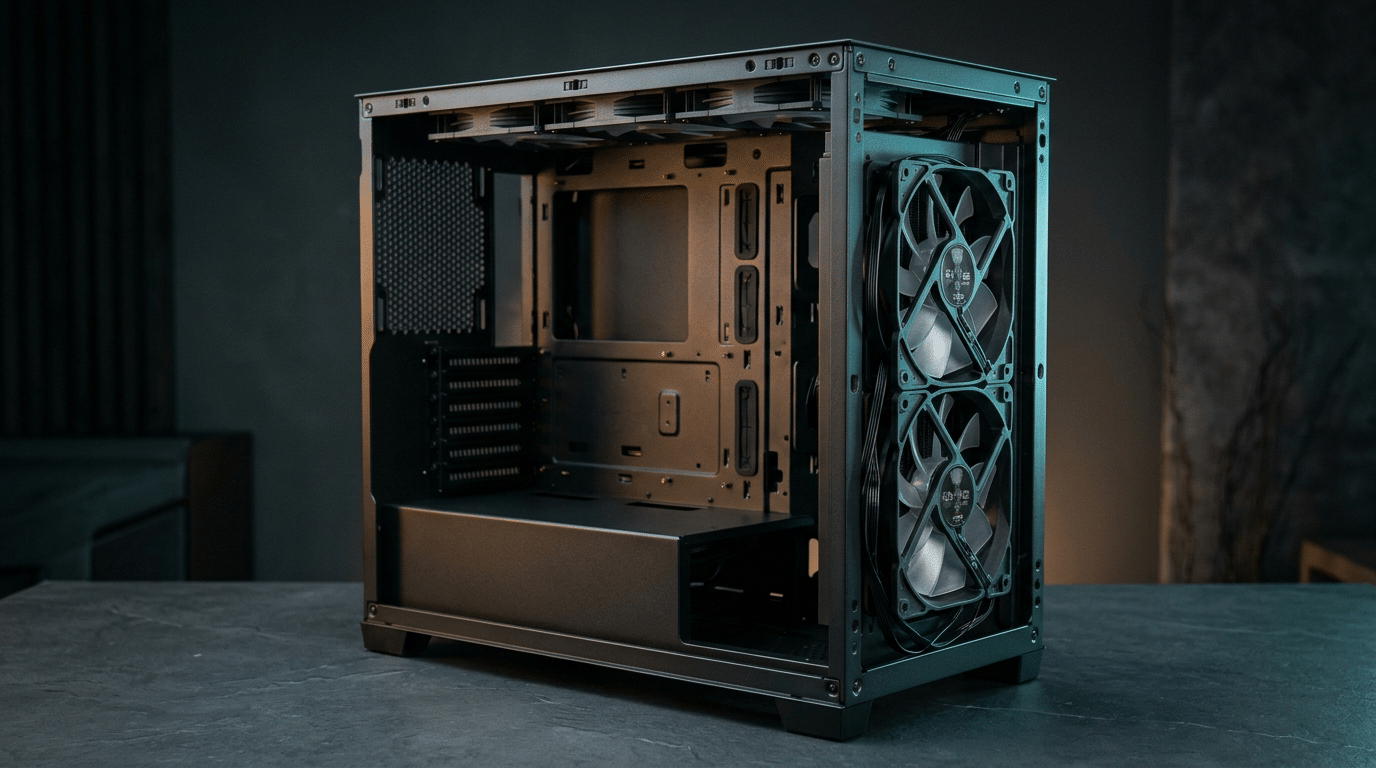
Buying the best budget gaming pc case under 100 requires auditing how physical sheet-metal geometry interacts with modern 2026 graphics cards, dual-tower CPU air coolers, and ATX 3.1 power harnesses. Two enclosures sitting in the exact same pricing bracket can produce drastically different component temperatures, acoustic profiles, and future upgrade ceilings depending on their panel perforation, included fan count, and internal clearance ratios.
1. Mesh Airflow vs. Dual-Chamber Layouts & Positive Pressure Physics
Traditional front-to-back mesh airflow cases like the MONTECH AIR 903 MAX and Corsair 4000D RS ARGB FRAME pull cool ambient air straight through perforated steel bezels across the graphics card and tower cooler, exhausting heat directly out the rear and top. By contrast, a dual-chamber case such as the NZXT H6 Flow moves the power supply behind the motherboard tray to clear room for wraparound tempered glass, feeding components via angled front-right or bottom intakes paired with reverse-blade fans on panoramic setups.
Whichever layout you select, aim for slight positive pressure: keep total filtered intake CFM marginally higher than exhaust CFM (for instance, three 140mm or 120mm filtered intakes paired with one rear exhaust). Positive pressure forces excess air outward through unsealed chassis seams instead of sucking dust backward through PCIe slot covers, maximizing the utility of every removable magnetic dust filter.
2. GPU Clearance, Tower Height & the 35mm 12V-2×6 Bend Radius
Never rely solely on an ATX mid-tower label when verifying GPU clearance. Modern triple-fan cards such as the RX 9070 XT and RTX 5080 commonly measure 310mm to 355mm long—already past the 305mm ceiling of entry chassis like the MONTECH X3 Mesh, especially once a front-mounted radiator trims another 27mm to 38mm of radiator depth plus 25mm of fan thickness.
Just as critical is lateral width between the GPU PCB edge and the glass side panel. Official ATX 3.1 and power-supply installation guidelines advise maintaining at least a 35mm straight 12V-2×6 bend radius directly out of the GPU socket before curving wires downward so the recessed sense pins remain fully seated. Enclosures rated for 170mm to 185mm CPU air coolers (such as the AIR 903 MAX, LANCOOL 207, or H7 Flow) naturally provide generous lateral depth around wide graphics cards, whereas narrower 160mm-rated chassis often demand a factory 90-degree 12V-2×6 cable.
3. PWM Fans vs. Fixed-RPM Molex Control
Look carefully at fan connector specs before counting stock fans as pure value. Four-pin PWM fans (standard on the MONTECH AIR 903 MAX, LIAN LI LANCOOL 207, Corsair FRAME 4000D RS, and MONTECH HS01 PRO) allow motherboard BIOS curves to spin quietly at 30–40% duty cycle during desktop browsing while ramping smoothly under gaming loads. By contrast, Molex-powered fixed-speed fans on ultra-budget cases run continuously at one audible RPM, turning low-load desktop work into constant fan drone.
4. BTF Project Zero Cutouts, 360mm Radiators & Front USB-C
If you plan a showcase rig around hidden rear-connector boards like ASUS BTF or MSI Project Zero, verify explicit cutout support rather than assuming every modern tray fits. Under $100, both the Corsair 4000D RS ARGB FRAME and MONTECH HS01 PRO natively accept BTF Project Zero motherboards alongside generous cable routing depth behind the tray and native front USB-C headers. Also verify radiator thickness before ordering a 360mm radiator: top mounts require adequate clearance above tall RAM heatsinks and motherboard VRM shrouds, and vertical-PSU layouts like the HS01 PRO enforce strict 123mm radiator width ceilings.
Upgrade Roadmap & Hidden Ownership Costs
Budget chassis savings vanish quickly when hidden add-on hardware enters your cart. Before locking in a sub-$100 listing, tally these exact post-purchase expenses so your net total stays genuinely competitive:
- Missing PWM Intake or Exhaust Fans (around $10 to $30): Cases shipping with only two or three front fans (NZXT H5 Flow, NZXT H7 Flow, Corsair FRAME 4000D RS, LANCOOL 207) benefit substantially from adding one 120mm PWM rear exhaust or a multi-pack of PWM intakes.
- PSU Length Compatibility Check (zero added cost if planned early): Front-offset cages on the LANCOOL 207 and compact shrouds on the Zalman S6 cap ATX PSU depth at 160mm. Selecting a 140mm–150mm ATX 3.1 750W–850W power supply upfront prevents incompatible return hassles.
- 90-Degree 12V-2×6 Power Cables (around $20 to $30): Only needed if pairing an extra-wide triple-slot GPU inside narrower 160mm–163mm chassis like the X3 Mesh or NZXT H6 Flow.
Secondary Intent Resolver: Mesh Mid-Tower vs. Dual-Chamber Showcase
Still torn between an open-front mesh mid-tower and a panoramic dual-chamber box under $100? Pick a front-mesh mid-tower like the MONTECH AIR 903 MAX or LIAN LI LANCOOL 207 if you run a $35–$50 dual-tower CPU air cooler, prioritize lowest GPU junction temperatures per dollar, or keep your PC on a narrow desk. Choose a dual-chamber chassis like the NZXT H6 Flow if you run a 360mm top AIO cooler, want uninterrupted glass visibility across both front and side planes, and value deep rear cable space over absolute cooling-per-dollar efficiency.
How We Audited, Scored & Filtered These Budget Cases
At The PC Audit, every chassis evaluation follows our transparent specification audit methodology rather than marketing hype. We cross-verify official manufacturer dimension sheets, fan motor/connector specs (PWM vs. 3-pin DC vs. Molex), front-panel USB-C bandwidth, radiator thickness envelopes, and ATX 3.1 cable bend tolerances across all 2026 GPU and CPU hardware classes.
| Evaluation Criterion | Weight | What We Audited |
|---|---|---|
| Airflow & Thermal Topology | 35% | Perforated mesh intake porosity, bottom/angled GPU cooling paths, and included PWM vs. fixed-speed fan value. |
| GPU, Radiator & Cable Clearance | 25% | Max GPU length, ≥35mm 12V-2×6 side-panel clearance, CPU tower height, 360mm rad limits, and BTF tray cutouts. |
| Acoustics & Dust Filtration | 20% | Positive-pressure stock fan balance, accessible magnetic dust filters, and BIOS PWM acoustic control range. |
| Build Ergonomics & Value | 20% | Rear cable-channel depth, front USB-C I/O, PSU length limits, tool-less panels, and net cost after missing fans. |
Models We Audited & Rejected (And Why)
- MUSETEX M2 Mesh Front ATX PC Case (B0GS5F1RFL): Excluded because the base listing arrives with just a single 120mm fan included, forcing an immediate multi-pack fan purchase that erases its apparent under-$100 savings compared with four-to-five-fan rivals.
- Antec C8 Full-Tower E-ATX Dual-Chamber (B0CP3MZXVH): Disqualified as an under-$100 value pick because the base enclosure ships with zero fans installed. Adding three bottom reverse-blade intakes plus side and rear exhaust fans lifts real-world chassis spending well over $100.
- Solid Tempered-Glass Front Budget Mid-Towers: Disqualified across the board under our airflow policy because unvented front glass panes choke intake static pressure, driving louder GPU cooling fans and unnecessary thermal throttling on 250W–360W GPUs.
Frequently Asked Questions About a Budget Gaming PC Case Under 100
What is the best budget gaming pc case under 100 for maximum out-of-the-box airflow?
The MONTECH AIR 903 MAX is the strongest overall under-$100 airflow pick because it ships with four 140mm PWM fans, an integrated fan controller, 400mm GPU clearance, and front USB-C. You get positive-pressure cooling immediately without spending extra money on replacement intake fans.
Do budget gaming PC cases under $100 fit long triple-fan RTX 5070 Ti or RX 9070 XT graphics cards?
Yes, most modern mid-towers under $100 easily fit 310mm to 355mm triple-fan GPUs, with the Corsair FRAME 4000D RS (430mm), MONTECH HS01 PRO (420mm), and LIAN LI LANCOOL 207 (410mm) leading clearance. Only entry models like the 305mm-capped MONTECH X3 Mesh require shorter dual-fan cards.
How much side-panel clearance does a 12V-2×6 GPU power cable need in a budget chassis?
Always keep the first 35mm straight out of the 12V-2×6 GPU socket before bending toward tempered glass. Budget cases supporting 170mm to 185mm CPU air coolers provide the side-to-side depth needed to avoid stressing recessed sense pins on wide GPUs.
Are Molex-powered fans in ultra-budget cases worth avoiding compared to PWM fans?
Yes, if low noise matters. Molex-powered fans spin at one constant voltage and cannot slow down at desktop idle through motherboard BIOS curves. Four-pin PWM fans, found on the MONTECH AIR 903 MAX, LANCOOL 207, and Corsair FRAME 4000D RS, stay whisper-quiet under light loads.
Can I build with an ASUS BTF or MSI Project Zero back-connect motherboard under $100?
Yes. Both the Corsair 4000D RS ARGB FRAME and MONTECH HS01 PRO include rear motherboard tray cutouts specifically engineered for back-connect ATX and Micro-ATX boards under $100, routing 24-pin and EPS cables behind the tray for a clean, zero-cable interior.
Should I buy a budget dual-chamber case or a front-mesh mid-tower under $100?
Choose a front-mesh mid-tower like the MONTECH AIR 903 MAX or LANCOOL 207 for maximum cooling per dollar and dual-tower air coolers. Choose a dual-chamber chassis like the NZXT H6 Flow if panoramic glass aesthetics and hidden side-chamber cable management are top priorities.
Final Verdict: Picking the Best Budget Gaming PC Case Under 100
For most 2026 builders seeking the best budget gaming pc case under 100, the MONTECH AIR 903 MAX delivers unmatched day-one completeness: four 140mm PWM fans, 400mm GPU length, 180mm air-cooler room, and front USB-C without extra fan purchases. Builders tight on desk depth chasing maximum GPU thermal focus should pivot to the LIAN LI LANCOOL 207 (with a sub-160mm ATX 3.1 PSU), while hidden-cable BTF enthusiasts get elite modularity and 430mm GPU runway in the Corsair 4000D RS ARGB FRAME. Match your enclosure width to your 12V-2×6 power connector and prioritize PWM mesh airflow, and a sub-$100 chassis will anchor multiple GPU generations smoothly.


