
Disclosure: As an Amazon Associate, I earn from qualifying purchases. If you buy through links on this page, we may earn a small commission at no extra cost to you.
Finding the best dual chamber pc case in 2026 means separating thoughtfully engineered panoramic enclosures from choked glass clones that silently cook modern hardware. With flagship graphics cards like the 300W RTX 5070 Ti, 304W Radeon RX 9070 XT, 360W RTX 5080, and 575W RTX 5090 pulling tremendous thermal loads alongside 162W–250W Ryzen X3D and Intel Core Ultra processors, dual-chamber layouts must move cool intake air without relying on open front mesh. At The PC Audit, we audited dozens of wraparound tempered glass frames on official dimensional tolerances, factory reverse-blade fan counts, 360mm and 420mm radiator offset, and rear cable depth to rank 10 standout fishbowl contenders.
Whether you want a turnkey panoramic tower packed with factory PWM fans, a massive 420mm-ready frame for custom liquid loops, or a clean back-connect showcase under $100, this guide identifies every physical trade-off before checkout. Cross-shopping straight-through airflow towers or related cooling components? Explore our best airflow gaming PC cases hub, compare rear-connector trays in our best back-connect BTF PC cases guide, or pair your chassis with our audited 360mm AIO liquid coolers and positive-pressure fan orientation handbook.
In This Guide
Quick Picks: Best Dual Chamber PC Case Winners at a Glance
#1 Best Overall Fishbowl Case
MONTECH King 95 PRO
Six pre-installed ARGB PWM fans (five reverse-blade), a 10-port fan hub, and a swappable perforated front mesh panel in the box. (Jump to audit)
#2 Best 420mm Airflow & BTF
NZXT H9 Flow Dual-Chamber
Angled front-right F140Q intakes, dual 420mm radiator mounts, 459mm GPU room, wide 12V-2×6 bend clearance, and ATX BTF support. (Jump to audit)
#3 Best Compact BTF Showcase
Lian Li O11 Vision Compact
Interchangeable glass or mesh top panels, hidden side AIO tube grommet, and full ATX/mATX back-connect cutouts in 44.7L. (Jump to audit)
Side-by-Side Comparison: Top 10 Best Dual Chamber PC Cases
| Product & Award | Best For | Included Fans & BTF | Max GPU & Radiator | Action |
|---|---|---|---|---|
| MONTECH King 95 PRO Best Overall Fishbowl Case | Turnkey showcase + optional front mesh swap | 6x ARGB PWM (5 reverse) + Hub | No BTF | 420mm GPU | 360mm top / 240mm side | View on Amazon |
| NZXT H9 Flow Dual-Chamber Best 420mm Airflow & BTF | Dual 420mm rads, RTX 5090 & wide cable bends | 3x F140Q + 1x F120Q DC | ATX BTF Ready | 459mm GPU | Dual 420mm (top & side) | View on Amazon |
| Lian Li O11 Vision Compact Best Compact BTF Showcase | All-white hidden-tube AIO + BTF builds | 0 included (fanless) | ATX & mATX BTF | 408mm GPU | 360mm top mesh / side / bottom | View on Amazon |
| HYTE Y70 Dual Chamber Best Vertical-GPU Showcase | 4-slot vertical GPUs + push-pull custom loops | 0 included + PCIe 4.0 riser | No BTF | 422mm (4-slot vertical) | Dual 360mm | View on Amazon |
| Thermaltake View 380 TG ARGB Best BTF Case Under $100 | Budget ASUS BTF / MSI Project Zero builds | 4x 120mm ARGB | ATX BTF Ready | 415mm GPU | 360mm top / 280mm side | View on Amazon |
| Antec C8 Full-Tower E-ATX Best E-ATX Volume Under $100 | Custom loops & triple 360mm rads under $100 | 0 included (fanless) | No BTF | 440mm GPU | Triple 360mm simultaneous | View on Amazon |
| NZXT H6 Flow (Black) Best Compact Angled Intake | Smaller desks needing angled GPU cooling | 3x 120mm angled intake | Original non-BTF | 365mm GPU | 360mm top / 120mm rear | View on Amazon |
| Jonsbo TK-3 Curved Glass Best Single-Piece Curved BTF | Seamless single-pane curved glass + BTF | 0 included (fanless) | ATX & mATX BTF | 420mm GPU | Dual 360mm (top & bottom) | View on Amazon |
| ASUS A32 Plus Black Best Reverse-Blade Value Under $100 | Reverse-blade PWM side fans under $100 | 4x ARGB (3x reverse PWM) | No BTF | 420mm GPU | 360mm top / 120mm rear | View on Amazon |
| HYTE Y70 Touch Infinite Best Integrated 2.5K Screen | Showpiece builds with live 14.9″ LCD telemetry | 0 included + PCIe 4.0 riser + 2.5K LCD | 422mm (4-slot vertical) | Dual 360mm | View on Amazon |
Match Your Use Case: Which Dual-Chamber Fishbowl Fits Your Build?
| Buyer Scenario | Best Match | Why & Expected Outcome |
|---|---|---|
| Turnkey Panoramic Build With Zero Extra Fan Costs | 1. MONTECH King 95 PRO | Six included ARGB PWM fans (five reverse-blade), a 10-port controller hub, and a swappable front mesh panel save $60 to $100 over fanless fishbowls. |
| Flagship 420mm AIO + RTX 5080/5090 + BTF Wiring | 2. NZXT H9 Flow Dual-Chamber | Dual 420mm radiator mounts, 459mm GPU bay, and 315mm chassis width preserve safe 12V-2×6 bend clearance alongside ATX back-connect cutouts. |
| Cleanest Hidden-Tube White Showcase & BTF Tray | 3. Lian Li O11 Vision Compact | Concealed side AIO tube grommet, swappable glass/mesh top roof, and ATX/mATX back-connect holes keep front-chamber cabling nearly invisible. |
| 4-Slot Vertical GPU Showcase With PCIe 4.0 Riser | 4. HYTE Y70 Dual Chamber | Included vertical riser canopy and cold-floor bottom intake spotlight thick flagship GPUs without stressing side tempered glass against 12V-2×6 plugs. |
| Back-Connect ASUS BTF / Project Zero Under $100 | 5. Thermaltake View 380 TG ARGB | Delivers four factory 120mm ARGB fans and full hidden-connector motherboard cutouts in an accessible under-$100 tier. |
| E-ATX Custom Loop & Triple 360mm Rads Under $100 | 6. Antec C8 Full-Tower E-ATX | Accommodates oversized E-ATX motherboards, 440mm GPUs, and three simultaneous 360mm radiators when paired with custom PWM fans. |
Detailed Audits: Best Dual Chamber PC Case Picks (1–10)
1. MONTECH King 95 PRO Curved Dual-Chamber ATX Case — Best Overall Dual-Chamber Fishbowl Case

Quick Specs: Dual-Chamber ATX / mATX / Mini-ITX | 6x ARGB PWM fans (5x reverse-blade + 1x rear exhaust) + 10-port Hub | Max GPU clearance: 420mm (275mm w/ thick side rad) | Radiator: 360mm top / 240mm side | Max cooler: 175mm | Max PSU: 185mm–190mm | Front USB-C | Price Tier: $120-$140 tier
Audit Score: 9.3 / 10
- Airflow & Thermal Topology (35%): 9.4 / 10
- GPU, Radiator & Cable Clearance (25%): 8.9 / 10
- Acoustics & Dust Filtration (20%): 9.4 / 10
- Build Ergonomics & Value (20%): 9.6 / 10
Most panoramic glass towers lure buyers in with clean studio shots only to hit them with a hidden fan bill at checkout. MONTECH completely eliminates that dual-chamber tax on the King 95 PRO by bundling six ARGB PWM fans straight out of the box—two 140mm side reverse-blade fans, three 120mm bottom reverse-blade intakes feeding cool air upward into your graphics card, and one 120mm rear exhaust—all pre-wired into a 10-port controller hub. Even smarter, every retail box includes a swappable perforated front mesh panel alongside the curved tempered glass corner. Swing the hinged side fan bracket forward and swap on the mesh face whenever summer room temperatures climb to turn this showcase enclosure into a genuine mesh airflow performer.
Against fanless rivals like #3 Lian Li O11 Vision Compact and #4 HYTE Y70, the King 95 PRO saves roughly $60 to $100 in aftermarket fan purchases while delivering full removable magnetic dust filtration and 420mm GPU clearance for flagship triple-fan cards. That value edge comes with two clear engineering trade-offs compared with #2 NZXT H9 Flow: MONTECH omits rear-connector BTF Project Zero tray cutouts, and top liquid cooling maxes out at a 360mm radiator rather than 420mm units.
Buyer Verification Alert: Ensure the selected Amazon option explicitly says King 95 PRO (with six included fans and 10-port hub) rather than the fanless standard King 95, and keep ATX 3.1 power supplies at or below 185mm if retaining the lower rear drive bay.
Pros
- Six included ARGB PWM fans with five reverse-blade intakes wired to a 10-port hub
- Swappable front mesh panel and swinging side bracket convert panoramic glass into high-airflow mesh
- 420mm GPU length, 175mm air-cooler height, and 360mm top radiator headroom
- Full removable magnetic dust filter coverage across bottom, side, and top intake zones
Cons
- Lacks back-connect BTF / Project Zero motherboard cutouts behind the tray
- Top radiator caps at 360mm, and thick side radiators (>63mm) trim GPU length to 275mm
- Rear ATX PSU compartment works best with compact 150mm–185mm units
Verdict: Buy it if you want the best dual chamber pc case for effortless turnkey value, swappable mesh versatility, and clean reverse-blade fans out of the box. Skip it if you are building around an ASUS BTF motherboard or a 420mm radiator—choose #2 NZXT H9 Flow instead. Pairing the King 95 PRO with a top 360mm AIO completes an ideal positive-pressure loop with zero wasted stock fans.
2. NZXT H9 Flow Dual-Chamber ATX Case — Best High-Airflow & 420mm Radiator Dual-Chamber Case

Quick Specs: Dual-Chamber E-ATX (up to 277mm) / ATX + ATX Back-Connect (BTF) | 3x F140Q + 1x F120Q DC fans | Max GPU clearance: 459mm (410mm w/ 56mm side rad) | Dual 420mm radiators (top & front-right) + 360mm bottom | Max cooler: 165mm | Max PSU: 200mm | Width: 315mm | Price Tier: $95-$110 tier
Audit Score: 9.2 / 10
- Airflow & Thermal Topology (35%): 9.3 / 10
- GPU, Radiator & Cable Clearance (25%): 9.6 / 10
- Acoustics & Dust Filtration (20%): 8.7 / 10
- Build Ergonomics & Value (20%): 9.0 / 10
Enthusiasts building with 360W–575W Blackwell GPUs and high-TDP workstation CPUs often hit brick walls inside standard dual-chamber enclosures that choke side airflow or pinch wide power connectors. According to the official NZXT H9 Flow specifications, NZXT’s refreshed dual-chamber geometry replaces vertical side-wall vents with an angled front-right fan channel housing three 140mm F140Q intake fans aimed directly across the GPU shroud and motherboard VRM zone. That diagonal airflow vector pairs with staggering internal room: up to 459mm GPU length, 200mm ATX PSU depth, and twin 420mm radiator mounts on both the roof and front-right bracket.
Equally important for 2026 systems, this updated H9 Flow supports ATX back-connect BTF Project Zero motherboards while stretching 315mm across—giving wide triple-fan cards plenty of lateral space so your 12V-2×6 bend radius stays gentle and unstrained behind the tempered glass. Compared with #1 MONTECH King 95 PRO, NZXT delivers markedly better radiator headroom and back-connect compatibility at a lower $95-$110 tier, though its included Case Version fans use simpler 3-pin DC non-RGB motors rather than PWM ARGB units.
Buyer Verification Alert: Always confirm ASIN B0DQPPKNSS (the updated angled-intake H9 Flow with 420mm radiator and BTF support) rather than clearance stock of the older 2023 flat-side H9 Flow capped at 360mm radiators.
Pros
- Angled 140mm front-right intake channeling targets GPUs without sharp airflow turns
- Rare dual 420mm radiator support (top and front-right) plus 459mm max GPU clearance
- Wide 315mm dual-chamber chassis prevents tight 12V-2×6 cable bends against side glass
- Native ATX back-connect (BTF / Project Zero) cutouts and 200mm rear PSU bay
Cons
- Wide 315mm footprint occupies substantially more desk width than #7 NZXT H6 Flow
- Included F140Q and F120Q Case Version fans use 3-pin DC headers instead of 4-pin PWM ARGB
Verdict: Buy it if you need dual 420mm cooling, back-connect ATX support, and stress-free clearance for giant RTX 5080 or RTX 5090 cards in the $95-$110 tier. Skip it if your desk lacks 12.5 inches of width or you want ARGB reverse-blade fans pre-wired at zero extra cost. Installing three bottom intake fans under the GPU creates strong positive pressure.
3. Lian Li O11 Vision Compact Dual-Chamber ATX Case (White) — Best Compact Back-Connect (BTF) Dual-Chamber Case

Quick Specs: Dual-Chamber ATX / mATX / Mini-ITX + ATX & mATX Back-Connect (BTF) | 0 included fans (fanless) | Max GPU clearance: 408mm | Radiator: 360mm top (mesh mode) / side / bottom | Max cooler: 167mm | Max PSU: 220mm | Price Tier: $115-$130 tier
Audit Score: 9.0 / 10
- Airflow & Thermal Topology (35%): 8.8 / 10
- GPU, Radiator & Cable Clearance (25%): 9.3 / 10
- Acoustics & Dust Filtration (20%): 9.0 / 10
- Build Ergonomics & Value (20%): 8.9 / 10
Clean showcase builds live or die on how well the enclosure hides rubber power harnesses and long liquid-cooling hoses. Built in collaboration with PCMR, the Lian Li O11 Vision Compact datasheet solves both visual headaches in a sleeker ~44.7L footprint: perimeter tray cutouts welcome both ATX and Micro-ATX back-connect motherboards, while a concealed rubber grommet above the motherboard routes side-mounted 360mm AIO hoses directly into the rear chamber so only short, tidy pump loops stay visible. Builders also receive two swappable roofs in the box—a full tempered-glass top pane for museum-style three-sided viewing or a perforated mesh bracket supporting a top 360mm radiator.
Compared to #5 Thermaltake View 380 TG ARGB, Lian Li commands roughly twenty to thirty dollars more while shipping zero fans, yet rewards experienced DIYers with thicker panel rigidity, 220mm PSU headroom, and quick-latch fan brackets. Just remember to factor fan spending upfront before picking this over #1 MONTECH King 95 PRO.
Buyer Verification Alert: Because this shell includes zero factory fans, running a hot Ryzen 9 or Core Ultra 9 beneath the solid glass top without populating side and bottom intake bays compromises thermals—budget roughly $45 to $90 for matching reverse-blade fans.
Pros
- Includes both panoramic top glass and perforated mesh 360mm AIO roof bracket
- ATX and mATX back-connect BTF compatibility plus hidden AIO tube pass-through grommet
- Compact dual-chamber footprint retains 408mm GPU clearance and 220mm PSU capacity
- Tool-less removable fan trays and slide-out bottom magnetic dust filter speed maintenance
Cons
- Ships completely fanless, inflating total out-of-pocket build cost significantly
- 167mm CPU air-cooler limit strongly favors AIO liquid cooling over massive dual-tower heatsinks
Verdict: Buy it if you are planning an ultra-clean white back-connect build with daisy-chain reverse-blade fans and a hidden-tube 360mm AIO. Skip it if you want complete out-of-the-box cooling without extra shopping—#1 King 95 PRO and #2 NZXT H9 Flow stretch budgets much further. Switching to the included mesh top bracket lowers peak CPU liquid temperatures cleanly.
4. HYTE Y70 Dual Chamber ATX Mid-Tower Case — Best Vertical-GPU Showcase Dual-Chamber Case

Quick Specs: Dual-Chamber E-ATX / ATX / mATX / Mini-ITX | 0 fans included + PCIe 4.0 x16 vertical riser canopy included | Max GPU: 422mm x 105mm (4-slot vertical) | Radiator: 360mm top (68mm) / 360mm side (125mm push-pull) | Max cooler: 180mm | Max PSU: 235mm | Price Tier: $190-$220 tier
Audit Score: 8.9 / 10
- Airflow & Thermal Topology (35%): 8.7 / 10
- GPU, Radiator & Cable Clearance (25%): 9.4 / 10
- Acoustics & Dust Filtration (20%): 8.9 / 10
- Build Ergonomics & Value (20%): 8.5 / 10
Vertical graphics card brackets in typical mid-towers often push triple-fan shrouds dangerously close to solid glass, suffocating GPU fans under load. HYTE designed the Y70 around vertical presentation from day one, stretching the floor-to-glass cavity to accept colossal 4-slot (105mm thick, 422mm long) flagship GPUs while bundling a color-matched PCIe 4.0 x16 vertical riser canopy right inside the chassis. Beneath the cold floor grate, concealed fan bays drive fresh air straight past the vertical heatsink fins while side radiator support accommodates massive 125mm-thick push-pull 360mm setups.
Compared to #10 HYTE Y70 Touch Infinite, this base Y70 delivers the identical structural frame, rear cable routing channels, and riser hardware at roughly half the budget—making it far smarter for buyers who care more about GPU aesthetics than a corner LCD screen. Still, paying into the $190-$220 tier for zero factory fans and zero BTF cutouts trails #2 NZXT H9 Flow on pure value per dollar.
Buyer Verification Alert: The HYTE Y70 mandates vertical GPU installation for full-height graphics cards (rear horizontal slots fit half-height add-in cards only). If running a PCIe 5.0 GPU with the bundled PCIe 4.0 riser, ensure motherboard BIOS link speeds negotiate cleanly—PCIe 4.0 x16 retains full gaming bandwidth.
Pros
- Bundled color-matched PCIe 4.0 x16 vertical GPU riser eliminates separate $60–$80 bracket purchases
- Massive 4-slot (105mm) vertical clearance keeps thick GPUs breathing behind three-piece corner glass
- Swallows 125mm push-pull 360mm side radiators, 68mm top radiators, and 235mm PSUs
- Tool-less snap-off side panels and cold-floor bottom intake channel simplify deep cleaning
Cons
- Ships with zero included fans in the $190-$220 tier, raising finished build cost over $250
- Horizontal GPU mounting is unsupported, and tray lacks back-connect BTF cutouts
Verdict: Buy it if showcasing a flagship RTX 5080 or RTX 5090 vertically with zero side-glass 12V-2×6 pinching tops your aesthetic checklist. Skip it if you prefer horizontal GPU orientation, factory fans, or back-connect BTF compatibility under $150. Installing two 140mm cold-floor bottom intakes beneath the riser maximizes vertical GPU thermal drops.
5. Thermaltake View 380 TG ARGB Black ATX Case — Best Hidden-Connector Dual-Chamber Case Under $100

Quick Specs: Dual-Chamber ATX / mATX / Mini-ITX + Hidden-Connector (ASUS BTF / MSI Project Zero / GIGABYTE Stealth) | 4x 120mm Hydraulic Bearing ARGB fans | Max GPU clearance: 415mm | Radiator: 360mm top / 280mm or 240mm side | Max cooler: 160mm | Max PSU: 200mm | Front USB-C | Price Tier: Under $100
Audit Score: 8.8 / 10
- Airflow & Thermal Topology (35%): 8.7 / 10
- GPU, Radiator & Cable Clearance (25%): 8.8 / 10
- Acoustics & Dust Filtration (20%): 8.5 / 10
- Build Ergonomics & Value (20%): 9.2 / 10
Back-connect motherboards traditionally forced buyers into higher-priced showcase brackets, making Thermaltake’s View 380 TG ARGB an uncommon bargain under $100. Per the Thermaltake View 380 official specs, the stamped motherboard tray accommodates all three major hidden-connector ecosystems—ASUS BTF, MSI Project Zero, and GIGABYTE Project Stealth—while pre-installing four 120mm Hydraulic Bearing ARGB Lite fans (three on the angled/side intake column plus one rear exhaust). You also get 415mm of unobstructed GPU length, a 200mm PSU bay, and a 10Gbps front USB-C port alongside dual USB 3.0 sockets.
Positioned head-to-head against #9 ASUS A32 Plus in the same sub-$100 class, Thermaltake wins decisively for back-connect builders because the A32 Plus lacks BTF cutouts altogether. Its trade-off appears on tall air coolers and dual-radiator loops: CPU tower height caps at a tighter 160mm, and the motherboard-side bay supports 280mm/240mm radiators rather than a second 360mm unit.
Buyer Verification Alert: Dual-tower air coolers taller than 160mm (such as 162mm–168mm models with lifted RAM fans) will press against the side glass—pair the View 380 with a 360mm top AIO or compact <=157mm air tower.
Pros
- Verified support for ASUS BTF, MSI Project Zero, and GIGABYTE Stealth boards under $100
- Four pre-installed 120mm ARGB fans save buyers immediate aftermarket fan money
- Generous 415mm GPU clearance, 200mm PSU bay, and 360mm top radiator mounting
- Includes USB 3.2 Gen 2 Type-C front port and removable bottom dust screening
Cons
- 160mm maximum CPU cooler height restricts taller dual-tower air coolers
- Side cooling mount maxes out at 280mm/240mm radiators instead of dual 360mm arrays
Verdict: Buy it if you want an affordable dual-chamber showcase under $100 that supports hidden-connector BTF motherboards without needing extra fans on day one. Skip it if you run tall 165mm+ air towers or custom dual-360mm radiator loops—#6 Antec C8 or #3 O11 Vision Compact handle thicker builds better. Adding three bottom 120mm intake fans elevates GPU cooling noticeably.
6. Antec C8 Full-Tower E-ATX Dual-Chamber PC Case – Black — Best Full-Tower E-ATX Dual-Chamber Case Under $100

Quick Specs: Full-Tower Dual-Chamber E-ATX (up to 280mm) / ATX / mATX | 0 included fans (supports 10 fans / 160mm bottom fans) | Max GPU: 440mm | Radiator: Simultaneous triple 360mm (top, side, bottom) | Max cooler: 175mm | Max PSU: 210mm | Rear cable depth: 90mm | Front USB-C | Price Tier: Under $100
Audit Score: 8.7 / 10
- Airflow & Thermal Topology (35%): 8.8 / 10
- GPU, Radiator & Cable Clearance (25%): 9.3 / 10
- Acoustics & Dust Filtration (20%): 8.5 / 10
- Build Ergonomics & Value (20%): 8.2 / 10
Builders who already own high-static-pressure PWM fans or custom liquid loops rarely want to pay extra for middling factory RGB blowers. According to the Antec C8 official product datasheet, Antec puts every dollar under $100 directly into rigid 0.8mm–1.0mm steel framing, tool-less quick-release panels, and colossal E-ATX capacity. You get 440mm of GPU clearance, 175mm air-cooler room, a 210mm PSU bay, a deep 90mm rear cable trench, and simultaneous support for three thick 360mm radiators across the roof, side, and floor—plus interchangeable bottom brackets accepting massive 140mm or 160mm fans.
Pitted against #5 Thermaltake View 380 TG ARGB, the Antec C8 dwarfs it on raw chassis thickness, radiator headroom, and E-ATX expansion while keeping a full slide-out bottom magnetic dust filter (and silicone front USB-C dust plugs). Just remember that zero stock fans and zero back-connect cutouts on the base black model shift true build cost upward compared with turnkey #1 MONTECH King 95 PRO.
Buyer Verification Alert: The base black Antec C8 (B0CP3MZXVH) ships completely fanless and lacks back-connect motherboard cutouts; buyers wanting factory ARGB fans or BTF compatibility should verify those pricier sub-models separately before ordering.
Pros
- Full E-ATX capacity, 440mm GPU bay, and simultaneous triple 360mm radiator support under $100
- Sturdy 0.8mm–1.0mm tool-less steel panels with a full pull-out bottom dust filter
- Deep 90mm rear cable cavity easily hides sleeved ATX 3.1 looms and 210mm power supplies
- Supports quiet oversized 140mm or 160mm bottom fans directly under flagship GPUs
Cons
- Zero pre-installed fans add roughly $45 to $90 to your true out-of-pocket cooling budget
- Standard black C8 SKU lacks rear-connector BTF motherboard cutouts
Verdict: Buy it if you already own a cohesive PWM fan pack or custom water-cooling radiators and crave maximum E-ATX interior volume under $100. Skip it if you want factory fans or ASUS BTF support ready out of the box—#1 King 95 PRO or #2 NZXT H9 Flow offer simpler assembly. Filling the bottom tray with two 160mm or three 120mm intakes delivers crisp GPU thermals.
7. NZXT H6 Flow – Compact Dual-Chamber ATX PC Case – Black — Best Compact Angled-Intake Dual-Chamber Case

Quick Specs: Compact Dual-Chamber ATX / mATX / Mini-ITX | 3x 120mm angled front-right fans included | Max GPU clearance: 365mm | Radiator: 360mm top (up to 30mm rad) / 120mm rear | Max cooler: 163mm | Max PSU: 200mm | Bottom bay: 2x 140mm | Price Tier: Under $100
Audit Score: 8.6 / 10
- Airflow & Thermal Topology (35%): 8.8 / 10
- GPU, Radiator & Cable Clearance (25%): 8.2 / 10
- Acoustics & Dust Filtration (20%): 8.5 / 10
- Build Ergonomics & Value (20%): 8.8 / 10
Full-size dual-chamber fishbowls frequently overwhelm modest gaming desks because storing the PSU beside the motherboard widens the footprint past 12 inches. According to the NZXT H6 Flow specifications, NZXT trims external depth and bulk cleverly by slicing off the front-right corner into a 45-degree perforated intake bevel housing three pre-installed 120mm fans. Those angled fans fire cool outside air straight across the motherboard socket and graphics card without bouncing off glass corners, while two recessed 140mm floor mounts tuck cleanly flush underneath the GPU.
Positioned under $100, the H6 Flow delivers tighter desk ergonomics than both #2 NZXT H9 Flow and #6 Antec C8 while hiding cables behind the tray inside a 200mm PSU zone. However, sizing compromises show up on flagship builds: maximum GPU length caps tightly at 365mm, CPU cooler height stops at 163mm, and top radiator plus fan clearance (~60mm combined) demands standard-thickness 360mm AIO units.
Buyer Verification Alert: Measure your graphics card twice—many triple-fan RTX 5080 and RTX 5090 AIB models measure 350mm–362mm long, leaving bare millimeters against the angled corner fans, and original H6 Flow stock omits back-connect BTF tray holes.
Pros
- Chamfered 45-degree corner aims three pre-installed 120mm intakes diagonally across core parts
- Compact dual-chamber shell saves desk space while still fitting full ATX boards and 200mm PSUs
- Flush recessed dual 140mm bottom fan bay supplies unobstructed GPU airflow
- Clean wraparound corner glass and accessible top 360mm AIO support under $100
Cons
- Tight 365mm GPU length and 163mm cooler limit restrict oversized flagship cards and towers
- Ships without a rear exhaust fan or secondary nylon dust screens behind metal perforations
Verdict: Buy it if desk space is tight and you want angled wraparound airflow under $100 for a compact RTX 5070 or RX 9070 XT build. Skip it if you run oversized 360mm+ GPUs, thick 38mm top radiators, or back-connect motherboards—choose #2 H9 Flow or #5 View 380 TG ARGB instead. Adding two 140mm bottom fans and a 120mm rear exhaust balances positive pressure cleanly.
8. Jonsbo TK-3 Black Curved Glass ATX Mid-Tower PC Case (BTF Support) — Best Single-Piece Curved Glass BTF Case

Quick Specs: Dual-Chamber ATX / mATX / Mini-ITX + Back-Connect (BTF / Project Zero) | 0 fans included (10x 120mm fan bays) | Max GPU clearance: 420mm | Radiator: 360mm or 280mm top / 360mm bottom | Max cooler: 165mm | Max PSU: 220mm | Dimensions: 288 x 438 x 415mm | Price Tier: $100-$150 tier
Audit Score: 8.6 / 10
- Airflow & Thermal Topology (35%): 8.4 / 10
- GPU, Radiator & Cable Clearance (25%): 9.1 / 10
- Acoustics & Dust Filtration (20%): 8.4 / 10
- Build Ergonomics & Value (20%): 8.5 / 10
Even pillarless two-pane fishbowls still show a thin vertical line where front and side tempered glass sheets kiss at a 90-degree corner. On the Jonsbo TK-3 official product sheet, Jonsbo molds a continuous single-piece 4mm curved tempered glass shell wrapping smoothly across the front and side in one uninterrupted sweep. Beneath that clean display window, Jonsbo punches native rear-connector BTF Project Zero cutouts, keeps overall height trim at 415mm, and fits 420mm GPUs, 220mm ATX power supplies, ten 120mm fan mounts, and dual 360mm radiator brackets (top and bottom).
How does the TK-3 compare directly against #1 MONTECH King 95 PRO? Both share curved front corners in the same mid-tier price range, yet Jonsbo wins back-connect BTF compatibility while MONTECH sweeps overall value by supplying six reverse-blade fans and an optional front mesh panel instead of shipping completely bare.
Buyer Verification Alert: Because the wraparound 4mm curved glass panel wraps two faces in one heavy piece, lift and rest it carefully on soft foam during installation—and budget roughly $45 to $90 for PWM fans since zero fans arrive in the box.
Pros
- Uninterrupted single-piece curved 4mm tempered glass eliminates vertical corner glass seams
- Native back-connect BTF / Project Zero motherboard cutouts keep front display spotless
- 420mm GPU length, 220mm PSU clearance, and dual 360mm radiator bays (top and bottom)
- Trim 415mm height preserves desktop sightlines alongside 10 fan mounting positions
Cons
- Ships with zero included fans in the $100-$150 tier, raising total cooling outlay
- Cannot swap in a front perforated mesh airflow panel when running sustained high-wattage loads
Verdict: Buy it if you crave a continuous curved single-glass view paired with a back-connect BTF motherboard and custom reverse-blade fans. Skip it if you prefer turnkey value with included fans or want an optional front mesh panel—#1 King 95 PRO or #5 View 380 TG ARGB deliver far stronger cooling value. Populating six side and bottom reverse-blade intakes beside a top 360mm AIO optimizes internal pressure.
9. ASUS A32 Plus Black Dual-Chamber ATX Gaming PC Case — Best Reverse-Blade ARGB Value Case Under $100

Quick Specs: Dual-Chamber ATX / mATX / Mini-ITX | 4x ARGB fans (3x side reverse-blade PWM + 1x rear exhaust) | Max GPU clearance: 420mm | Radiator: 360mm top / 120mm rear | Max cooler: 165mm | Max PSU: 220mm | Rear cable depth: 90mm | Front 10Gbps USB-C | Price Tier: Under $100
Audit Score: 8.5 / 10
- Airflow & Thermal Topology (35%): 8.5 / 10
- GPU, Radiator & Cable Clearance (25%): 8.4 / 10
- Acoustics & Dust Filtration (20%): 8.3 / 10
- Build Ergonomics & Value (20%): 8.8 / 10
Under-$100 fishbowl enclosures typically cut corners on fan blades by mounting standard exhaust-facing spinners backward on the side bracket, forcing buyers to stare at plastic motor frames. According to ASUS A32 Plus official specifications, ASUS avoids that eyesore by pre-installing three genuine reverse-blade PWM ARGB intake fans on the side column alongside one rear ARGB exhaust—preserving unobstructed illumination while drawing fresh intake air cleanly across the main chamber. Around back, a deep 90mm cable routing bay handles thick PSU looms and 220mm power supplies effortlessly, complemented by 420mm GPU length, 165mm cooler clearance, and a 10Gbps Type-C front port.
Contrasted directly against #5 Thermaltake View 380 TG ARGB, the ASUS A32 Plus brings slightly taller 165mm air-cooler room and cleaner reverse-blade side aesthetics, yet falls slightly behind because it omits dedicated BTF cutouts and caps official radiator mounting at a single 360mm top bay.
Buyer Verification Alert: Do not assume an ASUS chassis automatically supports ASUS BTF hidden-connector motherboards—the A32 Plus uses a standard ATX/mATX motherboard tray without rear-connector cutouts.
Pros
- Pre-installed trio of reverse-blade PWM side ARGB fans plus rear exhaust under $100
- Deep 90mm rear chamber accommodates 220mm ATX 3.1 PSUs and messy braided cables cleanly
- 420mm max GPU clearance, 165mm cooler height, and 360mm top radiator mount
- Fast 10Gbps USB 3.2 Gen 2×1 Type-C front I/O paired with dual USB 3.0 ports
Cons
- Lacks rear-connector BTF / Project Zero tray cutouts despite ASUS brand badge
- Official radiator support limits liquid setups to a single 360mm top mount (no 360mm floor/side spec)
Verdict: Buy it if you are assembling a standard front-cabled ATX rig under $100 and want authentic reverse-blade PWM intake aesthetics plus deep rear cable space. Skip it if you own an ASUS BTF motherboard or want multiple 360mm radiators—step across to #5 View 380 TG ARGB or #1 King 95 PRO instead. Adding three bottom 120mm intake fans completes full 10-fan airflow.
10. HYTE Y70 Touch Infinite Dual-Chamber ATX Gaming PC Case – Pitch Black — Best Integrated 2.5K Touchscreen Showcase Case

Quick Specs: Dual-Chamber E-ATX / ATX / mATX | Display: 14.9-inch 2.5K (682×2560) 60Hz 10-point capacitive IPS touchscreen | 0 fans included + PCIe 4.0 x16 vertical riser included | Max GPU: 422mm x 105mm (4-slot vertical) | Radiator: Dual 360mm (68mm top / 125mm side) | Max PSU: 235mm | Price Tier: $250-$400 tier
Audit Score: 8.7 / 10
- Airflow & Thermal Topology (35%): 8.7 / 10
- GPU, Radiator & Cable Clearance (25%): 9.4 / 10
- Acoustics & Dust Filtration (20%): 8.8 / 10
- Build Ergonomics & Value (20%): 7.6 / 10
For enthusiast creators and showpiece builders who treat a desktop tower like desk sculpture, no off-the-shelf enclosure rivals the HYTE Y70 Touch Infinite. Replacing the beveled center corner glass pane of #4 HYTE Y70 with a 14.9-inch 2.5K (682×2560) 60Hz capacitive 10-point IPS touchscreen, the Touch Infinite integrates directly with HYTE Nexus software to show real-time CPU/GPU thermals, fan RPM widgets, interactive touch launchers, and crisp animated backgrounds without eating secondary desk monitor space. Underneath the screen, it preserves every mechanical advantage of the base Y70: 422mm 4-slot vertical GPU spacing, a bundled PCIe 4.0 x16 riser cable, 235mm PSU room, and 125mm push-pull side radiator support.
Our lower rank reflects strict price-to-performance discipline rather than build defects: sitting in the $250-$400 tier while still shipping completely fanless makes total completed chassis spending climb above $450 once quality fans are added. Most gamers achieve identical thermals and hardware longevity by choosing #4 HYTE Y70 or #2 NZXT H9 Flow and investing the saved budget directly into a faster GPU tier.
Buyer Verification Alert: The integrated corner touchscreen connects as an active secondary monitor requiring a dedicated GPU DisplayPort output, SATA power, and an internal 9-pin USB 2.0 header—check motherboard USB 2.0 header count if also using an LCD AIO or RGB hub.
Pros
- Vibrant 14.9-inch 2.5K IPS capacitive touchscreen integrated smoothly into the beveled corner
- Massive 4-slot 422mm vertical GPU clearance with bundled PCIe 4.0 x16 riser canopy
- Supports thick 125mm push-pull 360mm side radiators, 68mm top radiators, and 235mm PSUs
- Customizable live telemetry, system monitoring, and interactive widgets via HYTE Nexus
Cons
- Expensive $250-$400 tier enclosure still arrives completely fanless out of the box
- Uses one DisplayPort output on your GPU plus an internal USB 2.0 motherboard header
Verdict: Buy it if budget is secondary and you want an integrated 2.5K interactive telemetry screen mounted seamlessly into a 4-slot vertical showcase rig. Skip it if extra cash belongs inside your GPU or OLED monitor budget—#4 HYTE Y70 delivers identical clearances at half the chassis cost. Budget an internal USB 2.0 splitter hub when pairing with an LCD AIO.
Buying Guide: How to Choose the Best Dual Chamber PC Case
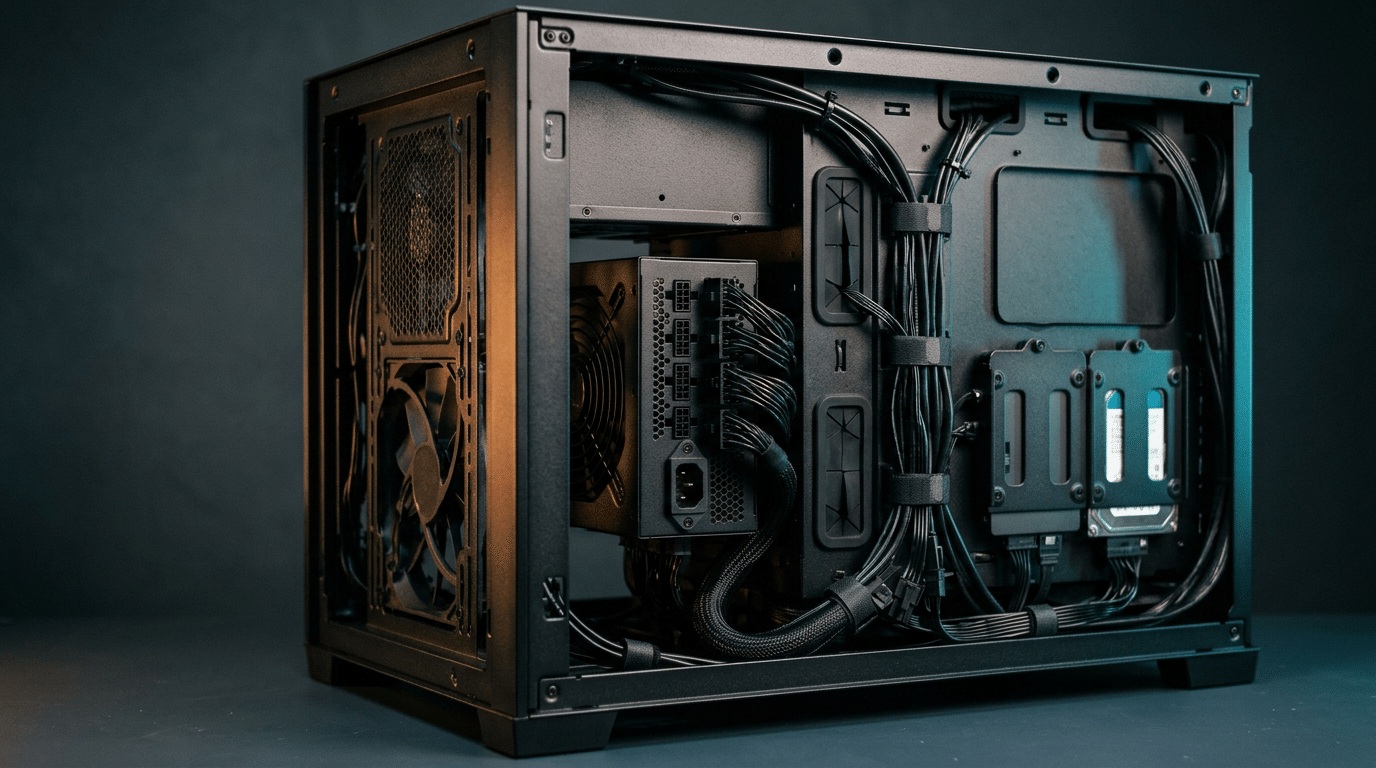
Shopping for the best dual chamber pc case requires looking far beyond tempered glass aesthetics or included ARGB strips. Because fishbowl enclosures seal the front face behind solid glass instead of perforated metal grilles, every degree of GPU boost stability and acoustic quietness hinges on side and bottom intake geometry, total fan count, lateral cable width, and radiator thickness offsets. Apply these six engineering rules before ordering.
1. Dual-Chamber Cases vs. Mesh Airflow Mid-Towers vs. SFF Mini-ITX
A true dual-chamber case relocates the power supply, storage cages, and thick 24-pin cable bundles into a dedicated side-by-side compartment behind the motherboard tray. That separation keeps hot PSU exhaust completely isolated from your main hardware cavity while unlocking unobstructed floor-to-ceiling fan positions directly beneath your graphics card. Compared with straight-through mesh airflow mid-towers covered in our best airflow gaming PC cases hub, dual-chamber frames sacrifice roughly two to four inches of horizontal desk width in exchange for vastly simpler cable cleanup, safer 16-pin GPU power bends, and showcase visibility.
Be cautious not to confuse dual-chamber enclosures with slim single-chamber panoramic towers (which mount the PSU underneath a bottom shroud and restrict bottom GPU intake) or ultra-tiny SFF Mini-ITX enclosures. Mini-ITX showcase cubes look crisp on cramped desks, yet routinely choke flagship triple-fan GPUs below 230mm–310mm lengths and block 360mm AIO liquid cooling altogether.
2. Positive Pressure, Reverse-Blade Fans & 360mm Radiator Pairing
Because fishbowl enclosures rely on perforated side, bottom, and rear grilles rather than open front meshes, establishing gentle positive pressure—pushing slightly more filtered air into the main cavity than exhaust fans pull out—keeps dust out of heatsinks and PCIe slots. The proven 2026 topology pairs three side intakes plus three cold-floor bottom intakes against one rear exhaust and a top-mounted 360mm radiator (or 420mm radiator on wide enclosures like the NZXT H9 Flow) exhausting heated CPU air directly through the roof. Consult our PC case airflow and fan orientation guide for full pressure diagrams.
Equally decisive for aesthetics and wallet efficiency are factory reverse-blade fans. Standard fans mounted as intakes expose their rear plastic motor brackets toward the tempered glass; reverse-blade rotors invert pitch geometry so the clean illuminated side faces inward while still pulling cool room air inside. Choosing a chassis outfitted with pre-installed reverse-blade PWM fans—such as the MONTECH King 95 PRO or ASUS A32 Plus—immediately trims $45 to $90 off aftermarket fan packs, leaving extra budget for one of our audited 360mm AIO liquid coolers.
3. Five Mandatory Hardware Clearances (GPU Length, 12V-2×6 Bend Radius & Radiators)
Never verify only GPU length before checkout. Modern Blackwell and RDNA 4 triple-fan shrouds push tall and wide across the motherboard tray, and thick AIO radiators consume top VRM heatsink and tall DDR5 RAM clearance quickly. Cross-check all five physical checkpoints against your exact component list:
| Clearance Spec | Safe 2026 Target | Why It Matters in Dual-Chamber Builds |
|---|---|---|
| Max GPU Length (GPU clearance) | >= 400mm (365mm min) | Flagship RTX 5080 and RTX 5090 cards often hit 330mm–360mm; side-mounted thick radiators trim max horizontal card length inside narrower frames like King 95 PRO. |
| 12V-2×6 Bend Radius Width | >= 35mm–40mm side clearance | ATX 3.1 16-pin connectors must exit straight before curving; 285mm–315mm wide dual-chamber shells protect against side-glass plug stress far better than narrow single-chamber towers. |
| Top 360mm / 420mm Radiator Height | >= 55mm–68mm offset | 27mm–38mm radiator cores plus 25mm fans collide with tall VRM armor and RGB DDR5 heat spreaders unless top rails provide offset clearance. |
| Air Cooler Height Ceiling | 160mm–175mm | Compact shells like Thermaltake View 380 (160mm) and H6 Flow (163mm) reject tall dual-tower air coolers that fit smoothly inside King 95 PRO or Antec C8 (175mm). |
| Rear Chamber & PSU Depth | >= 85mm depth / 185–220mm PSU | Accommodates heavy 1000W–1200W ATX 3.1 power supplies alongside thick 24-pin, EPS, and hub cabling without bulging the rear steel door. |
4. Back-Connect BTF Project Zero Cutouts, Front USB-C & Dust Filtration
If hiding motherboard power cables completely inside the rear chamber appeals to you, look specifically for factory-punched BTF Project Zero tray cutouts. Rear-connector motherboards—spanning ASUS BTF, MSI Project Zero, and GIGABYTE Project Stealth—move the 24-pin ATX, dual 8-pin EPS, and front-panel headers behind the PCB, meaning they physically cannot mount inside unpunched trays. Among our audited top 10, only the NZXT H9 Flow (2025 refresh), Lian Li O11 Vision Compact, Thermaltake View 380 TG ARGB, and Jonsbo TK-3 include native back-connect cutouts; verify complete tray details in our best back-connect BTF PC cases guide.
Alongside tray geometry, verify high-speed front USB-C connectivity (10Gbps Gen 2 or 20Gbps Gen 2×2 Type-E internal headers matched to modern B850, X870, and Z890 boards) and easy-access magnetic dust filter panels. Bottom intake bays sit barely an inch above carpet or hardwood dust zones—having a slide-out or magnetic mesh screen along the floor prevents GPU fins from clogging within six months.
5. Upgrade Roadmap & Hidden Ownership Costs
Sticker prices on bare glass enclosures deceive budget planners faster than any other PC component. Fanless dual-chamber frames—including the Lian Li O11 Vision Compact, Antec C8, Jonsbo TK-3, HYTE Y70, and Y70 Touch Infinite—require roughly $45 to $90 (and over $120 for synchronized LCD daisy-chain packs) in aftermarket intake and exhaust fans before reaching safe thermal parity with pre-fanned rivals. Add another small budget line for an internal 9-pin USB 2.0 powered hub if pairing an LCD AIO cooler with RGB controllers or the HYTE Y70 Touch Infinite screen, plus a low-profile 90-degree native 12V-2×6 PSU cable if squeezing ultra-wide graphics cards into compact shells like the NZXT H6 Flow.
6. Secondary Intent Resolver: Pre-Fanned Turnkey Value vs. Fanless DIY Showcases
Torn between buying a turnkey pre-fanned fishbowl or building inside an empty enthusiast shell? Pick a pre-fanned winner—#1 MONTECH King 95 PRO, #5 Thermaltake View 380 TG ARGB, or #9 ASUS A32 Plus—whenever every saved dollar can upgrade your GPU from 12GB to 16GB VRAM or bump CPU tier toward an X3D chip. Choose a fanless DIY canvas—#3 Lian Li O11 Vision Compact, #4 HYTE Y70, or #6 Antec C8—strictly when you already own high-end PWM fans, plan a custom multi-radiator water loop, or demand exact fan-brand color matching throughout every mount.
How We Audited, Scored & Rejected Dual-Chamber Models
Every fishbowl chassis in this guide was evaluated through manufacturer dimensional CAD specifications, airflow vector engineering, BTF tray compatibility verification, stock fan header and blade audits, and ATX 3.1 physical fitment checks—aligned with The PC Audit evaluation methodology. Instead of judging solely on marketing renders, we weighted all 10 dual-chamber contenders across four objective engineering categories totaling 100%:
| Evaluation Criterion | Weight | What We Audited |
|---|---|---|
| Airflow & Thermal Topology | 35% | Angled corner or swappable front mesh intake paths, reverse-blade stock fans, cold-floor bottom GPU air supply, and PSU chamber isolation. |
| GPU, Radiator & Cable Clearance | 25% | Maximum GPU clearance, >=35mm 12V-2×6 bend radius room, 360mm/420mm radiator thickness limits, and BTF Project Zero cutouts. |
| Acoustics & Dust Filtration | 20% | Positive-pressure fan balance, 4-pin PWM vs. 3-pin DC speed curves, and accessible removable magnetic dust filter coverage. |
| Build Ergonomics & Value | 20% | Rear cable routing depth (up to 90mm), bundled PWM/ARGB hubs, 10Gbps front USB-C I/O, and true total cost after missing fans. |
Models We Audited & Rejected (And Why)
- MONTECH XR Panoramic Dual-Glass Mid-Tower (Single-Chamber Shroud): Although it delivers attractive panoramic glass and reverse-blade fans under $100, it mounts the PSU beneath a conventional bottom shroud rather than using a genuine side-by-side dual-chamber design—tightening rear cable depth and bottom GPU cooling headroom.
- NZXT H9 Flow RGB+ ($150-$250 Tier Bundle): Excluded as a separate ranking entry because it uses the exact same 2025 H9 Flow steel frame as our #2 pick while adding single-frame F420 RGB Core fans and an NZXT Control Hub at nearly double the shell price—worthwhile only for buyers committed strictly to NZXT CAM RGB lighting.
- JONSBO TK-0 Mini-ITX Walnut SFF Dual-Chamber ($100-$150 Tier): Admirable brushed aluminum and real walnut wood SFF Mini-ITX styling, but capped strictly at 230mm GPUs, 135mm air coolers, SFX power supplies, and zero liquid-cooling radiator support—far too limiting for standard triple-fan gaming builds.
- Generic Budget Dual-Glass Clones With Fixed Molex Fans: Low-end unbranded aquarium shells routinely ship with noisy fixed-RPM SATA/Molex fans lacking motherboard PWM curves, thin flexing 0.5mm steel frames, and zero removable magnetic dust filters along bottom intake vents.
Frequently Asked Questions About Dual-Chamber Fishbowl PC Cases
Do dual-chamber fishbowl PC cases run hotter than traditional mesh towers?
Dual-chamber enclosures run within a few degrees of open mesh mid-towers when populated with bottom and side intakes. Separating the PSU behind the motherboard frees the entire floor to feed cool air directly into GPU heatsinks while a top 360mm or 420mm AIO exhausts CPU heat cleanly upward.
Why should I check for reverse-blade fans when buying a dual-chamber PC case?
Reverse-blade fans preserve clean interior visuals without reversing airflow into negative pressure. Standard fans spun backward as intakes show ugly plastic motor struts inside the glass bay; factory reverse-blade fans flip fin pitch so the pretty illuminated face points inward, saving roughly $45 to $90.
Which dual-chamber fishbowl cases fit ASUS BTF and MSI Project Zero motherboards?
Only dual-chamber enclosures stamped with rear perimeter tray cutouts accept back-connect motherboards. Among our audited Top 10, the refreshed NZXT H9 Flow, Lian Li O11 Vision Compact, Thermaltake View 380 TG ARGB, and Jonsbo TK-3 natively support ASUS BTF and MSI Project Zero layouts.
Do dual-chamber cases help prevent RTX 5080 and RTX 5090 12V-2×6 cable bends?
Yes—wide side-by-side dual-chamber designs protect 16-pin 12V-2×6 connectors far better than slim single-chamber towers. Spanning 285mm to 315mm across provides comfortable >=35mm to 40mm unbent side-glass clearance, while vertical riser shells like the HYTE Y70 eliminate lateral cable bends entirely.
Is a fanless case like the O11 Vision Compact or Antec C8 actually cheaper?
Rarely—once you purchase six to nine PWM fans, fanless shells usually climb above turnkey rivals. Adding reverse-blade intake and exhaust fan kits to an under-$100 Antec C8 or $115-$130 O11 Vision Compact adds roughly $45 to $90, making the pre-fanned MONTECH King 95 PRO stronger out-of-the-box value.
Can I use a dual-tower CPU air cooler inside a dual-chamber fishbowl PC case?
Yes, provided heatsink height stays beneath the chassis glass limit. Air towers fit comfortably inside the King 95 PRO and Antec C8 (175mm), H9 Flow and A32 Plus (165mm), and H6 Flow (163mm), though a 360mm AIO keeps panoramic glass interiors cleaner and avoids RAM crowding.
Final Verdict: Selecting the Best Dual Chamber PC Case for Your Rig
Selecting the best dual chamber pc case comes down to matching included cooling value, radiator size, and back-connect motherboard cutouts to your build budget. For most PC gamers, #1 MONTECH King 95 PRO earns top honors by packaging six PWM reverse-blade fans, a 10-port controller hub, and a swappable front mesh panel inside one curved glass enclosure. Builders prioritizing dual 420mm radiator space, ATX BTF compatibility, and generous 12V-2×6 width for flagship RTX 5080 or 5090 cards should choose #2 NZXT H9 Flow Dual-Chamber.
Perfectionists chasing hidden AIO tubing and BTF routing find a tailored fit in #3 Lian Li O11 Vision Compact, vertical-GPU enthusiasts get a bundled PCIe 4.0 riser and 4-slot room in #4 HYTE Y70, and cost-conscious BTF builders under $100 get four factory ARGB fans with hidden-connector cutouts in #5 Thermaltake View 380 TG ARGB.


